Menu

IIT Certification Programs

Workshops

Projects

Blogs

Careers

Student Reviews


More

Academic Training

Informative Articles

Find Jobs

We are Hiring!


All Courses

Choose a category

Loading...

All Courses

All Courses

logo

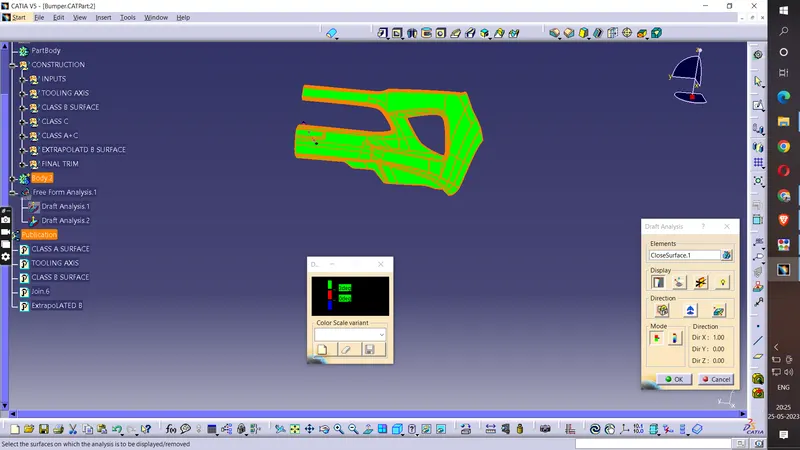
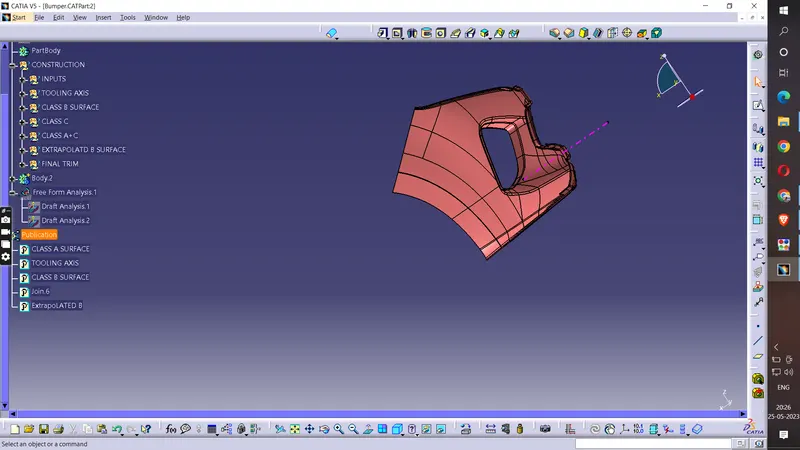
Week 9 - Challenge 3 - Bumper

    Project Details

    Loading...

    Leave a comment

    Thanks for choosing to leave a comment. Please keep in mind that all the comments are moderated as per our comment policy, and your email will not be published for privacy reasons. Please leave a personal & meaningful conversation.

    Please  login to add a comment

    Other comments...

    No comments yet!
    Be the first to add a comment

    Read more Projects by Milind Patankar (13)

    Week 9 - Challenge 2 - Switch Bezel Design

    Objective:


    calendar

    31 May 2023 07:18 AM IST

      Read more

      Week 9 - Challenge 3 - Bumper

      Objective:

      calendar

      25 May 2023 02:59 PM IST

        Read more

        Wiring harness design in CATIA V5 - 3D modeling Week 7 Challenge

        Objective:

        Q1. Flatten the harness assembly completed in “ week 4 challenge”. Place the flattened view on drawing sheet. Ensure bundles with protective coverings has different visuals on drawing view. AIM:- To prepare the flattened view of a previously created harness assembly OBJECTIVE:- This project's goal…

        calendar

        28 Feb 2023 09:19 AM IST

        • CATIA
        Read more

        Wiring harness design in CATIA V5 - 3D modeling Week 5 & 6 Challenge

        Objective:

        Q1. Route the following harness layout in Electrical workbench. Make assumption for harness bundle diameters. Use the connectors provided. After completion of routing, Check the bundle Continuity. Add snap of result in submission Add annotation to all connectors. Make an assumptions for annotations like connect 1 , 2 etc…

        calendar

        21 Feb 2023 09:48 AM IST

        Read more

        Wiring harness design in CATIA V5 - 3D modeling Week 4 Challenge

        Objective:

        Q1. Route the following harness layout in the Electrical workbench. Make assumptions for harness bundle diameters. Use the Following connectors as shown in the layout diagram. Add protective covering on all branches connected to DT06-2S & DT06-4S connectors. Keep end extremity at 30mm (from connectors end) Aim: 1)…

        calendar

        15 Feb 2023 03:39 AM IST

        Read more

        Wiring harness routing & packaging Rules Week 3 Challenge

        Objective:

        Q1. Download following cad data & define it as Electrical support using Electrical Part design Workbench. Define all the necessary properties. Steps. After downloading the file, use CATIA V5 to open it. In accordance with the part design model,entry,exit,base points, and planes are defined. Open the files in Electrical…

        calendar

        19 Jan 2023 07:56 AM IST

        Read more

        Wiring harness design in CATIA V5 - 3D modeling Week 2 Challenge

        Objective:

        AIM: Download following connectors & Connector clip cad data from given link & define it as Electrical Connector using Electrical Part design Workbench. Define all the necessary properties to Connectors & Clip. Deutsch DT06 – 08SA ( https://www.te.com/usa-en/product-DT06-08SA.html) Tyco 174357-2 (https://www.te.com/usa-en/product-2-174357-2.html?source=header-match)…

        calendar

        12 Jan 2023 01:32 PM IST

        Read more

        Project 1

        Objective:

        Project  In this project we creat model of double-acting actuator using Simscape Multibody and Simscape components using this component from library the model of double acting hydraulic actuator system also in this model there are some subsystem which is mechanical system and cylinder assembly …

        calendar

        28 Dec 2022 08:03 PM IST

          Read more

          Project - Analysis of a practical automotive wiring circuit

          Objective:

          PROJECT:               Analysis of a practical automotive wiring ciruit  Solution of this project  is in word file which is attached to the Answer body in both the formats word file and Pdf form   

          calendar

          18 Dec 2022 09:10 AM IST

            Read more

            Project 2

            Objective:

            As discussed in Lecture 11, Project 2 deals with the development of a forward energy-based fuel consumption model of a P1 hybrid vehicle. This model is based on the conventional vehicle model from Project 1. To do that, the following steps need to be followed: 1) Load the Project2 folder as the Current Folder in Matlab.…

            calendar

            08 Dec 2022 12:23 PM IST

              Read more

              Project 1

              Objective:

              SOLUTION OF PROJECT Title: - Deals with the development of a forward energy-based fuel consumption model of a conventional vehicle. Aim: - 1] Build Simulink model using blocks and complete the vehicle model. 2] Writing scripts in MATLAB to load all the variables required for running the Simulink model. 3] Tabulate the…

              calendar

              25 Nov 2022 09:39 AM IST

              Read more

              Project - Speed Control of a Direct Current (DC) motor

              Objective:

              solution: Here the Speed control of a DC motor is either done manually by the operator or by means of an automatic control device. This is different to speed regulation where the speed is trying to be maintained or regulated against the natural change in speed due to a change in the load on the shaft so  the speed…

              calendar

              11 Nov 2022 12:56 PM IST

                Read more

                Project - Data Handling and Interpolation

                Objective:

                Computeing value of given voltage fileid1=fopen('C:\Users\USER\Downloads\VI.xlsx','r'); %value of given voltage VV =[-17.2 -17.1 -13.8 -13.5 -13.0 -12.5 -11 -9 -5.76 -6 -1 0.11 0.25 0.5 0.61 ]; %value of cureent from excel sheet current=[-17.2 -13 -11 -9 -6 -1 0.11 0.25 0.5 0.61 0.66]; c=interp1(VV,current); figure plot((-28:-14),VV,'o',current,c,'*');…

                calendar

                10 Aug 2022 11:27 AM IST

                  Read more
                  Showing 1 of 13 projects