Week 9 - Challenge 2 - Switch Bezel Design
DETAILED REPORT : SWITCH BEZEL DESIGN
Objective
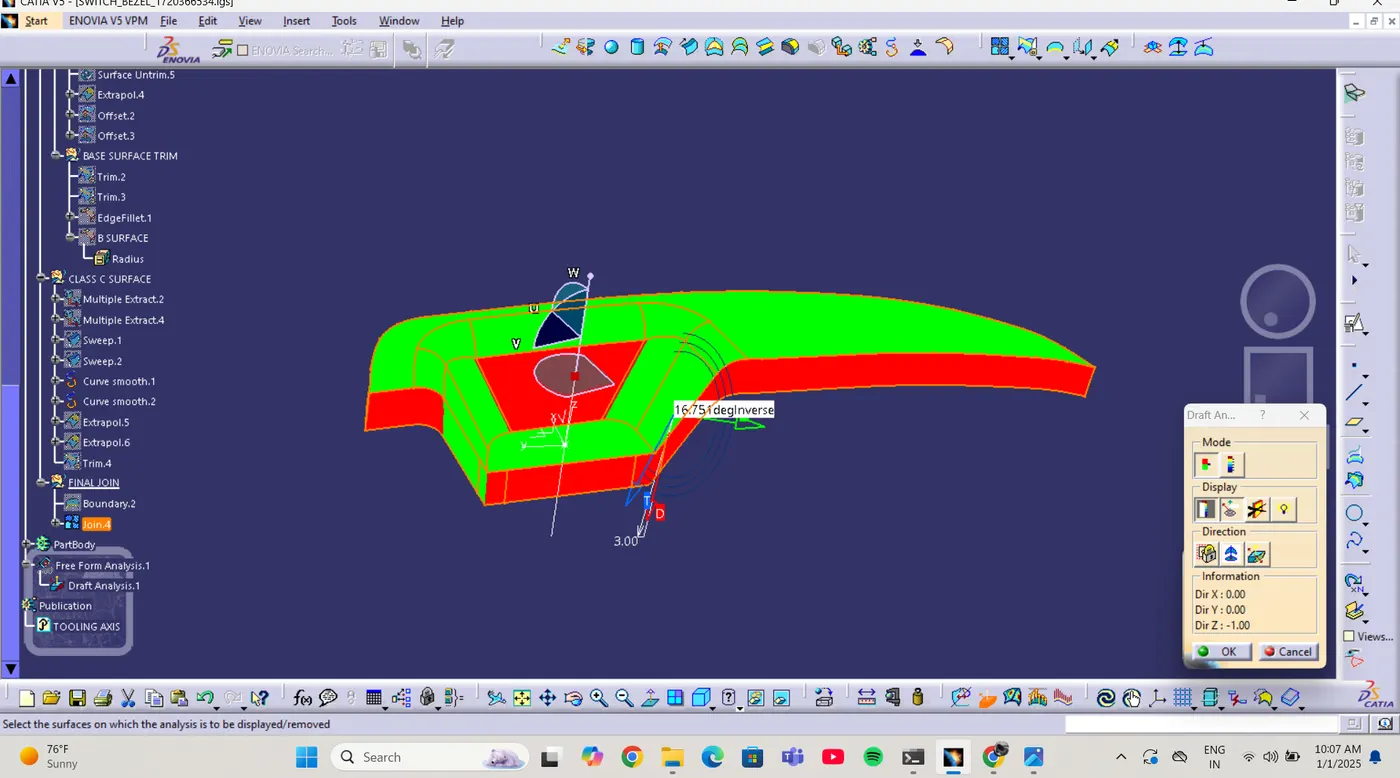
- To design a switch bezel using Class A surface as an input , and finilize the part by trimming and performing draft analysis
Steps Taken
1- Input and Tooling axis Creation
input class A surface provided by SKILL LYNC
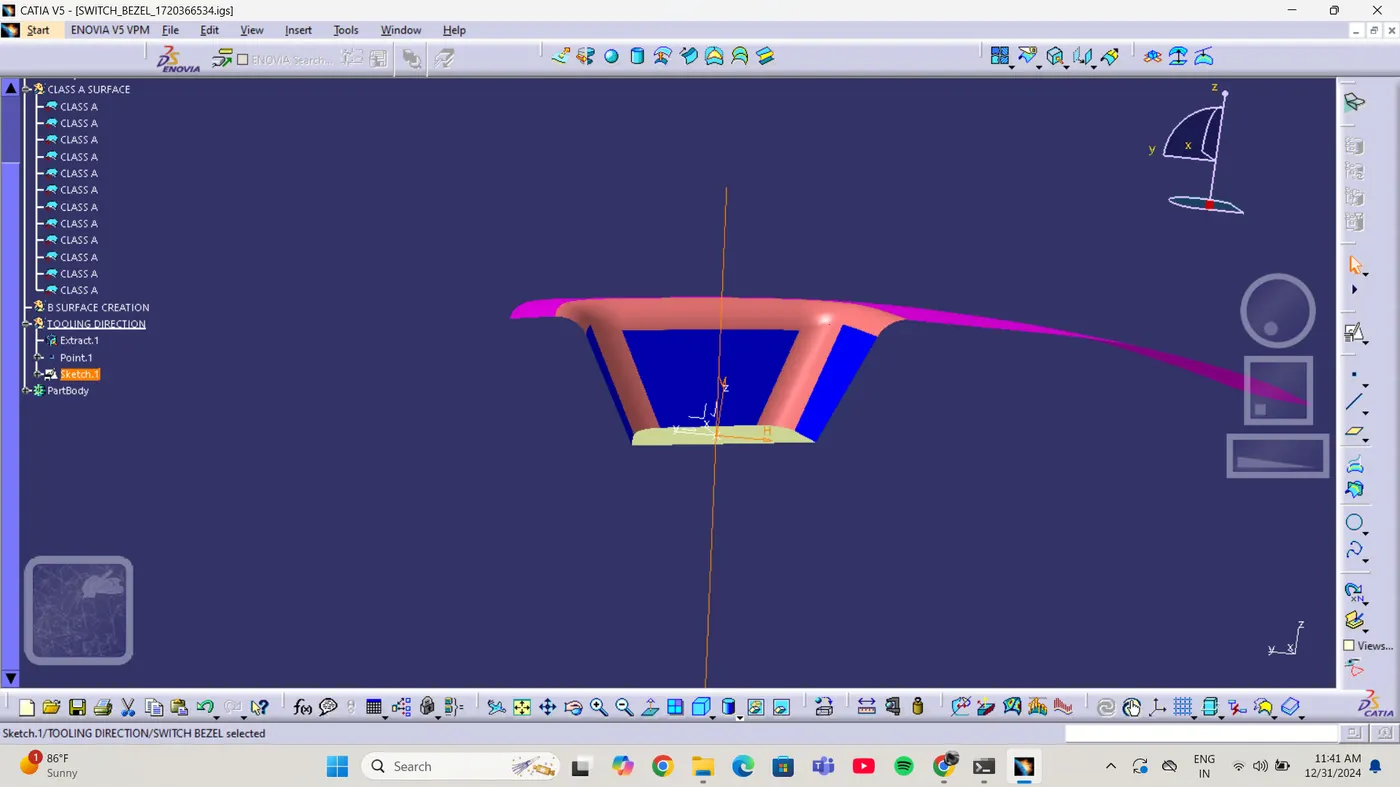
created a tooling axis by defining a point on the base surface , developed tooling axes for X- Direction and Y-Direction using the sketch tool and intersection method
created a bisecting line using the two directional axes to finalize the tooling axis for draft analysis
2- Creation of Class B Surface
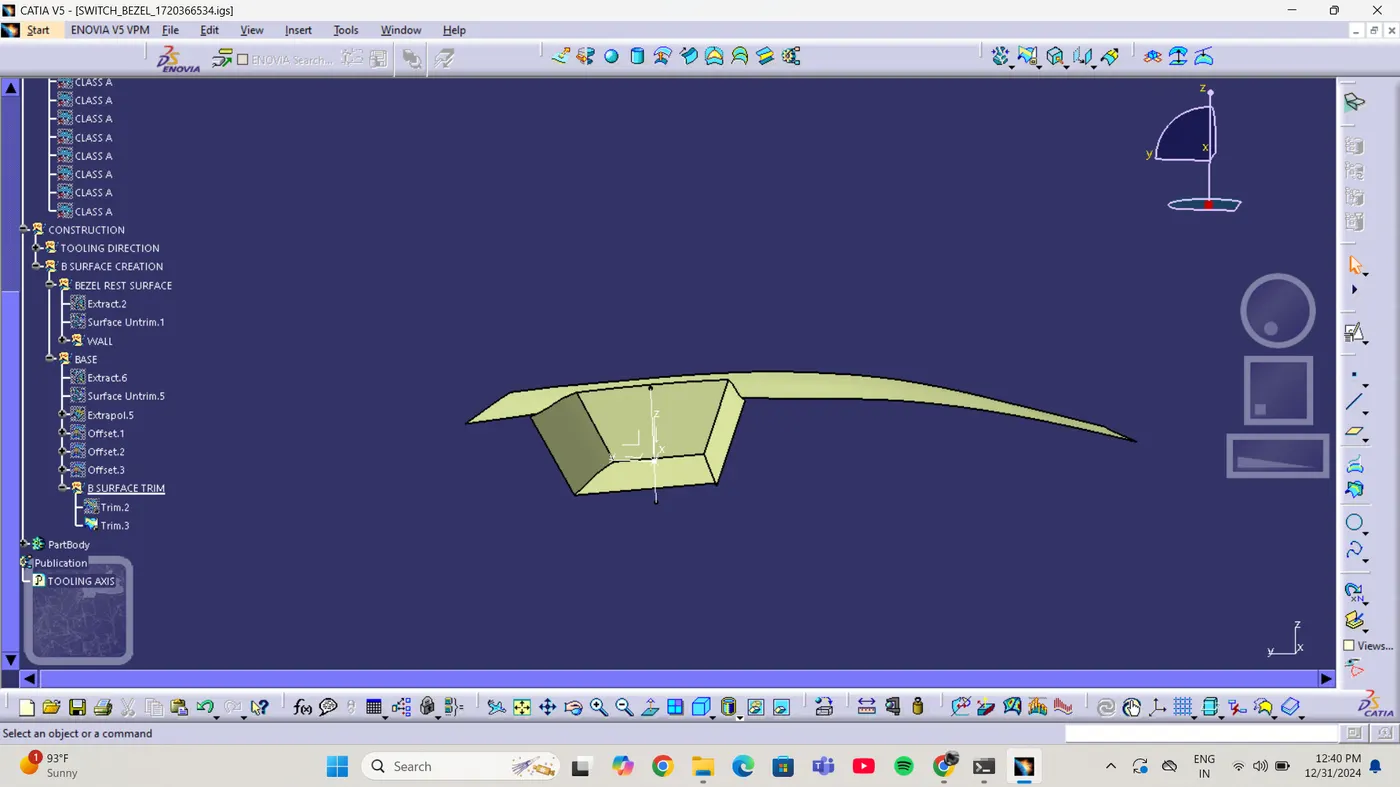
extracted the bezel surface and untrimmed it
offset the extracted surface to create the base class b surface , also for the wall followed the same procedure for each side
ofset the base surface similarly
3- Fillets
added edge fillets at
15 degree angle at the edge of side walls
11.5 degree angle at top of side walls
4- Creation of Class C Surface
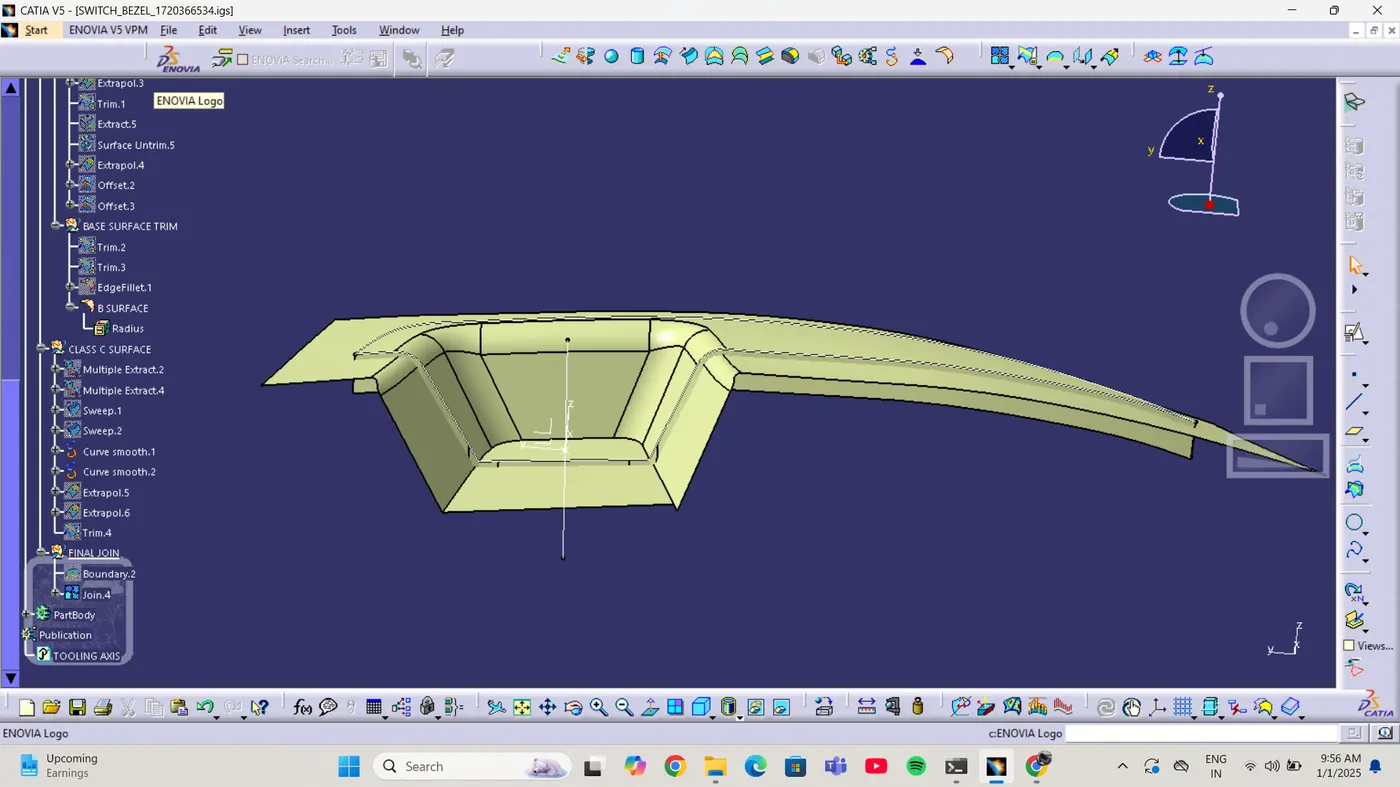
extracted boundaries of the class A surface using multiple extract tool . Used sweep tool with the tooling axis as a reference to create class C surface
Resolved patches using thesmooth curve tool replacing the multiple extract to create the seamless curves
trimmed class c surface with class b surface
5- Final Join
created the boundary of the class a surface attempted to trim the joinwith class b
6- Issue Enciuntered
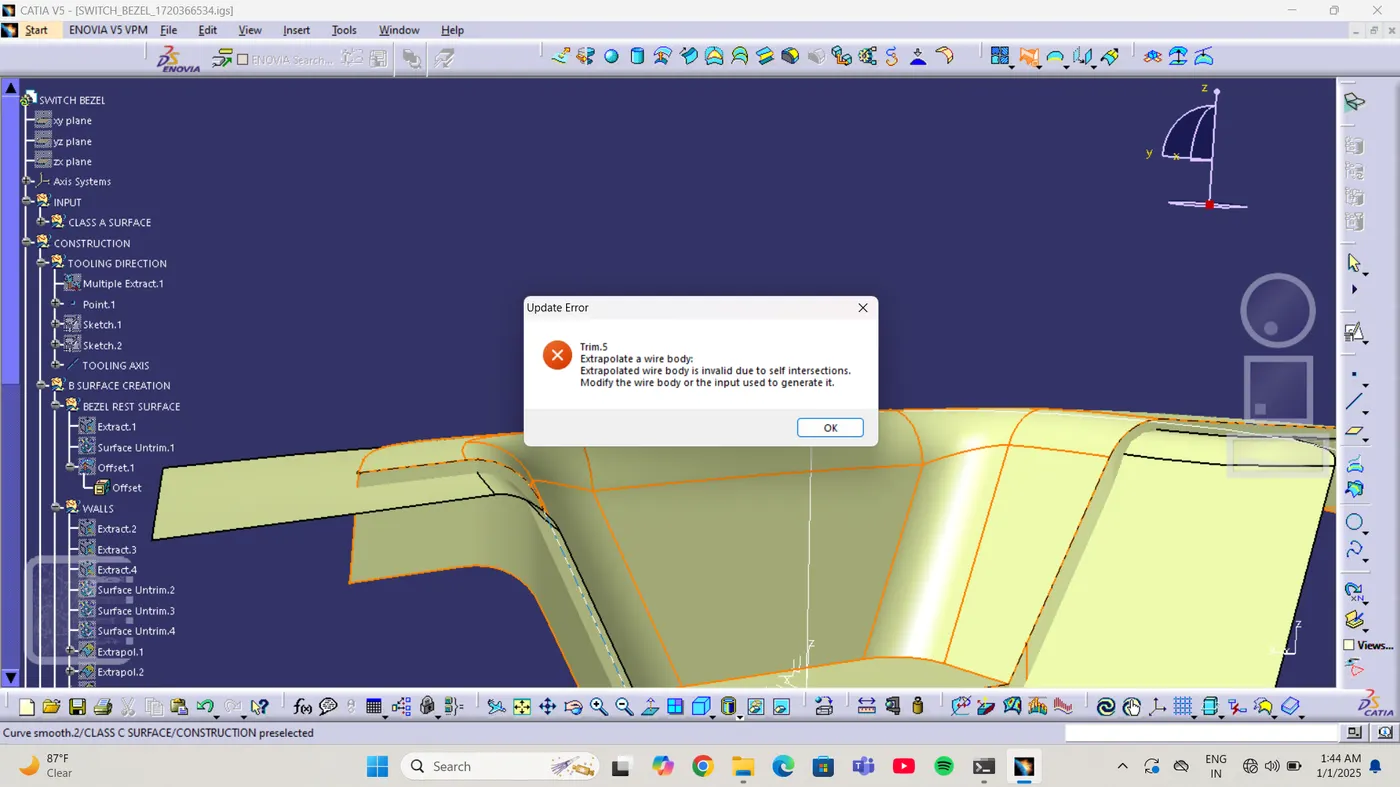
problem : the extrapolated wire body is invalid due to self - intersection
7- Attachments
the report includes:
images of different stages of the process
screenshots of the encountered issue