Week 9 - Challenge 2 - Switch Bezel Design
SWITCH BEZEL DESIGN
in this intially we would upload the class a surface and then we need to analyse the drawing and do the further necessary steps.
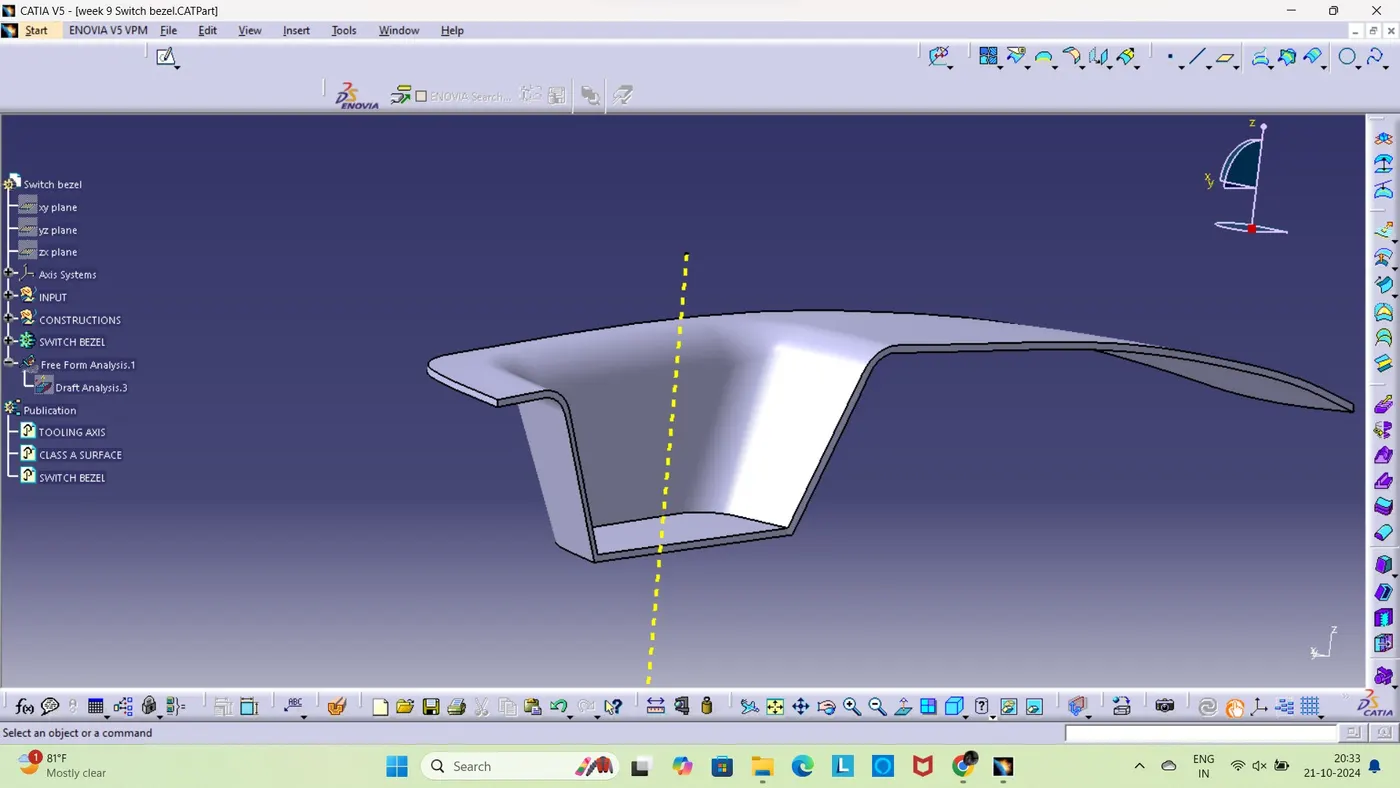
check the conectivity of the drawing by using differenet methods like using join commad and clicking on the geometry or by using boundry command and by this methodwe would see the boundy outline by this way we would get the cleaner view of the geometry and thsi analysis set up focusess on finnding out any gaps of flaws in the geometry.
finding the tooling axis and the needd for this is to find or thsi is taken by considering n which direction the mould opens and the tooling axis is created and we would create a dummy axis and then we would be creating parallel lines from the walls of the geometry and then using bisecting command we would be able to create the tooling and the axis craeted by this method is our tooling axis.
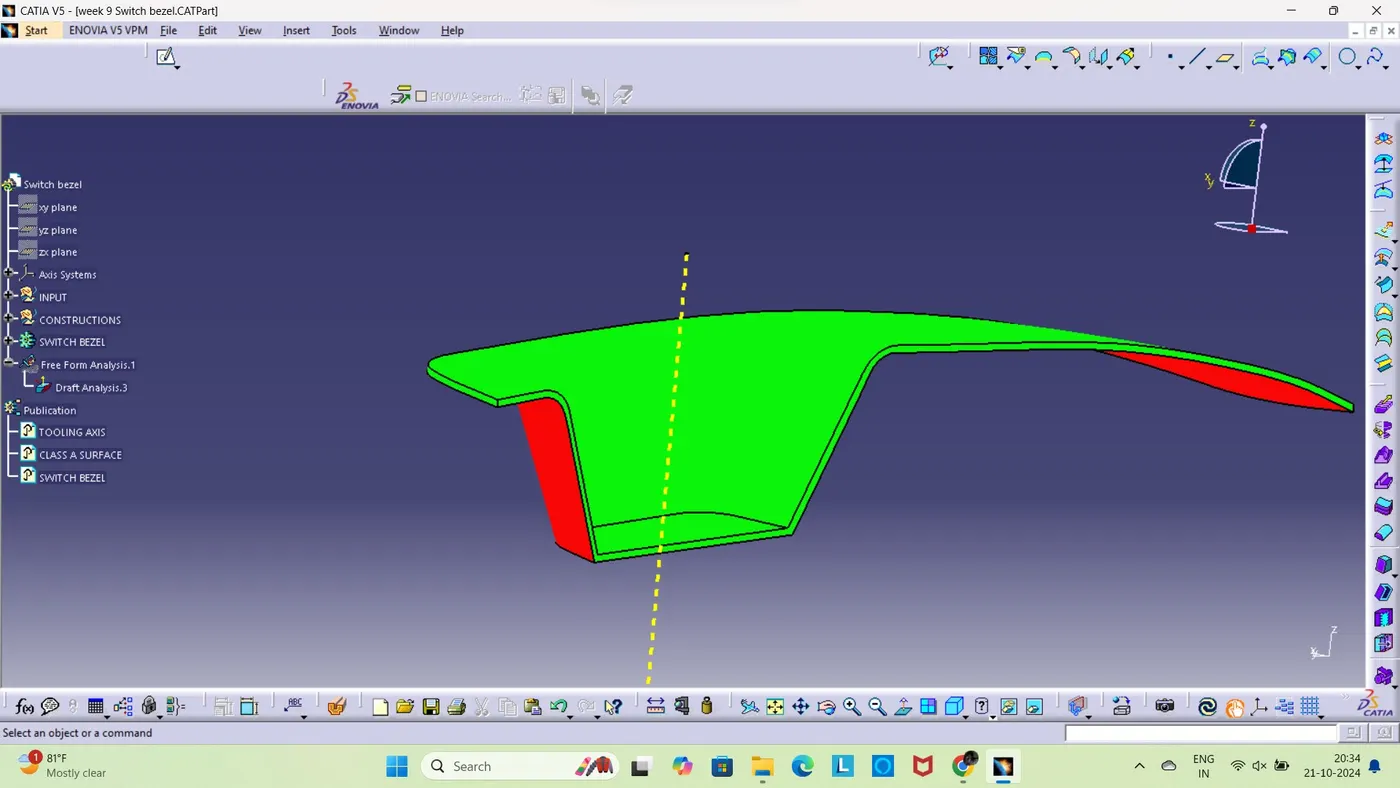
Draft analysis in this we would use the draft analysis tool and then we need to draft direction and try to place it over the tooling axis and keep in mind that the direction should be on the axis and if it is in inverted position then use the invert direction key to make the direction correctly.after it we can lock the direction to avoid any change from the direction from any error from our side then we can evalutae the draft angle from the geometry for that they have set up which differenciate the angle difference using different colors like green and cyan and if the angle is within three degree thenthe it shows green colorationand the draft is ok.
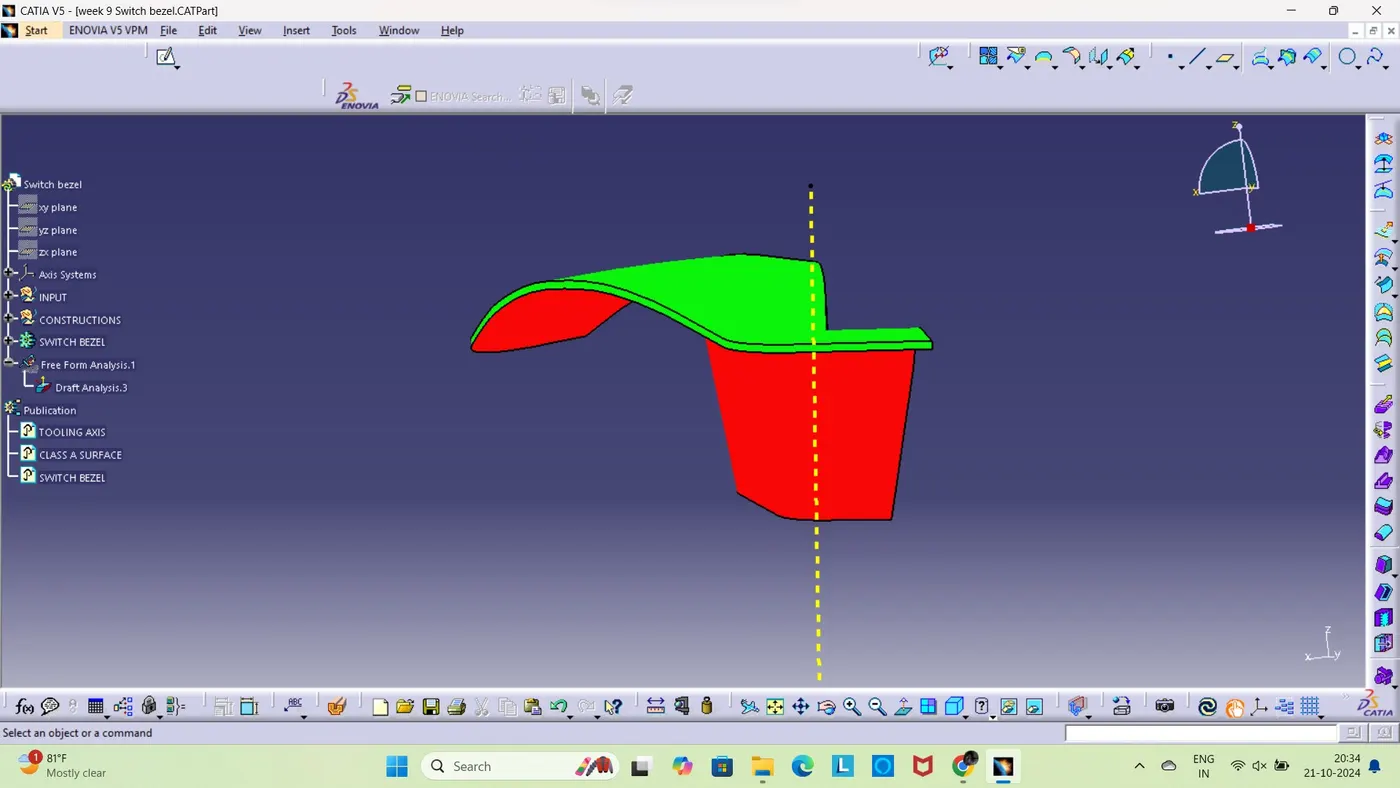
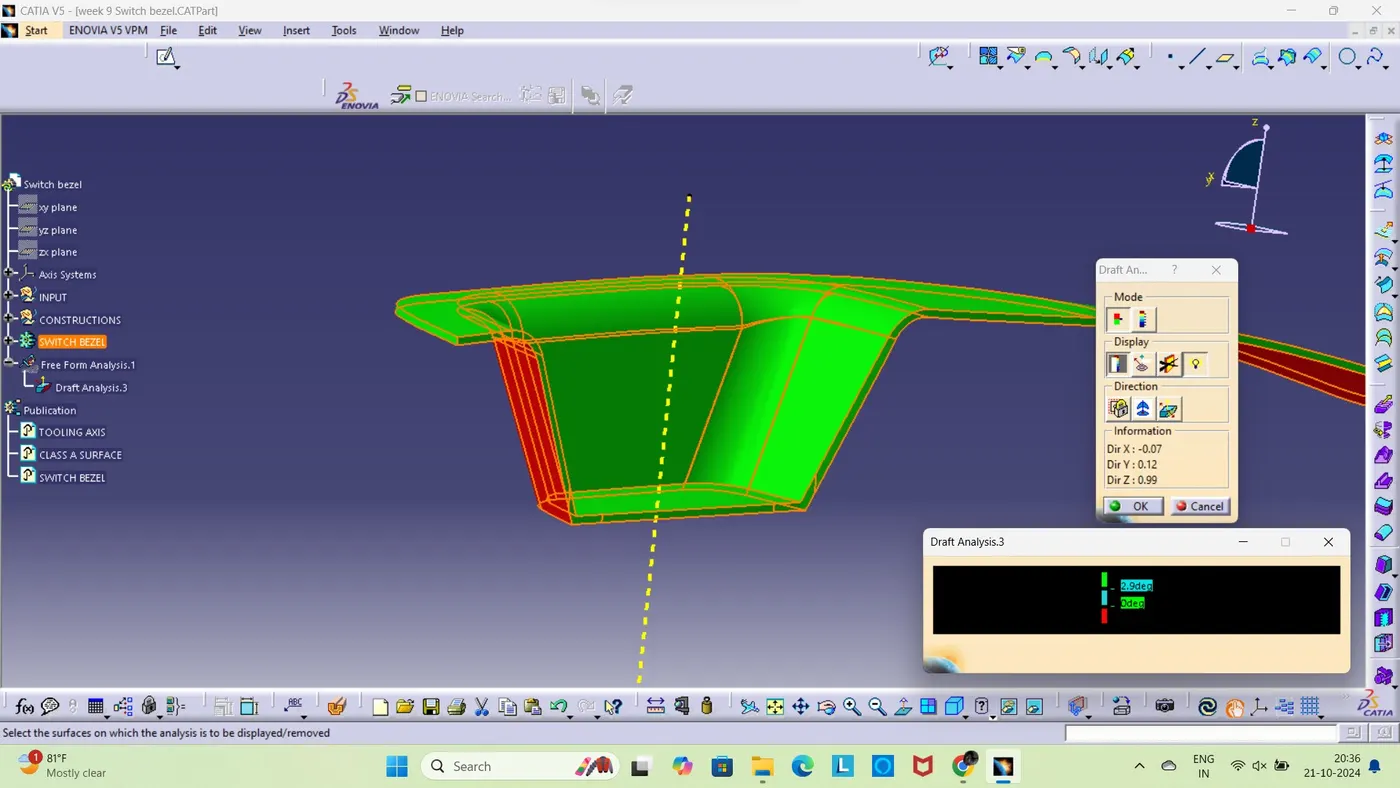
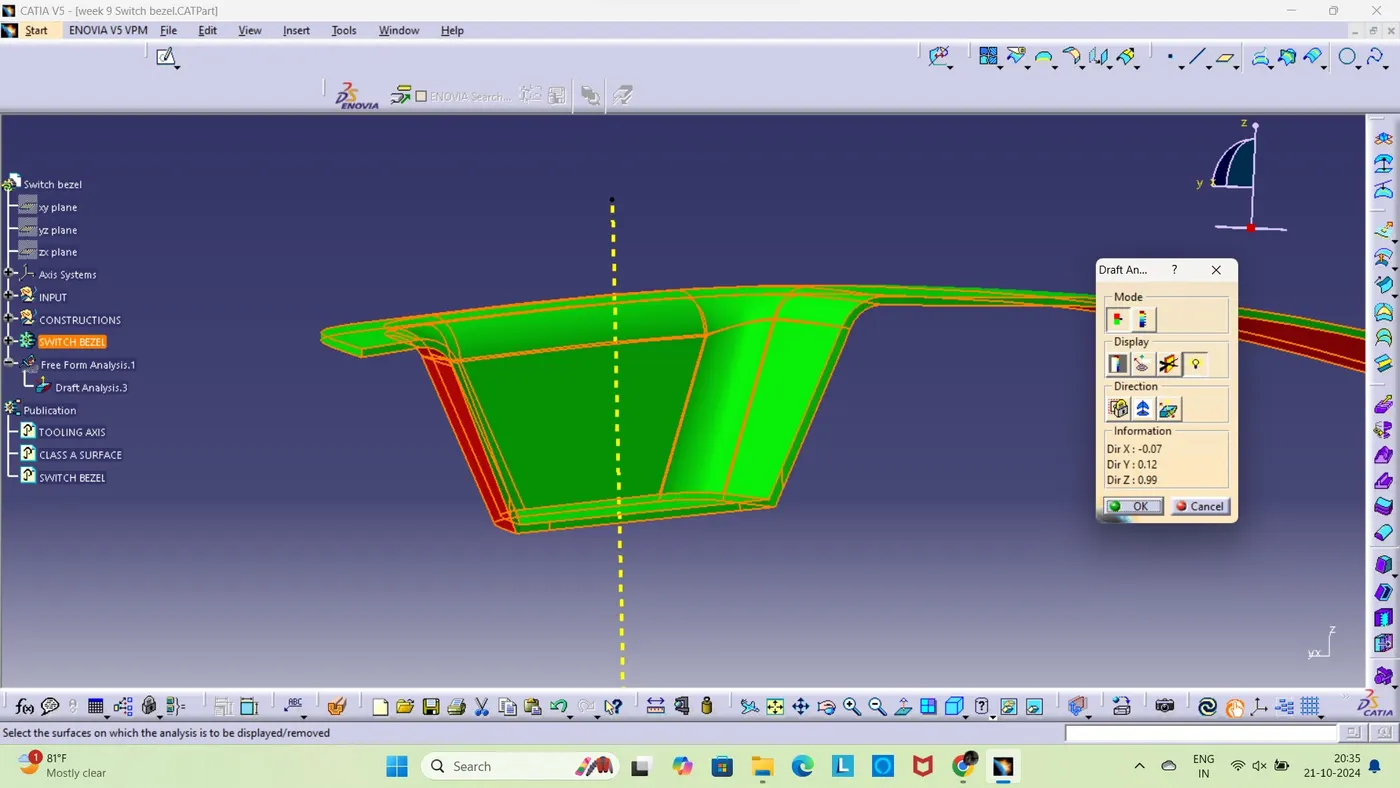
now after see the complete draft we can see the geomerty is staisfying the draft angle complectly expect on the class c surface and currently we can ignore it for future works and rotate the geometry and check the complete image properly to ensure any spaces are left not recognized and by thsi whay is draft is set up.
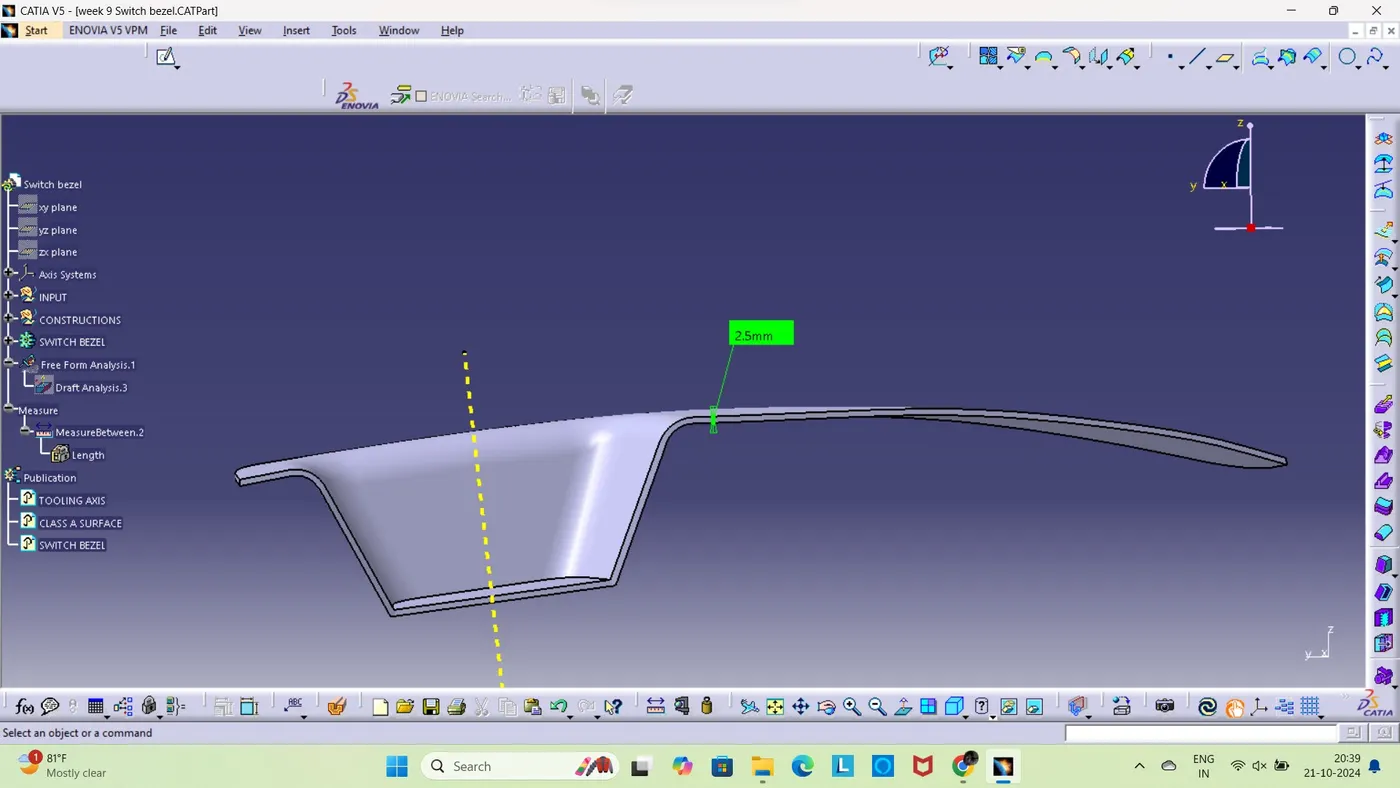
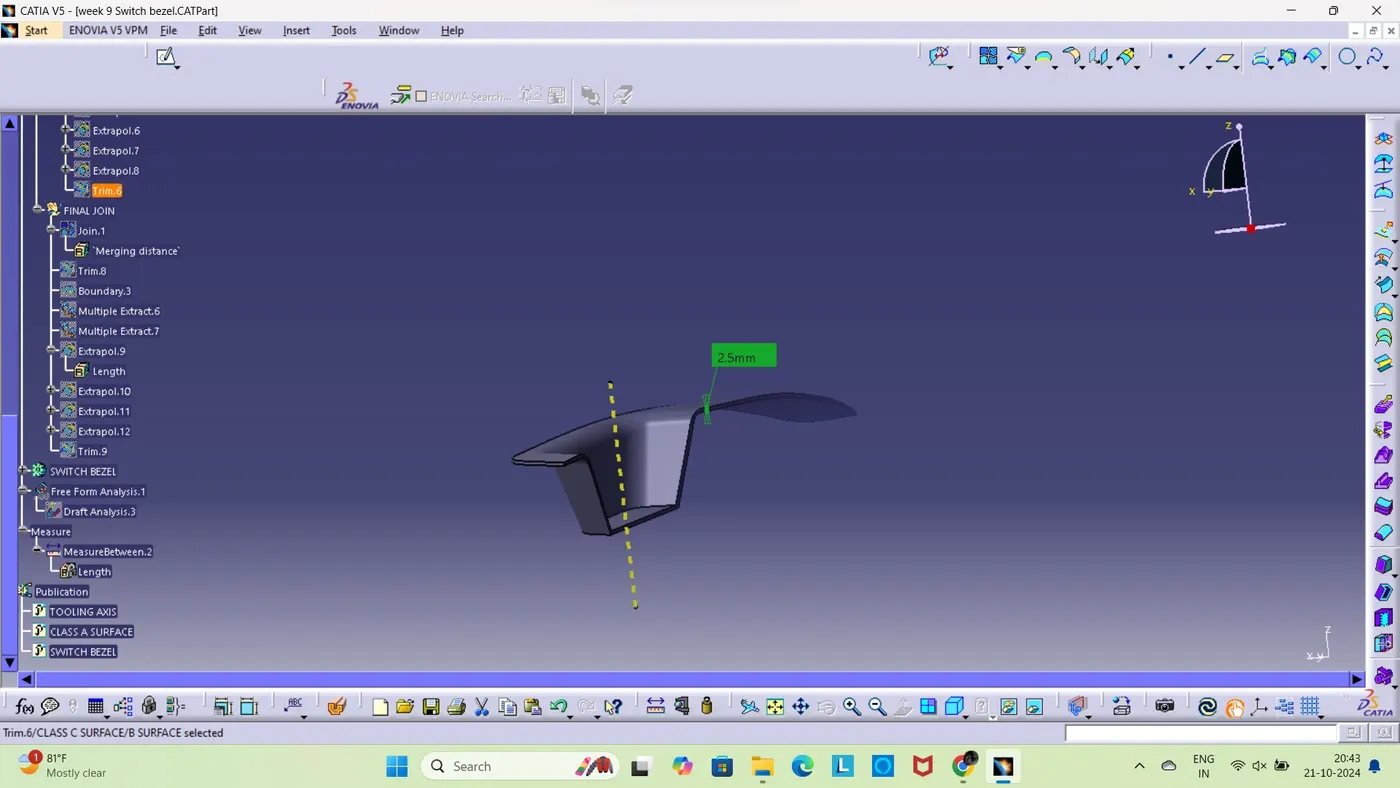
here the thickness of the geometry is shown and it is our chaoce and we can alter it during the creation and the steps for this is iit differnciate the image accoriding to its shape and for easy recognitiona nd then our motive is to reverse the image like creating the extaract of the selected areas of the sketch and then we need to use the untrim option to bring the complete side or part and then we need o extrapolate the side to extend its lengths so that we would be good to go with the further changes or modificaton or steps then we have a disorgined structure and by refering to the class a surface and measure the fillet values of it and give of them and before thsi step give offset value because this is the one which determines the thickness.
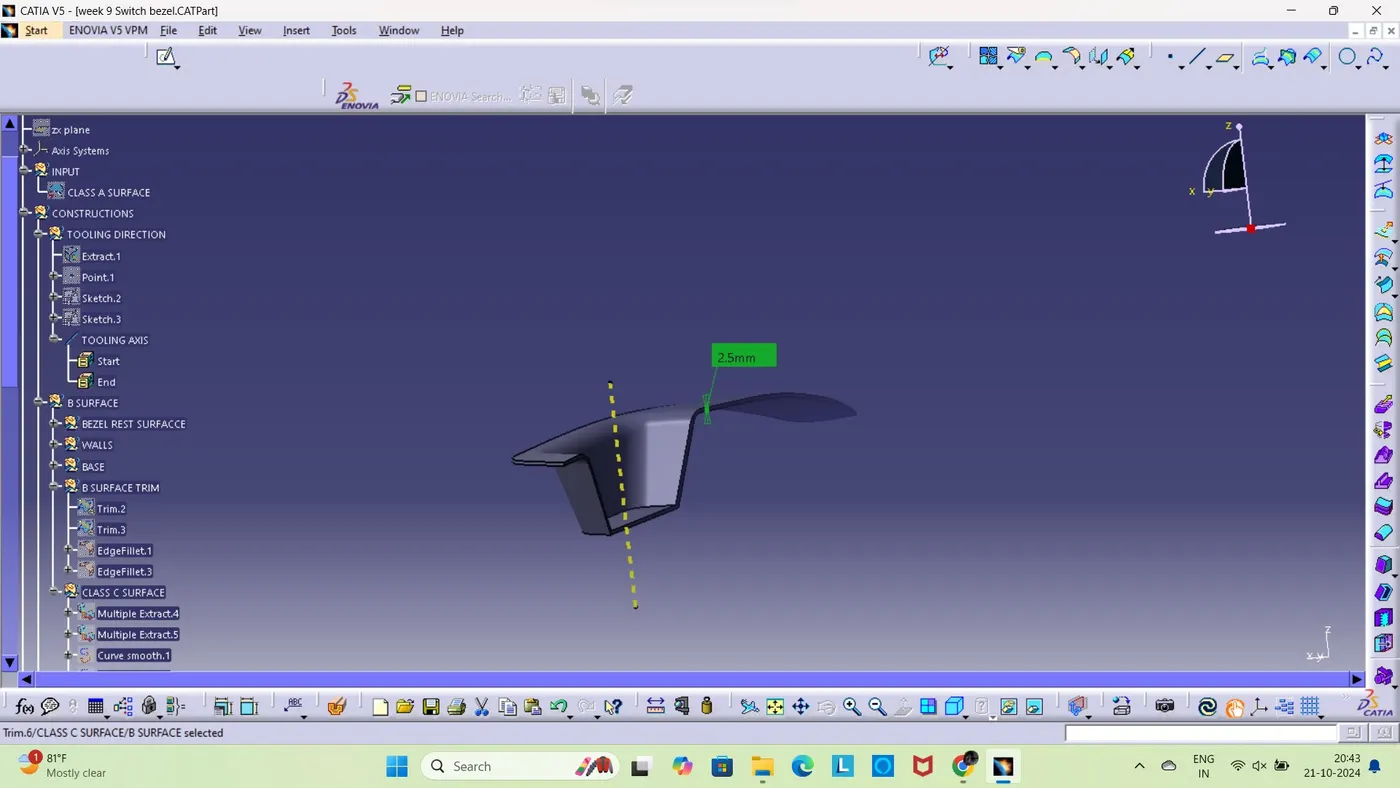
TREE