Week 9 - Attachment Feature Creation - Challenge 2
DESIGN OF SCREW BOSS AND DOG HOUSE
OBJECTIVES:
- Create the Screw boss withstanding all the design rules.
- Create the tooling axis for dog house.
- Create the dog house.
- Perform the draft analysis on the whole component.
- Detaling the draft analysis of the component.
- Providing views in different orientation of the component.
1) CREATING THE SCREW BOSS:
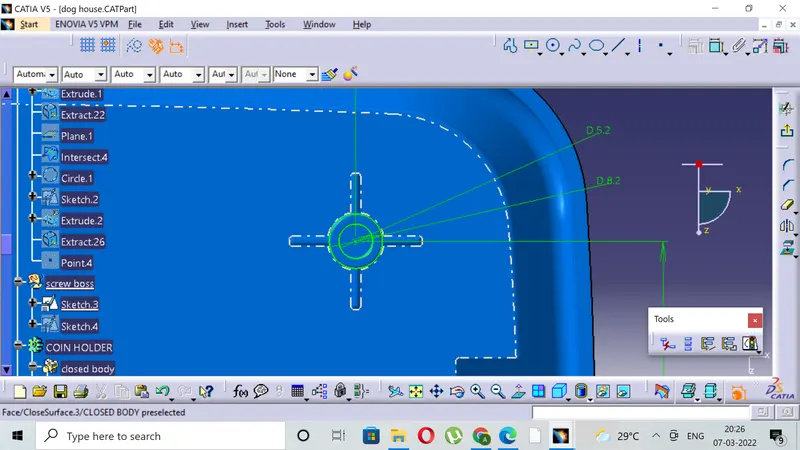
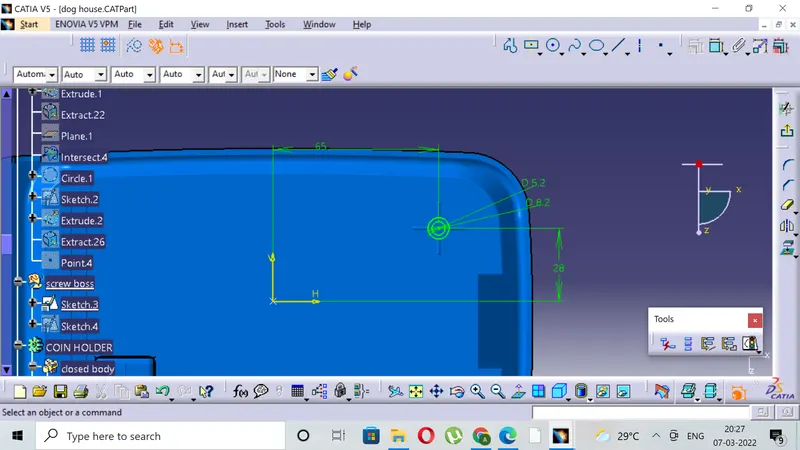
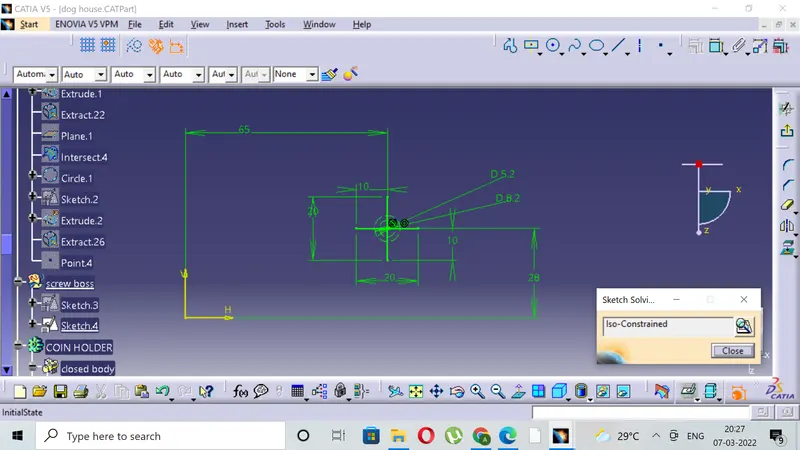
- Create two circles on the B surface and use proper geometrical set for the iso - constrained sketch.
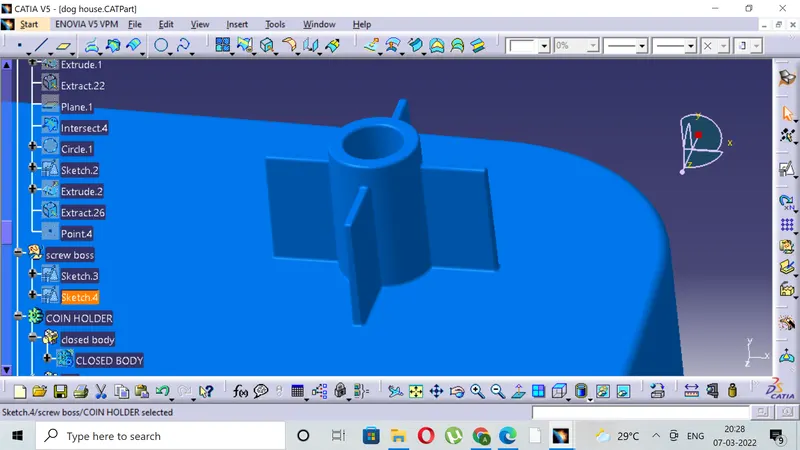
- Pad the two circles maintaining the thickness design consideration of max(0.6x THICKNESS of the component), extend pad in other direction for 1mm to avoid future uncertainities while designing.
- Maintain the height to diamter ratio as 3:1.
- Give the necessary draft of 0.5 degrees wherever required with tooling axis as pulling direction, make sure that element is cutting.
- Give the necesssary fillets to the corners and maintain the fillet value as (0.25X Thickness of the component).
- Add this boss in the main part by assembling it, provide the ribs for better attachment and strength and avoiding the sinks.
- Paste special this boss and translate it to another location where another boss in required of same design consideration.
- The boss can be adjusted relative to the dog house provided the necesaary parent and children relationship.
2) CREATING THE DOG HOUSE:
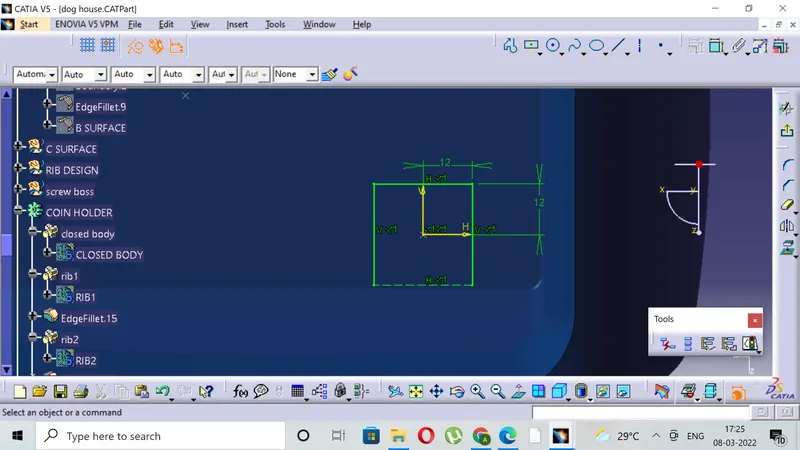
- Extract the class A surface for creating the point and use the point and class A surface as plane for creating the positioned sketch.
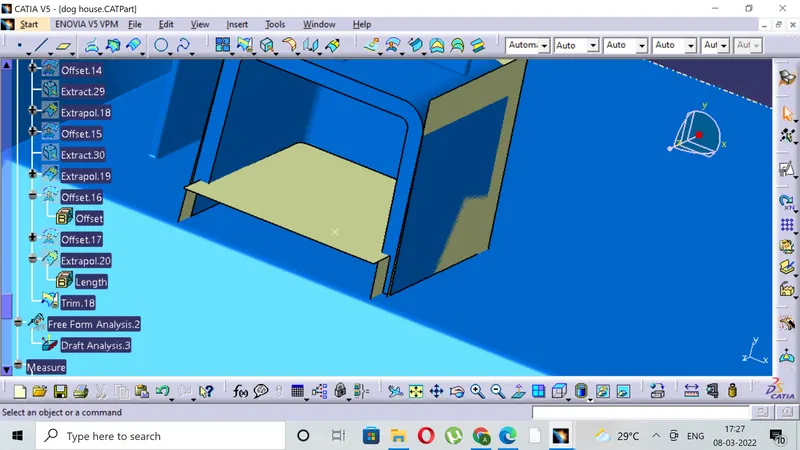
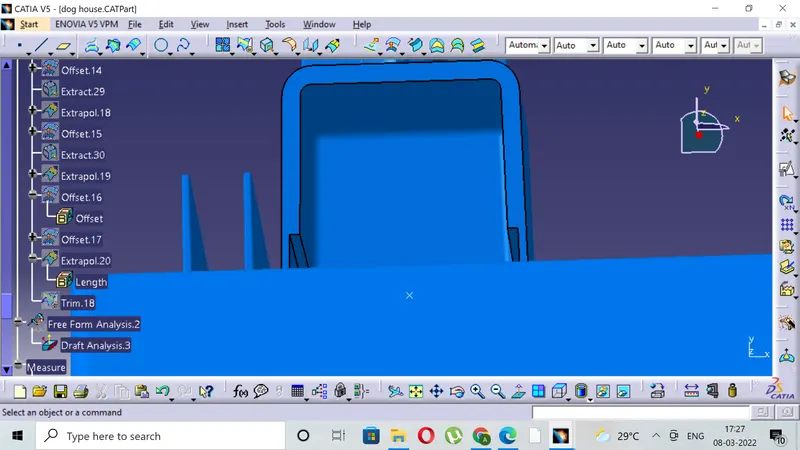
- Create the rectangle with open at one end and sweep that sketch along the tooling direction giving 0.5 degree as draft angle.
- Offset the class A extracted surface for creating the height and trim it off for acquiring the required surface .
- Thick the component in part workbench for 2mm and perform the internal drafting .
- Split the surface with the front wall if there are certain unnecessary uncertainities prior to drafting.
- Extract the front wall tangentially and offset it to obtain the side wall thickness of 1mm for the height of 4mm.(height design 3mm-6mm).
- Split the surface with the thickened body to obtain the required body.( THE C VALUE = 0.4 X Thickness of component).
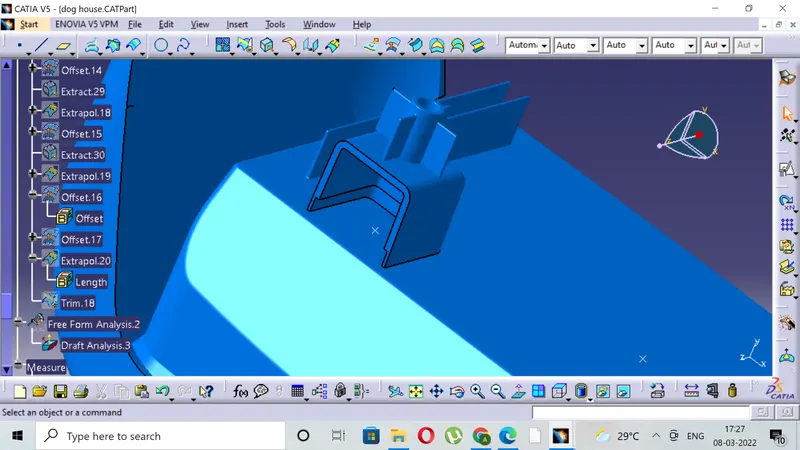
- Provide the necessary fillets internally and externally to obtain the final component.
- Draft the remaining side edges with the help of new axis perpendicualr to the front wall of the component.
3)TOOLING AXIS CREATION.
- Tooling axis plays important role in plastic product manufacturing and designing, this axis decides the direction in which mould is going to work while production of the component.
- The main focus while deciding the tooling axis is clearing the component in the moulding in the same axis with the minimum use of the side core for producing the component, the side core usually adds up to the cost of the component.
- For the particular component X,Y and Z can be the possible direction for the tooling axis.
- You must specify the axis system by creating the point on the surface.
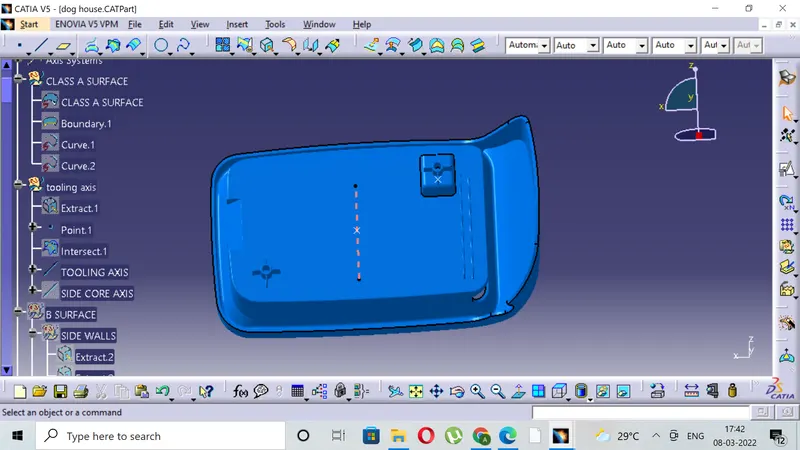
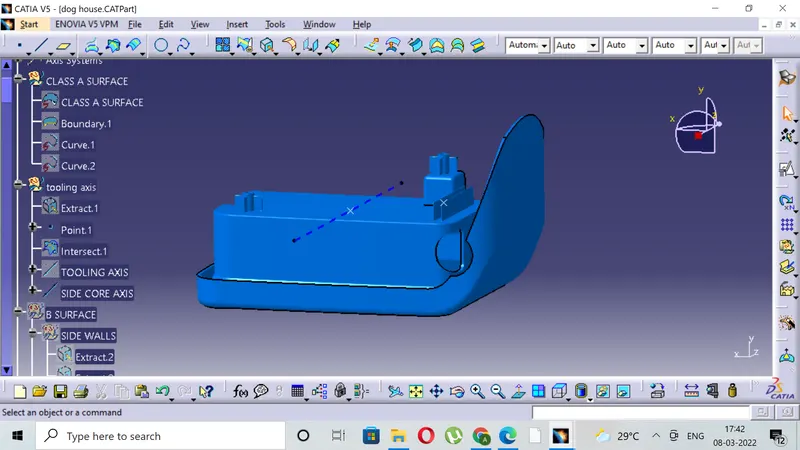
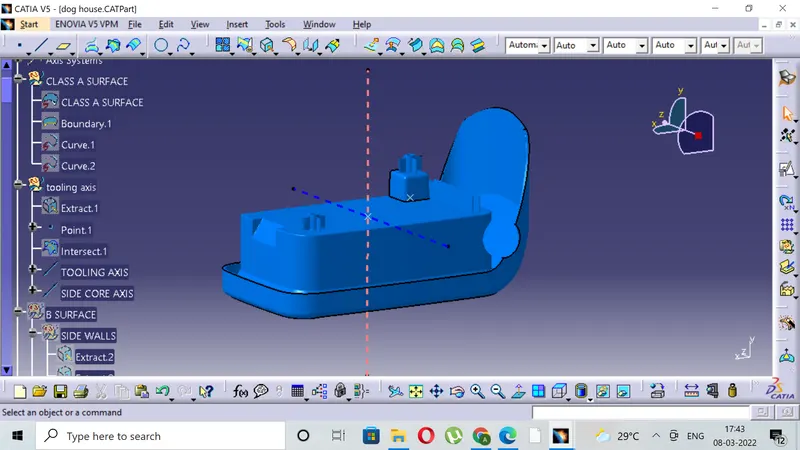
- With the help of the intersect in the YZ plane create the tooling axis in YZ plane .
- With the help of the intersect in the ZX plane create the tooling axis in ZX plane.
- The last step is to bisect the two tooling axis to obtain the main tooling axis of the class A surface.
- Here the component is flat with 0 draft angle so line perpendicular to centre is tooling axis .
- The tooling axis for the dog house inside part and where side core is required is created from the same point from where class A tooling axis is created.
4)DRAFT ANALYSIS OF THE COMPONENT.
- The draft analysis is done to ensure that the draft in permeasible with the design consideration.
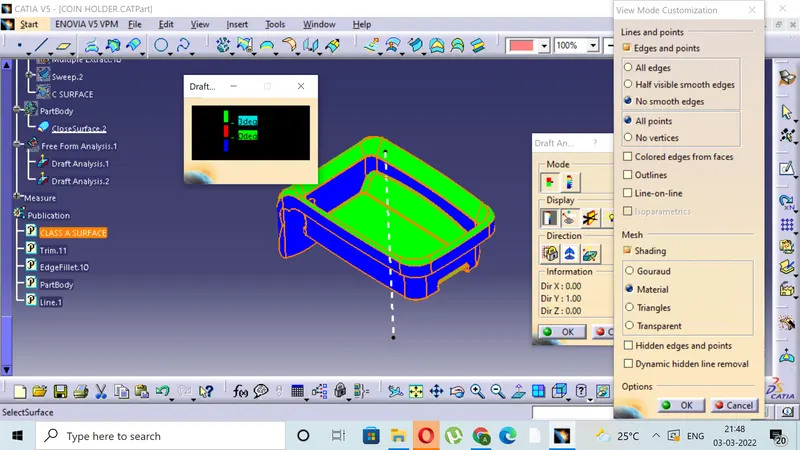
- The draft analysis is done by changing the visualization mode to customize and select shading as material.
- The draft based feature enables us to visualize and examine the draft.
- The draft window is has two tables one is for examining the draft and other one is the colour code.
- The draft value is set in the colour code window with each colour having their own significance.
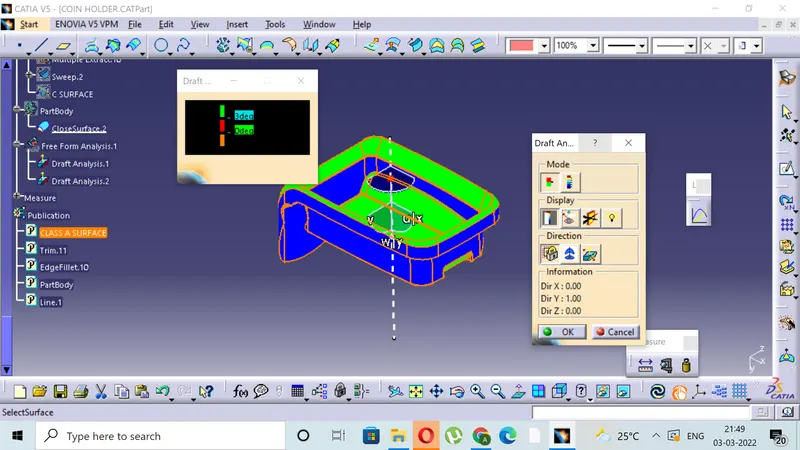
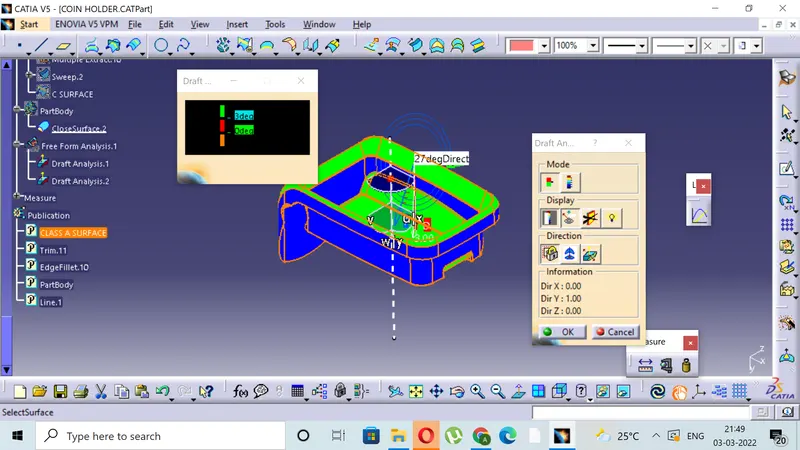
- The red colour indicates the positive draft less than minimum draft where as the green colour indicates the minimum draft.
- The blue colour indicates the negative draft.
- For visualizing the draft the compass is aligned with the tool axis direction and the cursor is then made clicked upon the surface for viewing the draft.
- The quick view in display window enables to examine the draft value throughout the surface.
- Here both class A and closed body without attachment features are having the minimum draft as 3 degrees with tooling axis of the class A and component same.
CLASS A
RESULTS:
- Here the component will be cleared is shown is green colour with positive value.
- The blue colour indicates the negative value greater than or equal to 0.
- The zero value of the draft is given in class A itself along the side wall surface.
CLOSED BODY WITH ATTACHMENT
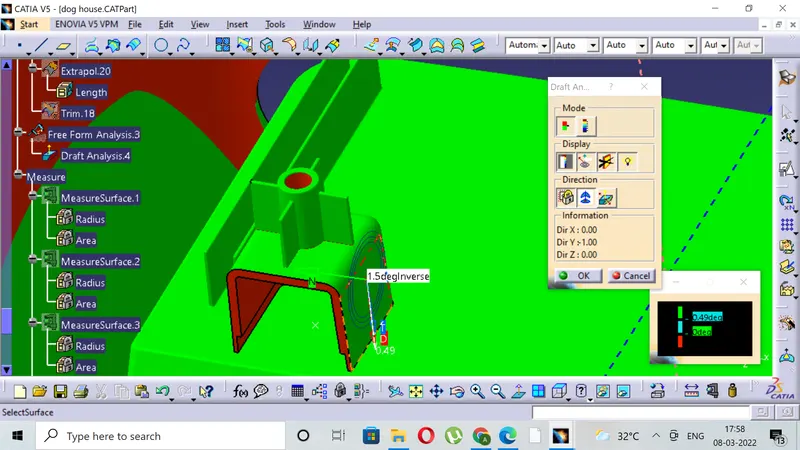
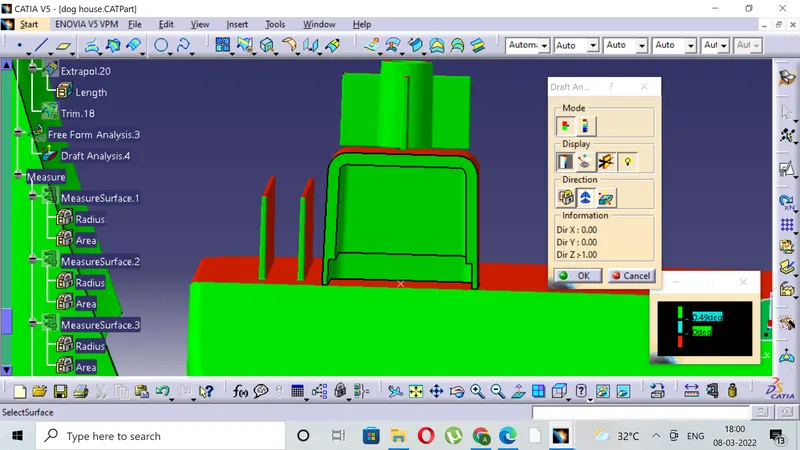
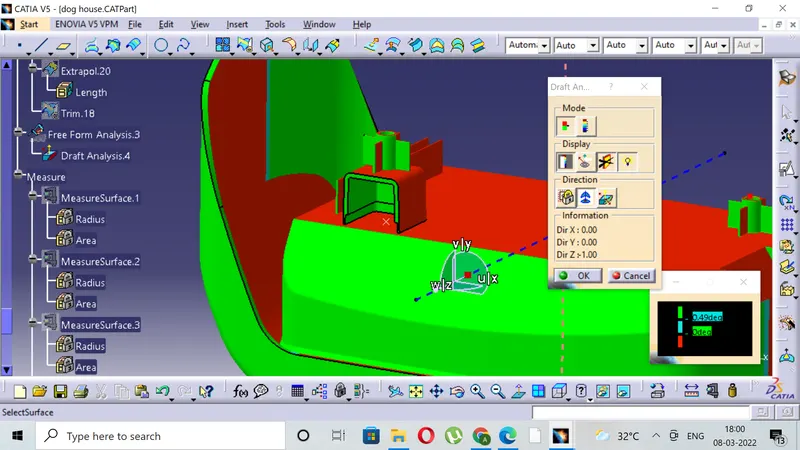
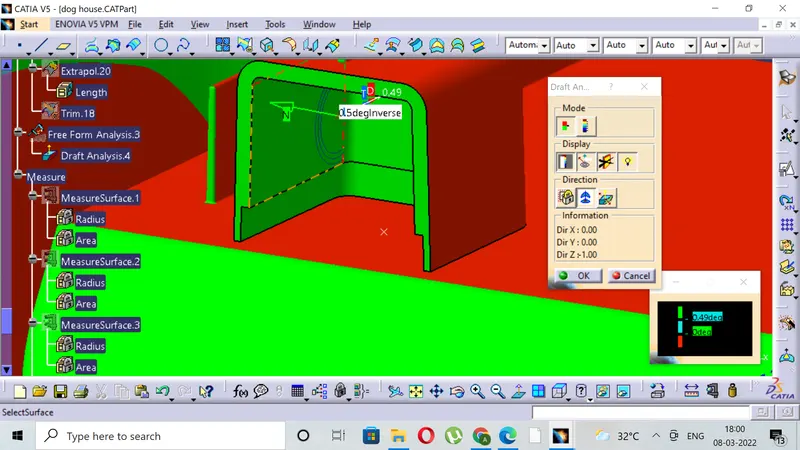
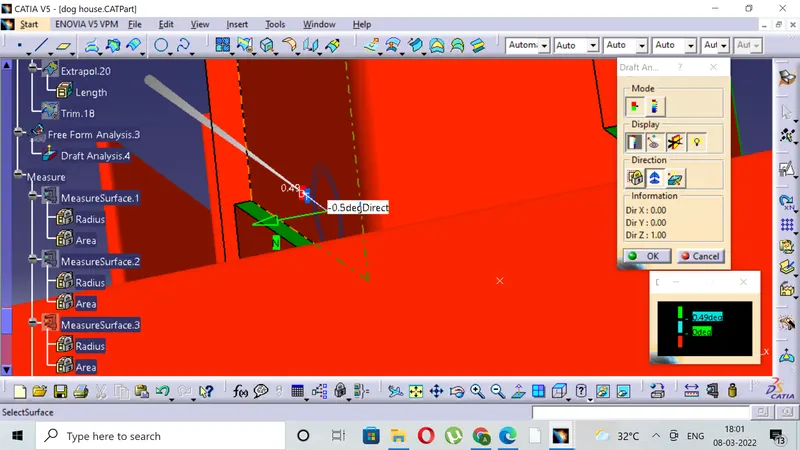
RESULTS:
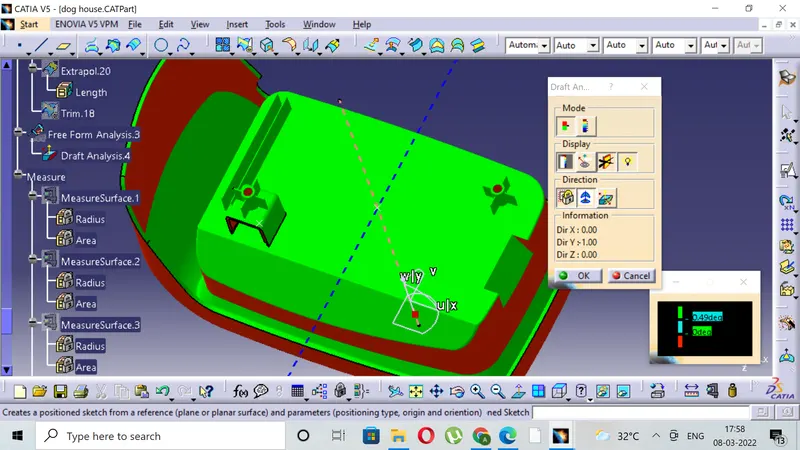
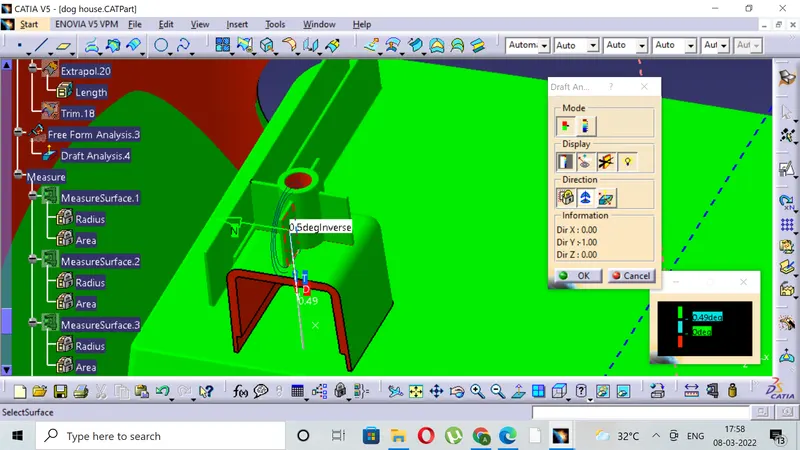
1)Here component will be cleared along the main tooling axis itself.
2)The screw boss will be cleared in main tooling axis.
3)The outside portion of the dog house will be cleared in the main tooling axis and rest will be cleared in the side core tooling axis.
4)The all component clearing is showm by changing the tooling axis for component and attachment features as shown in the images.
5)Analyis images are attached
6)The center of screw boss is for tapping purpose so there is error in draft analysis at center .
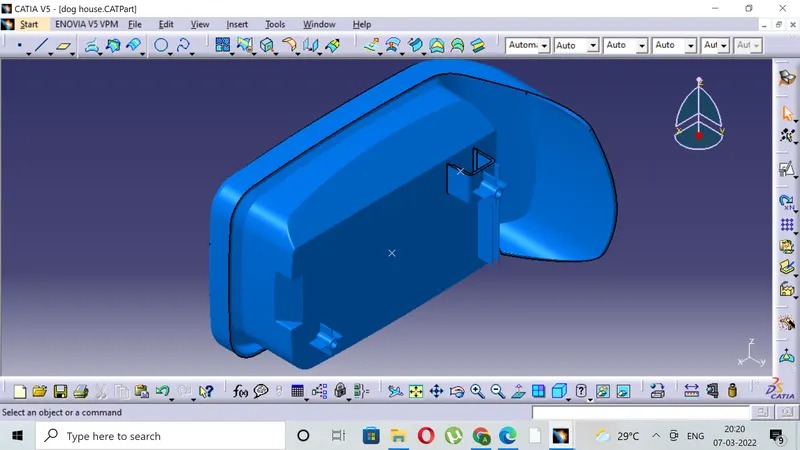
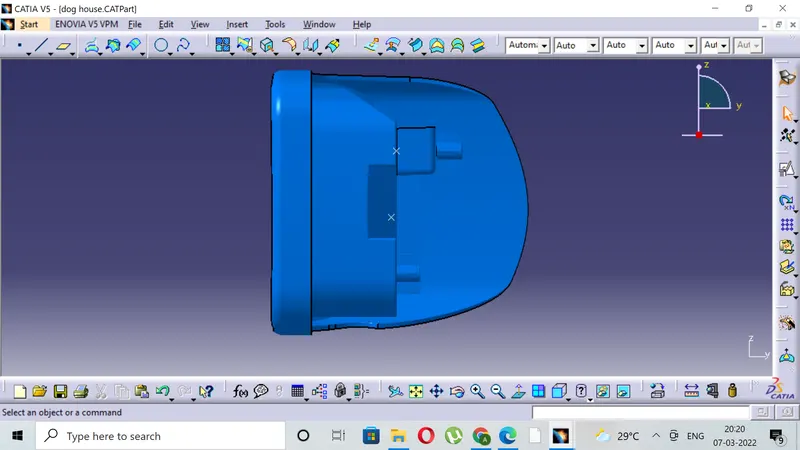
5)VIEWS OF THE FINAL COMPONENT IN VARIOUS ORIENTATION.
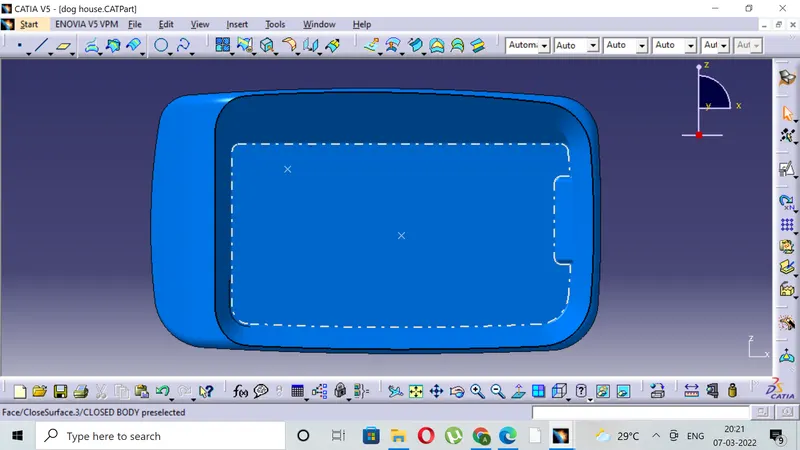
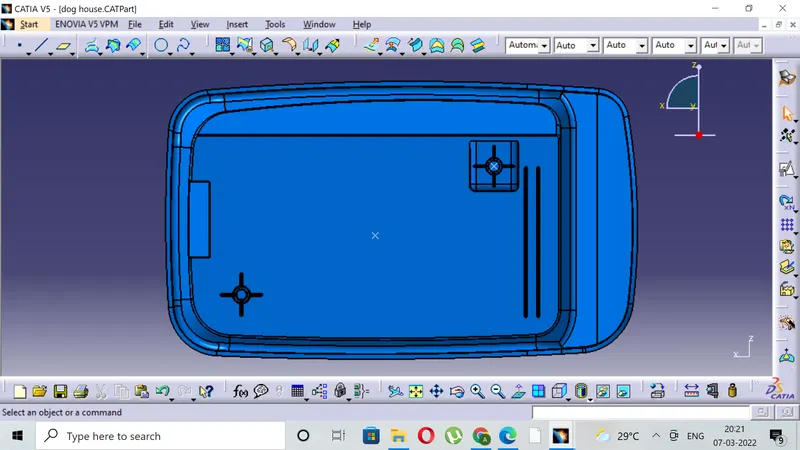
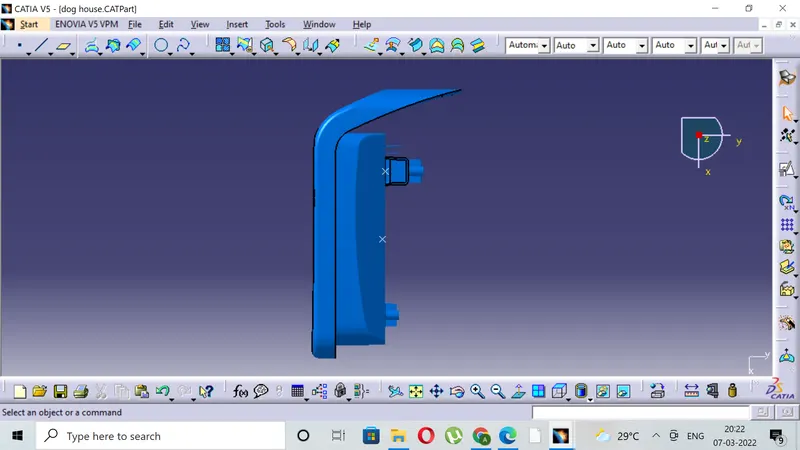
- L