Week 9 - Attachment Feature Creation - Challenge 2
OBJECTIVE
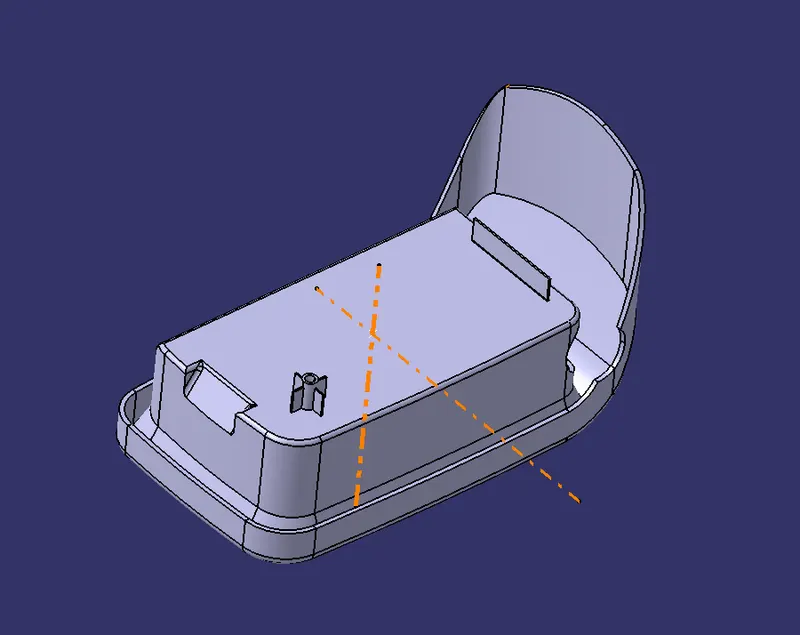
The Main objective of this report is to create the Screw Boss & Dog House for previously created Centre console coin holder part with rib on it.
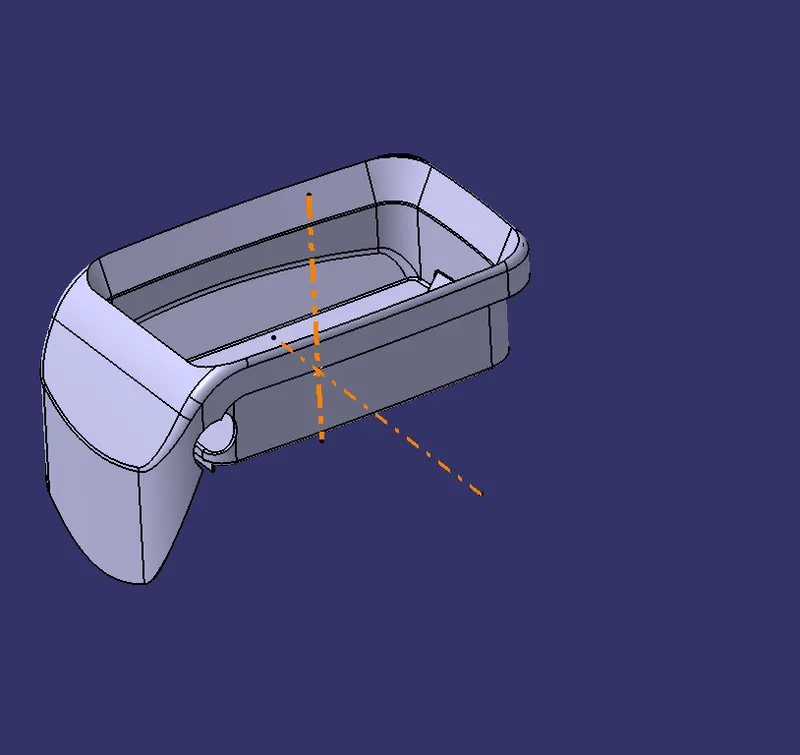
- In this above figure both the tooling axis are shown that is main tooling axis & side core axis.
Now we have to Design the Screw Boss on it.
- Generally the Screw Bosses are designed to fasten two plastic parts with the help of the Screw.Because of the less thickness in the plastic parts we need the screw bosses.
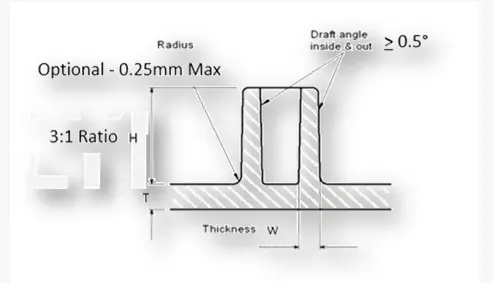
- This above figure shows the requirments for designing the screw boss.
- The things that are required to design the screw boss are
- Draft angle
- Thickness
- Height to diameter Ratio
- Side Radii
Now for the record we consider the M6 screw to be fastened.So for that the values are as follows
Thickness(W)-0.6*t->0.6*2.5=1.5(each side)
Side Radius-0.25mm
Height to Dia ratio-3:1
Draft-0.5 deg
Note:-For M6 screw the required hole size is 5.2mm.
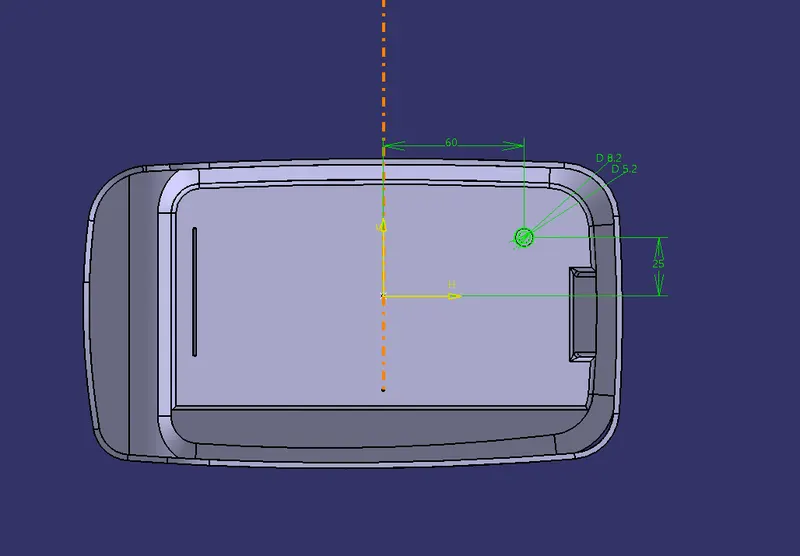
- First of all we need to make the Sketch of the screw boss & have to properly positioned the sketch.
- Then Pad the Sketch upto 15mm
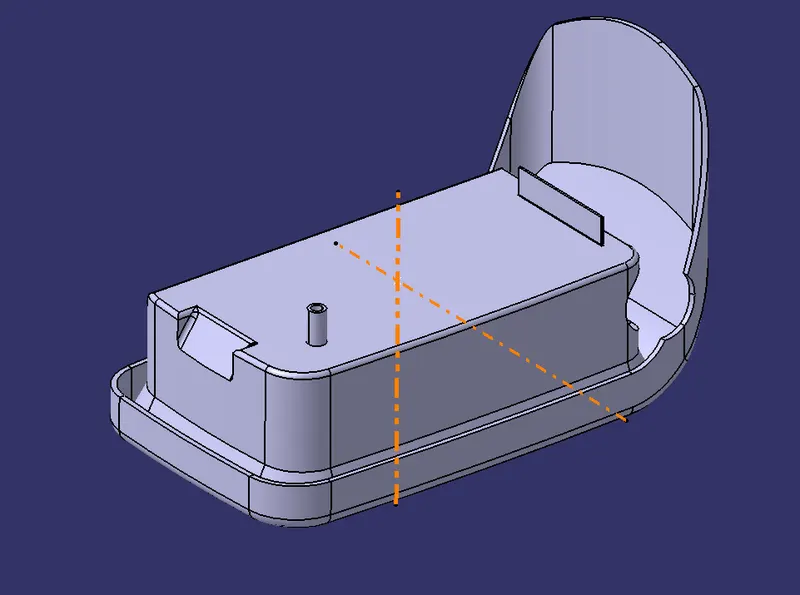
- Now after designing the screw boss pad we need to strengthen this part by applying rib to it.
- We need totally 4 ribs around it to properly strengthen this part.
Now this is the figure for the proper screw boss design with ribs on it.Then we have to perform the boolean operation to add the screw boss to our coin holder.
DOG HOUSE DESIGN
Dog house are designed to avoid the sink marks on the created parts
The requirments for designing the dog house are as follows.
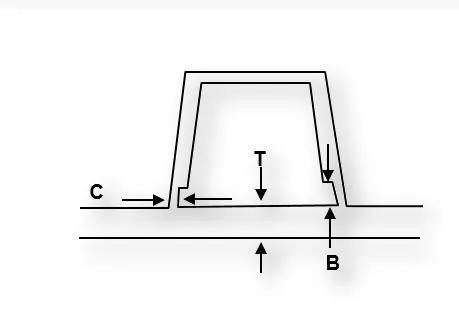
T-Thickness of the part
C-Thickness of the Cut out
B-Height of the Cut out
- Now to design the Dog House we need to Extract the base of the Coin Holder.
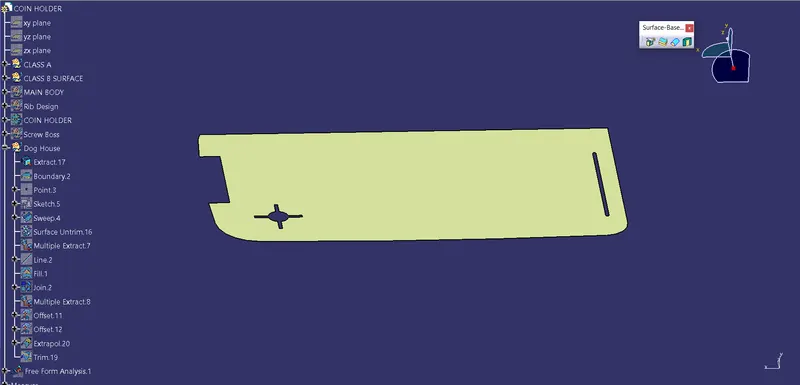
- Now to create the Dog house we need to Sketch part by taking the referenceof the Screw boss Base.Again that sketch need to have enough space to place the Screw boss.
- To check that we need to perform the Boundary Operation,& get the desired result.
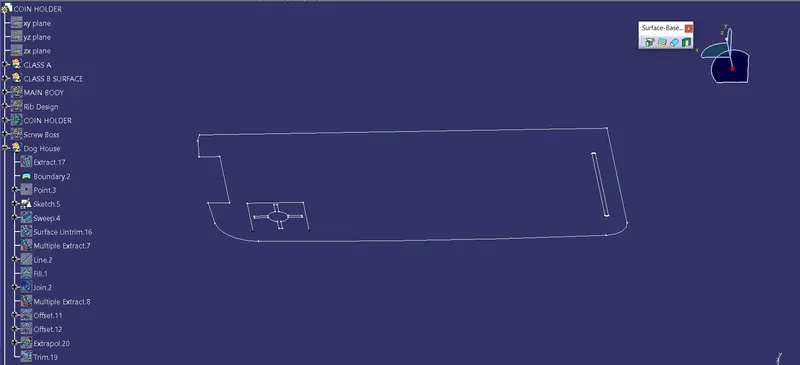
- Now we have to sweep the Sketch according to tooling axis with draft angle 1.5deg.
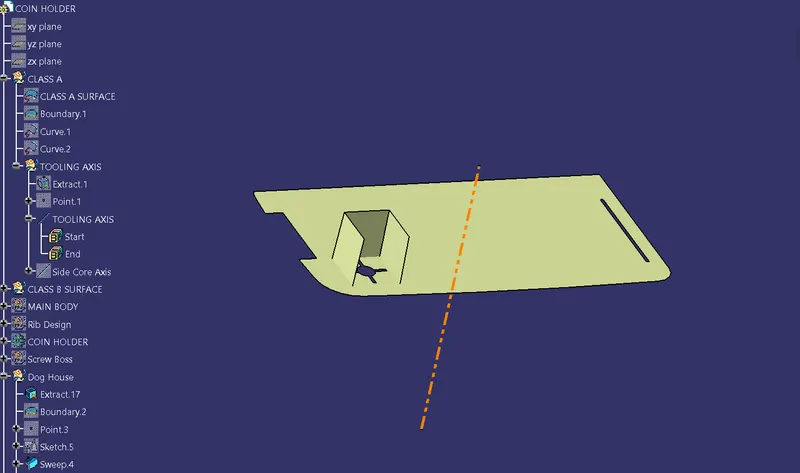
- Now perform the FILL operation to close the top & apply some fillets to it.
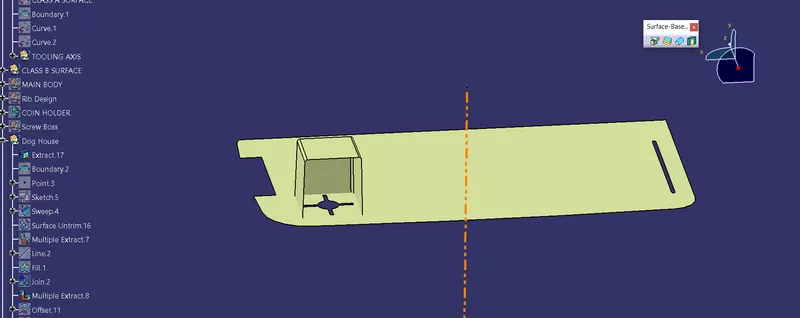
- Now Insert a part body & perform the Thicken operation to get the desired shape .
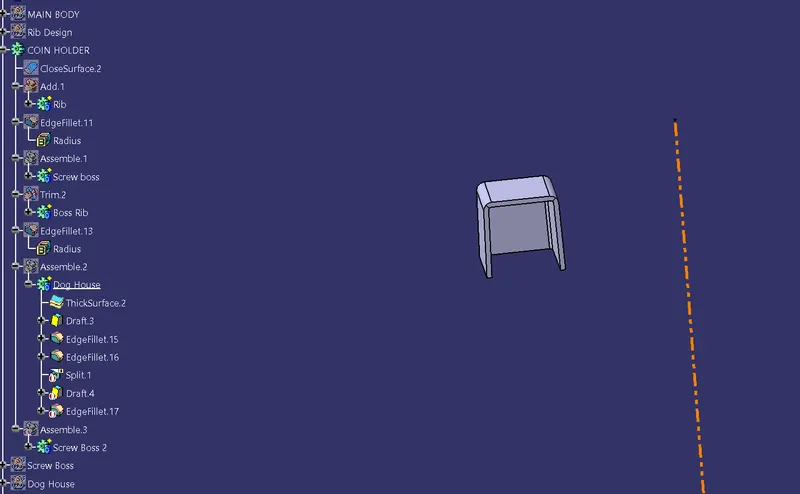
- Now we have to make the Bottom cut out as per our values.
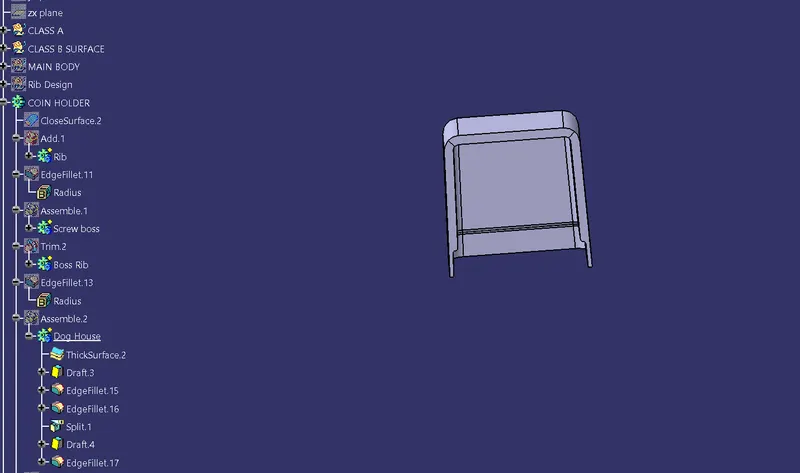
- Now we have to Perform the Draft analysis to check the Clearing the faces.This part cannot be cleared with single Tooling direction it required 2 tooling direction as shown in below figure.
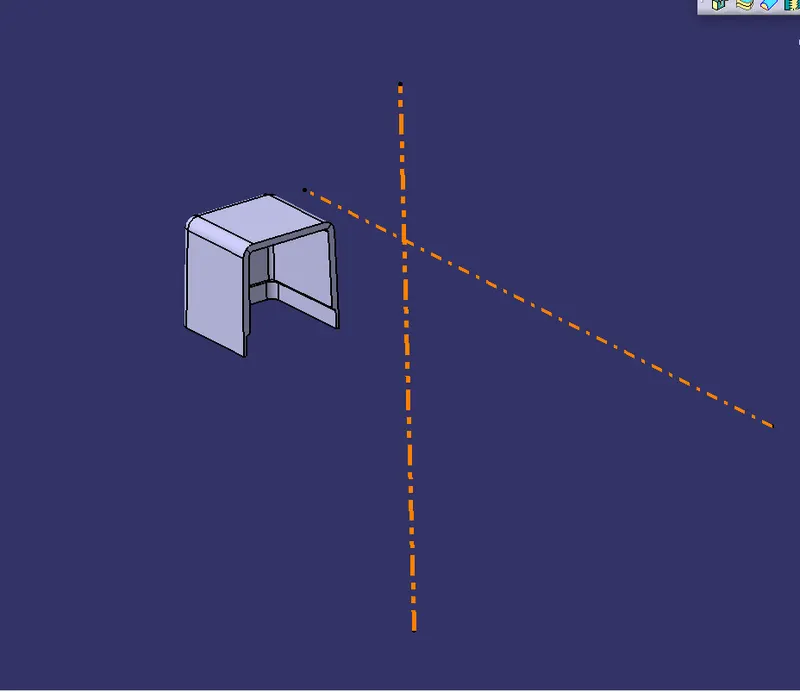
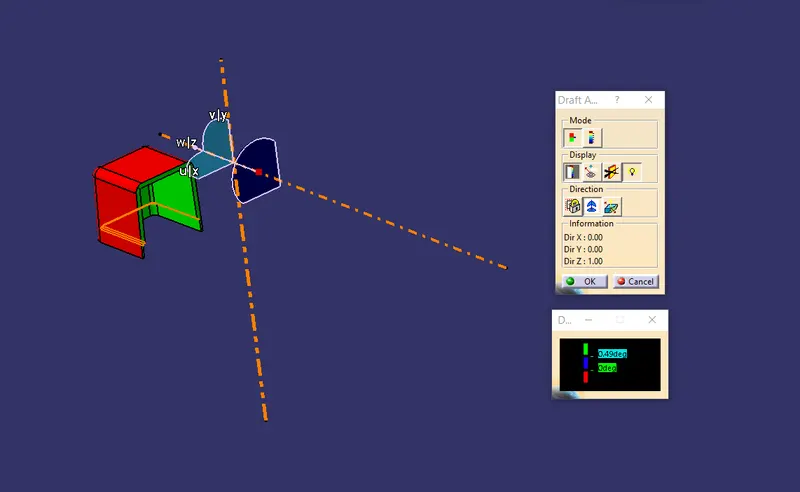
This above fig shows the draft analysis on the side core axis.
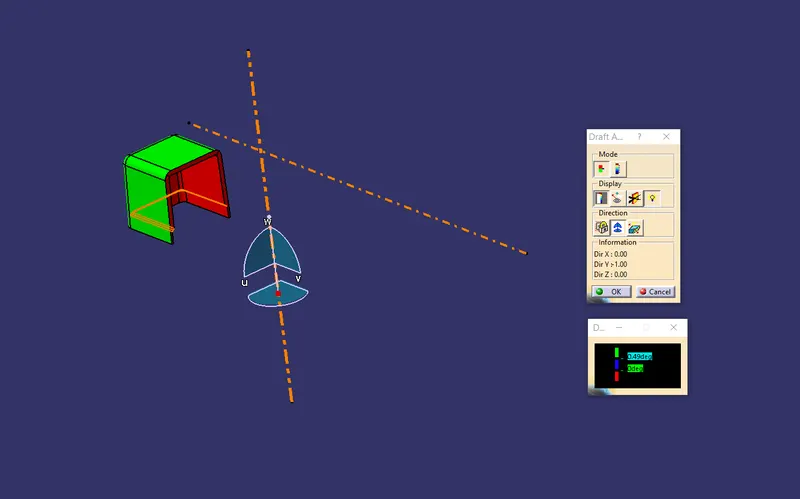
This above fig shows the Draft analysis on the Dog house with the Tooling direction.
Now as the designed part is correct we need to add this part to previously created Coin holder to get the desired Coin holder with Dog house & Screw boss on it.
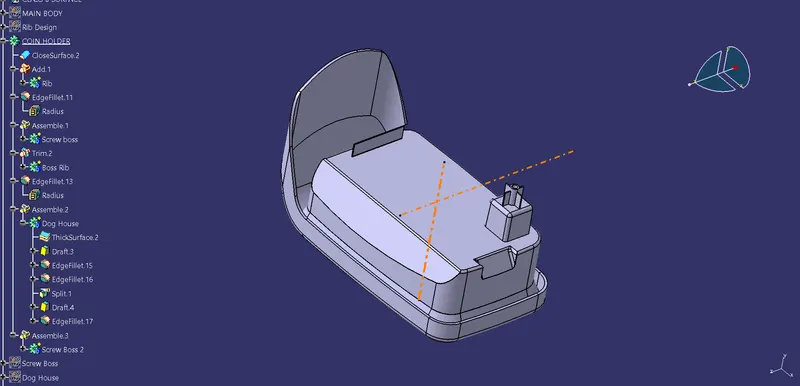
This is the Complete part with the Rib,Dog house & Screwboss on it.