CATIA-Week 9.2 - Attachment Feature Creation (Dog House)
AIM :
To create the model from provided claas-A surface and create attachment feature (Dog-house) for the door trim considering the design rules.
OBJECTIVE :
- To make sure that the model meets the design rules for dog-house creation
- To construct a tooling axis and perform draft analysis on class-A surface
- To create class-B and class-C surface and make closed surface
- To create the B side feature in the component considering the design rules
- Perform draft analysis on the final component
DESIGN METHODOLOGY:
1. TOOLING AXIS CREATION-
The Tooling Direction is basically the direction that the mold pulls a part. The mold is built in two separate pieces, basically. You have a Cavity side and you have the Core side. The Core pulls apart from the Cavity and that's the Dye line or the Tooling Direction.
- Open the given CAT part file.
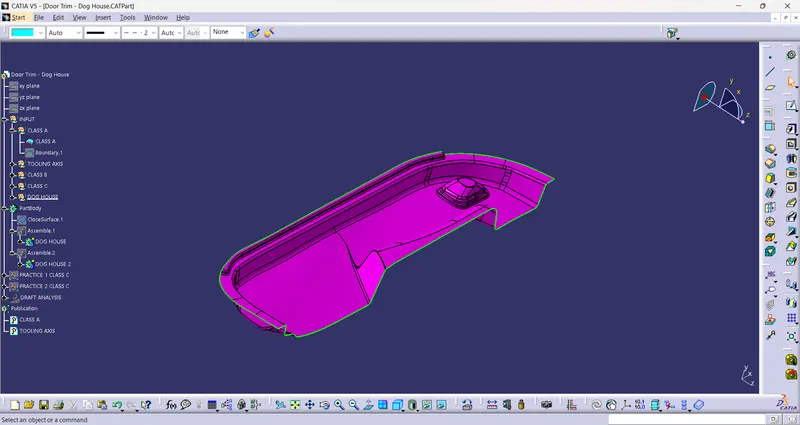
- Check for gaps between surfaces for that click on join and then preview.
- If theres any gap between the surfaces join them with a maximum tolerance of 0.003 mm.
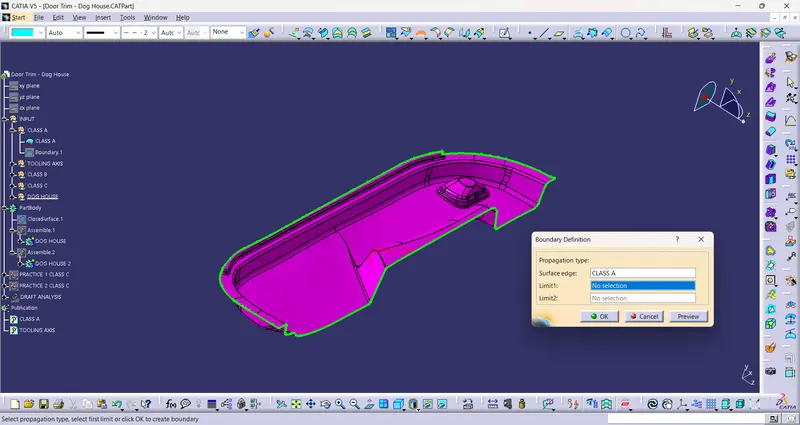
- Extract the boundary and dissemble the boundary.
- Find the correct tooling axis where the material don't interfere with the tooling axis and all the elements can be created.
- Extract a surface which is more over a flat type and create a point at the middle and create tooling axis towards Y-direction.
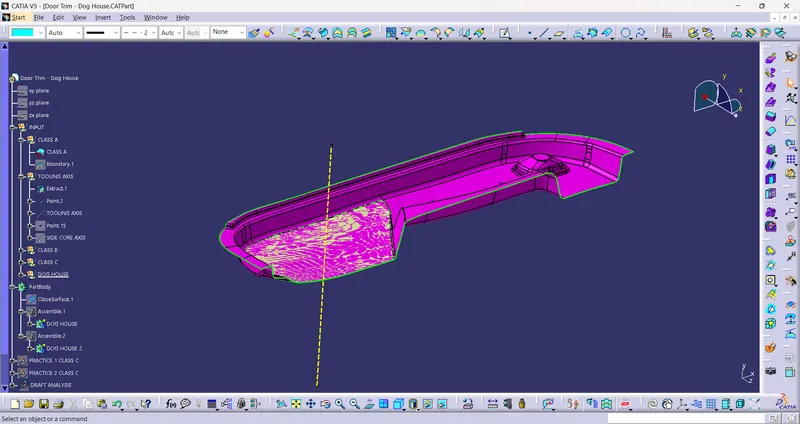
- The tooling axis is created for the component.
2. PUBLICATION
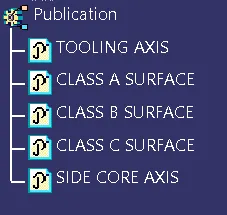
- Publication is done to the component to make it visible and navigate easily.
- To publish the component go to tools > publications and then select the tooling axis and the class A surface.
- A separate tree structure is formed under the main part.
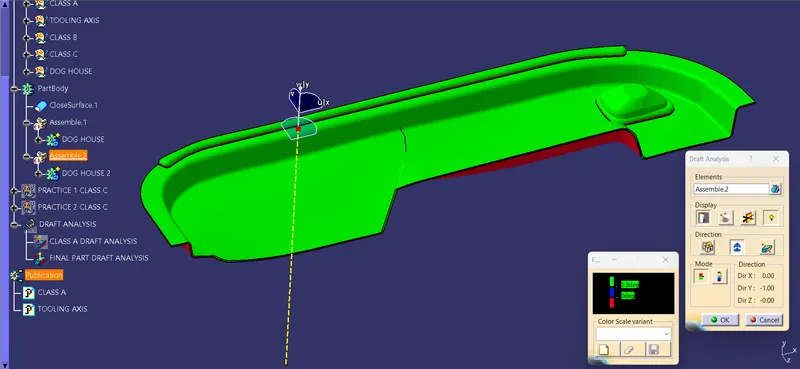
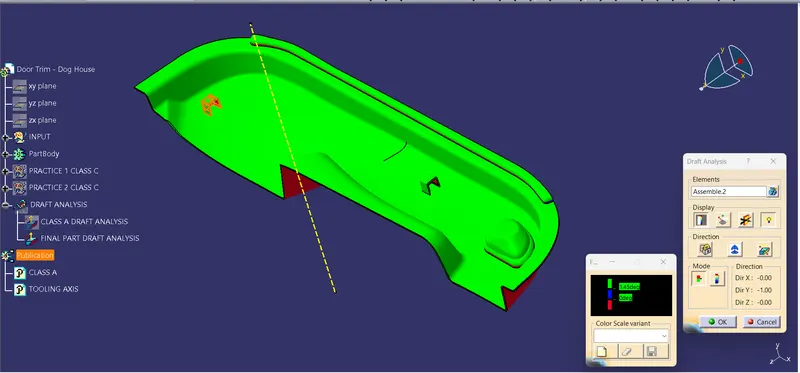
3. DRAFT ANALYSIS
The Draft Analysis command enables you to detect if the part you drafted will be easily removed. This type of analysis is performed based on color ranges identifying zones on the analyzed element where the deviation from the draft direction at any point, corresponds to specified values.
- Before going to drat analysis go to customized view parameter >under mesh >check material and then click ok.
- Now for draft analyses go to insert » analysis » feature draft analysis.
- Use the compasss to define the draft direction.
- In the colour scale change the draft angle to 3 degree.
- The component changes to green in indication of passing draft angle.
- Use running point to check the angle on the component.
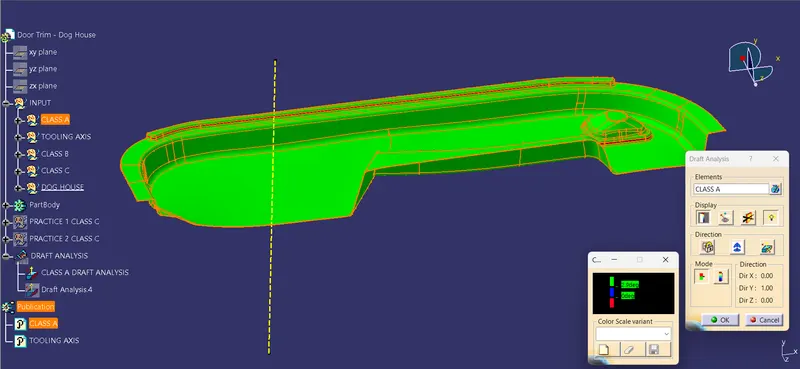
- The draft analysis is complete.
4. CREATING CLASS B SURFACE
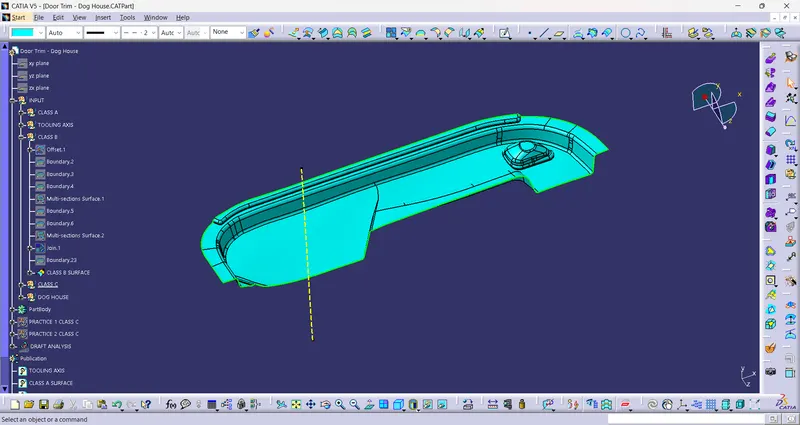
- Offset the surfaces to 2.5 mm to create the thickness
- Check whether all the surfaces are properly offsetted.
- One corner does not offsetted, will be created with multi-section command.
- Join all the surfaces together and class B surface will be created.
- While triming with the class c surface some of parts not getting coinside, will extrapolate 4mm with selecting the outer boundary.
5. CREATING CLASS C SURFACE
- Extract the boundary from the class A surface using boundary command.
- Using disassemble tool to divide the boundary as the boundary contains domains.
- Use sweep command > choose profile type line > subtype as with draft direction > choose guide curve and draft direction > draft angle as 3 degree > preview.
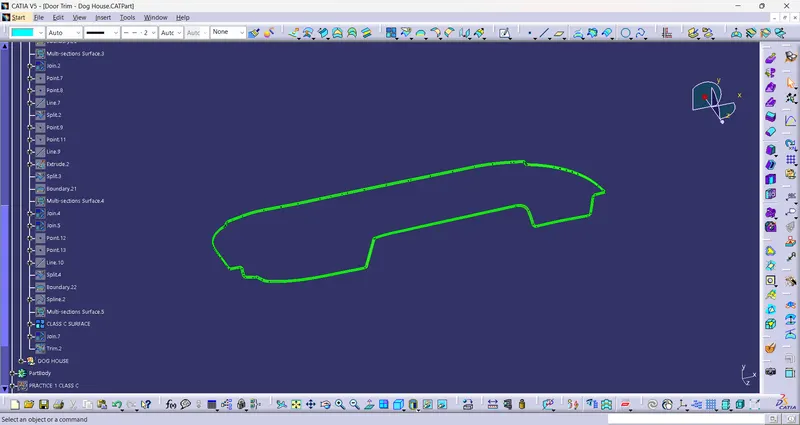
- After getting sweep then trim the output with class B surface to get final output.
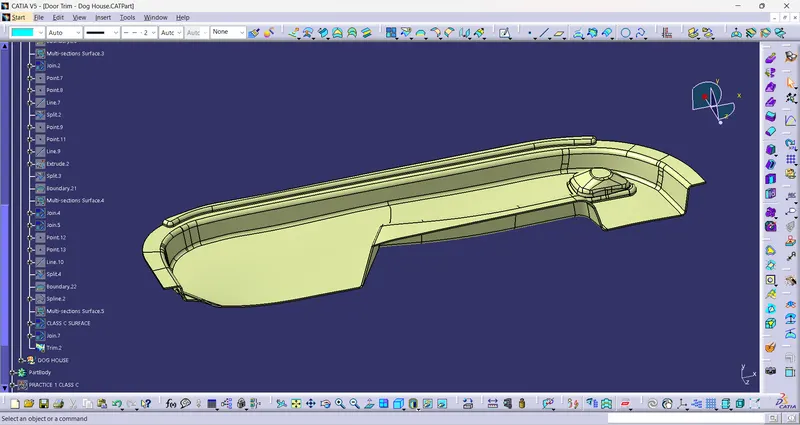
- Now open part design workbench and using close body surface create a solid of the component.
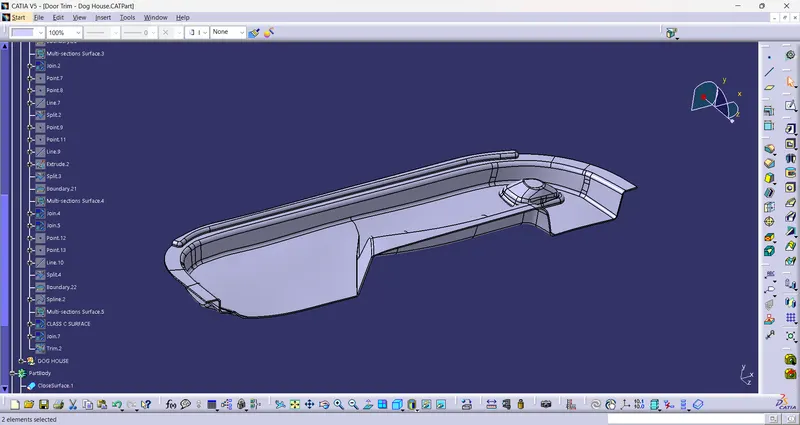
6. B SIDE FEATURES CREATION
DOG HOUSE CREATION
- Design Principle for Dog House Creation
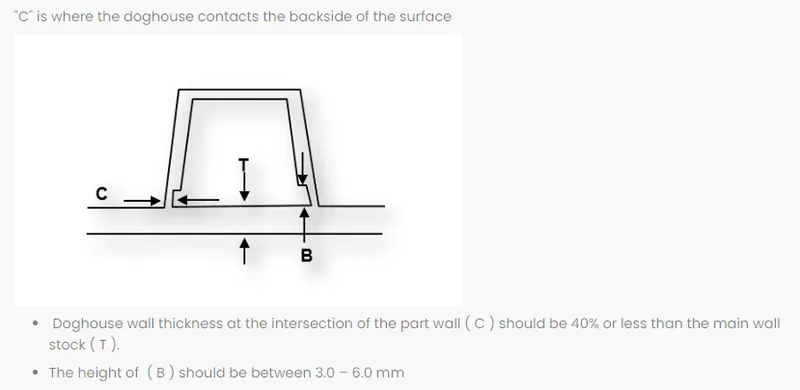
- Dog house is an engineering feature used in plastic trim design as supporting feature
- For creating dog house draw a sketch of 20x20x20mm and top side draft will be 1.5 degree considered as some of dimensions were not provided.
- Using shell command from two opening side which is front and bottom side, used a 0.5 degree along with the side core axis and bottom lenght of dog house is 3 mm and width is 1mm(40% of Thickness)
DOG HOUSE CREATION-
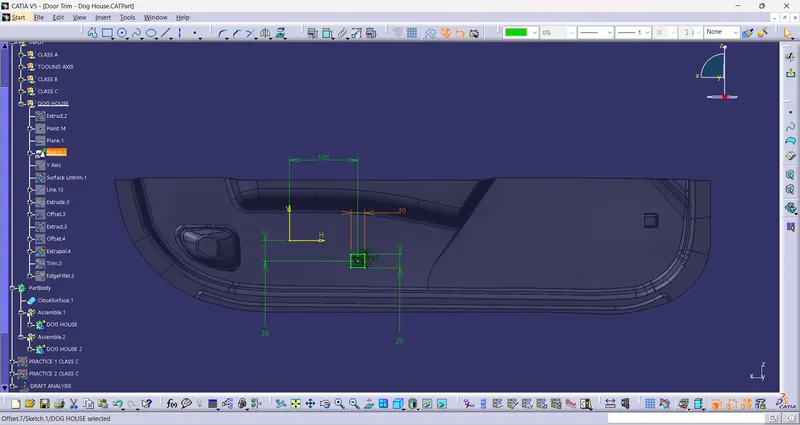
- DOG HOUSE
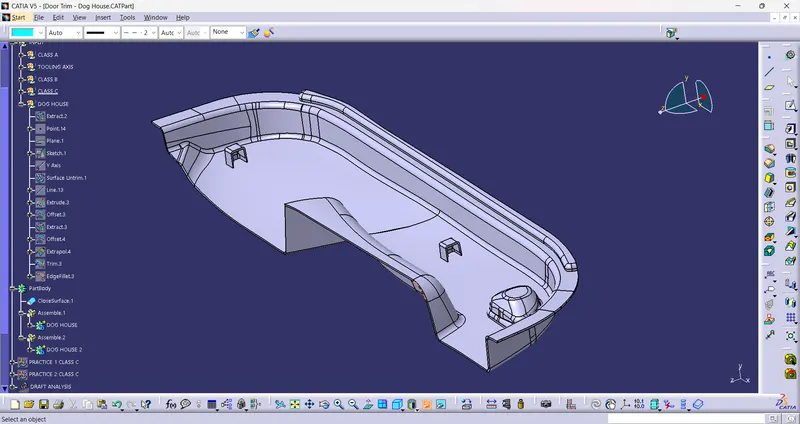
7. END DRAFT ANALYSIS
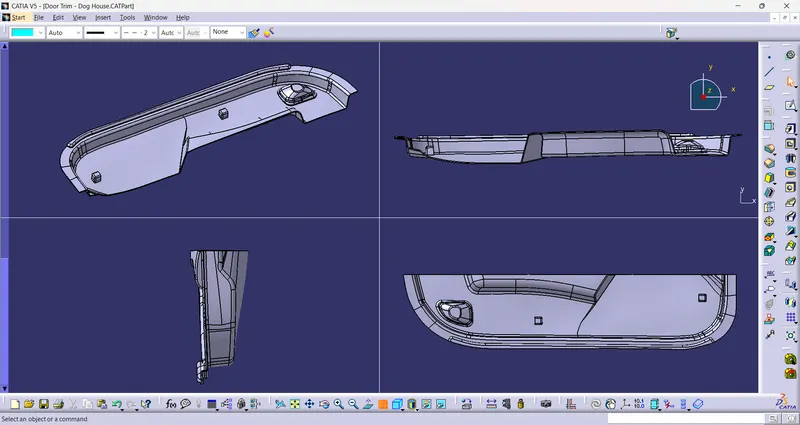
8. 3D MODEL
CONCLUSION:
- The Tooling axis and the Solid CAT part with B side feature is created from the given Class A Surface and Draft Analysis is Performed.