Week 9 - Attachment Feature Creation - Challenge 1
Title- Week 9 - Attachment Feature Creation - Challenge 1
Aim- Create the rib for the Centre console coin holder considering the design rules.
Objectives-
1. To understand design rules for RIBS
2. To create rib for the center console coin holder considering design rules.
Creation of Tooling Axis-
In this part CCS (Class C surface) will be at 90deg to the part ejection direction/ tooling direction.
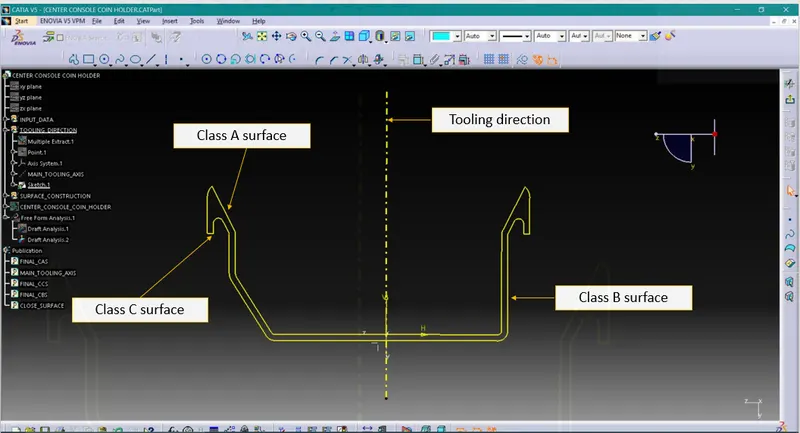
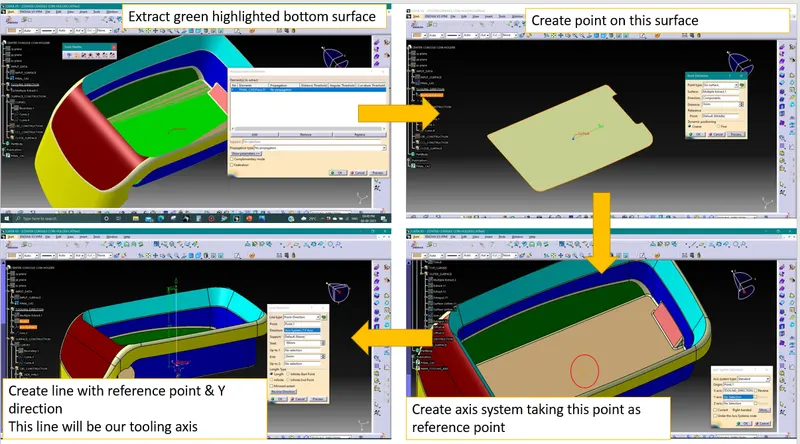
For this part tooling axis will be normal to the bottom face. Process to create tooling axis is explained below-
Draft Analysis-
Process of performing draft analysis in Catia V5-
1. Click on the draft analysis icon ( ) or go to Insert>Analysis>Feature Draft Analysis
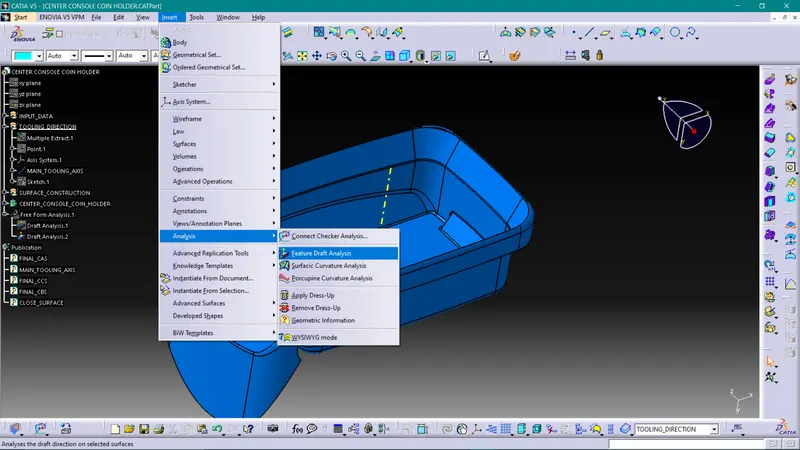
Note- While doing Draft analysis make sure you are enabling material view mode.
2. Switch on quick analysis mode by clicking on below highlighted icon
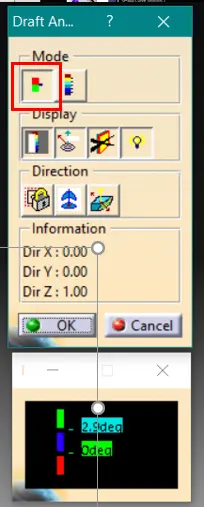
3. Selecting Draft Direction
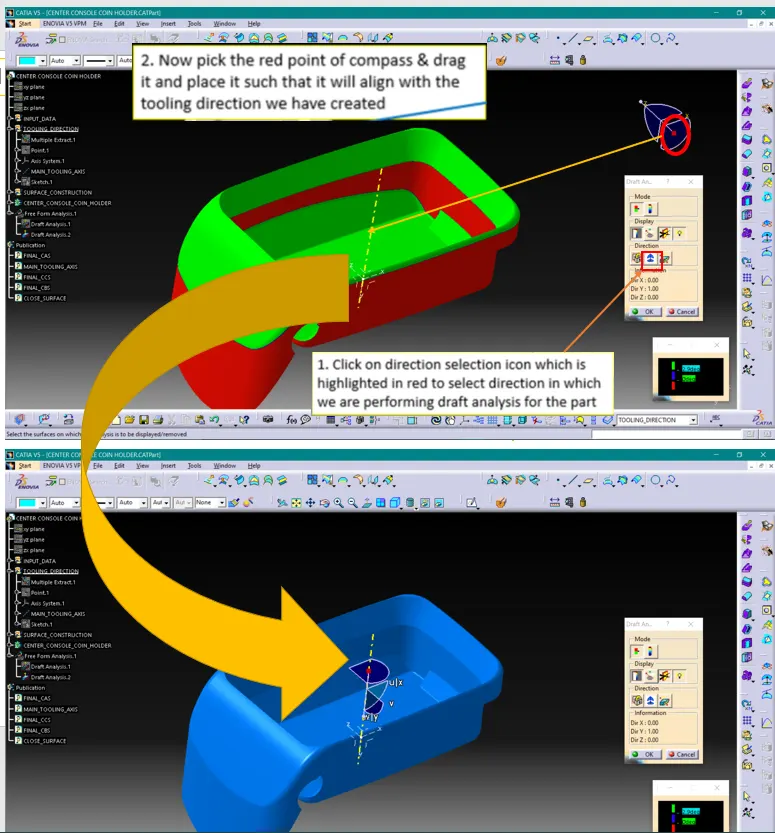
4. Selecting surface
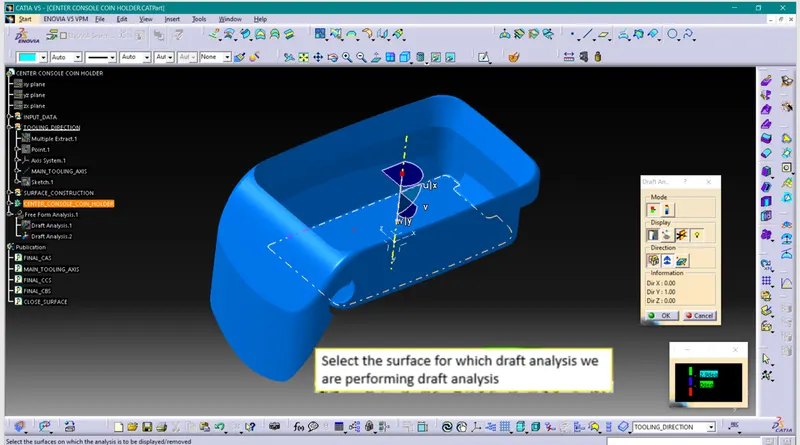
5. Input the draft angles
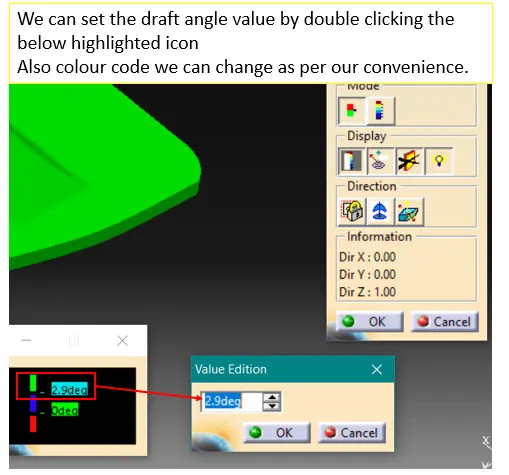
6. Running point
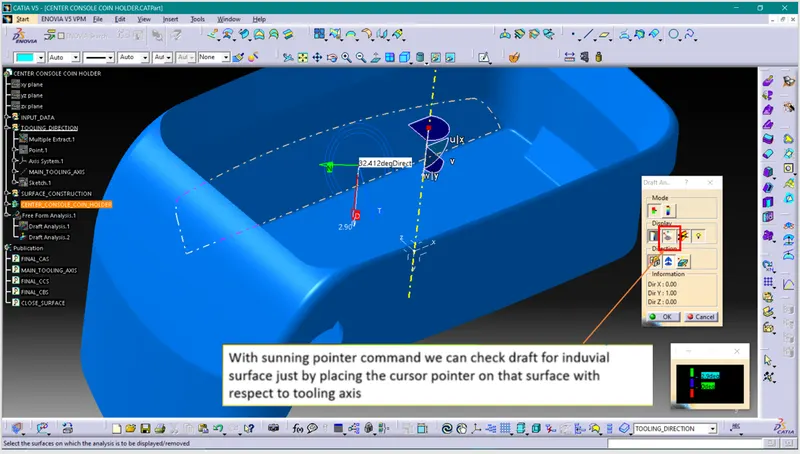
Rib creation as per design guidelines-
For designing ribs there are some design rules shown in below image
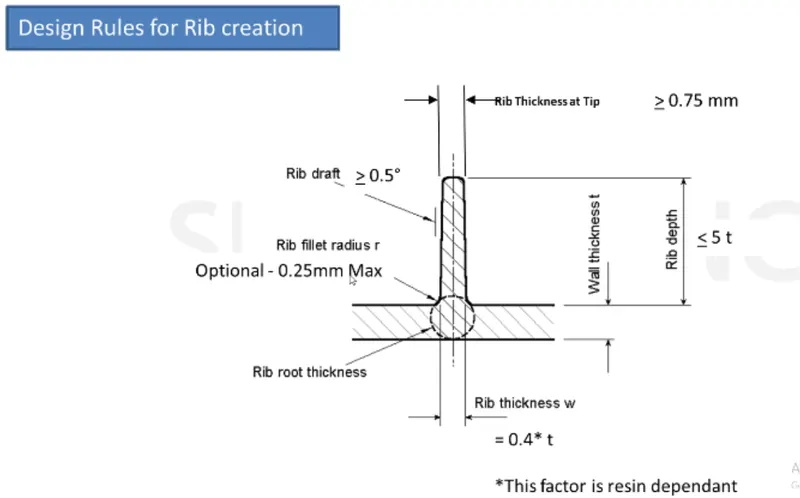
By following these rules, we are going to create ribs on bottom side of the center console coin holder part as follow
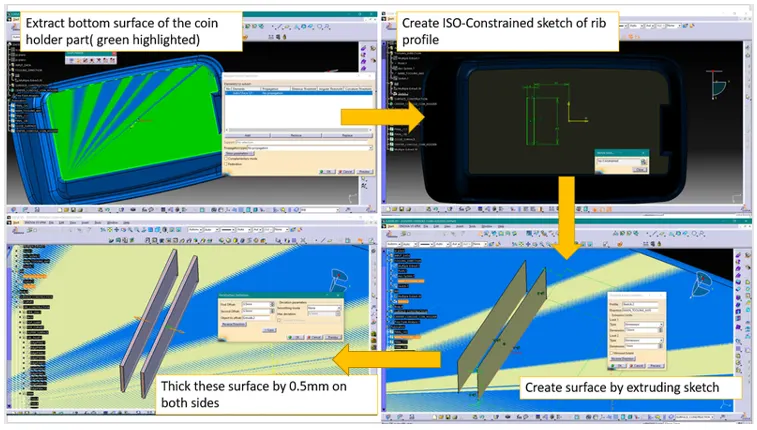
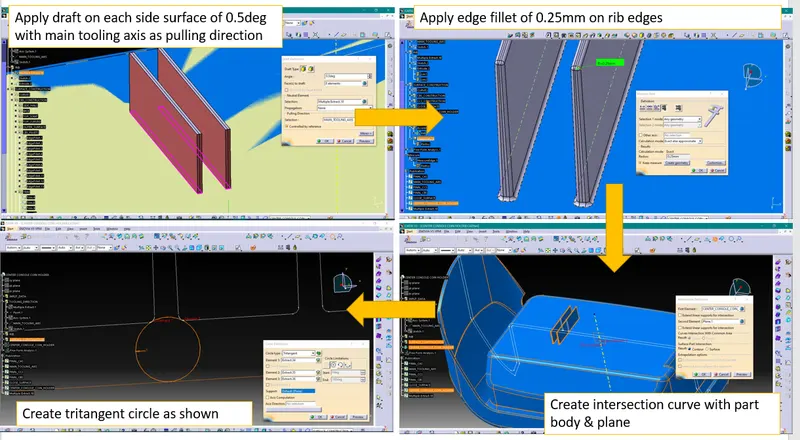
| COIN HOLDER RIB CALCULATIONS | |||
| PART THICKNESS= 2.5mm | |||
| RIB DEPTH = 5*T= 5*2.5= 12.5 or 13 mm | |||
| RIB THICKNESS = 0.4*T = 0.4*2.5 = 1 mm | |||
| DRAFT = 0.5 deg/side | |||
| RIB TIP THICKNESS ≥ 0.75 mm | |||
| RIB FILLET RADIUS = 0.25 mm | |||
| RIB ROOT THICKNESS ≤ 25% OF T |
Measurements taken to check design of rib is as per the rule
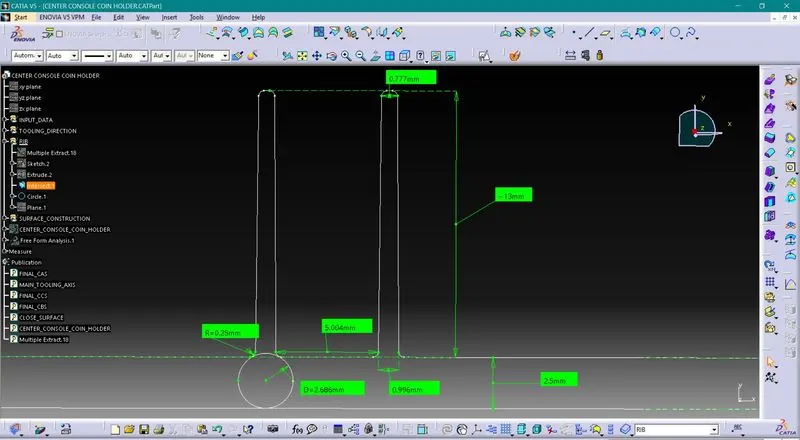
We have found design of rib is as per the design rule.
Draft analysis of part with rib-
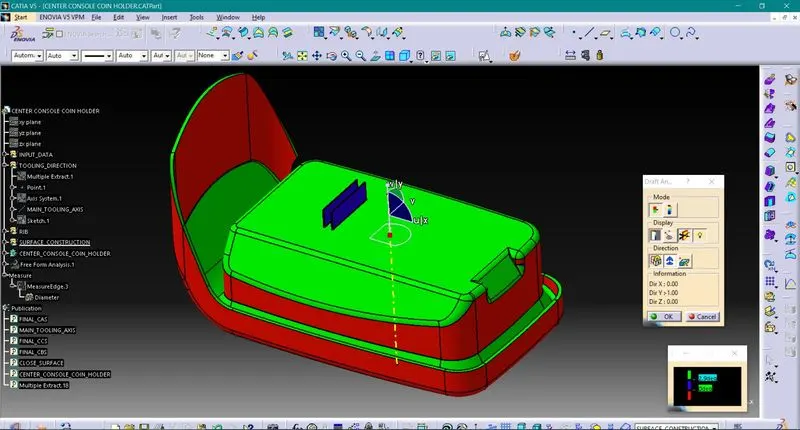
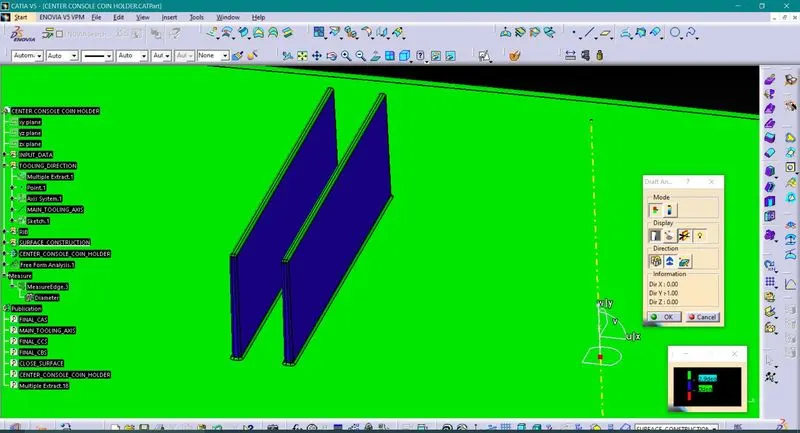
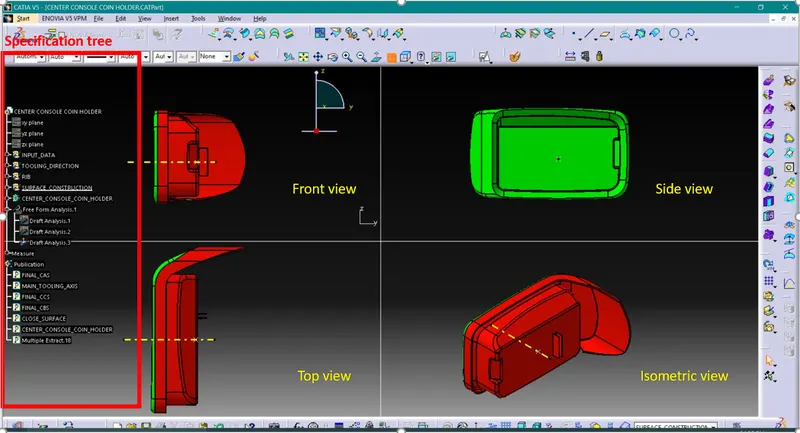
Design in various orientations-
Conclusion-
1. We have understood design rules for RIBS
2. We have created rib for the center console coin holder considering design rules.