Week 8 Worm Gear Challenge
OBJECTIVE:-
We have to perform a transient structural analysis on a worm gear assembly.
CASE SETUP AND EXECUTION:-
1. First open the Ansys workbench.
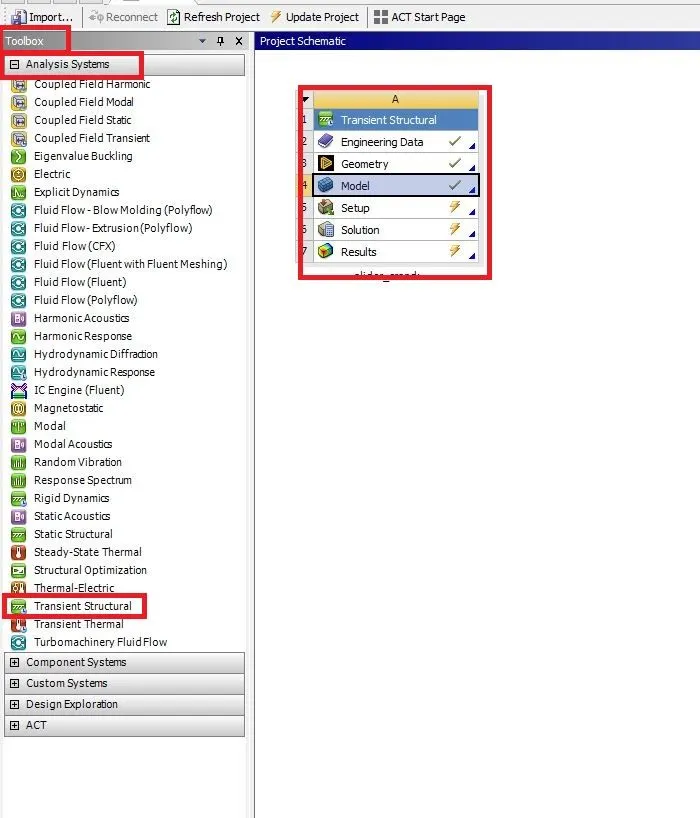
2. Go to toolbox select the analysis system and double click on the transient structural it opens a new tab on the graphical area as shown below.
3. Next click on the engineering data select the required material.
4. Next import the geometry in geometry.
5. Right-click on the geometry and click on the edit space claim it opens the new space claim tab as shown below.
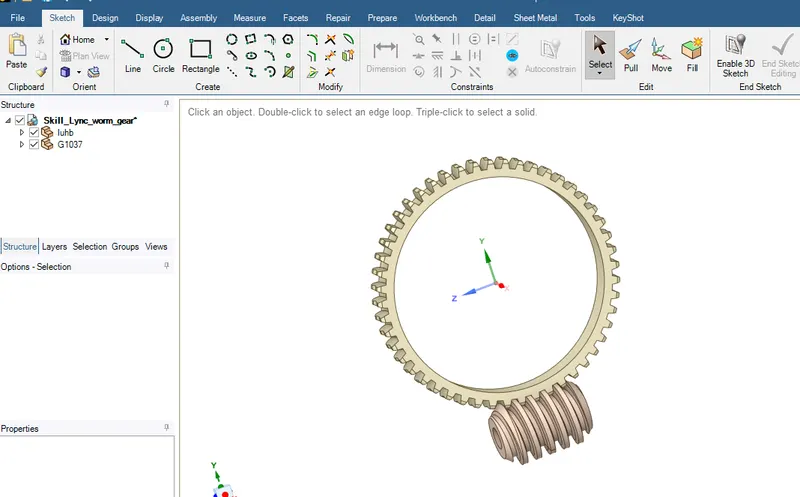
6. Check the geometry it is fine to leave it or any error in the geometry fix them.
7. Next go to the model click on the edit mechanical model it opens a new tab as shown below.
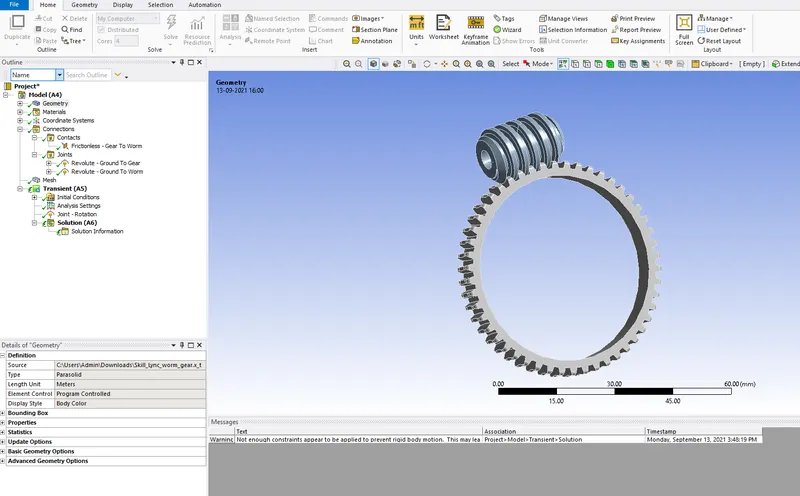
GEOMETRY
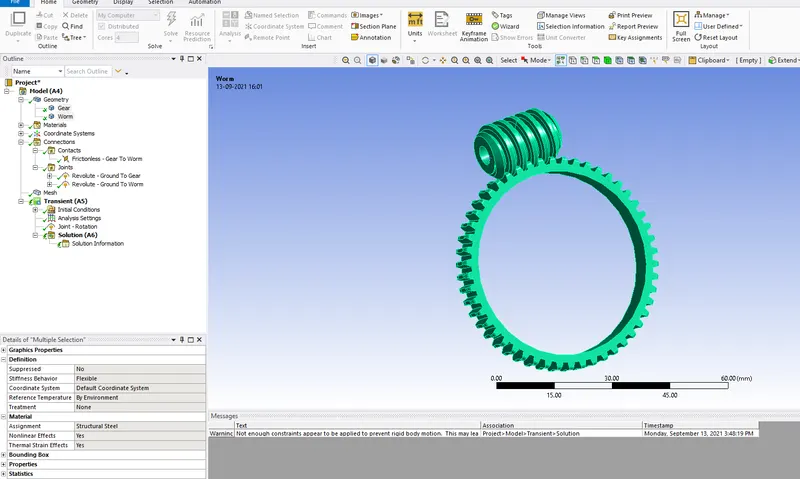
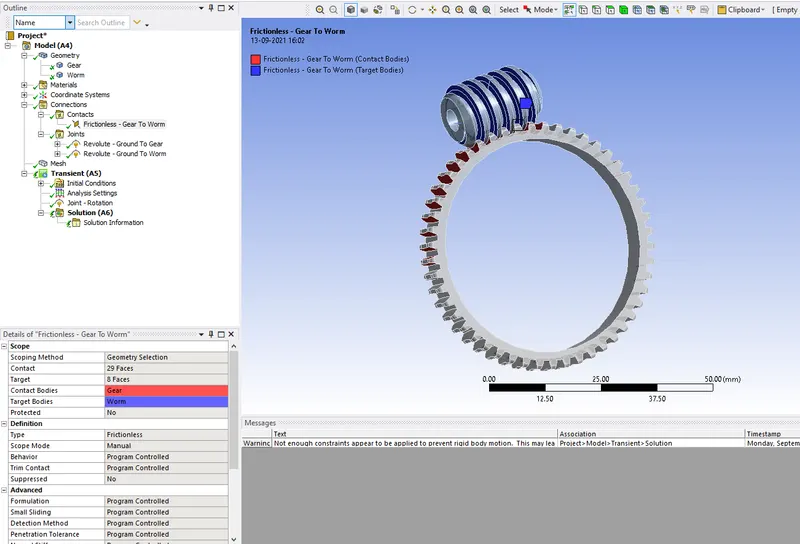
CONNECTIONS
Contacts
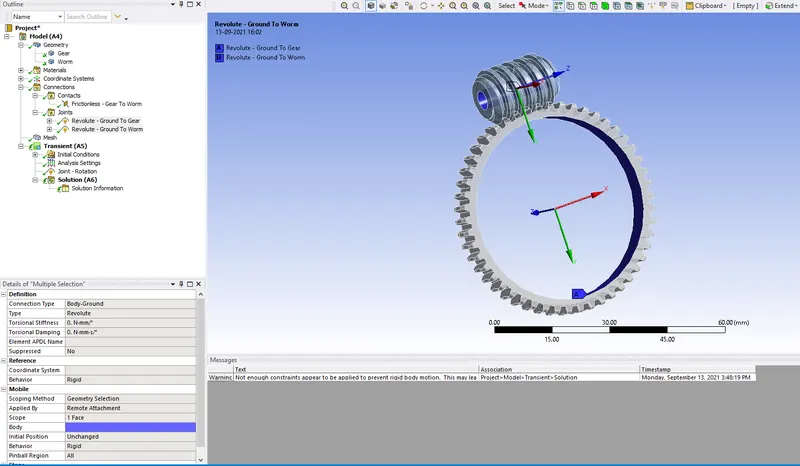
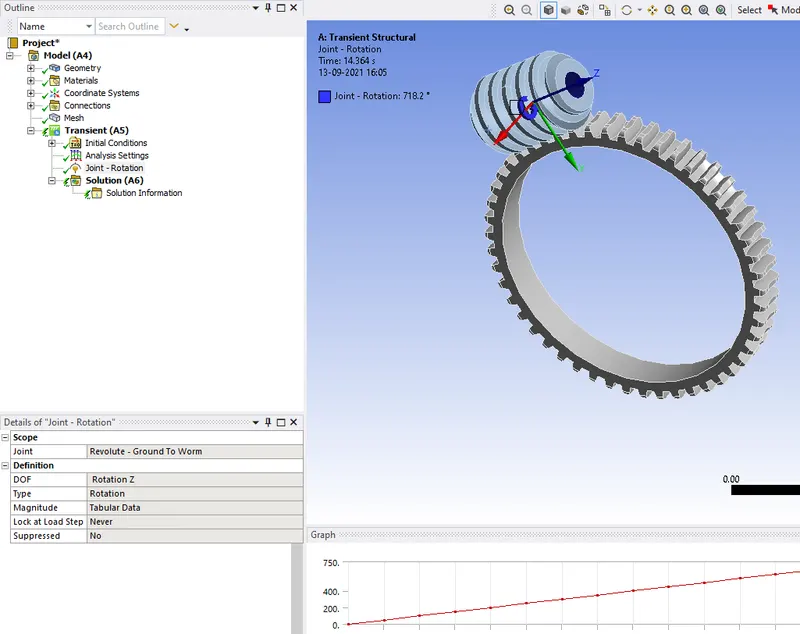
JOINTS
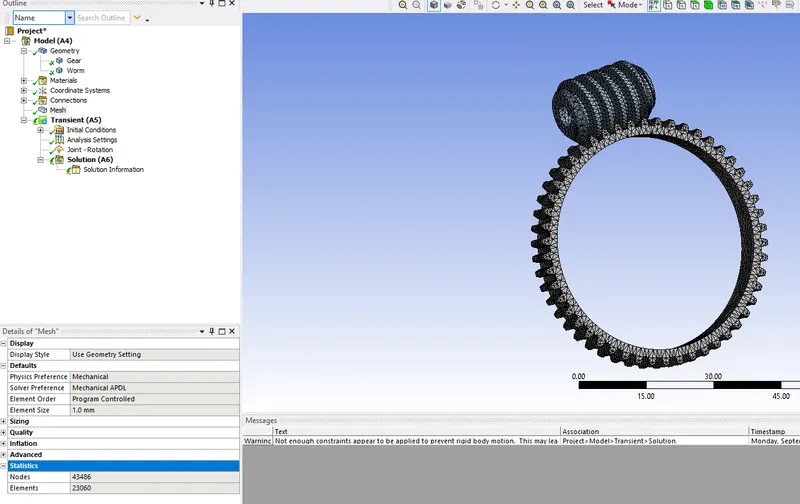
MESH
TRANSIENT
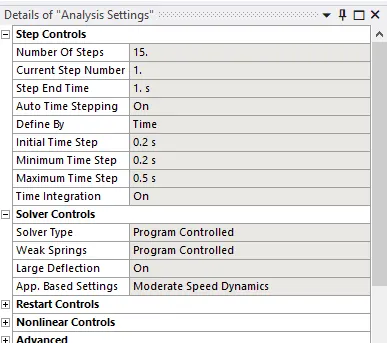
ANALYSIS SETTINGS
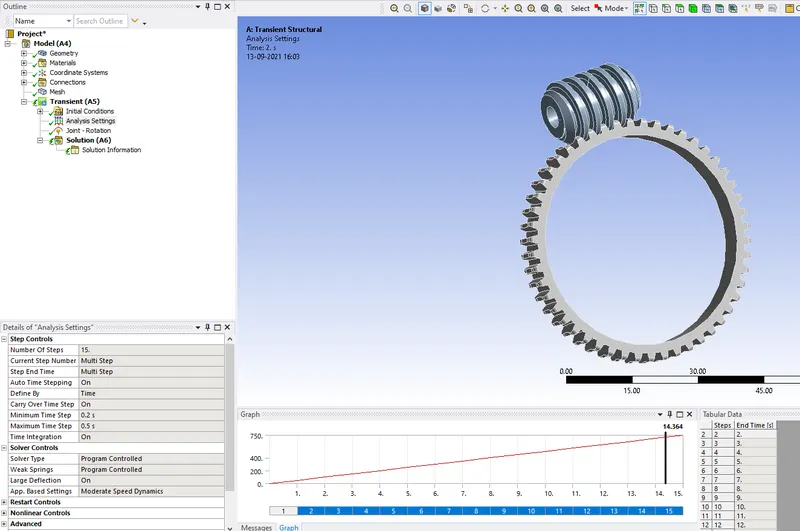
JOINT
8. Right-click on the solution selects the solve the analysis is started.
RESULTS
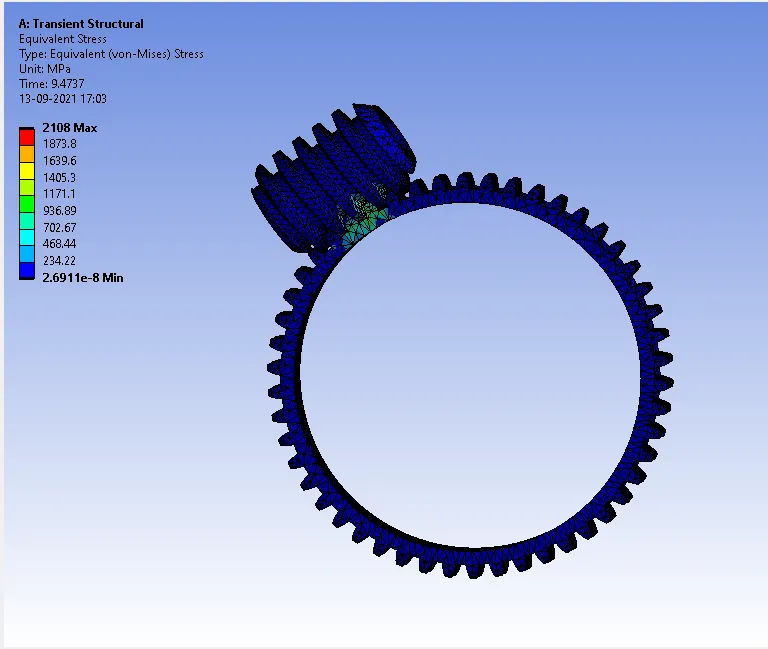
EQUIVALENT STRESS
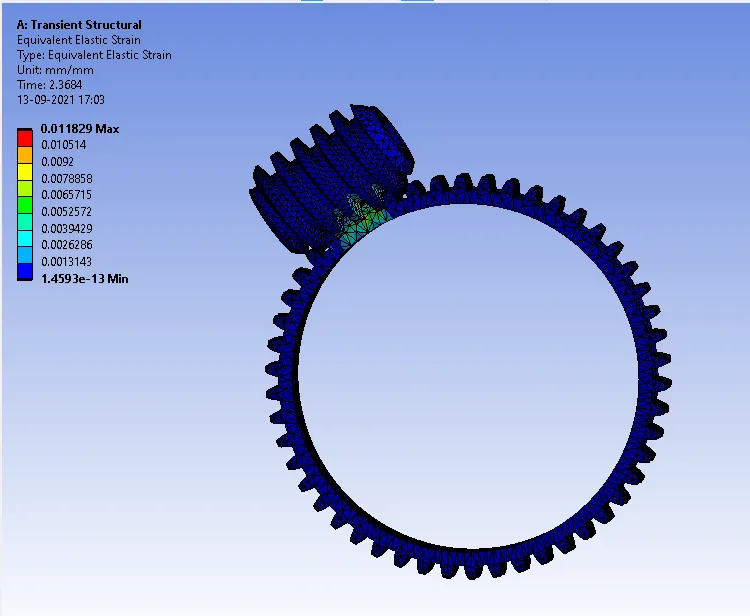
EQUIVALENT ELASTIC STRAIN
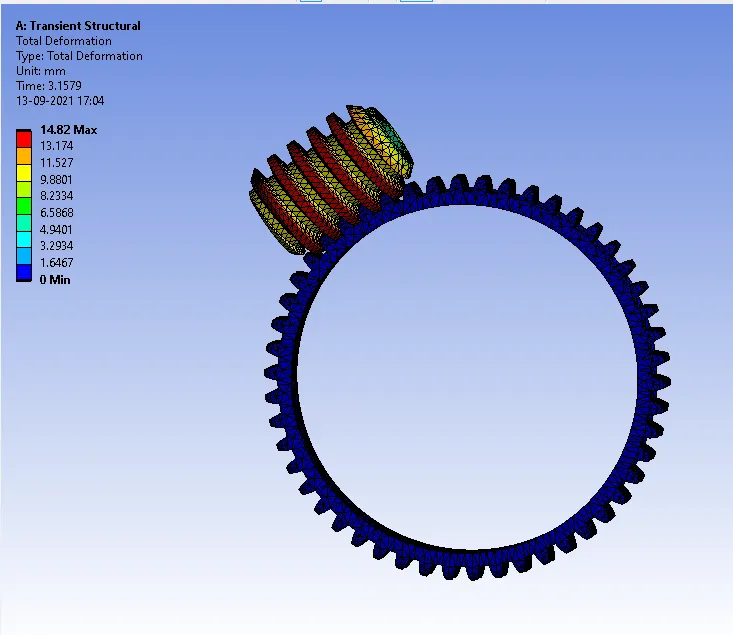
TOTAL DEFORMATION
| CASE |
EQUIVALENT STRESS (MPA) |
EQUIVALENT ELASTIC STRAIN (MPA) |
TOTAL DEFORMATION |
| WORM GEAR | 2108 | 0.011829 | 14.82 |
CONCLUSION:-
From the simulation results, we can see the area where there will be Max. Total Deformation, Max. Equivalent Elastic Strain and Max. Equivalent Stress occurring on the Gear during the simulation.