Week 8 Worm Gear Challenge
AIM:
- To perform a transient structural analysis on a worm gear assembly using ansys workbench.
PROCEDURE:
- Open ansys workbench.
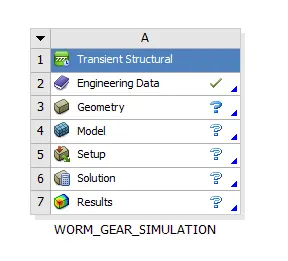
- Dropdown transient structural analysis system and rename it as worm gear simulation.
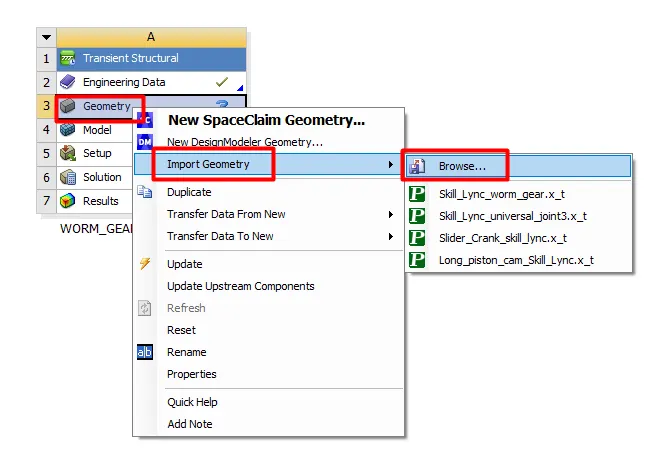
- Import geometry by browsing to the file location.
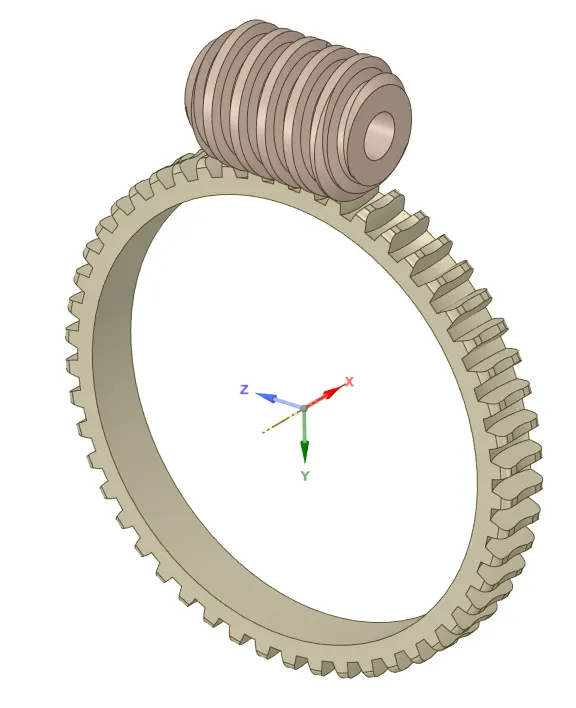
- Edit the geometry using SpaceClaim.
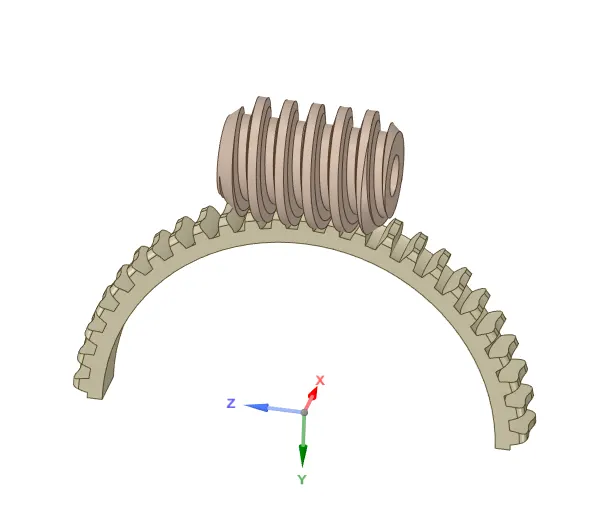
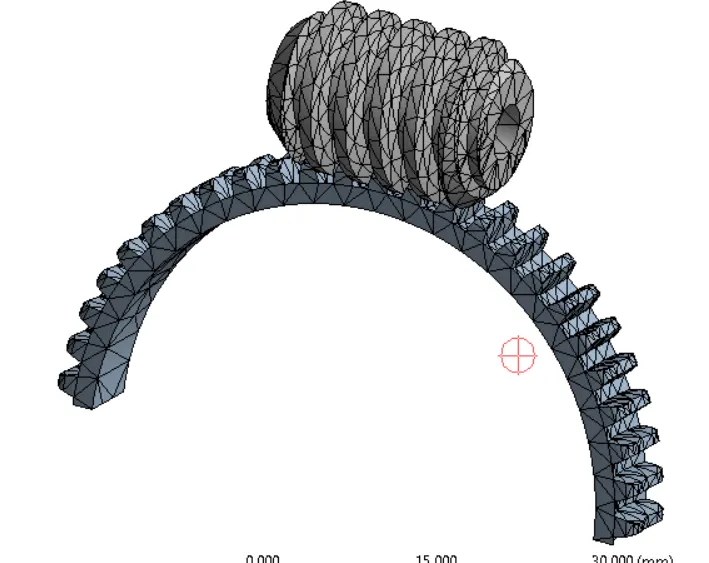
- Cut the gear by half to bring the model within limits as below.
- Open ansys mechanical to set up the simulation.
- Rename the geometry.
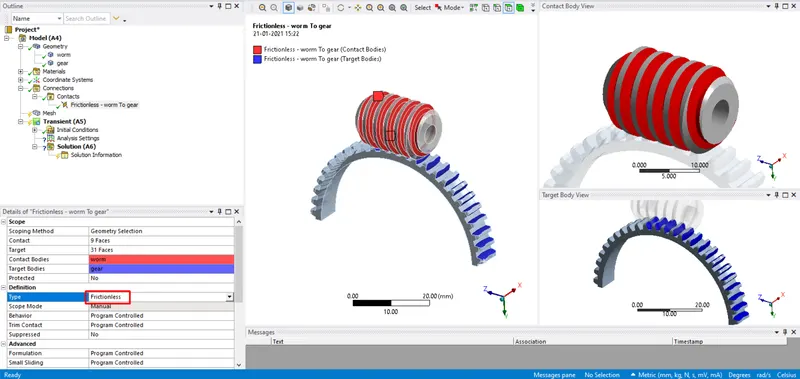
- Create a frictionless contact between worm and gear as below.
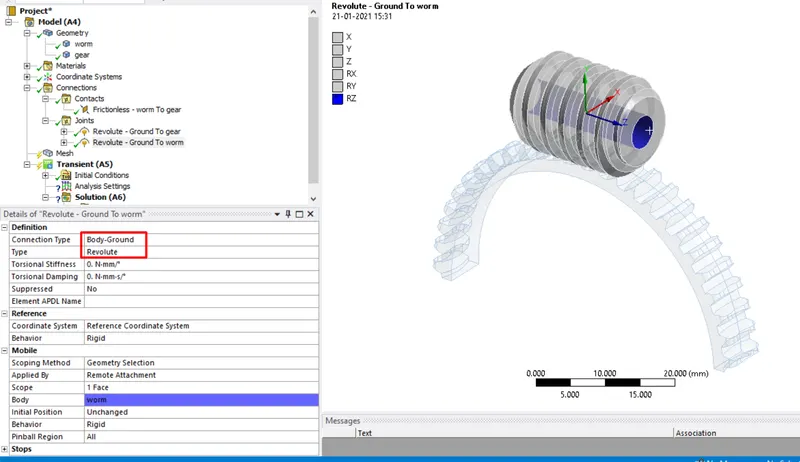
- Create body-ground revolute joint as shown below.
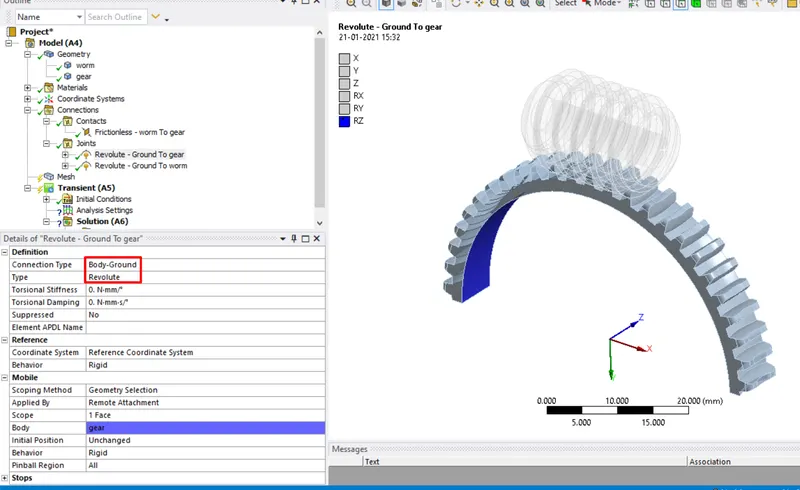
- Create a body-ground revolute joint for gear.
- Under mesh switch on the adaptive sizing and change smoothening to medium and generate a mesh with an element size of 1mm.
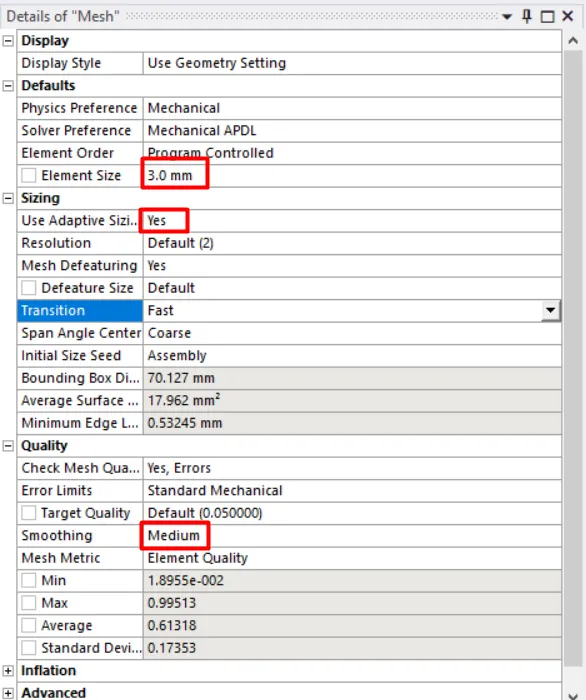
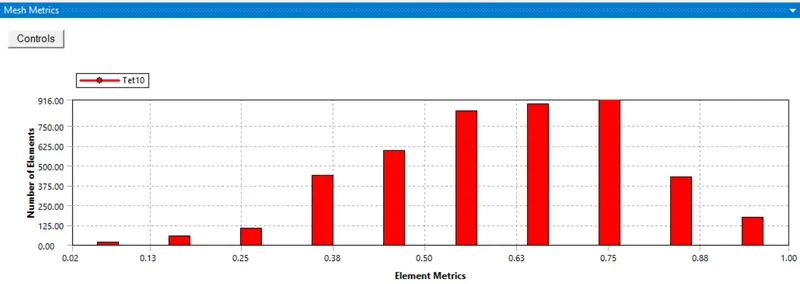
- The above graph represents the mesh metrics which gives a clear picture of the element quality and type of elements used in the simulation.
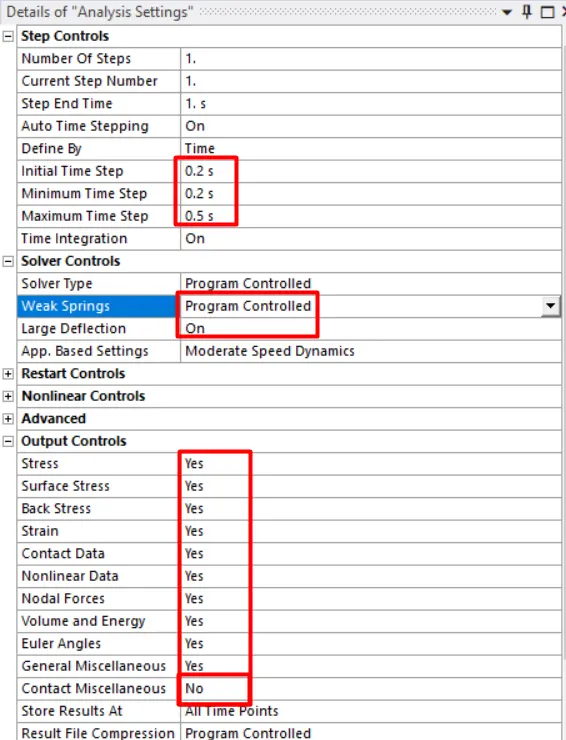
- Now under analysis settings change the initial time step to 0.2 and minimum time step to 0.2 and the maximum time step to 0.5.
- Turn on the large deflection and change the weak springs to program-controlled. Change the output controls to yes expect for contact miscellaneous.
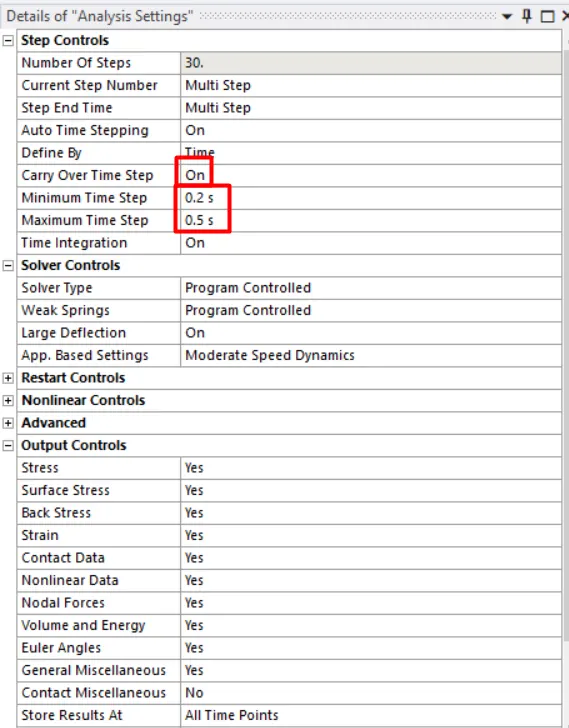
- Now change the number of time steps to 30 and select the steps from 2-50 and change the time step values as step-1 and turn on the carryover time.
- Insert joint load for worm as rotation with an increment of 70 degrees for each step.
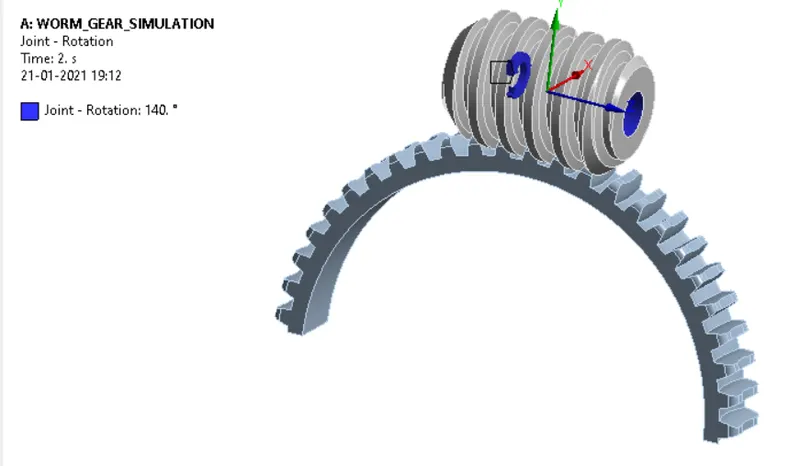
- List the output required and simulate the model to obtain results.
RESULTS:
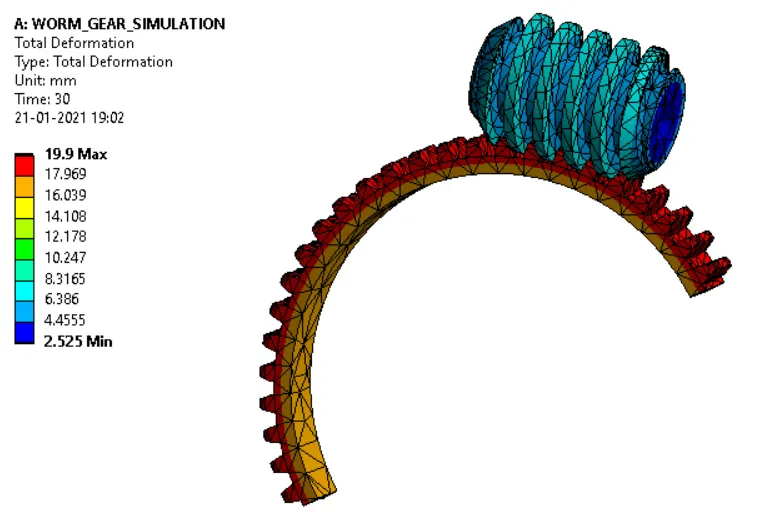
TOTAL DEFORMATION:
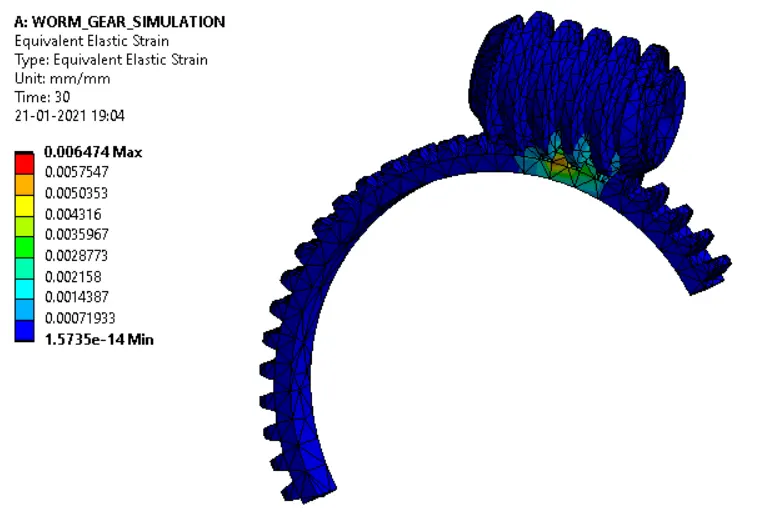
EQUIVALENT ELASTIC STRAIN:
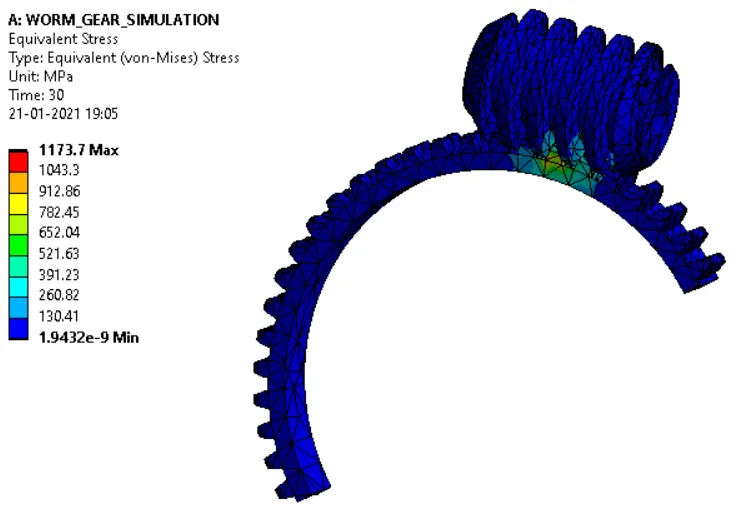
EQUIVALENT STRESS:
CONCLUSIONS:
- Transient structural analysis on the worm gear assembly is performed successfully.
- During the simulation, the worm is moved until the end of the gear.
- The Equivalent stress, Equivalent elastic strain, and the total deformation in the model are obtained.