Week- 8 - Solid meshing
AIM: For the given Rear view mirror component, check for the geometrical errors and mesh the Surfaces with the given 2D element Quality criterias given below.
GIVEN:
Sr. No. Value Quality Criteria
1. Target/Average Length 1
2. Minimum Length 0.5
3. Maximum length 2
Use tetra elements to mesh the Volumes defined in the model and check for the below quality after Volume meshing.
Sr. No. Value Quality Criteria
1. Tet Collapse 0.2
OBJECTIVE:
The objective of this challenge is to perform the geometric cleanup, mesh the Surfaces with the given 2D element Quality criterias and use tetra elements to mesh the Volumes defined in the model and check for the given quality after Volume meshing.
PROCEDURE:
- Firstly import the component in ANSA software and open it following the given steps:
In toolbar, go to file >open >select the file>ok
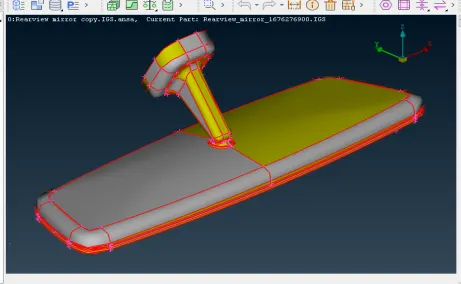
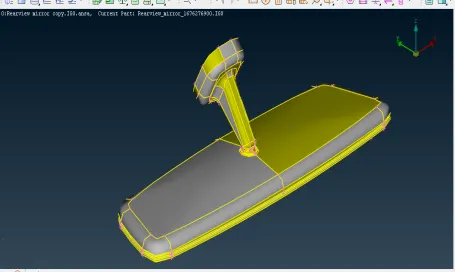
- After opening the component, one should perform topo cleanup to prevent geometrical errors. For that go to the topo option on right hand side of toolbar and go to faces> topo and select the whole component and press the middle mouse button. This way topo cleanup is carried out.
-
After that geometry check is performed by going to the checks > Geometry and selecting required parameters, geometry check is executed. When geometry check is carried out, errors in the model would be shown by ANSA as follows:-
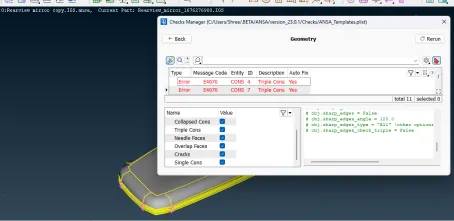 These errors were fixed by right click on them and choose fix option. When all these errors were cleared, the component were again checked for geometry and results are as shown below:-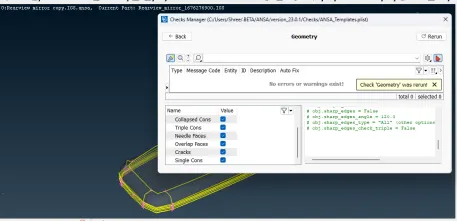
- Now check the orientation of thecomponent by using Faces>Orient command.
-
- Now meshing will be done by following the steps given below:
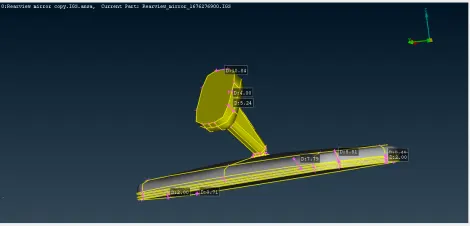
1) Measure the thickness of the component by using Utilities>Measure command.
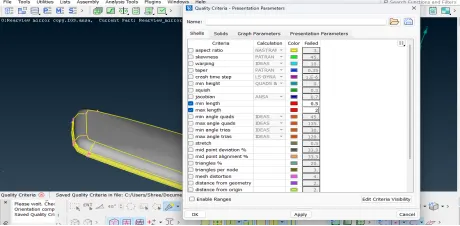
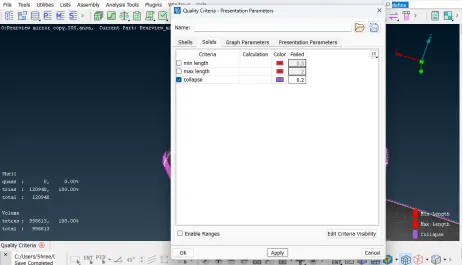
2) Then assign the mesh parameters by going to the Utilities>Quality Criteria- Presentation Parameters>Shells and enter the minimum length as 0.5 and maximum length as 2 and apply. (this quality criteria can be saved for future reference). Then in graphics division, tick mark for Elements% and choose the details on demand effect as More details. Now go to Quality Criteria- Presentation Parameters>Solids and enter the Tet Collapse criteria as 0.2 and apply.
 3) Now go to Mesh Parameters tab and enter target length as 1 and element type as Ortho Tria.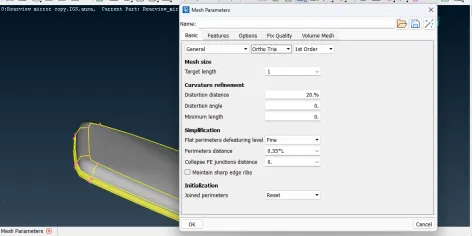
4) Now go to the mesh module and assign element length by going to the Perimeters >Length >target element size. Enter the target length as 1.
5) Now meshing is done using Mesh Generation> Best command. This tool generates best possible mesh flow for the surface. In this component, there are some curve surfaces such as hemmings, fillets etc. In these regions we use Ortho tria as element type and in flat regions we can use tria as element type.
6) Then refined the mesh by using Shell Mesh> Reconstruct. Make sure that OFF elements must be zero after giving quality criteria.
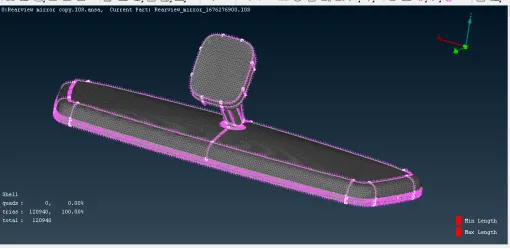
7) Now we define the volumes for shell elements by using Volume Mesh>Volumes>Define>Manual command. Select the whole component and press middle mouse button. A property window will open. Create a new property by using New>PSOLID command and confirmed. In this way new property is created.
8) Now select Unstructured Mesh>Tetra Rapid or Tetra FEM command for solid meshing.
9) If any elements fail for tet collapse, fix them by using Grids>MV Free command from shell mesh module.
10) Now check the volume mesh by using !not command.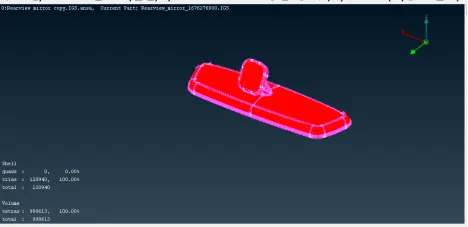
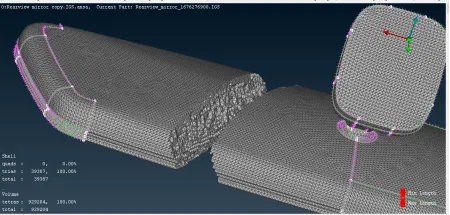
Final Model Image:
Shell Elements:-
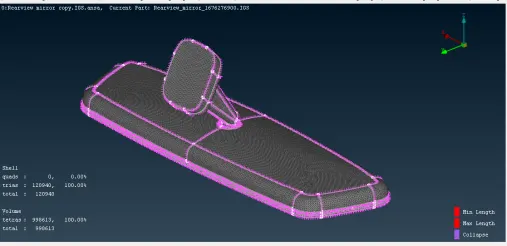 Volume Mesh:-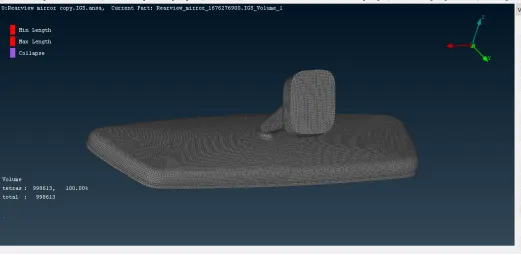
LEARNING OUTCOMES:
1) Performing this challenge enables to use different tools in the software.
2) Knowing how to use different tools to get good quality mesh.
3) Learning the concept of solid meshing like change the 2D elements into 3D elements, meshing the component by using trias and ortho trias, fixing the quality for tet collapse etc.
CONCLUSION:
After performing proper geometrical cleanup, meshing the component with 2D shell elements, assign volumes for shell elements the given rearview mirror component is meshed according to the given quality criteria.