Week - 5 - 2D meshing for Plastic components
AIM:
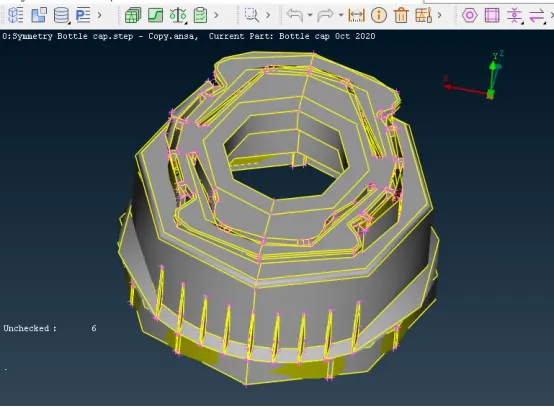
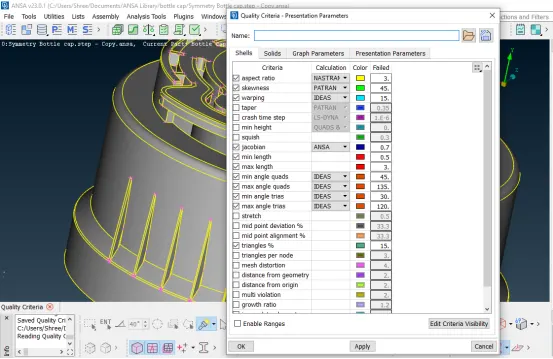
For the given Plastic Bottle Cap model, Check for the geometrical errors and take the mid surface by suitable mid surfacing techniques. PID and Thickness assignment has to be done for all the mid surfaces. Mesh the same with the given element Quality Criteria.
GIVEN:
Sr. No. Quality Criteria Value
1 Target/Average Length 1
2 Minimun Length 0.5
3 Maximum Length 3
4 Aspect 3
5 Warpage 15
6 Skewness 45
7 Jacobian 0.7
8 Minimum Quad Angle 45
9 Maximum Quad Angle 135
10 Minimum Tria Angle 30
11 Maximum Tria Angle 120
12 Tria Percentage 15
OBJECTIVE:
The objective of this challenge is to perform the geometric cleanup and extract the mid surface of the given plastic bottle cap model and then mesh this model following the given Quality Criteria.
PROCEDURE:
- Firstly import the modelin ANSA software and open it following the given steps:
In toolbar, go to file >open >select the file>ok
- After opening the model, one should perform topo cleanup to prevent geometrical errors. For that go to the topo option on right hand side of toolbar and go to faces> topoand select the whole modeland hit the middle mouse button. This way topo cleanup is carried out.
- After that geometry check is performed by going to the checks > Geometryand selecting required parameters, geometry check is executed. When geometry check is carried out, errors in the model would be shown by ANSA as follows:-
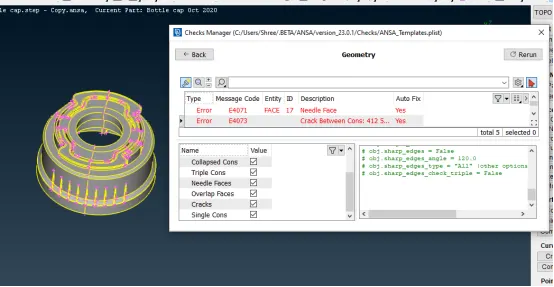
Some of these errors were fixed by right click on them and choose fix option.
Remaining errors will be cleared manually by using different commands like CONS>Release, Faces>delete, Faces>New and Faces>Topo.
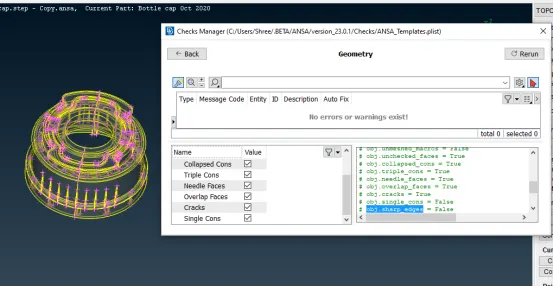
When all these errors were cleared, the model were again checked for geometry and results are as shown below:-
- Now check the orientation of the model by using Faces>Orient command.
- Now meshing will be done by following the steps given below:
1) Measure the thickness of the model by using Utilities>Measure command.
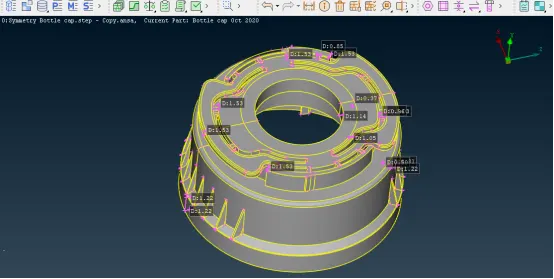
2) Then extract the mid surface of the model by using Faces> Offset and Faces>Middle commands. Choose the offset option in faces and select the surfaces. Then after checking direction of arrow, give half of the thickness value as offset value and offset the surface. For some surfaces middle option is used to get mid surface. For that, choose the middle option in faces and select both sides of the surface one by one and confirm the surface by pressing middle mouse button. Mid surface is generated for that surface.Then assign PIDs for the midsurfaces of the model by using Faces>Set PID command. The thickness is assign by going to the List > Properties > New
3) After midsurface is generated for the model, assign the mesh parameters by going to the Utilities>Quality Criteria- Presentation Parameters and enter the given quality criteria and apply. (this quality criteria can be saved for future reference). Then in graphics division, tick mark for Elements% and choose the details on demand effect as More details.
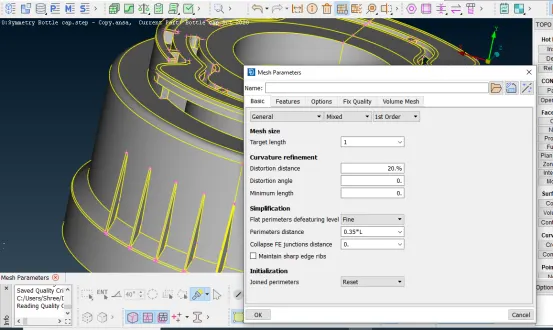
4) Now go to the mesh module and assign element length by going to the Perimeters >Length >target element size. Enter the target length as 1.
5) Then divide the surface into small sections using Macros> Cut option so that better mesh flow is generated.
6) Now meshing is done using Mesh Generation> Best command. This tool generates best possible mesh flow for the surface.
7) Then refined the mesh by using Shell Mesh> Reconstruct. Make sure that there are no rotating quads and opposite trias present in the model. Reduce trias near to free edge or holes or on the fillets. OFF elements must be zero after giving quality criteria. For that use different commands like Elements>split, Elements>Swap, Elements>Join and Grids>Paste.
8) After meshing, Shell Mesh>Smooth command is used to get smooth mesh flow.
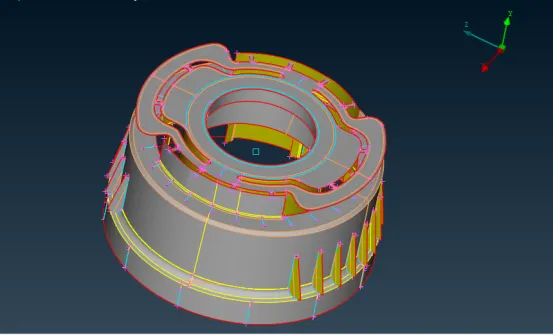
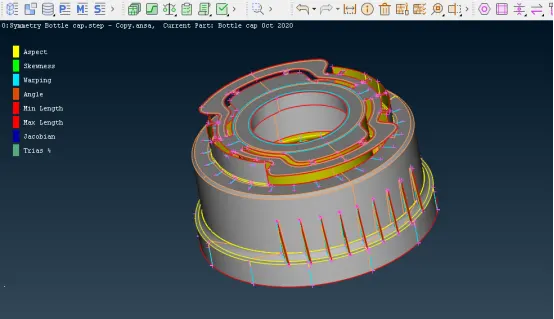
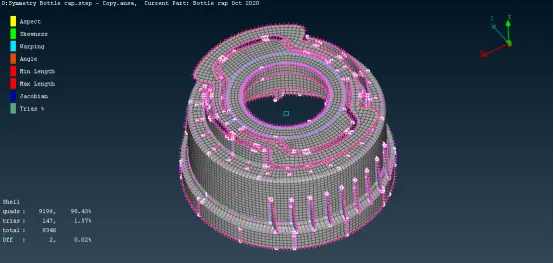
Final Model Image:
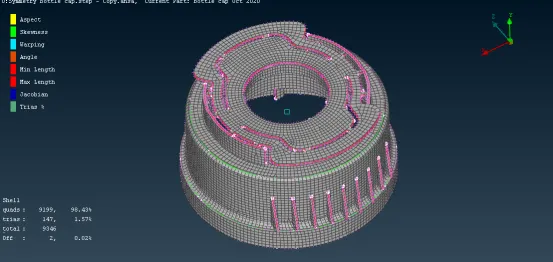
Model Image when Draw Shell as Solid command is ON:-
LEARNING OUTCOMES:
1) Performing this challenge enables to use different tools in the software.
2) Learning of different options for extracting midsurface.
3) Knowing how to use different tools to get good quality mesh.
CONCLUSION:
After performing proper geometrical cleanup, extraction of midsurface for the model and assign thickness to it, the given Plastic Bottle Cap model is meshed according to the given quality criteria.
NOTE:-There are some areas present in the model where OFF elements are present.