Week- 8 - Solid meshing
Solid Meshing - ANSA Week 8 Challenge
1. Aim
- For the given Rear view mirror component, check for geometrical errors and mesh the Surfaces with the given 2D element Quality criteria mentioned.
- Use tetra elements to mesh the Volumes defined in the model and check for the quality after Volume meshing.
2. Objective
- Import and perform a geometry cleanup on the given CCB CAD model using ANSA GUI
- Mesh the surface of the model using and check for given quality criteria.
Quality Criteria For Surface Mesh
|
Sl No. |
Quality Criteria |
Value |
|
1 |
Target/Average length |
1 |
|
2 |
Minimum Length |
0.5 |
|
3 |
Maximum Length |
2 |
- Perform volume mesh on the model using mentioned quality criteria.
Quality Criteria For Volume Mesh
|
Sl No. |
Quality Criteria |
Value |
|
1 |
Collapse |
0.2 |
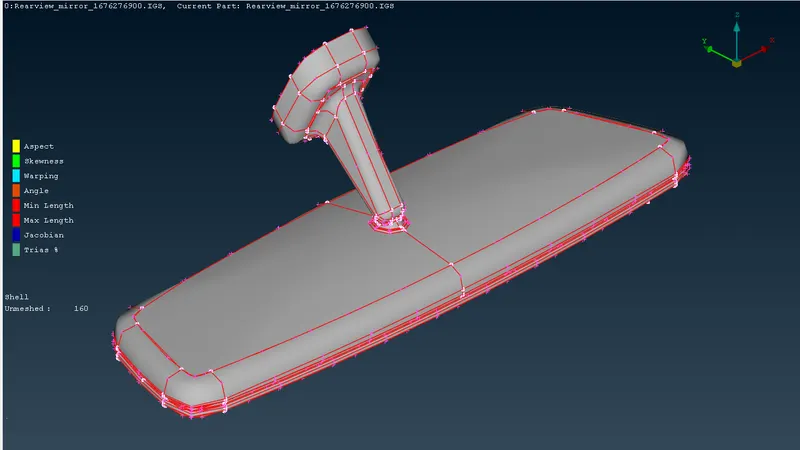
Fig 1: Isometric View of Model
3. Procedure
Step 1: Geometric Checkup of Model.
First, the model is imported and loaded on ANSA v22.1.0. After that, the TOPO operation is carried out to convert all single CONS into double CONS. After the TOPO, the geometry cleanup proceeded.
In this model, there are no geometrical errors can be found. So, the geometry is well-cleaned.
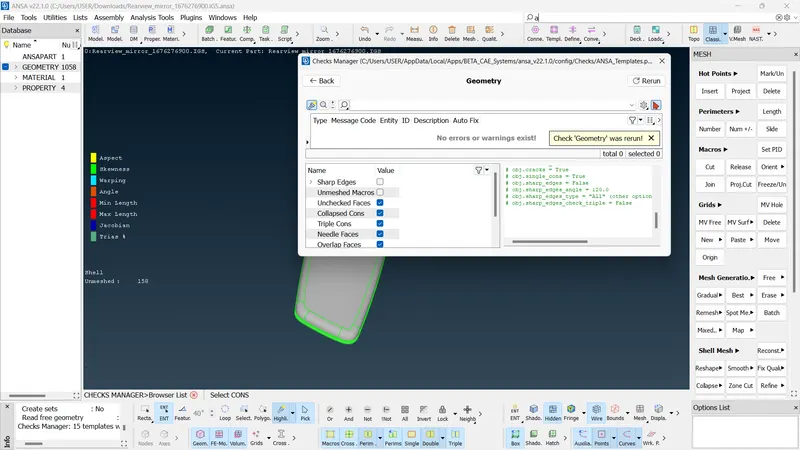
Fig 2: Successful Geometric Checkup
Step 2: Surface Meshing Of The Model
By Inspecting the model, we can see that we cannot determine the thickness of the model. So meshing by the mid-surface generation is not possible and we have to go for solid meshing. The model consists of 4 different PIDs and which means 4 different volumes should be generated.
The surface meshing is carried out in each PID one by one. Before meshing, the quality criteria and mesh parameters should be updated. Also, the element type in the mesh parameters changes to tria or ortho-tria elements. Then, the meshing is carried out macro by macro in each property individually. Spot mesh is used for the meshing. For the removal of off-elements, Swap, Smooth, Join, etc.
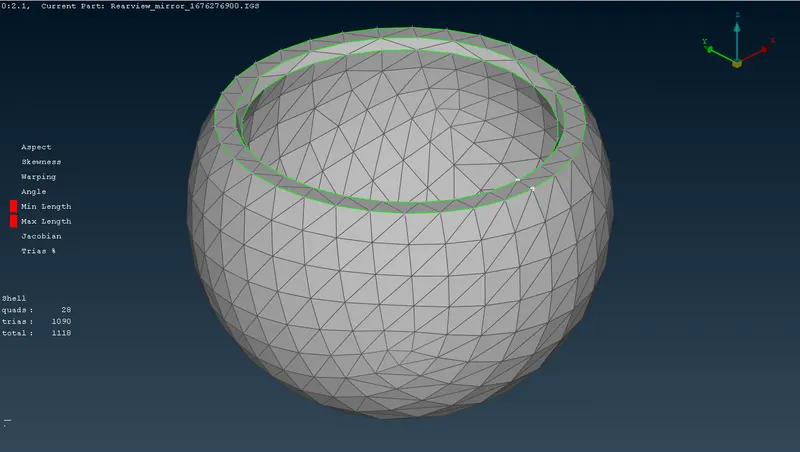
Fig 3: Surface Meshing Of PID-01
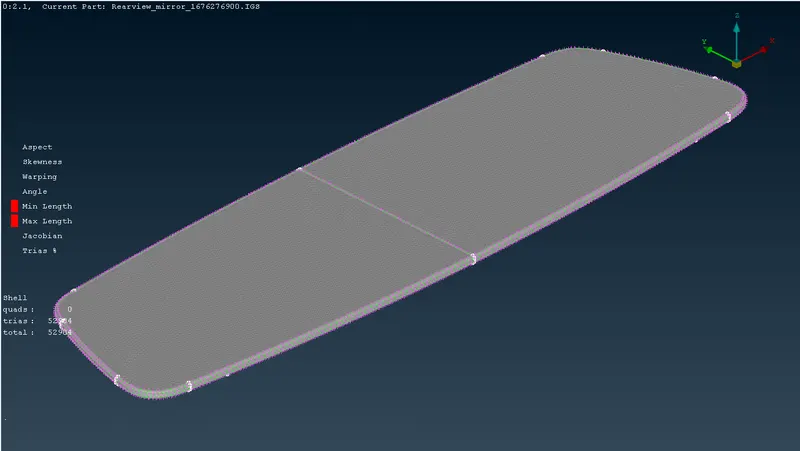
Fig 4: Surface Meshing Of PID-02
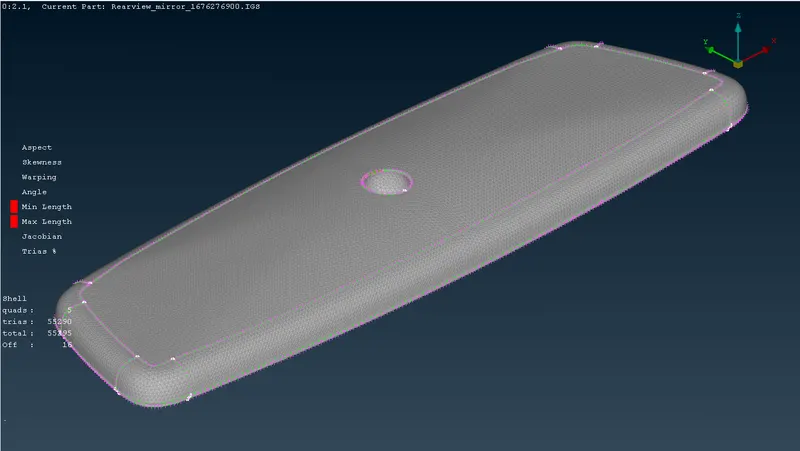
Fig 5: Surface Meshing Of PID-03
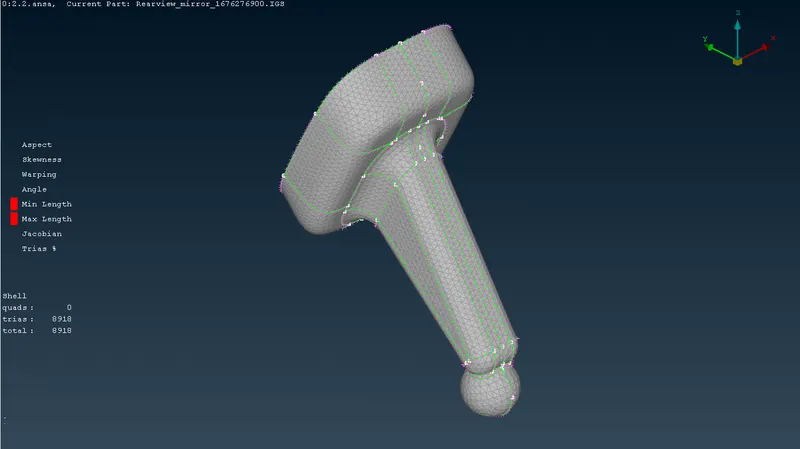
Fig 6: Surface Meshing Of PID-04
Step 3: Volume Meshing Of The Model
After the surface mesh, the volume mesh should be generated. For that, we have to define the volume by
- V Mesh Module >> Volumes >> Define.
The volume is auto-defined into 4 individual volumes by ANSA. After that, the Volume Quality Criteria (Collapse=0.2) should be updated. Then the volume meshing is carried out by
- Volume >> List >> Right Click on Specified Volume >> Remesh
By following these methods to every defined volume we can get the required result.
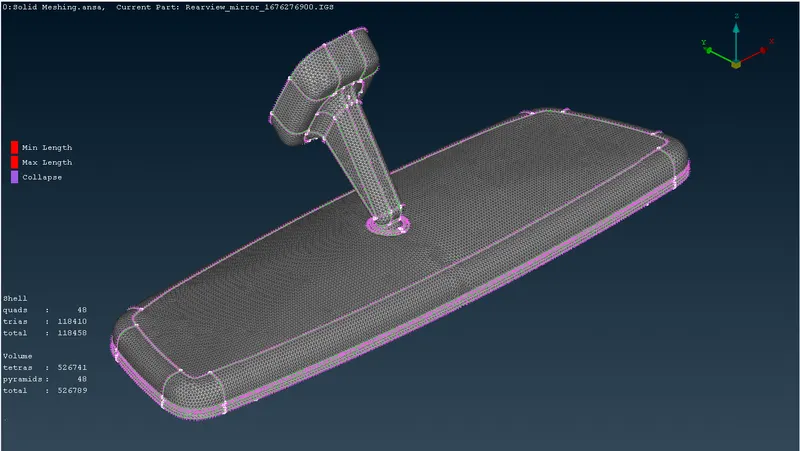
Fig 7: Final Result
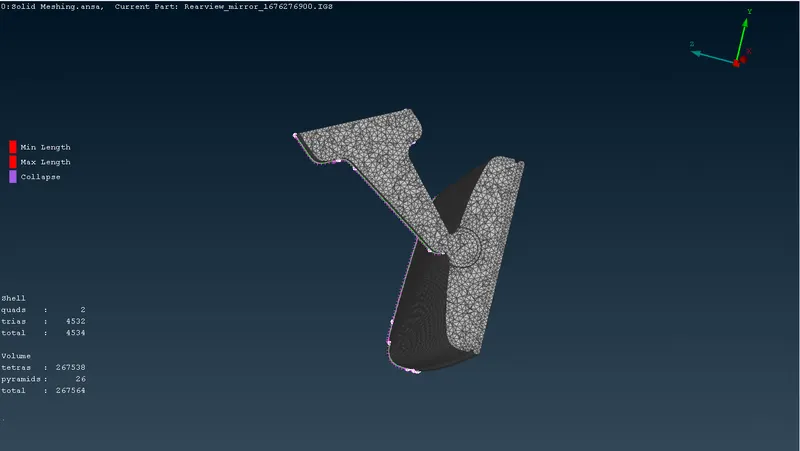
Fig 8: C.S. of Final Result
4. Result
- The volume mesh for the model is completed. Each of the elements satisfies mentioned quality criteria and mesh parameters.
- For Surface Meshing, There are 4534 no. of shells including 4532 trias and 02 quads.
- For Volume Meshing, 267564 no. of shells including 267538 tetras and 26 pyramids.
5. Conclusion
- For the given Rear view mirror component, check for geometrical errors and mesh the Surfaces with the given 2D element Quality criteria mentioned are completed.
- The Surface Mesh Generation and V Mesh generation are also completed.