Week 8 - Simulation of a backward facing step in OpenFOAM
- For selecting the case, as per the challenge, in the tutorials of openFoam, we went into tut>incompressible>pimpleFoam> laminar>pitzDailyPulse.
- We then copy the file from the tutorial into run folder by using cd $FOAM_RUN.
- In the system>blockMeshDict, we open the blockMeshDict file.
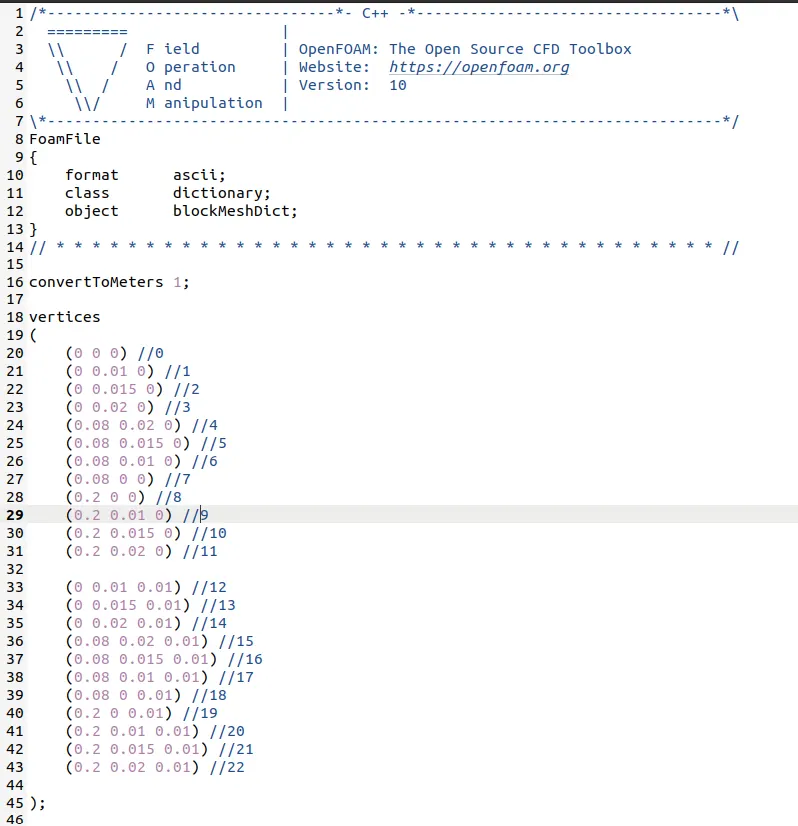
- On the basis of the requirement of the challenge, we divide the given geometry into 5 blocks, consisting 22 vertices, as shown in the figure below
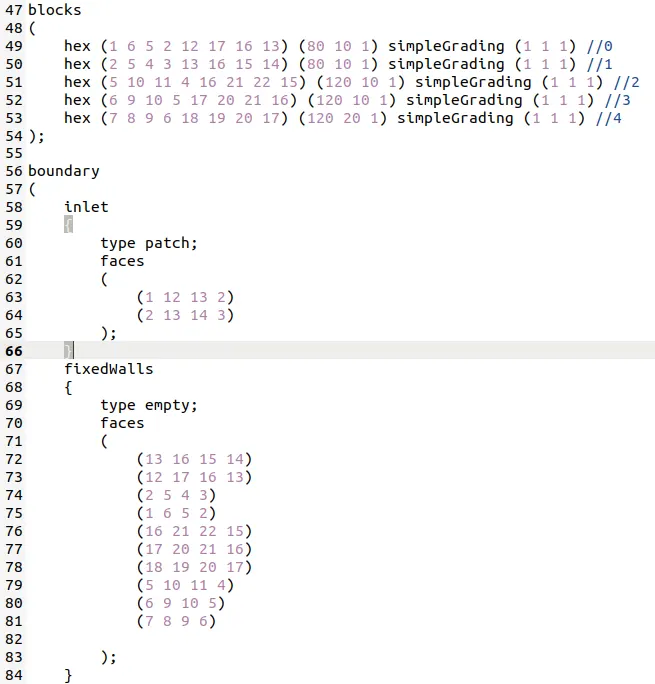
- In the blockMeshDict, using the simple coordinate system, we define the 22 vertices of the geometry.
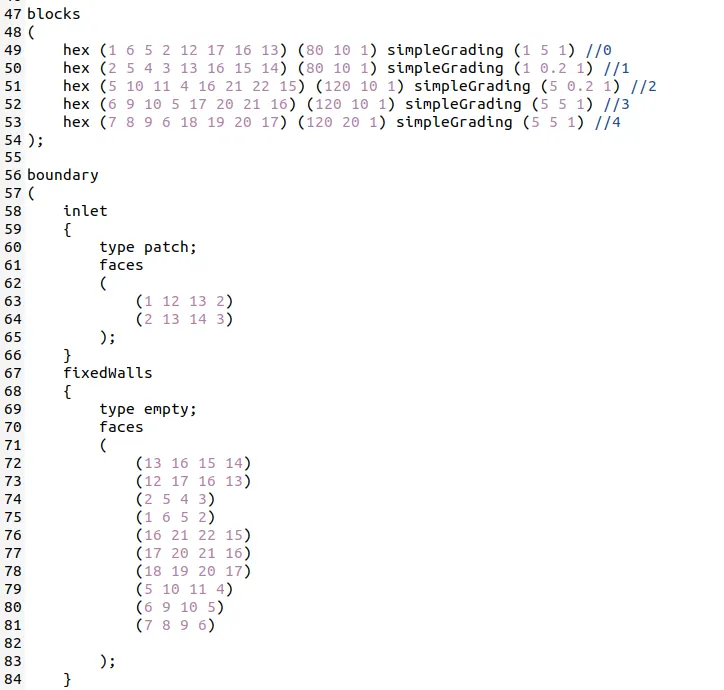
- Following this, we difine the blocks in hex, starting with the back face and then the front face, followed by the number of cells in x direction and y direction and then the simplegrading values.
- Grading factor is the ratio of the last cell by first cell.
- As the fluid will flow through the geometry, the walls will act as inf of hinderance and i some way will provide the darg, so we need to make sure that we use the finer cell near the walls and corse cells in between.
- In case 2, the grading factor of 0.2 is to be used, so in the first block, for the last cell, we invert the grading factor and use i,e 1/0.2=5 for the horizontal mesh lines.
- We also have to make sure that the grading lines on block 3,4 and 5 should align and same goes for the block 1 and 2.
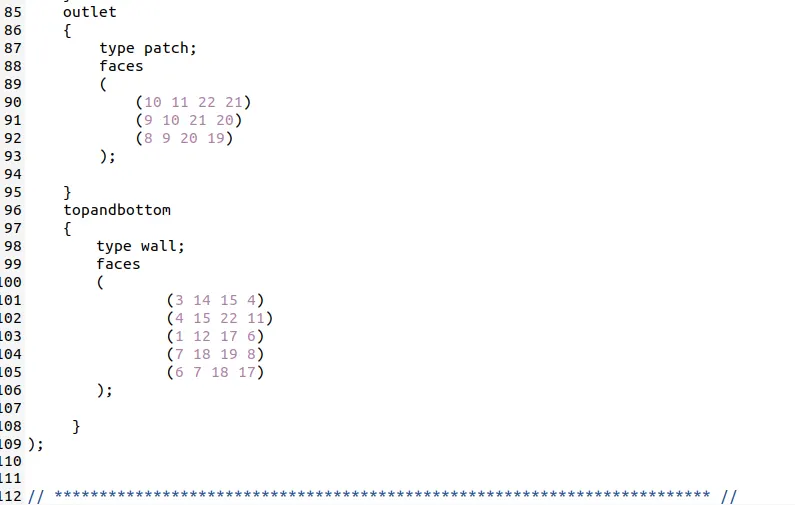
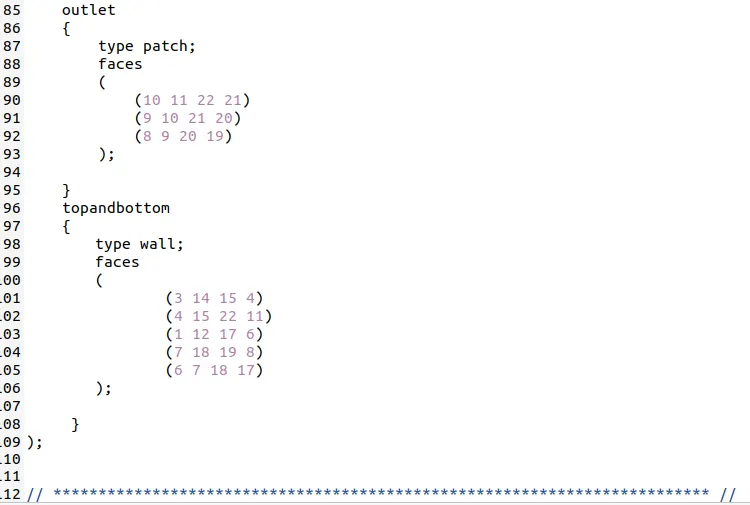
- For boundary conditions, at inlet and outlet, we have use type as patch, followed by the respective faces.
- The boundary type for the fixed wall is empty and for the top and bottom, its wall followed by their respective vertices as from the figure.
- From controlDict, we come to the the type of solver that we are going to use.
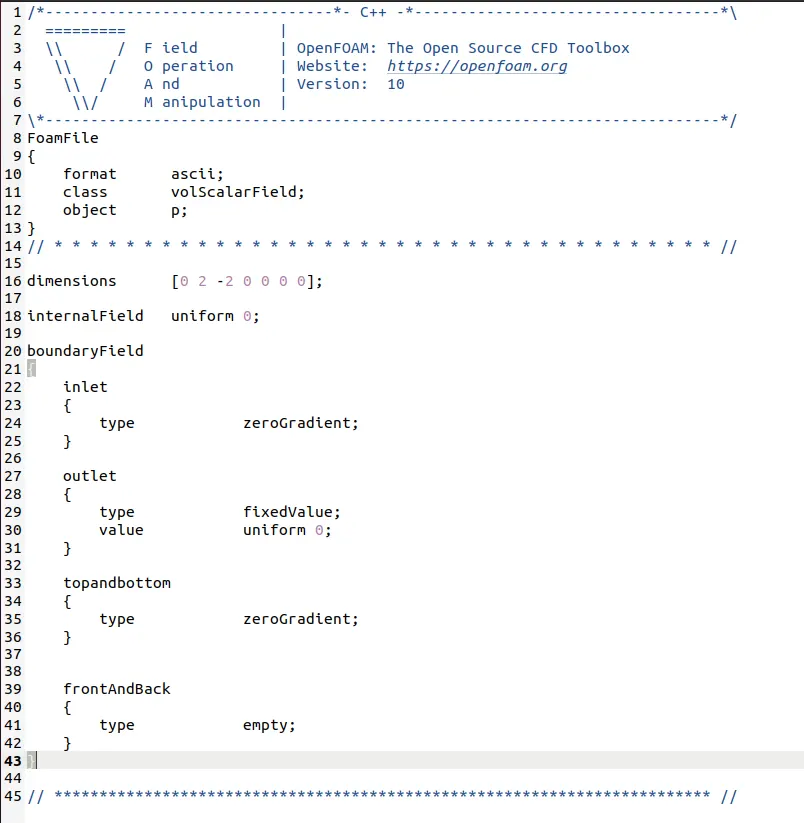
- In the 0 folder, we open U and p.
- In U, for inlet, we use the type as fixed value and value to be uniform and outlet to be zerogradient.
- In case of p, for inlet, we use inlet type as zeroGradient and outlet as fixedvalue and uniform.
- In boundary condition, we have used Neuman boundary condition as we have not specified the value directly but we are specifing the value of the derivative at the boundary.
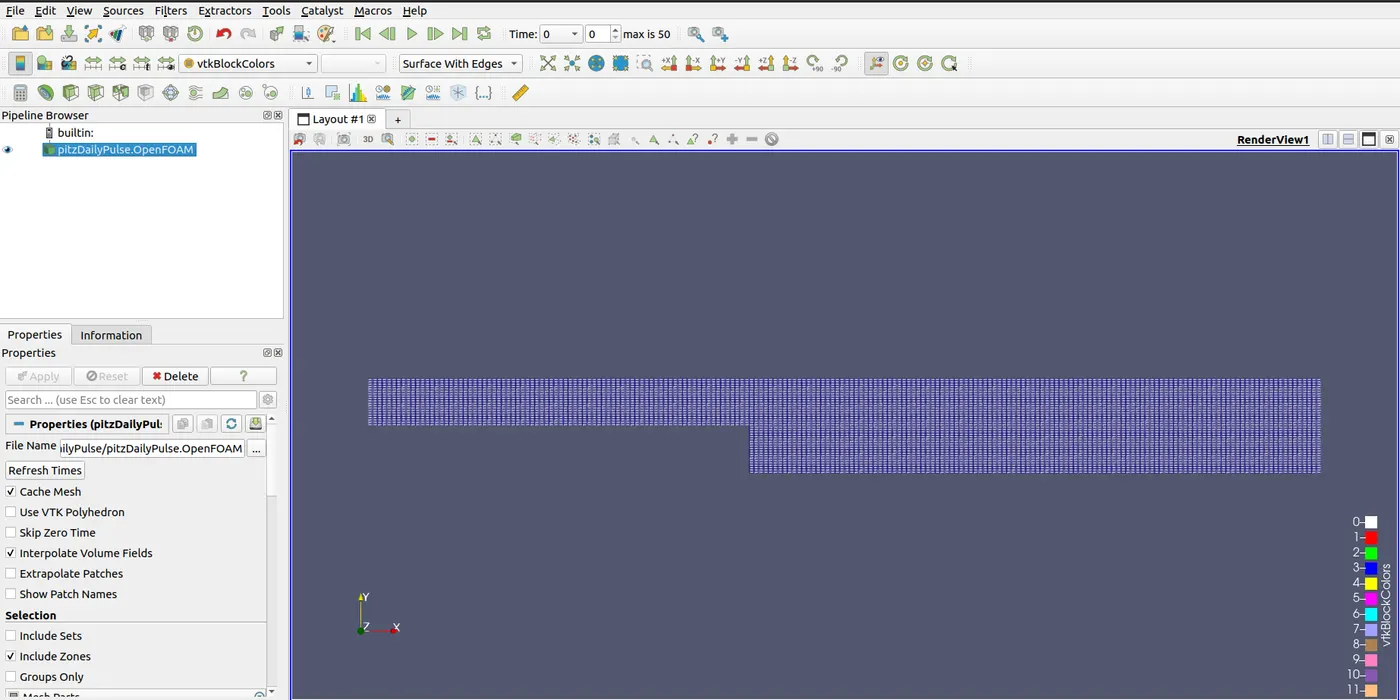
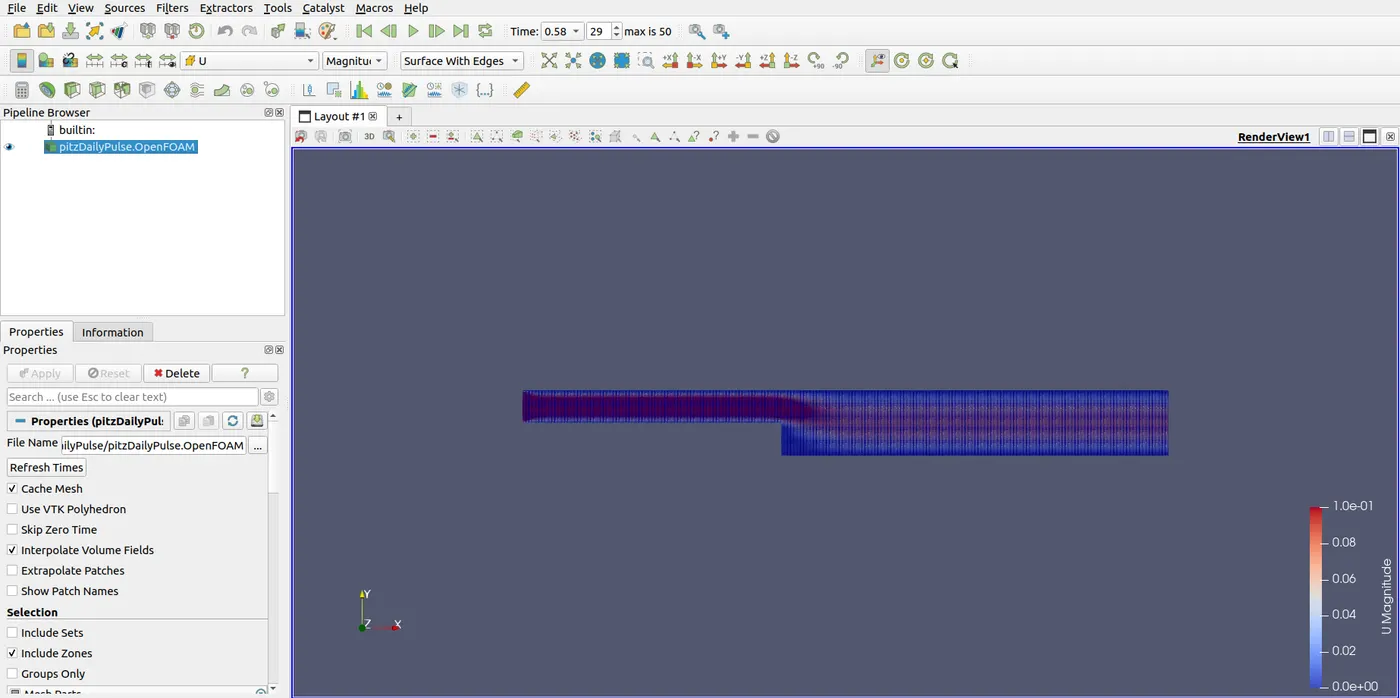
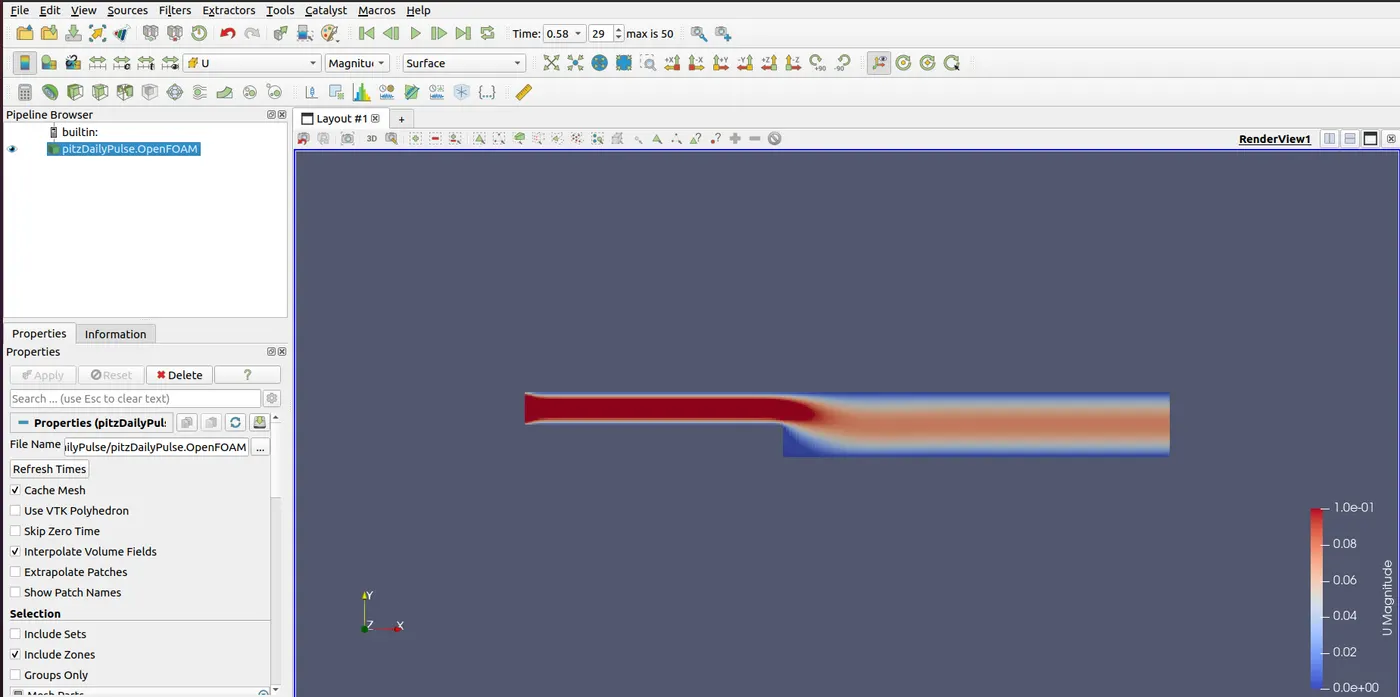
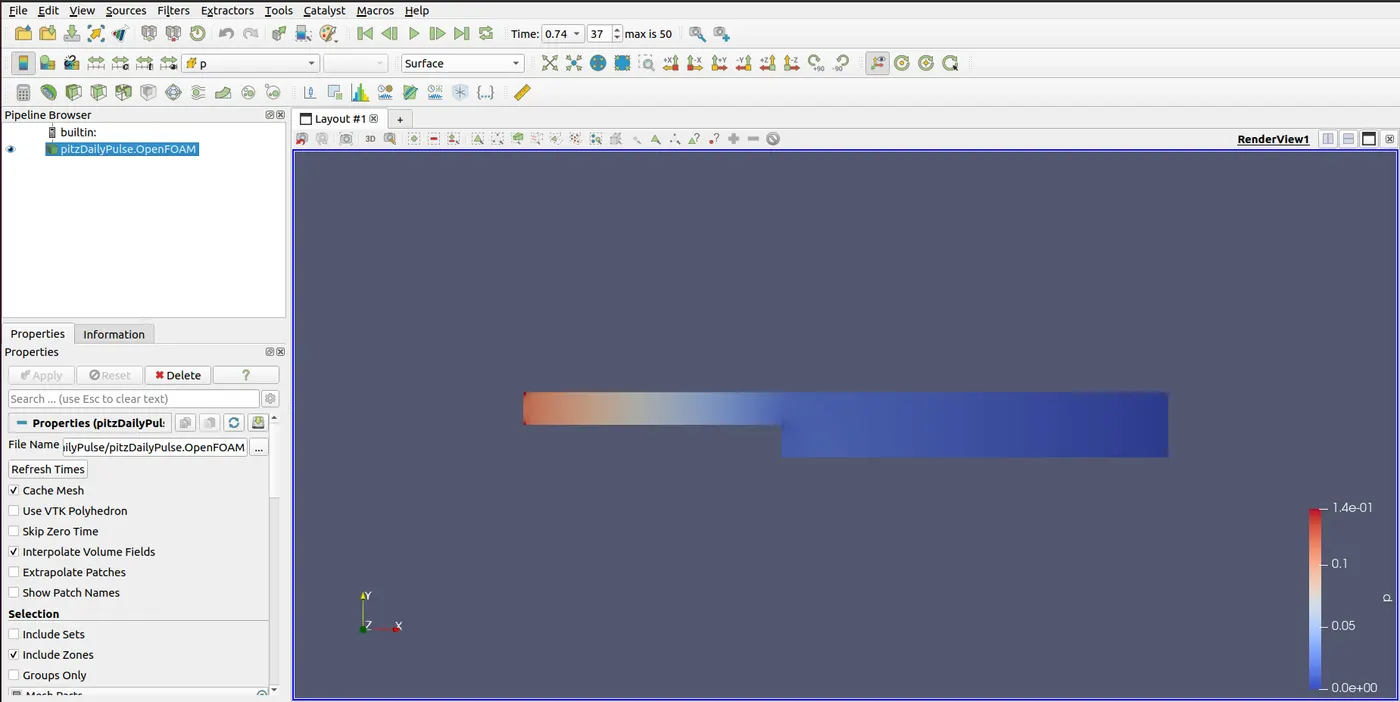
- We ran the blockMesh and the solver pimpleFoam.
- For using the plot over line tool, to measure the velocity at 0.085m, we went into Filter>Data Analysis>Plot Over Line and in the line parameter, we used the y axis and plot the graph.
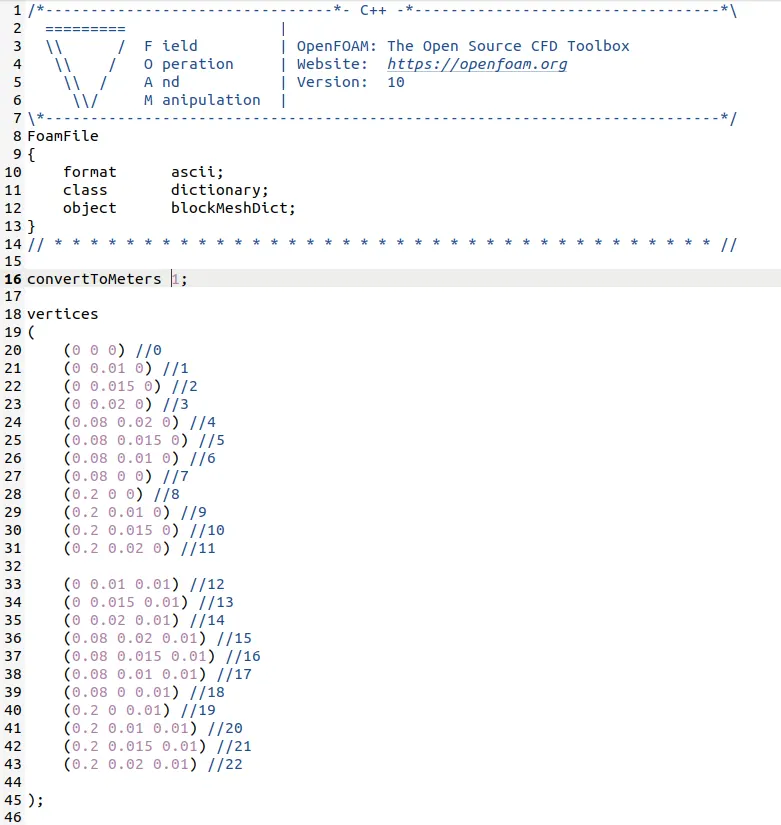
- The same procedure was followed for the GradingFactor=1.
Importance of Grading factor of meshing:-
1. Resolution Control:- Grading or Growth Factor allows you to control the distribution of cell sizes in the mesh. It determines how the cell sizes change as you move away from specific geometric features or boundaries, such as walls, inlets, or outlets. By adjusting the grading factor, you can control the resolution of your mesh in different regions of the domain. This is crucial because it enables you to allocate more mesh cells to areas of interest, where flow gradients or other phenomena are significant, while using coarser meshes in less critical regions, thus optimizing computational resources.
2. Accuracy:- In CFD simulations, it's important to have a higher mesh resolution in regions where flow features change rapidly or where there are sharp gradients in flow properties (e.g., near a wall or boundary layer). If the mesh is too coarse in these regions, the simulation may not capture important flow details accurately. Grading allows you to refine the mesh locally, ensuring that the solver accurately resolves the flow features.
3. Stability:- The Grading factor also influences the stability of the simulation. Sudden changes in cell size can lead to numerical instability. By using a growth factor, you ensure a gradual transition from finer to coarser mesh cells, reducing the likelihood of stability issues, such as divergence or oscillations in the solution.
4. Computational Efficiency:- In large-scale simulations, computational efficiency is crucial. Using a grading factor helps optimize the mesh resolution, ensuring that computational resources are used effectively. It avoids unnecessary refinement in regions where it's not needed, which can significantly reduce the computational cost of the simulation.
5. Convergence:- A well-graded mesh often leads to faster convergence in CFD simulations. When the mesh resolution is appropriate for the physics being modeled, the solver can reach a converged solution more quickly and reliably.
6. Boundary Layer Resolution:- In fluid flow simulations, it's especially important to resolve the boundary layer near solid surfaces accurately. The grading factor helps in gradually refining the mesh as you approach the wall, ensuring that the boundary layer is well-resolved. This is critical for accurate predictions of frictional forces and heat transfer.
The Grading or Growth Factor in OpenFOAM's meshing process is essential because it allows you to tailor the mesh resolution to the specific requirements of your simulation. It provides control over accuracy, stability, computational efficiency, and convergence, ensuring that you obtain reliable results while optimizing computational resources.
BlockMesh Dict:-
For grading size 0.2
BlockMesh dict:-
For grading size 1:-
Pressure File:-
Velocity file:-
< src alt="">