Week_8_Plastic Model_1
Answer:-
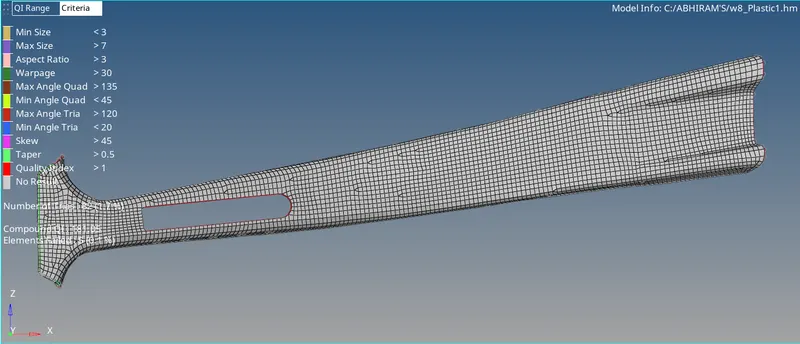
B-Pillar Plastic model view:
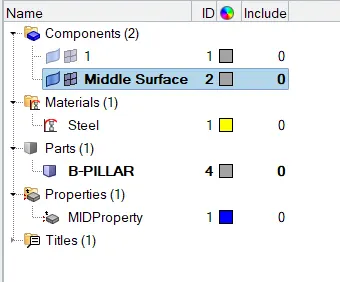
Components,materials,property:
Failed elements (due to min size error in orange color,these are ribs and are at the feature line):

Procedure:
1.Import the model.
2.Set or change from auto to By Topo mode.
3.Set the criteria file settings as per given question.
4. Change or set from By part to By Element Quality.
5.Now do the necessary geometry cleanup on the Parent Geometry.
6.Then extract the midsurface by selecting midsuface of geometry section.
7.Now Mesh the component part by part.
8.Commands used:
i.Geometry--Midusrface--Extract.
ii.Geometry Cleanup(quick edit(F11))
iii.quick edit-split-surf-line,split-surf-node,replace point,toggle edge,project point,add/remove point and release point.
iv.automesh(F12).
v.quality index(shift+q)-swap edge,split/collapse edge,combine tria element,element optimise and split quad.
vi.Rebuild (shift +r)
vii.edit element(F6)-create,combine and split.
viii.translate(shift+F4).
ix.Smooth(shift+F12).
x.node edit(F7).
xi.distance(F4).
xii.delete(F2).
9.After meshing check for failed elements and also manage trias.
10.Then create property and material.
11.Assign the thickness from parent geometry.
12.Finally save the model with suitable name.