Week 4-1D Element Creation Challenge
Answer:
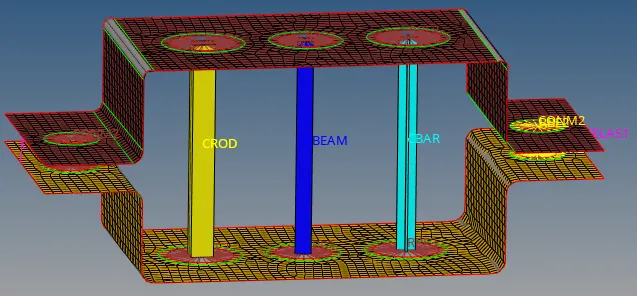
Front view:
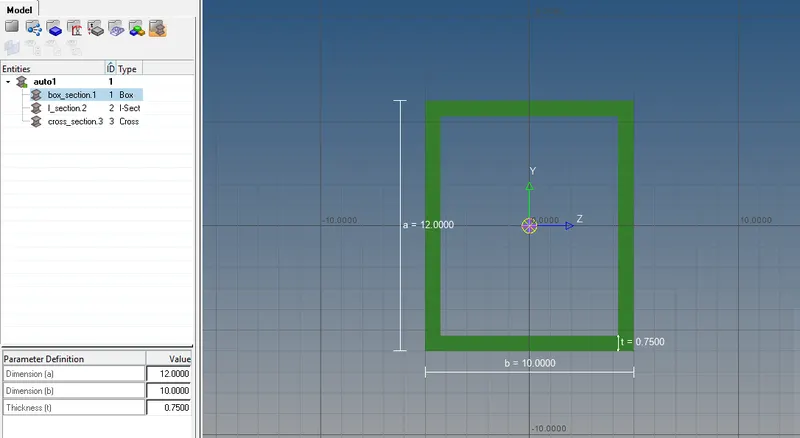
Hyperbeam Rod(Box Cross-section):
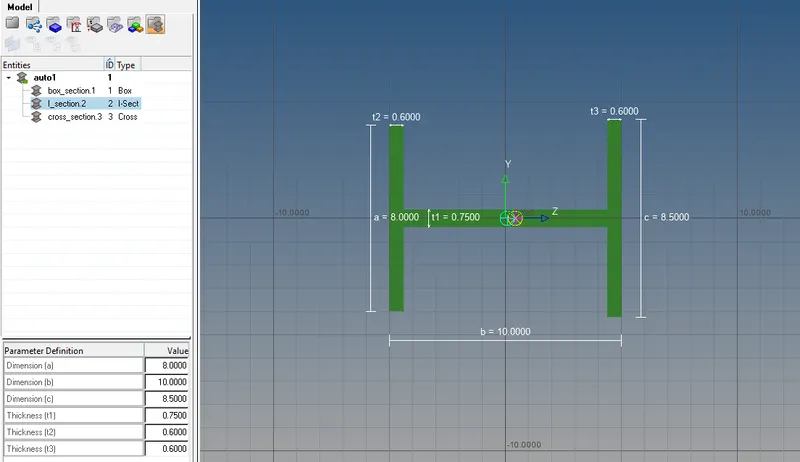
Hyperbeam Beam(I-Cross-section):
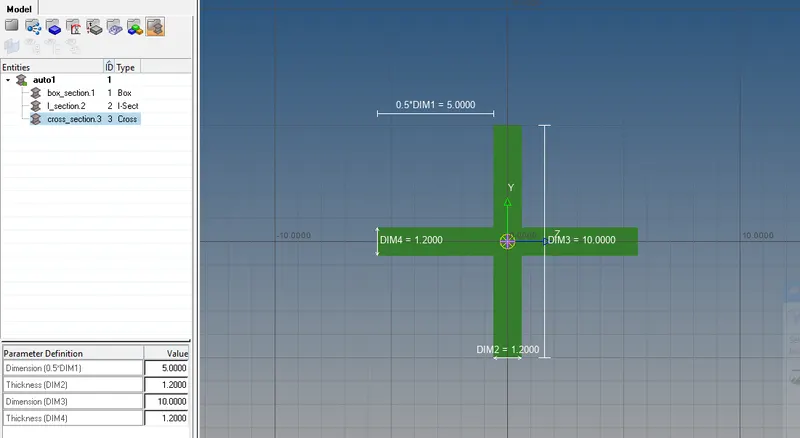
Hyperbeam Bar(X-Cross section):
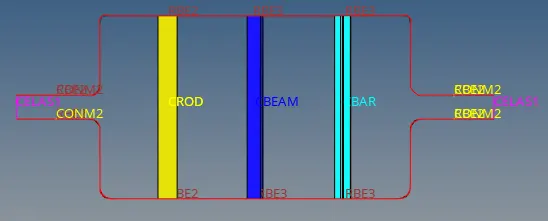
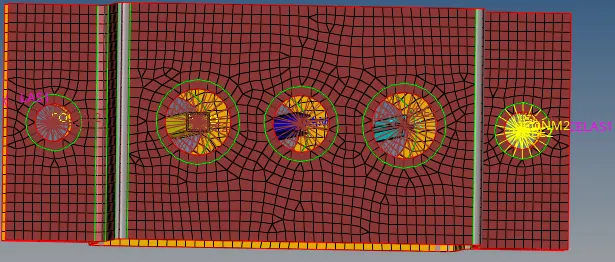
Hypermesh Top view:-
Procedure:
1. Import the parallel bracket model.
2.Convert the model from solid to surface.
3.Create midsurface.
4. From the given question create Rod element with RBE2 link by clicking rigids of 1D section.
5.Similarly create Beam element with Rbe3 link by clicking bars of 1D section.
6. Lastly create Bar element with RBE3 link but only constrain dof in x and y.
7.Go to hyperbeam and create 3 individual crosssections for rod (Box),Beam(I) and Bar(X) elements.
8.Create masses of magnitude at the small holes at the ends of 2brackets with RBE2 link by selecting 2nodes.
9.Create spring at the both edges of 2brackets.
10.In Hypermesh create properties for 3 elements and update to show 1D elements.
11.Finally, Save the model with suitable name.
Conclusions:
- Learnt the commands used in this question.
- Successfully completed the challenge.