Week - 8 - Morphing
Aim:
To perform morphing on the sheet metal component & hand rest by the video shown in week 8.
Procedure:
Morphing is a tool to change the shape of geometry or FE model to any direction & axis to attain design change.
1) Sheet Metal component - Model 1.
Step 1 :
Pre requesties:
Geometry has been clear with topology cleanup and then geometry check to fix the errors with an Auto fix option & Orient.
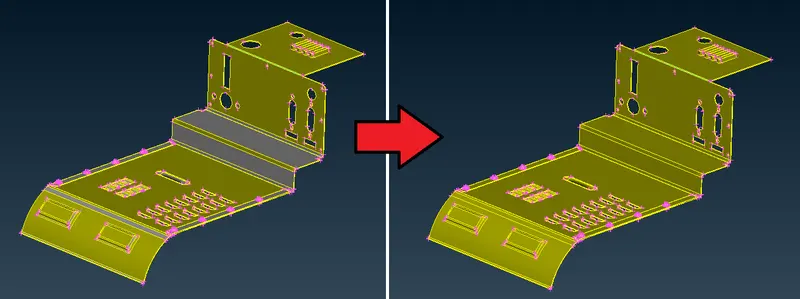
Step 2 :
Isolate feature which going to be morphing alone into active window.
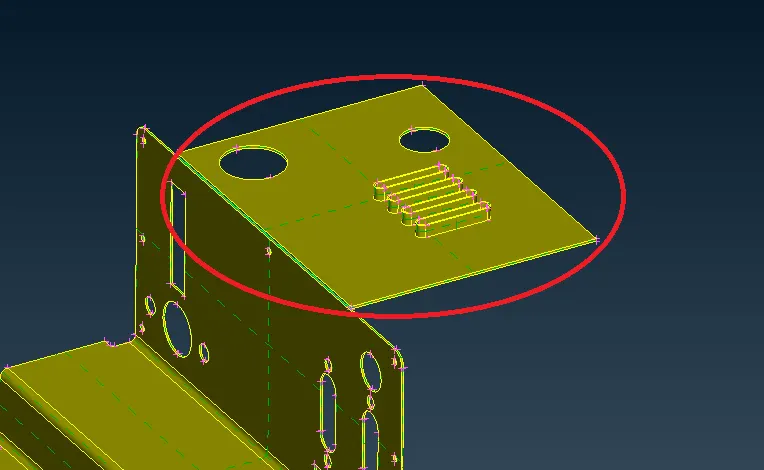
Then, we shall go to the ‘Morph’ deck and there we need to go to Boxes > New > Ortho and then Geometry is selected (since we are working on the actual geometry and not a mesh). The protrusions are then highlighted (selected).
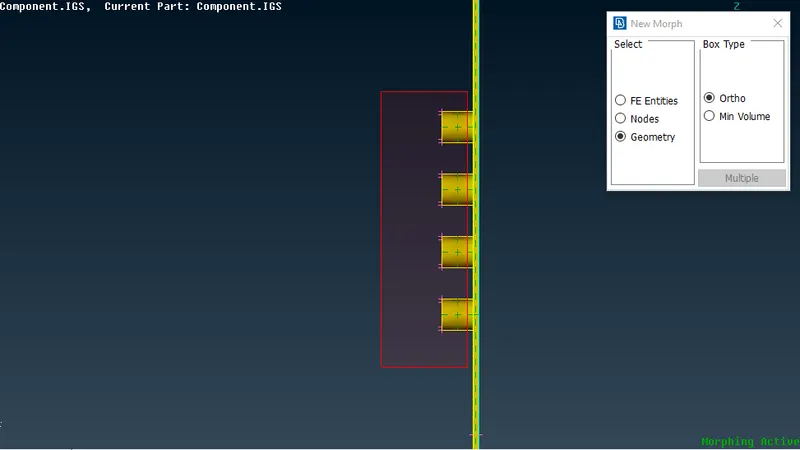
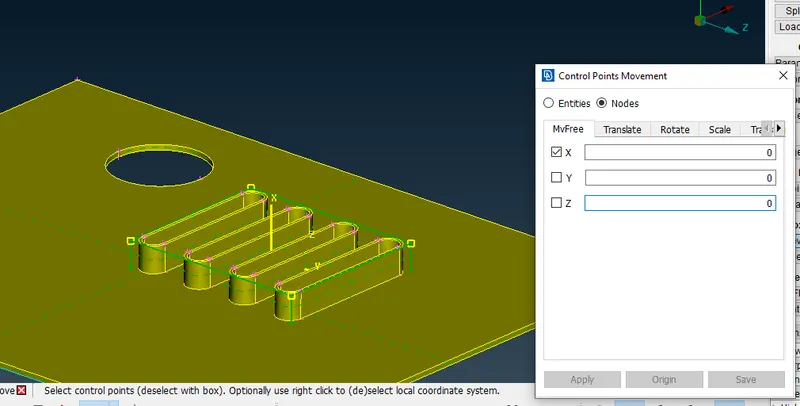
we need to work on this region of the component:
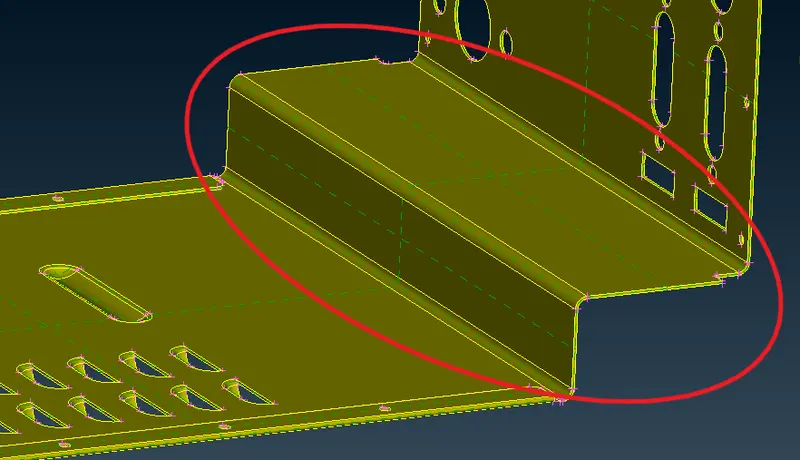
It involves a simple morphing process that is carried from the side view of the region. We need to repeat the same process of creating a morph box and then moving the grids as per our requirement.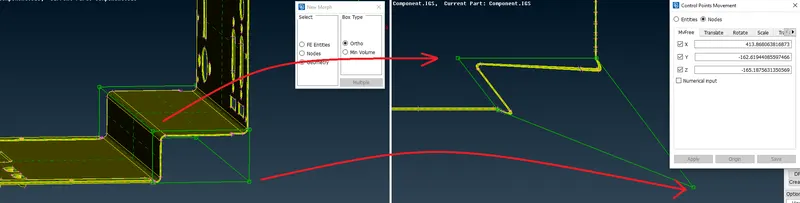
2) Hand rest component - Model 2.
Step 1 :
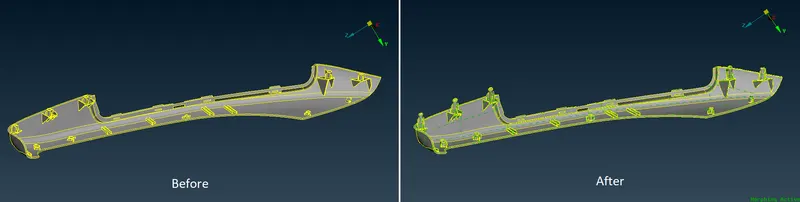
The requirement in the case of Model-2 is to increase the height of the dog houses and ribs as shown in the following picture: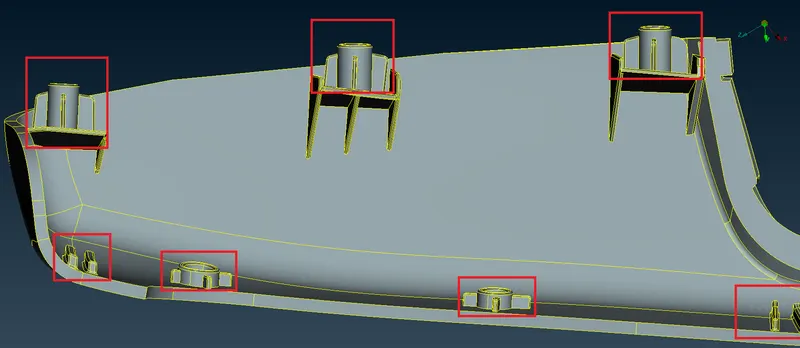
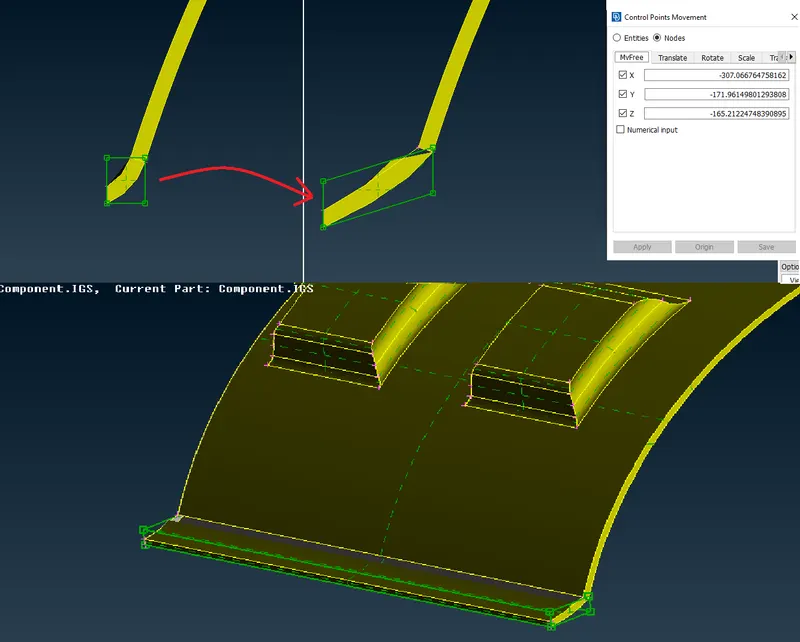
2. As we did in the previous component, we need to highlight the particular doghouse & ribs using Boxes > New > Ortho. Since this is not a mesh and is a geometry, the geometry option is selected. After highlighting the doghouse and ribs, the middle mouse is clicked and the morph box is formed as shown: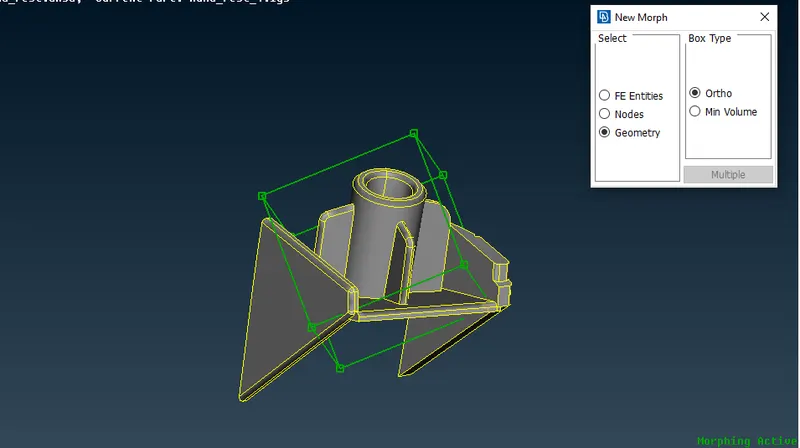
3. After that, we need to make use of the Box Morphing > Move tool to move these control grids on the morph box. We select the node at the highest point and simply middle-clicking activates the morphing algorithm. Now we are free to move the doghouse and ribs, according to the selected coordinates of course. When done, we simply need to middle-click again for the algorithm to apply the morph.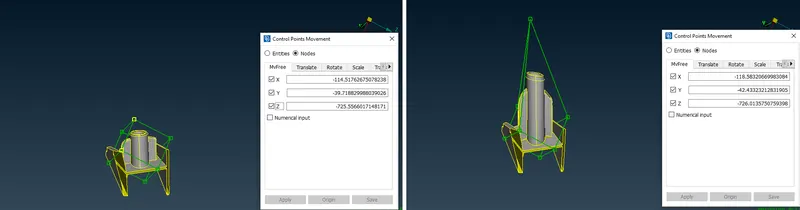
4. In other cases, such as this rib, simply selecting the rib and creating a box doesn’t seem to help with providing a more proper morph later on.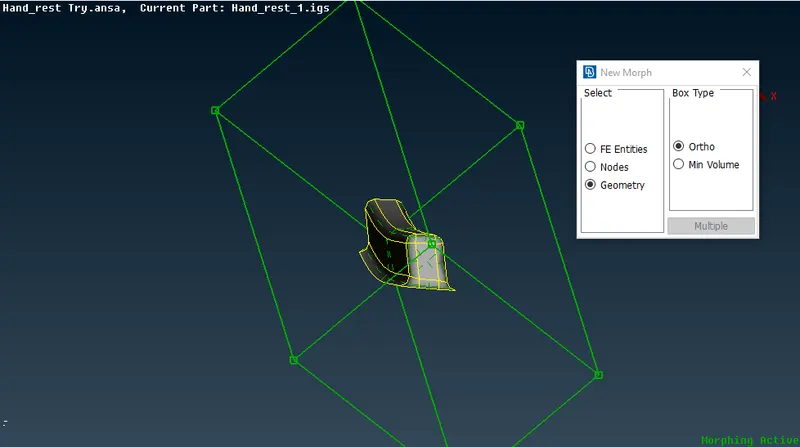
5. As we don’t want the height-increasing morph process to affect the base of these components (and cause geometrical/graphical issues), we can, instead, split these boxes.
Conclusion:
I done the model & Acheived shape/design change in model.
The whole geometry shape is changed and learned that the geometry of FE entities with changes by shape as per Box Morphing self nodes reposition adjustments.