Week - 8 Mass Scaling
AIM: To perform the simulation by reducing and stabilizing the runtime with the help of mass scale factor.
OBJECTIVE:
- To understand the motive of computational time with or without mass scale factor.
- And also ensuring the stability of mass scaling at 8%.
INTRODUCTION:
Mass Scale:- It is refers to a technique whereby nonphysical mass is added to a structure in order to achieve a larger explicit timestep. Anytime if we add non-physical mass to increase the timestep in a dynamic analysis, we affects the overall result.
In other words Mass-Scaling is a term that is used for the process of scaling the element's mass in explicit simulations to adjust its timestep. And the primary motivation is to change (usually increase) the global comput time step which is limited by the courant's stability criteria.
One can employ mass scaling manually by artificially increasing the material density of the parts you want to mass scale. This manual form of mass scaling is done independently of the automatic mass scaling invoked with DT2MS in *CONTROL_TIMESTEP. When DT2MS is input as negative value, mass is added (with a Safety factor) only to those elements whose timestep would otherwise be less than TSSFAC*|DT2MS|. By adding mass to these elements, their timestep becomes equal to TSSFAC*|DT2MS|. The trend is that the smaller the TSSF, the greater the added mass. In return, stability may improve as TSSF is reduced (Just as in non-mass scaled solutions).
If the stability is a problem with the default TSSF of 0.9, try for 0.8 or 0.7. If you reduce TSSF, you can increase |DT2MS| proportionally so thet their product, and hence timestep is unchanged.
The difference between positive or negative number for DT2MS in *CONTROL_TIMESTEP is as follows:
Negative Mass is added to only those elements whose timestep would otherwise be less than TSSF*abs(DT2MS). When mass scaling is appropriate, this method is recomended.
Positive Mass is added or taken away from elements so that the time step of every element is the same. Here their is no advantage to using this method over the negative DT2MS method.
PROCEDURE:-
- Since DT2MS and TSSFAC are the important parameters in the *CONTROL_TIMESTEP card that transforms the timestep and the runtime of the simulation.
- Hence we will be changing these values in each iteration to obtain an optimized runtime with a stable solution and to make sure mass scaling accomplishes 8%.
CASE-1 EXPLICIT ANALYSIS (WITH MASS-SCALE)-
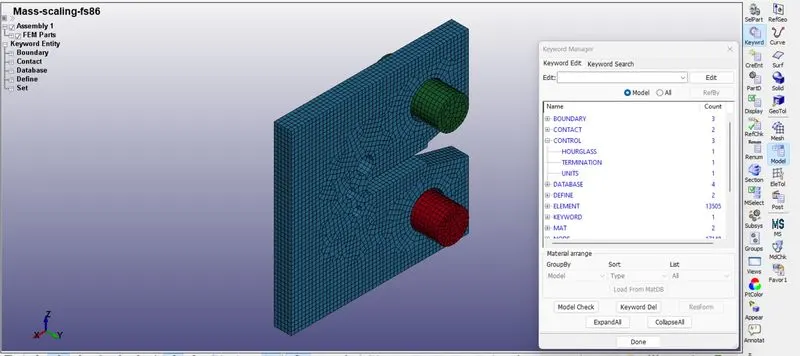
- We will firstly import the given FE file in LS-DYNA workspace.
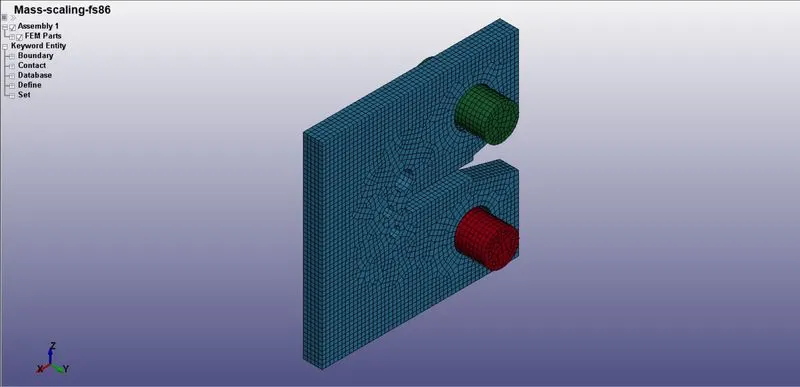
- As all the keywords are predefined here we do not need to add any keyword we just need to change DT2MS and TSSFAC.
DT2MS-Time Step Size for mass Scaled Solution.
TSSFAC-Scale Factor for computational time step.
ITERATION 1:-
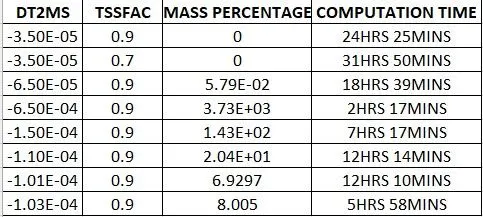
DT2MS: -3.5E-05 AND TSSFAC: 0.9
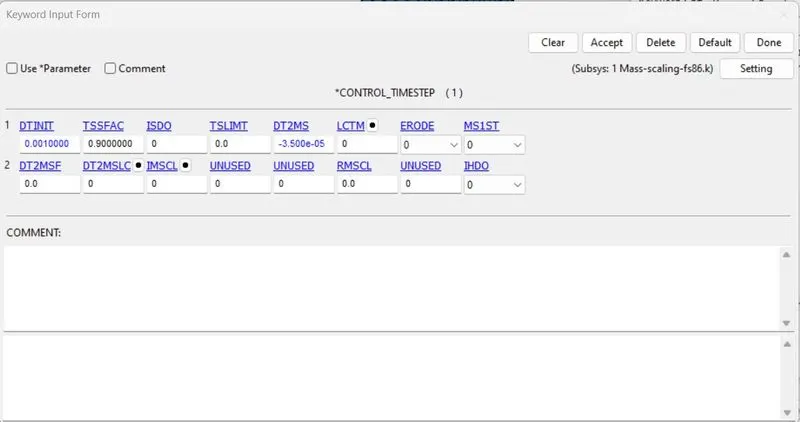
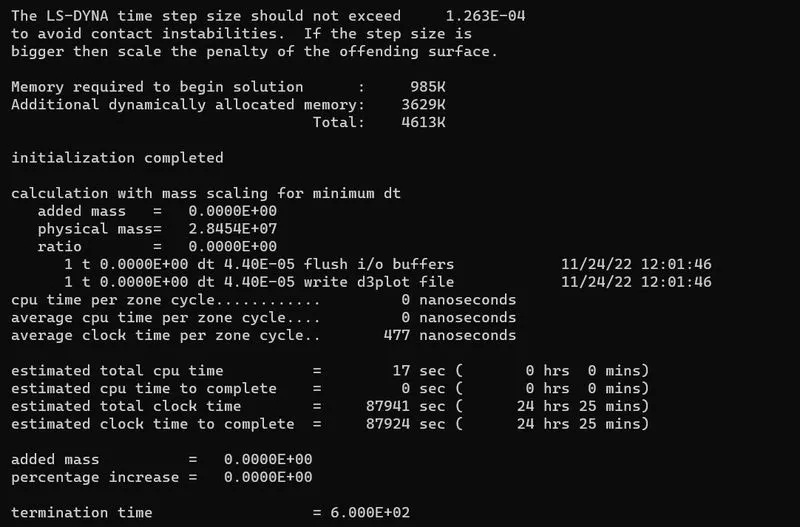
- The above simulation has been run and we have got the computational time as 24 Hrs 25 Mins. As a result their is no mass added here, this can be varied by changing the values of DT2MS and TSSFAC.
ITERATION 2:-
DT2MS: -3.5E-05 AND TSSFAC: 0.7
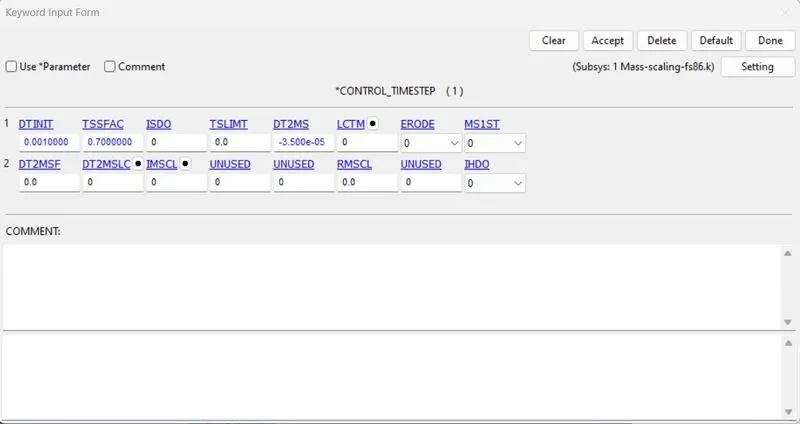
- From above image we can clearly see that here after changing TSSFAC=0.7 has increased the time by 6 Hrs 25Mins. And we can see that mass scale factor is still pertains to zero factor.
ITERATION:-3
DT2MS: -6.5E-05 AND TSSFAC: 0.9
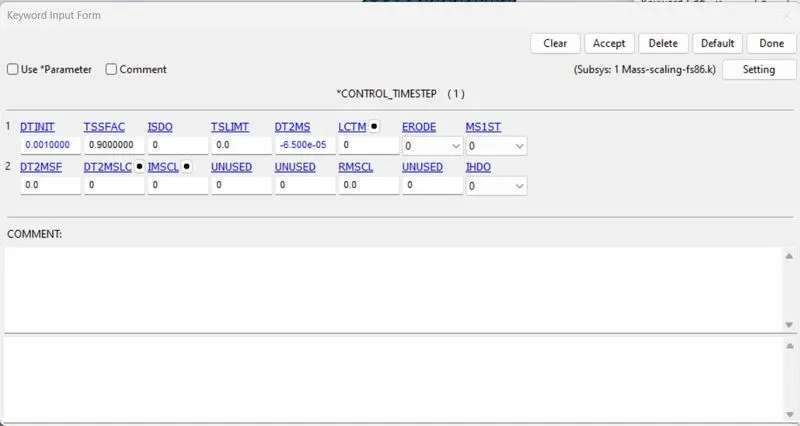
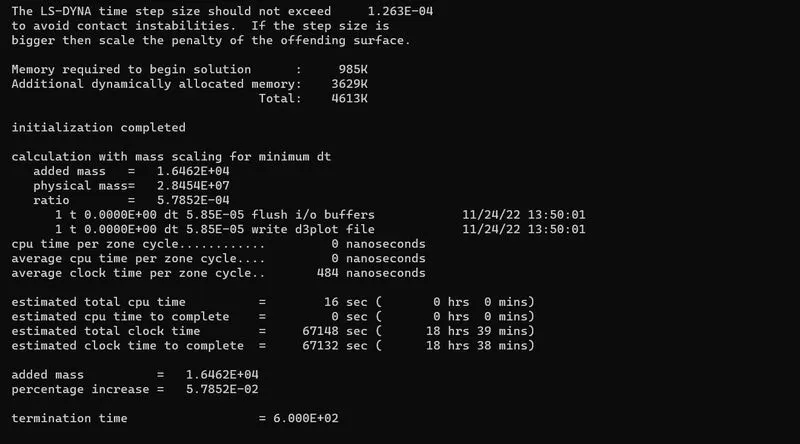
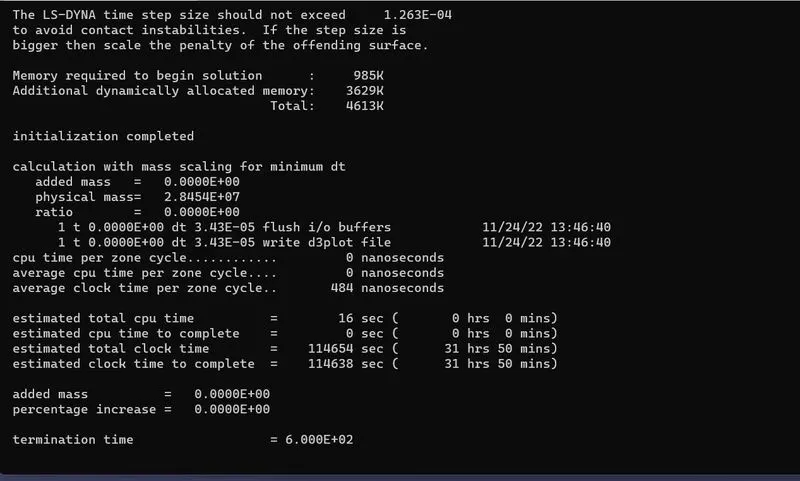
- Now from the above image we can see that computational time here decreased rapidly from 31 Hrs 50 Mins to 18 Hrs 39 Mins, there is a considrable decrease in computational time.
- However we can see thair is addition of mass with a default value of TSSFAC=0.9,DT2MS=-6.5E05 with a percentage increase in 5.7852 E-02.
- Since the added mass exceeding the limit, the energy values also vary considrable. Hence thw values need to increased.
ITERATION:-4
DT2MS: -6.5E-04 AND TSSFAC: 0.9
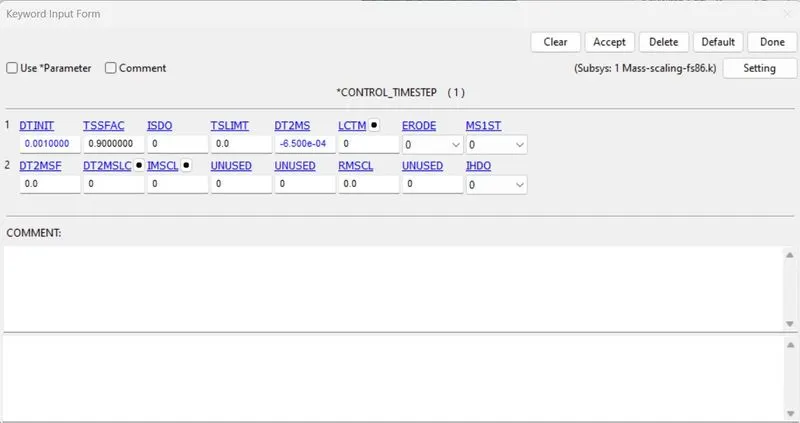
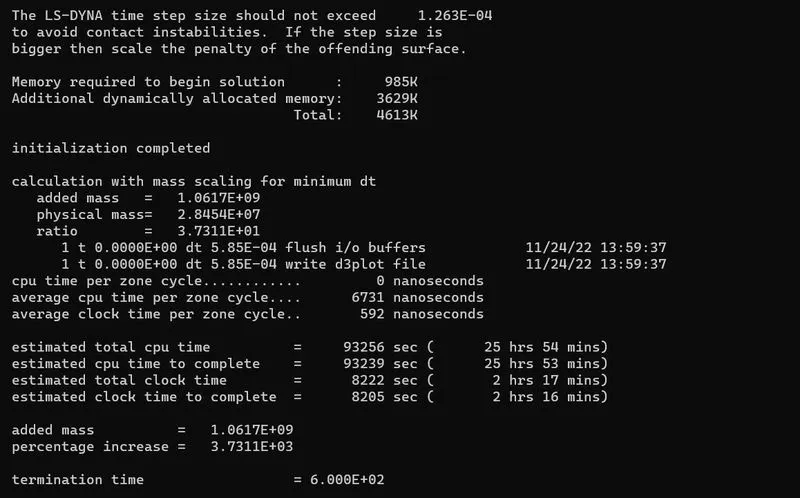
- From the above result we can see that the computation time is further decreased from 18 Hrs 35 Mins to 2 Hrs 17 Mins their is considrable decrease in computation time.
- Here the mass added with the default values of TSSFAC=0.9,DT2MS of -6.5E-0.4 with a percentage of mass increased in 3.7311E+03.
- Since the added mass exceeding the limit, the energy values also vary considrably. Further values need to reduced.
ITERATION:-5
DT2MS: -1.5E-04 AND TSSFAC:0.9
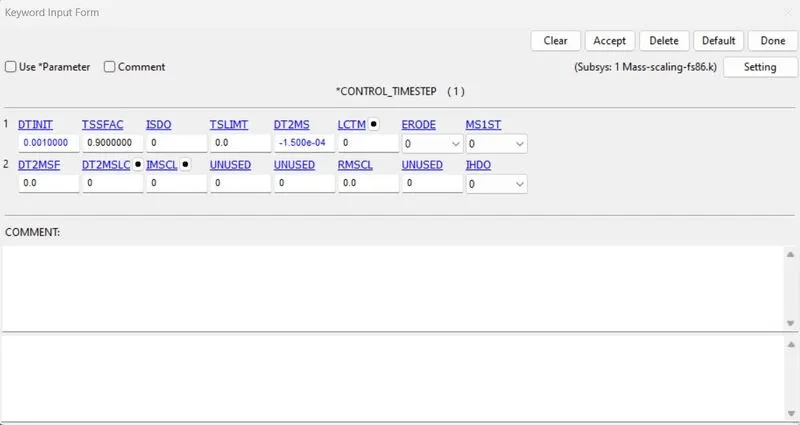
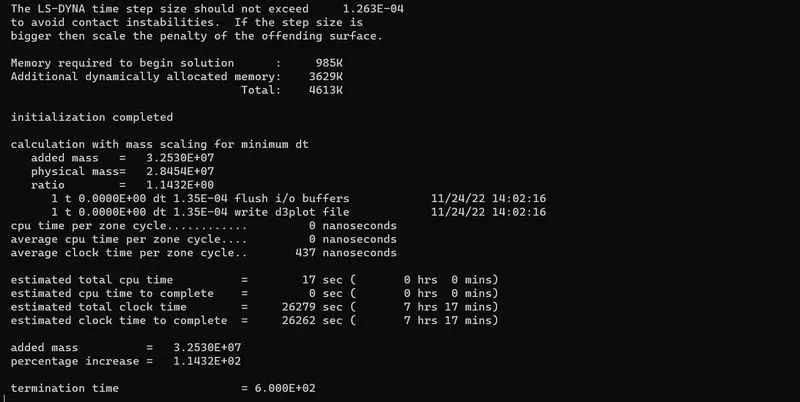
- From above results we can see that computation time here increased rapidly from 2 Hrs. 17 Mins to 7 Hrs 17 Mins. we can clearly see the increase in considrable amount of computation time.
- Here, mass added with a default value of TSSFAC=0.9 and DT2MS od -1.50E-04 with a percentage of mass increase in 1.1432E+02.
- Since the added mass exceeding the limit, the energy values also vary considrably. Value needs to reduce slightly.
ITERATION:-6
DT2MS: -1.100E-04 AND TSSFAC: 0.9
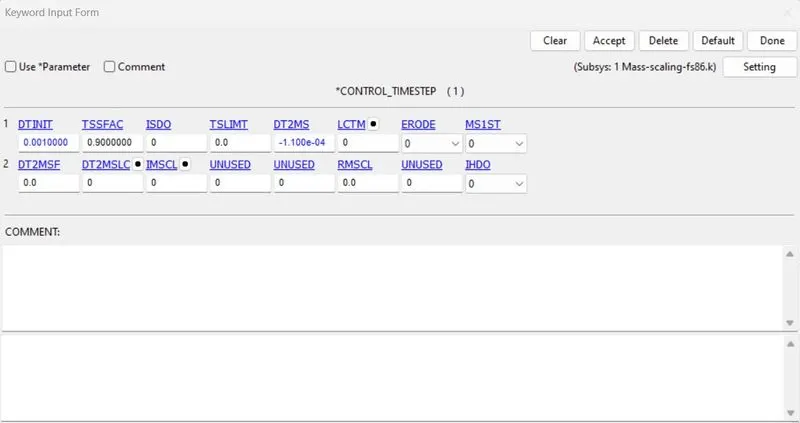
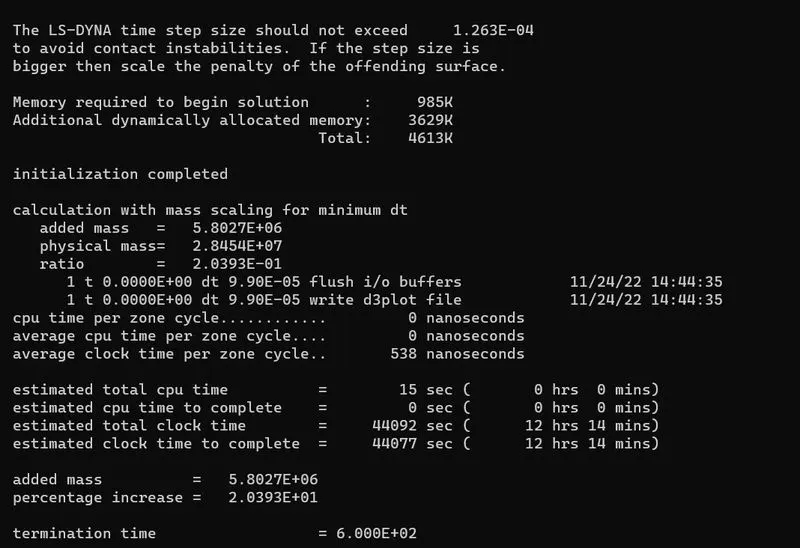
- From above results we can see that computation time is reduced from 7 Hrs 17 Mins to 12 Hrs 14 Mins.
- Mass is added with a default value of TSSFAC=0.9 and DT2MS=-1.100E-04 with percentage of mass increased in 2.0393E+01.
ITERATION:-7
DT2MS: -1.01E-04 AND TSSFAC: 0.9
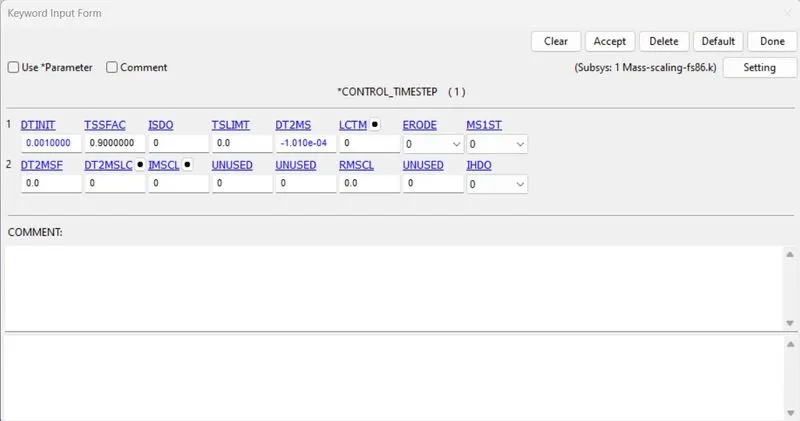
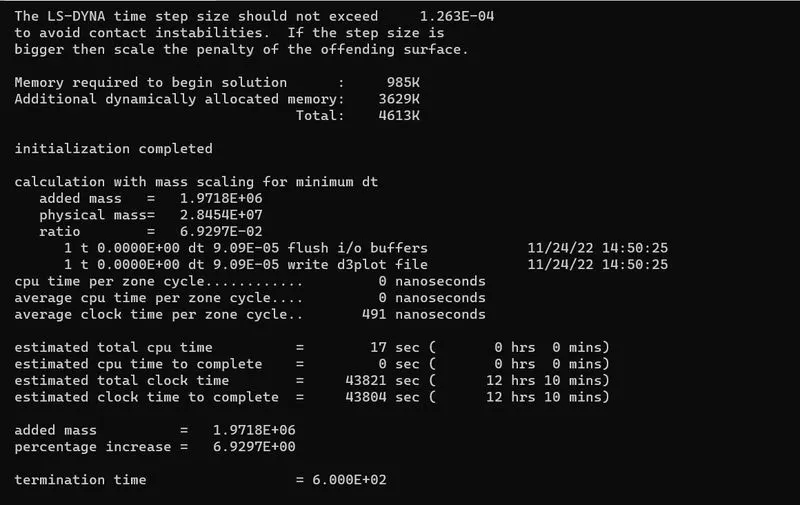
- From the result we can see their is slight reduction in computation time that is of only 4 Mins.
- Mass added at value of TSSFAC=0.9 and DT2MS=-1.010E-04 with a percentage of mass increased in 6.9297 E+00.
ITERATION:-8
DT2MS: -1.029E-04 AND TSSFAC: 0.9
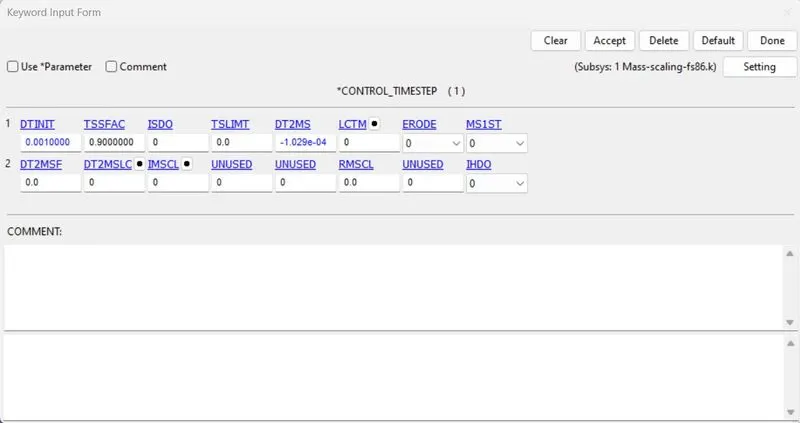
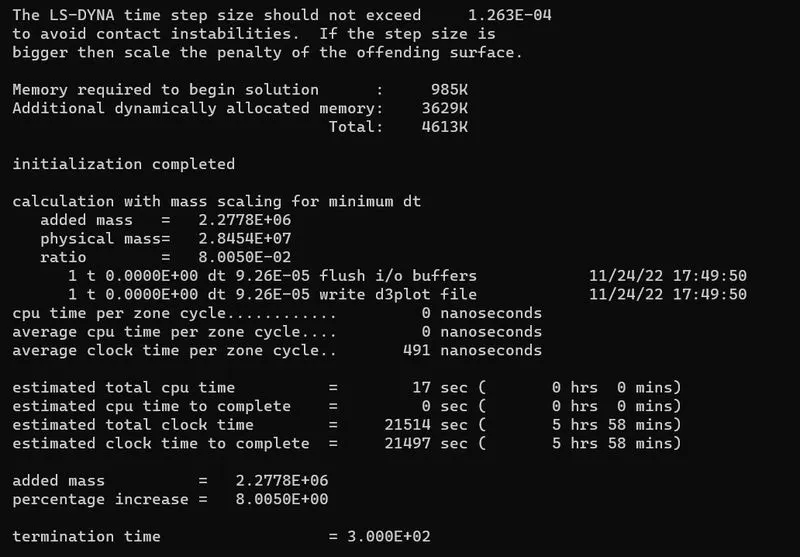
- From above result we can see that the computation time is increased from 12 Hrs 10 Mins to 5 Hrs 58 Mins.
- After many iterations at value TSSFAC=0.9 and DT2MS=-1.029E-04 attains the percentage of mass around 8.005E+00.
CASE:-2 EXPLICIT ANALYSIS (WITHOUT MASS SCALE)
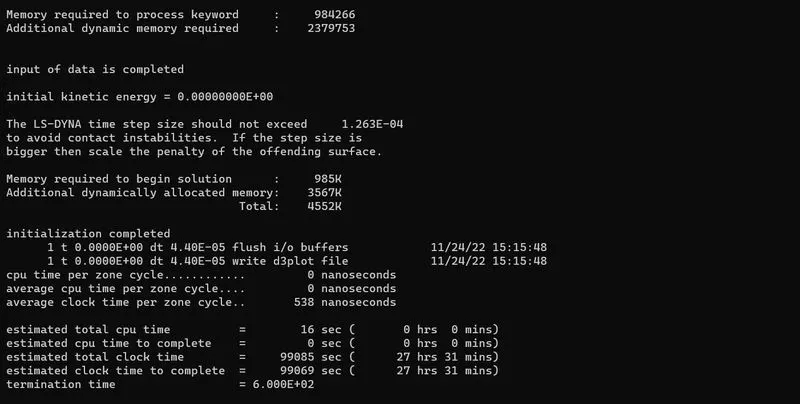
- From the above result we can see the computation time is about 27 Hrs 31 Mins., there is a considrable higher computation time.
CASE:- 3 IMPLICIT ANALYSIS
- LS PRE POST is the solver practices an explicit method for all the FE analysis. In order to perform an implicit method, th solver requires the following keywords to switch from explicit to implicit analysis.
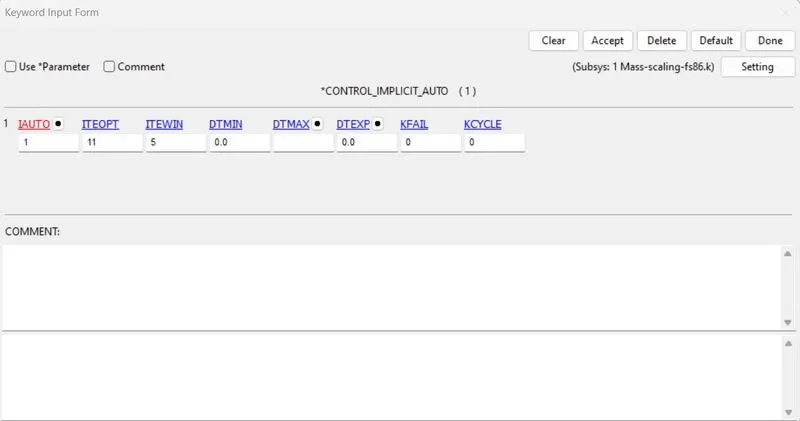
- Control_Implicit_Auto card is used for automatic time step control during implicit analysis. The input value for automatic time step control flag lAUTO=1.
- lAUTO:Automatically adjust the time step size.
- ITEOPT:Optimum equlibrium iteration count per time step
- ITEWIN:Allowable iteration window. If the iteration count is within t=ITEWIN iterations of ITEOPT, the step size will not be adjusted.
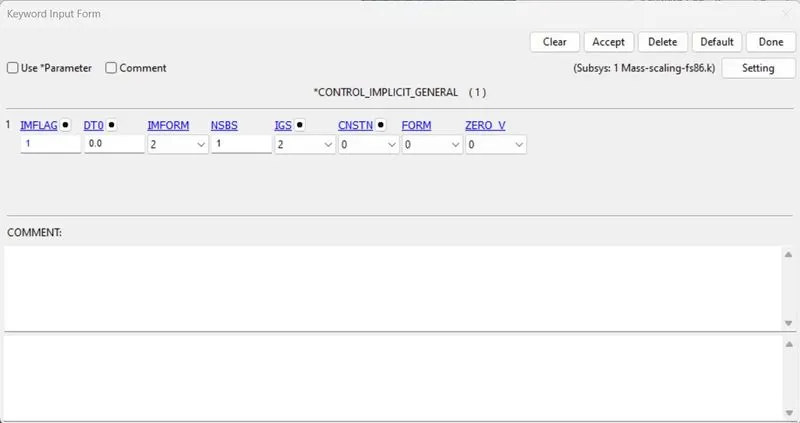
- Control_Implicit_General card is used to activate implicit analysis and define associated control parameters. This keywod is required for all implicit analysis. The input value for IMFLAG=Implicit/Explicit switching flag=1 (Implicit analysis) DT0=Initial time step size for implicit analysis.
- IMFLAG-Implicit/Explicit analysis type flag:1- Implicit analysis.
- DT0- Initial time step size for implicit analysis (Termination time/100)
- IMFORM-Element fromulation flag for seamless spring back: 2 retain original element formulation (Default).
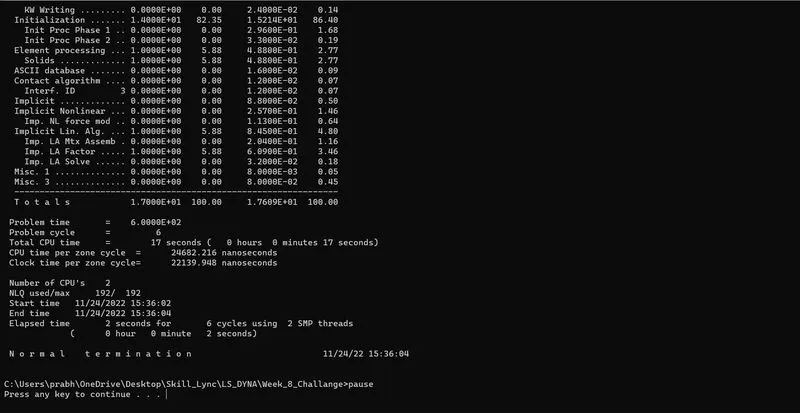
- From the above image, there is no mass added during the computational time.
- In this method the computation time is about 2 seconds maximum for this setup case.
CONCLUSION:-
- The objective of mass scaling is achieved for the given model by varying the values of DT2MS and TSSFAC using the trail and error method.
- By considering the hard limit on mass scale being 8%, the optimized value of DT2MS= -1.02E-04 and TSSFAC=0.9 with run time required to complete simulation is 5hrs 58mins. And the TSSFAC value should not be below 0.5 and not above 0.9.
- The values of DT2MS andTSSFAC does not affect the run time required to complete the simulation for implicit analysis.
- After that we have run the analysis using implicit control cards that gives us result that the implicit analysis is based on iterations and does not depend on mass scaling.
- As we increase the DT2MS value the time step will increase with the addition of the mass in the model. After certain limit we cannot consider that mass addition as it will lead to the destruction of physical sense of the problem. Within a limit it can be used to speed up the simulation with the use of the TSSFAC which is a precautionary parameter to stablize the model.