Week - 8 - Creating component and property
AIM: Creating component and property using tcl/tk script
OBJECTIVE: The objective of this challenge is:
1. To ask the user to enter name of a component and its thickness
2. To write a code that will automatically create components and assign thickness to it
3. That the code should decide on its own what type of collector should be created depending on the user profile/deck
4. That according to deck the code should decide , whether a property needs to be created or not
5. To auto color the created component and property
PROBLEM STATEMENT:
For large models, it is very difficult and time consuming to create components , properties and materials manually and assign thicknesses to each of them. So to overcome this difficulty, we create a macro that will ask the user to enter the component name and thickness and then this will automatically create component and property of the same name and also assign the thickness to that component. This macro will decide on its own that, what type of collector should be created depending on the user profile.
PROCEDURE:
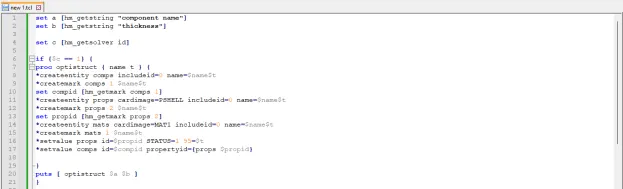
1. To perform the given task, open any code editor ( here we use Notepad++) and type a code as follows:
# Code to create a component and property:
set a [hm_getstring "component name"]
set b [hm_getstring "thickness”]
set c [hm_getsolver id]
if {$c == 1} {
proc optistruct { name t } {
*createentity comps includeid=0 name=$name$t
*createmark comps 1 $name$t
set compid [hm_getmark comps 1]
*createentity props cardimage=PSHELL includeid=0 name=$name$t
*createmark props 2 $name$t
set propid [hm_getmark props 2]
*createentity mats cardimage=MAT1 includeid=0 name=$name$t
*createmark mats 1 $name$t
*setvalue props id=$propid STATUS=1 95=$t
*setvalue comps id=$compid propertyid={props $propid}
}
puts [ optistruct $a $b ]
}
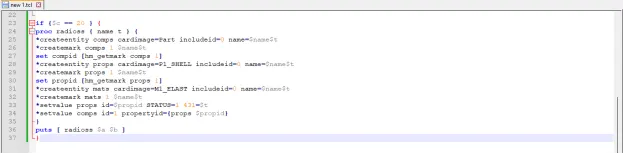
if {$c == 20 } {
proc radioss { name t } {
*createentity comps cardimage=Part includeid=0 name=$name$t
*createmark comps 1 $name$t
set compid [hm_getmark comps 1]
*createentity props cardimage=P1_SHELL includeid=0 name=$name$t
*createmark props 1 $name$t
set propid [hm_getmark props 1]
*createentity mats cardimage=M1_ELAST includeid=0 name=$name$t
*createmark mats 1 $name$t
*setvalue props id=$propid STATUS=1 431=$t
*setvalue comps id=1 propertyid={props $propid}
}
puts [ radioss $a $b ]
}
2. After writing the code save the file.
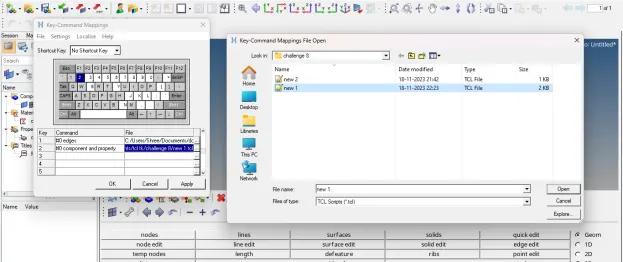
3. Then open any model in hypermesh and run this file in hypermesh using shortcut key assign to it.
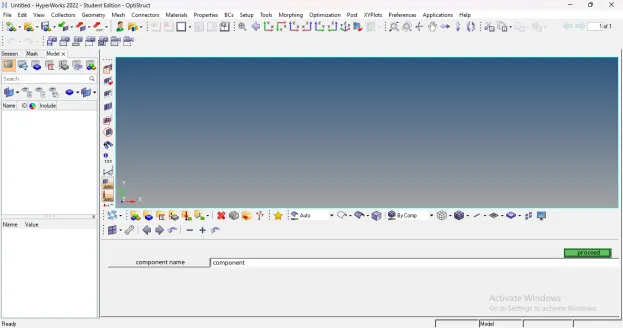
4. After running this code in hypermesh, following result will appear:
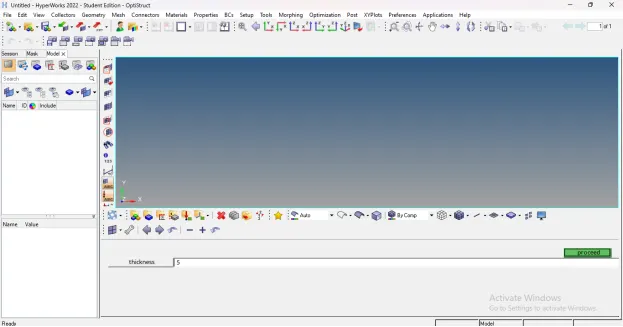
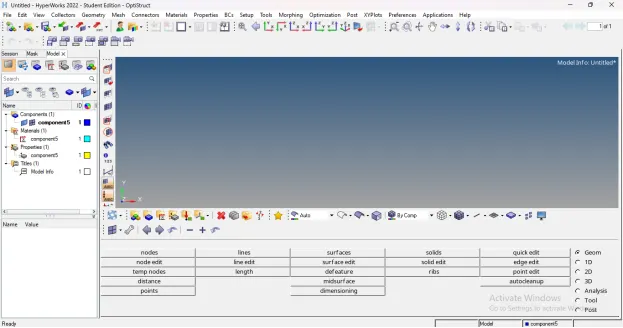
TCL COMMAND EXPLANATION:
1. hm_getstring: This command returns a string value by providing the user with a HyperMesh panel
2. hm_getsolver: Returns the name or ID of the solver as provided by the template *codename( ) command. If no name is provided, or no template is loaded, "none" is returned
Input value
An optional argument that specifies the type of value to return
ID - return the template ID
name - return the template name (default)
3. *createentity: Create a new entity with specified data. Data names only are allowed to be set. If the data name “name” is specified when creating an entity enabled for the name pool, the command uses the provided name to define the solver name.
There are also a few limitations to this command:
· Attributes are not supported.
· STATUS is not supported.
4. *setvalue: Updates an existing entity/entities with new/modified data. Data names, attributes, and metadata are allowed to be modified, assuming the proper card image is also assigned. If the specified data name is “name” and the entity type is enabled for the name pool, the provided name is used to update the solver name
CONCLUSION: After executing proper tcl/tk code:
1. We are able to ask the user to enter name of a component and its thickness
2. We are able to write a code that will automatically create components and assign thickness to it
3. We are able to write a code that will decide on its own what type of collector should be created depending on the user profile/deck
4. We are able to write the code will decide , whether a property needs to be created or not according to deck