Week - 8 - Creating component and property
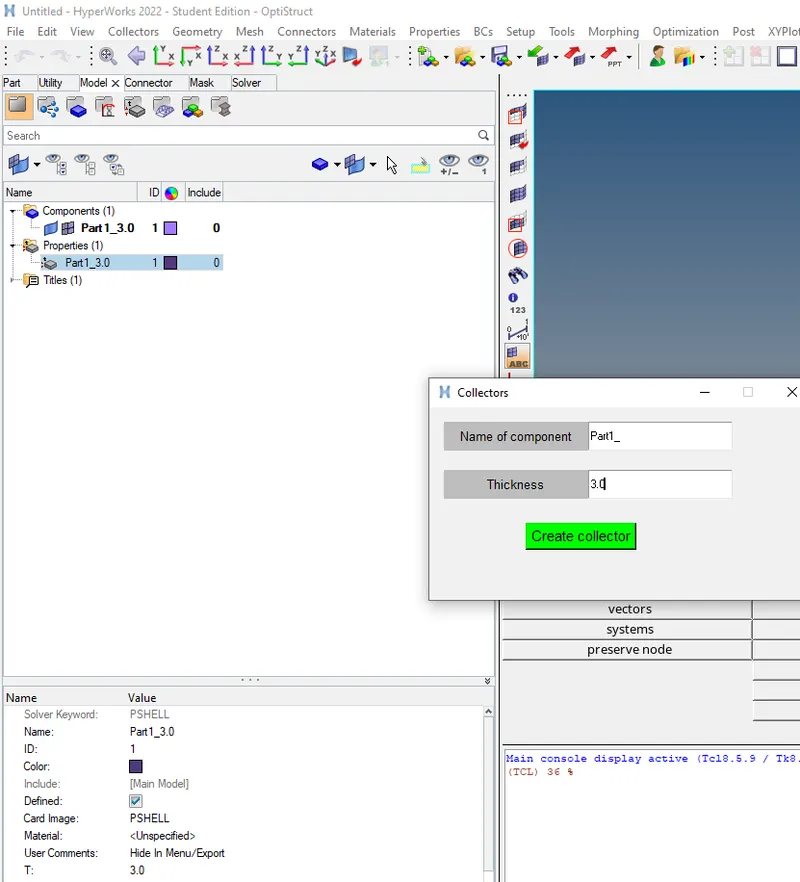
Objective: To create code to create collector of component and property with thickness given by user and assign it to component based on solver type
Procedure:
1. Get the user input of component type and thickness from tk window
2. create a component and property with user given name and assign property to given component with thickness provided
3. autocolor component
Code:
proc nastran {n t} {
*createentity comps includeid=0 name=$n$t
set cid [hm_getvalue component name=$n$t dataname=id]
*createentity props cardimage=PSHELL includeid=0 name=$n$t
set pid [hm_getvalue property name=$n$t dataname=id]
*setvalue props id=$pid STATUS=1 95=$t
*setvalue comps id=$cid propertyid={props $pid}
*autocolor components
}
proc radioss {n t} {
*createentity comps cardimage=part includeid=0 name=$n$t
set cid [hm_getvalue component name=$n$t dataname=id]
*createentity props cardimage=P1_SHELL includeid=0 name=$n$t
set pid [hm_getvalue property name=$n$t dataname=id]
*setvalue props id=$pid STATUS=1 431=$t
*setvalue comps id=$cid propertyid={props $pid}
*autocolor components
}
set type [hm_info templatetype]
set a .window
catch {destroy $a}
toplevel $a -class Toplevel
wm title $a "Collectors"
wm geometry $a 400x200+500+500
wm resizable $a 0 0
wm deiconify $a
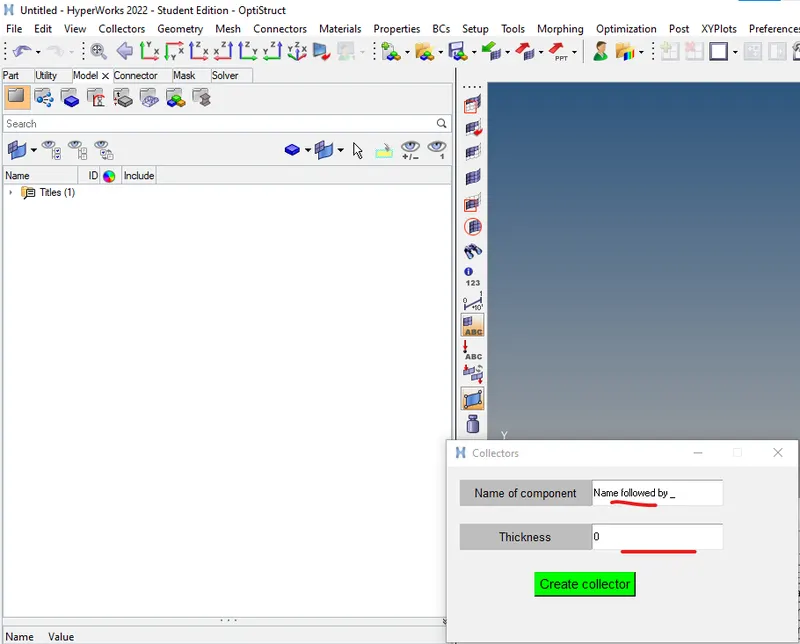
set ::name "Name followed by _"
set ""t 0
label $a.01 -text "Name of component" -bg grey -font {time 10}; place $a.01 -x 15 -y 15 -width 150 -height 30
entry $a.02 -textvariable "::name" ; place $a.02 -x 165 -y 15 -width 150 -height 30
label $a.03 -text "Thickness" -bg grey -font {time 10}; place $a.03 -x 15 -y 65 -width 150 -height 30
entry $a.04 -textvariable "::t" ; place $a.04 -x 165 -y 65 -width 150 -height 30
button $a.05 -text "Create collector" -command {$type $::name $::t} -bg green -font {time 11}; place $a.05 -x 100 -y 120
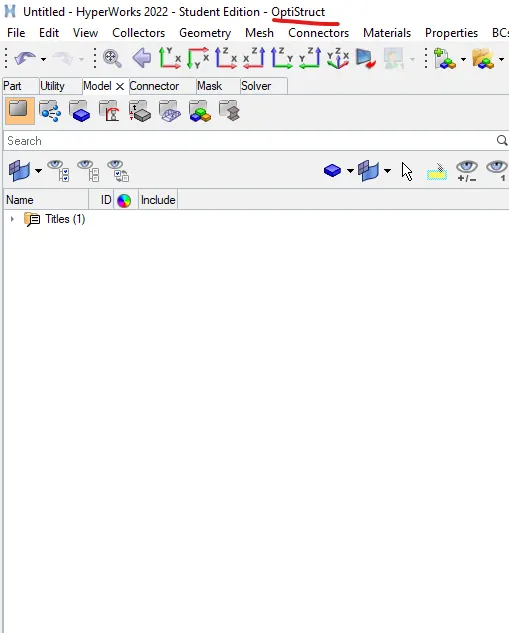
Before code:
After code:
Conclusion: