Week 8-Challenge
1.Housing:-
OBJECTIVE:
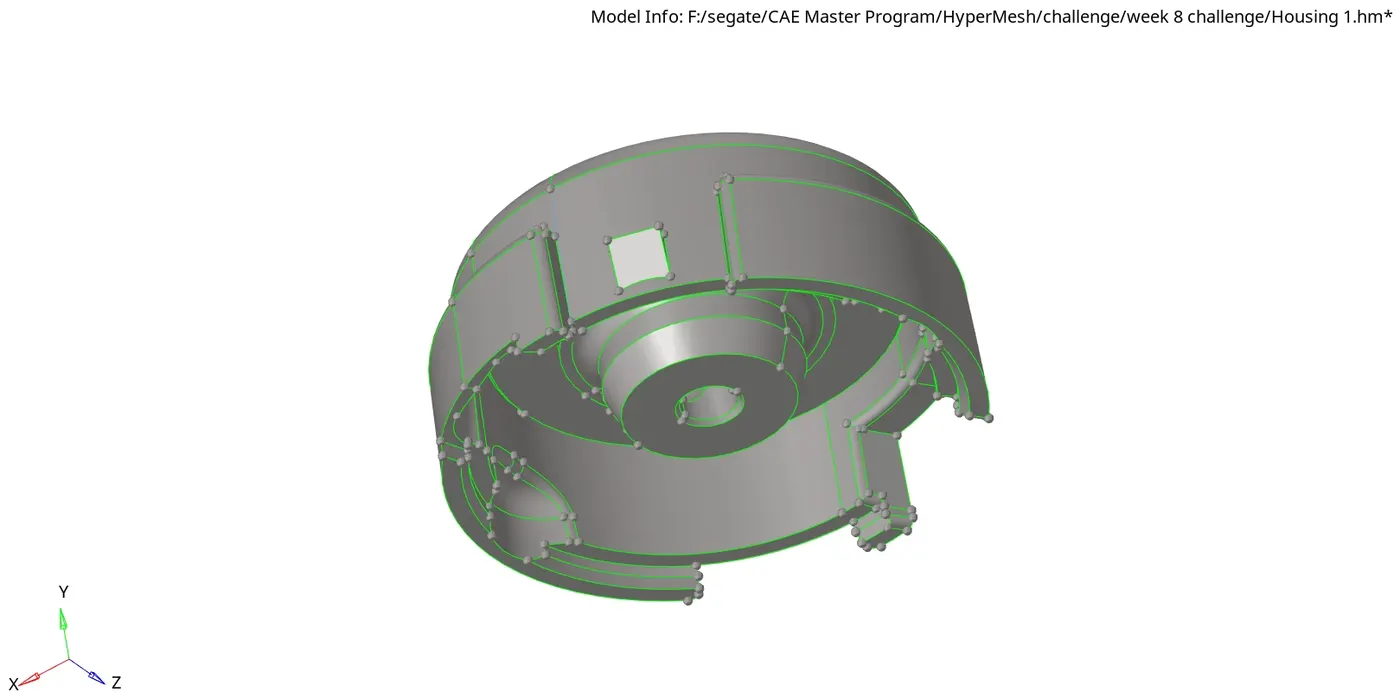
The objective of this challenge is to 3D tetramesh the given geomentry with respect to the target element size.
Element Size
Min. Size-2mm, Target Size-5mm, Max.Size-7mm, Tet Collapse-0.15
CAD MODEL IMAGE:
PROCEDURE:
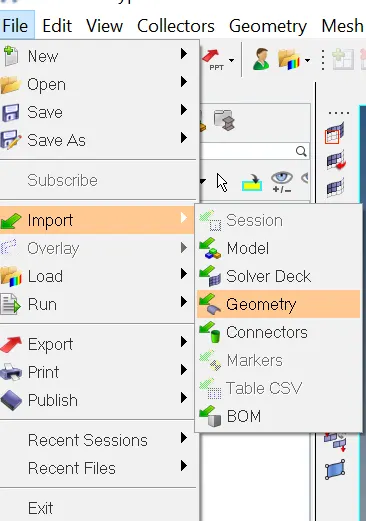
Step-1: Importing the Geomentry
File->Import->Geomentry.
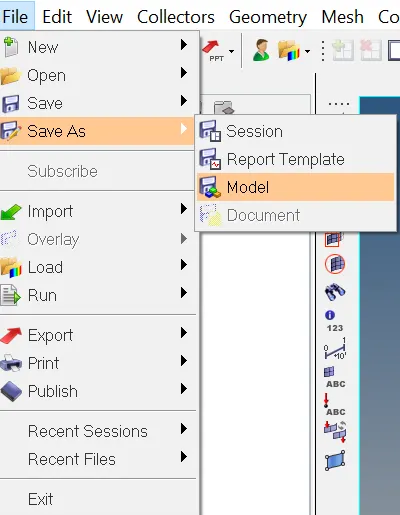
Step-2: Save the File.
File->SaveAs->Model.
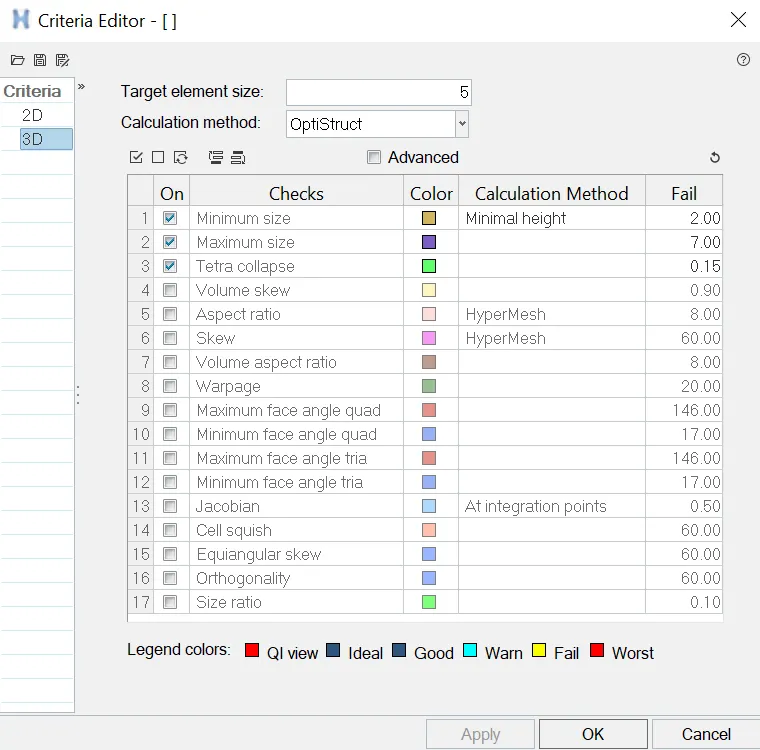
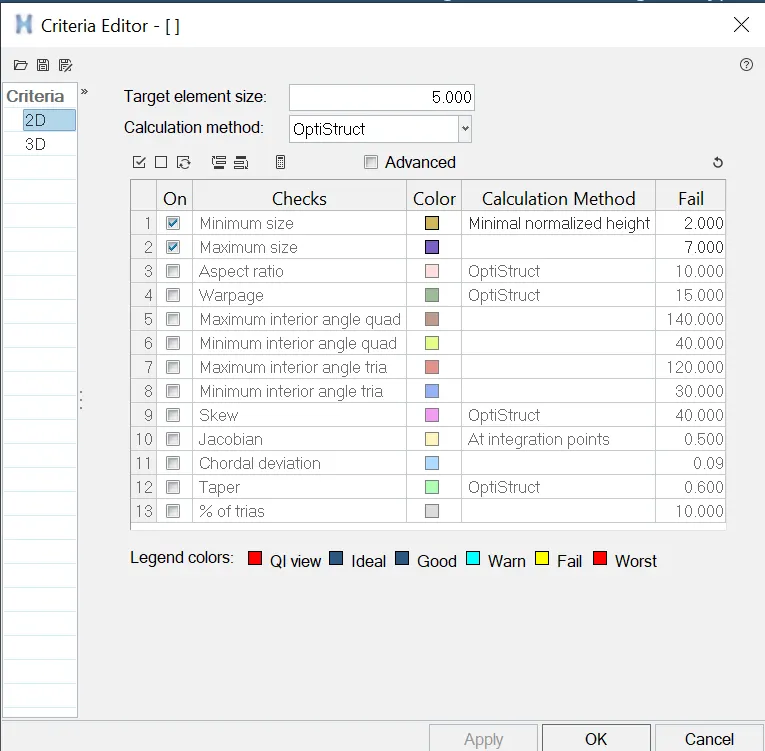
Step-3: set up file criteria.
Preferences->File criteria Settings.
set the target element size to 5mm, minimum as 2mm, maximum as 7mm and Tet collapase as 0.15.
Step-4: Geomentry cleanup
toggling or defaturing the surface less than the minimum element size.
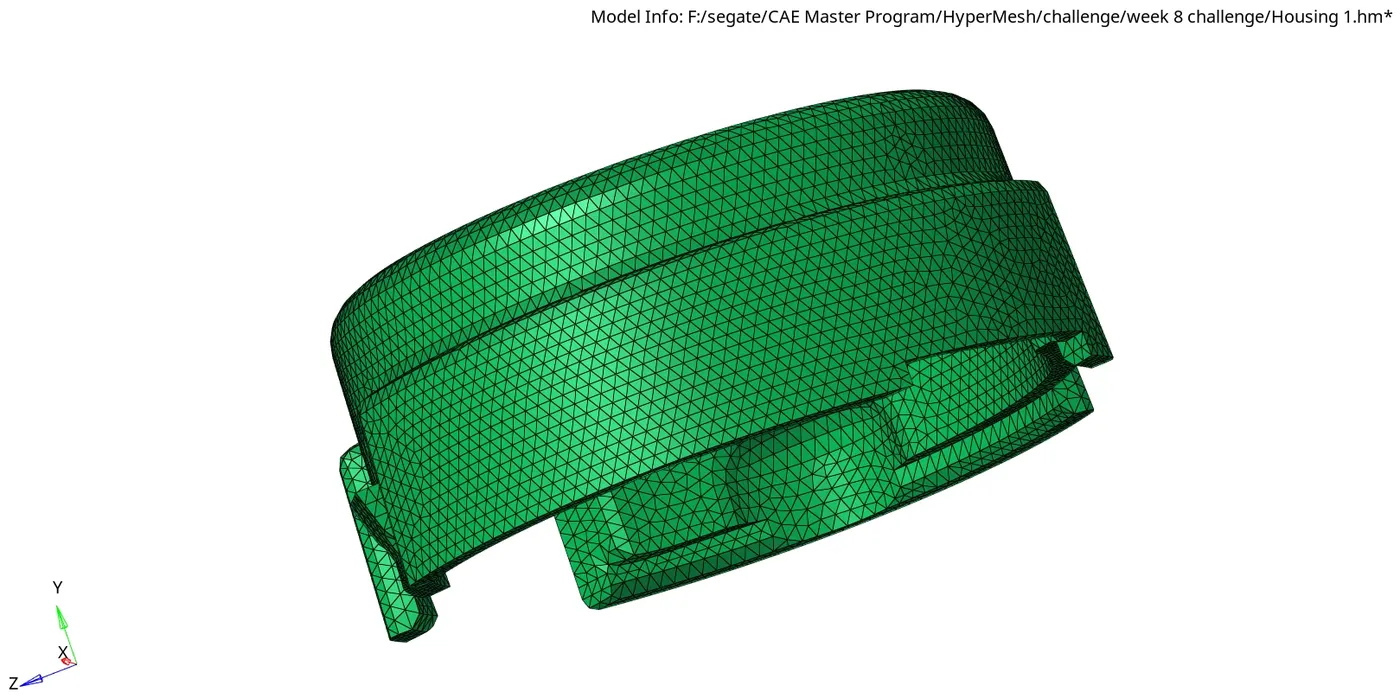
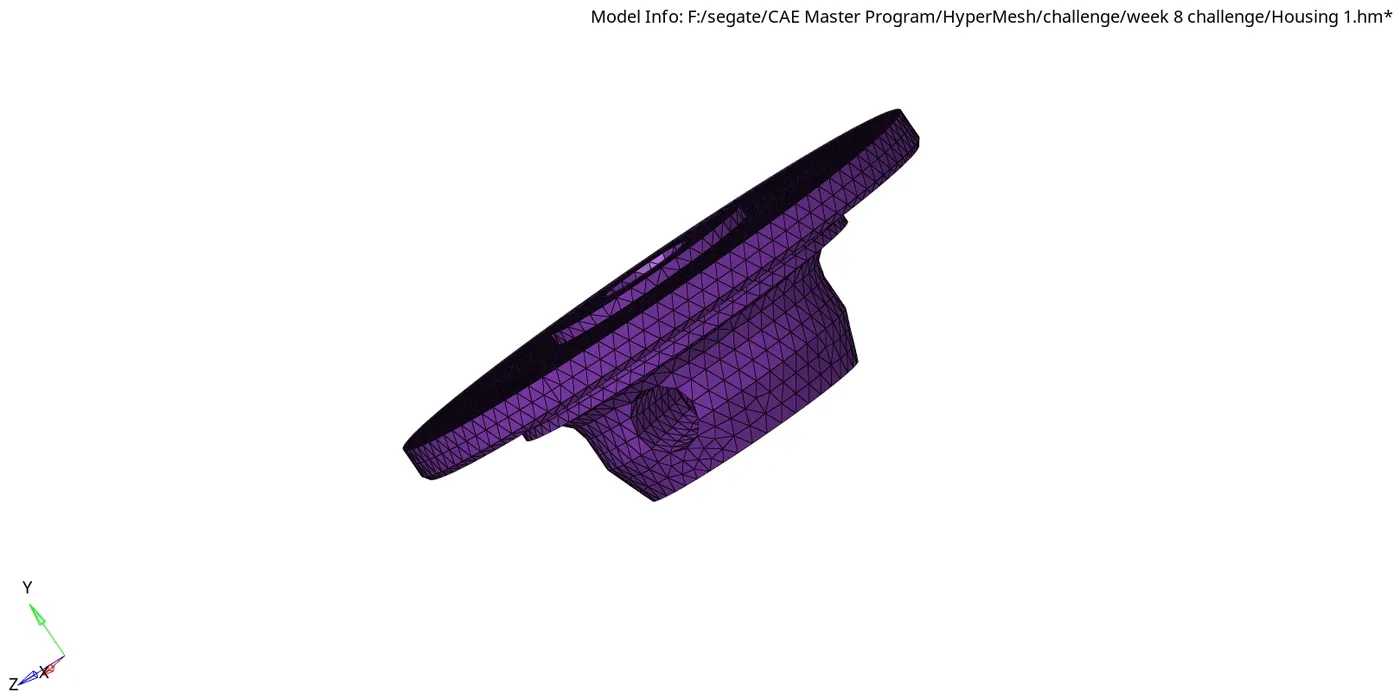
Step-5: Creating 2D Shell Elements.
2D->Automesh->Surf->Displayed.
set the element size as 5 and element type as Trias.
Step-6: 2d Quality checks
Tools->Check elems->2d->min. & max. length or shift+F10->2d->min. & max. length.
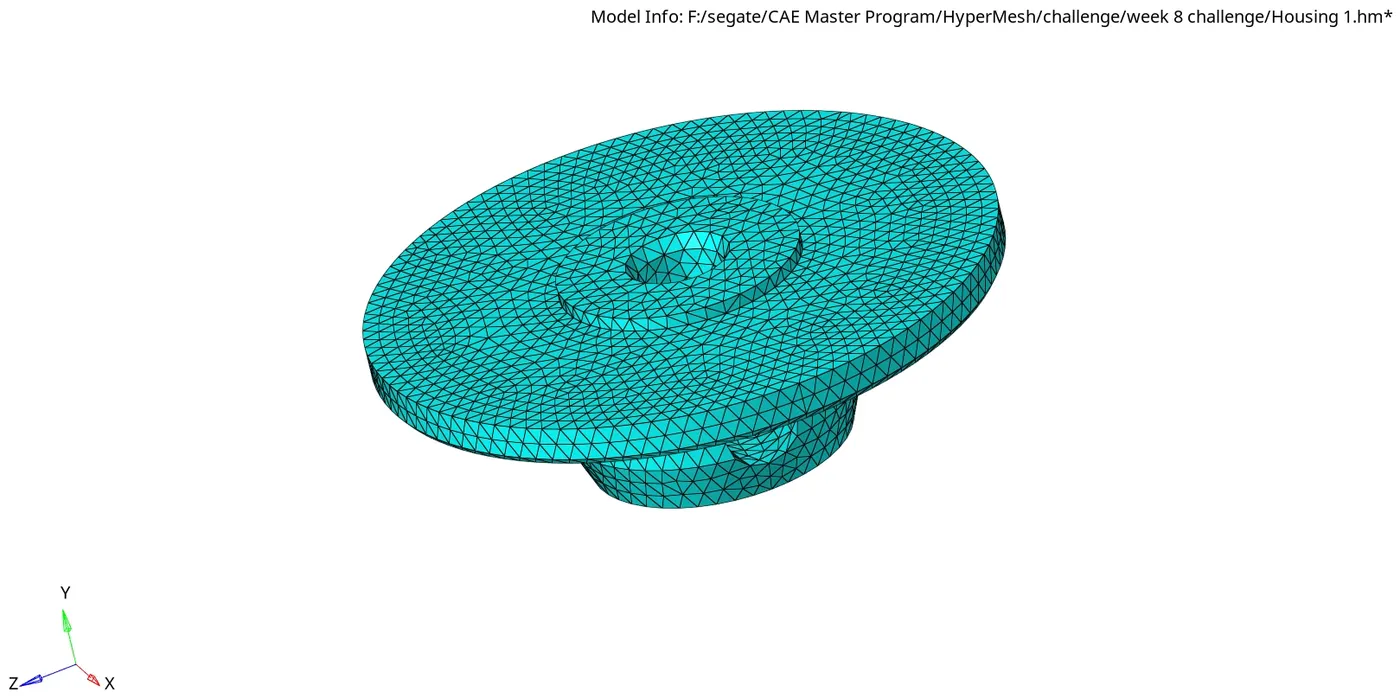
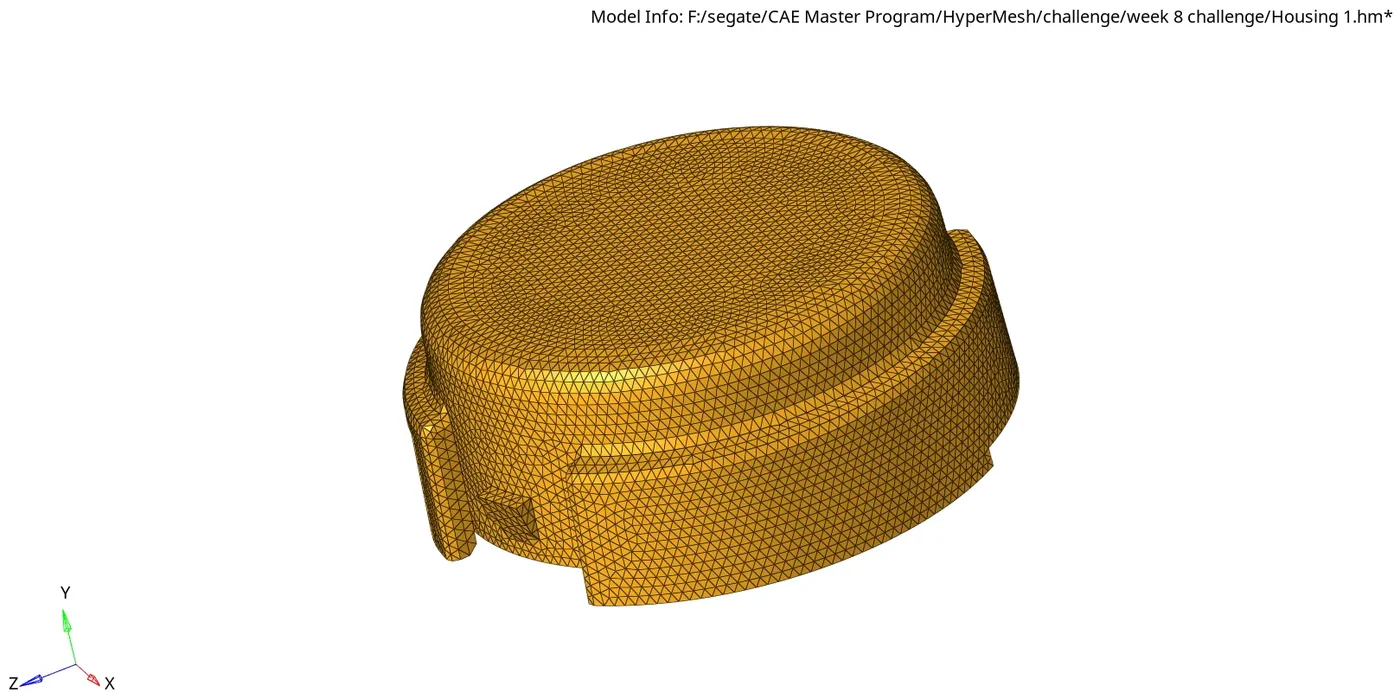
Step-7: Creating 3D elements (Tetramesh).
3D->Tetramesh->elems->Displayed.
Step-8: 3d Quality checks
Tools->Check elems->3d->tet collapase or shift+F10->3d->tet collapase .
Step-9: Save.
RESULT:
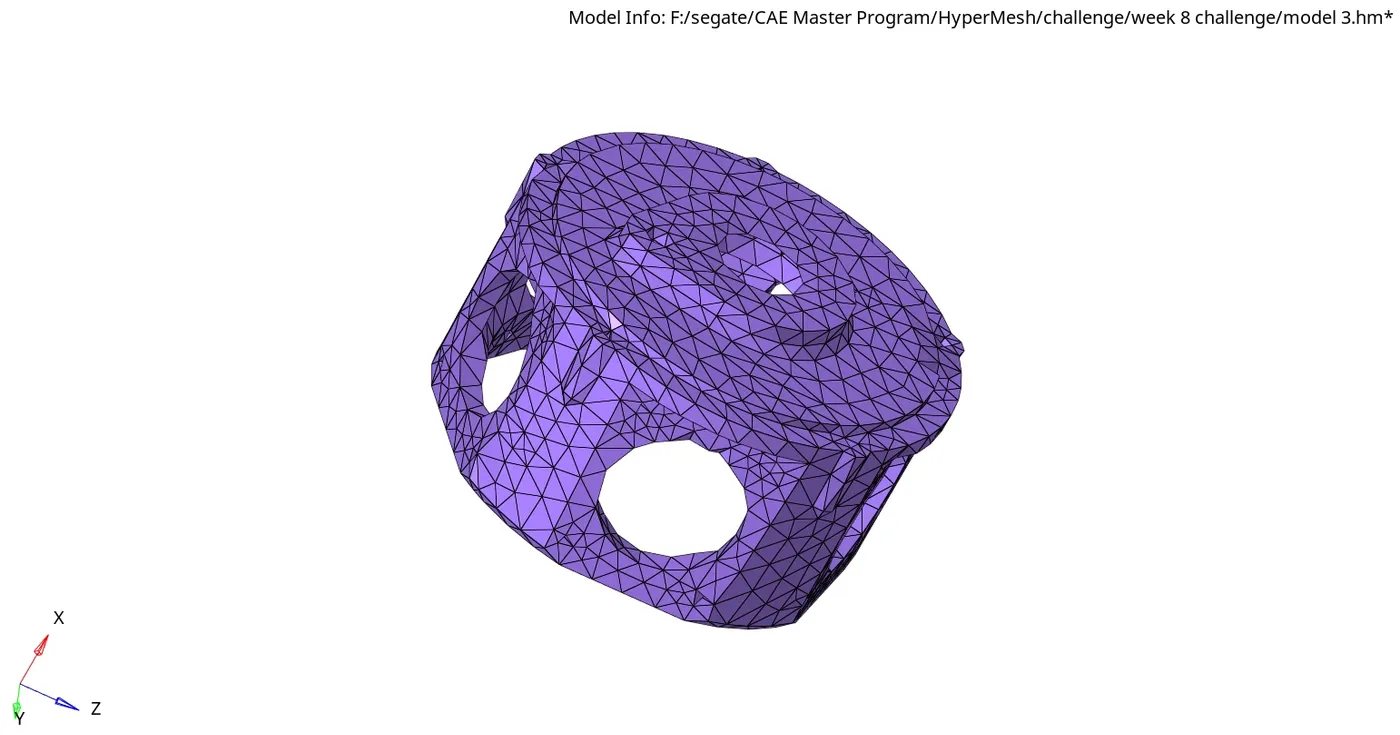
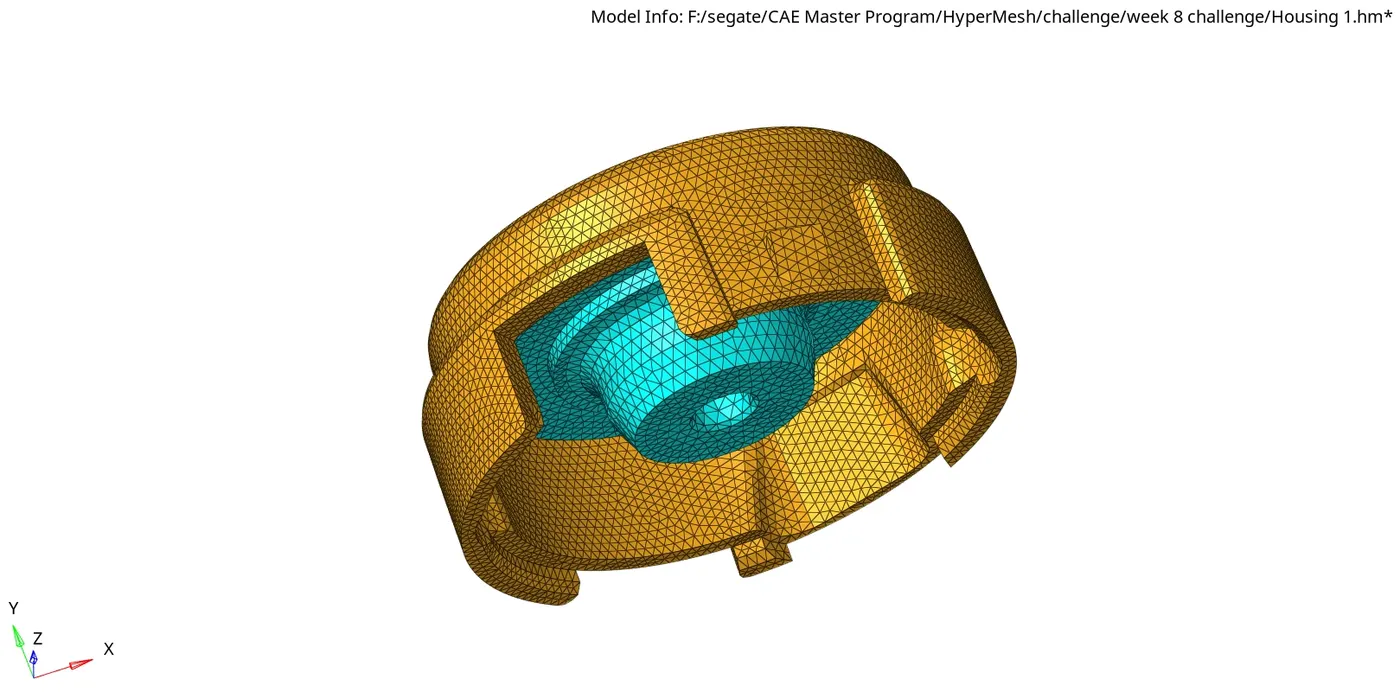
The given Geomentry is meshed with 3D Tetra elements. the Quality checks and Quality criteria are checked in the meshed component.
FINAL MODEL IMAGE:
2.Model-2
OBJECTIVE:
The objective of this challenge is to 3D tetramesh the given geomentry with respect to the target element size.
Element Size
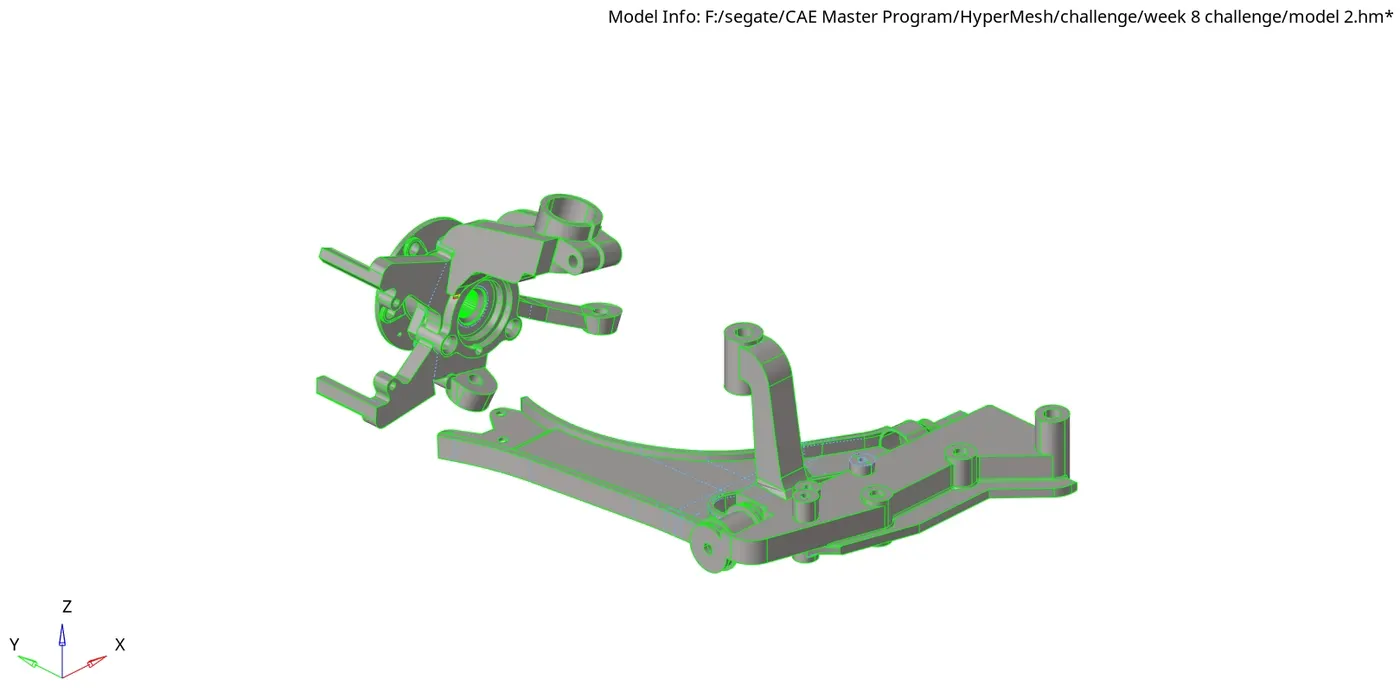
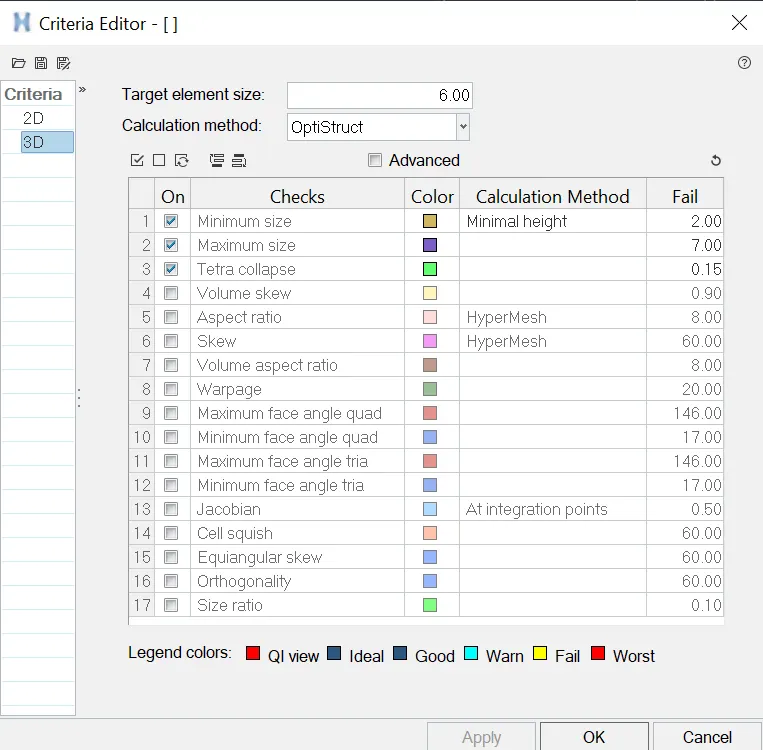
Min. Size-2mm, Target Size-6mm, Max.Size-7mm, Tet Collapse-0.15
CAD MODEL IMAGE:
PROCEDURE:
Step-1: Importing the Geomentry
File->Import->Geomentry.
Step-2: Save the File.
File->SaveAs->Model.
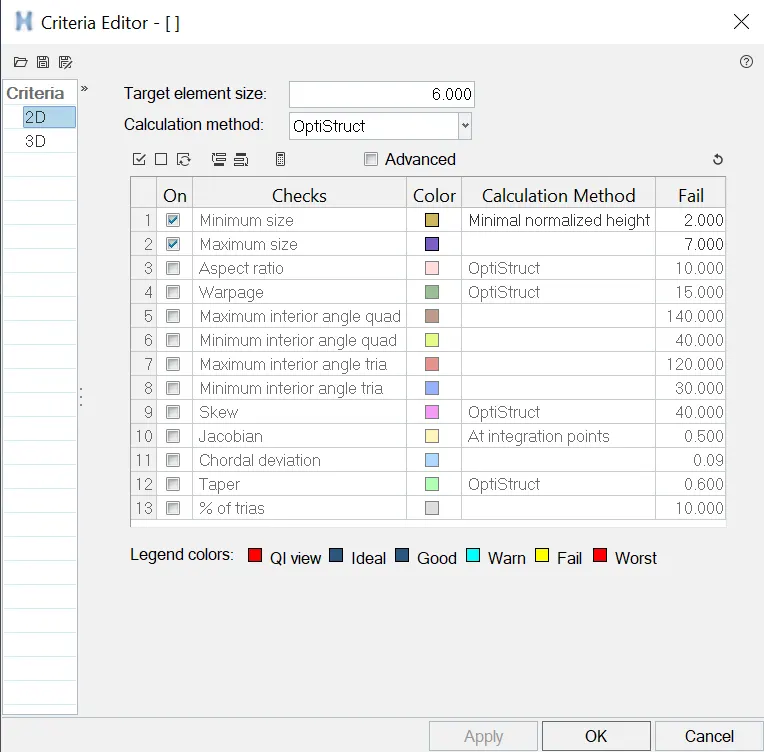
Step-3: set up file criteria.
Preferences->File criteria Settings.
set the target element size to 6mm, minimum as 2mm, maximum as 7mm and Tet collapase as 0.15.
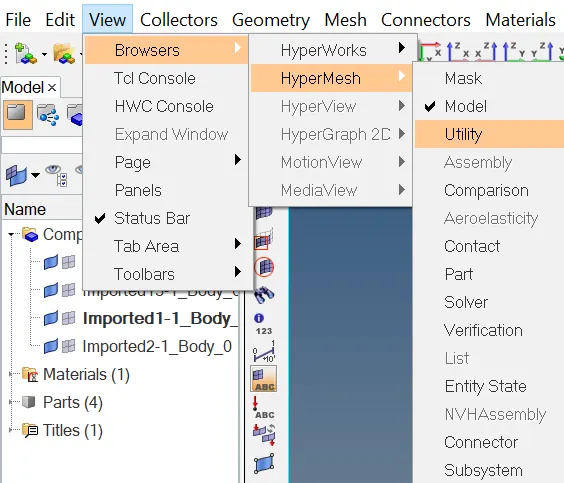
Step-4: Utility Menu.
View->Browser->HyperMesh->Utility.
Step-5: Quick tetramesh.
Geom/Mesh->Quick tetramesh->components.
Step-6: 3d Quality checks.
Tools->Check elems->3d->tet collapase or shift+F10->3d->tet collapase .
Step-7: Save.
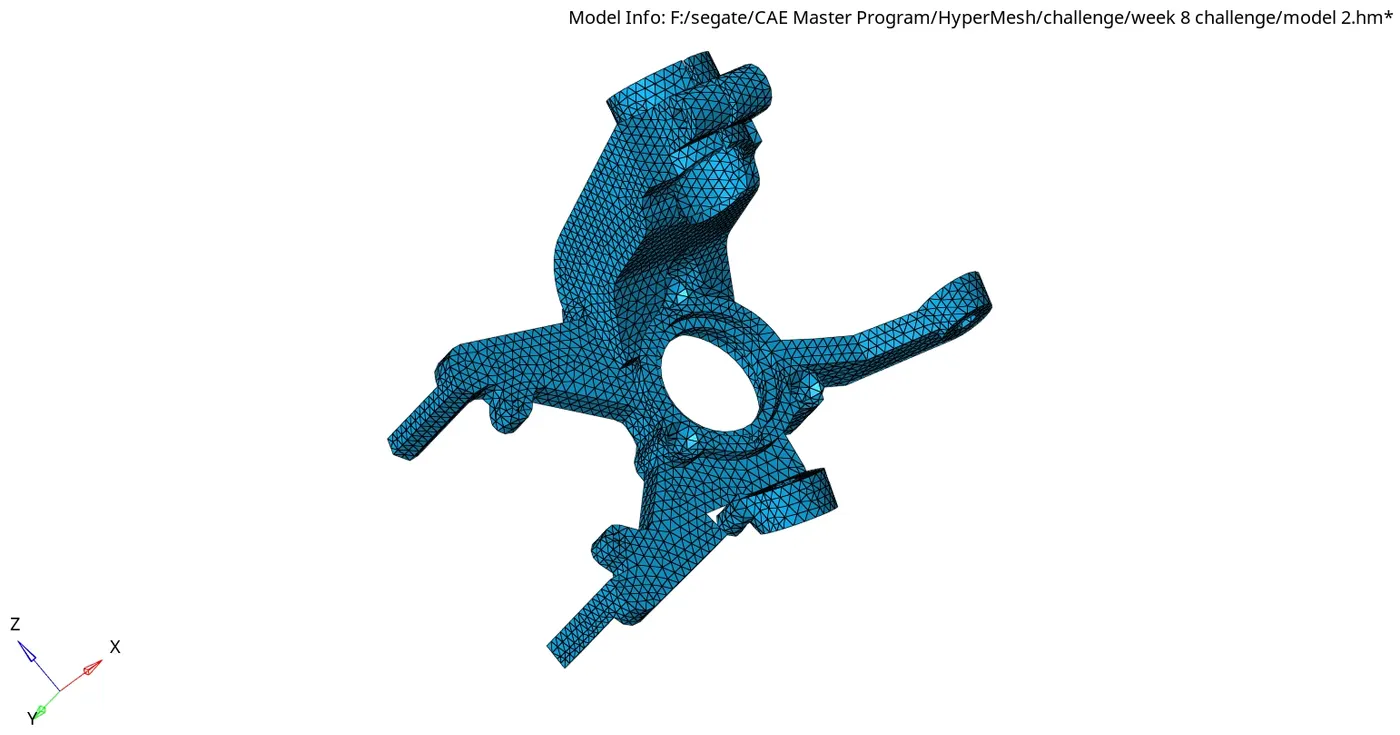
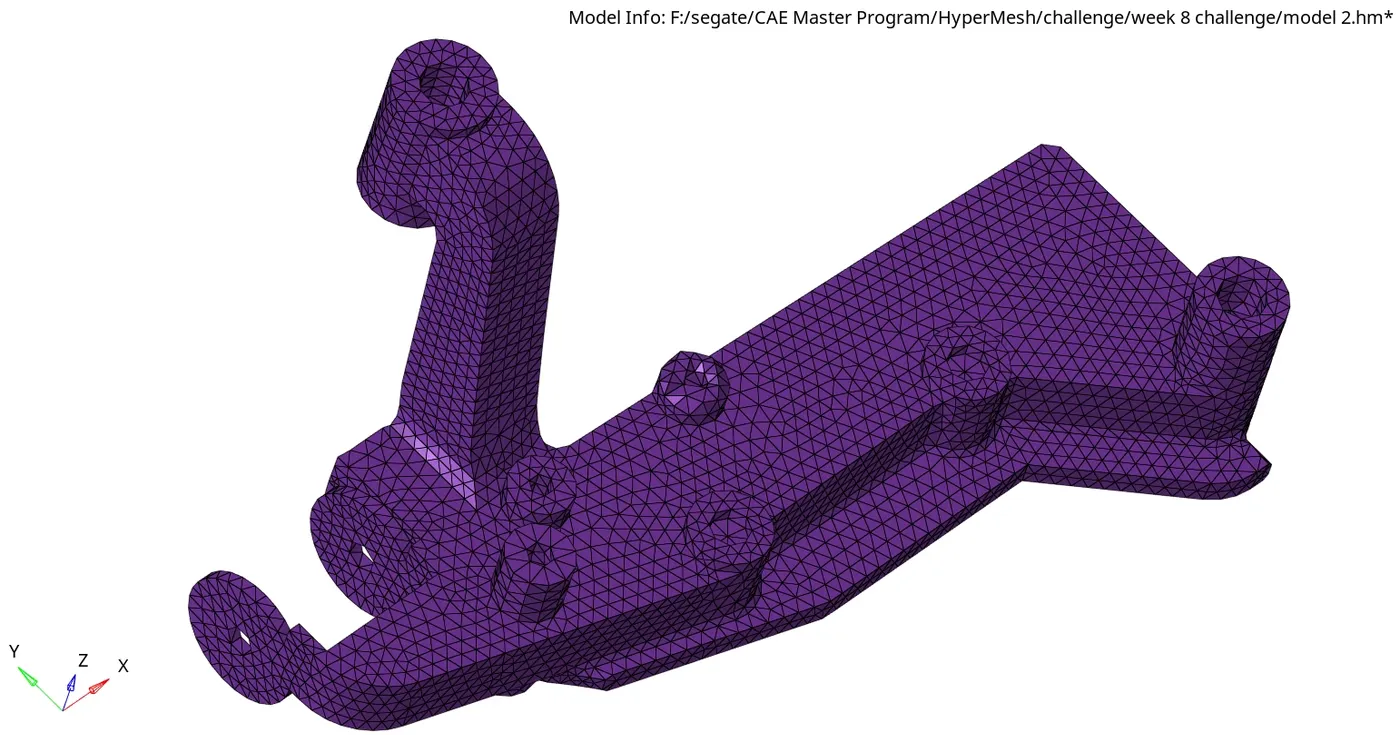
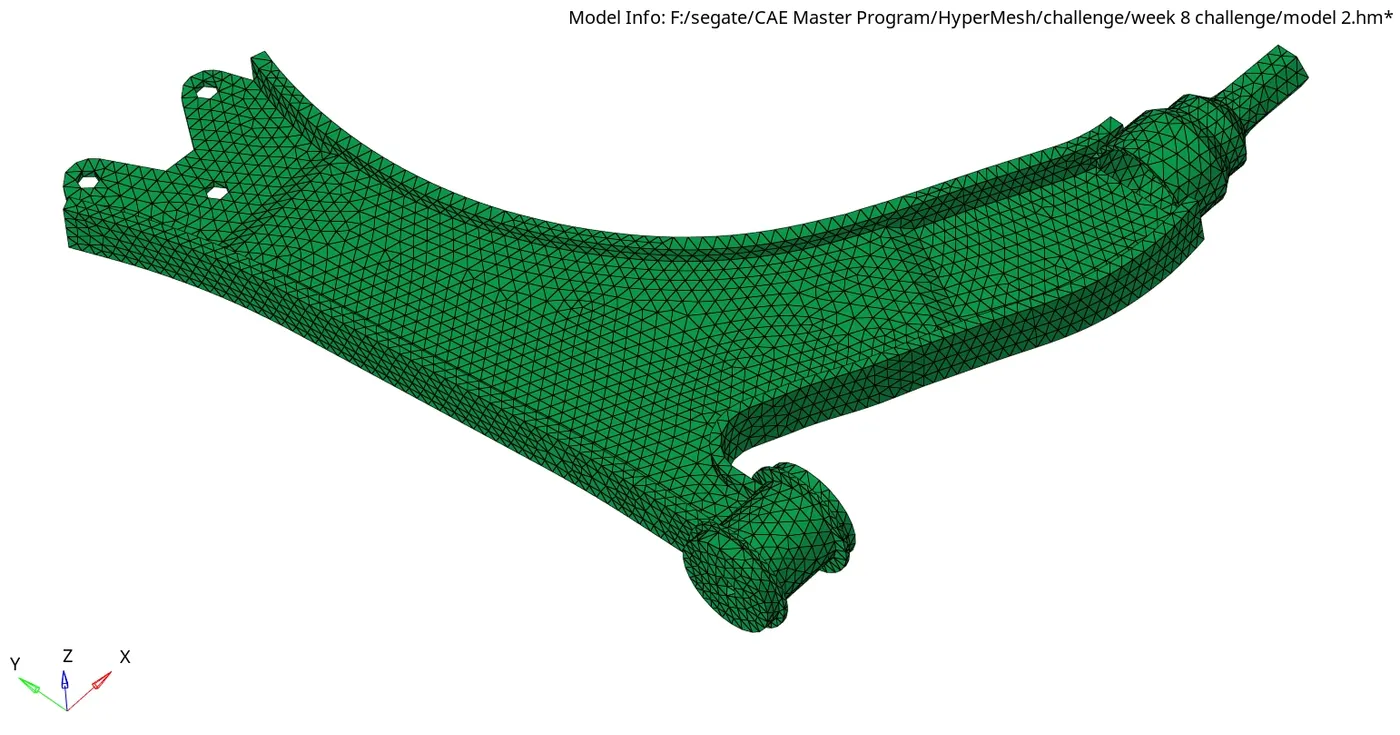
RESULT:
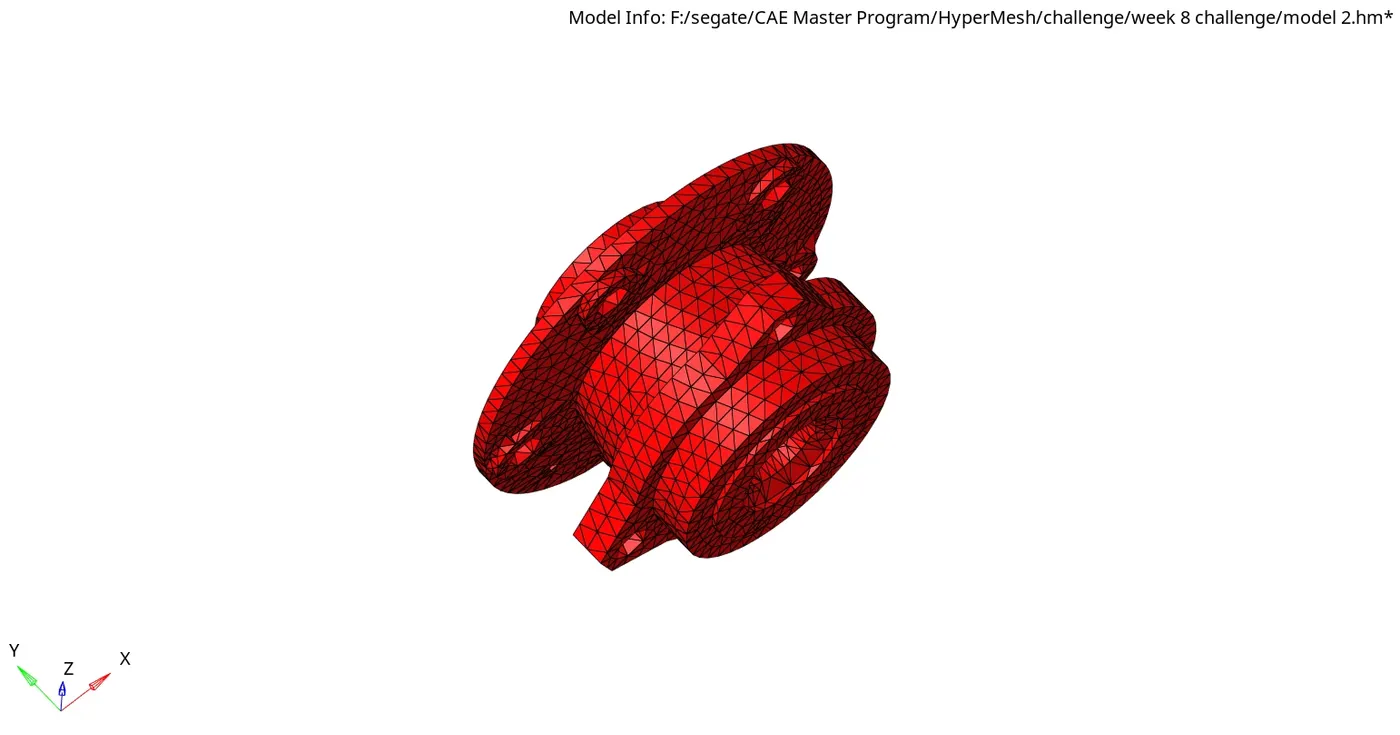
The given Geomentry is meshed with 3D Tetra elements. the Quality checks and Quality criteria are checked in the meshed component.
FINAL MODEL IMAGE:
3.Model-3
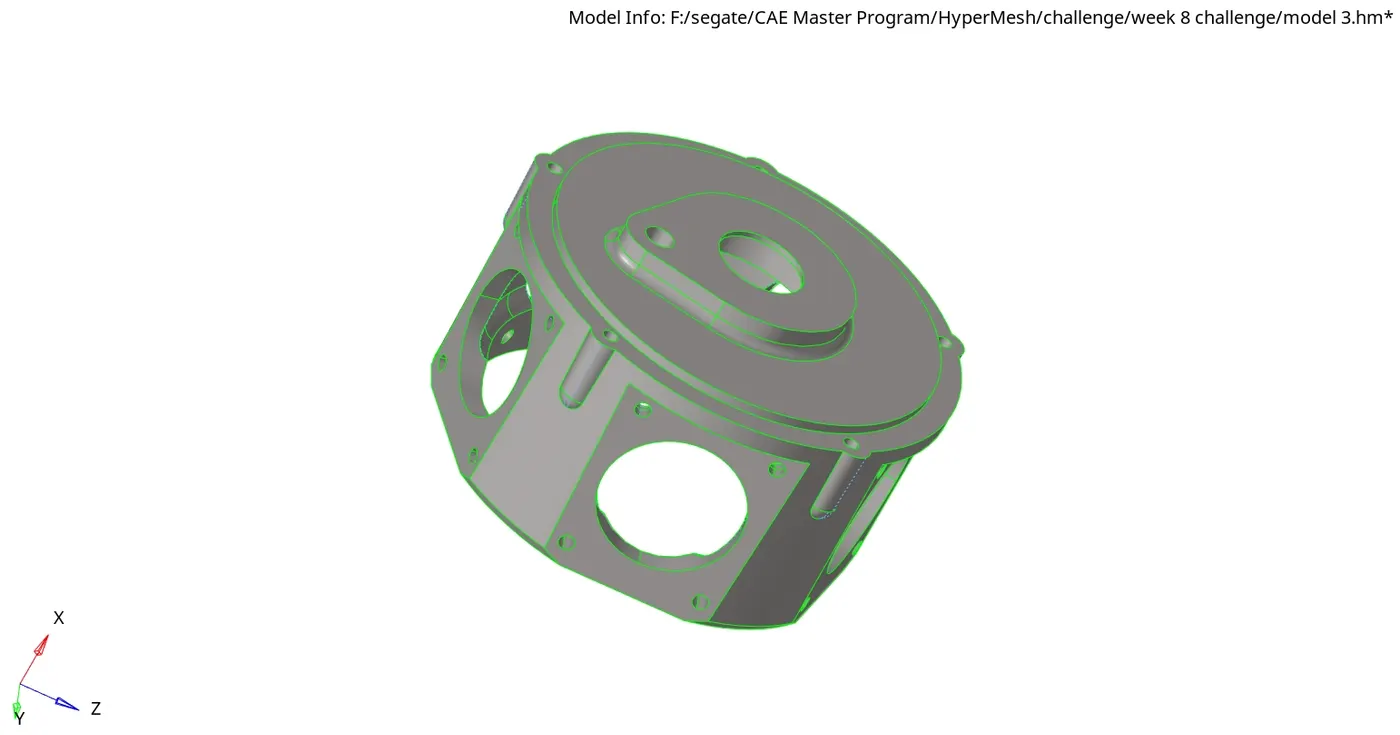
OBJECTIVE:
The objective of this challenge is to 3D tetramesh the given geomentry with respect to the target element size.
Element Size
Min. Size-2mm, Target Size-6mm, Max.Size-7mm, Tet Collapse-0.15
CAD MODEL IMAGE:
PROCEDURE:
Step-1: Importing the Geomentry
File->Import->Geomentry.
Step-2: Save the File.
File->SaveAs->Model.
Step-3: set up file criteria.
Preferences->File criteria Settings.
set the target element size to 6mm, minimum as 2mm, maximum as 7mm and Tet collapase as 0.15.
Step-4: Utility Menu.
View->Browser->HyperMesh->Utility.
Step-5: Quick tetramesh.
Geom/Mesh->Quick tetramesh->components.
Step-6: 3d Quality checks.
Tools->Check elems->3d->tet collapase or shift+F10->3d->tet collapase .
Step-7: Save.
RESULT:
The given Geomentry is meshed with 3D Tetra elements. the Quality checks and Quality criteria are checked in the meshed component.
FINAL MODEL IMAGE: