Week 8 - Challenge 6 - Core & Cavity Design
Draft Analysis of switch bezel component
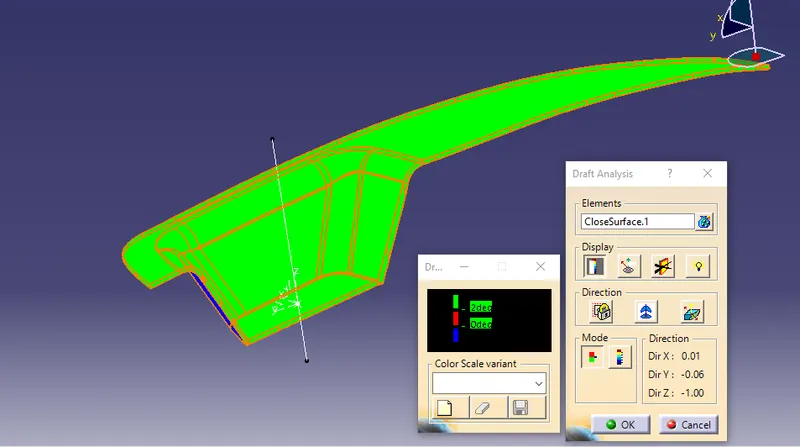
If the Draft angle is 2 deg:
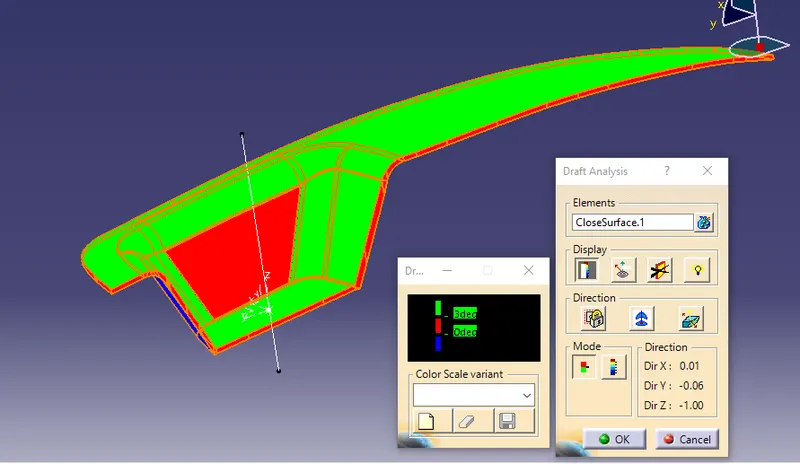
If the draft angle is 3 deg:
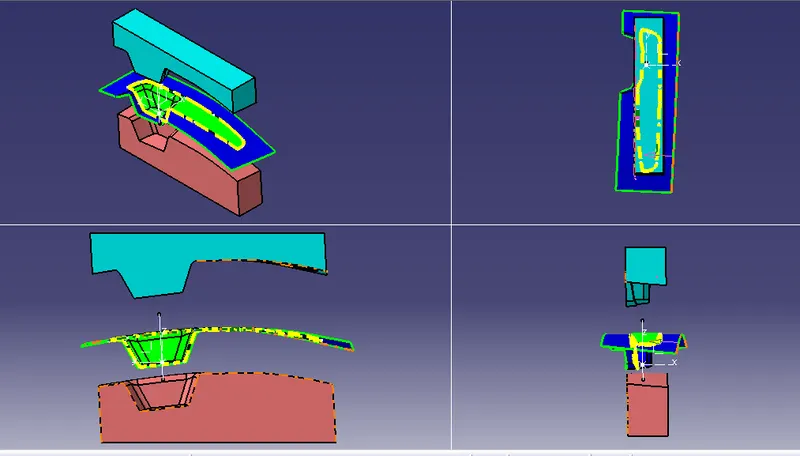
Orientations of core and cavity
Report:
Draft analysis is conducted on switch bezel final component design after making it as a solid bod. The tooling axis has important role to analyse the draft angle of the component by following this the core and cavity design for that component could be created. The tooling axis is created by using the intersecting method, here the intersecting line of switch bezel cavity has defined and centre distance from side wall also used to create the tooling axis.
In the draft analysis all the parallel surface to the tooling axis are drafted with some angle and are highlighted for quick review. The featured draft analysis has an important feature which is used to represent
the drafted areas. In addition, Different types colors are used for representation. The following images shows the tool which is used for representation and also act as an input. Most of the ashetic surfaces should be drafted to avoid flash or other types of plastic defects.
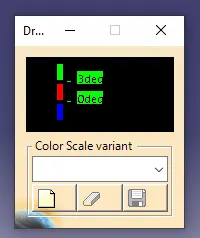
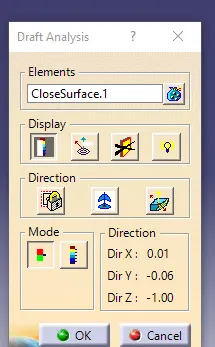
Green color for draft angle with above 3 deg
Red colour defined as draft ranges from 0 deg - 3 deg
and blue color defined as no draft or under draft.