Design of Coin Holder in Catia V5
OBJECTIVE:
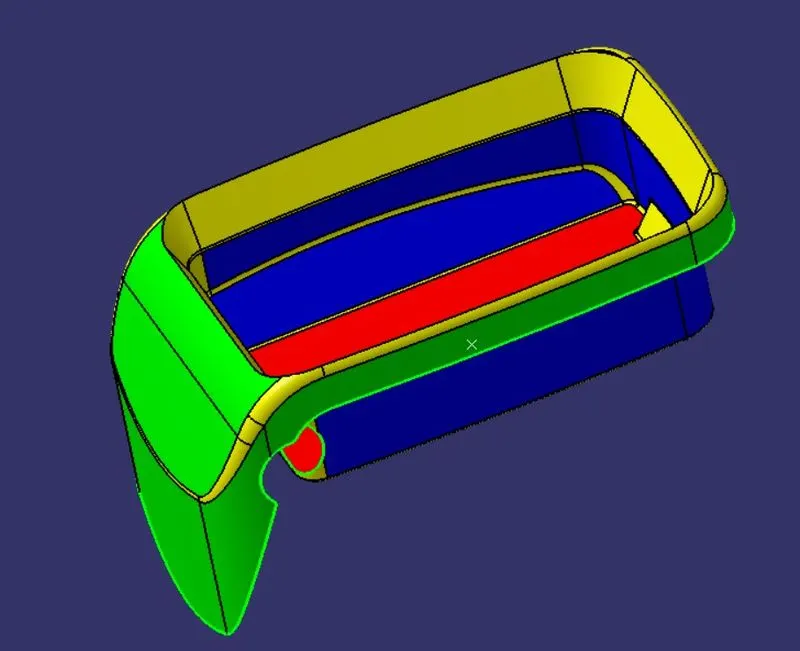
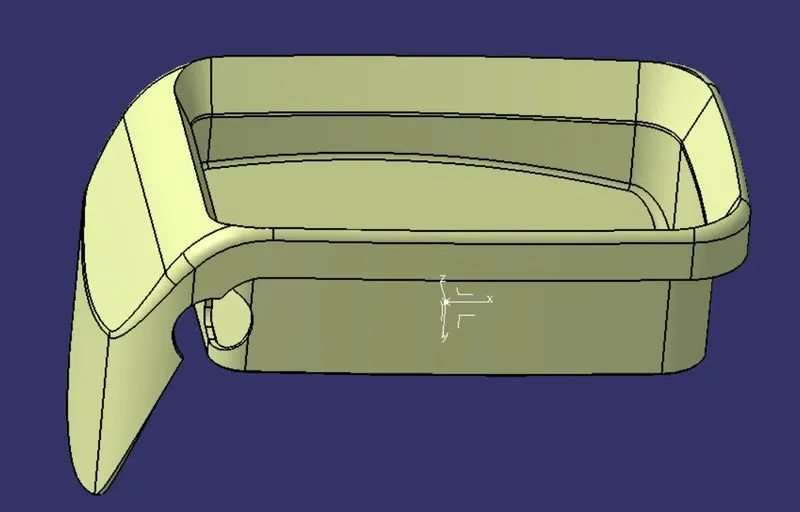
To create a solid part of a coin holder by taking a Class A surface Reference and Conduct the draft Analysis.
INTRODUCTION:
Coin Holder is a plastic component used in vehicles, the Class A surface is provided for creating a solid component with a thickness of about 2.5mm.
Class A surface:
It is also called a styling surface, which consists of textures and represents the part having surfaces with a curvature continuity.
Class B Surface:
It is the surface that is created on the B-side of the part which majorly doesn’t consist of any textures, but the surface should have tangent continuity.
Class C surface:
It is the surface that actually joins both A and B surfaces to create a closed surface part.
PROCEDURE:
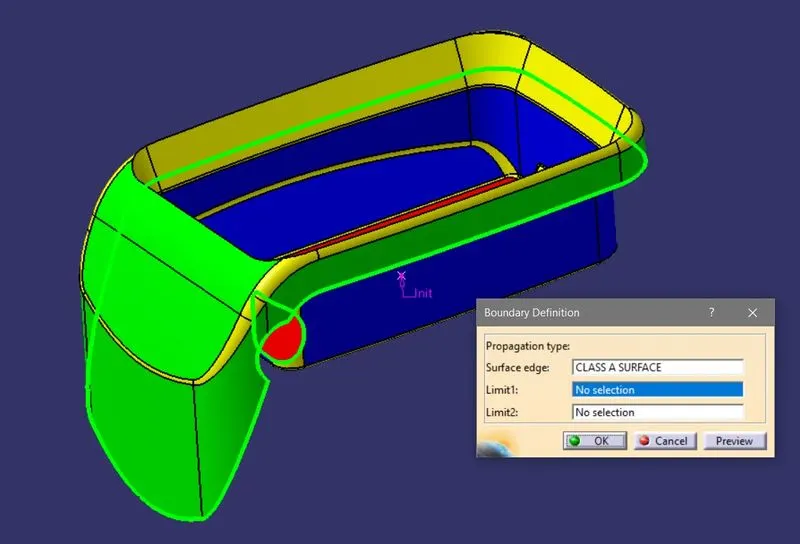
- Import the part and check for the surface continuity by using the Boundary command which shows the open surface.
- Create Tooling Axis:
This tooling axis is majorly created to give the provision for direction to eject the part from the mold.
With this tooling Axis, we can give the draft to the part.
- To create the tooling axis first check for the correct view which clears all the faces,
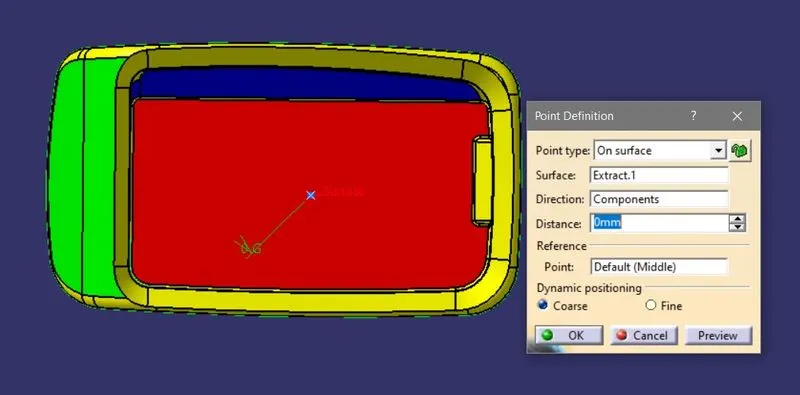
- Then add a point on the appropriate face of part at its center and in the same way add the Axis system by taking this point as a reference.
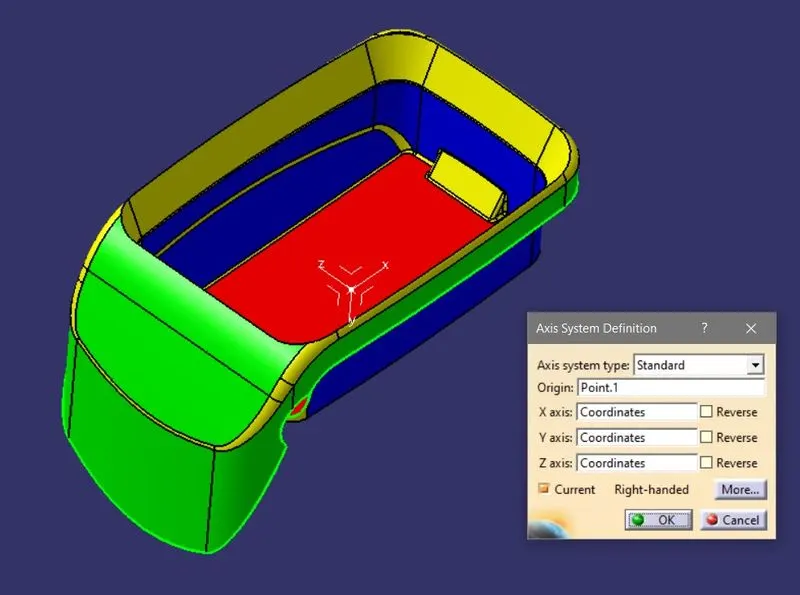
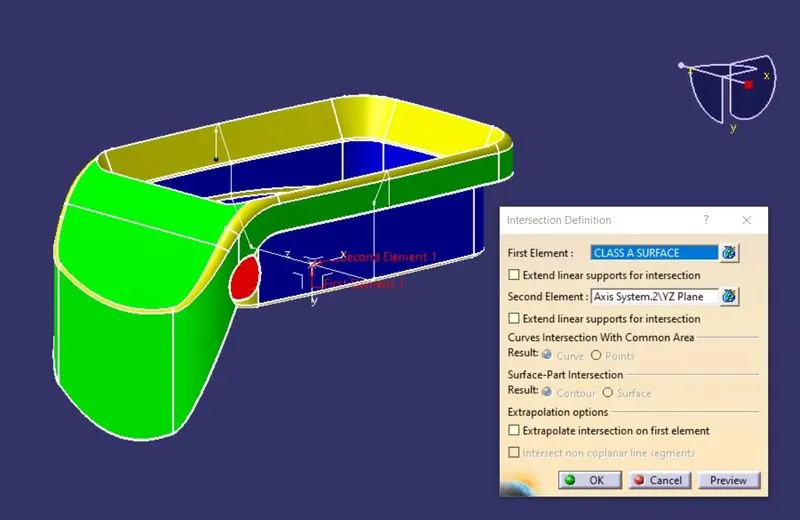
- Then switch to the other view and add the intersection between the plane and part accordingly as shown in the figure.
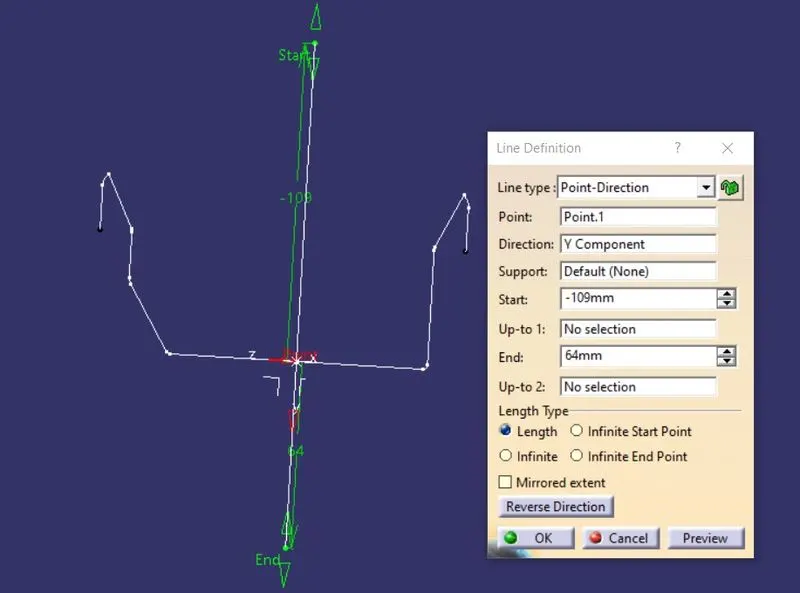
- Now check for the angle to create a line on the center, here the faces are at 0deg so create a line exactly perpendicular to the base surface.
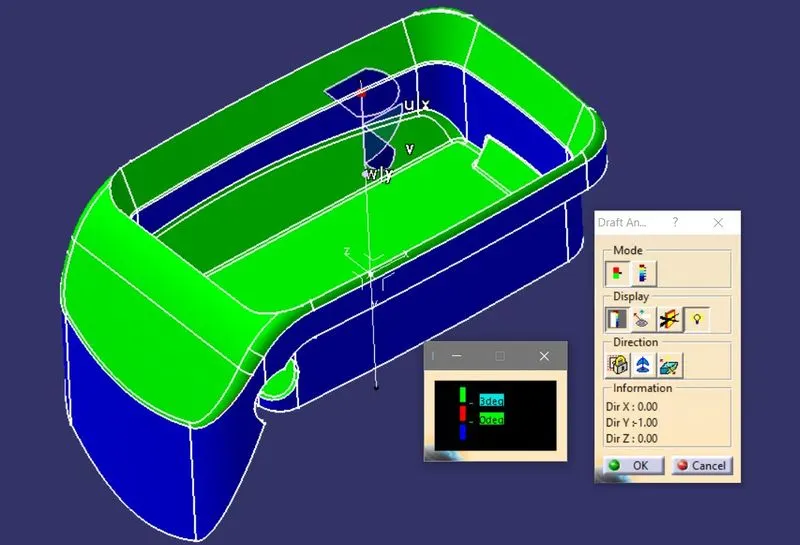
- Draft Analysis:
- To perform this operation the object should be in the Material mode,
- Conduct the draft analysis on the Class A surface along with the tooling direction,
- Select the axis system along the tooling direction and select the running point to measure the draft,
- Switch on the Colour scale for the display of draft results.
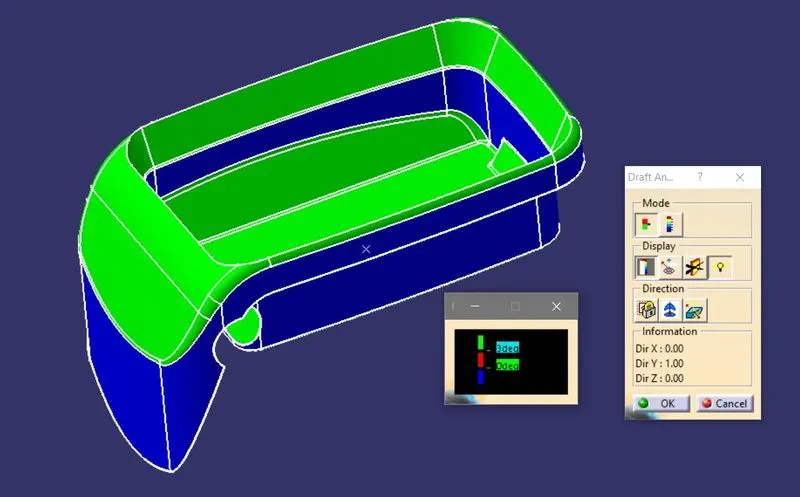
- Apply the same procedure after creating the final product and compare the results for any negative drafts.
- Creating Class B surface:
- Extract the side face walls of the Class A surface.
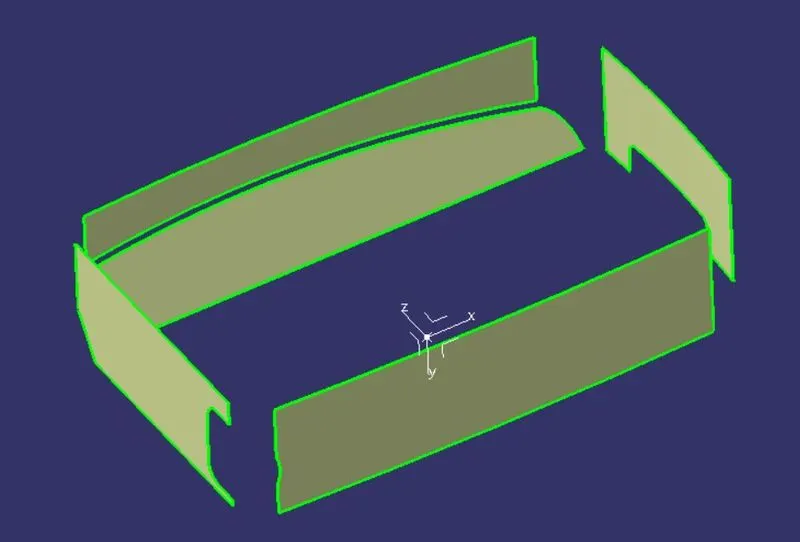
- Untrim and extrapolate the surfaces until all of them are in contact with each other,
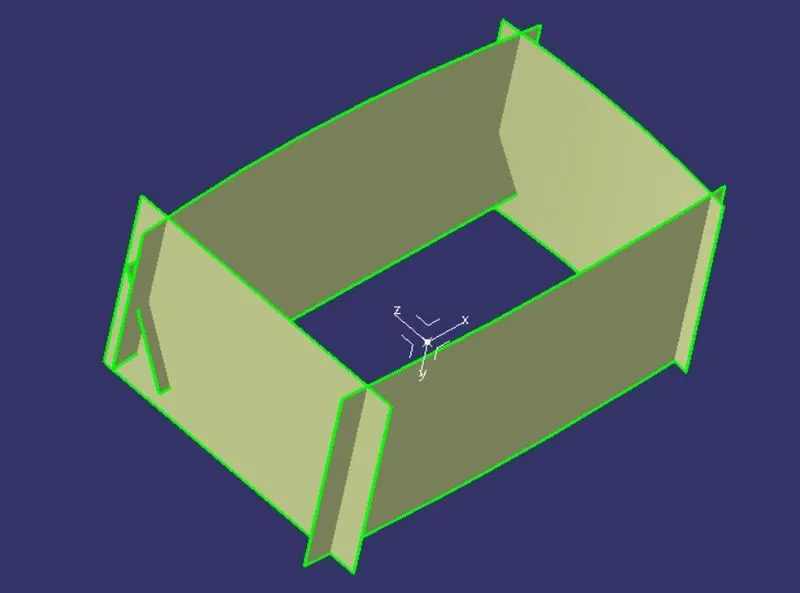
- Now trims the excess material and apply offset with 2.5mm.
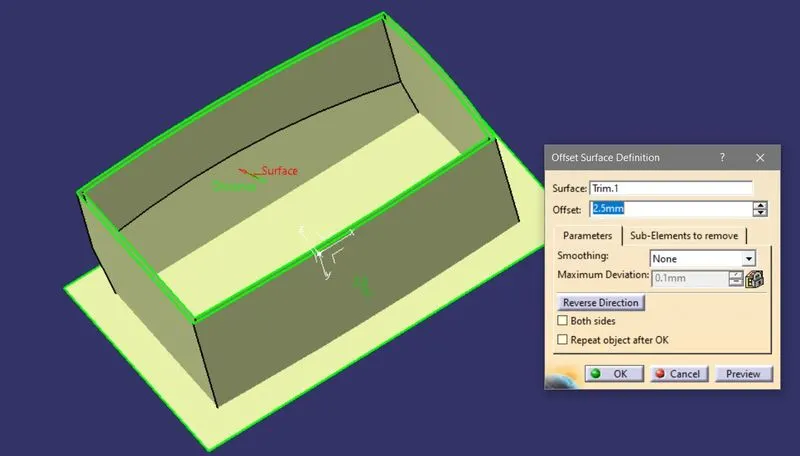
- Do the same procedure for upper faces and add them by applying the trim command.
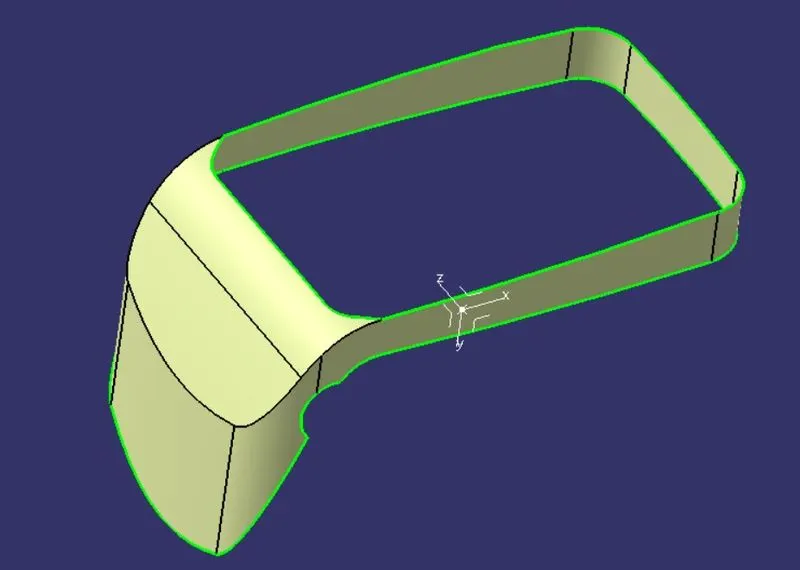
- Then that extract the outer faces of the coin holder and do the same procedure but the offset should be in the reverse direction.
- Add the fillets for the finished part which represents the class B surface by adding or subtracting the thickness values from the fillet radius according to the requirements.
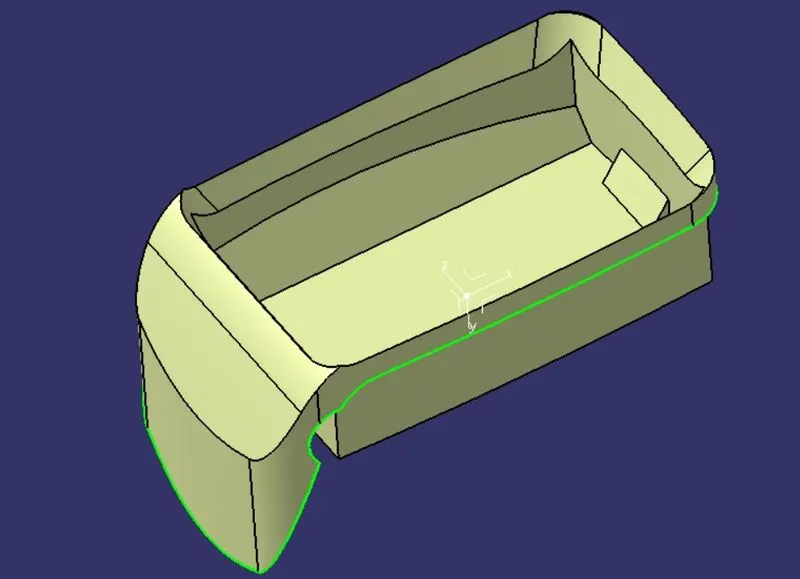
- Join all the parts to make a single surface.
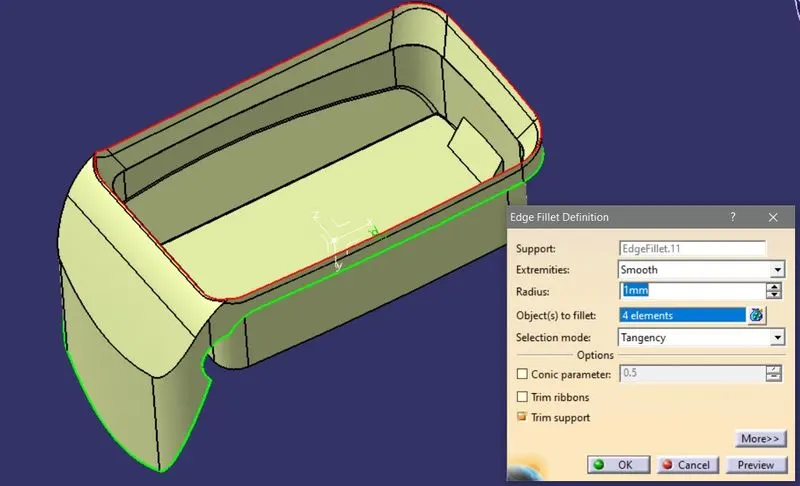
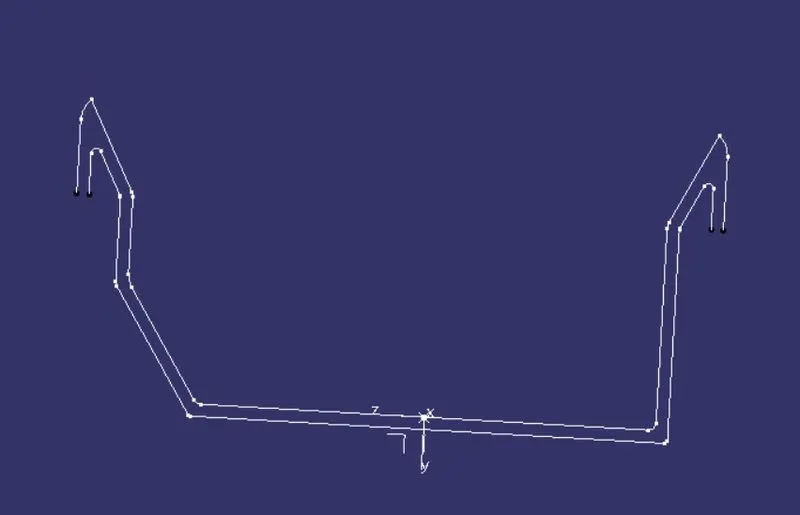
- Creating Class C surface:
- Class C is the surface where the extra material is added to close the body by creating contact between class A and class B.
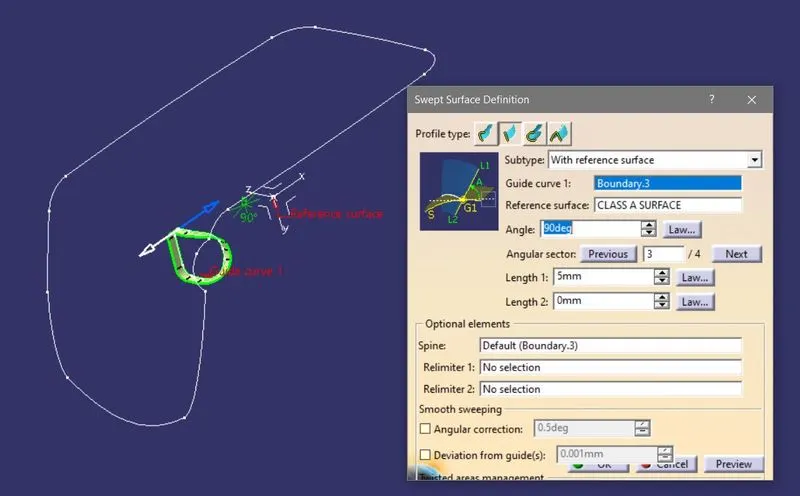
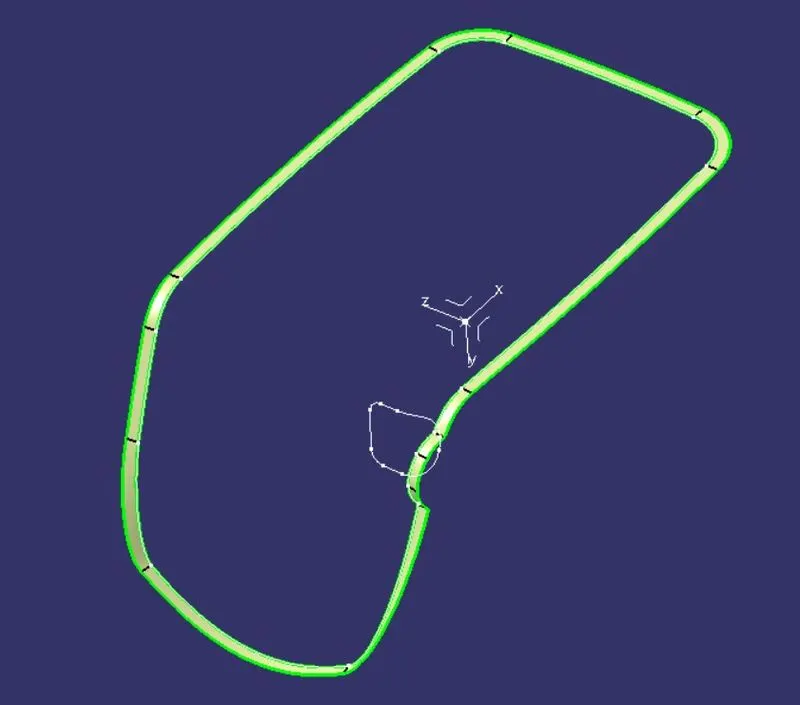
- Select the boundary of the surface and add the surface with 90deg with the help of the sweep command.
- Now join the three surfaces Class A, Class B, and Class C to make a closed object.
CONCLUSION:
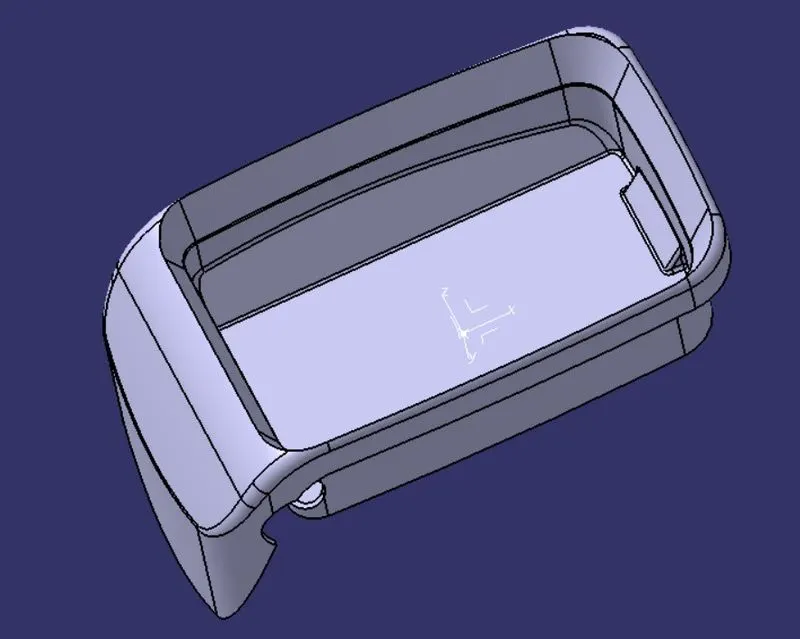
Created a closed body of coin holder and done the draft analysis on it for no negative draft.