Sheet Metal Design of Bracket
TITLE: Sheet metal design of BRACKET.
OBJECTIVE: To design a sheet metal Bracket using NX CAD tool features.
INTRODUCTION:
The given bracket sketch is to be designed and modified by converting 2D to 3D parts in the NX tool. It has different shapes of bends and the bead is also bent at a certain angle.
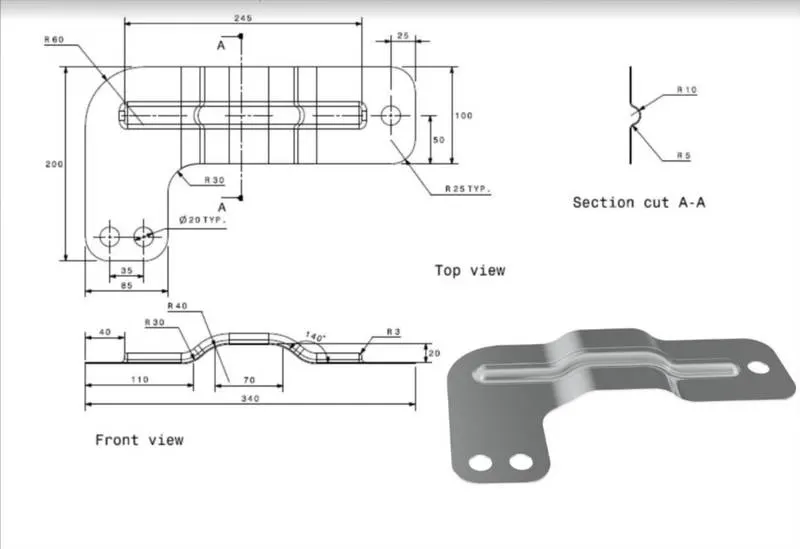
The corners of the metal bracket are trimmed in different dimensions.
So, I have chosen to design this part in the NX tool with help of advanced sheet metal design features.
Actually, NX-CAD is one of the most powerful design tools by SIEMENS PLM software to design various products from 2D and 3D sketches.
DESCRIPTION:
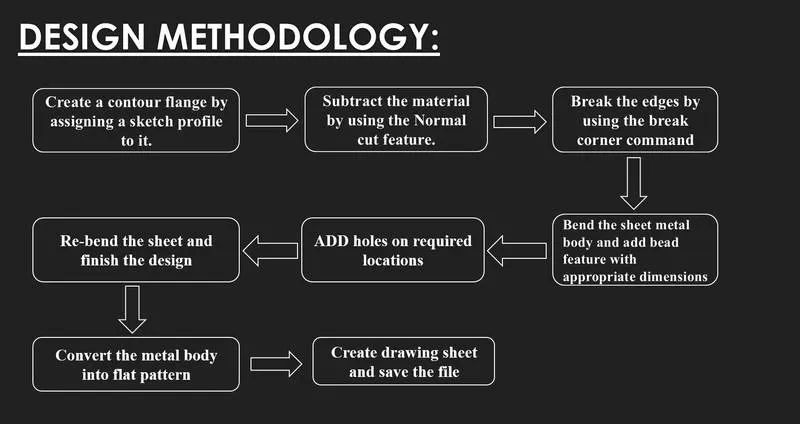
FEATURES USED:
- SKETCH: This is used to create a basic sketch of the design on selecting the desired plane, then later it can be modeled for the requirement.
- CONTOUR FLANGE: It is used to create a model of sheet metal by selecting the sketch.
- NORMAL CUTOUT: This feature is used to cut the portions of the sheet metal by giving sketch curves.
- BEND: This feature is used to bend the sheet metal along the sketched curve upon our requirement.
- BREAK CORNERS: Break corners are used to make the edges round for easy handling when using.
- BEADS: This feature is used to create a bead on the sheet which generally strengthens it.
- UNBEND: Unbend is a feature used to analyze the model whether it has perfectly assigned the alignments, which ensures for a modeler to do further operations on it.
- HOLES: Make holes on the sheet metal by selecting the points located on the sketch.
- REBEND: This is used to re-bend the object after all conformations.
BRACKET MODEL VIEWS:
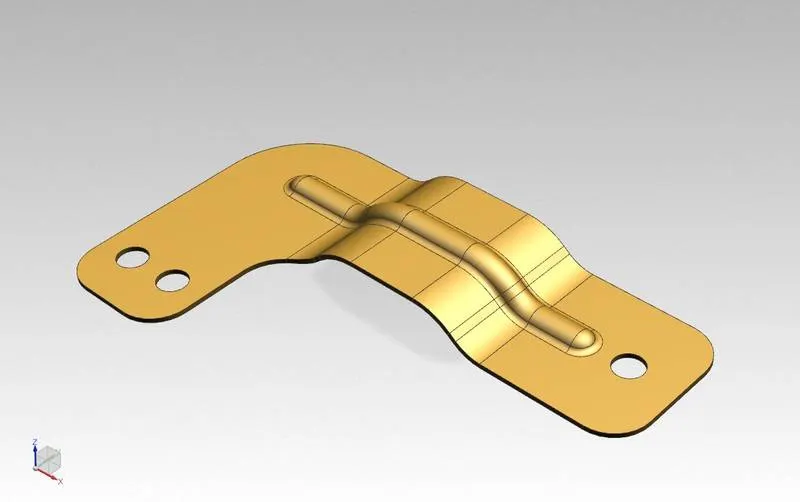
ISOMETRIC VIEW:
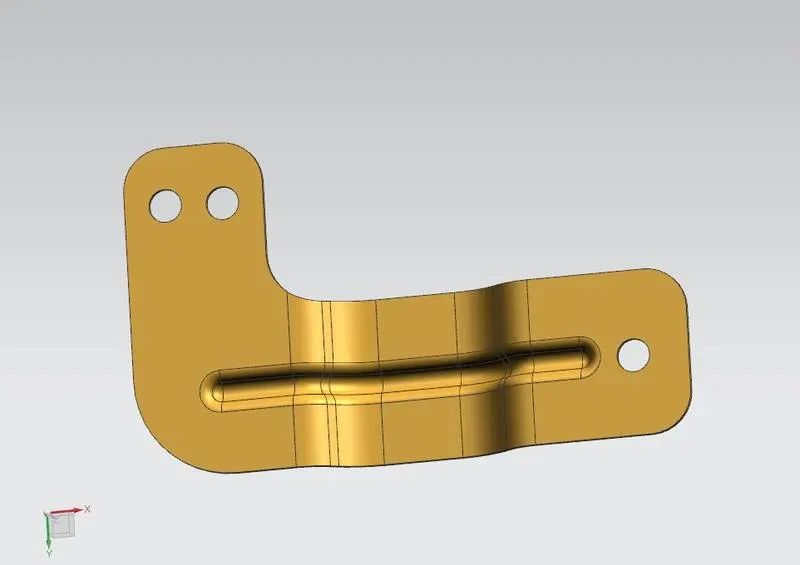
BOTTOM VIEW:
RIGHT SIDE VIEW:
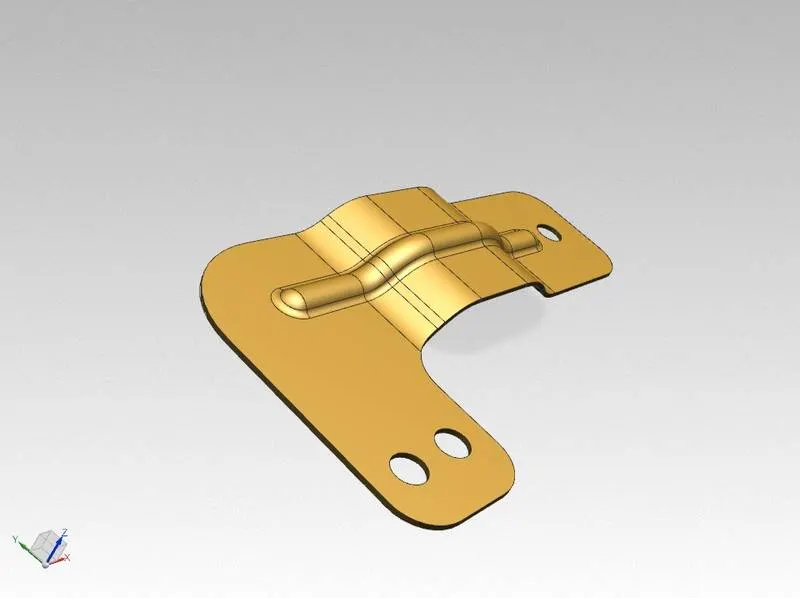
LEFT SIDE VIEW:
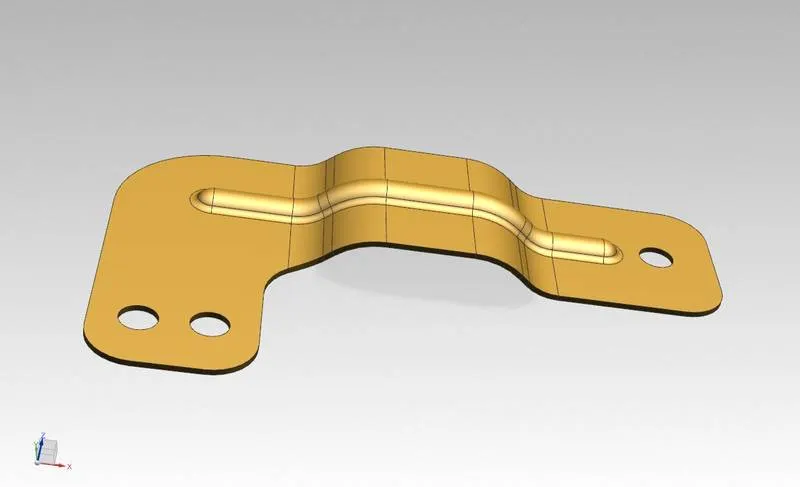
FLAT PATTERN VIEW:
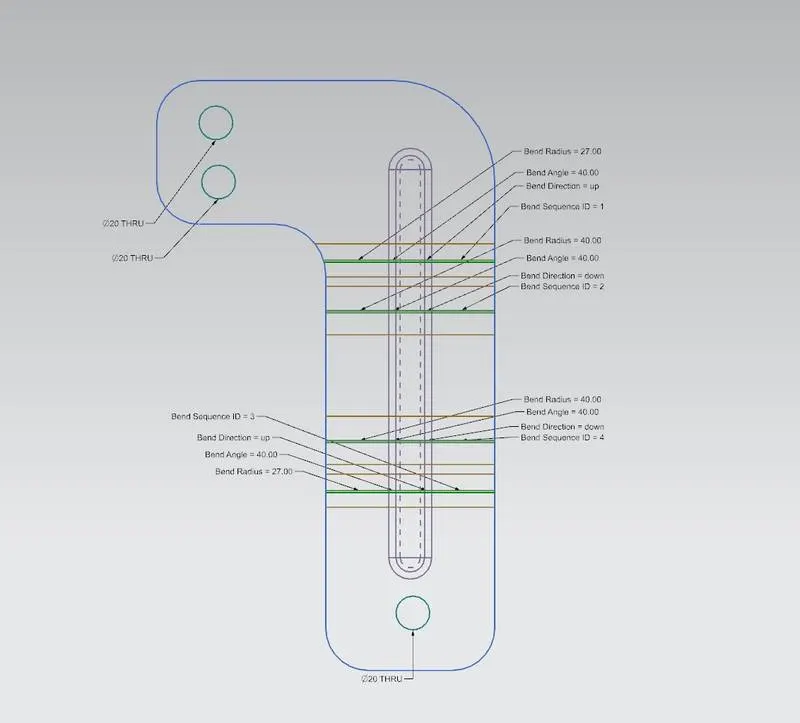
DRAWING SHEET VIEW:
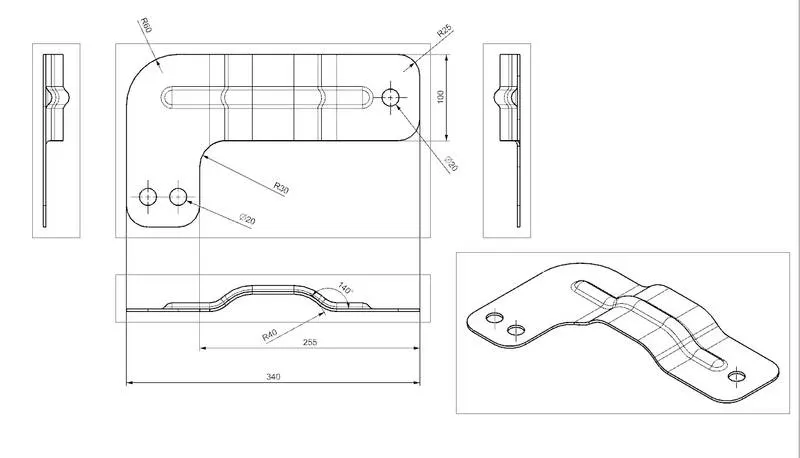
CONCLUSION:
By this challenge learned the procedure of converting the 2D sketch to a 3D model, usage of advanced features of sheet metal in NX CAD, and the importance of NX cad in modeling compared to other software.