Week 8 - Challenge 3 - Switch Bezel Design
Switch Bezel Design
Aim:
To design the Class B and Class C surfaces form the given Class A surface of the switch bezel surface model.
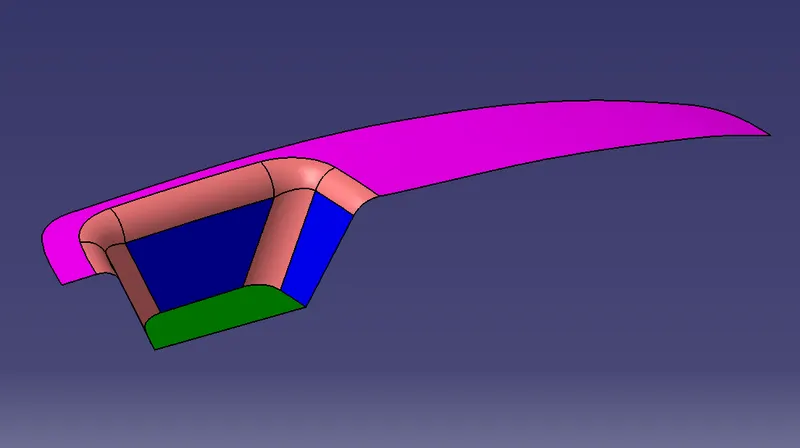
Fig 1: Given class A surface.
Procedure:
1. Check for any kind of surface openings in the given surface model using the boundary option. Fix the surface openings if any.
2. A tooling axis is to be created for the Draft analysis purpose. A point is created at the centre of the pocket feature provided as shown in the figure. An axis has been created on the point.
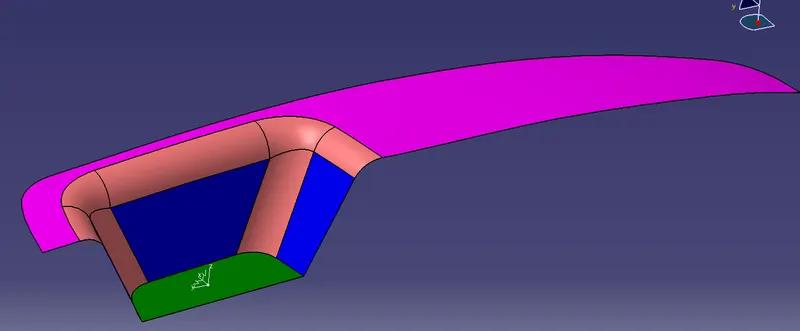
Fig 2: Created an axis.
3. With the help of the point and the axis, an intersecting 3D element line has been created at the middle of the surface as shown below.
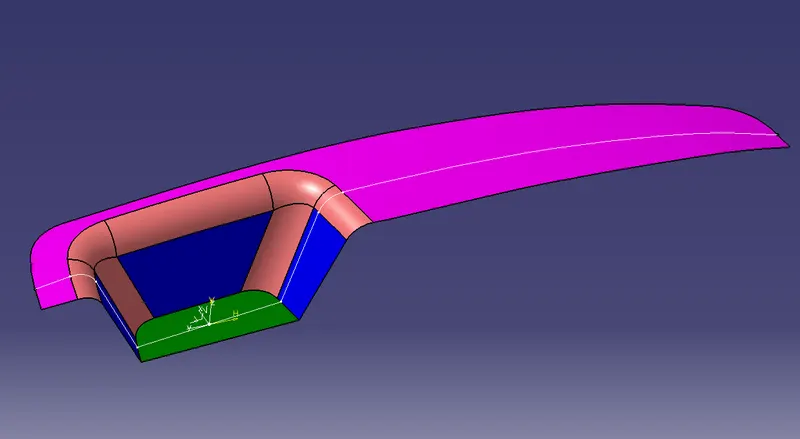
Fig 3: intersecting line.
4. The lines at the pocket on either side are extended for creating the bisecting line on the point created.
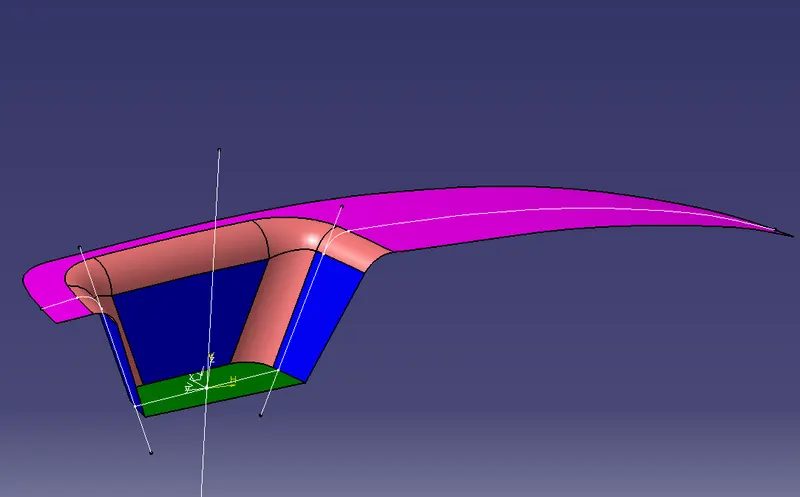
Fig 4: Created bisecting lines with the help of the lines on either side.
5. Create another line with respect to the 3rd side of the pocket feature maintaining an angle of 3 degrees as shown below.
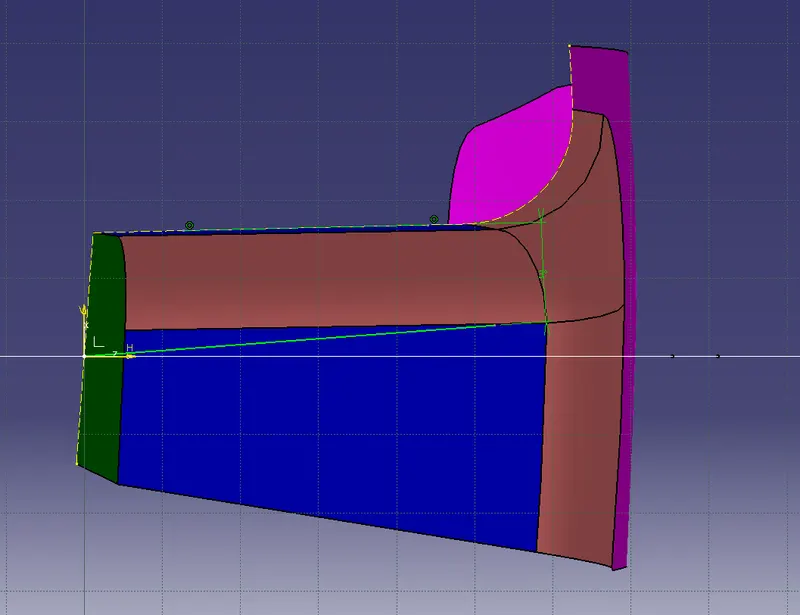
Fig 5: Creating a 2nd reference line
6. With the help of the two created reference lines create another bisecting line which will be the tooling axis.
7. Check the draft analysis of the model. Fix the axis to the created tooling axis and analyze the model. The total surface should be hilited in green colour. If the total surface is not hilited in green colour then adjust the tooling axis until the model is hilited in green.
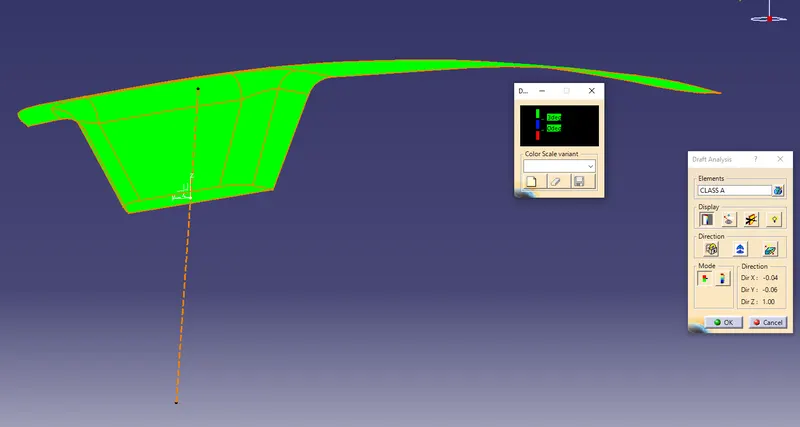
Fig 6: Draft analysis for the class A surface.
8. Now create the Class B surface form the Class A surface. Extract the Class A surface part by part neglecting the fillet regions. Untrim the extracted surfaces.
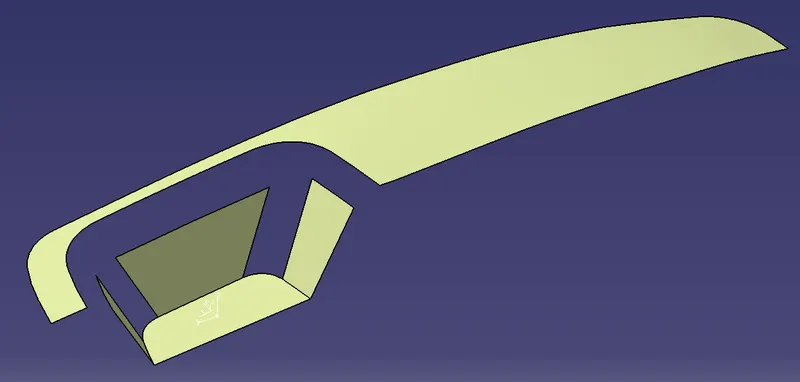
Fig 7: Extracted surfaces.
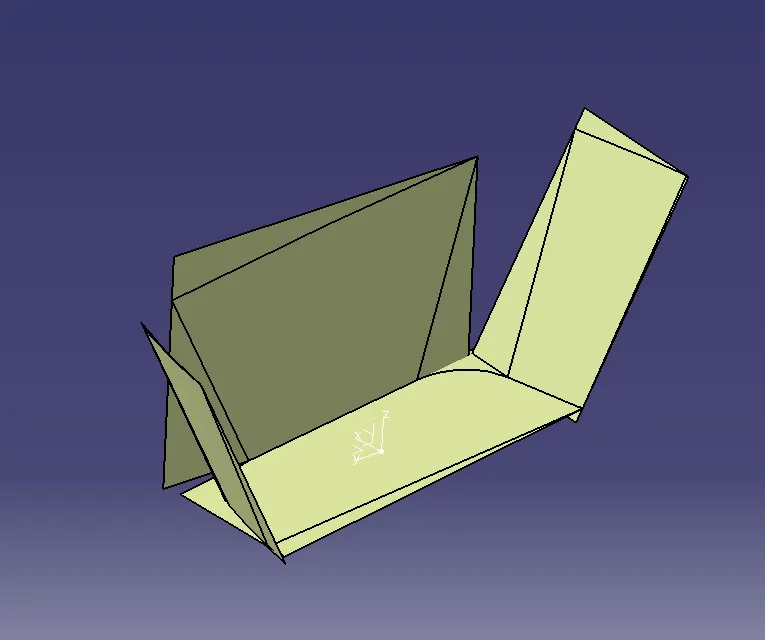
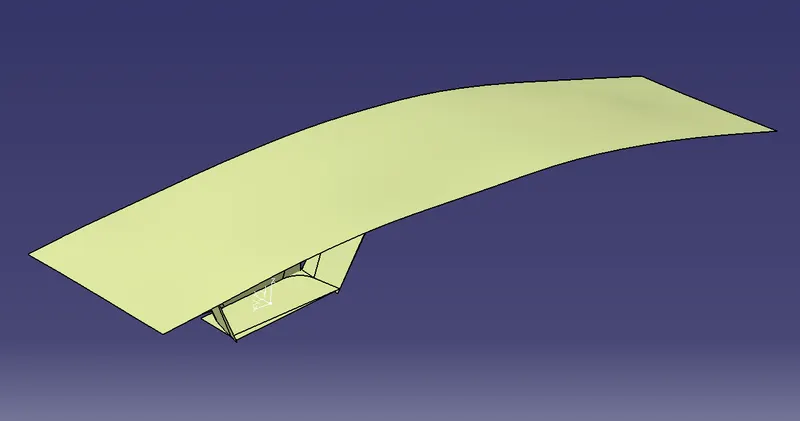
Fig 8: Untriming extracted surfaces Fig 9: Untriming extracted surface
9. Extrapolate the surfaces so that the surfaces will be intersecting each other.
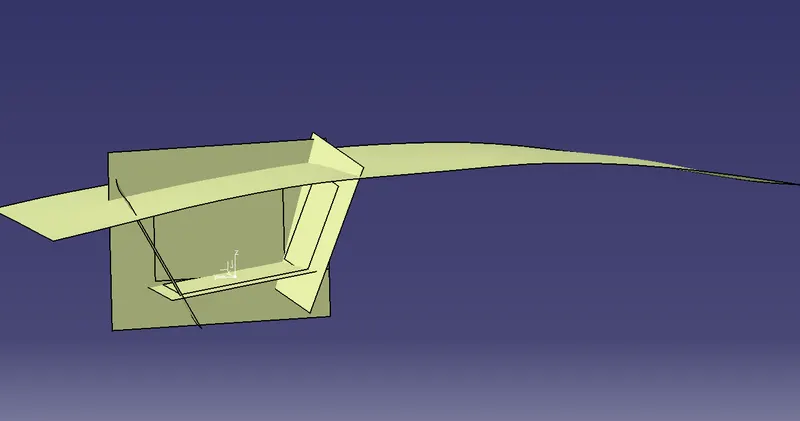
Fig 10: Extrapolating surfaces
10. Offset all the surfaces up to 2.5 mm as per the mentioned thickness. Trim the surfaces as per the Class A surface.
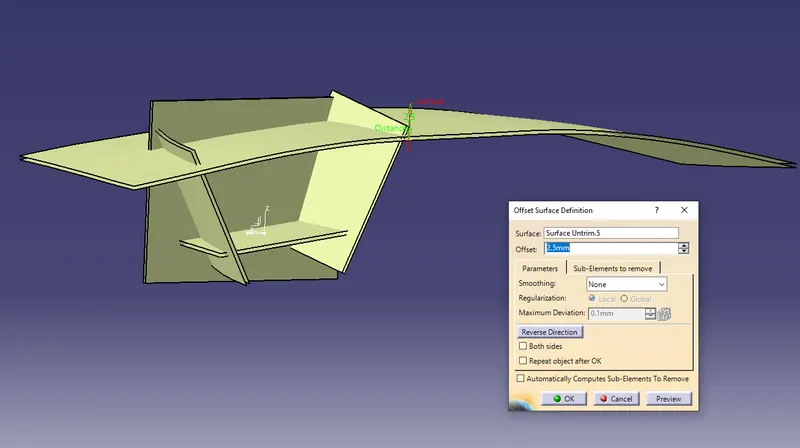
Fig 11: Offsetting surfaces.
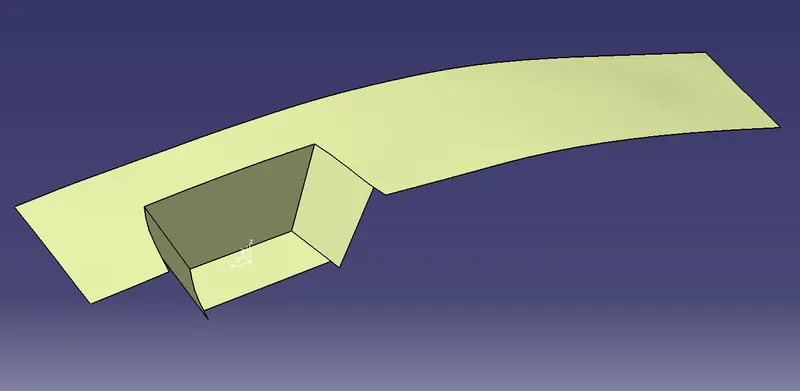
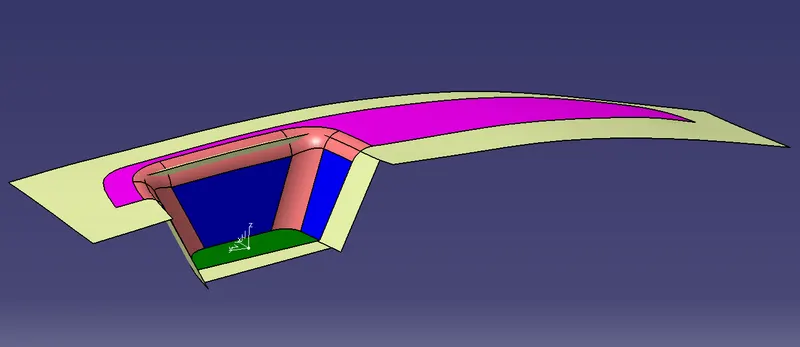
Fig 12: Trimed surface Fig 13: Trimed surface as per the Class A surface.
11. Fillets are to be created on the edges as per the class A surface. Measure the fillets in the class A surface and provide the fillets maintaining the thickness between the surfaces. Measurements of the fillets are given such that the outer curved fillet values are added with the thickness measurements and subtracted while creating fillets for the inner curves. Thus the B surface is created.
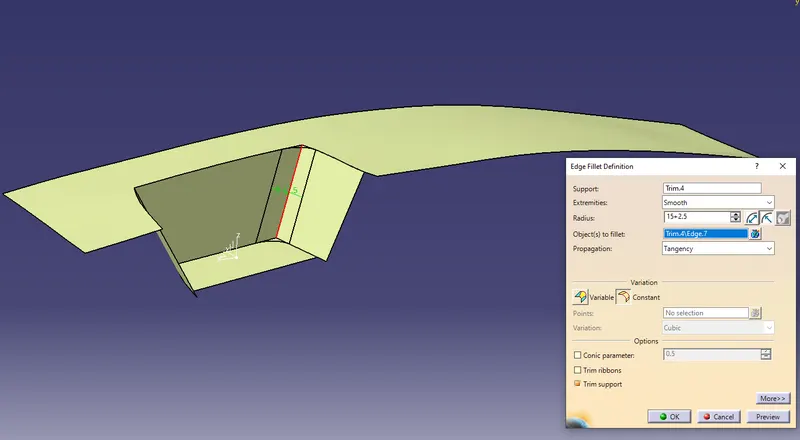
Fig 14: Fillets for the outer curve.
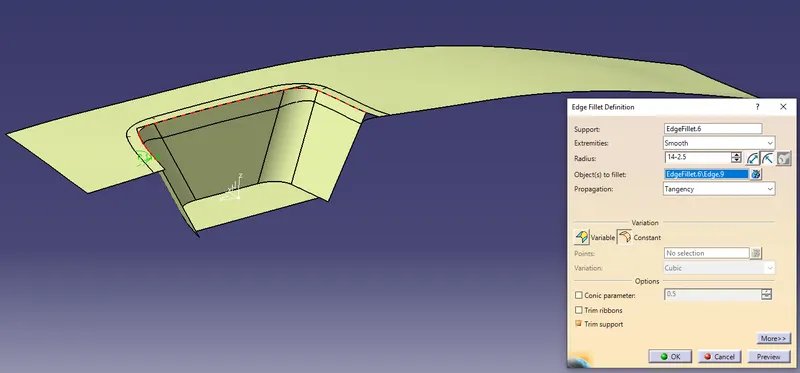
Fig 15: Fillets for the inner curves.
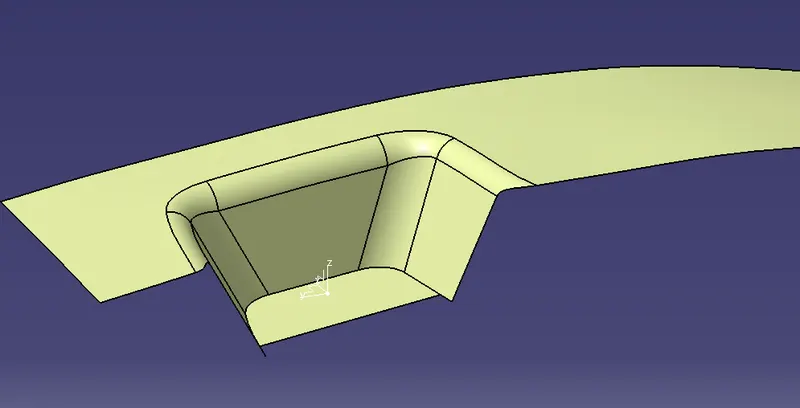
Fig 16: Created fillets
12. After creating the B surface, class C surface in to be created. Class C surface is the edge wall of a solid component. The class C surface is created using sweep for this model. Create a boundary line on the edges of class A surface. Use sweep option to create the edge walls with the help of the created boundary line and tooling axis for the draft direction. The sweep options are to be set as shown in the figure below.
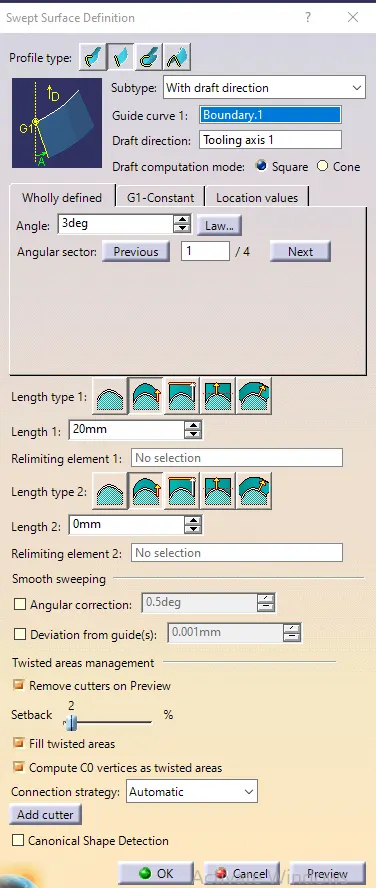
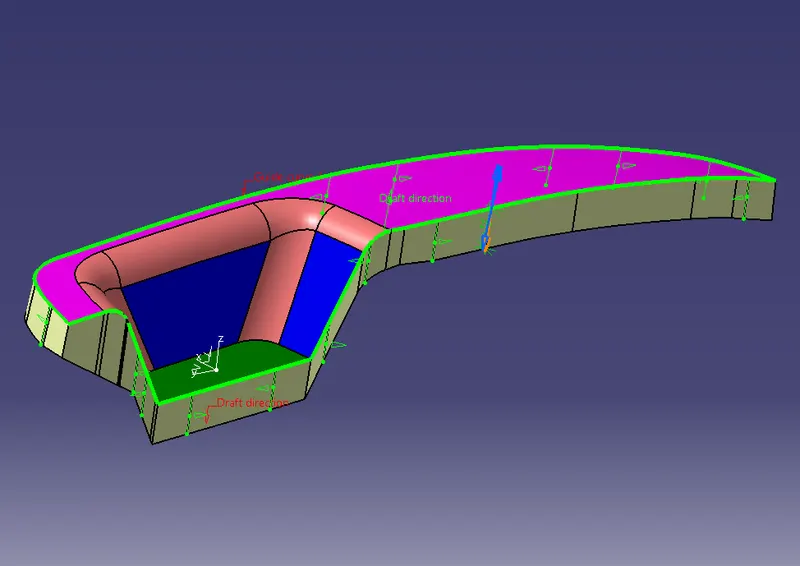
Fig 17: Sweep feature window. Fig 18: Created Class C surface using sweep feature.
13. After creating the Class C surface, trim the class B surface with class c surface.
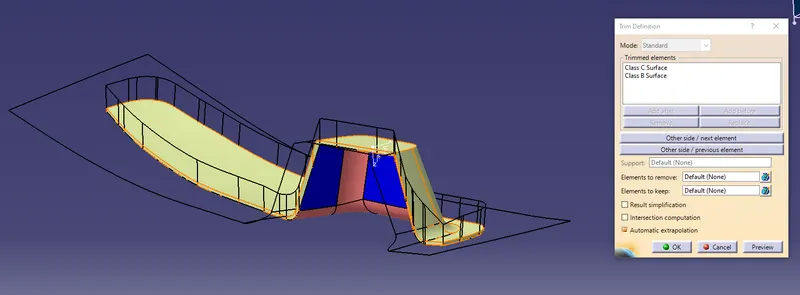
Fig 19: Trimming class C and B surfaces.
14. Join the 3 surfaces to create a closed surface model. Fill the solid model of the created surface using the closed feature in the part design window. The solid model will not be formed if there are any open surface edges.
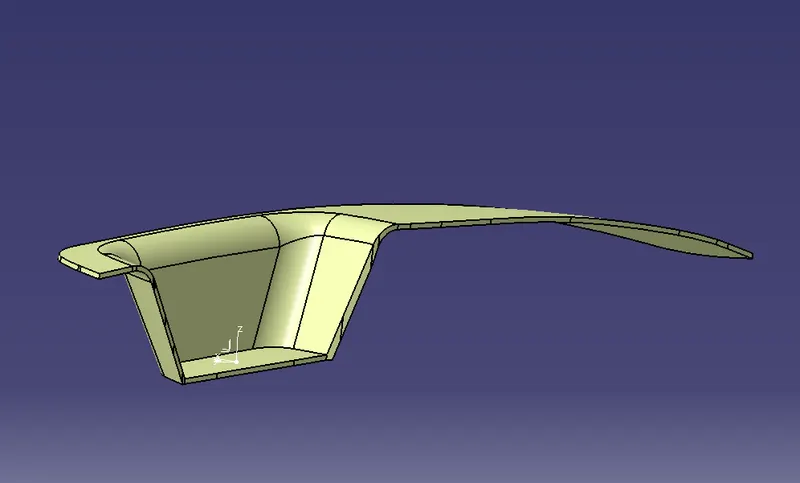
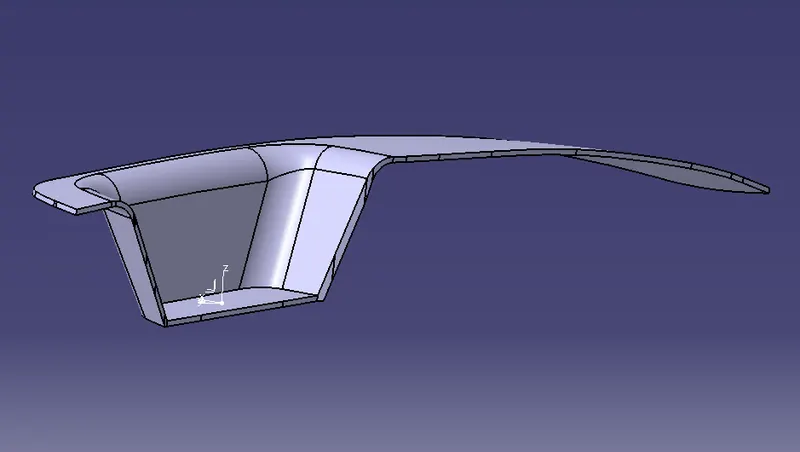
Fig 20: Closed surface model Fig 21: Solid model.
15. The Draft analysis is to be done for the created solid model as done for the class A surface. The colours for the draft analysis will be hilited as shown in the figure below. If the colours are hilited on the wrong sides them try to adjust the sweep angle faces.
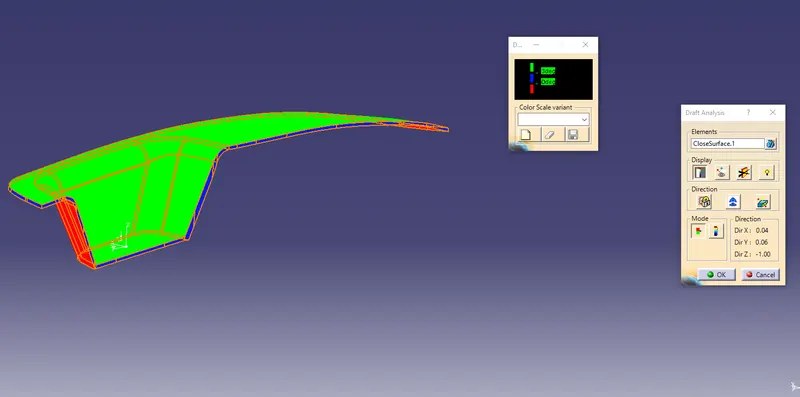
Fig 22: Draft analysis
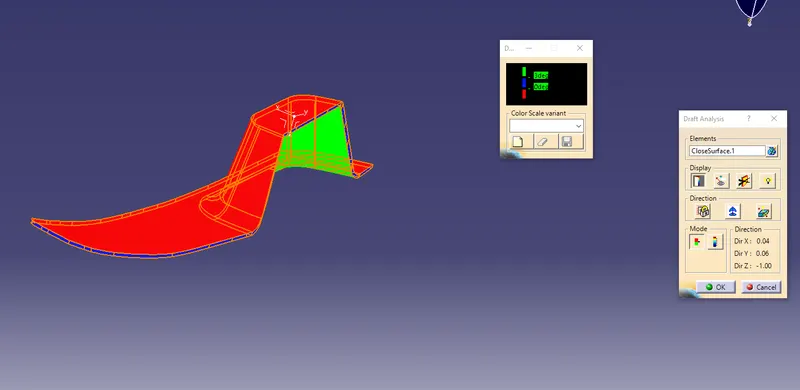
Fig 23: Draft analysis lower side.
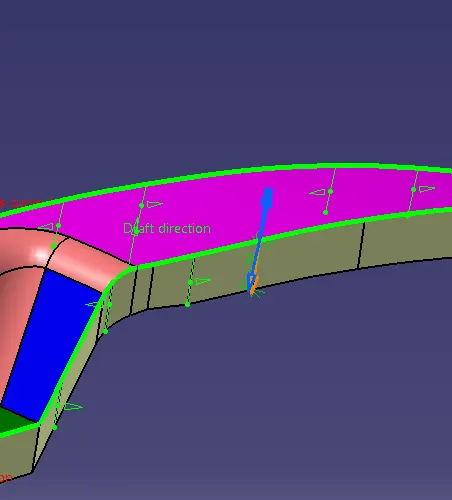
Fig 24: Adjusting Sweep faces in required positions.
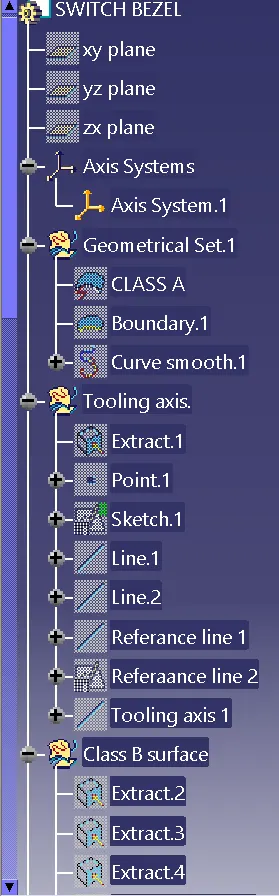
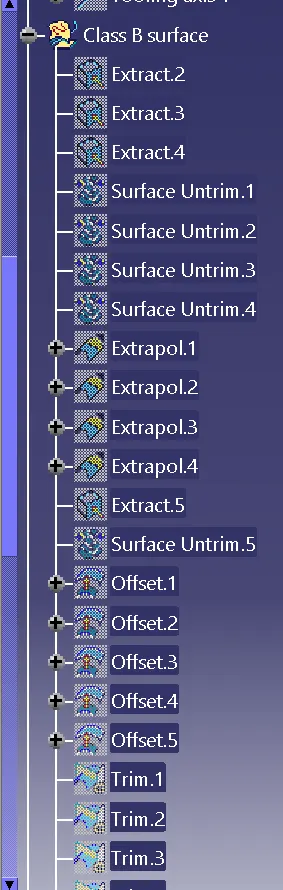
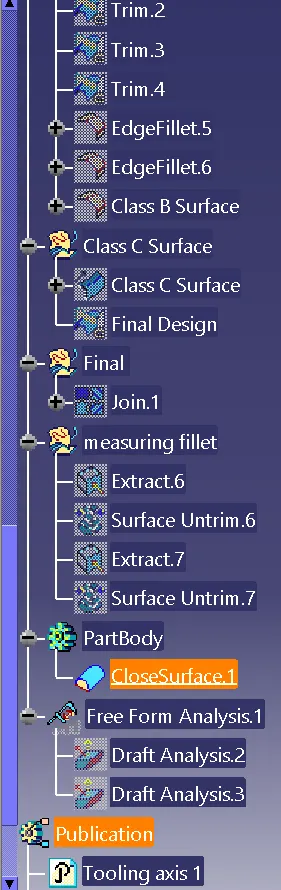
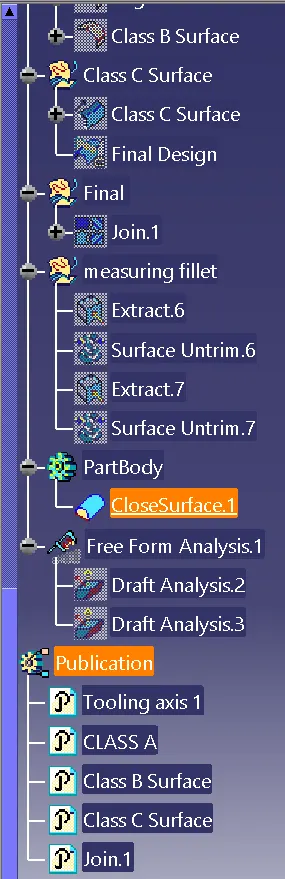
16. The tree structures for creating the design are as shown below.
Result:
Therefore, creating the Class B and C surfaces with the help of class A surface and Draft analysis for the model has been completed.