Week 8 - Challenge 3 - Coin Holder Design
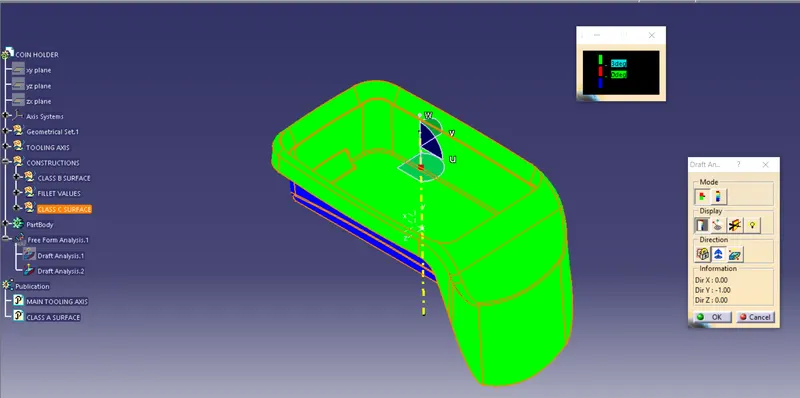
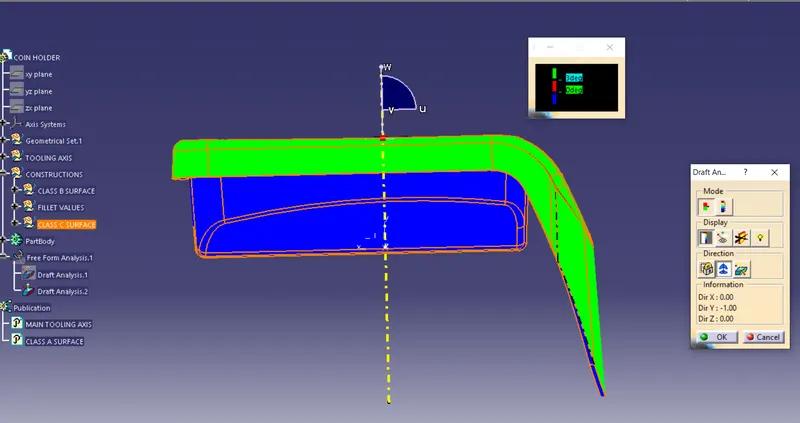
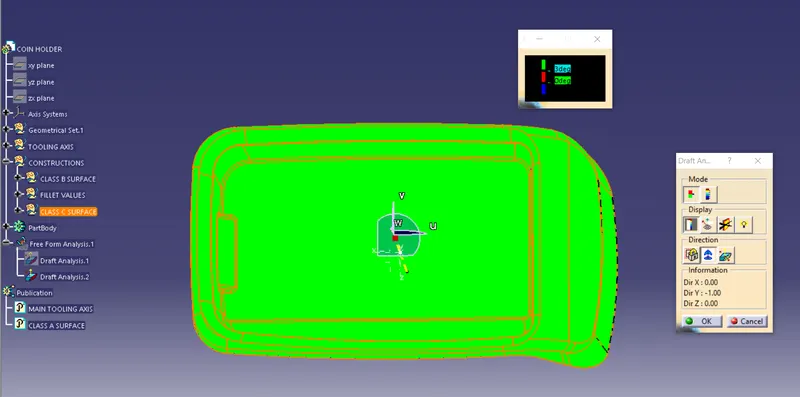
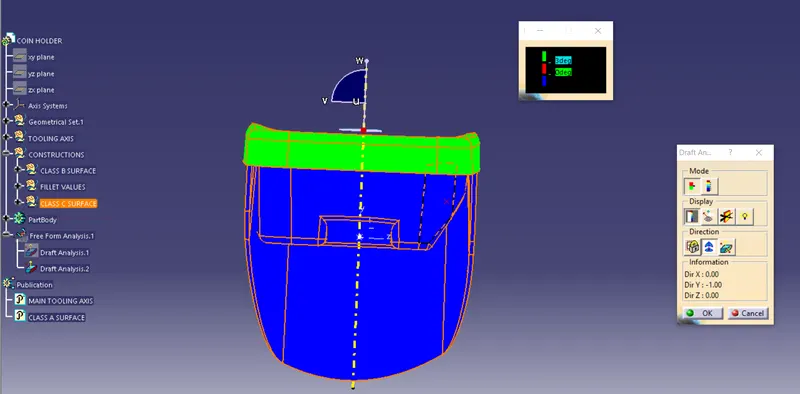
Draft analysis on Class A surface of Coin holder
Open draft analysis and move the compass to coincide with the Tooling axis as below.
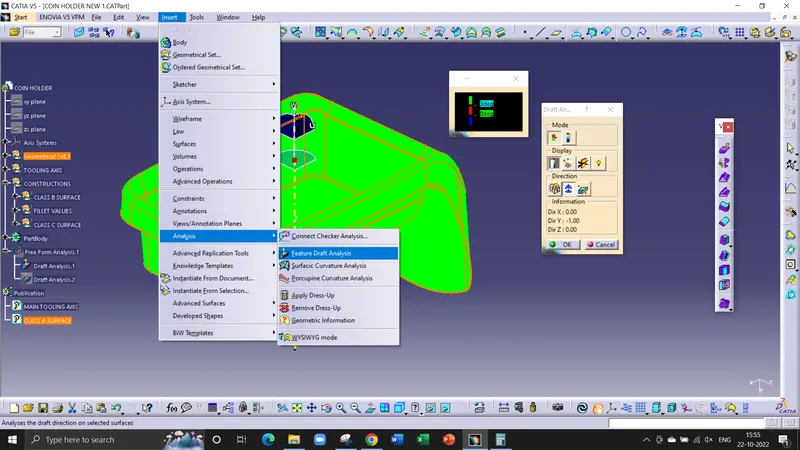
Lock the compass and check the radius/angles using the running analysis option
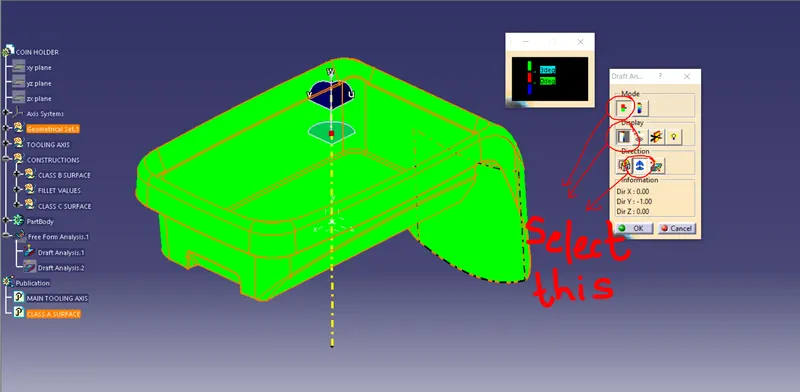
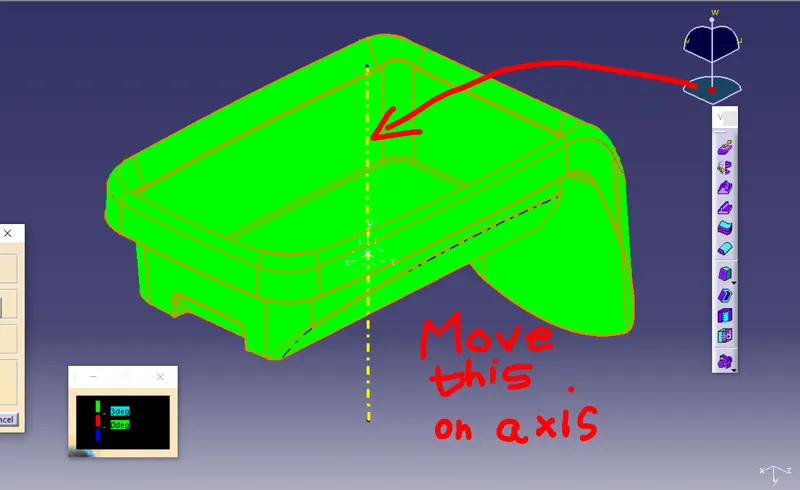
Set the color code for the draft angle i.e green for above 3 degrees, Blue for 0-3 degrees, and red for angle value lesser than 0.
Click on the surface using light effect, if the color goes green throughout means your draft analysis is good and ready for manufacture
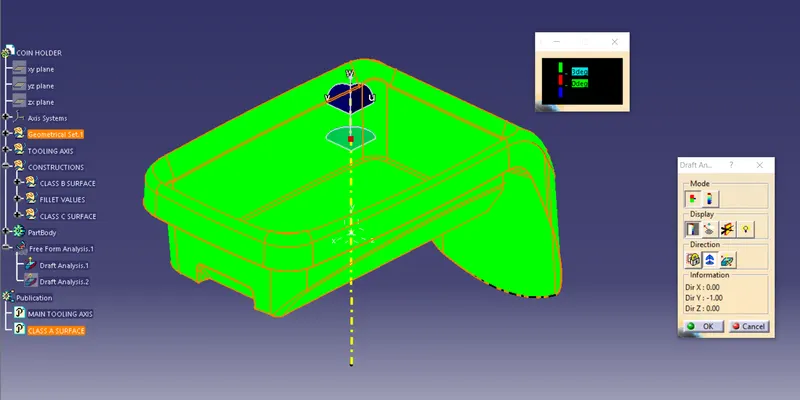
Tooling Axis-
Now creating the tooling axis by using an intersection and a dummy axis
open the file which contains the Class A surface, after creating a geometrical set "Tooling Axis" then select the most appropriate position, and in this select a base of the tub/pocket.
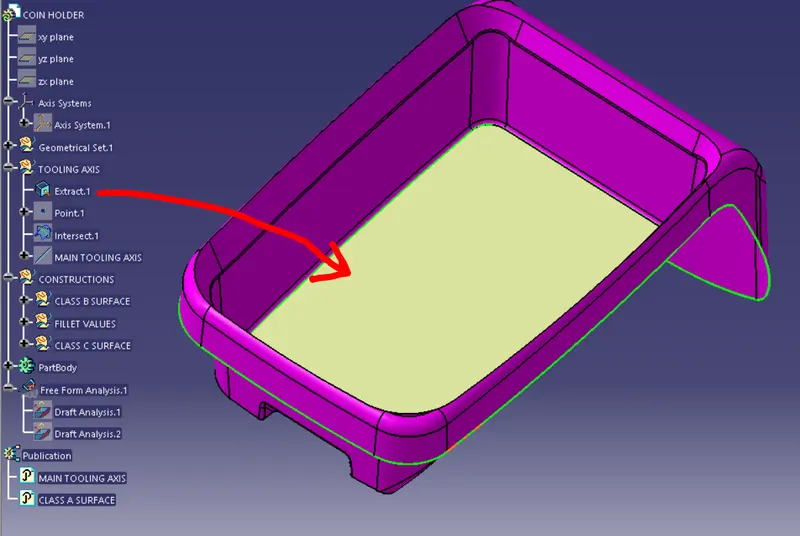
Then create a point at the surface extracted.
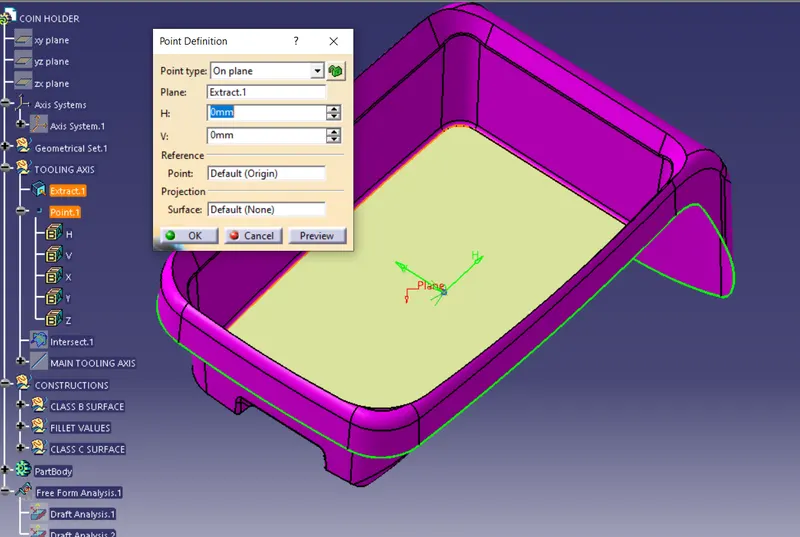
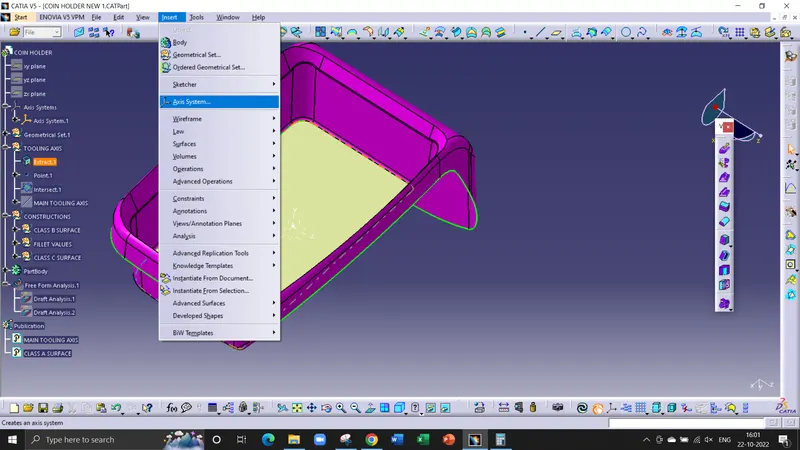
After that insert a axis system on the point created with reference to the surface
Then select the intersect tool that gives the intersection on the Class A surface.
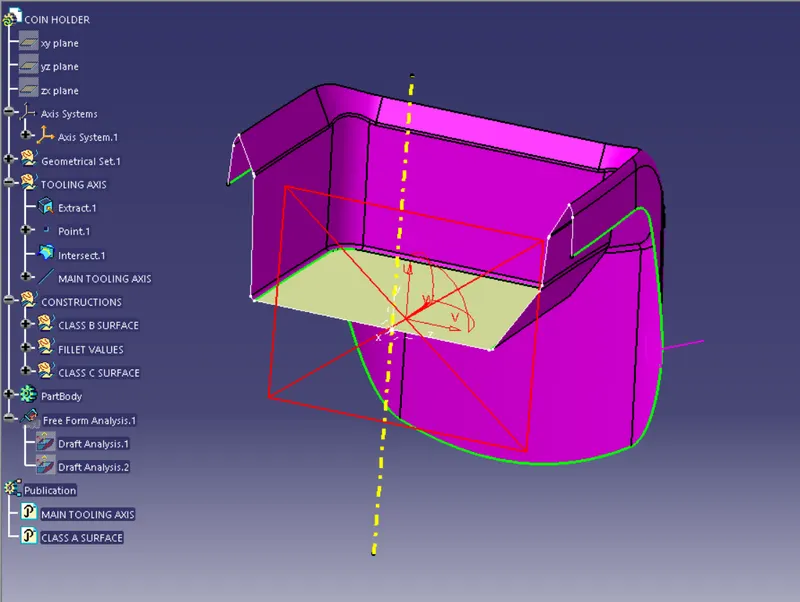
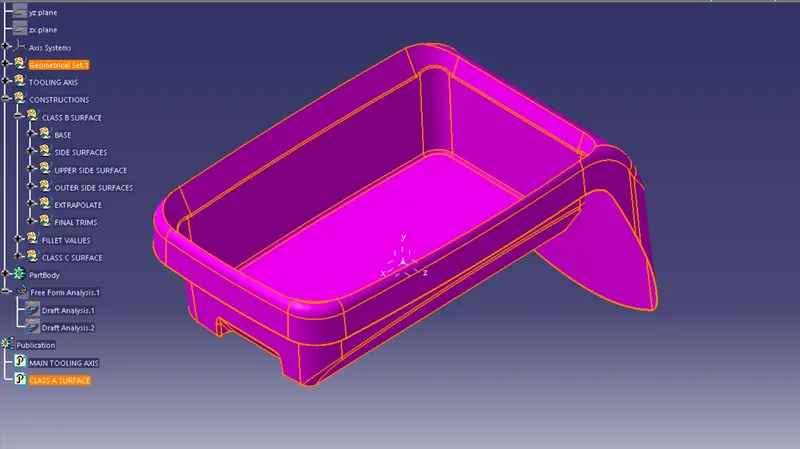
In this it can be clearly seen that a wall of coin holder is parallel to the Z axis as shown below screenshot.
the Last step creates a line normal to the plane or surface which can be used as a Tooling axis.
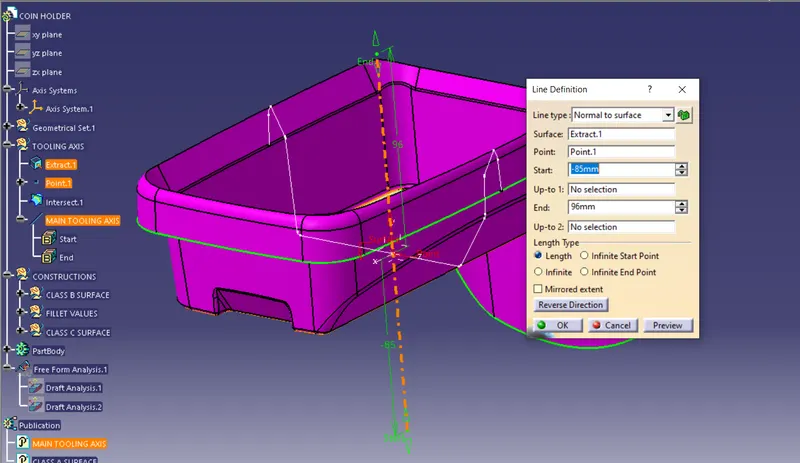
color them green and published them.
COIN HOLDER
ISO
FRONT
TOP
SIDE
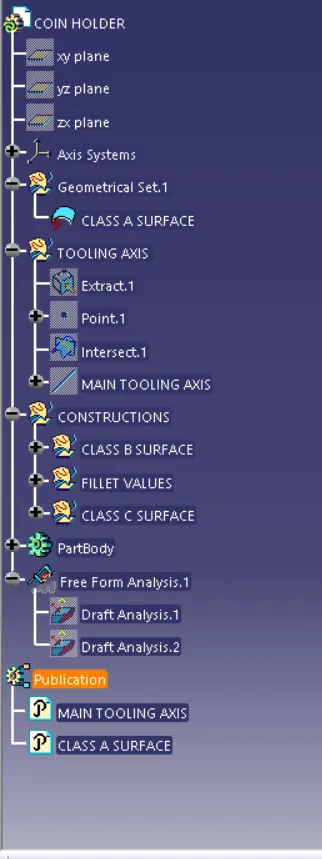
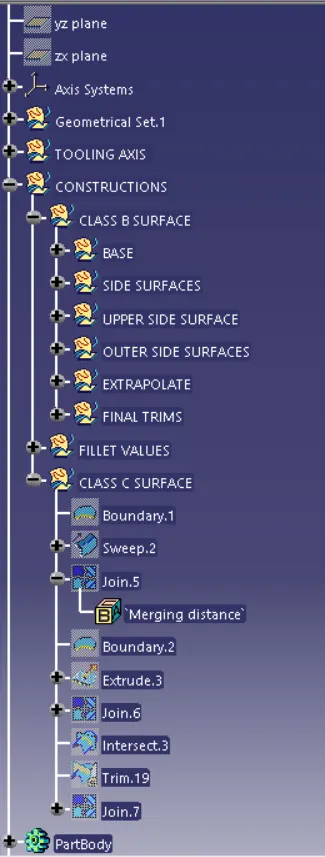
TREE STRUCTURES