Week 8 - Challenge 2 - Switch Bezel Design
Challenge is to create Class B and Class C surface using the received Class A surface and finally create close surface.
Switch Bezel part pictures below.
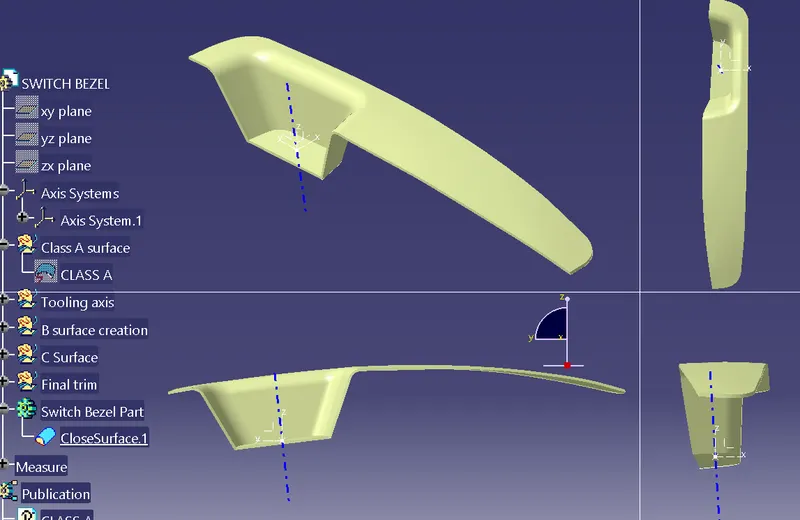
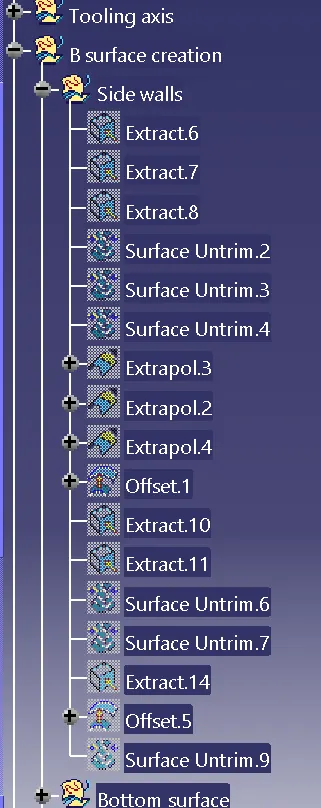
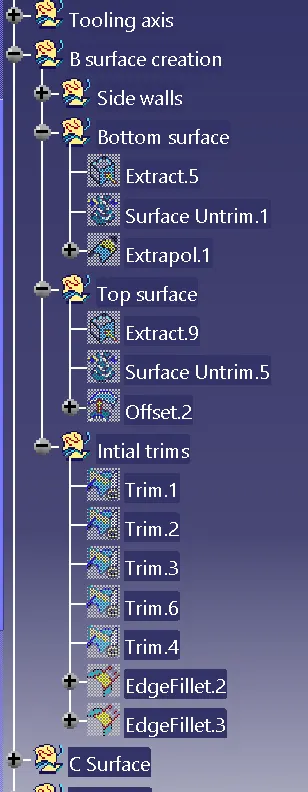
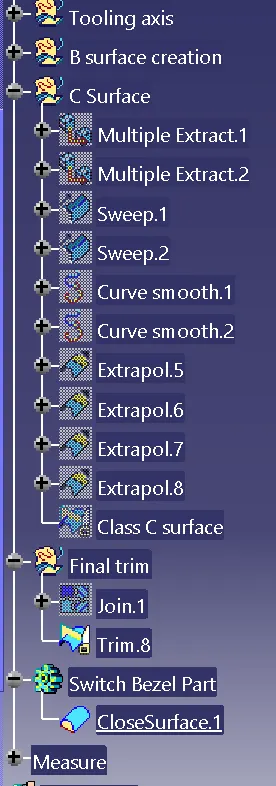
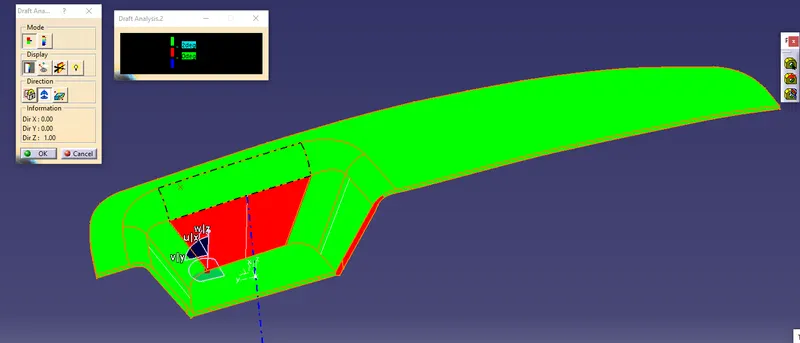
Draft analysis with 3deg of the final closure part "Switch Bezel"
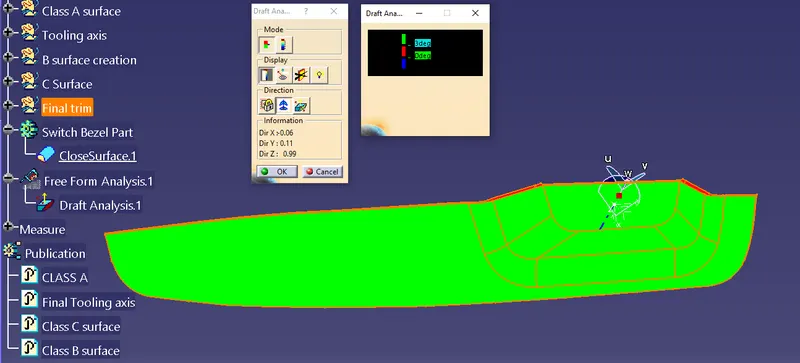
other side of draft analysis
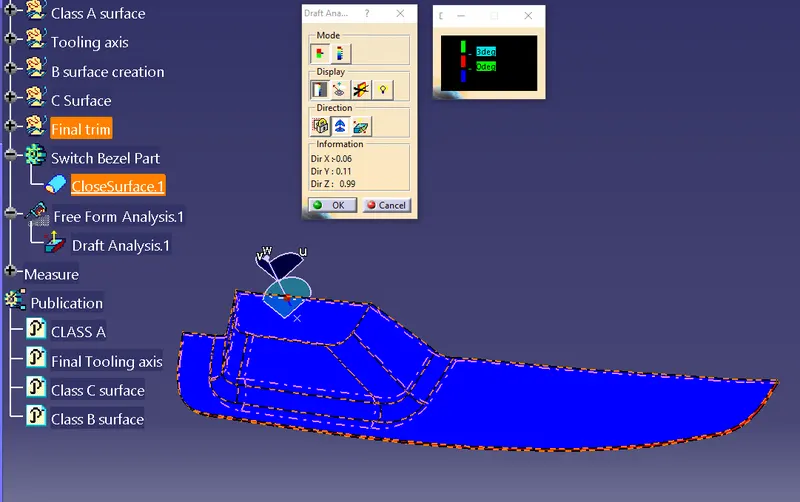
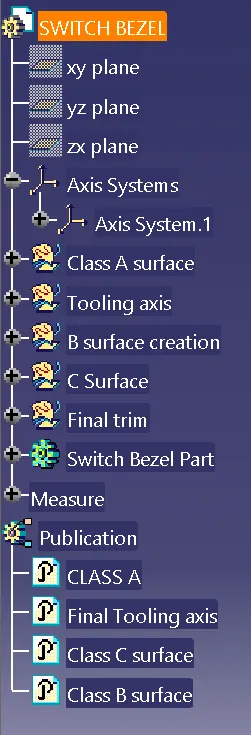
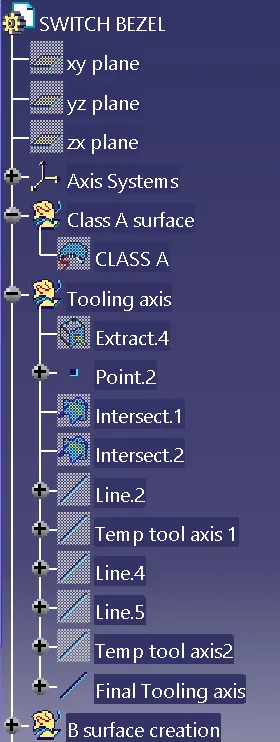
Draft analysis and Tooling axis.
Side wall lines are extracted in X plane and Y plane to create tooling axis and the bisecting line is used as temporary axis. Two temporary axis are created and bisecting the two temporary axis is final tooling axis.
First in the below view two intersection lines extracted is taken as reference. With reference to these lines a bisecting line is created. This bisecting line is the temporary tooling axis1.
Next the other axis line is considered as explained next.
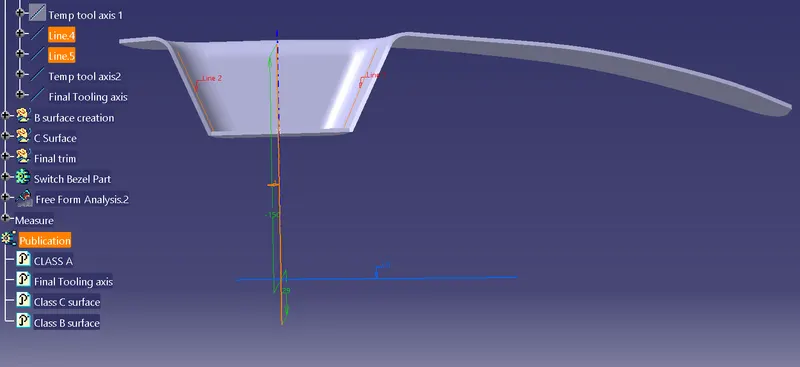
In the creation of other tooling axis we have only one side wall.
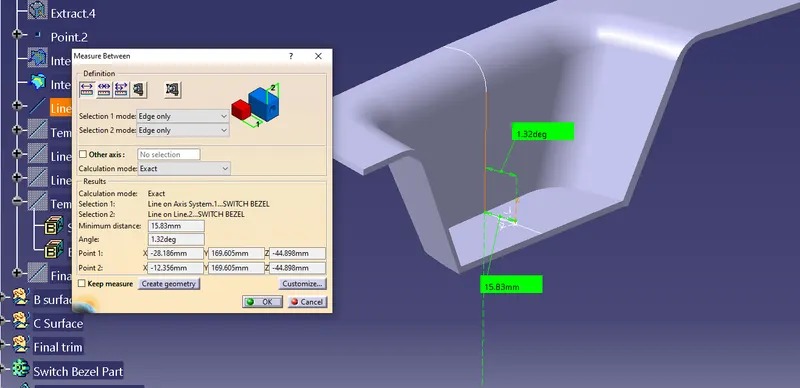
The angle was checked with the vertical axis and the result is 1.32degree which is less than our standard 3deg specified angle. So a new axis was created at 2degree away to the vertical. This was named as temporary axis 2
Now the two temporary axis is taken as reference and bisecting axis is final tooling axis.
The picture below shows the draft analysis which is showing red for 3deg. So The axis was rotated to 2degrees more to achieve perfect draft analysis results which is shown above.