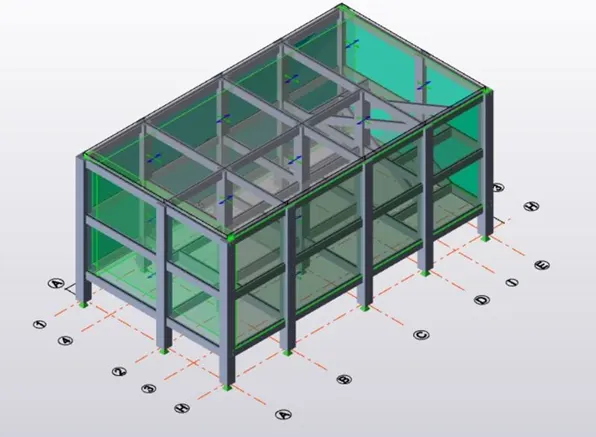
Week 8 Challenge
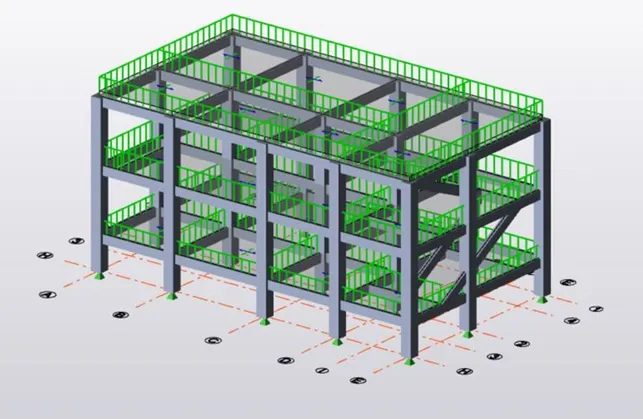
Q1 ) Calculate dead load in design report based on IS code and apply dead load on the model
- Finishes of 50mm
- Slab thickness as per the design
- Brick wall load
- Roofing load
ANS 1)
AIM: To calculate the dead load based on the design and apply it to the structure.
TOOLS USED :
- MS Excel.
- Loads.
- Load cases.
- Dead load.
- Area.
PROCEDURE :
- First, open MS Excel and start the calculations of the dead load values which should be applied to the structure.
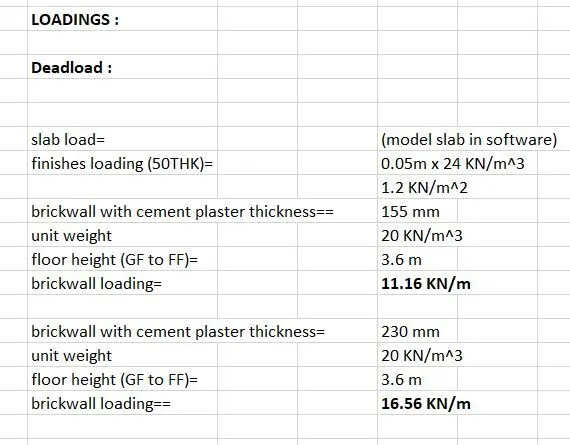
- Next, go to load cases and create a new load case with the name Dead load.
- Next, select the dead load option from the drop up box and select dead load.
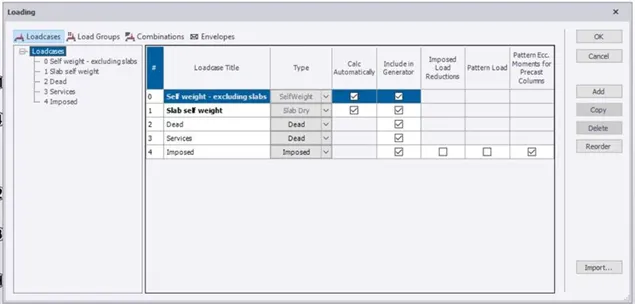
- We have to use the IS standard values for dead load and apply the values calculated in the excel sheet.
- On the left side enter the value of load and select global z directions.
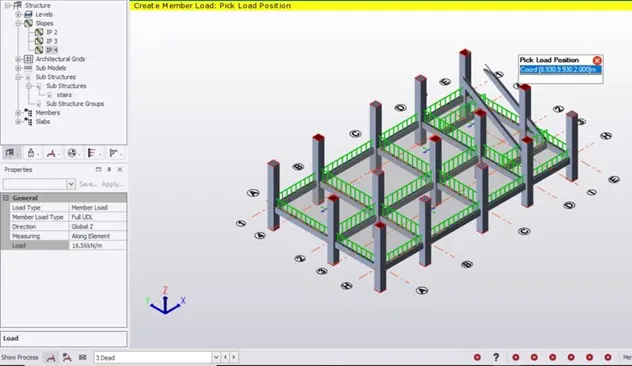
- Now with the help of the cursor place the area dead load on the slabs and beams.
RESULT :
With the above steps, we can calculate and apply the dead load to the structure.
Q2 ) Calculate live load in the design report based on IS code and apply live load on the model.
ANS 2)
AIM: To calculate the live load based on IS code and to apply live load on the model.
TOOLS USED :
- MS Excel.
- Loads.
- Load cases.
- Live load.
- Area load.
PROCEDURE :
- First, open MS Excel and do the live load calculations.
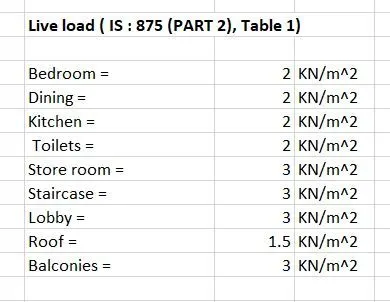
- We can get the values of live load from IS standard codes.
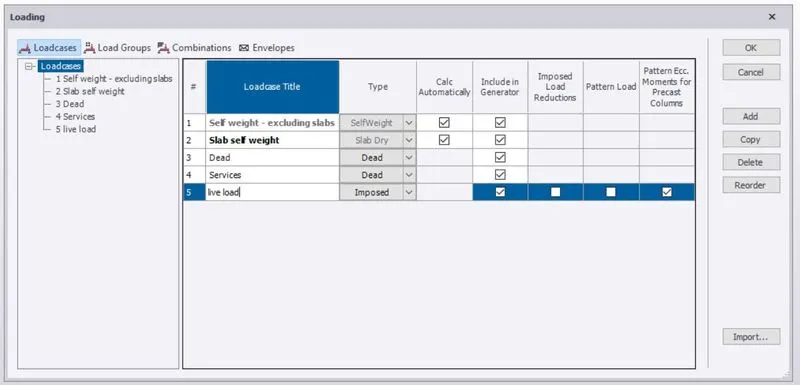
- Go to load cases and add imposed live which is used to apply live load.
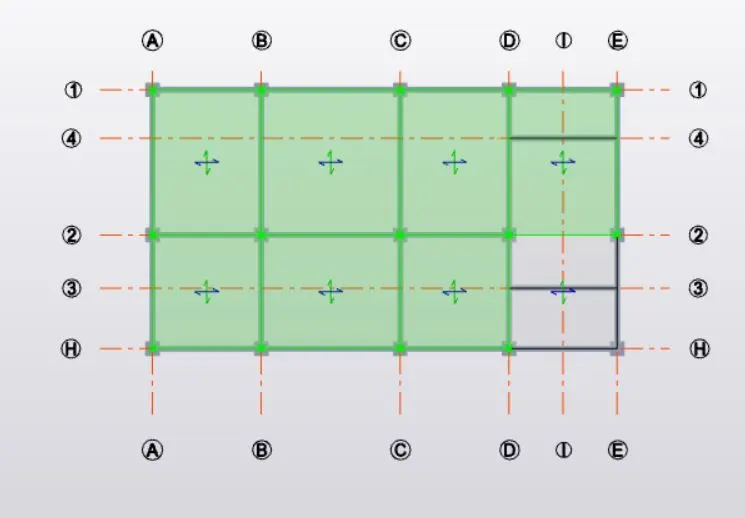
- The live load values are different for each type of room.
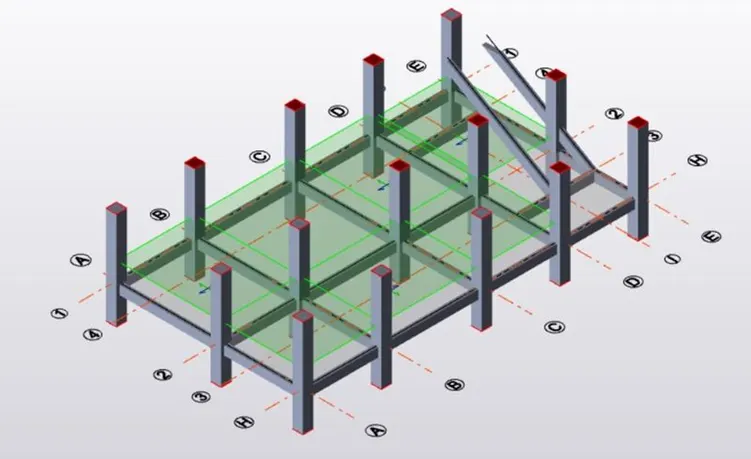
- After selecting live load, use the area option to apply the loads on the model on each floor.
- All the live loads will be applied.
RESULT :
With the above steps, we will be successful in applying the live loads to the model.
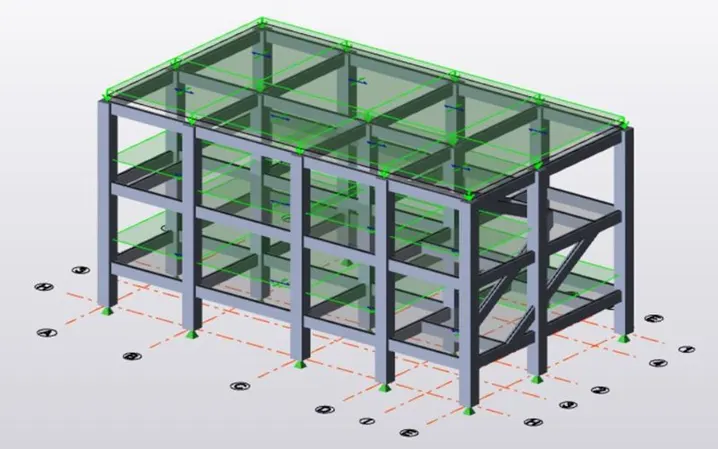
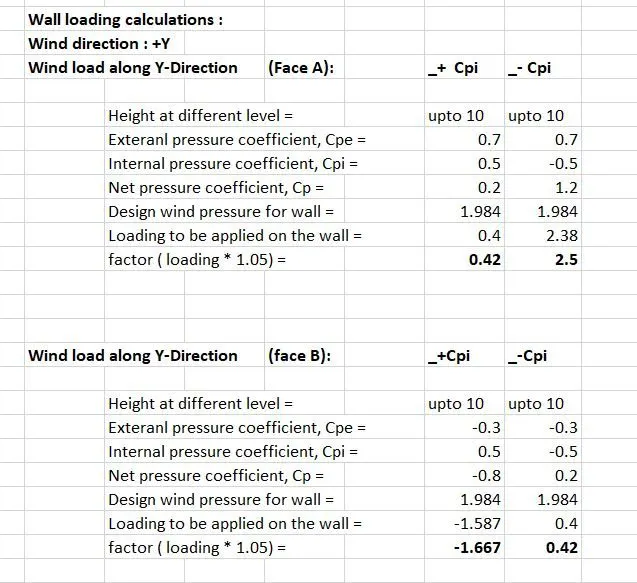
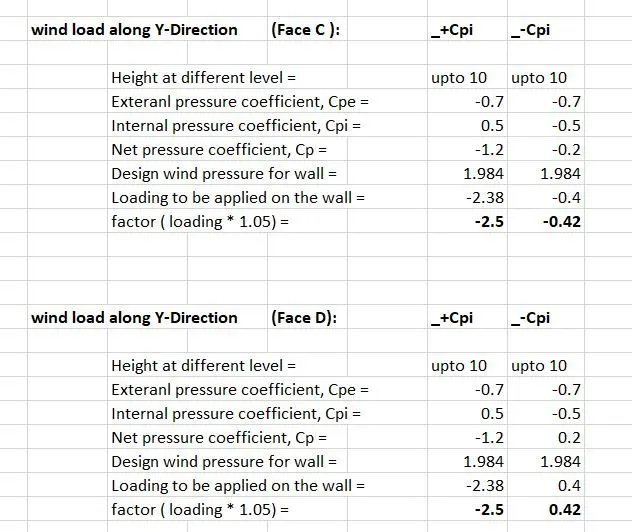
Q3) Generate manual wind loading in the design report based IS code as per the following input
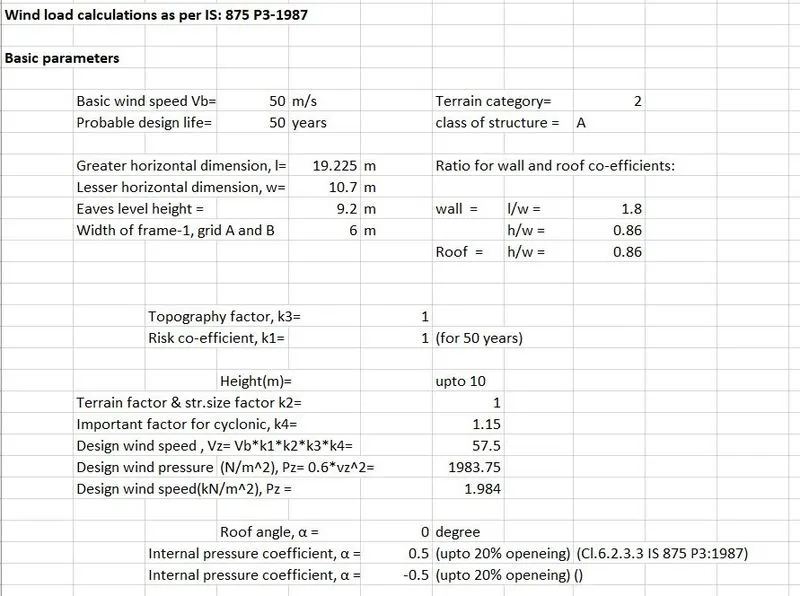
- Basic wind speed = 50m/s
- Terrain category 2
ANS 3)
AIM: To generate the wind load calculations.
RESULT :
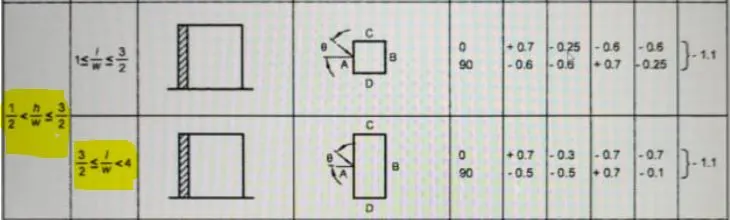
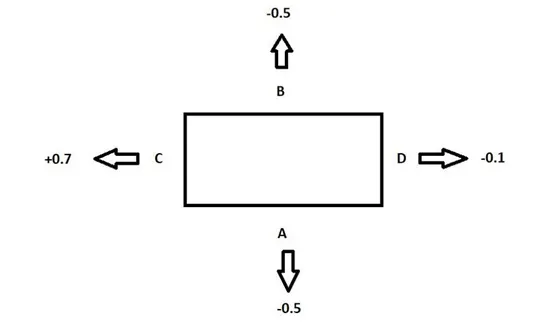
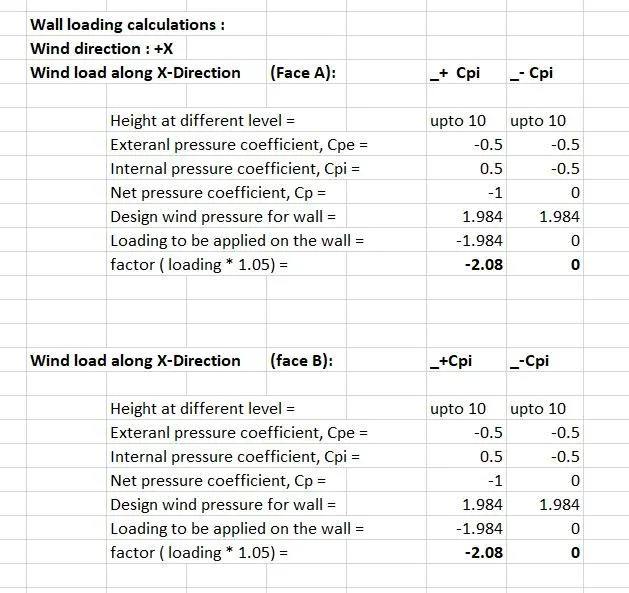
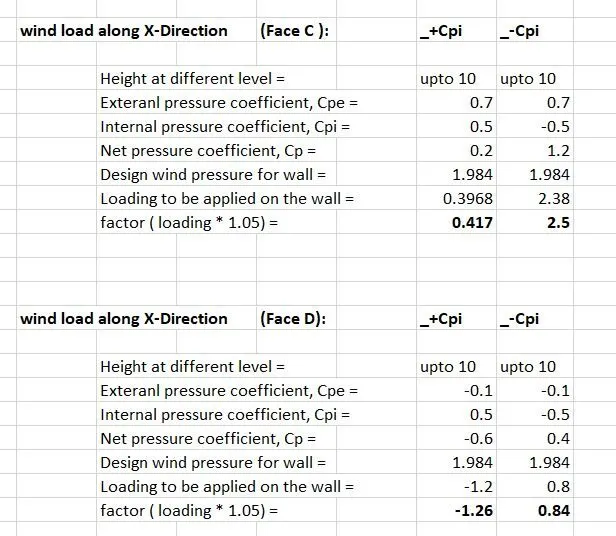
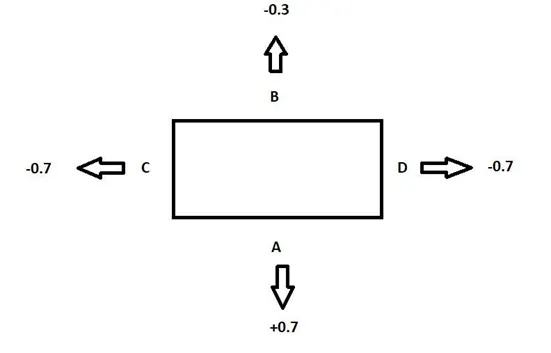
Q4) Based on the above calculation apply the loadings to the model.
ANS 4)
AIM: To apply the loads based on the above calculation of question 3.
TOOLS USED :
- Loads.
- Load cases.
- Wind load.
- Area load.
PROCEDURE :
- First, open the file where we have constructed the model.
- Next, go to loads and select load cases.
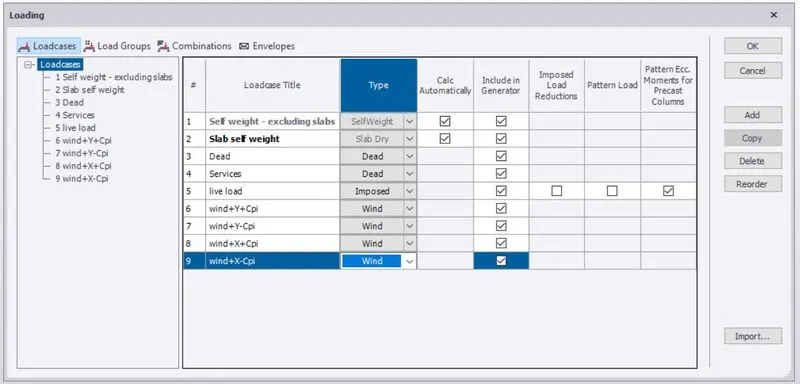
- Create new wind loads for X and Y ( Both +Cpi and -Cpi)
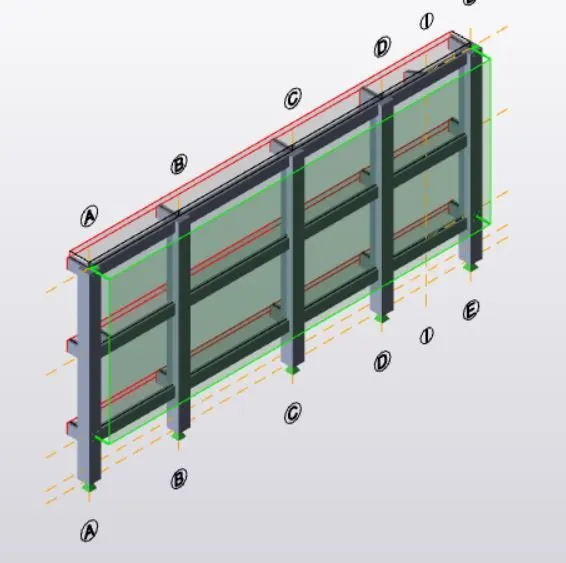
- Select each of the wind loads and apply them to the structure.
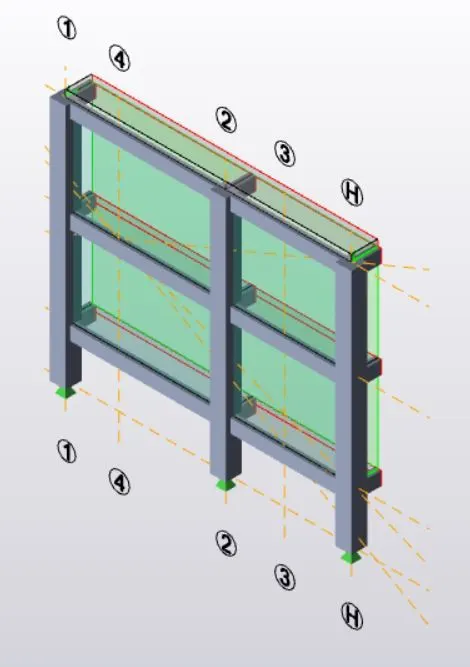
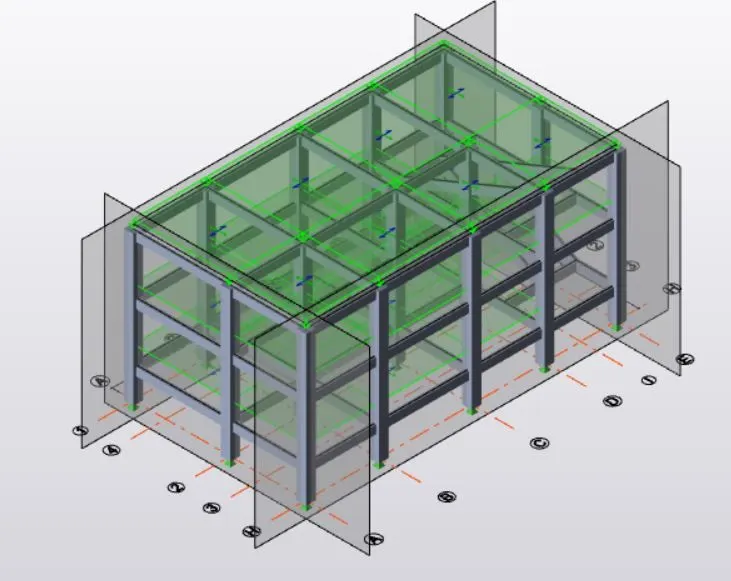
- Before applying loads create wall panels.
- Adjust the coordinate system as
- Face A and B: Global Y.
- Face C and D: Global X.
RESULT :
With the above steps, we will be able to apply wind loads on the structure using manual calculations.