Week 8-3D Tetra Meshing Challenge
AIM
To do the 3D Meshing on given components.
Objective
To do tetra meshing using different methods.
To understand the ways of optimizing the tetra mesh element.
Introduction on 3D Meshing & Related Terminologies:
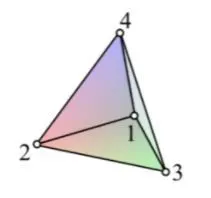
Tetrahedral is a four- nodded solid element that can be generated through the tria element by creating a volume and also through the existing volume of the geometry. These elements are used where the geometry has high thickness and complexity. The below-attached image is a representation of a Tetra element. Tetra element will have 4 triangular faces with four nodes joining them together.
Methods to generate Tetra Meshing:
There are three methods to generate Tetra Meshing as stated below:
- Conversion of 2D tria to Tetrahedral Elements, by using Tetra Mesh panel
- Using the Quick Tetra Mesh, from the Utility panel.
- Using the Volume Tetra Mesh panel.
Tet Collapse
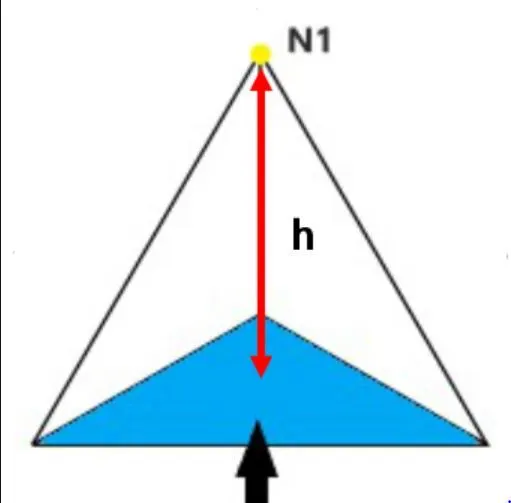
Tet collapse is one of the quality parameters, which will be checked while generating Tetrahedral elements. It can be calculated by measuring the distance of a node from the opposite face, then each of the four values will be divided by the Square root of the opposite face's area. The minimum of four resulting values is then normalized by dividing it by 1.24.
Generally, tet collapse can be calculated by the formula = Min of (h/square root (A))/1.24
In that formula
"h" represents the Height, between the Node (N1) and the opposite face of the Triangle.
"A" represents the Area of Opposite Face (area of the Triangle).
Methods to clear Tet collapse:
There are two methods to clear the Tet collapse as stated below:
- Using the translate" command, to increase th height.
- Using the "Tetra remesh" panel, to remesh failed elements.
PROCEDURE
MODEL 1
In this part, we need to perform 3D meshing with tetra elements of size 5mm and min & max element size as 2mm & 7mm accordingly with tet
collapse not lesser than 0.15
For the Housing model,
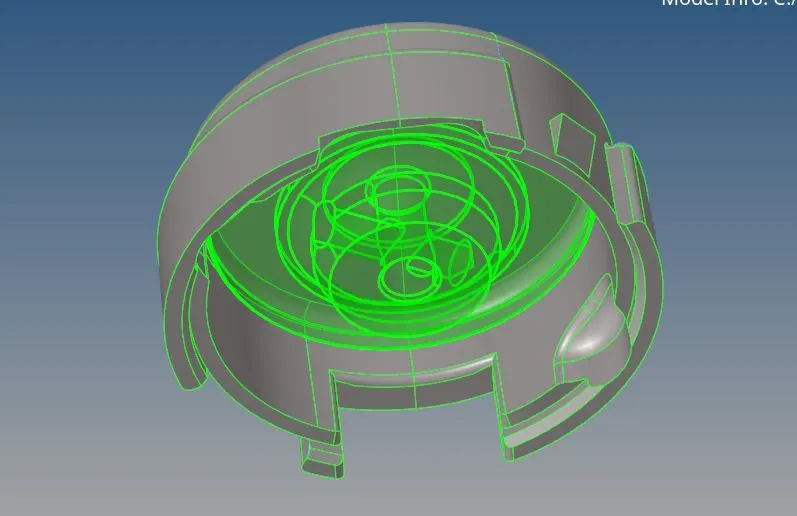
- This Housing has 2 components and so it should be meshed seperately. Since it is easy to work with surfaces, delete the solids present in the given component as usual
- Now.check for the irregularities present in the given component and then perform the geometry cleanup thereby optimizing the surface fillets which are of smaller than the minimum element length which is 2mm.
BEFORE
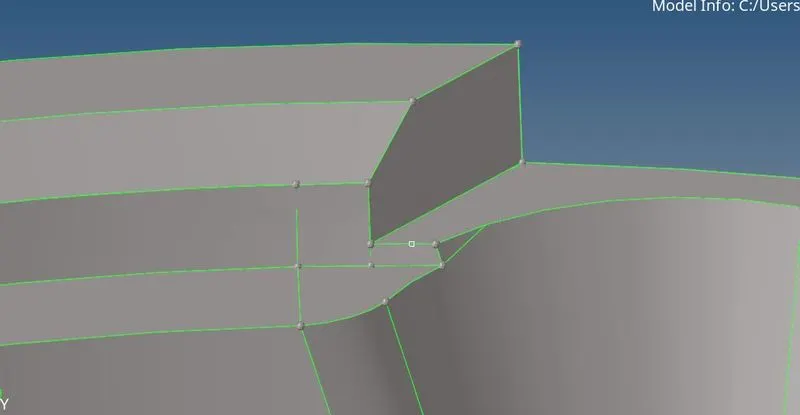
AFTER
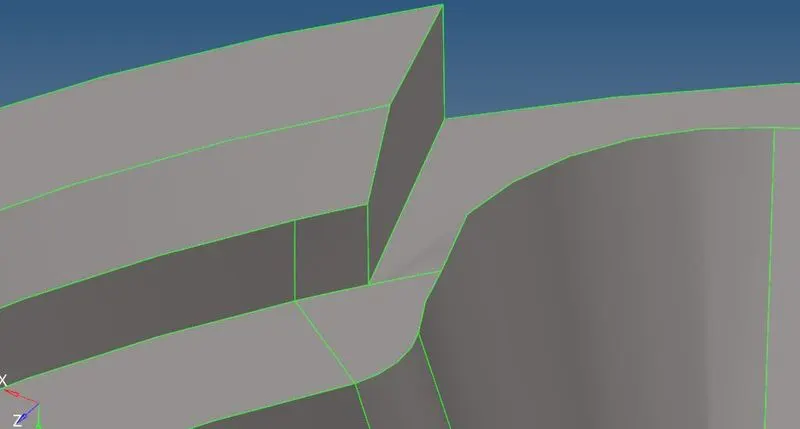
- Now, after cleaning up the geometryand Deleting the solid ,first we should perform 2D automesh with tria elements only and target element size as 5mm and then we can use those 2D elements to perfrom tetrameshing to get the desired 3D elements of 5mm target size.
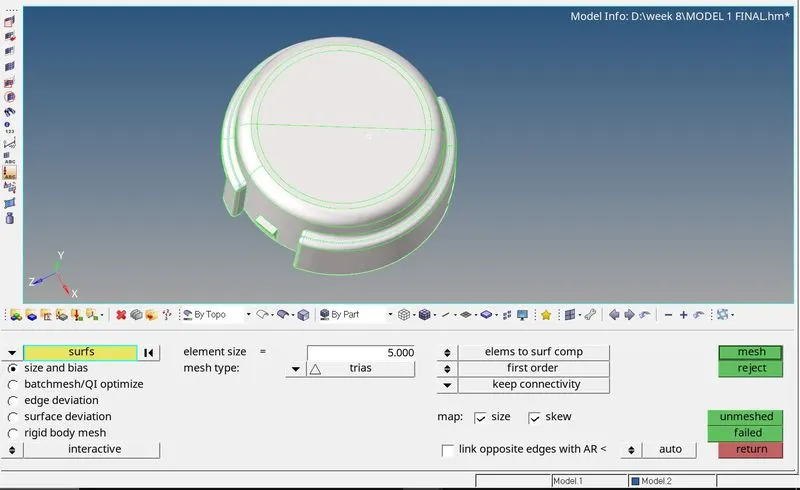
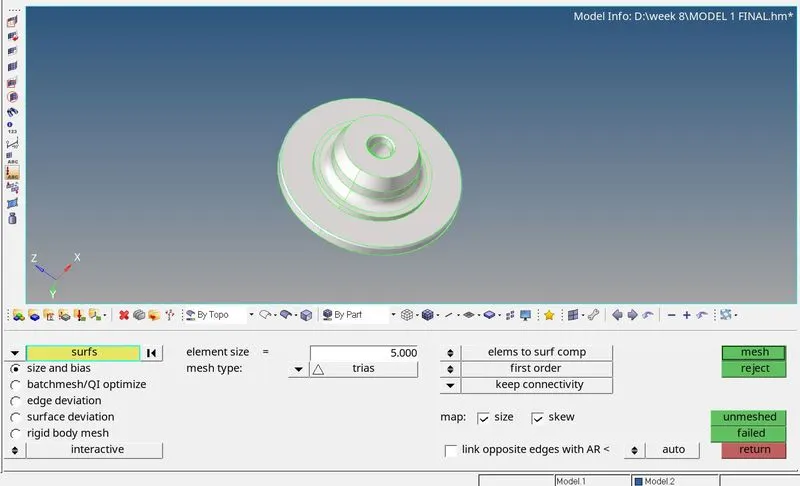
- After meshing, check for the minimum and maximum element size of the elements which are between 2mm and 7mm respectively. Remesh the elements if the 2D elements created were failing for min & max element size.
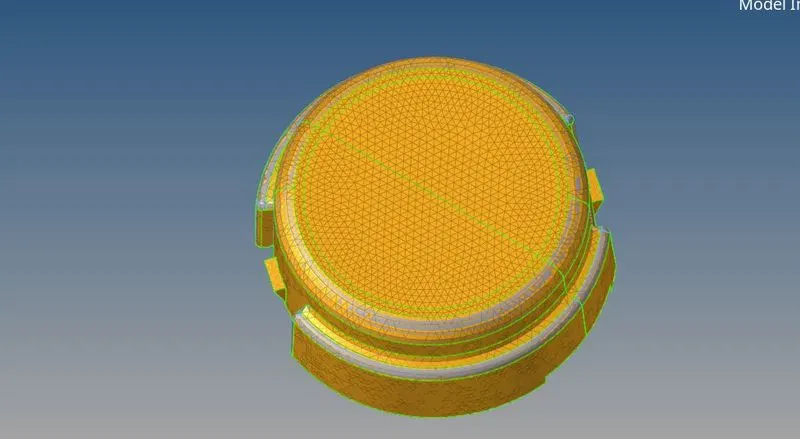
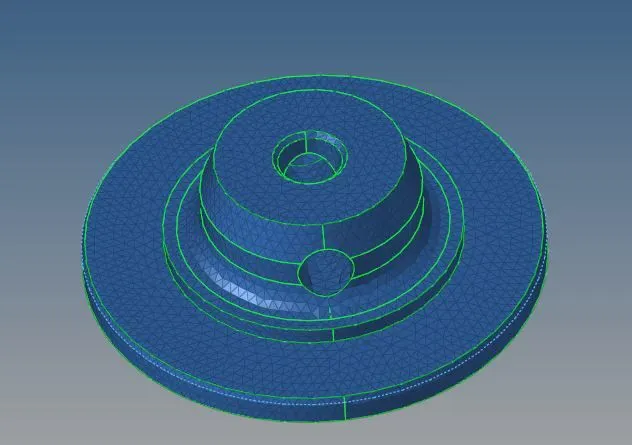
- After successful creation of 2D trias then move to the 3D tab in the main menu and select tetrameshing. Now, in the tetramesh tab, to select the entities, click on the drop down arrow and select elements.
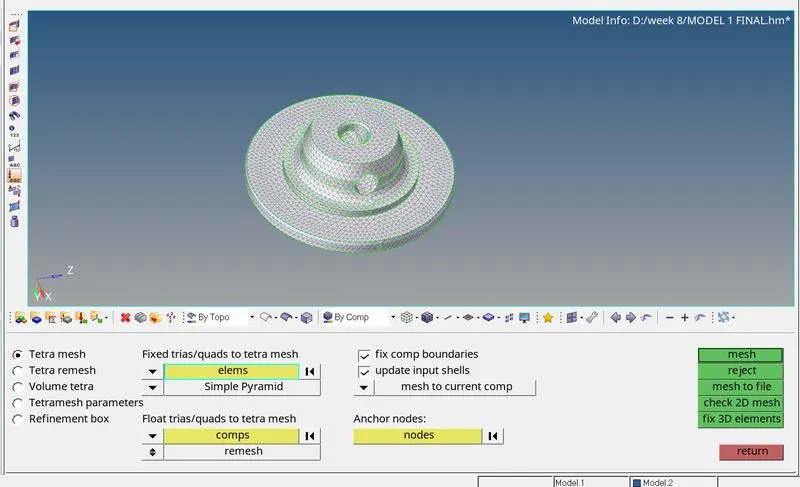
- Now, select all the 2D elements and then proceed with meshing. Thus, the 3D tetra mesh has been successfully created.
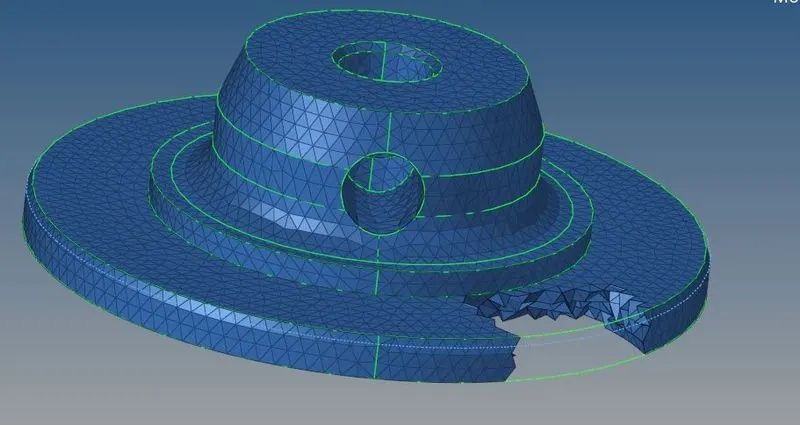
- Now, for checking the element quality. press F10 from the keyboard and go to 3D tab. Now, click on the tet collapse option to check whether all the tetra elements has passed the tet collapse value 0.15.
If there are failed elements, save the failed elements, go to mask option by pressing F5 in the keyboard and rightclick on elements and select retrieve to select the failed elements. Now,mask the failed elements and reverse them to view all the elements which were failing for the tet collapse value
- In order to clear those failed elements, we need to remesh all the elements again so as to pass the tet collapse parameter Again go to 3D tab>>Tetramesh>> Tetramesh parameters te collapse enter the desired tet collapse value 0.150
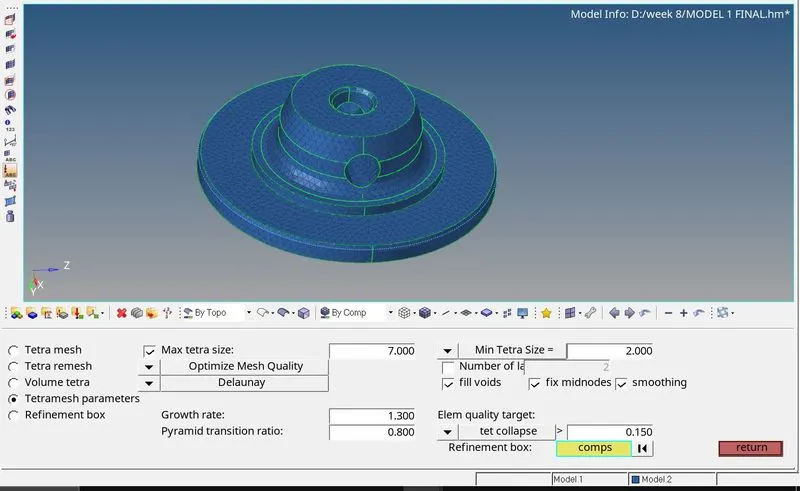
- Now, go to tetra remesh option and select the entities as elements and select all the elements to remesh. Now, the remesh has been done.
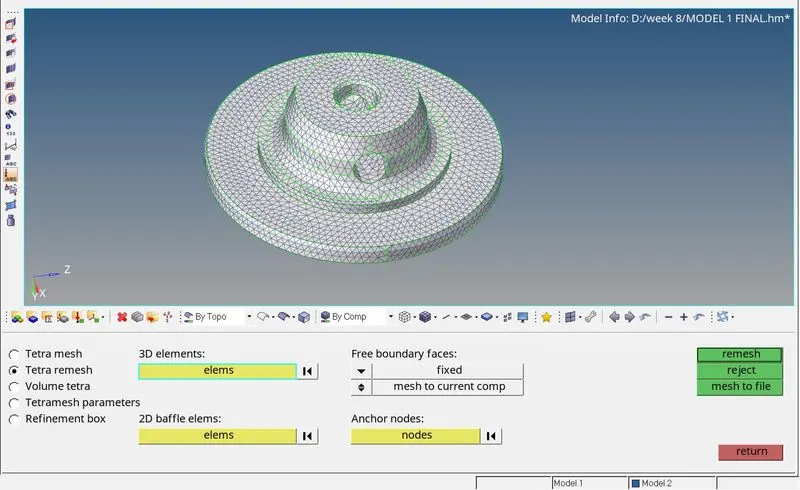
- Thus, the elements were remeshed and has passed the tet collapse value not lesser than 0.15. By following the similar steps, the other component shall also be meshed with 3D tetra elements by first meshing it with 2D trias and using those as reference, create 3D tetra elements.
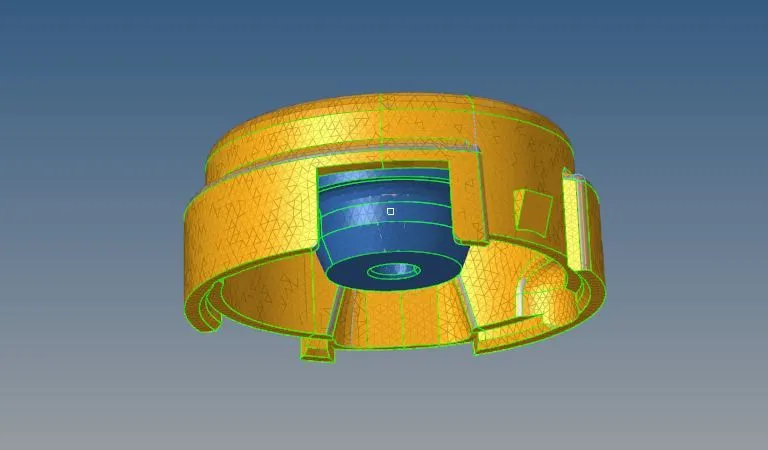
MODEL2:-
PROCEDURE:-
1. First the model which is in .hm format is imported using import geometry option in tab bar in Hypermesh.
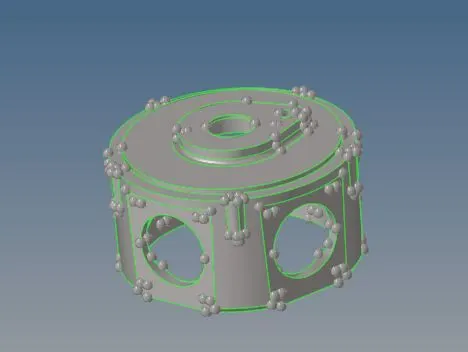
2.Now we are going to do the geometry cleanup. We check the areas where if we mesh it fails for the quality criteria and according to that we are going to do the changes in the geometry.
In this model, there are some free edges present in the geometry. So we are going to fix that by toggling.
After the geometry cleanup, we have the model where we can do the meshing
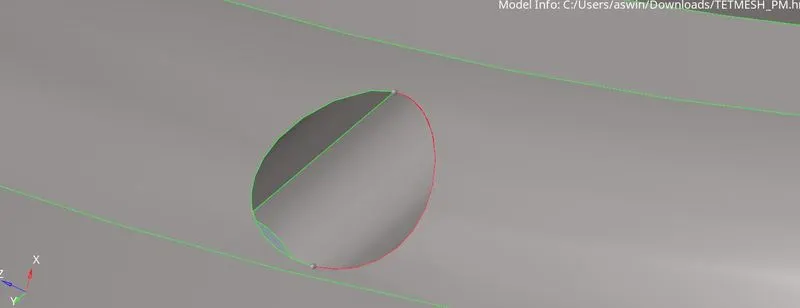
AFTER TOGGLE
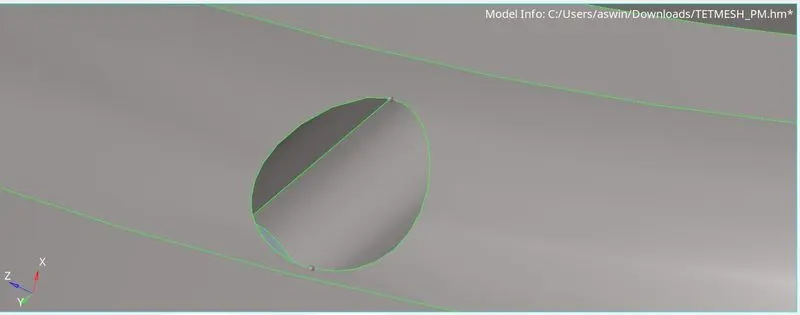
3.Now we we going to do the tetra mesh. For that, we will go the
3D > tetramesh > volume mesh.
4.Now we are going to select rhe surfaces and we are going to mesh the component.
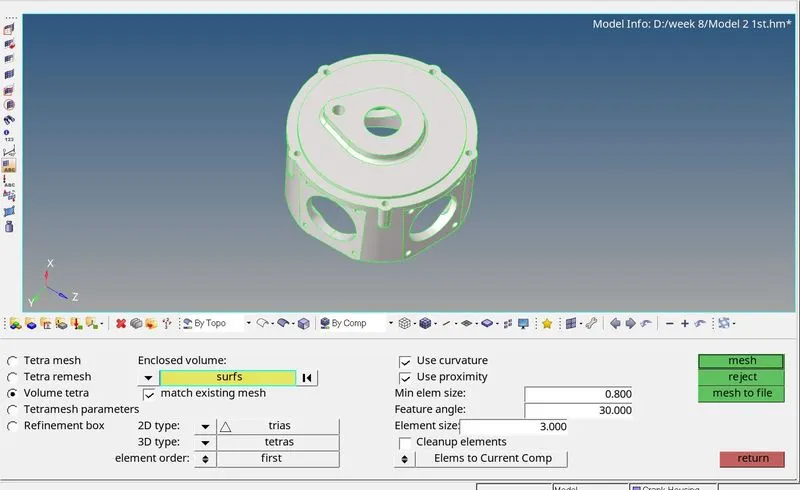
- Now we want the tet collapse to be less than 0.15. So we are going to check that from the check elements. In that, we are going to the 3-d and we are going to give the value of tet collapse to be 0.15 and we are going to check that how many of the elements are failing for the tet collapse
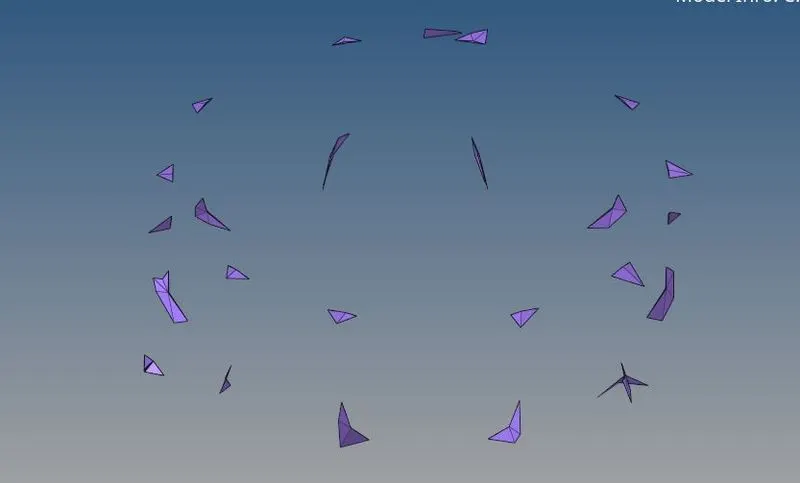
So more than100 elements are failing for the tet collapse.
- To remove the tet collapse we are going to do the tetra remesh. So again we go to the tetramesh and we are going to give the Tetramesh parameter and there we are going to give the tet collapse to be 0.15. There we can also give the maximum and minimum tetra size.
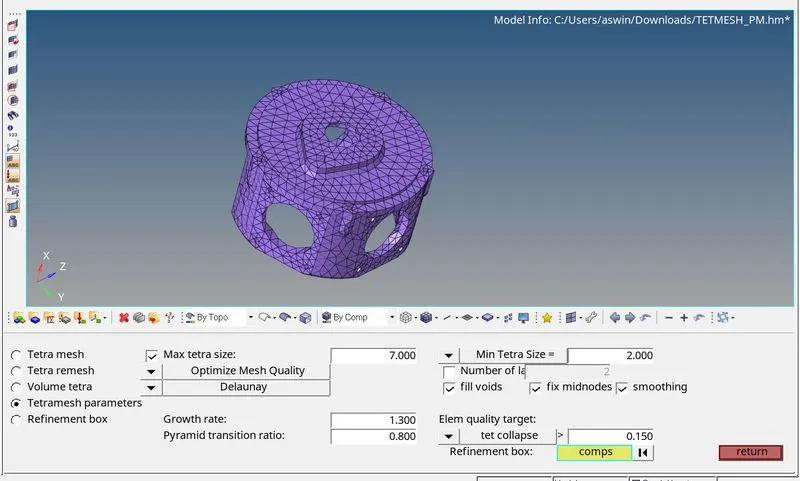
- Now we are going to do the remesh.
- After that, we check the tet collapse again in the mesh and check that if any elements are failing for the tet collapse then we can remove it manaully by using the distance and translate option .
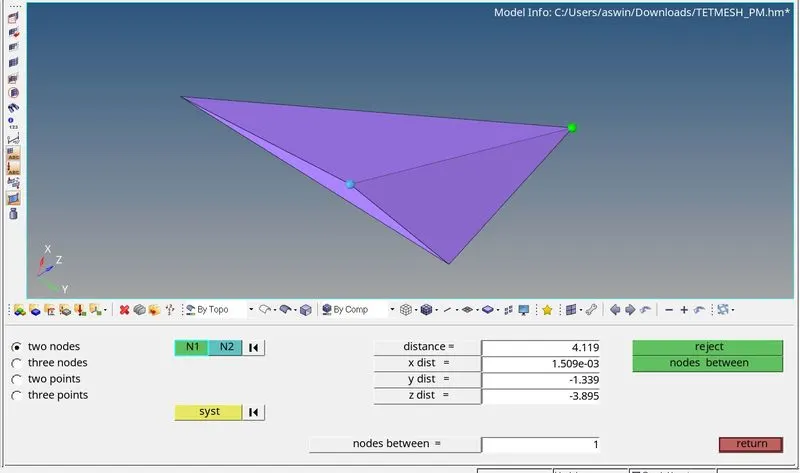
9.All the elements are now passed the quality criteria and the tetramesh for the model is created .
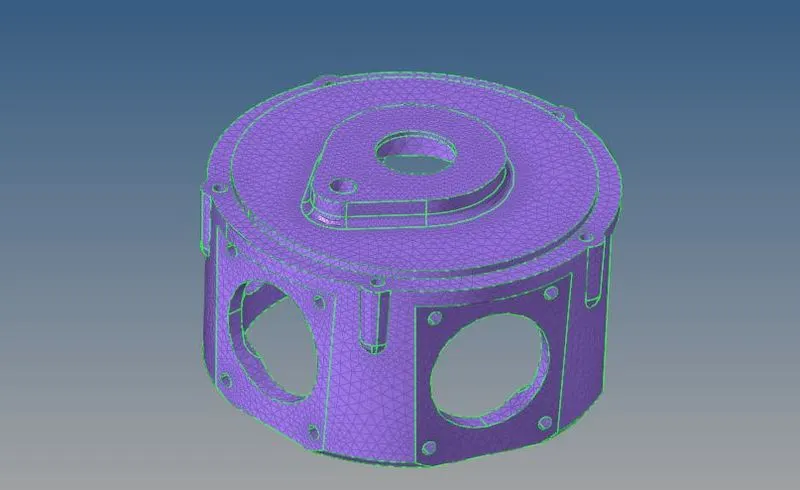
MODEL 3
PROCEDURE:-
1.First the model which is in .hm format is imported using import geometry option in tab bar in Hypermesh.
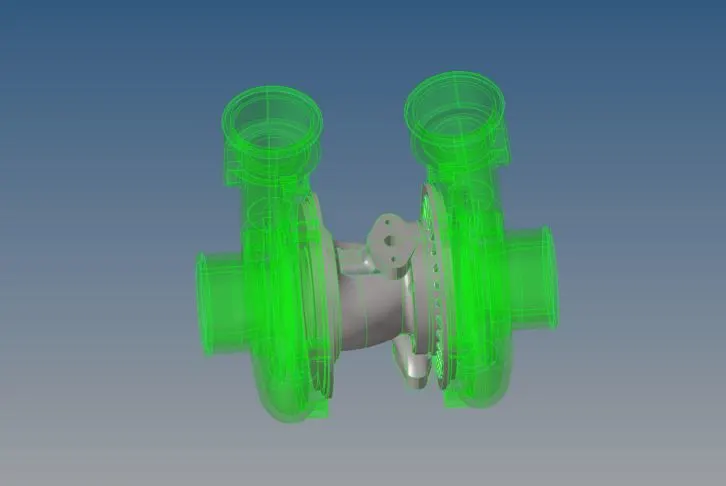
2.Now we are going to do the geometry cleanup. We check the areas where if we mesh it fails for the quality criteria and according to that we are
going to do the changes in the geometry.
After the geometry cleanup, we have the model where we can do the meshing
3.Now we we going to do the tetra mesh. For that, we will go the
view > Browser > Hypermesh > Utility > Geom/Mesh > Quick tetramesh .
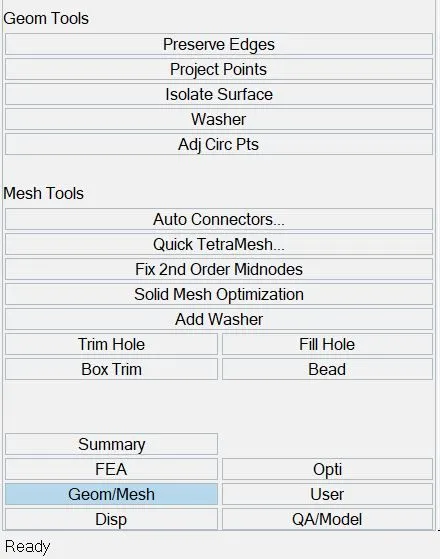
4.Now we are going to select the component and we are going to mesh the component.
5. Here we can select the casing components and after we can mesh the central hub and hub.
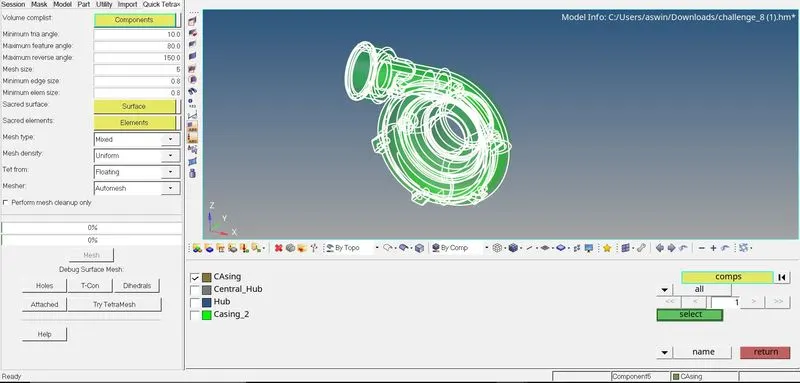
AFTER MESHING
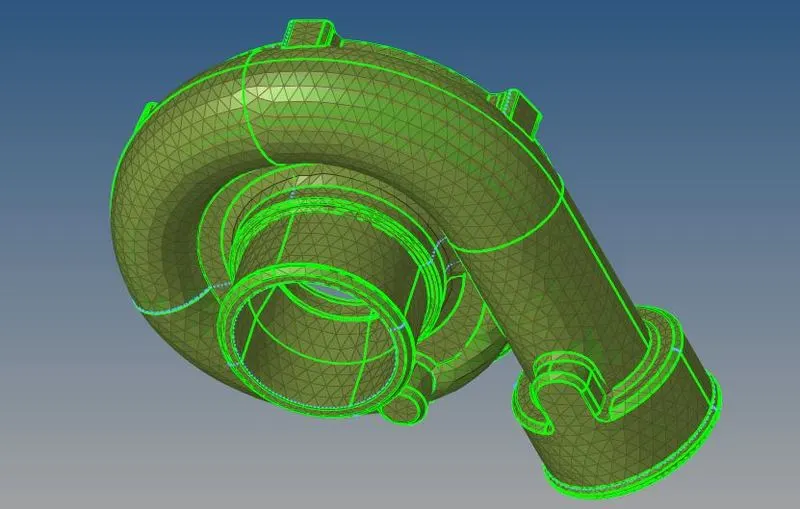
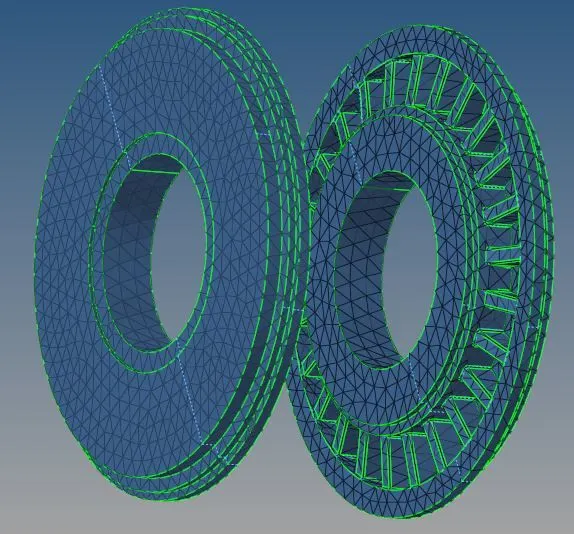
Now we can similarly mesh the Casing 2 ,Central Hub and the Hub.
Central Hub
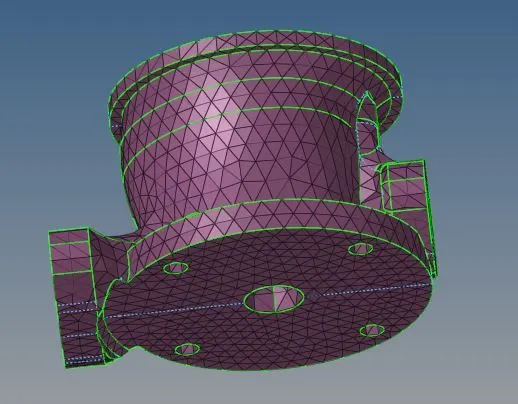
HUB
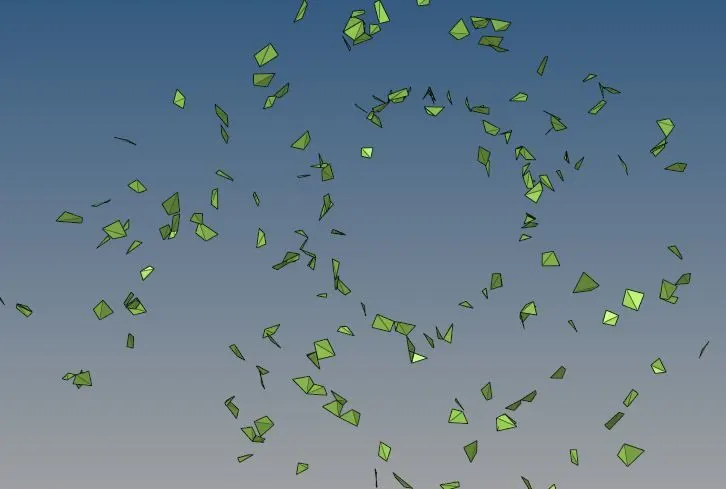
5.Now we want the tet collapse to be less than 0.15. So we are going to check that from the check elements. In that, we are going to the 3-d and we are going to give the value of tet collapse to be 0.15 and we are going to check that how many of the elements are failing for the tet collapse
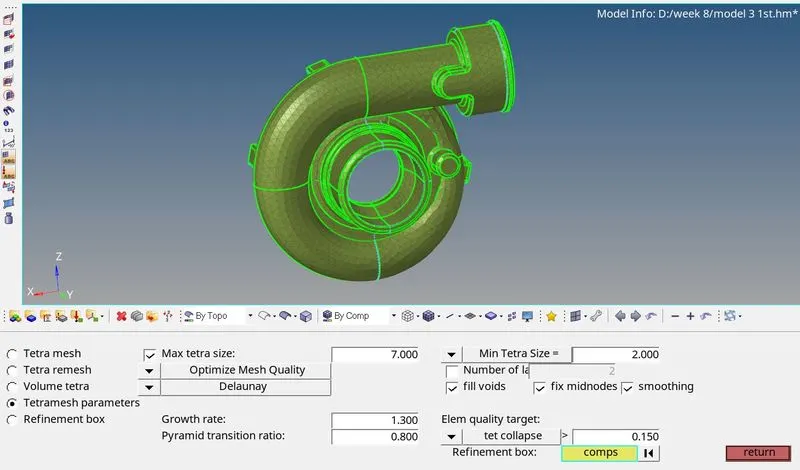
- To remove the tet collapse we are going to do the tetra remesh. So again we go to the tetramesh and we are going to give the Tetramesh
parameter and there we are going to give the tet collapse to be 0.15. There we can also give the maximum and minimum tetra size.
- Now we are going to do the remesh.
- After that, we check the tet collapse again in the mesh and check that if any elements are failing for the tet collapse then we can remove it manaully by using the distance and translate option .
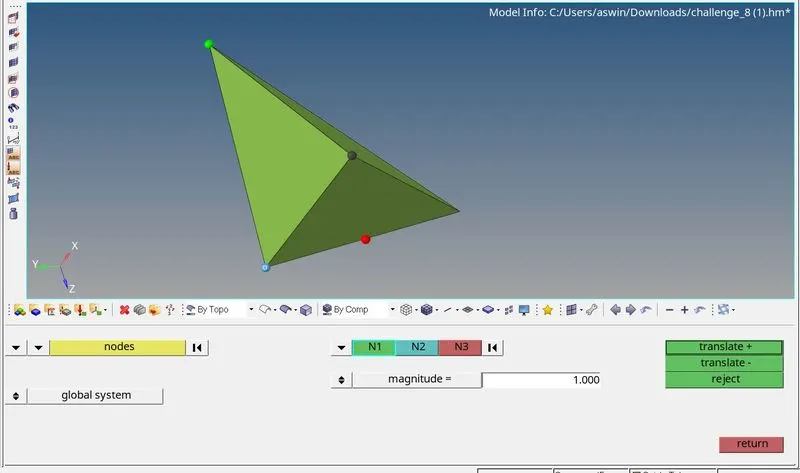
9.All the elements are now passed the quality criteria and we have created the 3D tetramesh for the given model
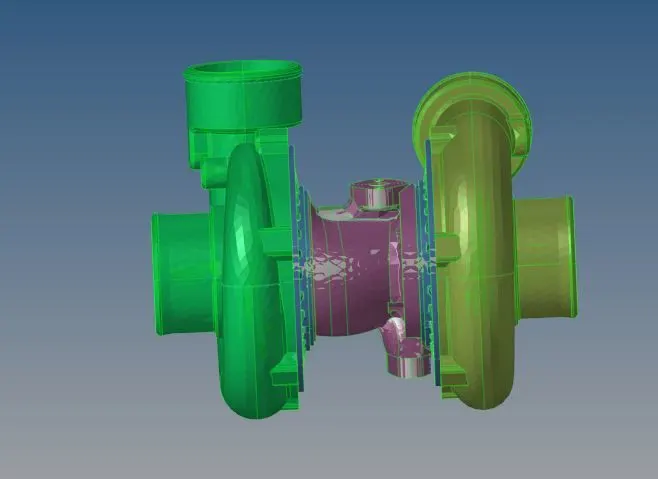
RESULT
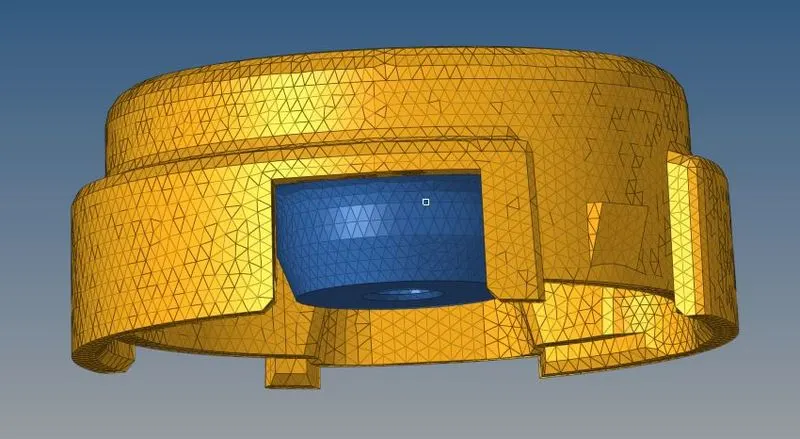
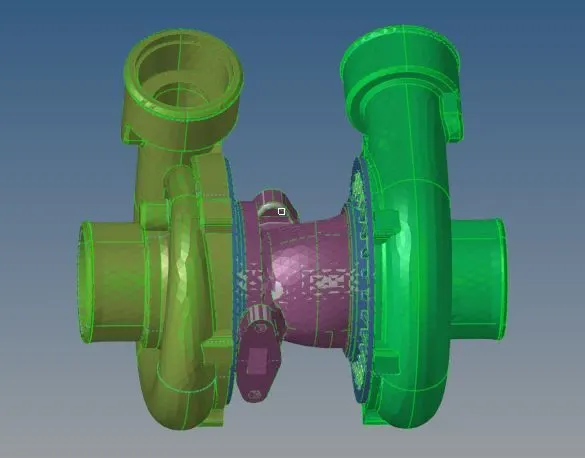
Thus the given components has been meshed successfully with the 3D tetra elements which passes the given quality parameters.
HOUSING MODEL 1
MODEL 2
MODEL 3
INFERENCE
From this exercise, I've learnt how to perform 3D tetra meshing using various options like direct 3D tetra mesh, usage of Quick tetramesh and using 2D tria as reference and creating 3D elements out of it. Also optimization of those elements which were failing for the tet collapse by setting mesh criteria and remeshing.