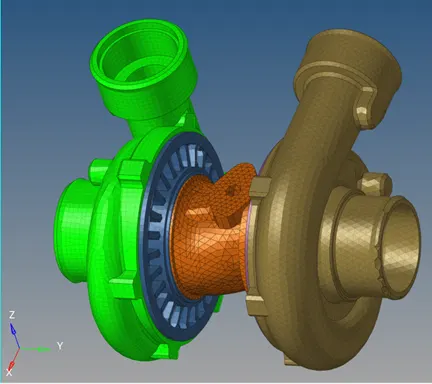
Week 8-3D Tetra Meshing Challenge
Week8 – Challenge
Housing Model
Model-1
Objective: Create Tetramesh for Housing component by converting 2D to 3D. Model mesh should pass below quality requirements.
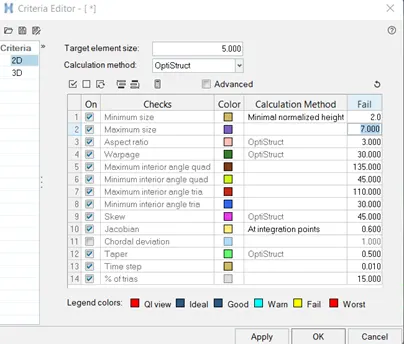
Element sizes: Min 2 units, Target 5 units, Max 7 units, Tet collapse: 0.15
CAD model image (housing (2)_1.stp file):
Import the geometry file into HM using below options
The imported geoemetry looks as below
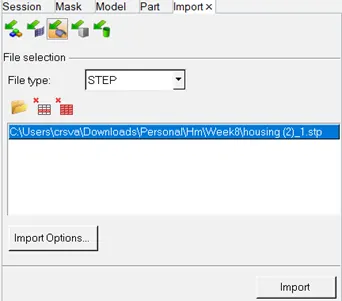
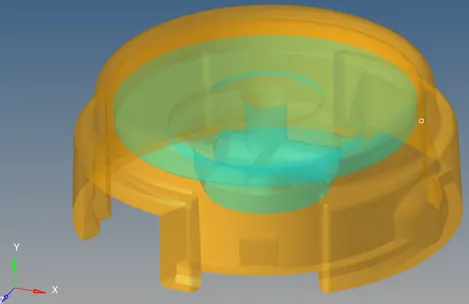
Figure: CAD model
Procedure with required images:
Step-1:
The model geometry is checked for any issues. Toggle by 2D Topo, Geom->autocleanup
Step-2:
Preferences-> Criteria file settings->set the below criteria for 2D and 3D
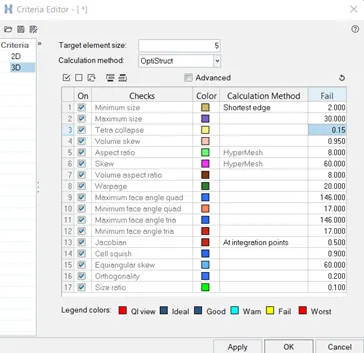
Step-3: 2D->automesh->surfaces(displayed)->mesh type=mixed->element size=5mm->mesh
Step-4:
F10-> 2D-> check quality. Save failed and F5->retrieve->mask
Find attached. Remesh. Then check quality again same as above.
2D->quality index-> cleanup tools
2D->elem cleanup
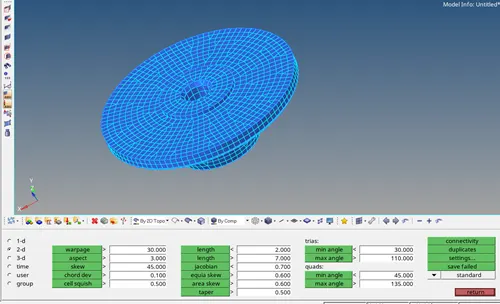
Step-5: mesh each component separately.
Make model.2 as current component
3D->Tetramesh->elems (displayed)
Display only 2D elements, Delete them.
Unmask 3D elements and F10->3D check the Tet collapse <0.15
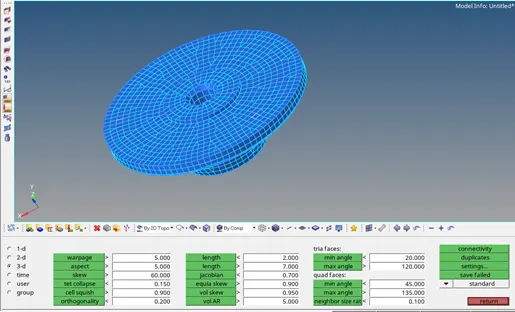
Results:
Final mesh model has Tet collapse 0% and quality criteria is met
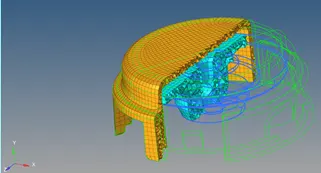
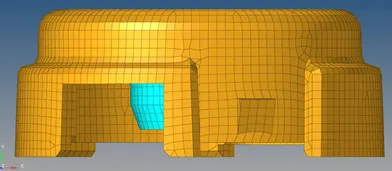
Figure: Final model
Model-2
Repeat same process as above for model 2
Objective: Create Tetramesh/Volume Tetra Mesh for Model 2.
Model mesh should pass below quality requirements.
Target element size=3 units, Tet collapse: 0.15
CAD model image (Model2.iges file):
Import the geometry file into HM using below options
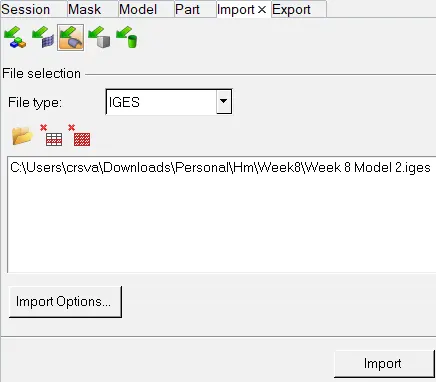
The imported geoemetry looks as below
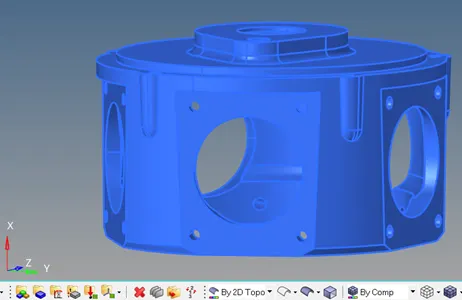
Figure: CAD model
Procedure with required images:
Step-1:
The model geometry is checked for any issues. Toggle by 2D Topo, Geom->autocleanup
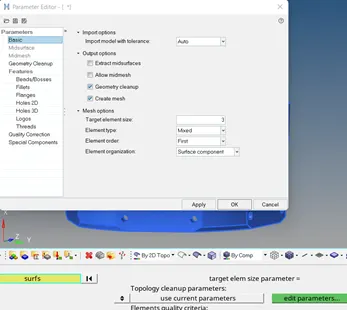
Step-2:
Preferences-> Criteria file settings->set the below criteria for 2D and 3D
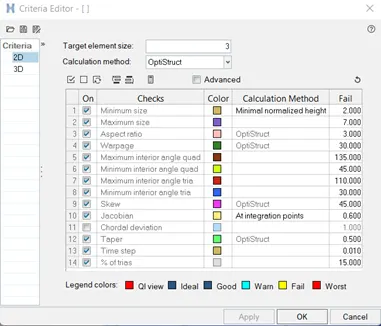
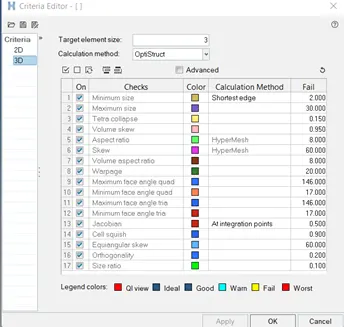
Step-3: 2D->automesh->surfaces(displayed)->mesh type=mixed->element size=3mm->mesh
Step-4:
2D->quality index-> cleanup tools
2D->elem cleanup
Step-5:
3D->Tetramesh->elems (displayed)
Display only 2D elements, Delete them.
Unmask 3D elements and F10->3D check the Tet collapse <0.15
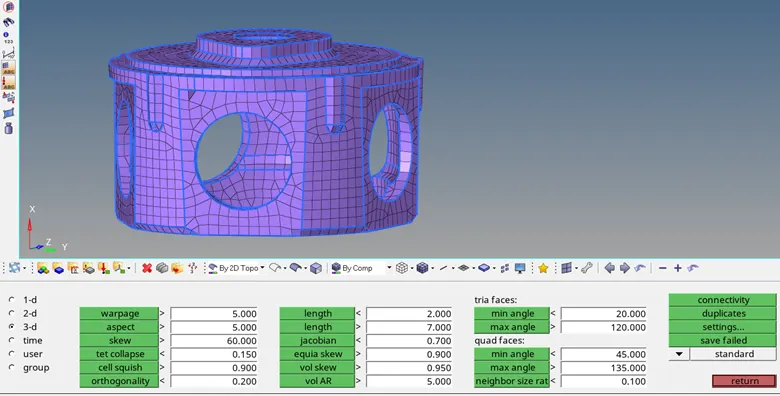
Results:
Final mesh model has Tet collapse 0% and quality criteria is met
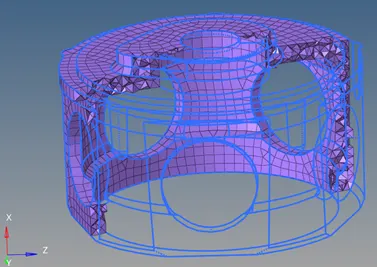
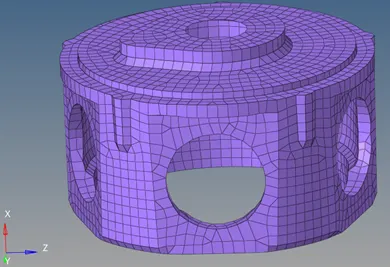
Figure: Final model
Model-3
Objective: Create 3D Tetramesh for Model 3 (assembly model). Model mesh should pass below quality requirements.
Target element size: 4 units, Tet collapse: 0.15
CAD model image (Week 8 Model 3.iges file):
Import the geometry file into HM. The imported geoemetry looks as below
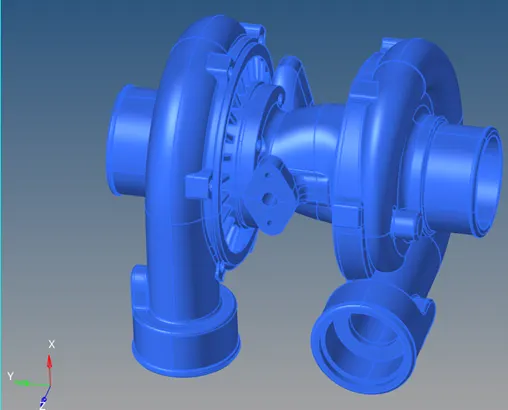
Figure: CAD model
Procedure with required images:
Step-1:
The model geometry is checked for any issues. Toggle by 2D Topo, Geom->autocleanup
Step-2:
Preferences-> Criteria file settings->set the below criteria for 2D and 3D
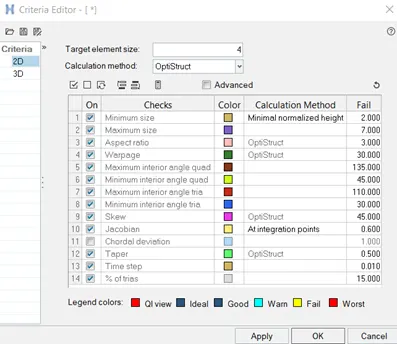
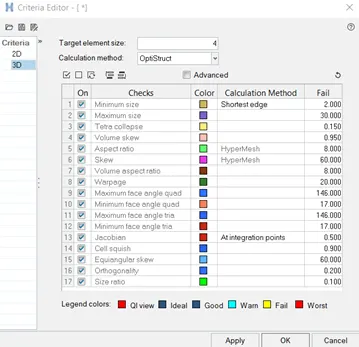
Step-3: 2D->automesh->surfaces(displayed)->mesh type=mixed(or Trias)->element size=4mm->mesh
Step-4:
2D->quality index-> cleanup tools
2D->elem cleanup
Step-5:
3D->Tetramesh->elems (displayed)
Display only 2D elements, Delete them.
Unmask 3D elements and F10->3D check the Tet collapse <0.15
Results:
Figure: Final model