Week 6-Meshing of Hood Challenge
Week 6 – Meshing of Hood Challenge
Objective: Mesh the Hood model with below mentioned Quality Criteria, mesh size = 5units, Mixed element.
CAD model image (.IGES File):
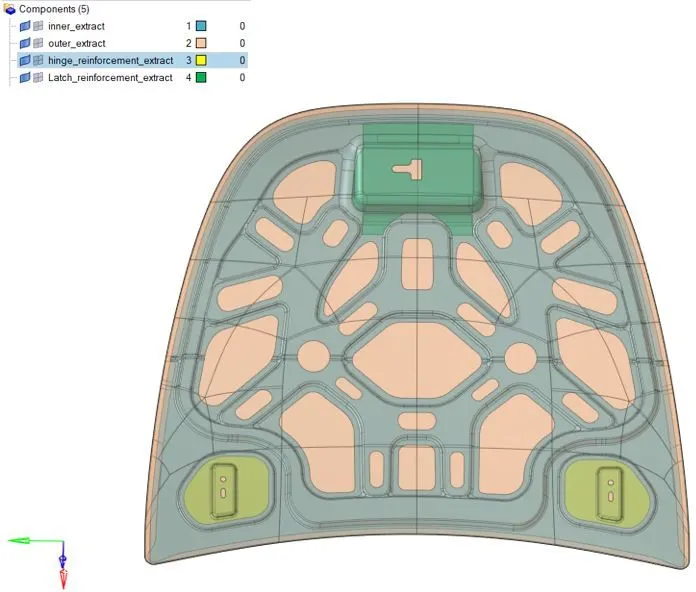
Figure: CAD model
Procedure with required images:
Step-1: Import the Step file. Generate mid-surface of each component separately.
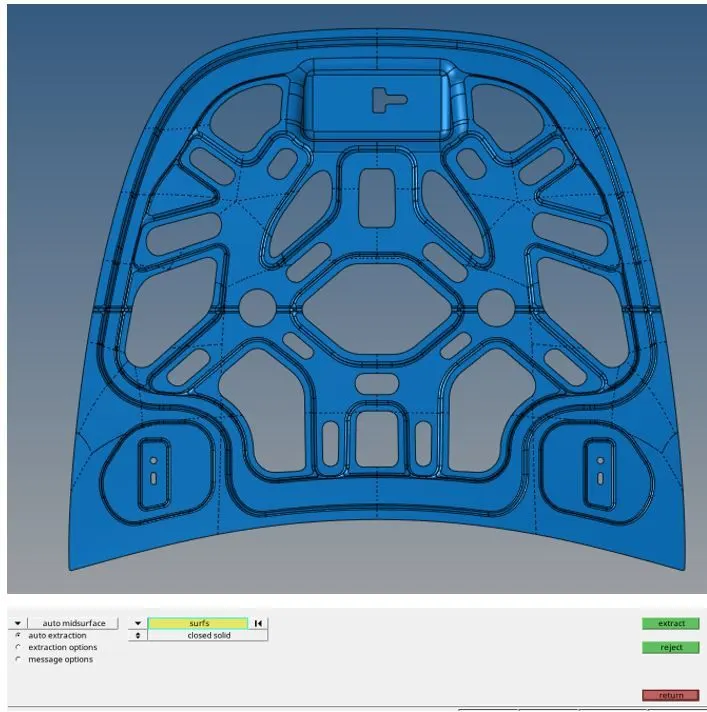
Figure: Mid-surface extraction

Figure: Toggle all unwanted lines
Step-2: Define the quality criteria as shown below
Preferences-> criteria editor->apply
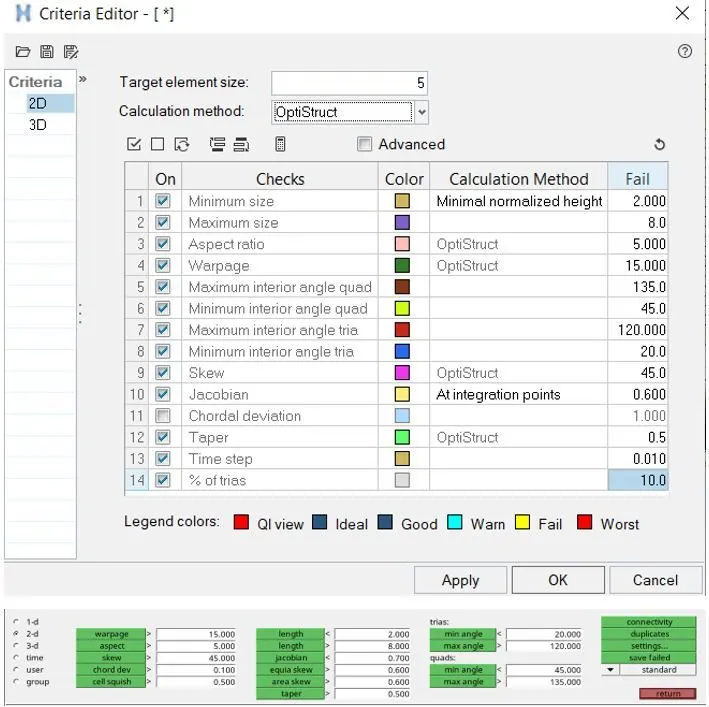
Figure: Tools->check elems
Save failed and click F5 to retrieve elements and mask them. Reverse the elements and find attached elements. Then 2D->Quality index and use smooth, element optimize, place node or other options to correct the issues.

Figure: Find attached
Step-3: 2D->automesh->QI criteria-> choose crash 5 mm.
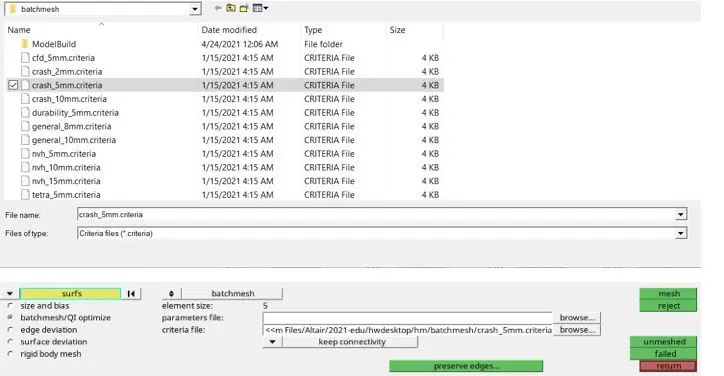
Figure: Setting Quality Criteria
Step-4: automesh-> mixed type 5mm mesh size.
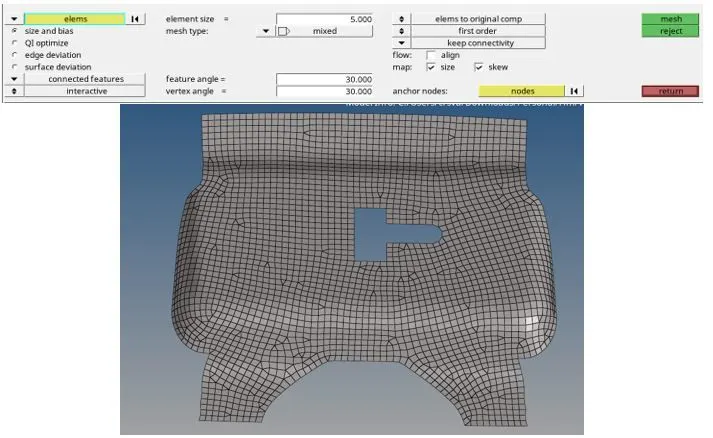
Figure: 2D mesh of Latch reinforcement mid surface
Step-5: Check quality of elements
2D->quality index
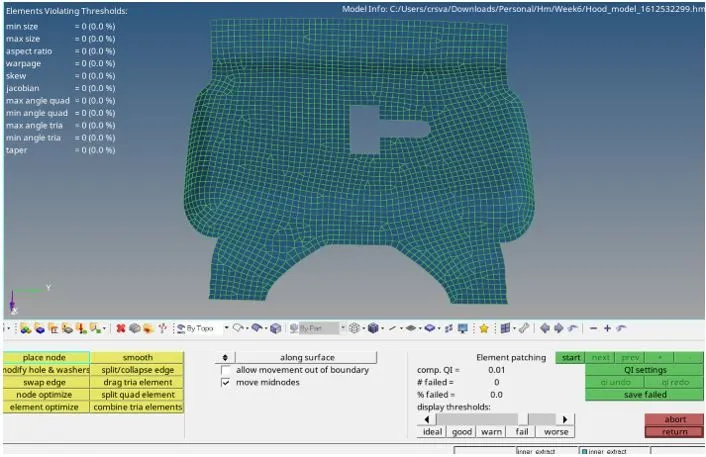
Figure: element quality check
Step-6: Hinge reinforcement
Shift+F10 to check which elements are failing
2D-> Quality index-> element optimize
2D->smooth option
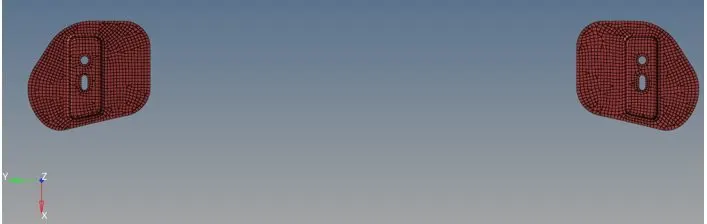
Figure: Hinge reinforcement mesh
Step-7:
Geometry->Quick edit-> Toggle edge
Tools->edges->find edges->delete edges-> preview equivalence.
Geom-> lines->midline
Geom-> surface edit-> Trim with lines
2D-> automesh
Results:
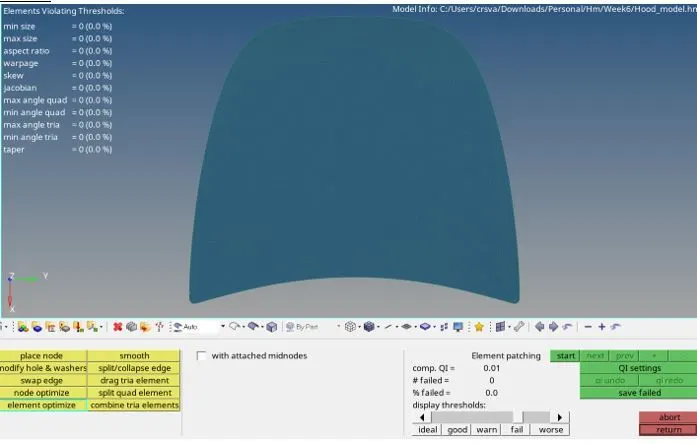
Check Quality index of each component.