Week 8-3D Tetra Meshing Challenge
Aim-Creating the tetrahydral elemnts Using the hypermesh.
1.Tetra mesh for housing and the hyb assembly.
objective-using standard method tetramesh technique to mesh the compoments by geneerating 2d tria elemnts and then converting the 3d shell elemnts in to tetra elemnts and checking the quality of the tetra elemnts.
Producer-
1.Import the geometry to the hypermesh.
2.Using the Geometry menu in the menu bar use the geometry clean up tools to ensure if they are any free edges .
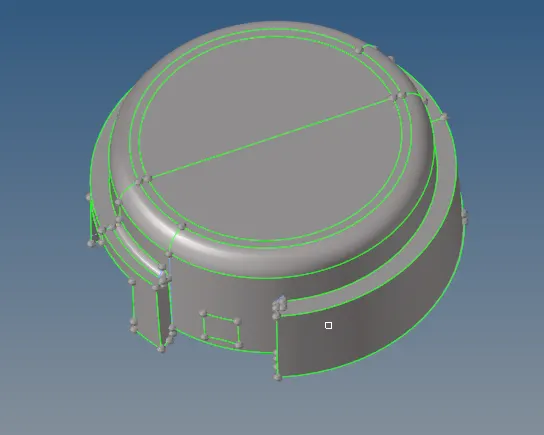
fig-1- After the geometry clean up.
3.Click on the automesh pannel and select the surafce and put the elment type as tria .we will set target elemnt as 5 units.
4. After meshing ensure that no elments are failing for the minimum length and the maximum length and we can procedd to convert 2d tria in to 3d tetra elemnts.
5.Acess tretra mesg from 3d pannel,select the elments and select the tetra mesh and mesh the surface to generate the tetraelments.
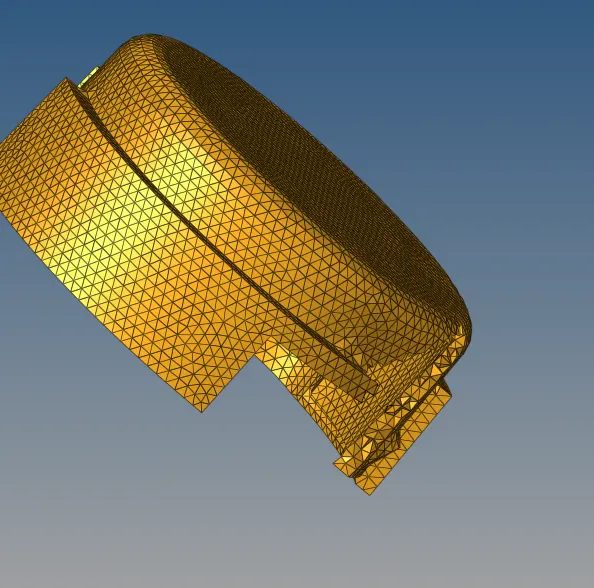
fig2-Tetra mesh for the housing
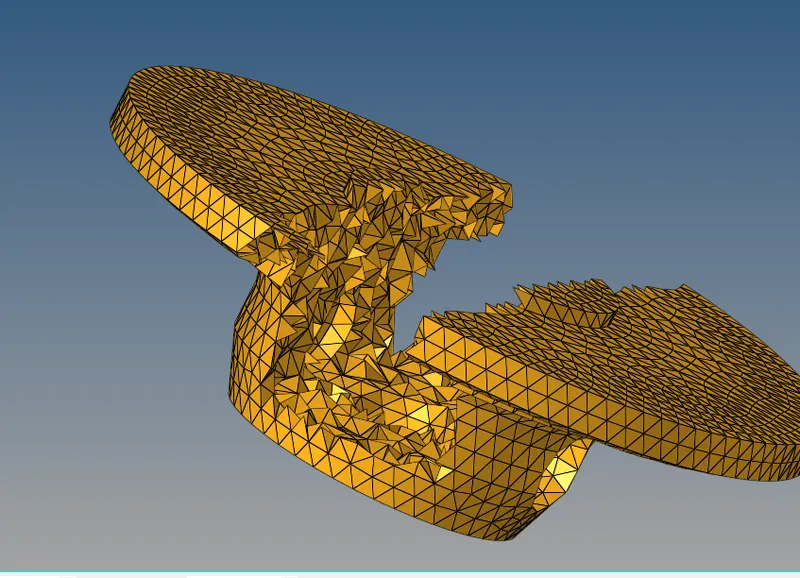
fig3- Tetra mesh For the Hub
6.Use the check elemnts pannel and identify elemnts that are failing for the tet collapse value smaller than 0.15.
7.Remesh the Hub displayed tetra elemnts to improve the tetra collapse .under tetramesh parameters check the minimum tetra and the maximum tetra length box also check the viods,fill midnodes and the smoothing box and set tetcollaspe value as 0.15.
8.Another method to rid of the failing the elments is by using the tarnslate option first we measure short edge of the failed elemnt and we take one of node of the short edge and 3 nodes neighbouring of the edges ( as n1,n2,n3)and we translate by a distanc e of .1 until tet collaspse value is greater than .15.
conclusion-
1.3d mesh is genertaed by using the 2d shell elments.
2.Peformed 3d quality check for the failed elemnts and removed all the failure elments.
2.Creating the terta mesh for the Crank assembly.
objective-1. Using the Quick tetera mesh to mesh the geometry.
2.Performing the 3d quality index on the compoment.
Producer-
1.Import the geometry to the hypermesh.
2.Delete the solid surafce from the compoment and make sure they are no free edges.
3.We can acess quick terta mesh by under view> Browers>Hypermesh>utlity.Go to Geo/ mesh and select quick terta mesh under mesh tool.
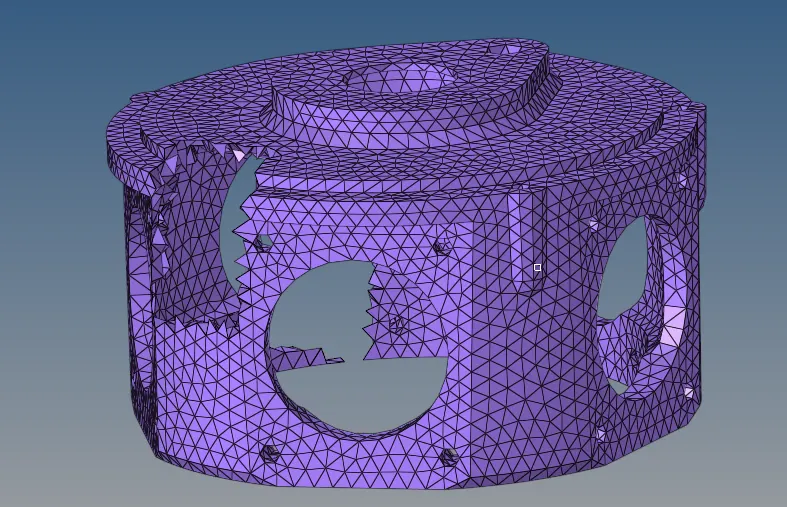
fig3-mesh for Crank Assembly
4.Select the compoment and put trias only as mesh type. fill mesh size as 3 units click mesh button to mesh the compoment.
5.Use the check elemnts pannel and identify elemnts that are failing for the tet collapse value smaller than 0.15.
6.Remesh the Hub displayed tetra elemnts to improve the tetra collapse .under tetramesh parameters check the minimum tetra and the maximum tetra length box also check the viods,fill midnodes and the smoothing box and set tetcollaspe value as 0.15.
7.Another method to rid of the failing the elments is by using the tarnslate option first we measure short edge of the failed elemnt and we take one of node of the short edge and 3 nodes neighbouring of the edges ( as n1,n2,n3)and we translate by a distanc e of .1 until tet collaspse value is greater than .15.
Coclusion-
1.perfrormed Quick tetra mesh on the compoment.
2.performed 3d Qulaity check on the copmpment and removed all the failed elements.
3.Performing 3d mesh on the centrifugal pump
objective-1. Using the Quick tetera mesh to mesh the geometry.
2.Performing the 3d quality index on the compoment.
Producer-
1.Import the geometry to the hypermesh.
2.Delete the solid surafce from the compoment and make sure they are no free edges.
3.We can acess quick terta mesh by under view> Browers>Hypermesh>utlity.Go to Geo/ mesh and select quick terta mesh under mesh tool.
4.Select the compoment and put trias only as mesh type. fill mesh size as 3 units click mesh button to mesh the compoment.
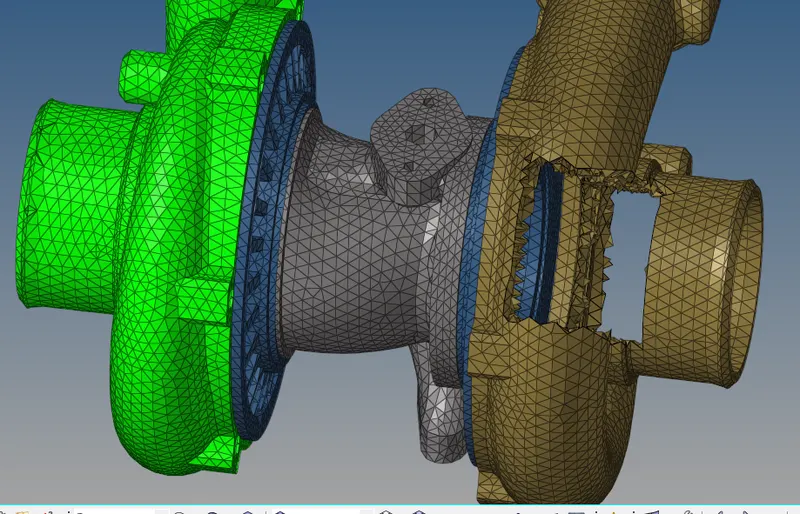
Fig 4-Tetra mesh fot pump
5.Use the check elemnts pannel and identify elemnts that are failing for the tet collapse value smaller than 0.15.
6.Remesh the Hub displayed tetra elemnts to improve the tetra collapse .under tetramesh parameters check the minimum tetra and the maximum tetra length box also check the viods,fill midnodes and the smoothing box and set tetcollaspe value as 0.15.
7.Another method to rid of the failing the elments is by using the tarnslate option first we measure short edge of the failed elemnt and we take one of node of the short edge and 3 nodes neighbouring of the edges ( as n1,n2,n3)and we translate by a distanc e of .1 until tet collaspse value is greater than .15.
Coclusion-
1.perfrormed Quick tetra mesh on the compoment.
2.performed 3d Qulaity check on the copmpment and removed all the failed elements.