Week 8
Aim: Modify the design of the model using the Morphing tool over the CAD model and enumerate the process in detail.
Procedure:
- Topo and geometry cleanup
- Creating a Morphing box using ortho
- Splitting Morphing box at the required place to form the desired shape
- Created a FE model and feature modification
Introduction:
A morphing tool is used for the modification of the shape. This function enables the user to perform optimization work without redesigning the CAD model and re-mesh it. Although it can be implemented on both FE model and Geometry, most of the function is perfectly implemented over FE model (released). Two used methods of morphing are box morphing and direct morphing. Box morphing is used to change the shape with multiple spline and control points (rectangular shape). Direct morphing doesn't need any boxes and elements are selected directly to act.
Below we will discuss some of the functions of morphing and how to use it to tweak the design.
Boxes and Box morphing:
This function has multiple options to create the morph box in multiple ways (ortho, points, curve, wrap). In this particular case we used ortho options to create a new morph box (Box> New> Ortho> select entities). This morphing box is again disseminated into multiple sections which allow greater flexibility in changing the shape.
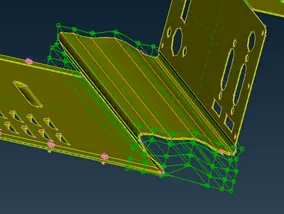
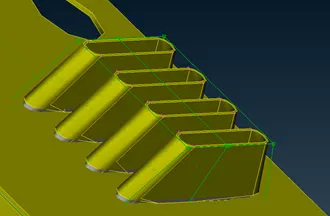
It is a very effective tool to use create an optimized shape without performing any assiduous work on the cad model each time. Manipulating control points and morphing box edge meticulously imparts one with a good and better idea over the readymade CAD. The figure below is showing the difference before and after modification using the box.
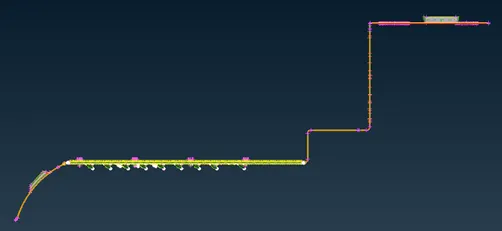

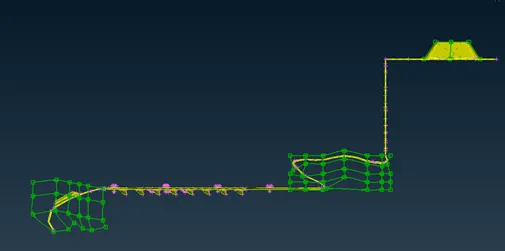

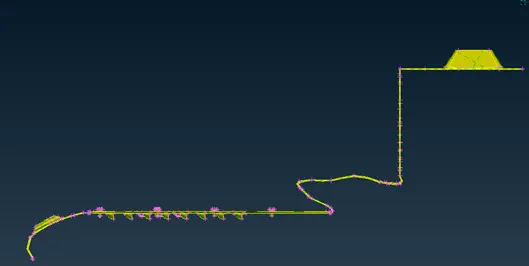
Figure: Modification of shape
Direct morphing:
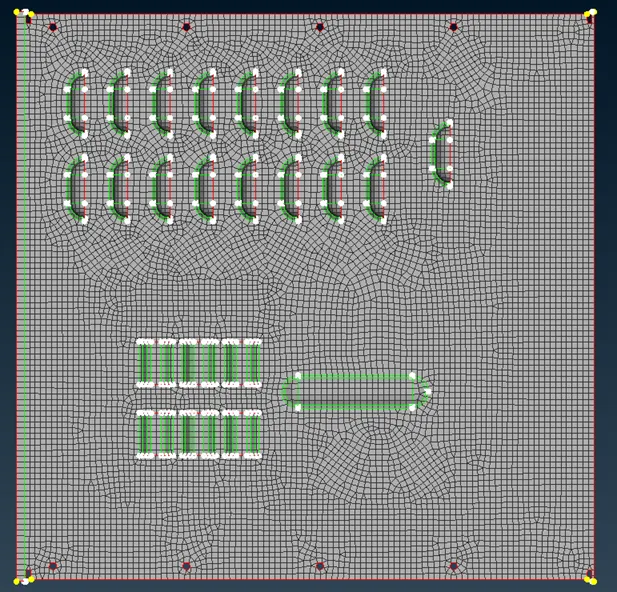
This is one of the best morphing methods. This allows the user to change the shape, displace the position of feature and tweak them. In this project, the design change feature is used to displace the feature and copy the feature. To perform this action mesh is created (with the sole purpose of showing the ability) and released. By harness, the power of such morphing type one can change the design which is shown below.
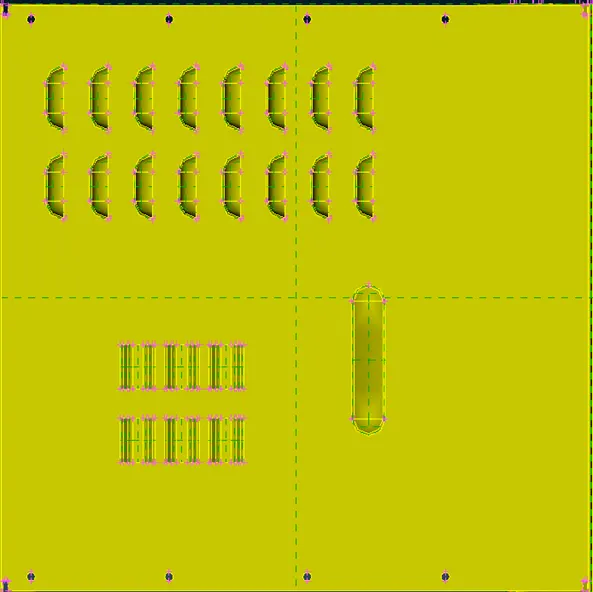
Figure: Original design and feature of the model
Learning Outcomes:
- FE model must be released to implement morphing over the FE model
- Direct morphing is the best function to change the feature (like holes-tube and design change function)
Conclusions:
Tad or in greater extent shape of the design can be changed over the FE model and Geometry.
Reference:
- ANSA user's Guide