Morphing
AIM : To use of several functions of the MORPH menu that can be used in order to reshape a geometry and create variations of the initial model.
PROCEDURE :
About Morphing :
Morphing is a geometric interpolation technique that produces intermediate forms between typically two extreme forms. Originally the morphing technology was invented as a method of working out the transformation process (interpolation) or to expect the future results (extrapolation) from satellite images of the earth's surface in the early 1960s. More recently, morphing technique has become a significant tool of computer graphics animators by providing an effective means of producing a seamless sequence of forms. It is used to display a smooth transition between two models by inserting a sufficient number of interpolated models between them.
Import CAD Model to ANSA and perform Geometry Cleanup.
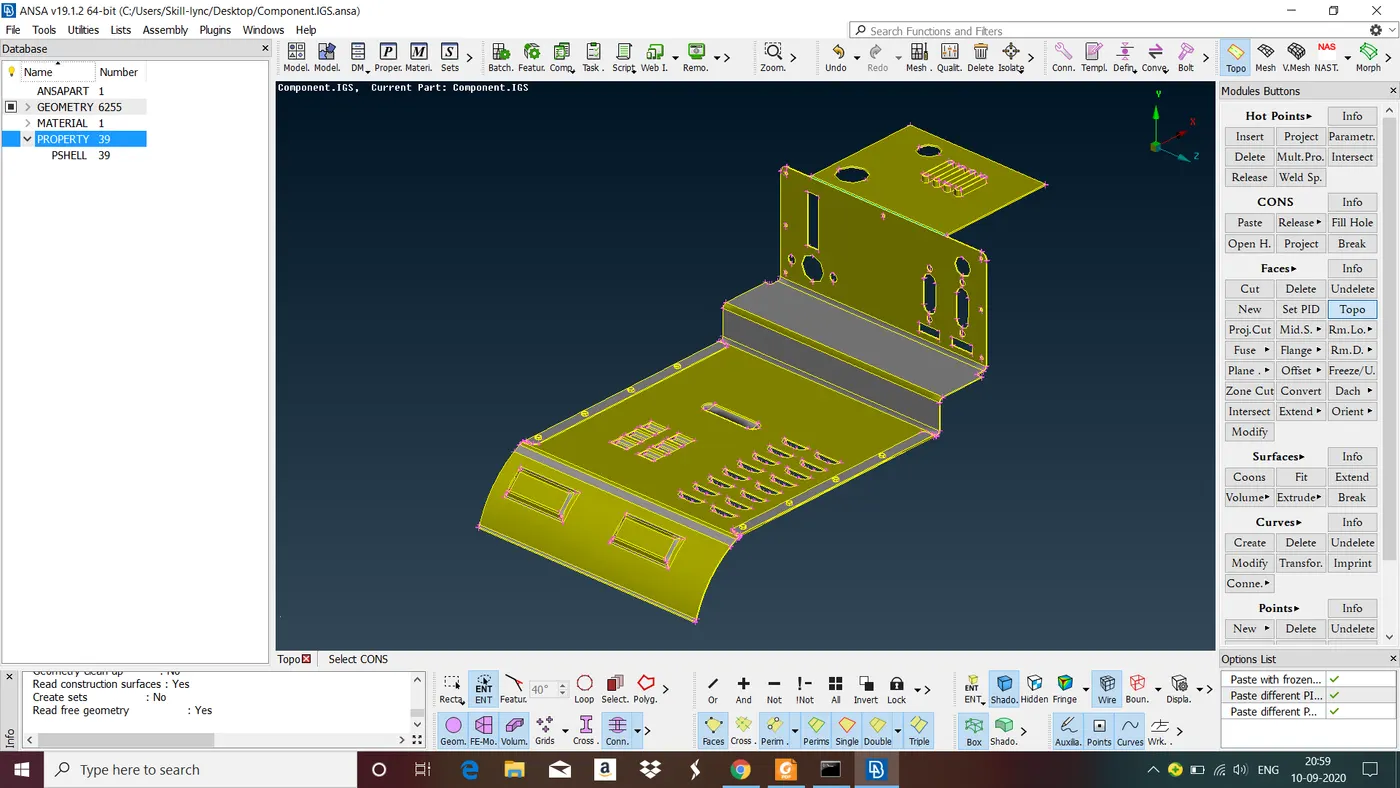
Fig : Given Model.
Steps involoved in Moprhing
Step 1 : Activate the BOXES>ORTHO function to create an orthogonal Morphing Box.
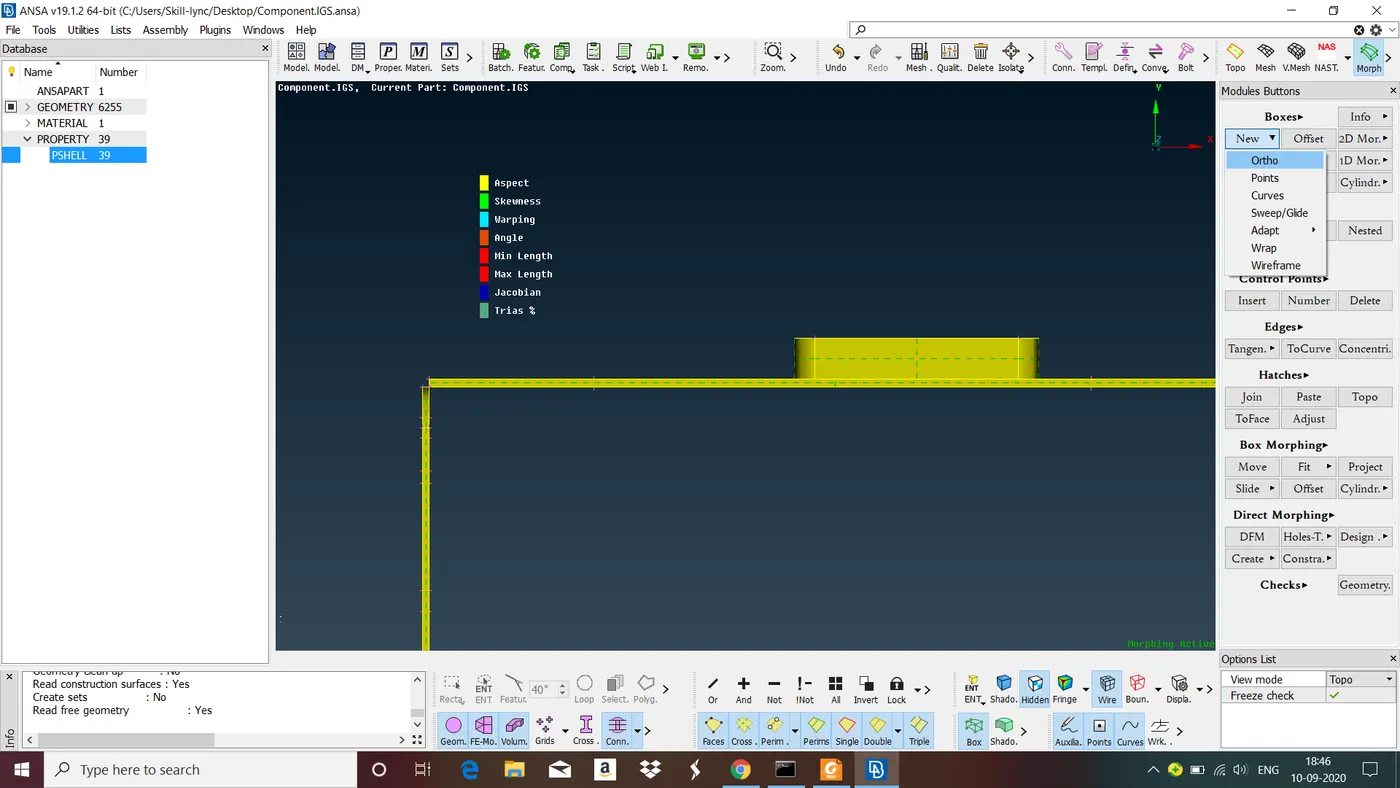
Step 2 : Select with left mouse button box selection the area shown. Confirm with middle mouse button. ANSA prompts you in the Text Window to pick a coordinate system. Press again middle mouse button. ANSA creates the Morphing Box aligned with the global coordinate system.
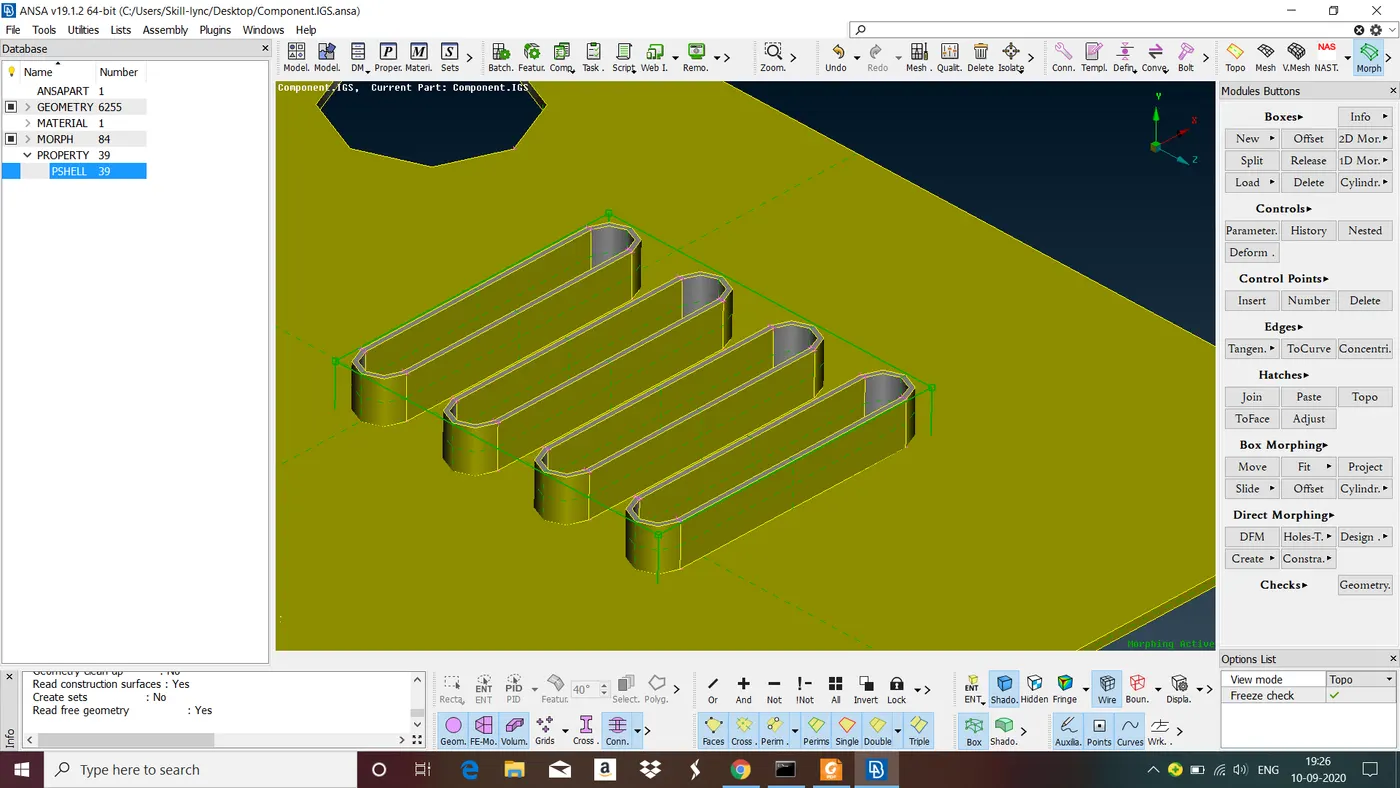
Step 3 : Now goto move option in Box Morphings
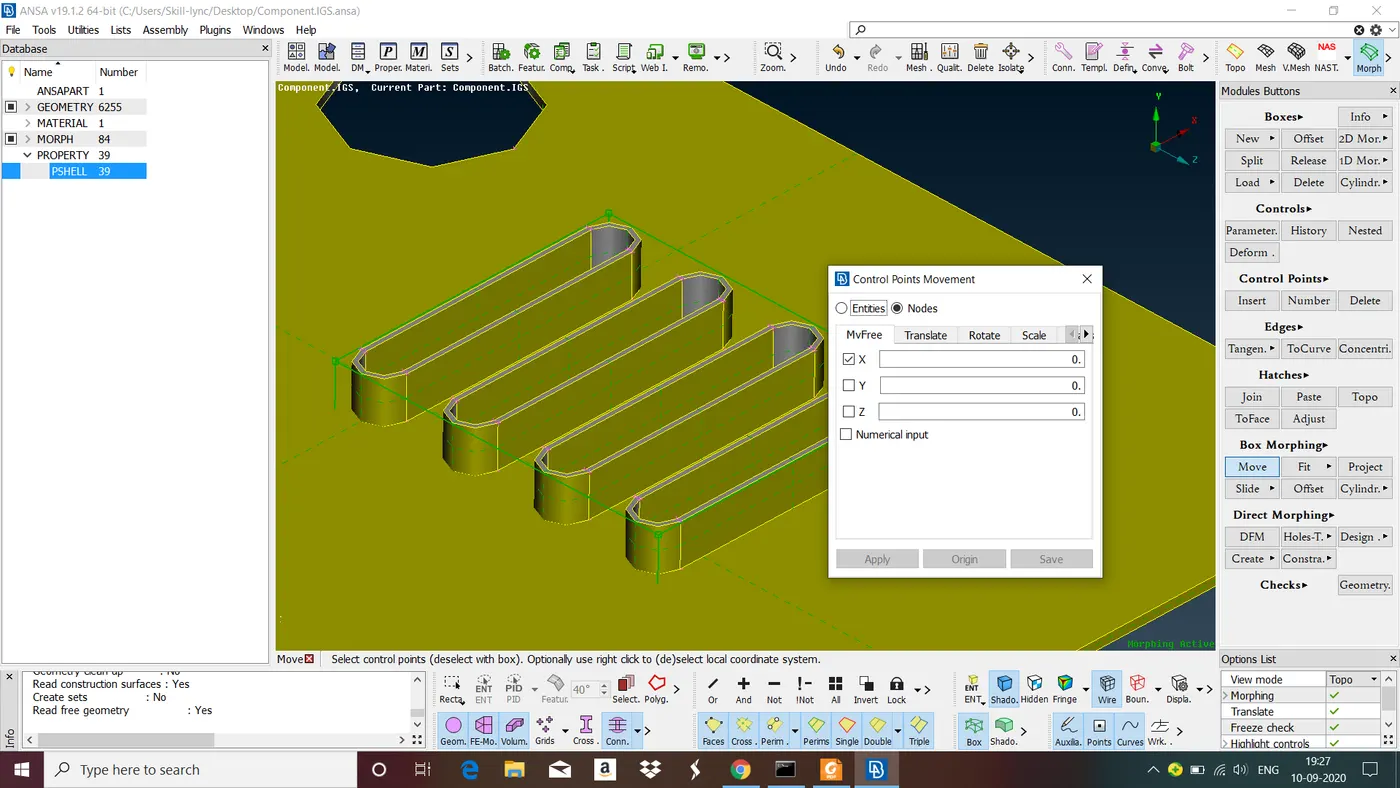
Step 4 : Select the corner Control Points.
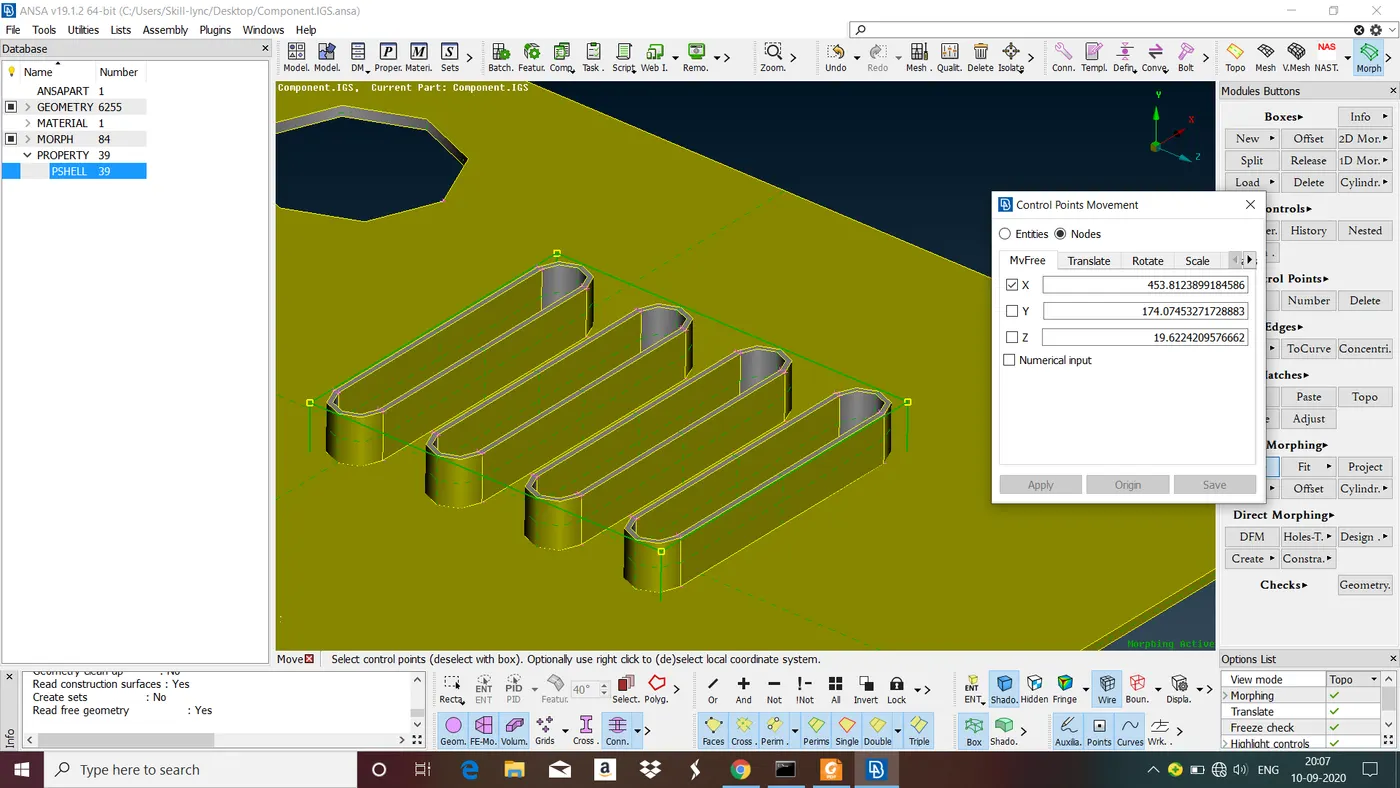
Step 5 : Now Moving the mouse reshapes the model. After reshaping click middle mouse button to confirm.
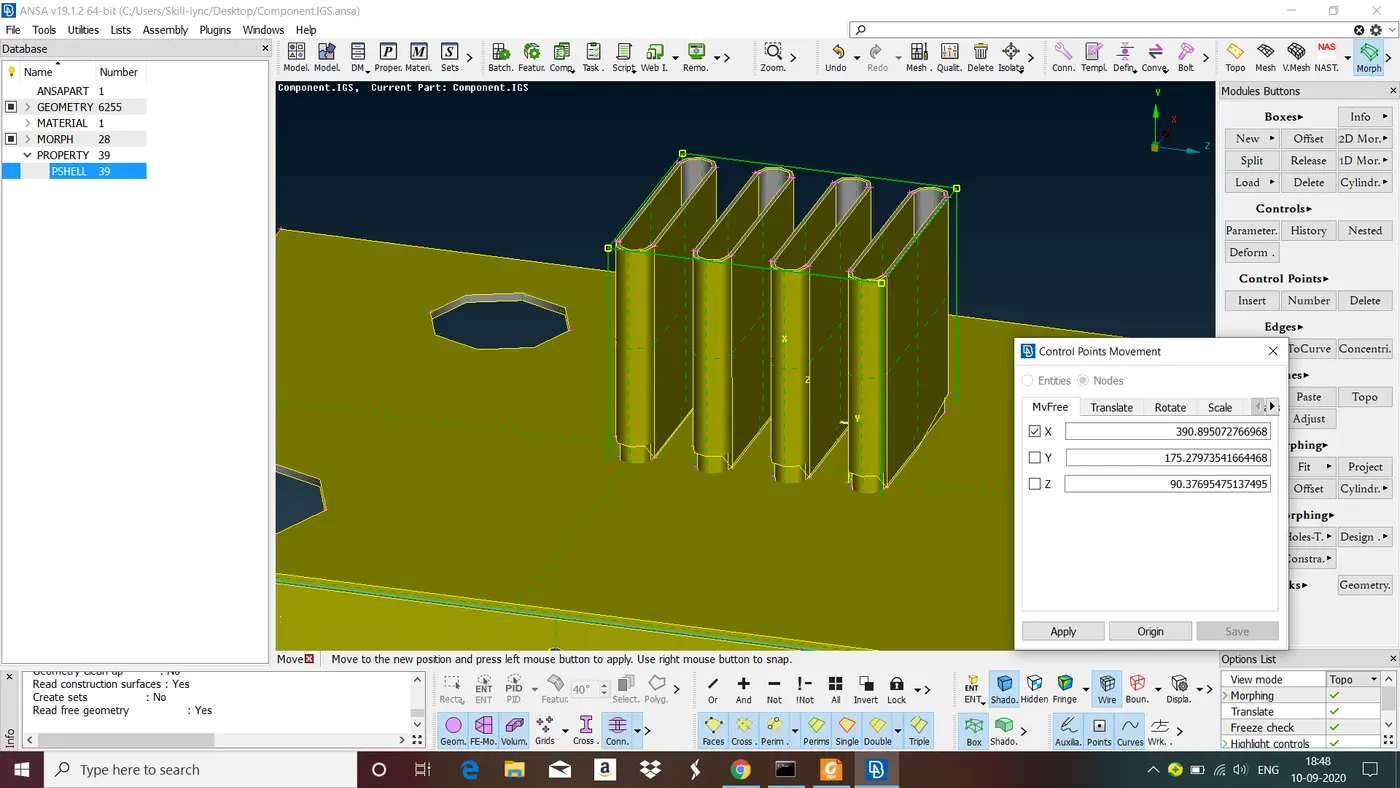
We can split the morphing box to any number that we want using 'Split' option in 'Boxes'.
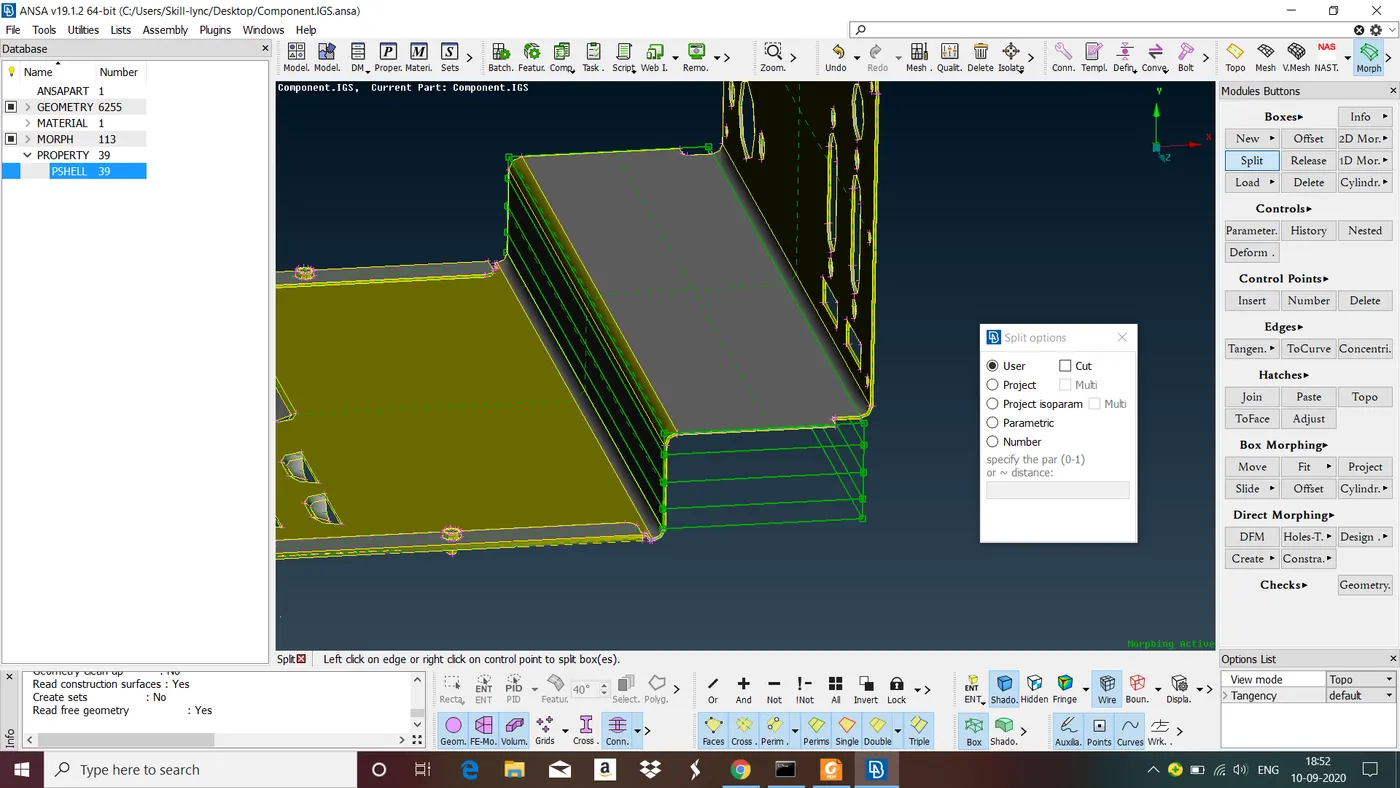
Follow above steps to morph anywhere in the model.
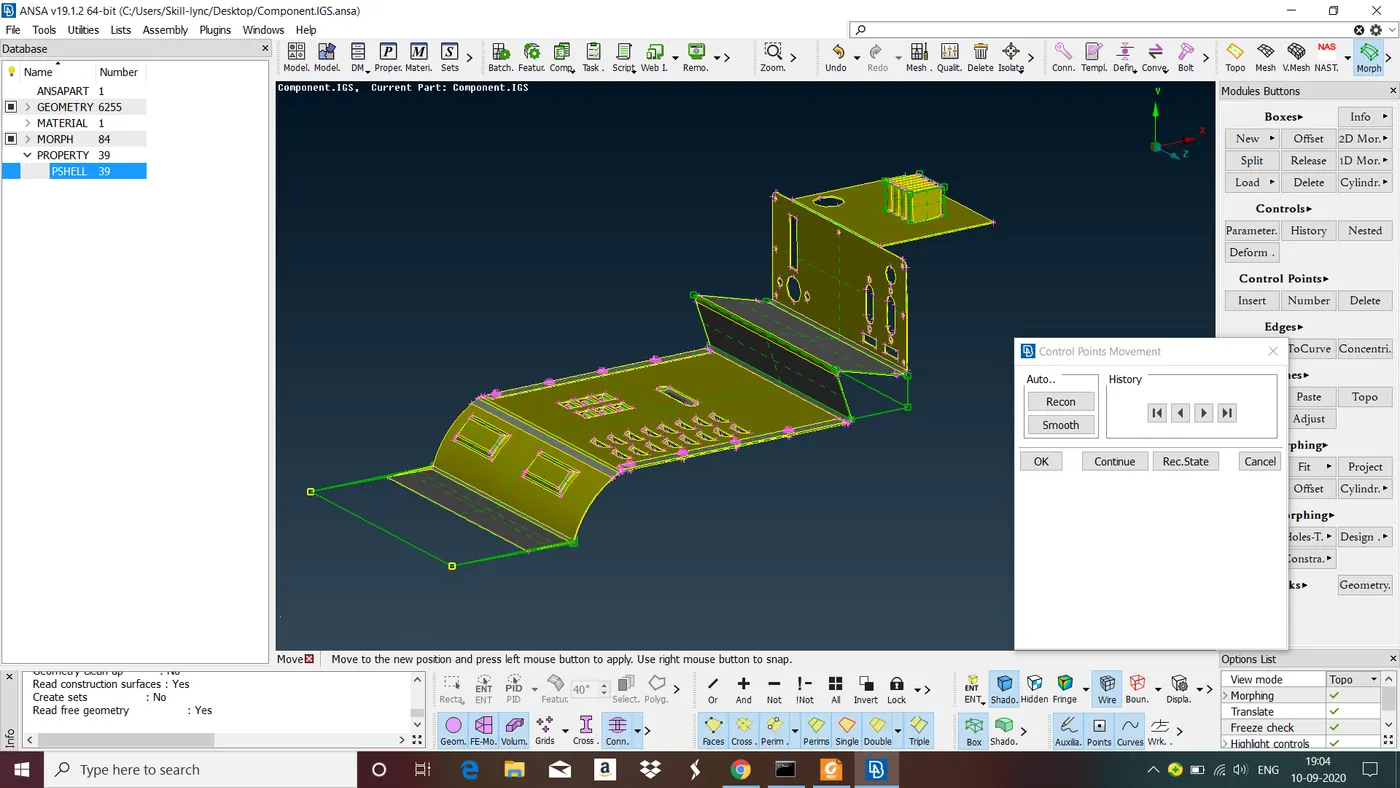
Fig : Model after Morphing.
LEARNING OUTCOME : In this Challenge we have learned basic steps involved in Morphing.
CONCLUSION : In this Challenge we have followed basic steps invloved in Morphing and obtained knowledge on Morphing.