Mid Surfacing and Meshing of a Plastic Component.
AIM : Mid Surfacing and Meshing of a Plastic Component.
PROCEDURE :
Steps involved in to generate Mid Surface
Step 1 : Import CAD file to ANSA
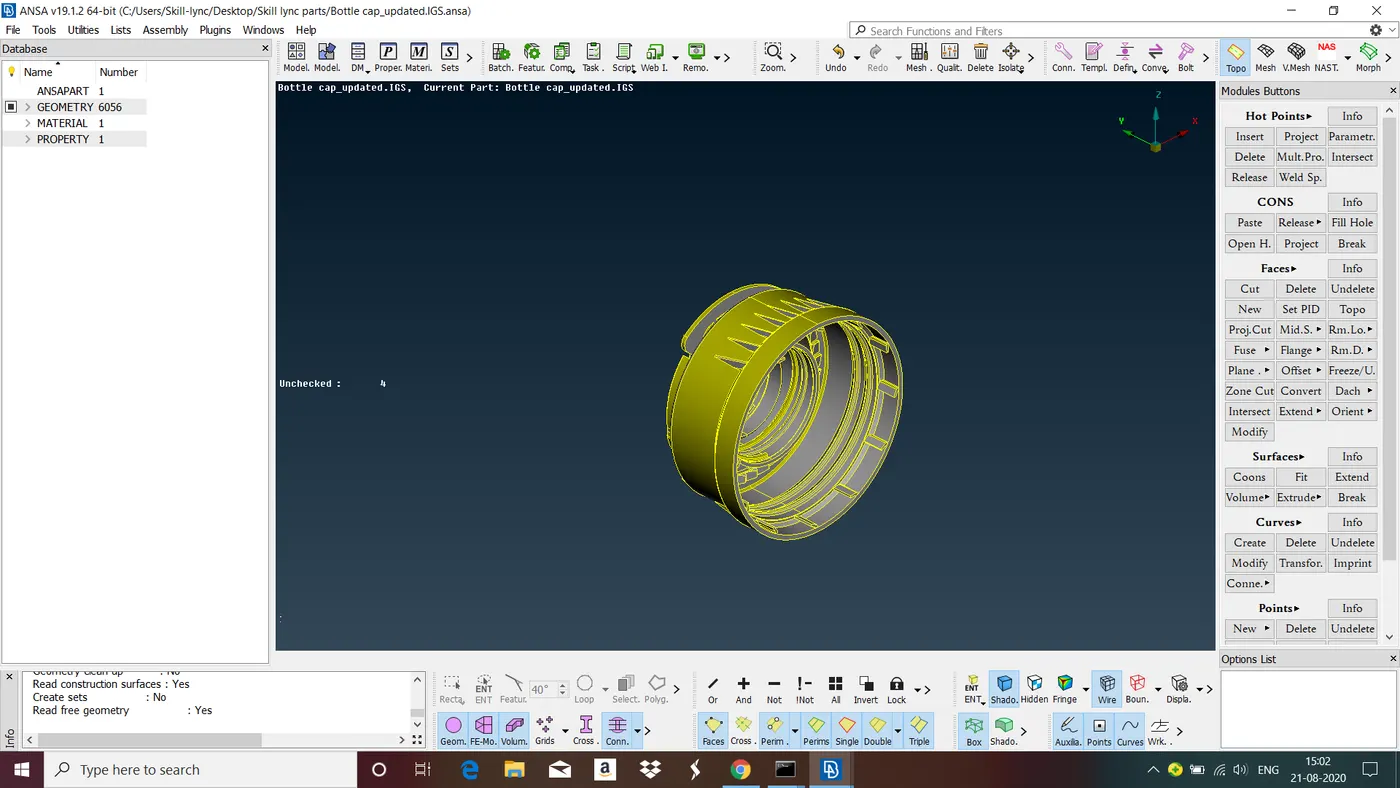
As by default the visibility mode of the model is set to ENT (Entity) mode. Now we have to check the geometry for geometrical errors.
Step 2 : Geometry Cleanup
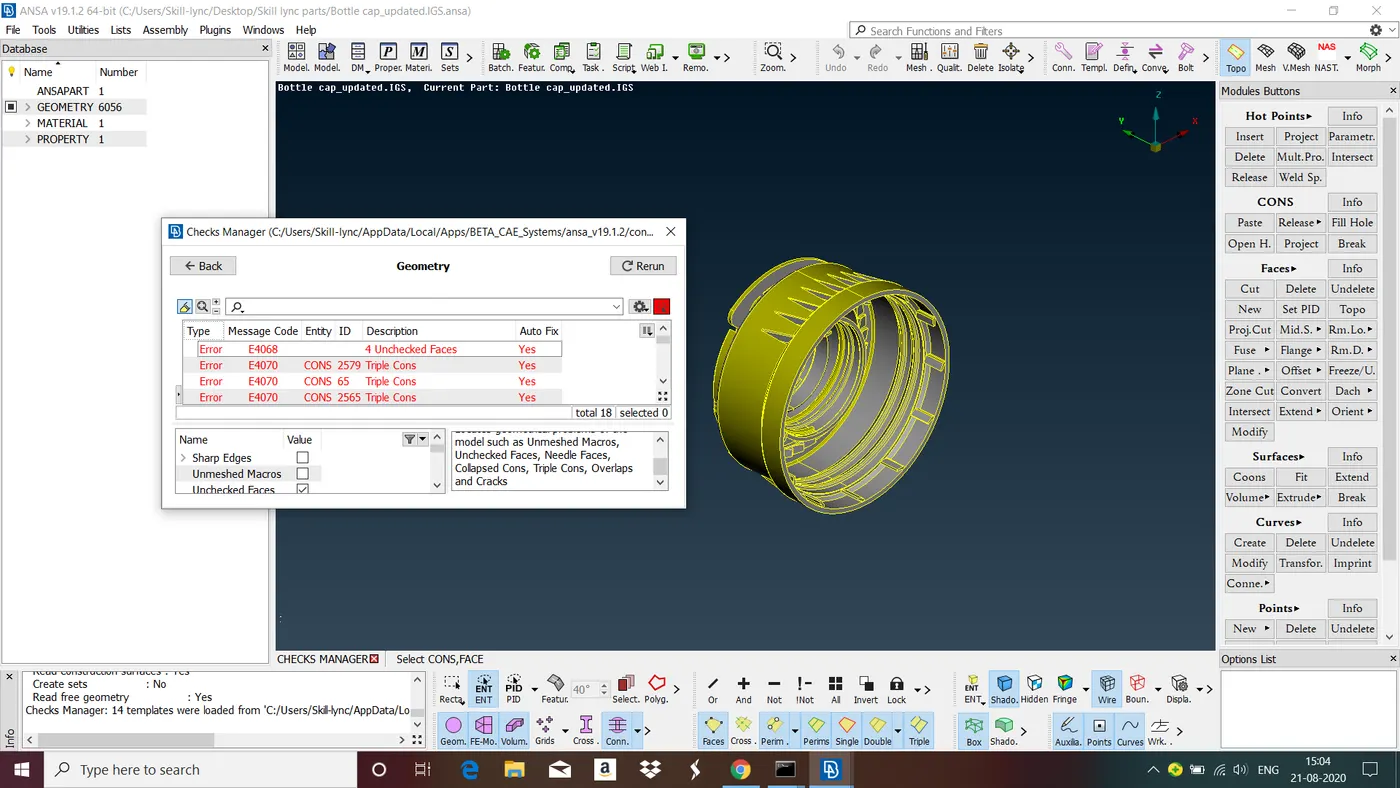
As we can see there are geometrical errors present in the given model. To fix these errors select all errors right click select fix. Below figure shows model is free from from all the errors and we can proceed take the mid surface from the model.
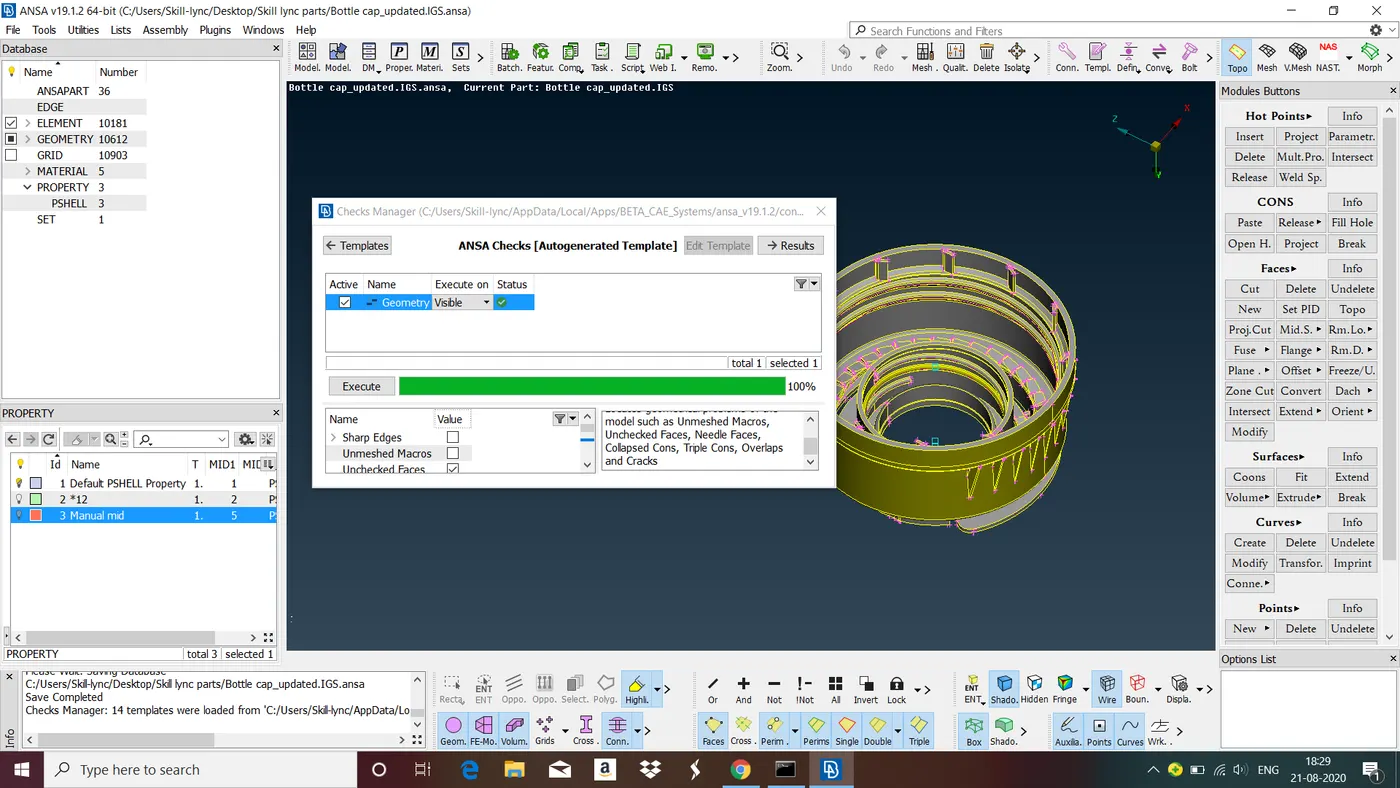
Step 3 : Generation of Mid Surface
We can generate mid surface for plastic components by two methods
1. Auto method : In this method we can take mid surface of the given plastic component in one shot. To do that goto midsurface>casting>give minimum tickness of the component, mesh type, target length and select 'Handle as single geometry' >OK.
Advantages : Fast and give the midsurface in one shot.
Disadvantages : May give improper result for complex geometry.
2. Manual method : In this method we take the midsurface entity by entity using option offset and middle in Faces.
Advantages : Gives accurate result.
Disadvantages: More time consuming.
Since auto method didnt give me satisfying result i go with the manual method.
- For some of the features for the given model we can reduce the time required for mid surface generation for example there are 12 ribs present in bottom of the cap at same height take mid surface for one rib and copy it to the all ribs. To do this take mid surface for one rib now goto>transform>select mid surface> in rotate > in X* select one point in dx* select another point, in angle give angle of circle divided by number of features> select finish. (* here the points are nothing but center of a circle inorder perform rotate we need center of two circles which are concentric and at different heights to do this goto points>on COG>edges>select one circle. Again do this for another circle.)
- Follow the same steps for generation of mid surface for teeths.
- It is very difficult to take the mid surface for thread since it is in trapezoid shape so inorder to take the midsurface for thread take middle curve of the thread project it to the mid surface and create new surface.
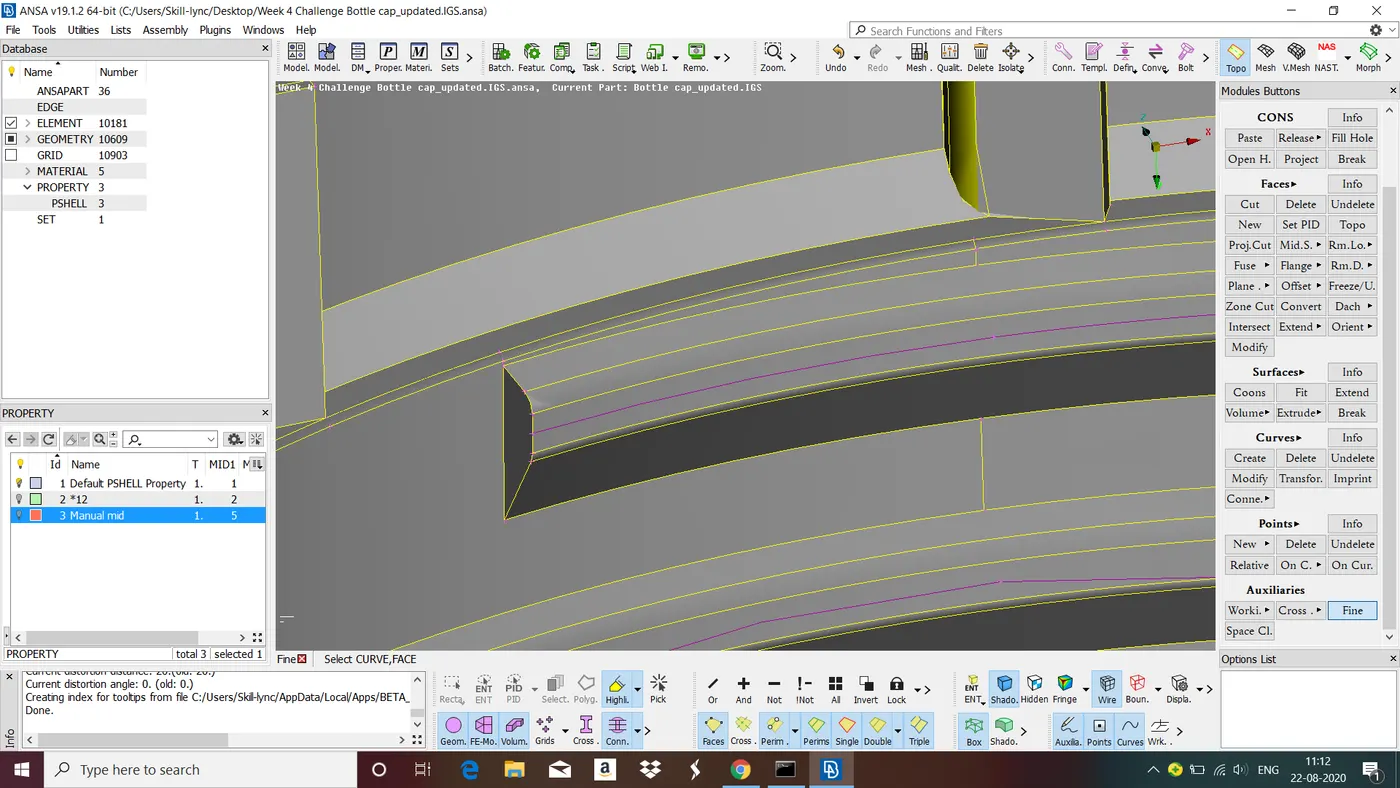
Above figure shows middle curve of a thread. To do this goto curves>middle>select one line, middle click select anothe middle click, we get centre line for those curves.
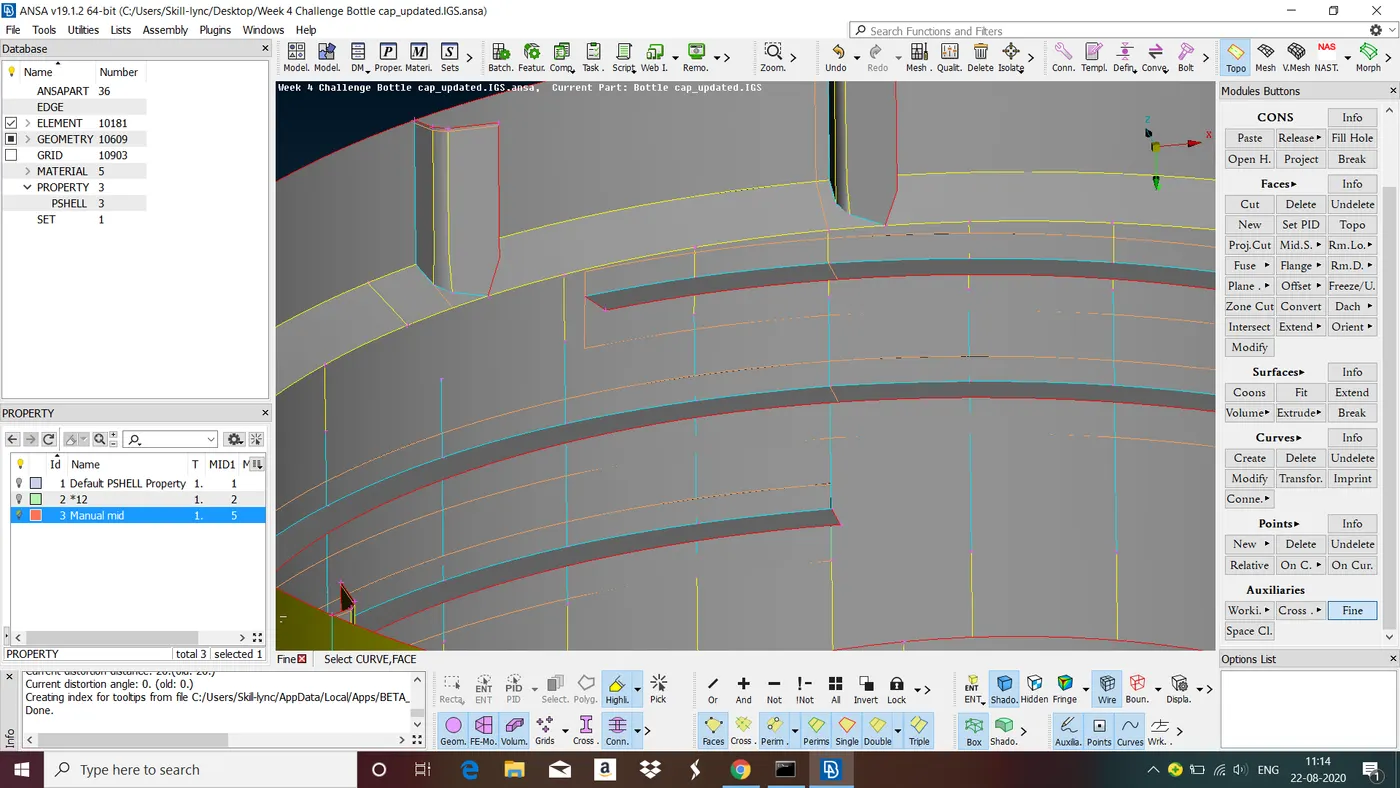
Above figure shows mid surface of the thread. To do this, after creating center line project it to the mid surface using project option in cons. Now create new surface for middle curve and projected curve.
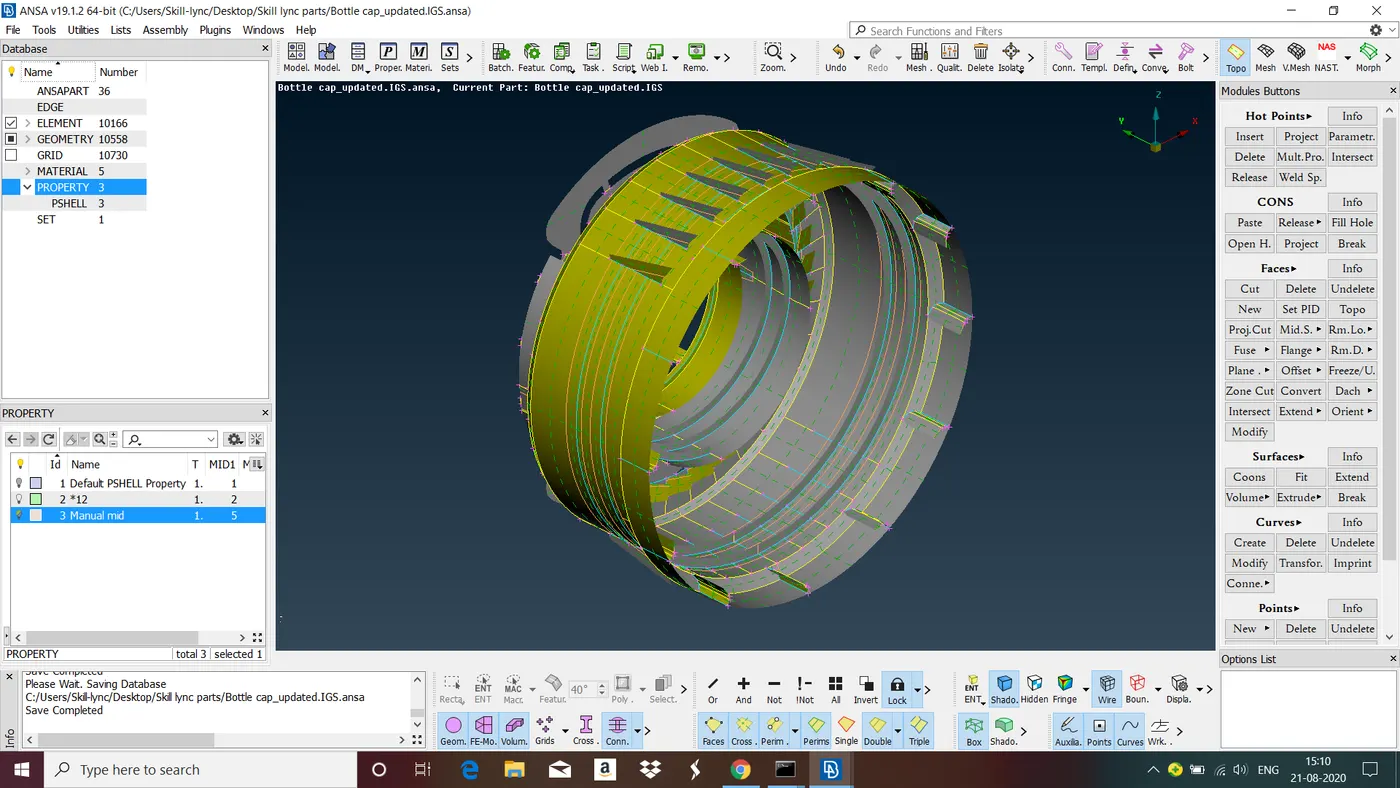
Above figure shows mid surface of the given model.
Steps involved in Meshing
Step 1 : Give Element size :
Give size of the element by go to length in perimeter> give element size> ok. Since target length given for this model is 1 i give element size also 1.
Step 2 : Give Quality Criteria and Mesh Parameters :
I give quality criteria and mesh parameters as per given
S.No Quality Criteria Value
1 Target/Average length 1
2 Minimum Length 0.5
3 Maximum Length 3
4 Aspect 3
5 Warpage 15
6 Skewness 45
7 Jacobian 0.7
8 Minimum Quad Angle 45
9 Maximum Quad Angle 135
10 Minimum Tria Angle 30
11 Maximum Tria Angle 120
10 Tria Percentage 15
Step 3 : Meshing
Before performing meshing we have to check for cons and nodes is passing my mesh parameters if not we have to do defeaturing. Defeaturing means compromising with the one feature to save another feature.
Start meshing using the tools in mesh generation and shell mesh.
while performing mesh generation for 2D components we have to reduce the number trias as much as possible to get accurate results.
In meshing of complex shapes we should cut the area into two or more sections to get good mesh flow.
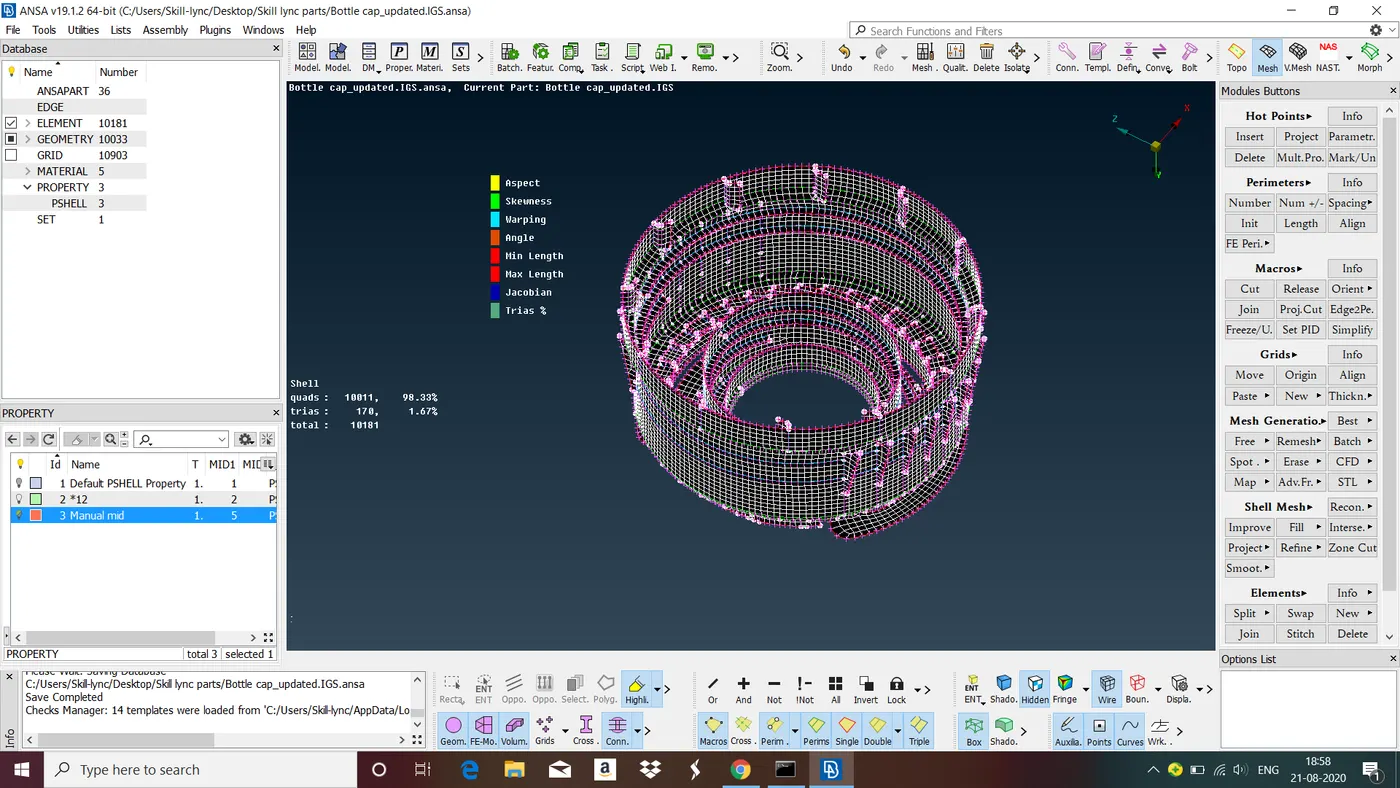
Below figure shows the model after mesh generation.
LEARNING OUTCOME :
In this challenge we have learned all steps involved in Mid Surfacing and Meshing of Plastic Component.
CONCLUSION :
In this challenge we have followed all the steps involved in mid surfacing and meshing of Plastic Component.