Week 8
AIM:
To develop the morphing process in the given sheet metal using ANSA software.
MORPHING DESCRIPTION:
i) A morphing is the process, which is used to change its another shape of the similar material and without bringing it into irregular shape.
ii) It is used in Various automobile industries and car manufacturers.
iii) Morphing is also the process in which is to update with the new model and the current existing models.
iv) The main advantage of the process is to save time.
EXAMPLES OF MORPHING TECHNIQUES USED:
i) VOLKSWAGEN-Polo,Vento,Ameo
ii) HONDA-Brio,Amaze,Mobilio
iii) FORD-Figo,Freestyle,Aspire
iv) SUZUKI-Swift,Dzire
v) TATA-Indica,Indigo,Zest,Bolt,Tiago,Tigor
vi) SKODA-Octavia, Octavia Combi (station wagon)
vii) HYUNDAI-Grand i10,Xcent, Nios,Aura
viii) TOYOTA- Etios, Etios Liva, Etios Cross
These are the cars which are having similar design till C-Pillar, and the body shape differs from its tailgate, either as Hatchback, Sedan and also Station Wagon. The main concept of morphing is bringing the update for the next version with several categories.
PROCEDURE:
GEOMETRIC CLEANUP:
i) The given model is to be downloaded and to be imported in ANSA software.
ii) The model is to be undergone for geometric cleanup
iii) Make sure that no geometric error should be occur.
MORPHING PROCESS:
i) Go to Morphing Option, which is Next to the NAS option.
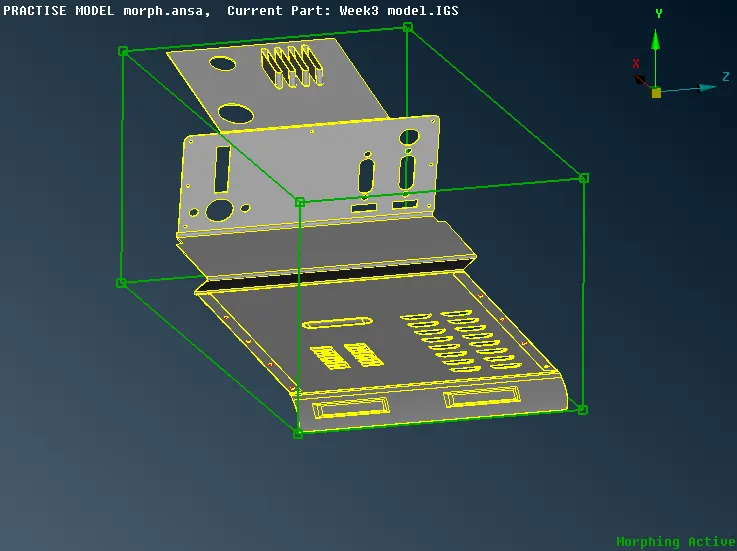
ii) Click on NEW>>select ORTHO. A dialog box appears. Click on GEOMETRY option and BOX select the model where you want to morph, and click middle click.
iii) An imaginary box appears, and click OK. This is the box which acts as a guideline to be morphed for the particular part.
iv) Then, Go to MOVE option, which is given below in the BOX MORPHING, select the corners which is wanted to be morphed.
v) Select the nodes and move the nodes as we wanted. The total geometry will move with respective to the nodes, In all the directions.
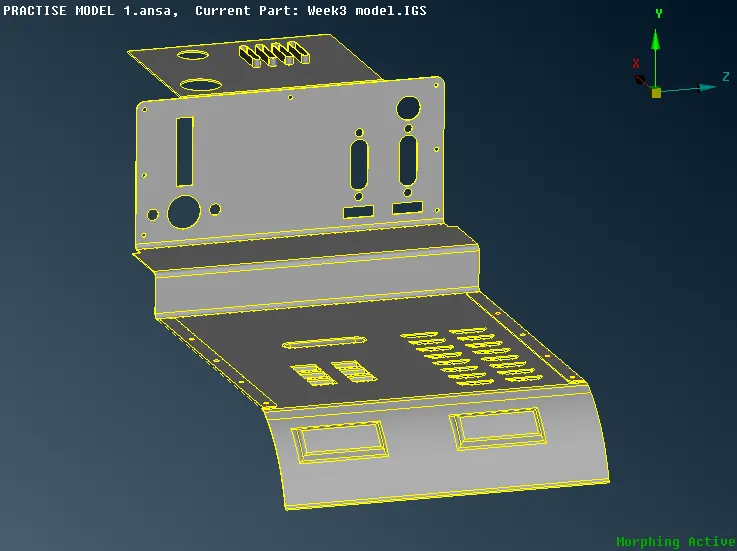
vi) Henceforth the sheet metal will be morphed from its regular form to another form.
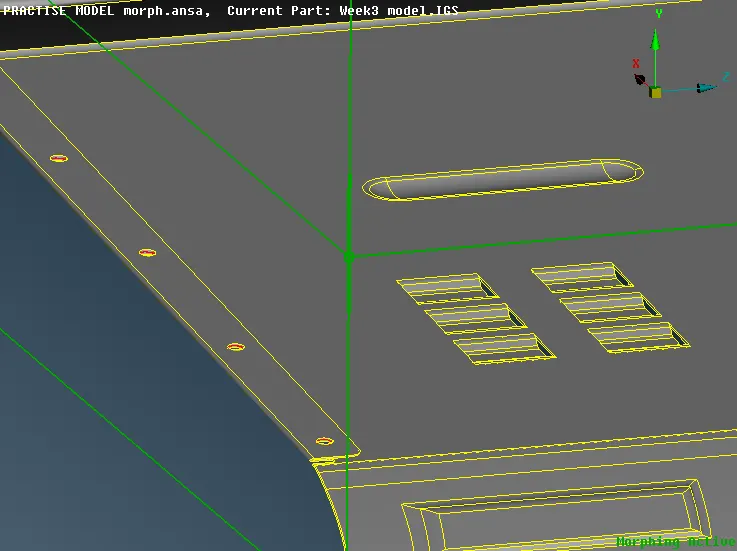
vii) In order to achieve perfect morphing in the particular region, you can Give SPLIT option in the Box morph, and can be splitted wherever it is necessary.
viii) By splitting the Morphing box, the box can be splitted and You can move the nodes by giving Move option and selecting the nodes and then we can move so far.
ix) Hence, The the morphing is used for expanding, shrinking, moving the part of the component, which is just updated and without deforming the total geometric stress.
x) This technique can be used in modifying the part and components so far and hence it will be update of the current models.
LEARNING OUTCOMES:
From this challenge model, I learnt about the concept of MORPHING and its related concepts. And also I learnt that the Similar design with various categories of cars are done with Morphing. The main advantage of Morphing is reducing the time for design and analysing engineer. It also brings the update with its rival with respect to the parent companies.
CONCLUSION:
Hence, the concept of MORPHING has been learnt and also modelled with the given model using ANSA software.