Week 7- Meshing of Backdoor Challenge
Aim:
The aim of the challenge is to mesh backdoor component with a mesh size of about 5mm and the thickness is to be assigned for the model
Procedure:
1.After importing the CAD the model is checked for the gemetrical errors and errors are eliminated by the quick edit options

2. Here there is two components inner and outer panel the two panels has to be splited and organize in separate collector by using the organize option it can be done.

3. After the organize the component is view for the symmetry so that it easy for the mesh the component and then reflect it easily
4. The component is symmetry so it is splited using the surface edit option and then midsurface is created for one component

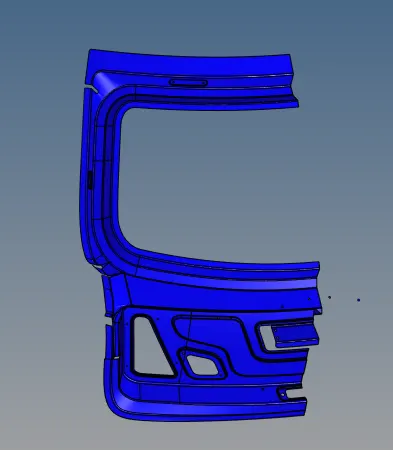
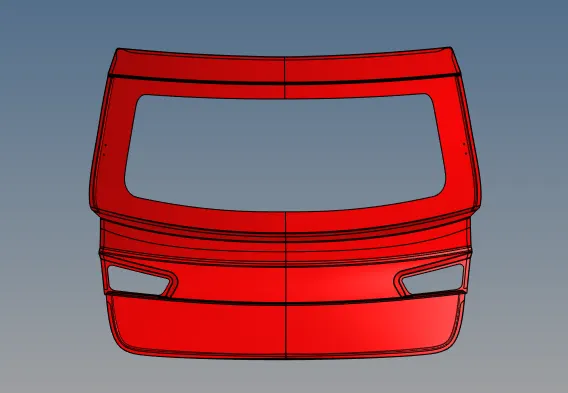
5. The midsurface component is then defeature the construction lines for the better mesh flow
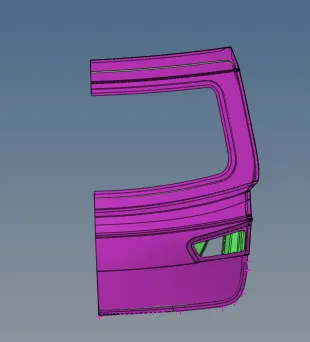
6. The component is then meshed with the given criteria
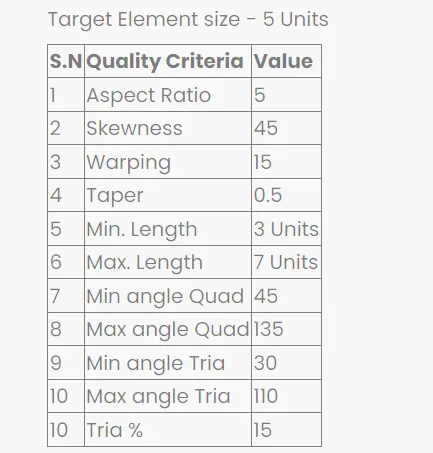
7. The quality of the mesh is corrected and then it is reflected for both the component

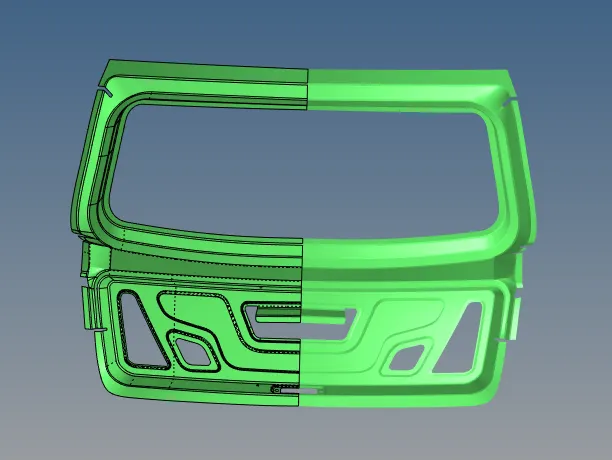
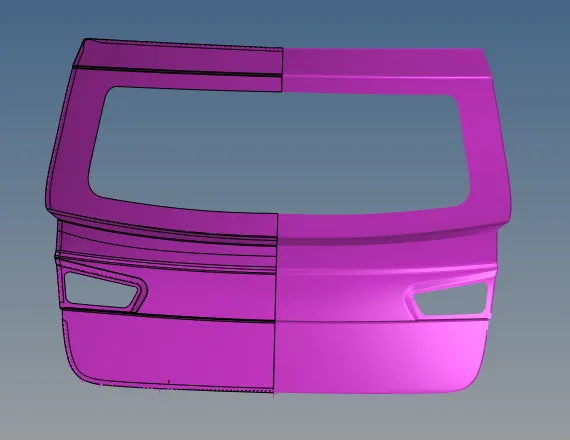
8. The connectivity issue is cleared by Edges option by using equivalence and find edges option
9. The thickness is calculated in the CAD at different locations
10. The thickness and material is assigned for both the components.
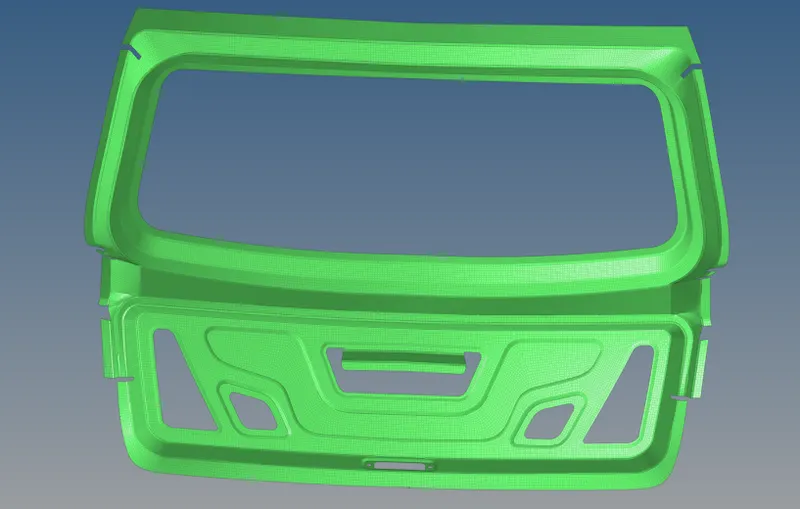
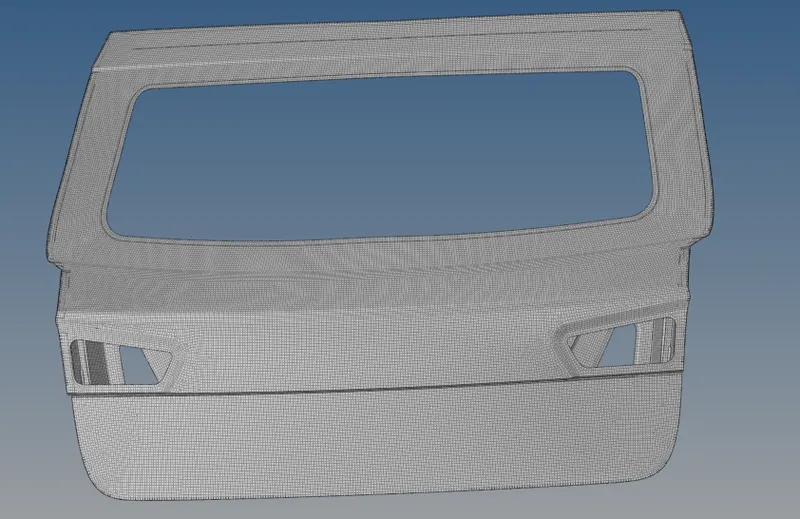
Conclusion:
The given backdoor component is meshed and the thickness is assigned for both the components the thickness for the inner is 0.6mm and the outer component is 0.75mm