Week - 7 - Checking and correcting the edges
Objective:
PART A:
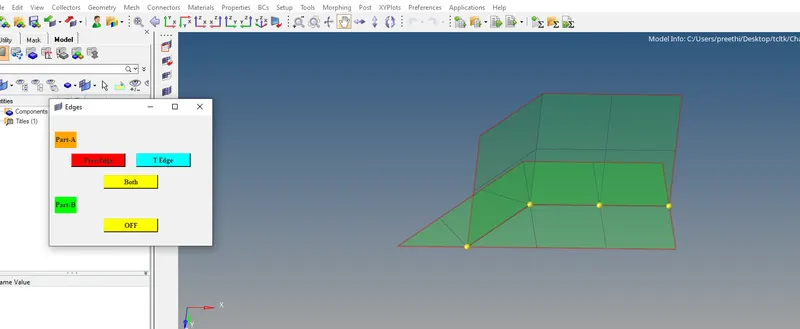
- Create a code that displayed free and T edges for displayed elements
- Free edge color red and T edge cyan
- Except for edges, all other components must be made transparent
- Also, temp nodes must be automatically created for “free nodes” for a tolerance value of 0.01
PART B:
- Also, create a code to turn off free edge display and restore the window to the way it was.
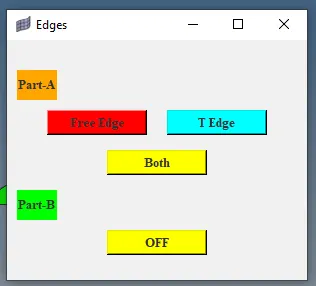
- Map these codes over a key and also create a tk widget for the same
Problem Statement:
To Create Free edges and T edges using tk widget
Code:
set a .window
catch {destroy $a}
toplevel $a -class toplevel
wm title $a "Edges"
wm geometry $a 300x240+100+200 -----#window with name Edges#
label $a.01 -text "Part-A" -bg orange -font {times 10 bold}; place $a.01 -x 10 -y 30 -width 40 -height 30 #label with name Part-A#
button $a.02 -text "Free Edge" -command {FreeEdges} -bg Red -font {times 10 bold}; place $a.02 -x 40 -y 70 -width 100 -height 25 #button name with Free Edge command for checking Free Edges#
button $a.03 -text "T Edge" -command {TEdges} -bg cyan -font {times 10 bold}; place $a.03 -x 160 -y 70 -width 100 -height 25 #button name with T Edge command for checking T Edges#
button $a.04 -text "Both" -command {Both} -bg yellow -font {times 10 bold}; place $a.04 -x 100 -y 110 -width 100 -height 25 #button name with Both command for checking Free Edges and T Edges#
label $a.05 -text "Part-B" -bg Green -font {times 10 bold}; place $a.05 -x 10 -y 150 -width 40 -height 30 #label with name Part-B#
button $a.06 -text "OFF" -command {OFF} -bg yellow -font {times 10 bold}; place $a.06 -x 100 -y 190 -width 100 -height 25 #button name with OFF command for off the Free Edges and T Edges#
proc FreeEdges {} { --#procedure for free edges#
*setdisplayattributes 4 1 --#transparency#
*createmark elements 1 "displayed" --#saving the displayed elements#
if {[hm_entityinfo exist comps FreeEdges ]==0 } { --# if free edges not exits , then proceed#
*findedges1 elements 1 0 0 0 30 --#checking edges#
*setvalue comps name={^edges} name={FreeEdges} --#changing the name to free edges#
*createmark components 1 "FreeEdges" -- #saving edges#
*setvalue components mark=1 color=3 -- #changing color to red#
*createmark elems 1 "displayed" -- #saving elements#
*equivalence elems 1 0.01 0 0 0 -- # checking how many nodes to be equivalence#
*equivalence elems 1 0.01 3 0 0-- #saving the nodes#
*createmark nodes 1 "retrieve" --# retrive the nodes#
*nodemarkaddtempmark 1 -- # adding the nodes duplicate#
} else {
tk_messageBox -message "Already Exists" -icon info -type ok --# if exits, need to message Already exists#
}
}
proc TEdges {} { --#procedure for Tedges#
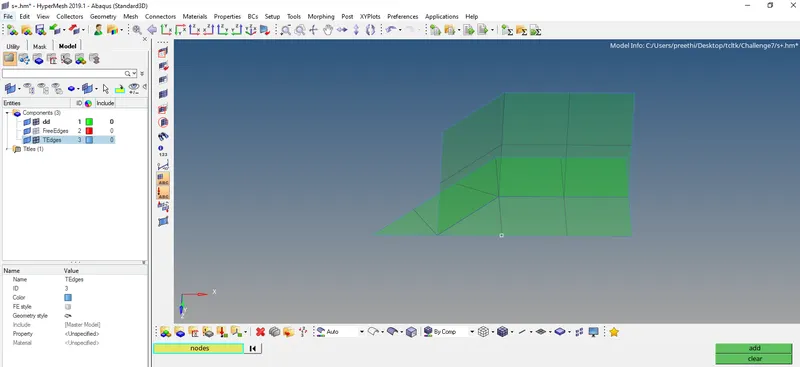
*setdisplayattributes 4 1 --#transparency#
*createmark elements 1 "displayed" --#saving the displayed elements#
if {[hm_entityinfo exist comps TEdges ]==0 } { --# if Tedges not exits , then proceed#
*findedges1 elements 1 0 0 0 30 --#checking edges#
*setvalue comps name={^edges} name={TEdges} --#changing the name to T edges#
*createmark components 1 "TEdges" -- #saving T edges Comps#
*setvalue components mark=1 color=30 -- #changing color to cyan#
} else {
tk_messageBox -message "Already Exists" -icon info -type ok --# if exits, need to message Already exists#
}
}
proc Both {} { --#procedure for both#
FreeEdges; --#free edges #
TEdges; -- #Tedges#
}
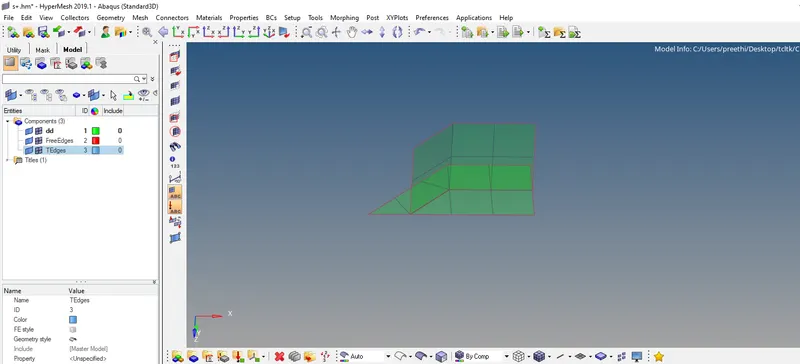
proc OFF {} {
*createmark components 1 "FreeEdges" "TEdges" --#saving the components#
*deletemark components 1 ---#delete the components#
*setdisplayattributes 2 0 --#elements normal view#
*clearmark nodes 1 -- #clearing the nodes which added#
*nodecleartempmark 1 -- #clearall nodes#
}
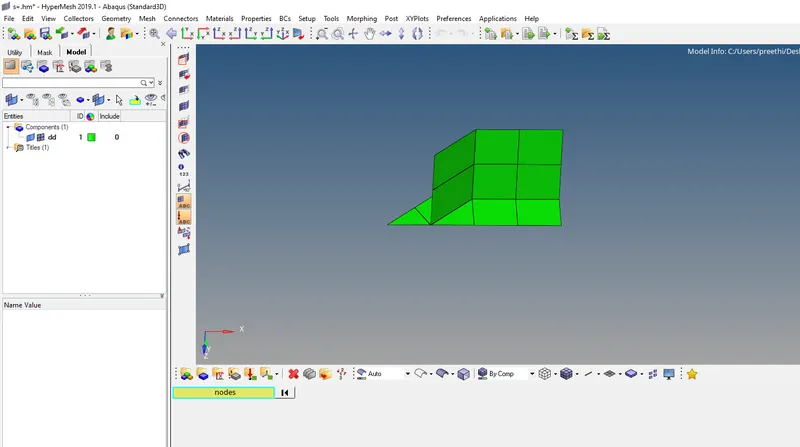
Conclusion
the free edges and t edges were succesfully identified and ran through widgets too