Week 7 Challenge - Assembly Workbench
AIM:- TO MODEL AND ASSEMBLE QUICK RETURN MECHANISM AND CV JOINT
EXPLAINATION:-
- All component is designed sparately in part workbench using the given input.
EXPLAINATION FOR QUICK-RETURN MECHANISM ASSEMBLY
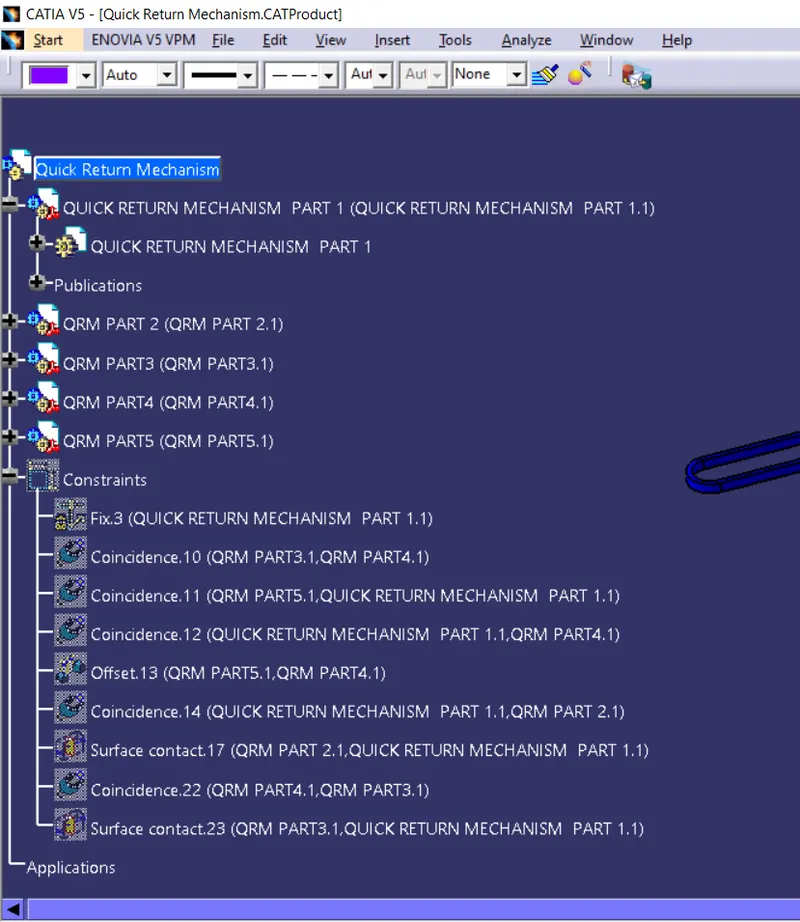
- First all components are imported into the assembly workbench.
- I have fixed the first component to take it as referance element.
- Now coincidence relation is given between part5 and part1.
- Coincidence relation is given between the plane of fixed part and part4.
- Offset is given to face of part5 and part 4 to bring to the position.
- Coincidence relation is given with the outside circle of part1 and part2.
- Now we give surface contact to face of part2 and to part1 to bring it to the final position.
- Coincidence relation is given to part3 and part4.
- Now we give surface contact relation to part3 and part4 but an error gets pop-up.So what we do now?
- Measure the distance between the hole of part4 and distance and the face of part1 and part3.
- Now make required changes in part4 and give surface contact relation between part1 inner face and part3 face.
FEATURE TREE:-
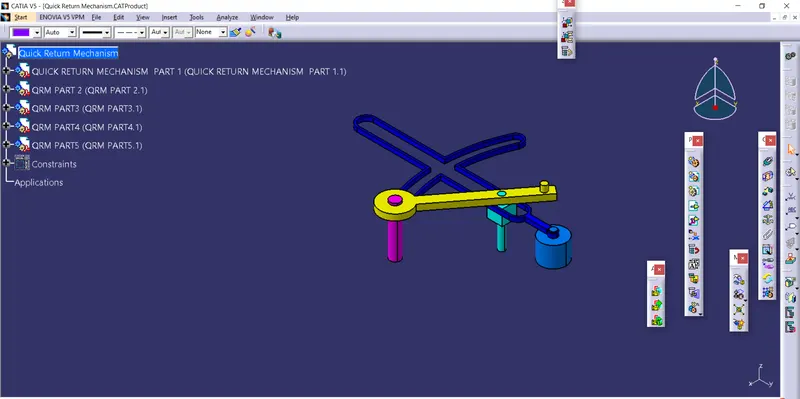
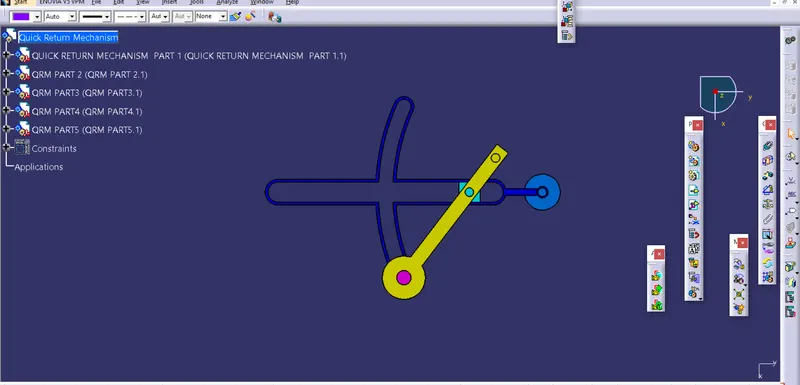
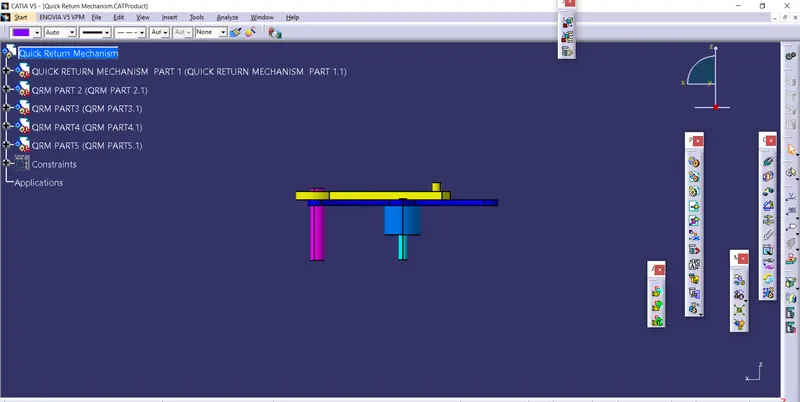
DIFFERNET ORIENTATION OF QUICK-RETURN MECHANISM ASSEMBLY
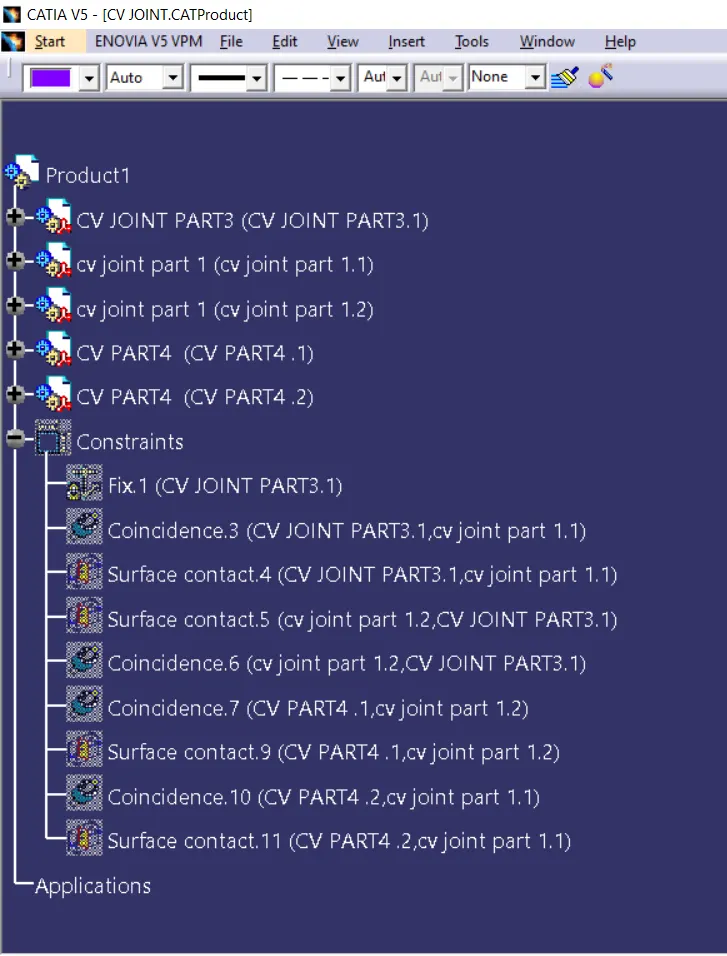
EXPLAINATION FOR CV JOINT ASSEMBLY
- First i have bring the part3 and fixed it.
- Now i have inserted part1 and gave coincident relation to part3 and part1.
- Surface contact is given to the cut of part3 and part1 face.
- As we need two components so i have inserted one more part1.
- Same process is followed for this part also.
- Now i have inserted part2 to the assembly workbench and gave coincidence relation between part2 and part1.
- Surface contact relation is given to part1 and part2 face.
FEATURE TREE:-
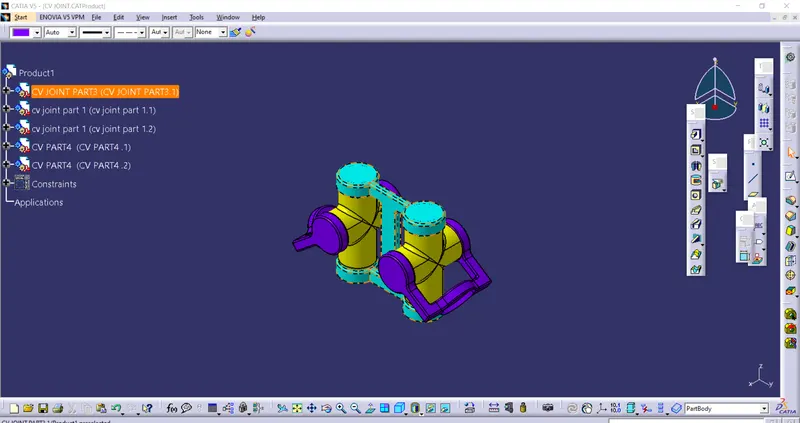
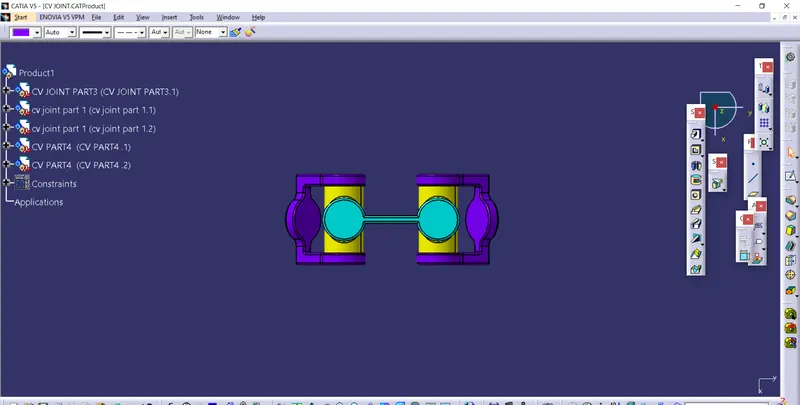
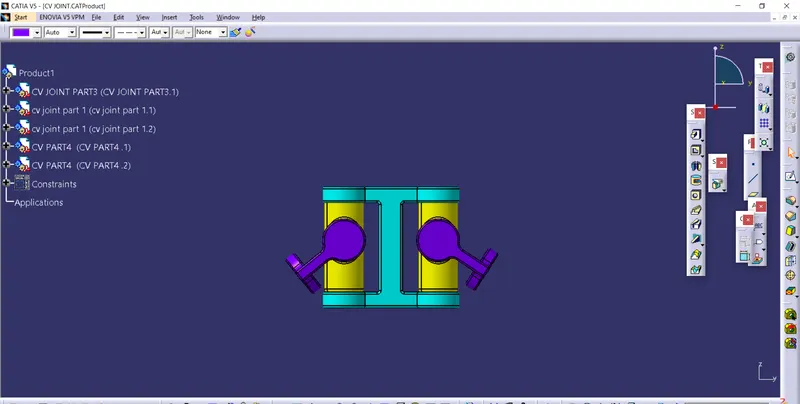
DIFFERENT ORIENTATION OF CV JOINT
THANKYOU