Week 7 Challenge
Q1. Modelling of a structure exercise
Aim & Introduction- A structure (Pratt Truss) is to be modelled for following given data-
- Bay spacing 5 m
- Span of Truss 30 m
- Shape of Truss – Pratt Truss
- Slope of truss 20 degree
- Height of the column 15 m
- Floor Beams at 5 m from base
- Secondary beams at 1.5 c/c
- Length of the building 50 m
- Column Supporting Floor Beam @ 6 m c/c Along the frame
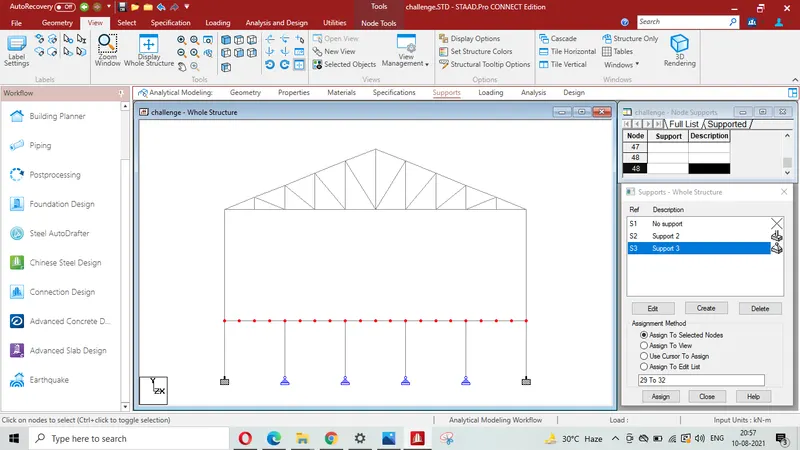
Procedure - Single truss is to be created using node and add beam option then using translationanl repitition option.
start >= creating node (0,0,0)
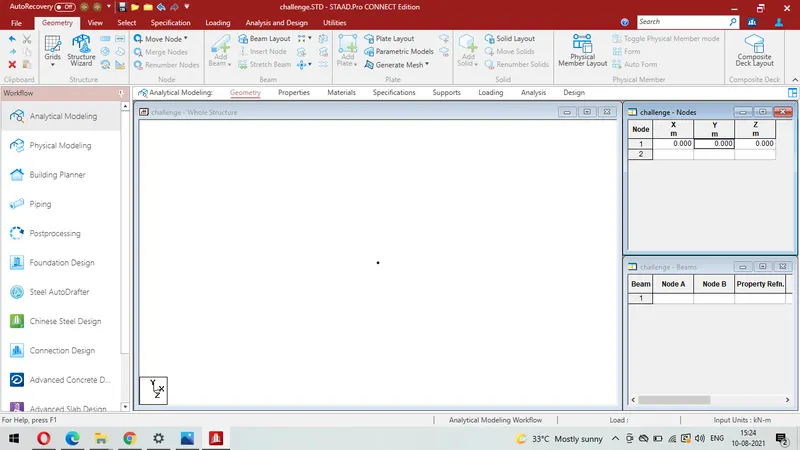
Creating node @ 15,0,0
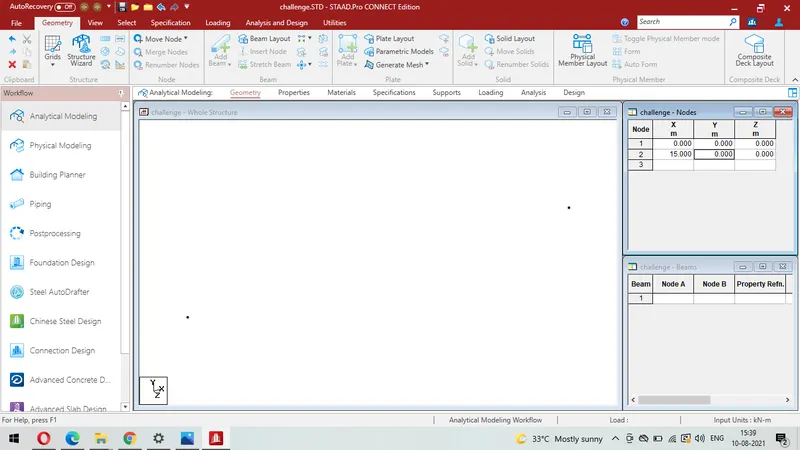
Adding beam>= Using Add Beam Command
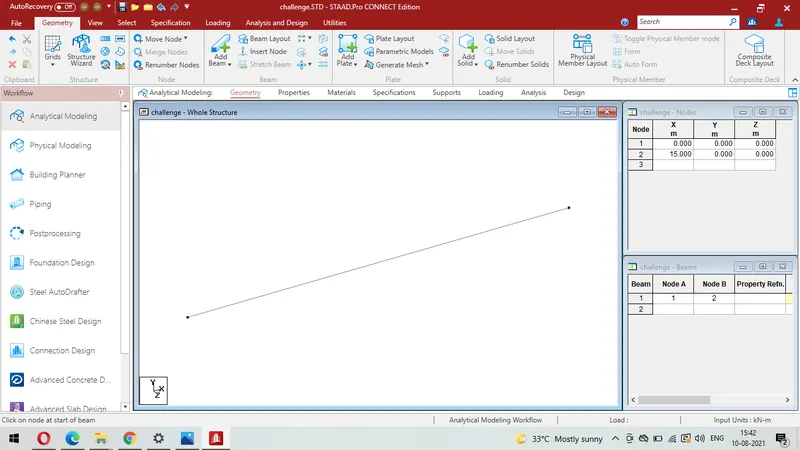
Adding node @ 15, 5.45955,0 for creating slope of truss 20 degree
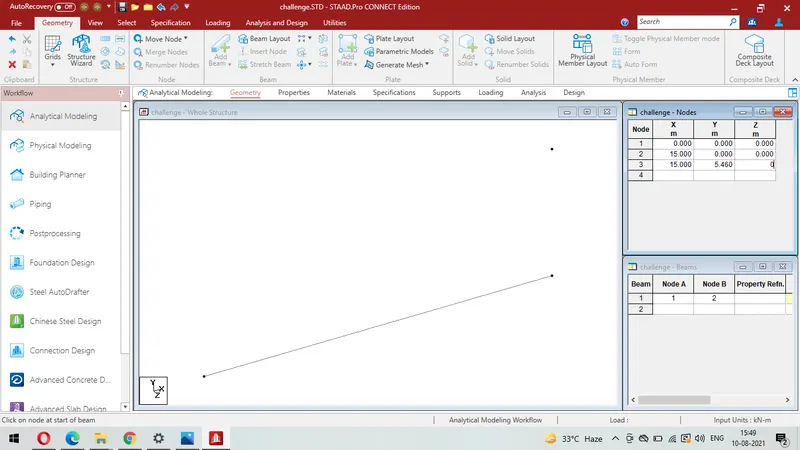
Adding beam using add beam command
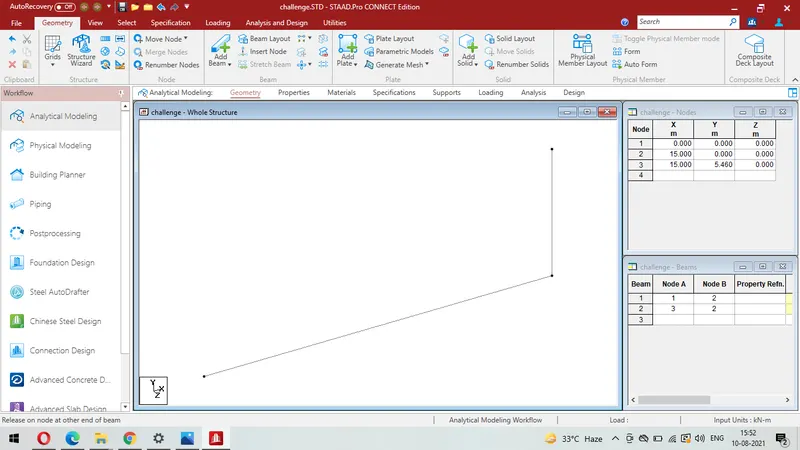
Again adding nodes to form half truss using add beam option
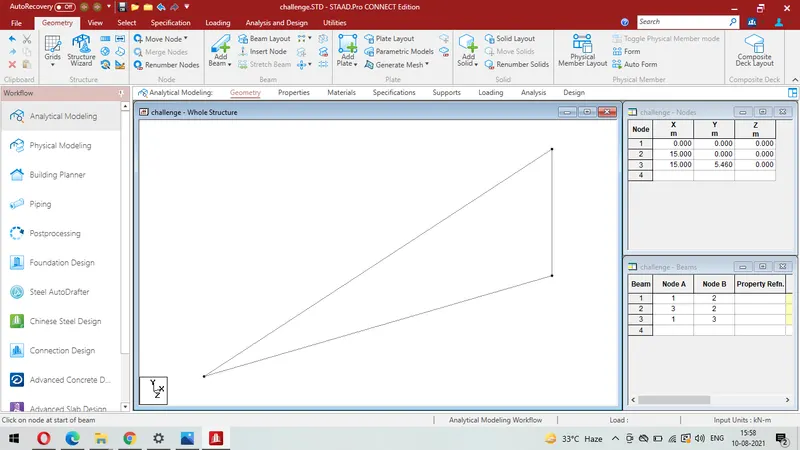
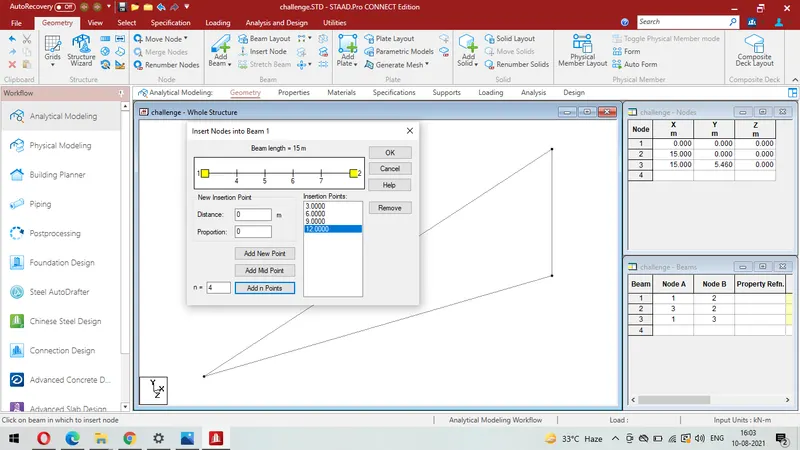
Inserting 4 nodes on beam to create 5 bay in truss
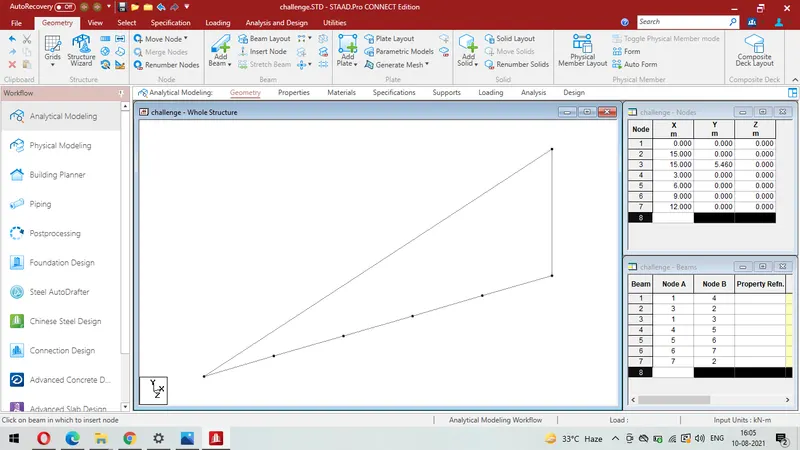
Similarly creating 4 nodes equidistance on principle rafter using add beam command
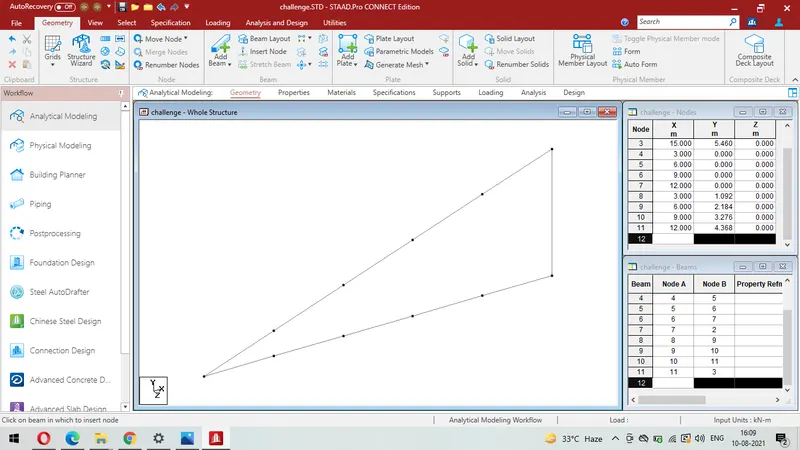
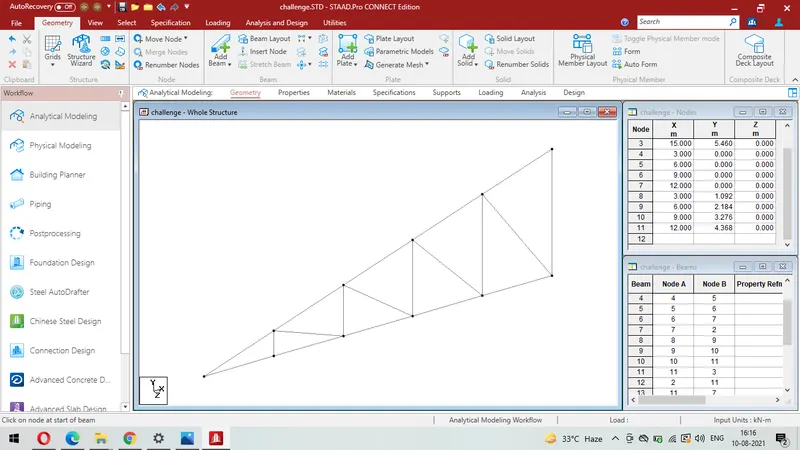
adding beams between nodes as per given truss ( pratt truss)
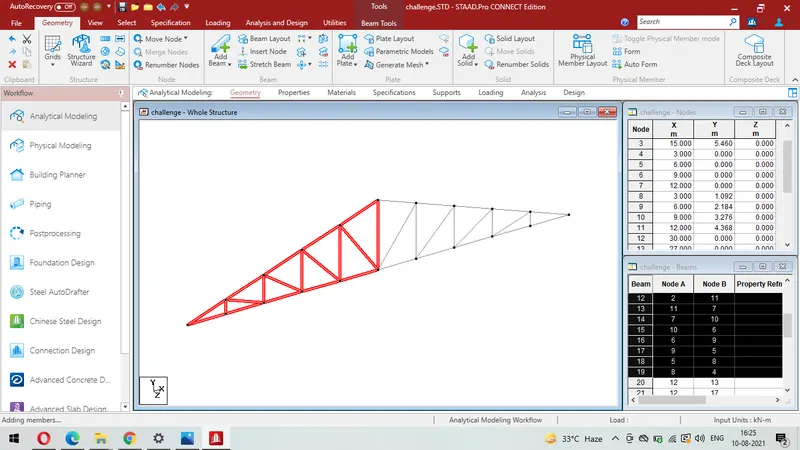
Creating the mirror image using mirror option
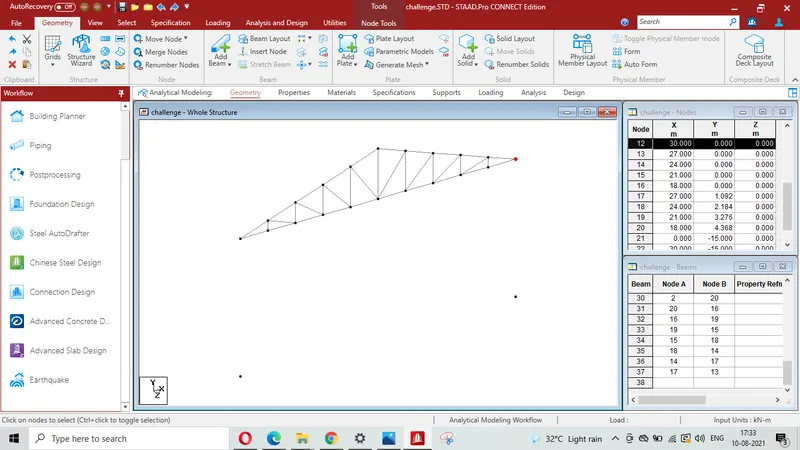
Creating node at 0, -15,0
Creating column 15 m height using add beam command
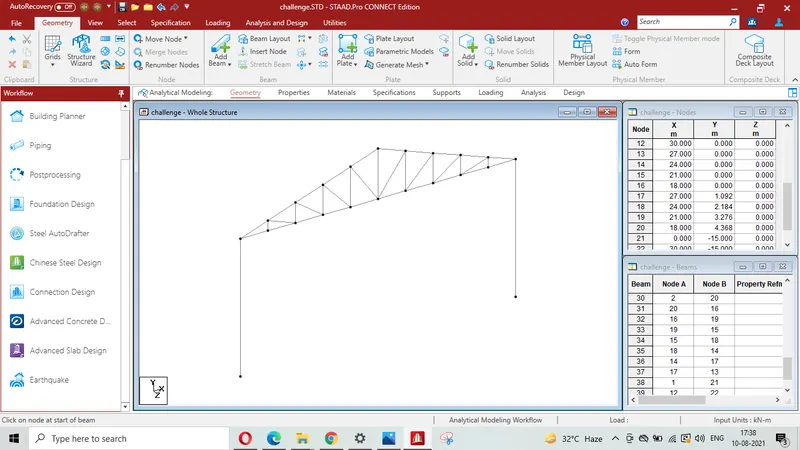
Creating fixed end support to the end column
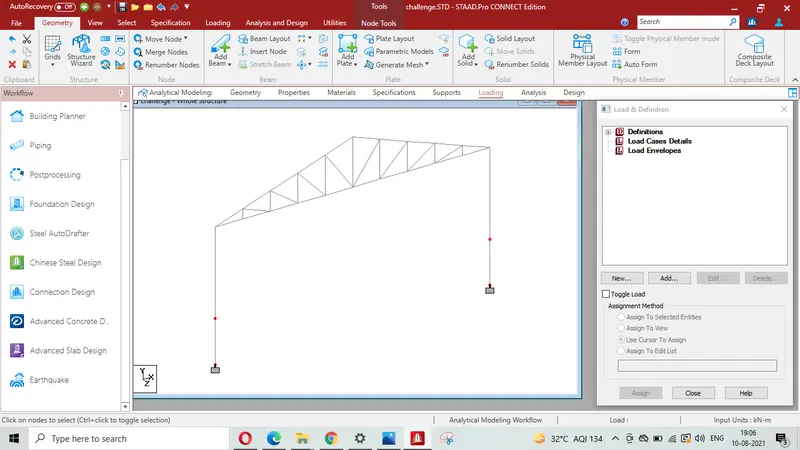
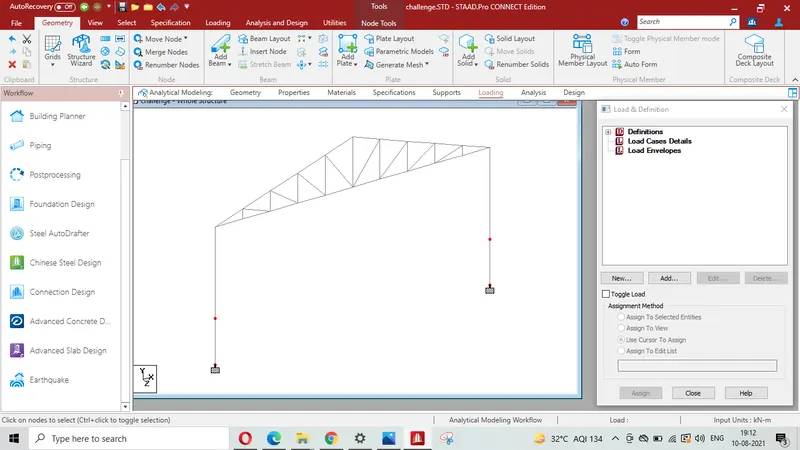
Adding nodes on columns at -10 m along y axis
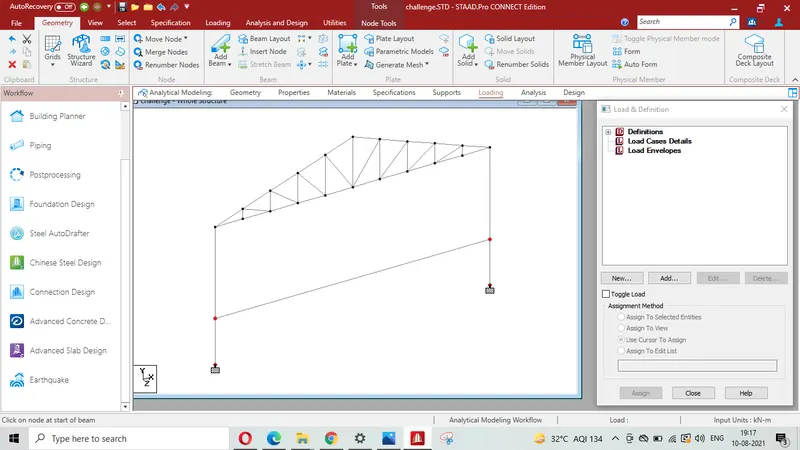
Creating floor beam joining nodes on column using add beam option from the ribbon tool bar
Creating nodes @ 6 m interval for columns to support floor Beam
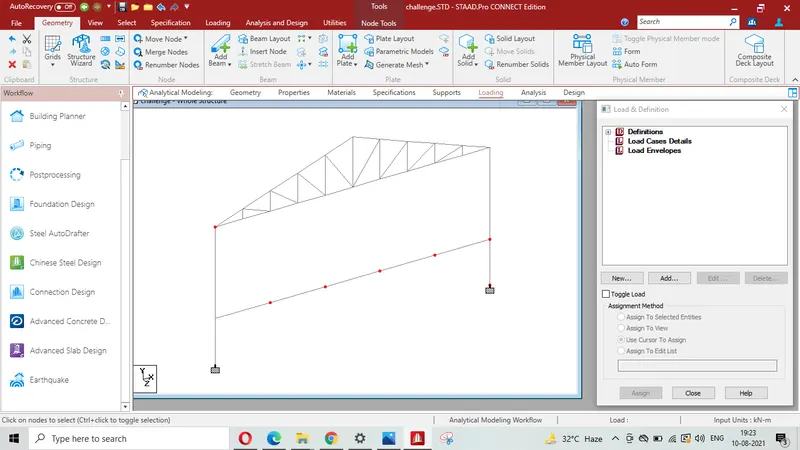
Creating nodes at 5 m below the each node on floor beam
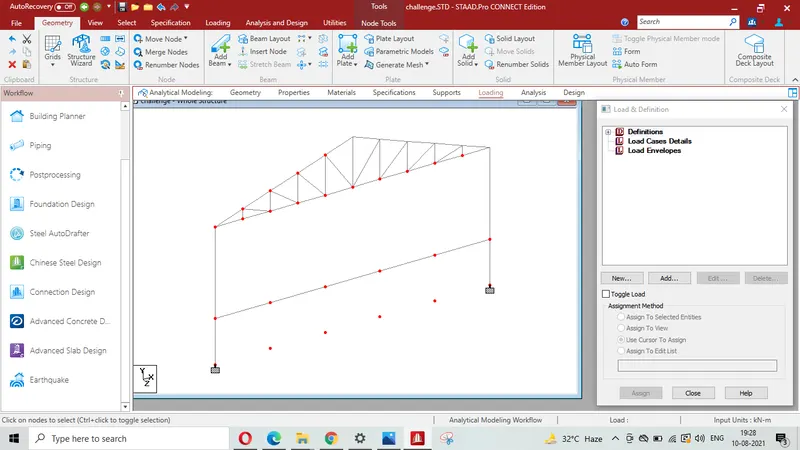
Creating columns joining nodes on floor beam
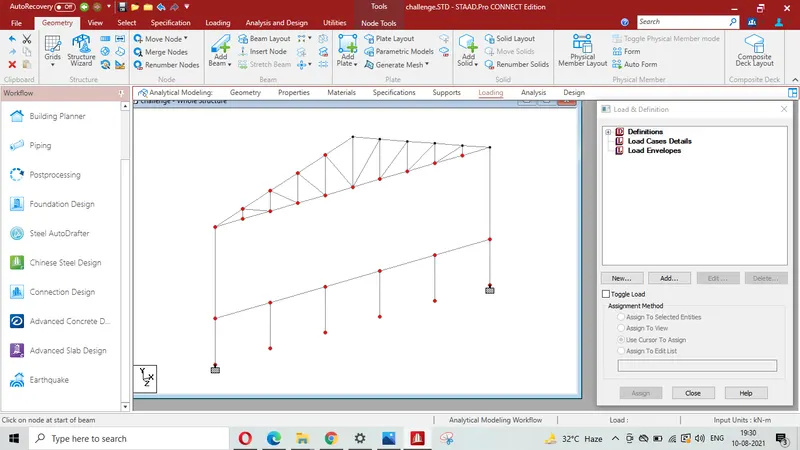
Creating pinned support to the columns
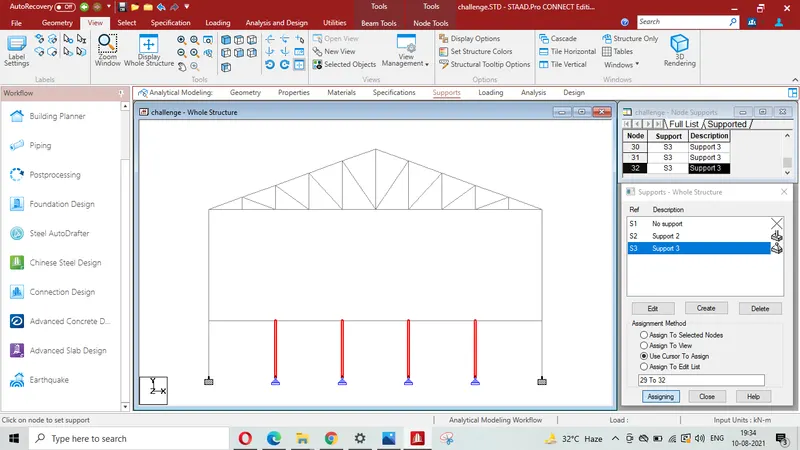
Creating nodes on floor beam @ 1.5 m c/c for secondary beams
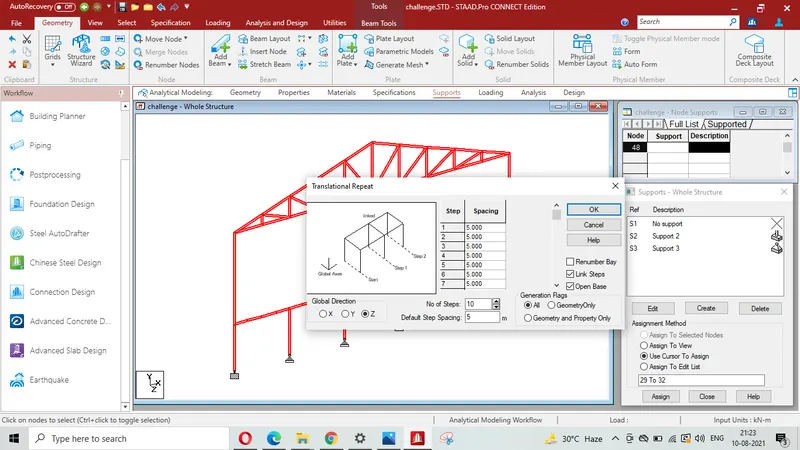
Truss is repeated 10 times @ 5 m c/c for its length to be 50 m using translational repeat command along Z axis
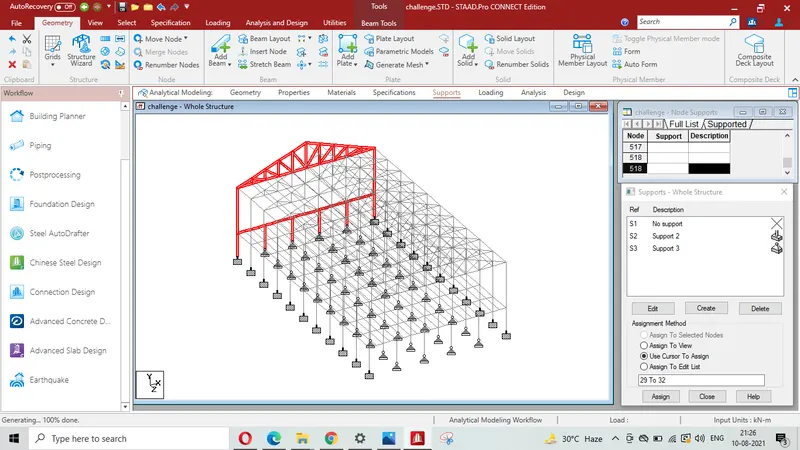
Result- Thus analytical Model with given datas is created.
Q-2
Aim & Introduction-
To apply Specification and member property for modelled structure modelled in Q-1. ISMS 500 to be assigned to columns, ISA 110X110X12 to Top & Bottom chord, ISA 75X75X8 to diagonal members, ISMC to Purlins & secomdary floor Beams, ISMB 300 to floor primary Beams & floor Beams supporting column and SHC 120X120X10 to Tie Beams
Procedure-
For assigning properties & specificationsto the various members we click property then clicking section database then choosing India then selecting ISMB 500 , ISMB 300, ISA 12X120X10, ISA 65X65X8 ,SHC 120X120X10 (Adding TUB 120X120X10 from British Code as SHC 120X120X10 of Indian standard )and ISMC 250 to add in the list for assigning to various members as per given data
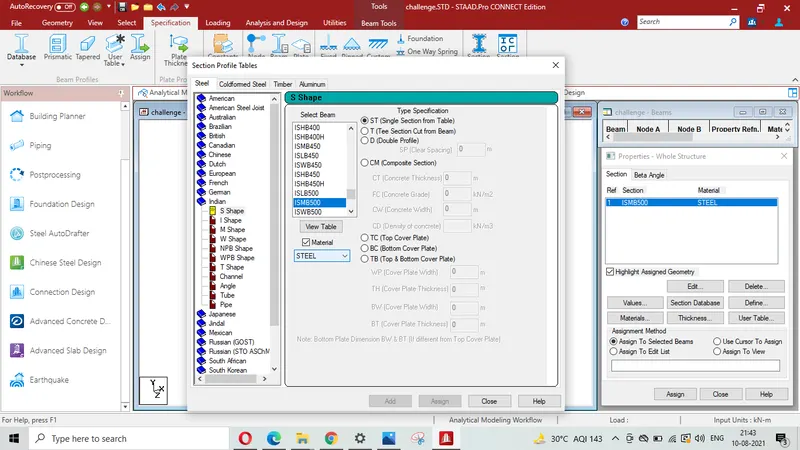
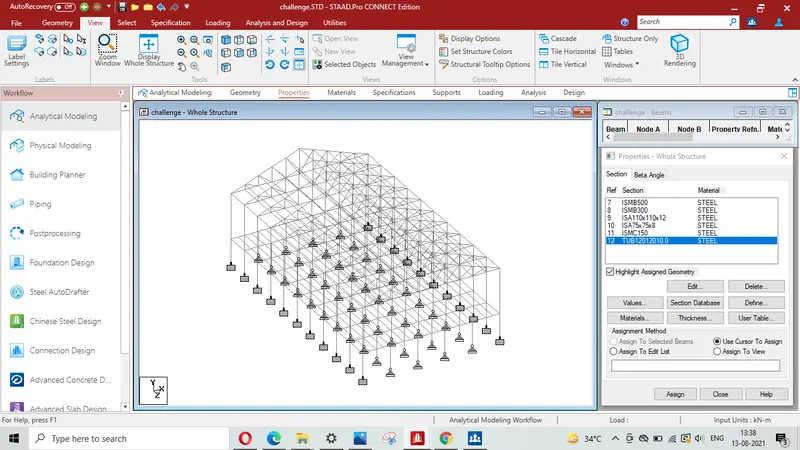
Assigning ISMB 500 (R7) to columns,
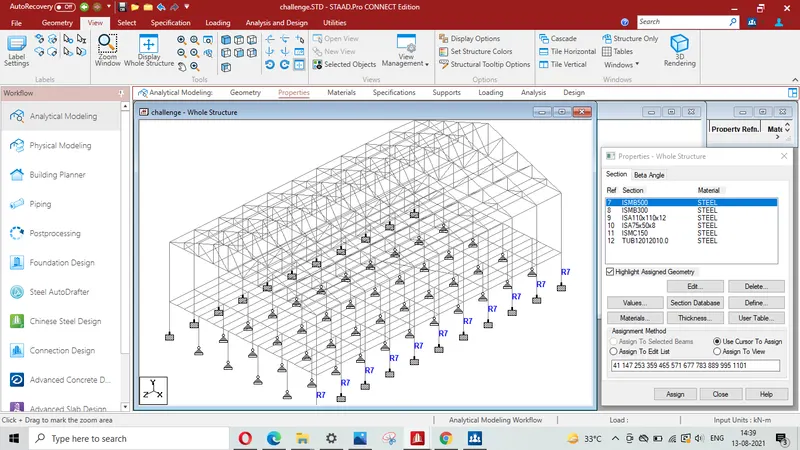
Left & Right view showing column with assigned property ISMB 500 (R7)
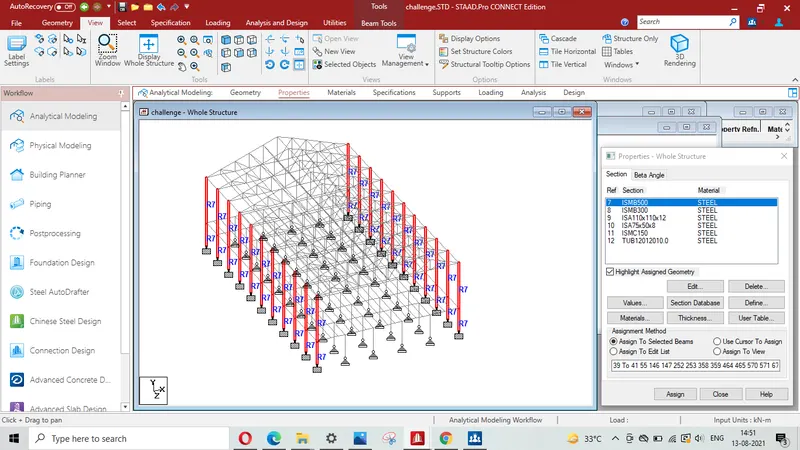
Isometric view of columns with assigned property ISMB 500 ( R7)
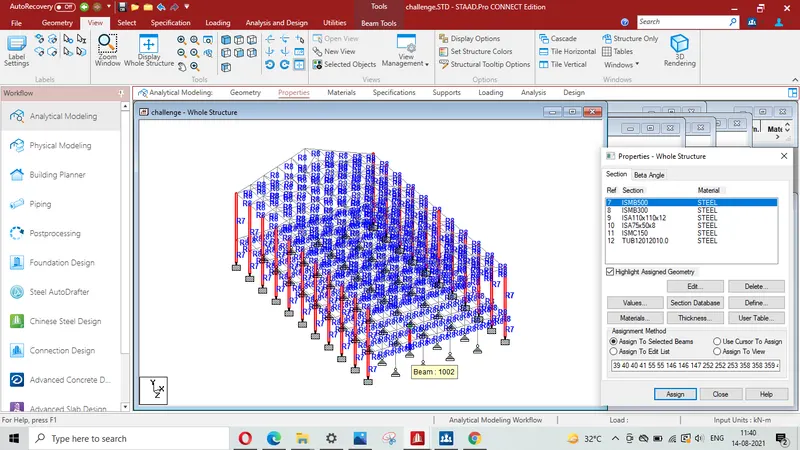
3D rendering view showing column with assigned property ISMB 500 (R7)
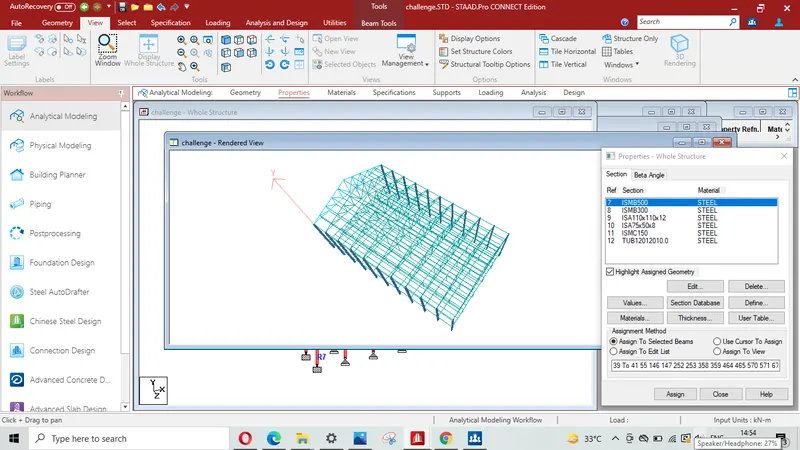
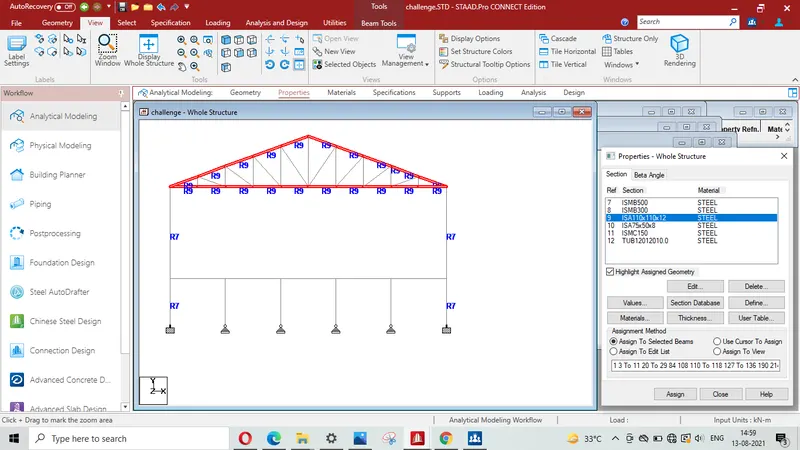
Assigning ISA 110X110X12 (R9) to top and Bottom chord of truss
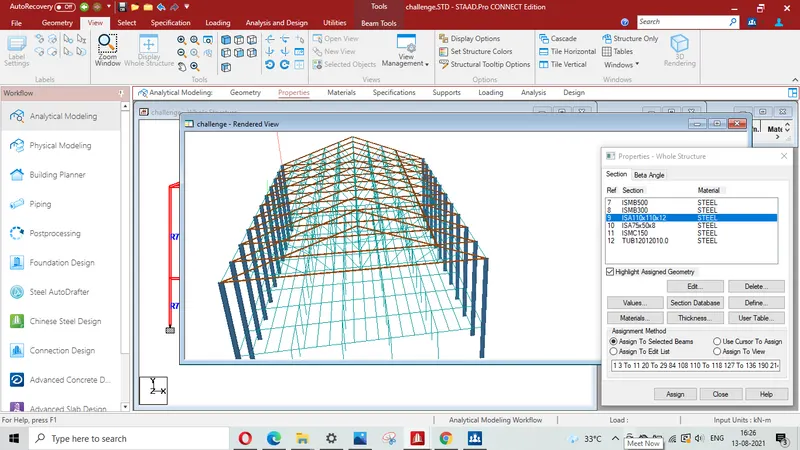
3D rendering view showing top and Bottom chord with assigned property ISA 110x110x12 (R9)
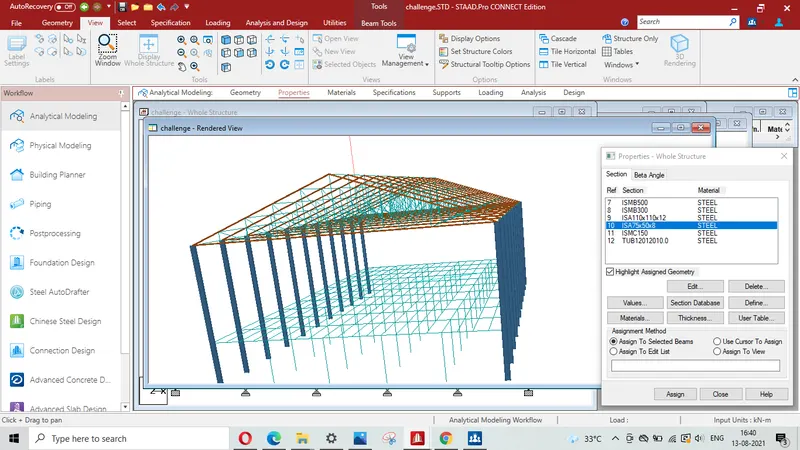
Assigning ISA 75X75X8 (R10) to Diagonal members of truss
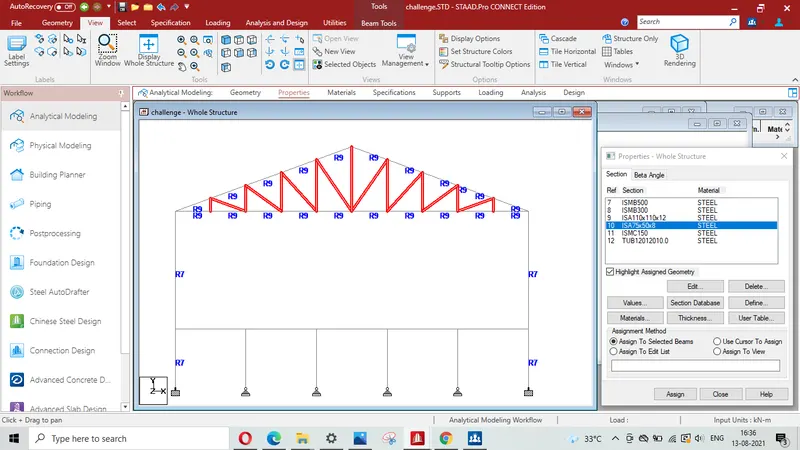
Diagonal members are assigned with property ISA 75X75X8( R10)
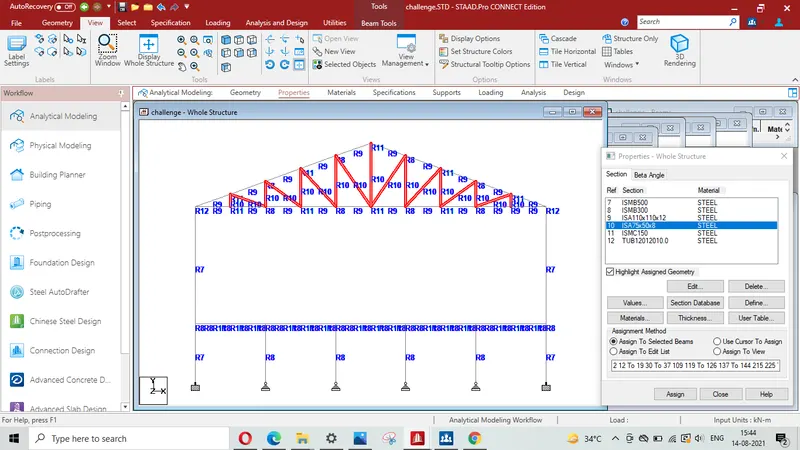
3D rendering view of diagonal members with assigned property 75X75X8 ( R10)
Assigning ISMC 150 (R11) to the Purlins of truss and secondory beams
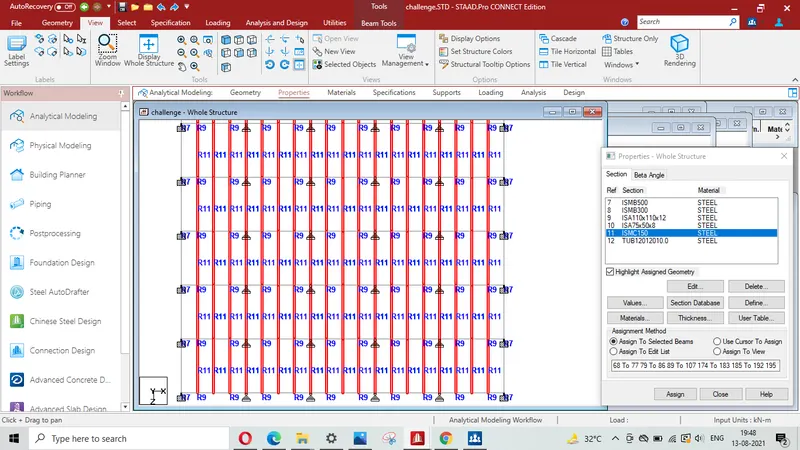
Isometric view showing purlins & secondory beam with assigned property ISMC 150 (R11)
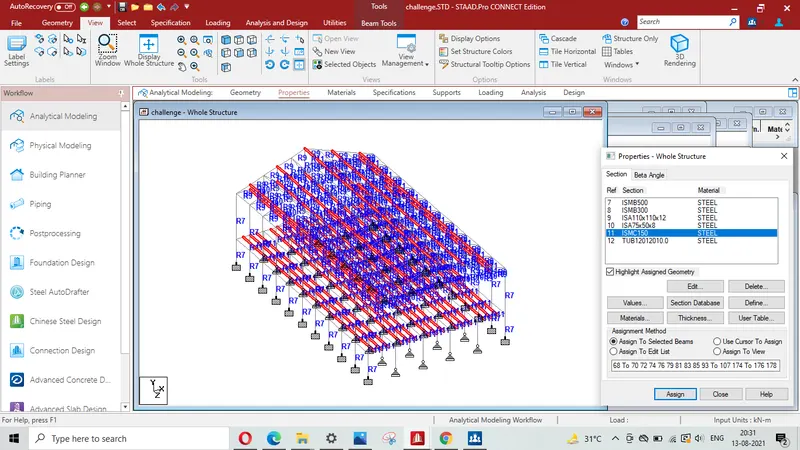
3D rendering view showing purlins & secondory beam with assigned property ISMC 150 ( R11)
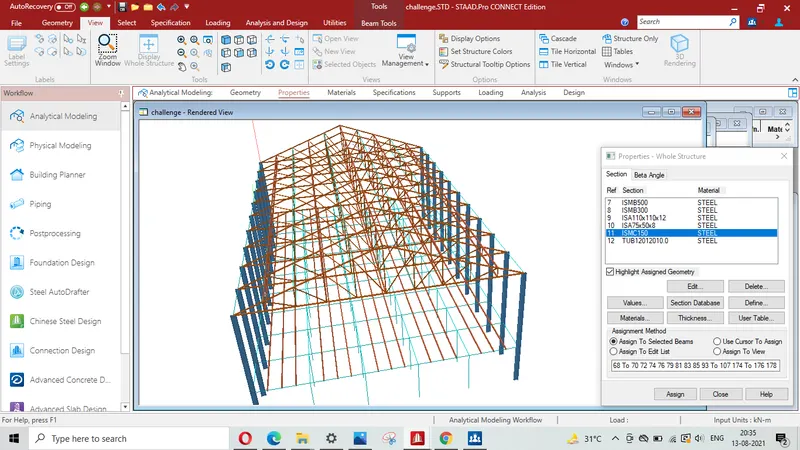
Assigning ISMB 300 (R8) to floor primary beams
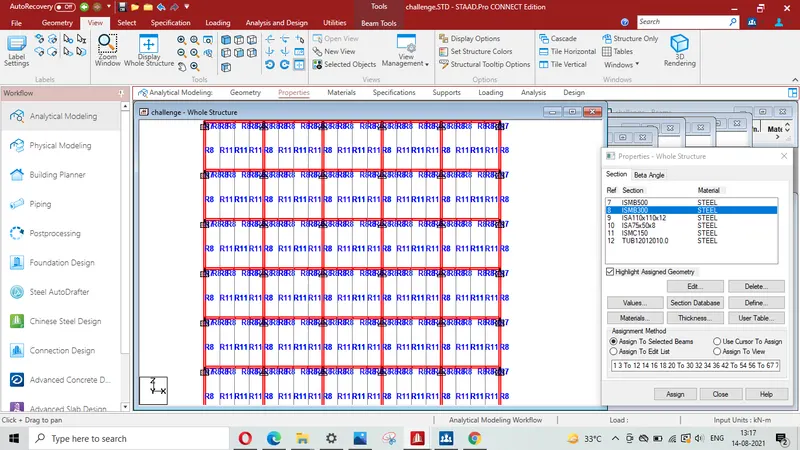
3D rendering view showing floor primary beams with assigned property ISMB 300 (R8)
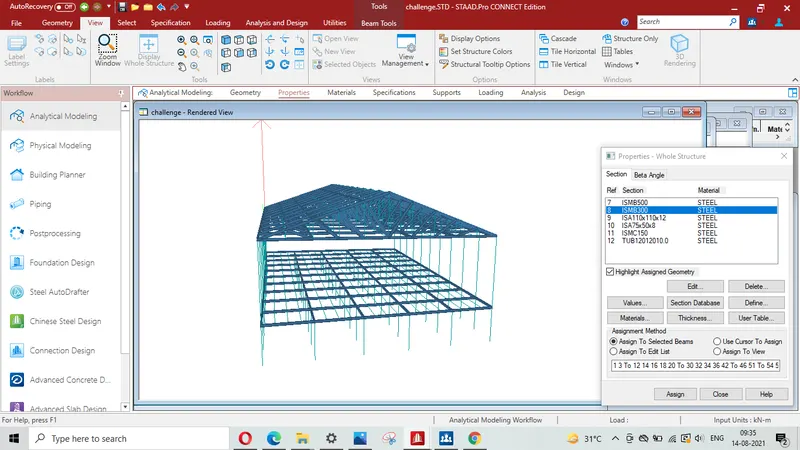
Assigning SHC 120X120X12 (R12) ( equivalent steel section TUB 120X120X12 from the British code) to the Tie Beam connecting trusses to provide lateral stability to the truss ( Top Plan)
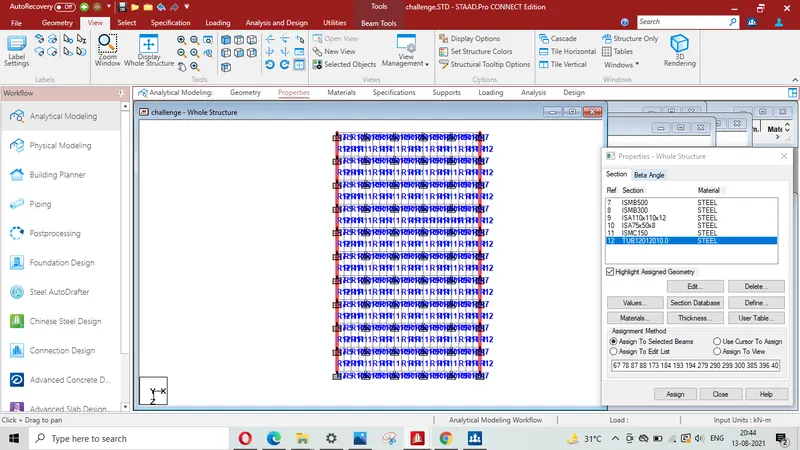
Isometric view showing Tie beam which connect top of the column with assigned property TUB 120X120X10 equivalent to SHC 120X120X10 (R12)
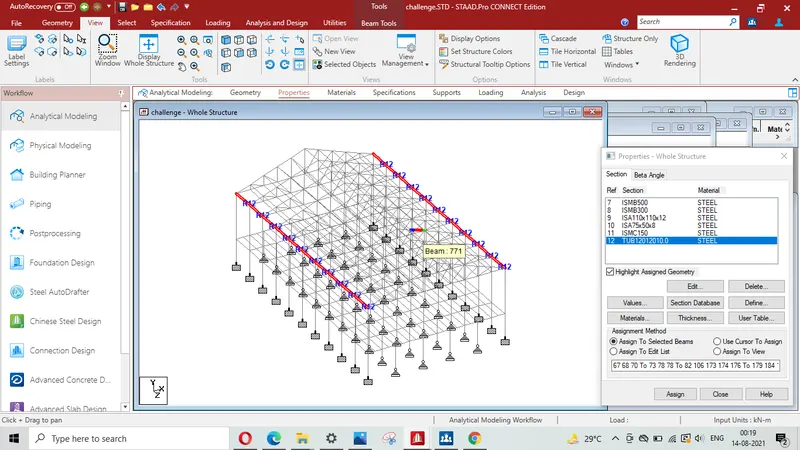
Isometric view of Tie beam connecting end of trusses with assigned property (R12)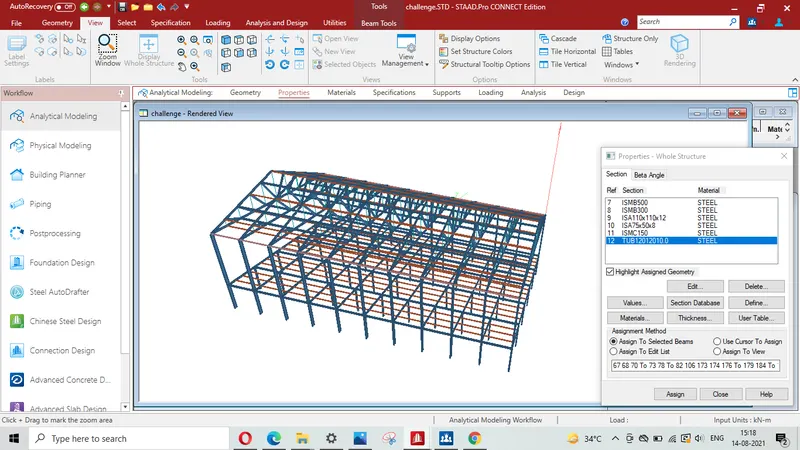
Assigning ISMB 300 (R9) to floor beam supporting column
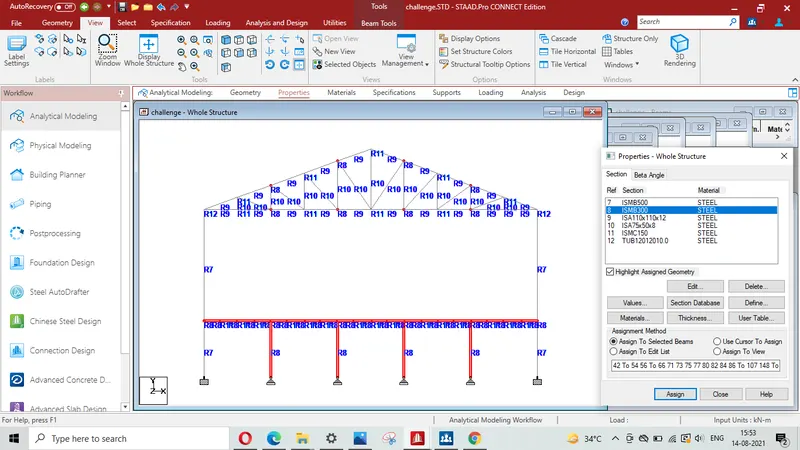
3D Rendering view of floor beam supporting column (R8)
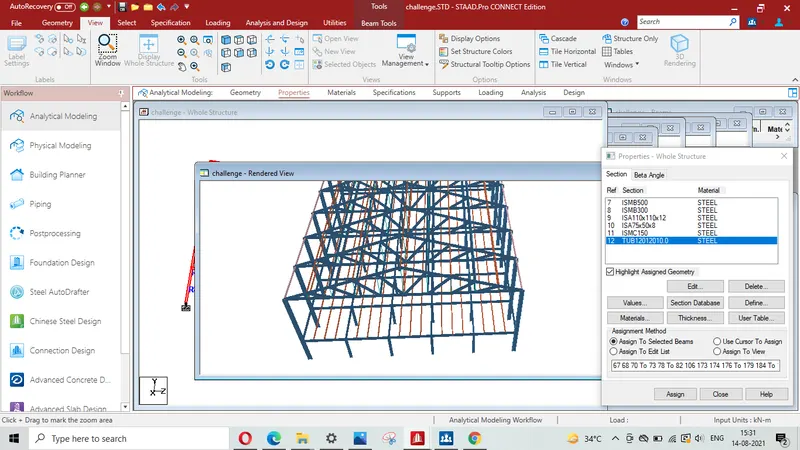
Ismetric view for columns with assigned property ( R1)
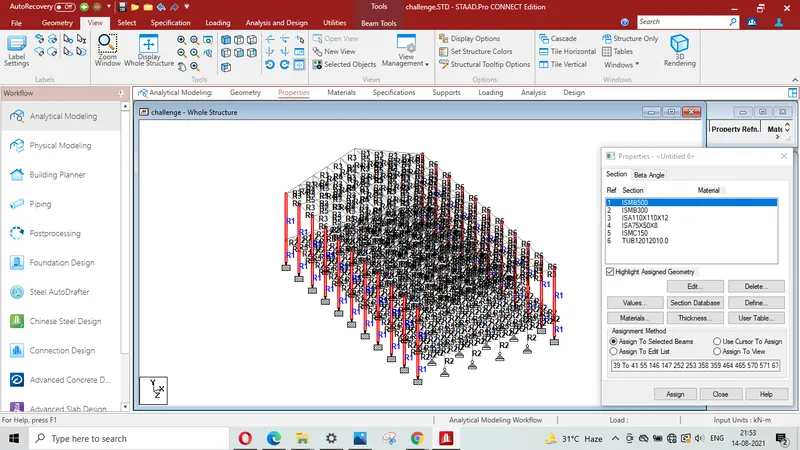
Isometric view showing floor Primary Beams and floor beam supporting columns assigned with property ISMB 300 (R2)
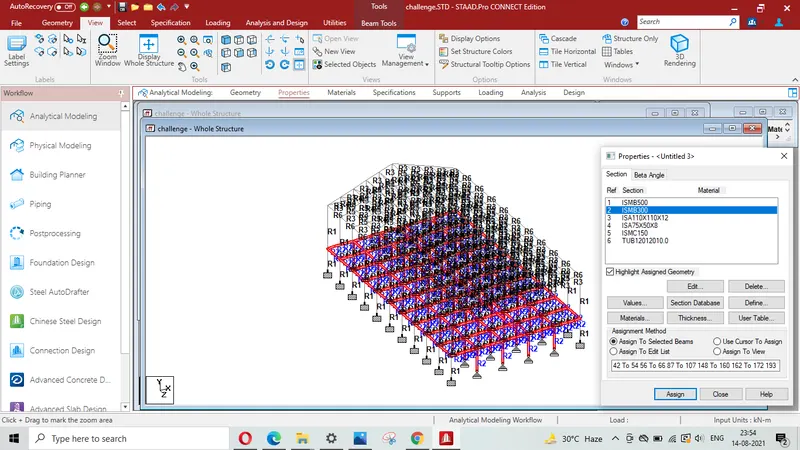
Isometric view showing top & Bottom chord asiigned with property ISA 110X110X12 ( R3)
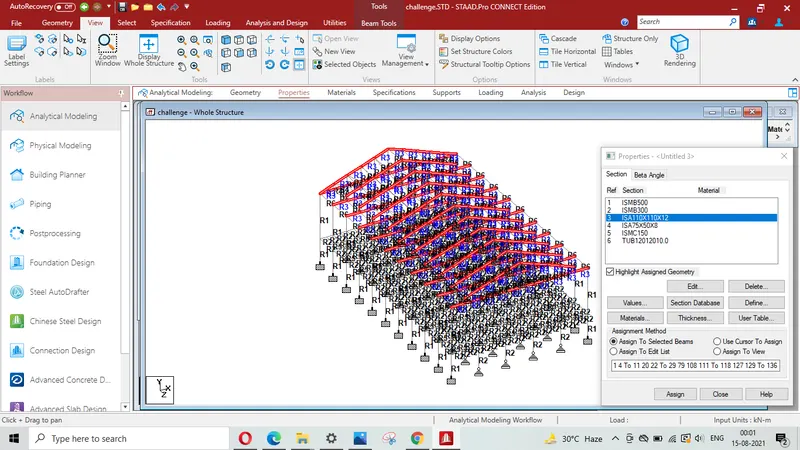
Isometric view showing top & Bottom chord asiigned with property ISA 75X75X8 (R4)
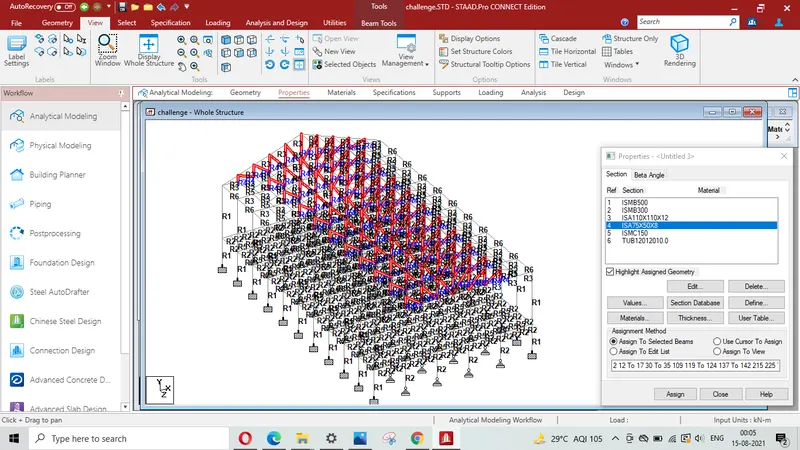
Isometric view showing PURLINS & Secondory Beams asigned with property ISMC 150 ( R5)
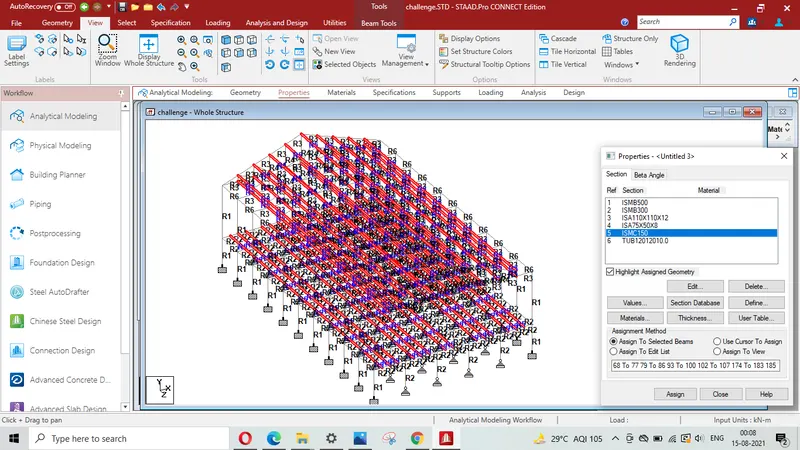
Isometric view showing Tie Beams asigned with property TUB 120x120x12 ( R6)
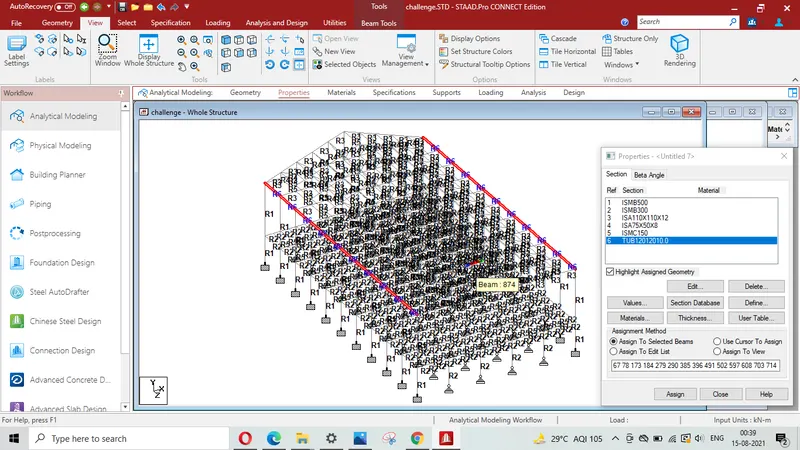
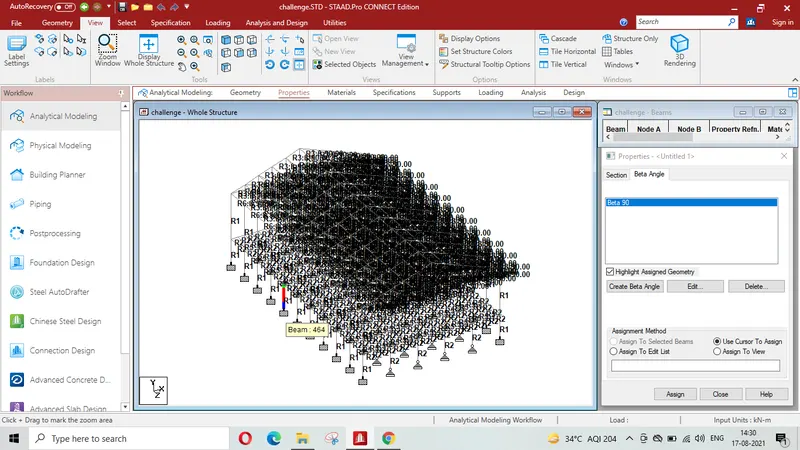
Assigning `beta`angle of 90 degree to the angle section`
Result-
It is concluded that properties and specifications have been assigned to the various members of the model created in Q-1
Q-3 To Create a group to the members of the model created in Q-1.
It is given that the group has to be formed for the members given below-
- External column
- Internal columns
- Roof Frames
- Top chord of the Truss
- Primary Beams
- Secondary Beams
Procedure-
creating group for columns using utility option and then clicking group
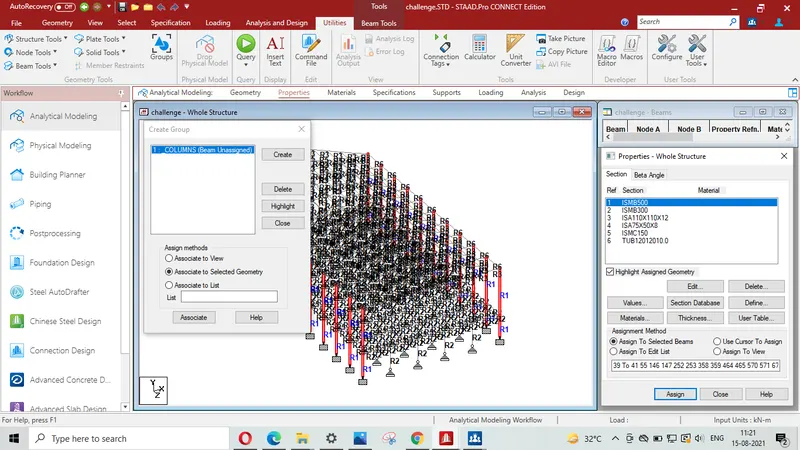
creating group for inerior columns using utility option and then clicking name of corresponding group
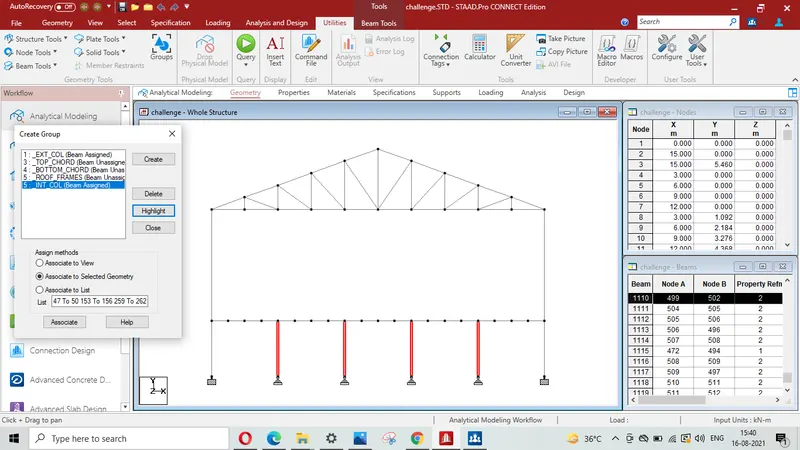
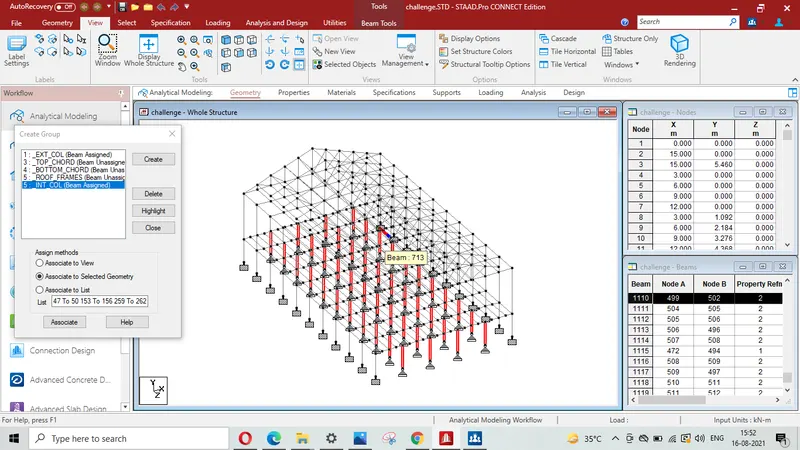
Isometric view showing group of Interior columns
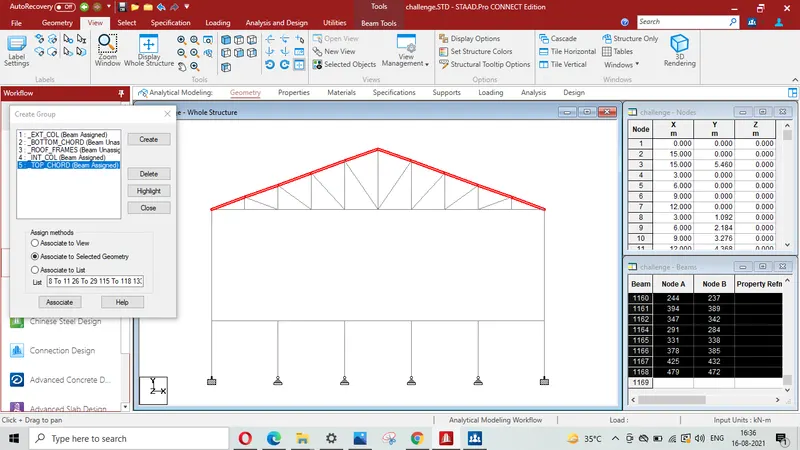
Front view of showing group of top chords
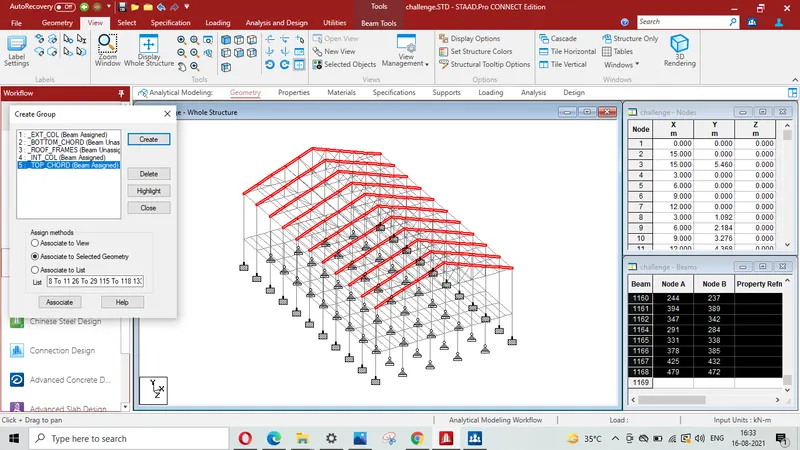
Isometric view showing group of Top chords
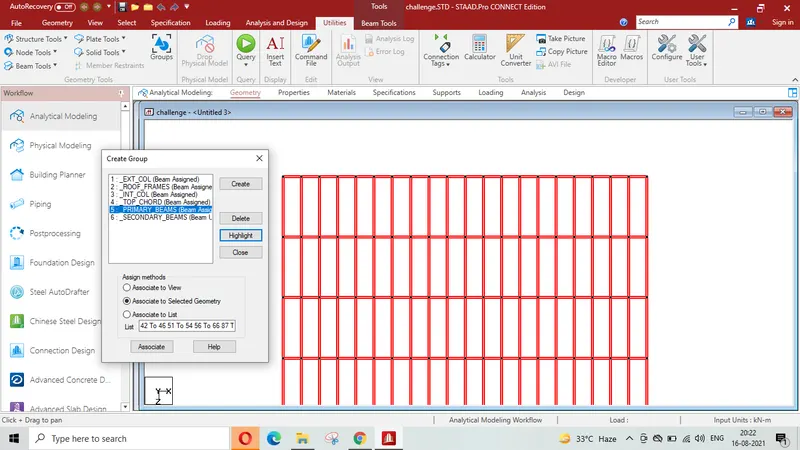
Top view showing group of primary Beams
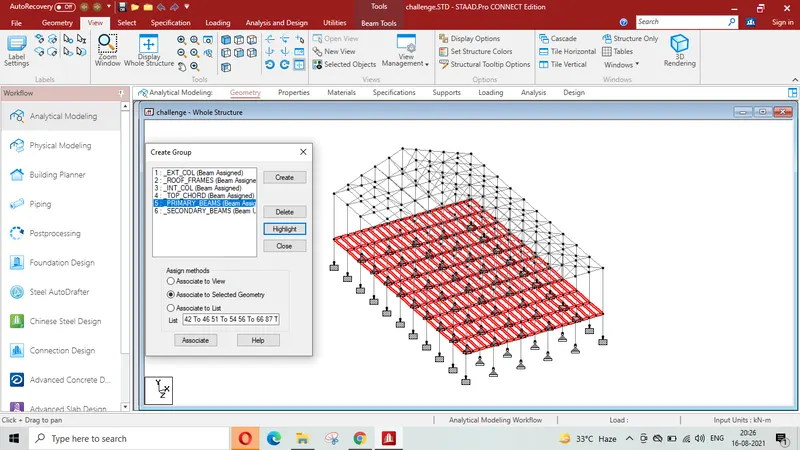
Whole structure is displayed showing group of Primary Beams
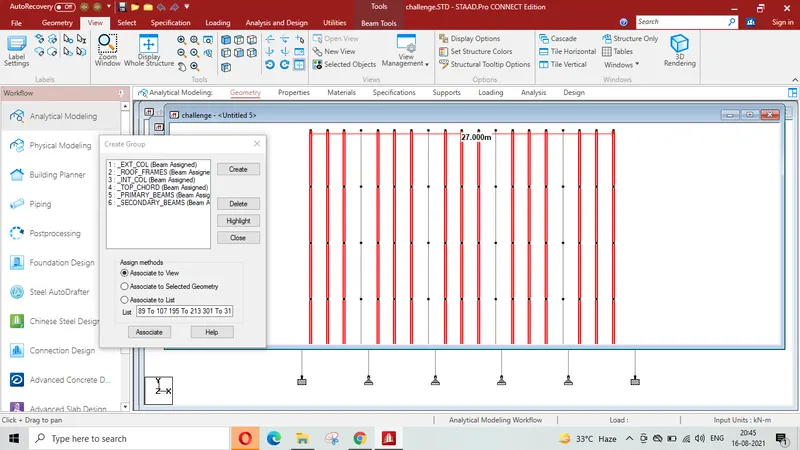
Top view showing group of secondary Beams
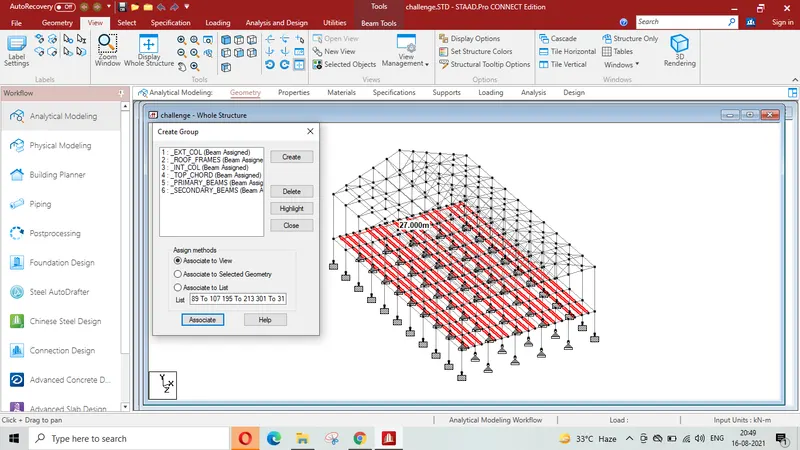
Whole structure is displayed showing group of Secondary Beams
View showing group of Roof frames
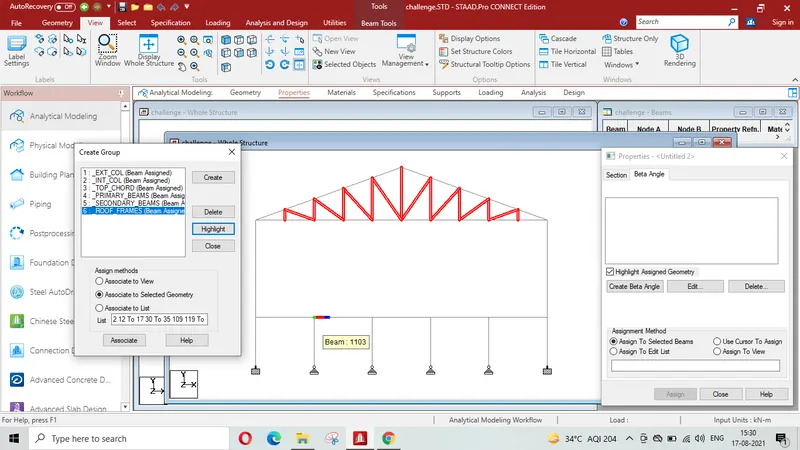
Isometric view showing the group formation of roof frames
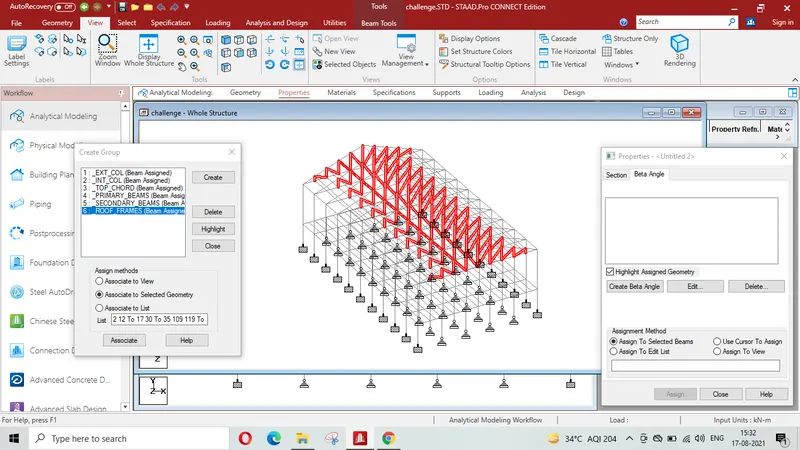
Result- Thus it is concluded that group has been assigned to the various members of the model created.
File named challenge.STD is complete in all respect for Q1,2&3 which may be considered accordingly.