Week 6-Meshing of Hood Challenge
AIM:-
The below-mentioned quality criteria have to follow, also meshing the component with a target size of 5 units, and assigning thickness at last:
Target Element Length = 5 Units
| S.N | Quality Criteria | Value |
| 1 | Aspect Ratio | 5 |
| 2 | Skewness | 45 |
| 3 | Warping | 15 |
| 4 | Taper | 0.5 |
| 5 | Min. Length | 2 Units |
| 6 | Max. Length | 8 Units |
| 7 | Min angle Quad | 45 |
| 8 | Max angle Quad | 135 |
| 9 | Min angle Tria | 20 |
| 10 | Max angle Tria | 120 |
| 10 | Tria % | 10 |
Procedure To Accomplish The Given Task:-
Step1:-
We have to Download the model and import it into Hypermesh software.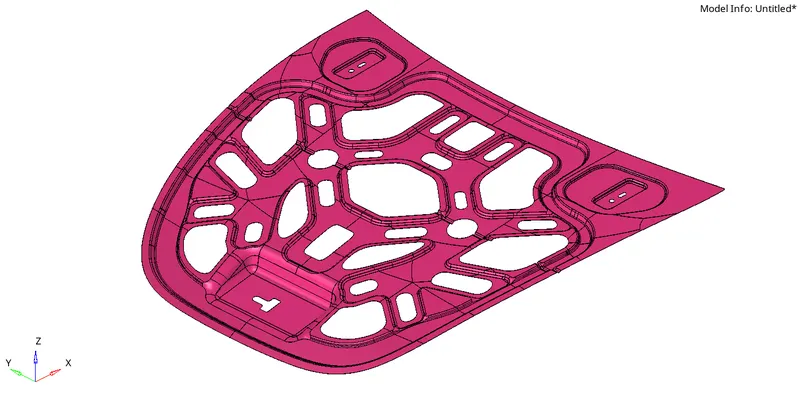
This is the component given to perform the task, I had imported it into the hyper mesh software.
Step2:-
After importing we have to check if the given component is a solid or a surface. This component is a surface model.
Step3:-
We always have to view the component in TOPO mode so that we can visualize the component surface edges and how they are.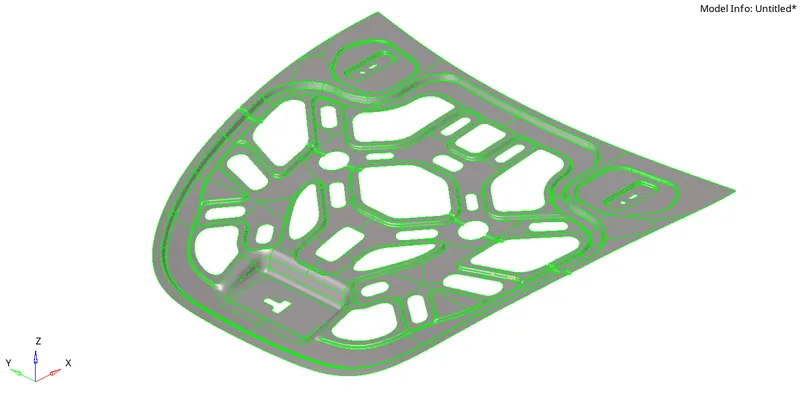
Step4:-
After that, as we are dealing with Shell elements we have to make a mid-surface for the component.
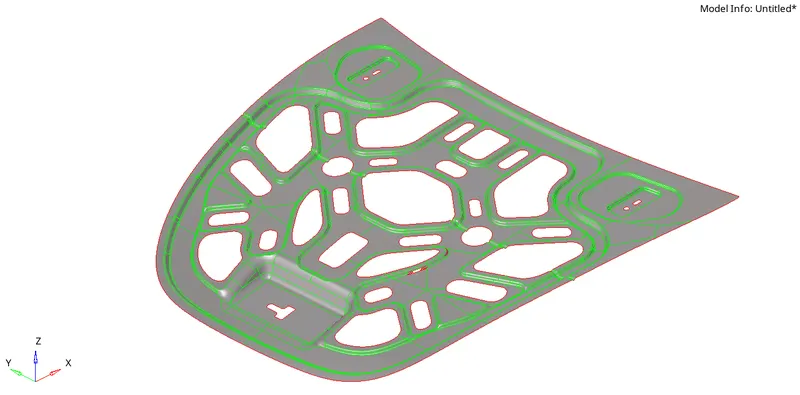
Step5:-
We have to clean up the surface for generating proper mesh on the surface.
We can use Quick edit commands to toggle the unnecessary edge and also can use the auto cleanup command to rectify the geometry.
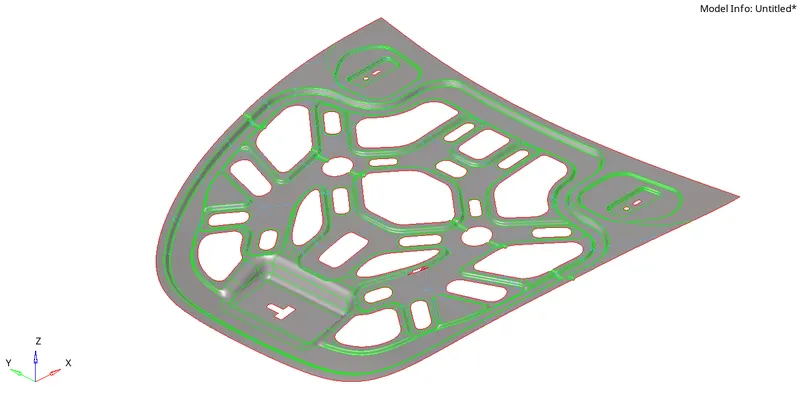
We can see in the above image the unwanted edges are go toggled so it will not affect the mesh flow.
Step6:-
We have to take care of the mesh at free edges in the component, particularly near circular sections and holes, so to overcome this problem we can use the WASHER SPLIT command with an offset distance of target element size of 5 units.
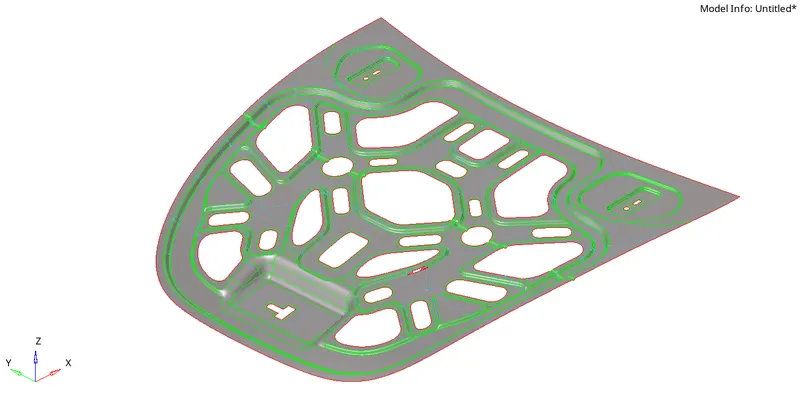
We can observe in the above picture had used a washer split command near holes and circular free sections so that the mesh flow will be proper.
Step7:-
Now we have rectified geometry issues and gonna have to create mesh as per the given target element size of 5 units.
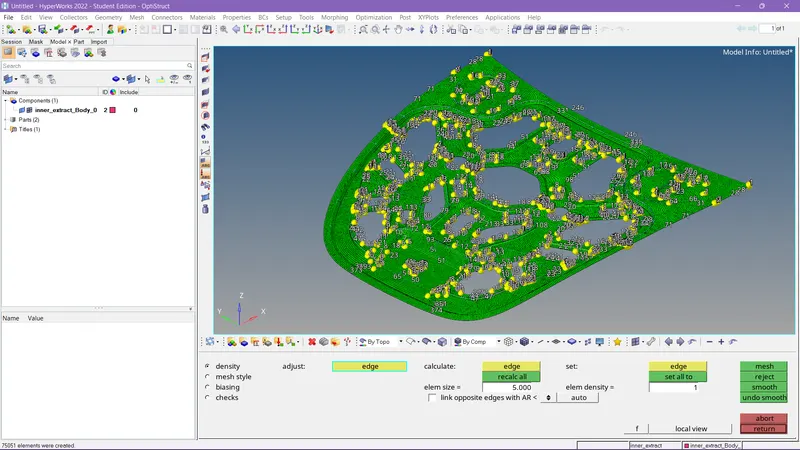
We have to generate mesh according to the given constraints as per the situation given to us. We have to set the criteria for the mesh.
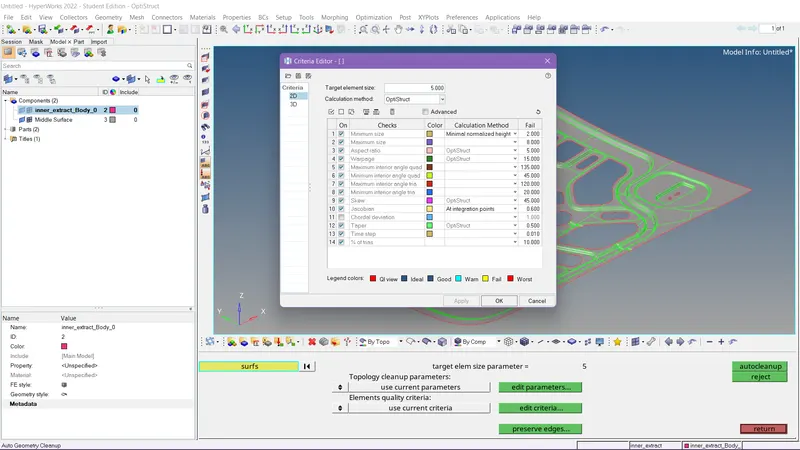
We have to check the parameters and set the values according to the given situation. It should be done before meshing.
Step8:-
We have to rectify the mistakes in the mesh for proper flow and we have to take care as it should follow the criteria.
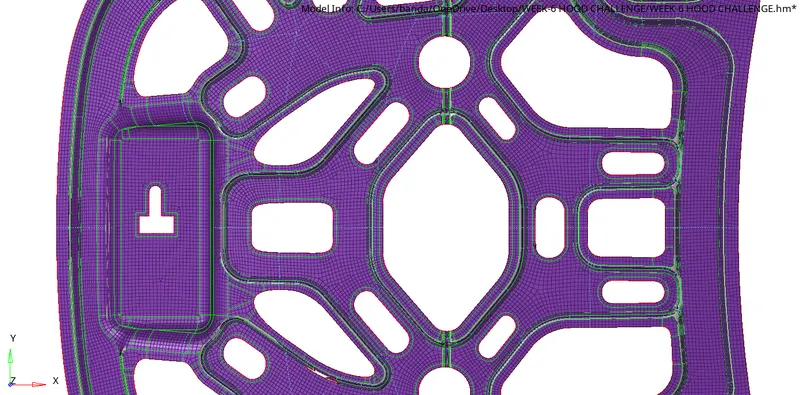
We have to use 2d tools like rebuilding mesh and quick edits tools to rectify them.
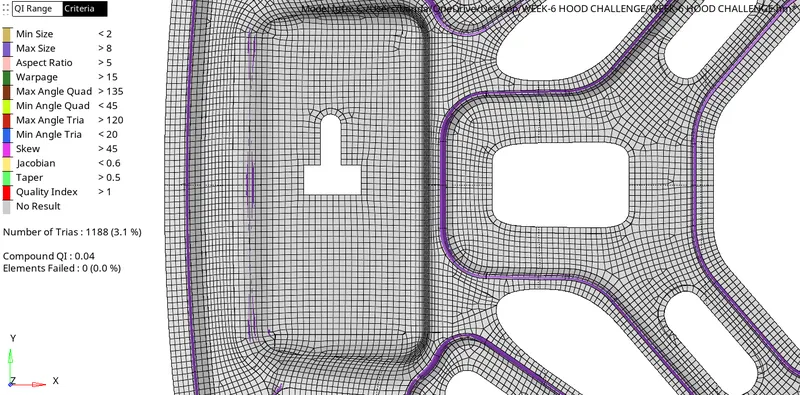
We can observe in the above picture I had tried with my maximum effort to generate a proper mesh floe al flat surface we can allow some Trias at sudden changed dimensions in the surface like converging and diverging areas on the surface.
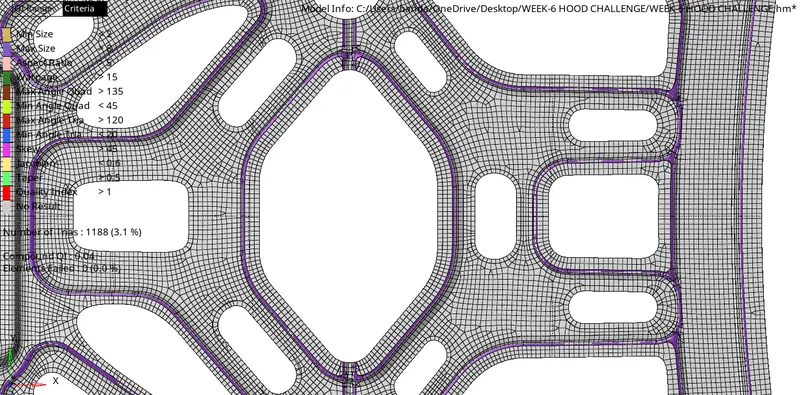
We can observe in the pic that the mesh flow is proper at the center due to we used a washer split at that region.
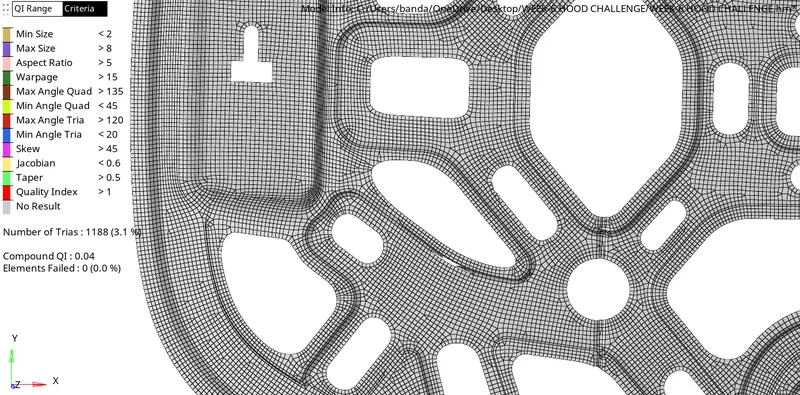
I tried to reduce the Trias but a sudden change in cross-section areas allows Trias to adjust the flow of mesh.
Step9:-
We have to do element clean-up to satisfy the criteria according to which we set.
We have to delete some unwanted elements by checking them in some cases we have to project the elements according to the edges on the surface for proper mesh capture. In some cases, we have to combine the Trias to form quads. We have to do thing things until we satisfy each and every criterion we set.
We can observe in the above image the elements criteria on the left side it has satisfied for this model and we can see the elements failure % is 0%.
Step10:-
As per the given task after doing all the stuff in the situation we have to give thickness to the mesh for elements of 0.75 it should be measured from the given surface model.
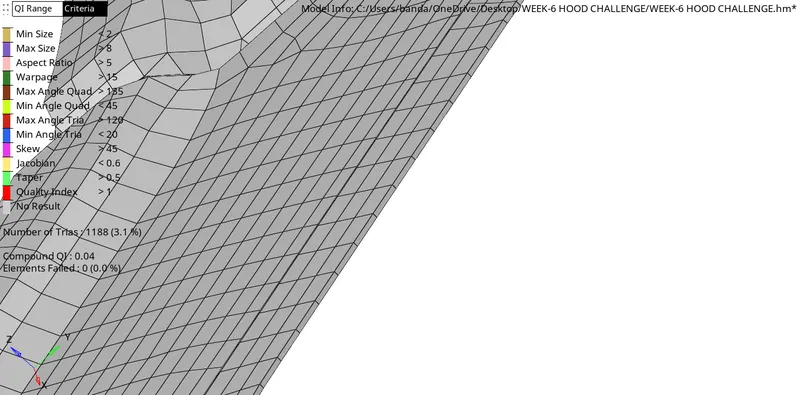
We can see there the elements are assigned a thickness of 0.75 units.
CONCLUSION:-
Hence we completed the task by satisfying all the given criteria and at last by assigning the thickness to the elements.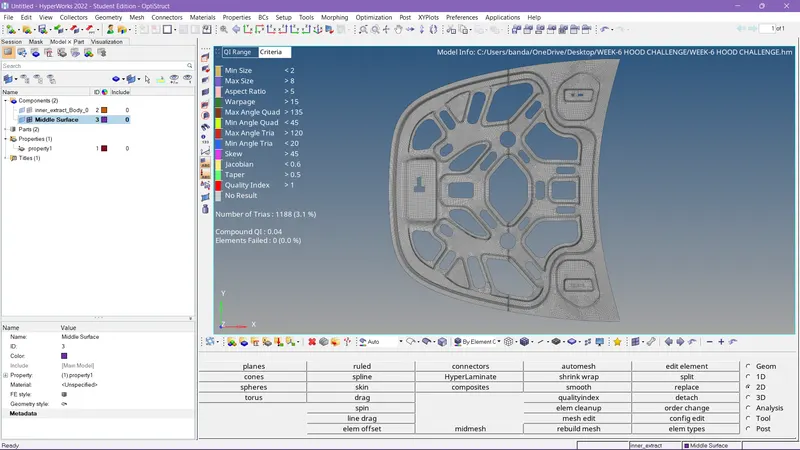
| S.N | Quality Criteria | Value |
| 1 | Aspect Ratio | 5 |
| 2 | Skewness | 45 |
| 3 | Warping | 15 |
| 4 | Taper | 0.5 |
| 5 | Min. Length | 2 Units |
| 6 | Max. Length | 8 Units |
| 7 | Min angle Quad | 45 |
| 8 | Max angle Quad | 135 |
| 9 | Min angle Tria | 20 |
| 10 | Max angle Tria | 120 |
| 10 | Tria % | 10 |
This is the final model of the components of satisfying all the given criteria.