Week 6-Meshing of Hood Challenge
Week 6-Meshing of Hood Challenge
AIM:
To take mid surface and mesh the given model by given following criteria.
To assign the property and thickness to the component
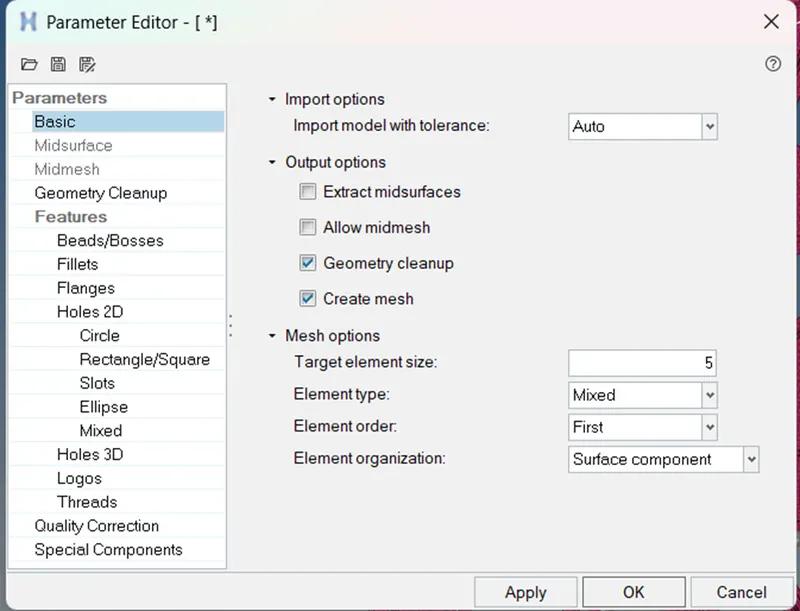
Target Element Length = 5 Units
|
S.N |
Quality Criteria |
Value |
|
1 |
Aspect Ratio |
5 |
|
2 |
Skewness |
45 |
|
3 |
Warping |
15 |
|
4 |
Taper |
0.5 |
|
5 |
Min. Length |
2 Units |
|
6 |
Max. Length |
8 Units |
|
7 |
Min angle Quad |
45 |
|
8 |
Max angle Quad |
135 |
|
9 |
Min angle Tria |
20 |
|
10 |
Max angle Tria |
120 |
|
10 |
Tria % |
10 |
OBJECTIVE:
- To take mid-surface of the given component and assign the property and thickness.
- Mesh the given component by given quality criteria .
Things to Remember while Meshing
- Use the 'Mixed' (Not Quad) option to generate the mesh for this challenge because we are preparing the model for crash & safety simulations. The quad-only mesh is preferred for durability and structural simulations.
PROCEDURE:
Step 1: Importing geometry and cleanup:
To import the geometry, go to file → Import → Import geometry → Import.File name given: hood.iges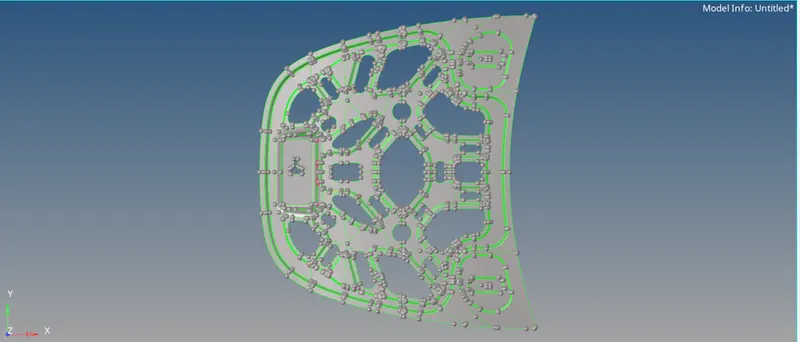
- After importing the geometry checked for any missing surfaces or triple cons. If there are no errors present in the geometry then the geometry is ready for the mid-surface extraction.
Step 2: Mid-surface generation:
To create a Midsurface on the component we have to choose " Geom -> Midsurface -> Extraction options -> Offset+Planes+sweeps".
Select all component press exract.
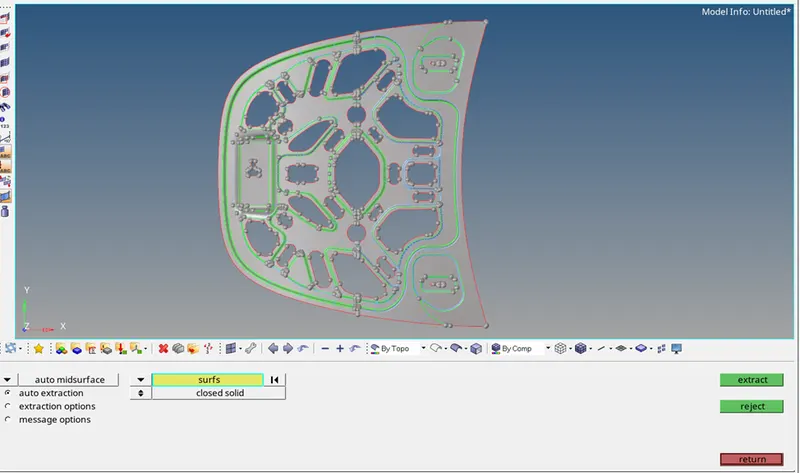
Once the extraction of the Mid-surface in the Model, Now turn off the Surface of the Inner extract body to show up the mid-surface of the model.
The part is symmetry so its is easy to mesh the part and then to replicate it.
Bellow images is of toggle the edges for cut
" Geom ->Quick edit->Toggle edges ->lines".
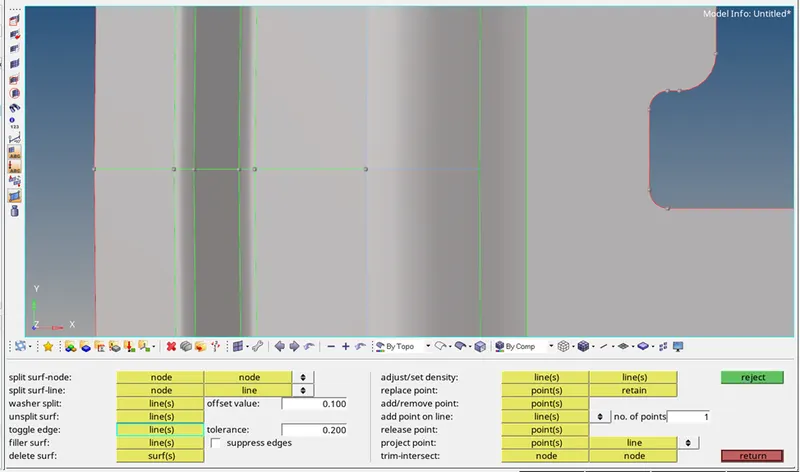
Deleting the half component part
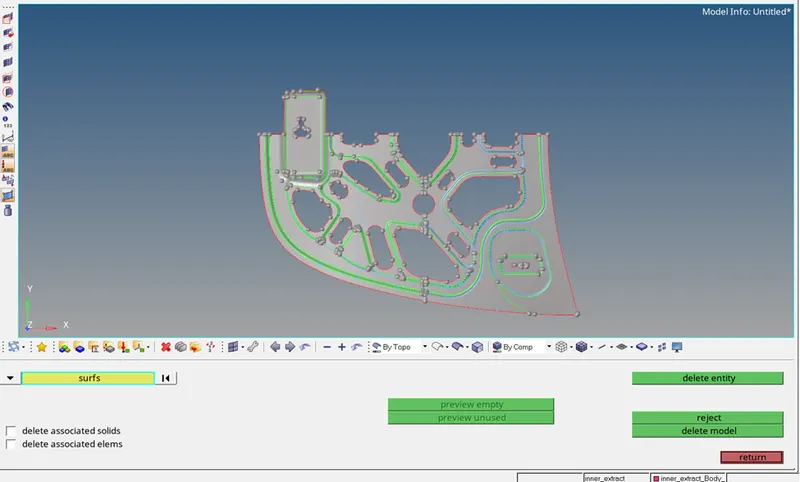
Do the necessary clean up such washer for circle and unwanted line on geometry this will help to get better mesh quality.
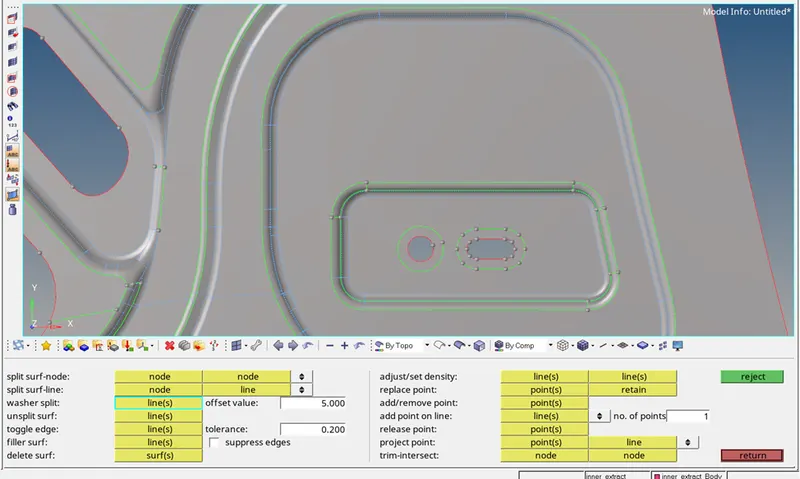
Add or delete the nodes
" Geom ->Quick edit->Add/remove points".
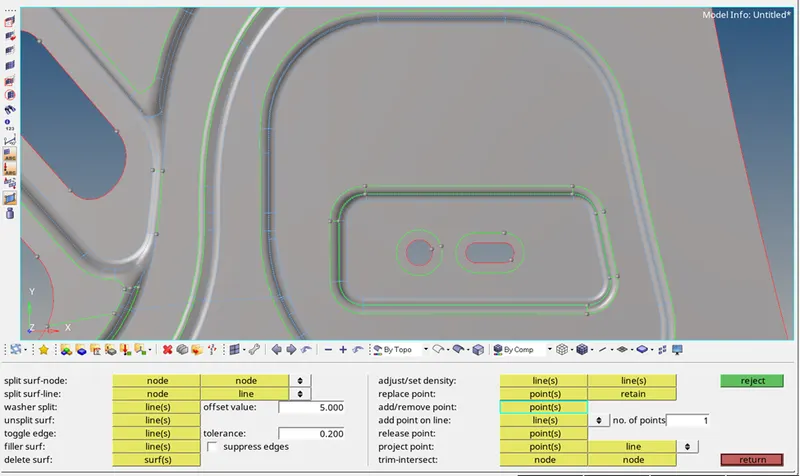
Step 3 Meshing:
Before meshing we should add quality criteria and target length.
“Prefernces->Criteria file setting-> enter the data”.
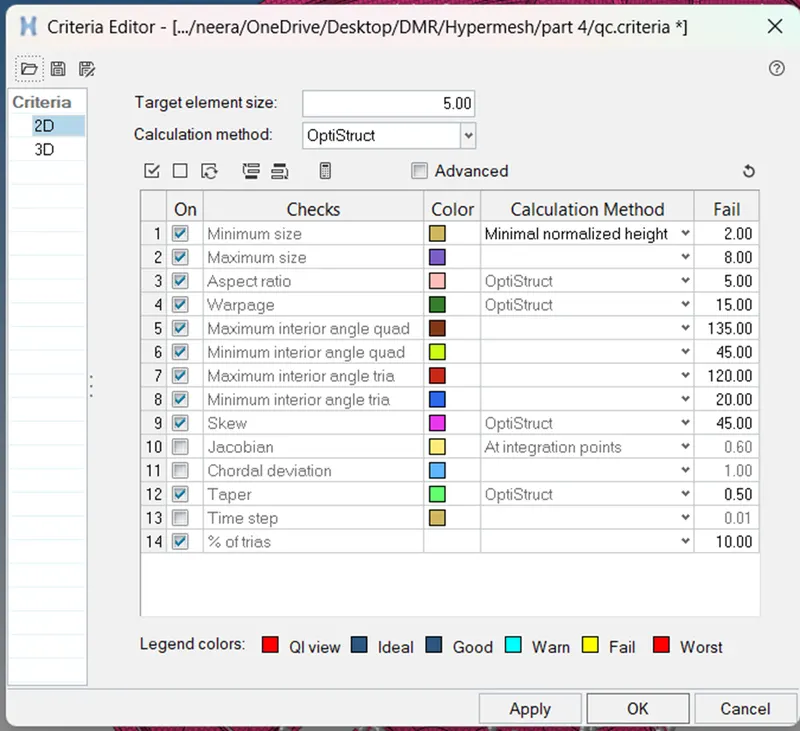
For target length “Prefernces->Parameter file setting->enter target length
Final component
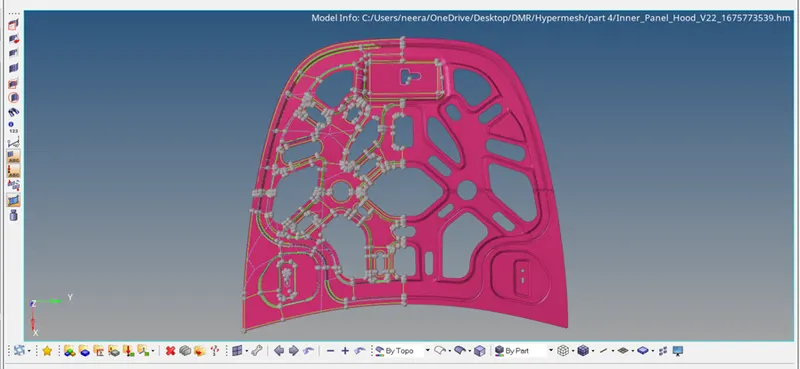
CONCLUSION:
- Obtained the mid -surface for given model.
- The given component are been mesh according to the given quality criteria