Week 6-Meshing of Hood Challenge
AIM: to mesh the given component with the given parametres and assign thickness.
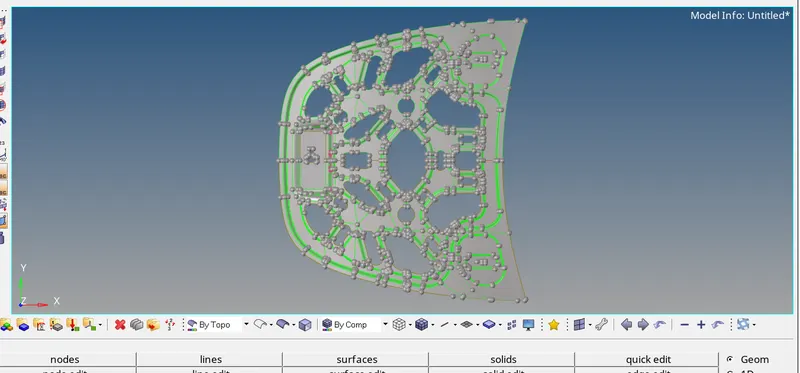
PROCEDURE:initially download the model in HYPERMESH software.
extract the midsurface before going to auto clean upto check any errors.
ASSIGN THICKNESS:
create separate colomn in material and select property in that selct thickness asssign the thickness for the current component.
save the midsurface as a separate component.
hide the parent component.
MESHING:
for meshing in 2D select auto mesh by giving target element as 5. and type of mesh is mixed (both tria and quads).
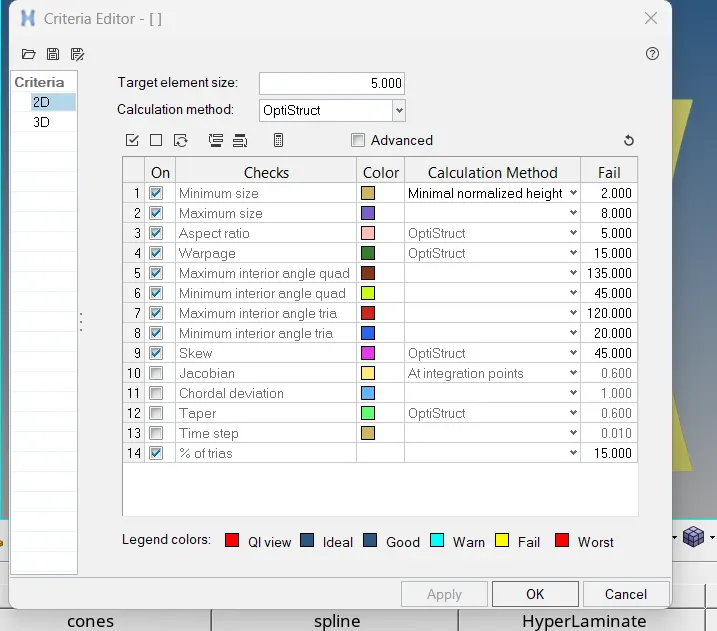
QUALITY PARAMETRES: for quality parametres click on preferences, criteria settings. in that select the given parametres and enable them.
GEOMETRY CLEANUP:
for reducing the error /exceeding elements in 2D select the quality index. and there are many options like smooth, optimise element,drag tria ,drag quad,swap. select the appropriate tool.
rebuild mesh also useful for remeshing the selected elements.
for supressing the lines select quick edit, toggle lines and select the lines there by lines can be supressed.
inorder to reduce the efforts and time mask/ delete the symmeytrical surfaces and assign geometry for the half part.
DUPLICATE:
in tool select reflect and in elements slect duplicate of current components.
select the axis and base. and middle click .
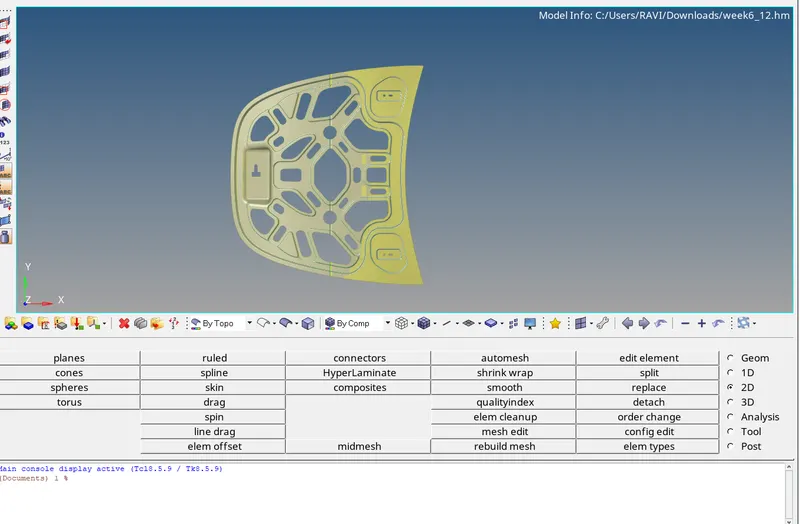
result: meshiing is done for the given component as per the given quality parametres and assigned thickness.