Week 6-Meshing of Hood Challenge
OBJECTIVE
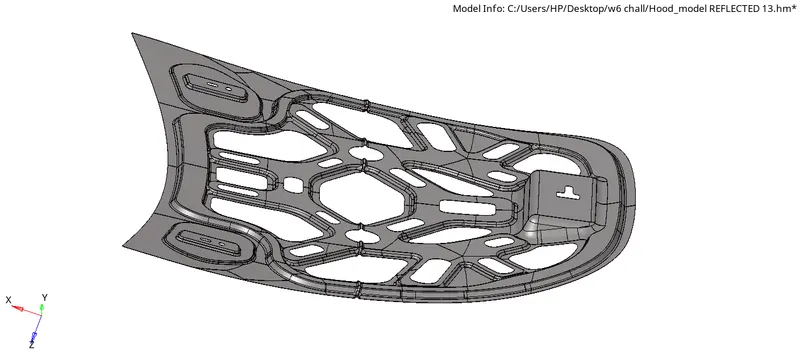
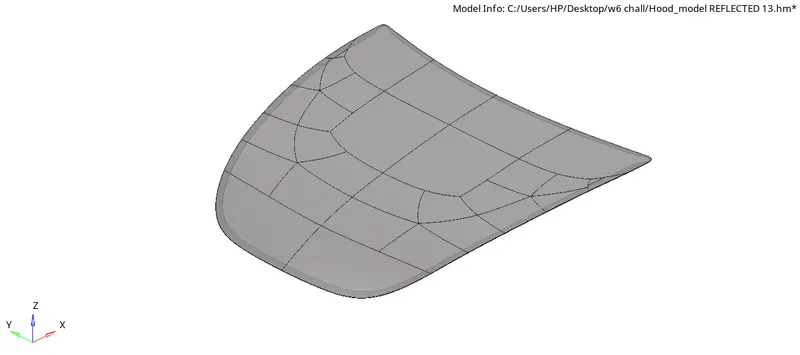
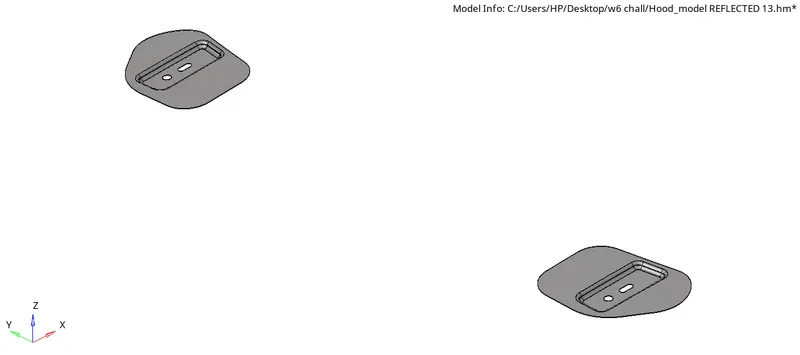
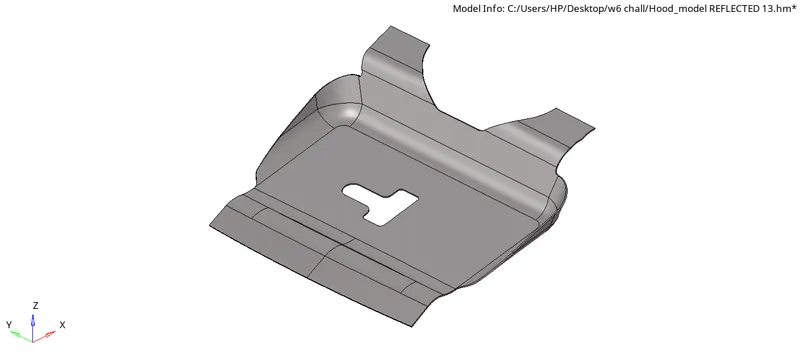
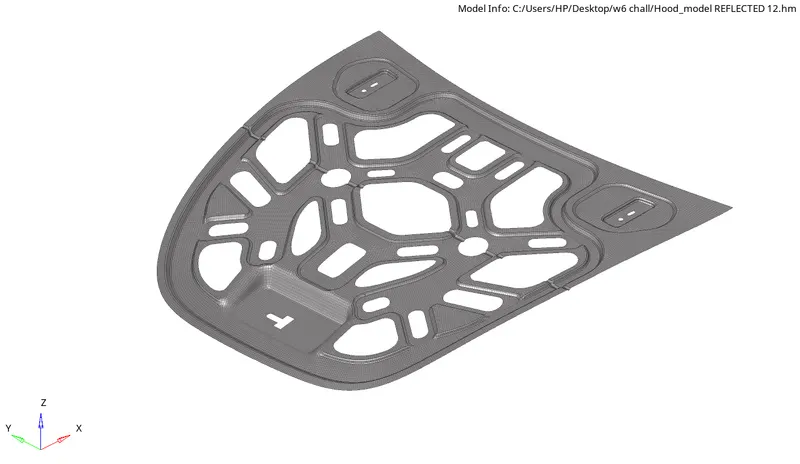
Follow the below-mentioned quality criteria, mesh the component given below and assign thickness:
Target Element Length = 5 Units
| S.N | Quality Criteria | Value |
| 1 | Aspect Ratio | 5 |
| 2 | Skewness | 45 |
| 3 | Warping | 15 |
| 4 | Taper | 0.5 |
| 5 | Min. Length | 2 Units |
| 6 | Max. Length | 8 Units |
| 7 | Min angle Quad | 45 |
| 8 | Max angle Quad | 135 |
| 9 | Min angle Tria | 20 |
| 10 | Max angle Tria | 120 |
| 10 | Tria % | 10 |
CAD MODEL
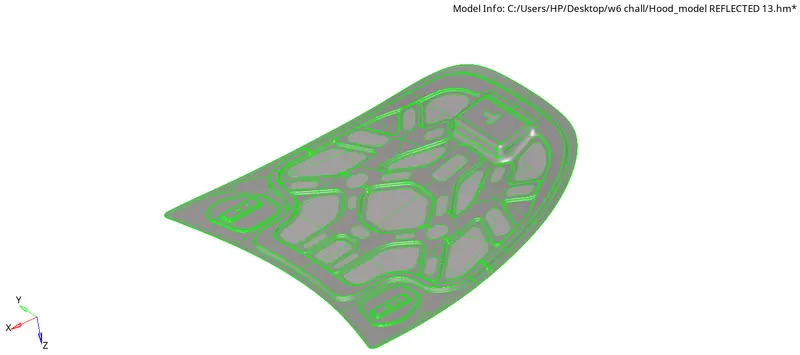
PROCEDURE
- Open the hyperworks software.
- Select "import geometry" option and also set the file type format, then import the first model.(import geometry>model>open)
- Here we have four parts so take the part one by one.So firstwe can take inner extract part.
- we have to clean up the given model by removing the holes and unfilled surfaces (Geometry>quick edit>fill hole)
- Use surface tool to generate the surface for required area(Geometry>surface>rule)
- We have to take midsurface of the given model.so go through thefollowing steps(Geometry>midsurface>select surface>extract)
- After midsurfacing , take the half of the model because this model is an symmetrical.
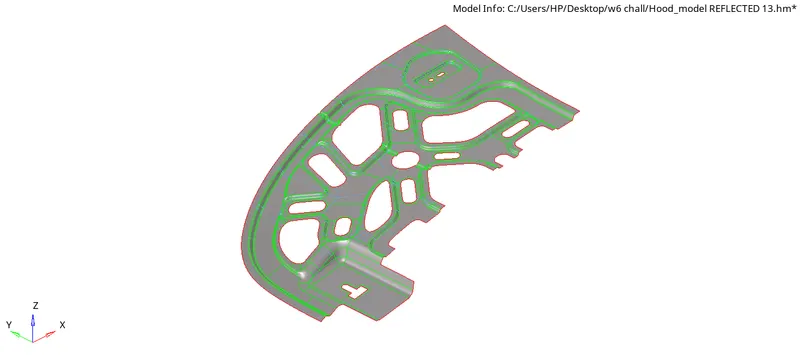
- Do the geometry clean up by toggle edge where the minimum length criteria fails.(Geometry>quick edit>toggle)
- Divide the surface into different parts by using split-surface-line tool(Geometry>quick edit>split-surface-line)
- Give washer split with length 5mm.(Geometry>quick edit>washer split)
- Give quality criteria and mesh parameters as given in the question.
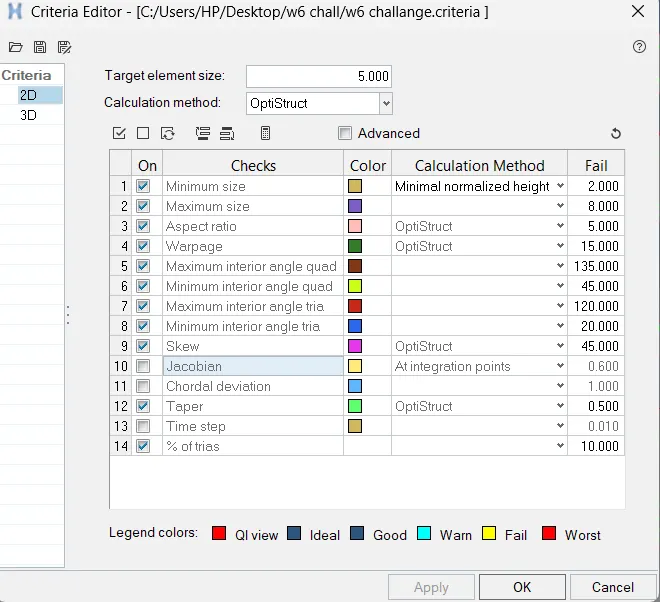
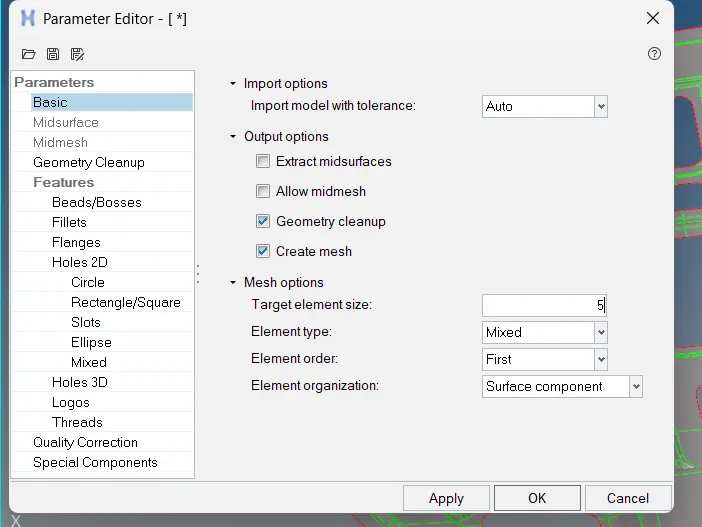
- Select the surfaces and mesh by using automesh tool.(2D>automesh>select surface>mesh).
- We can adjust the no of nodes on the edges by right click/left click and give the good mesh flow
- Use rebuild mesh for better result in mesh flow(2D>Rebuild mesh>select surface>rebuild)
- Clear the failed elements using the tools in quality index (2D>quality index)
- There are many tools in quality index section for fixing the failed elements.
- we can use element cleanup to fix the off elements (2D>element cleanup)
- After meshing the first half mirror the model by using reflect tool (Tools>reflect)
- Check wheather there is any free edges present within the body (Tools>edges)
- If there is any free edge present mesh fix it by using replace points(F3)
- Next step is to give thickness to the given components and assign meterial property.
- In order to give thickness to the shell elemets we need to create a property and give thickness of the component to the propert and assign the property to the mid-surface component and change visibility to 2D detailed element representation.
RESULT
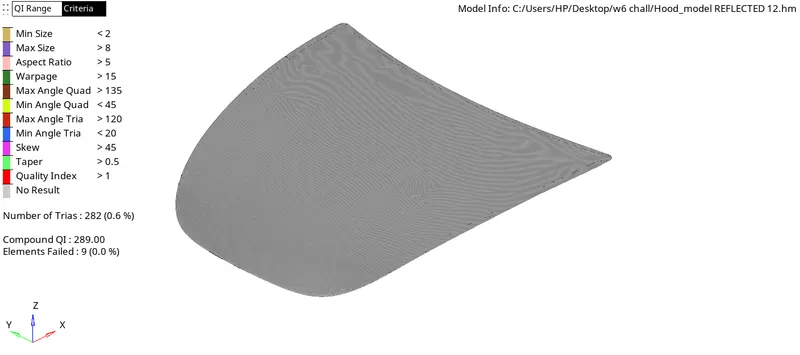
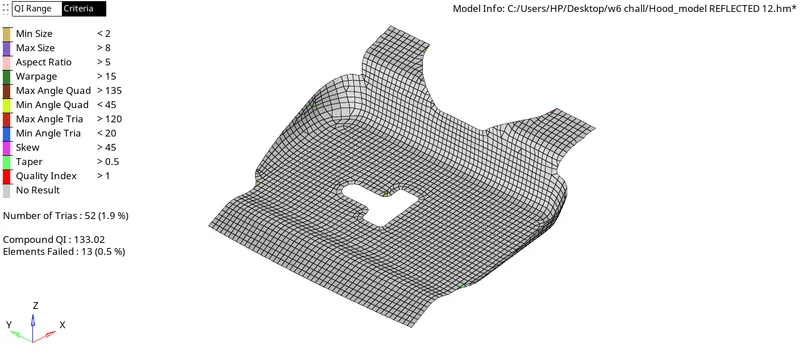
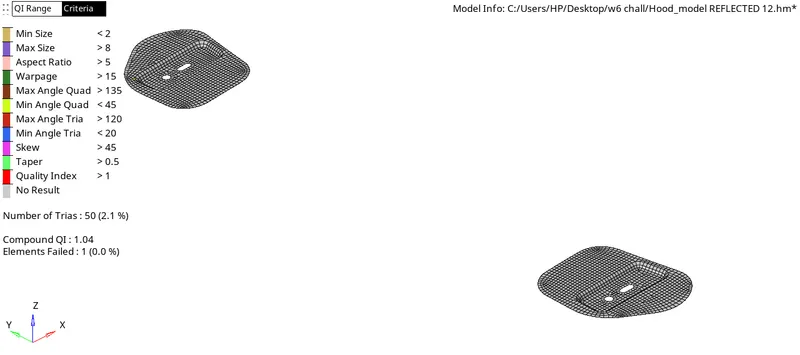
Performed geometry cleanup and extracted mid-surface of Hood model and meshed the component with given element quality criteria and assigned thickness to the shell elements.