Week 6-Meshing of Hood Challenge
Aim : To extract midsurface and create mesh on hood using hypermesh.
Objective :
1)Import geometry and cleanup
2)Extract mid surface
3)Mesh in the cleanup using given criteria
S.NQuality Criteria Value
- 1 Aspect Ratio 5
- 2 Skewness 45
- 3 Warping 15
- 4 Taper 0.5
- 5 Min. Length 2 Units
- 6 Max. Length 8 Units
- 7 Min angle Quad 45
- 8 Max angle Quad 135
- 9 Min angle Tria 20
- 10 Max angle Tria 120
- 10 Tria % 10
Procedure :
1)Import file from location.
- Command : File + Import geometry + STEP,IGES + Import
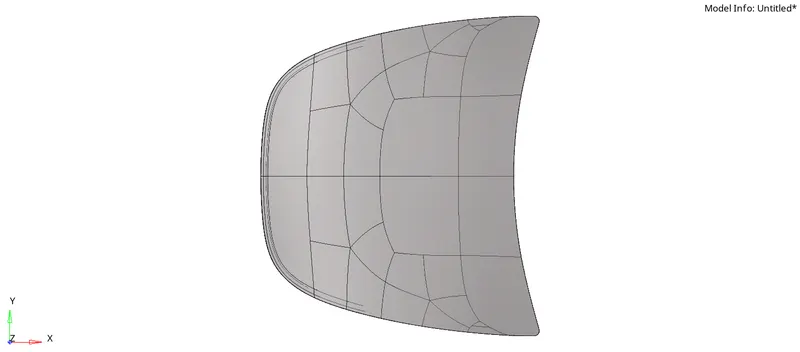
- Checked the geometry properly any missing surface.
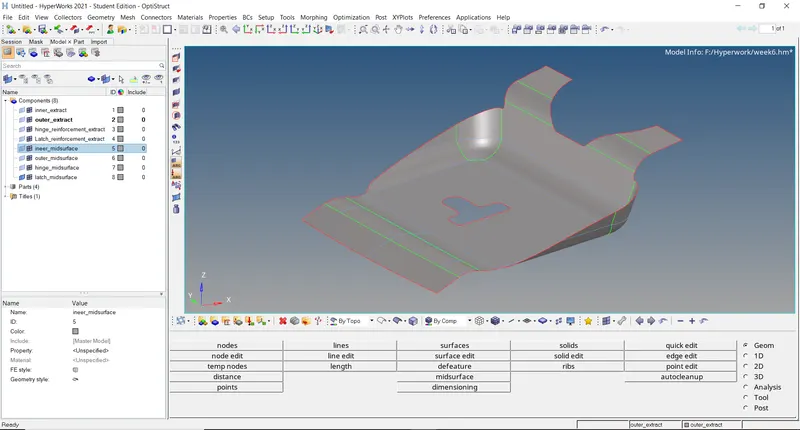
2) Create Mid-surface for all panel.
- First delete solids from given panel.
- Command : Delete + Surf + delete.
- Then clean componet using geometry cleanup.
- Command : Geom + autocleanup + Surf + clean.
- Create Midsurface using mid surace command.
- Command : Geom + Midsurface + auto midsuface + surf + extract.
- Above all steps are performed for all Panel.
- Command : Geom + Quick Edit + Washer Split.
A)
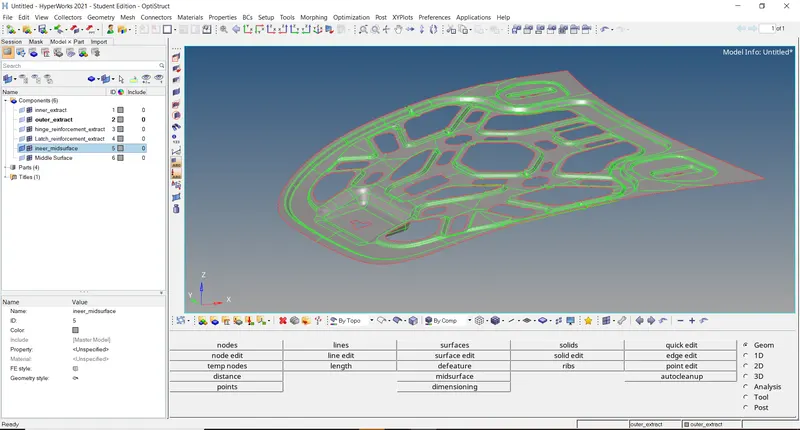
B)
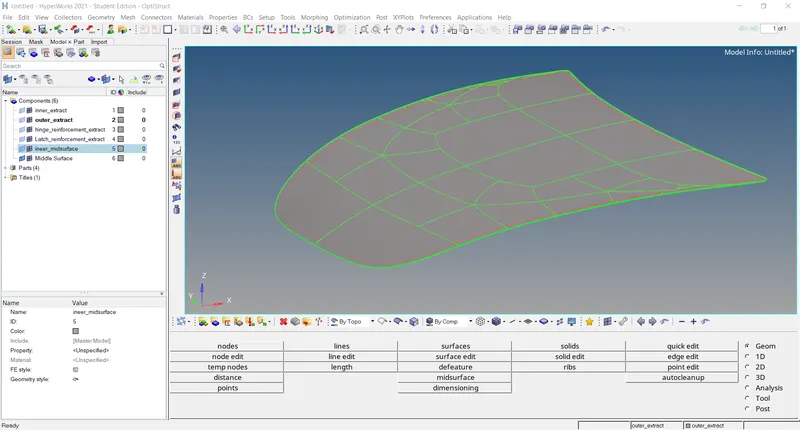
C)
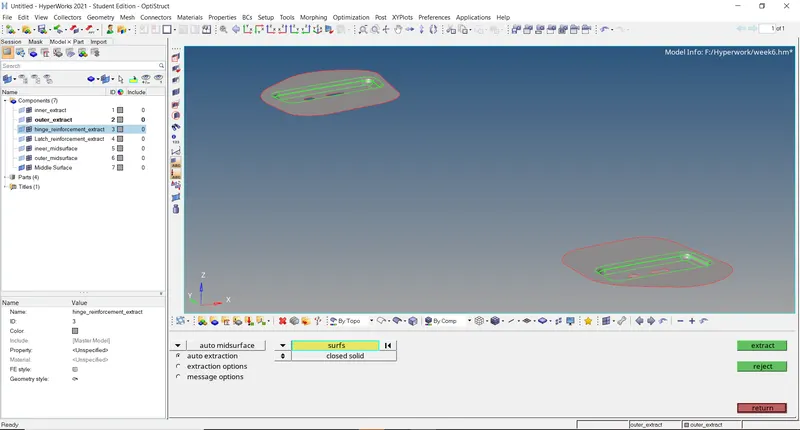
D)
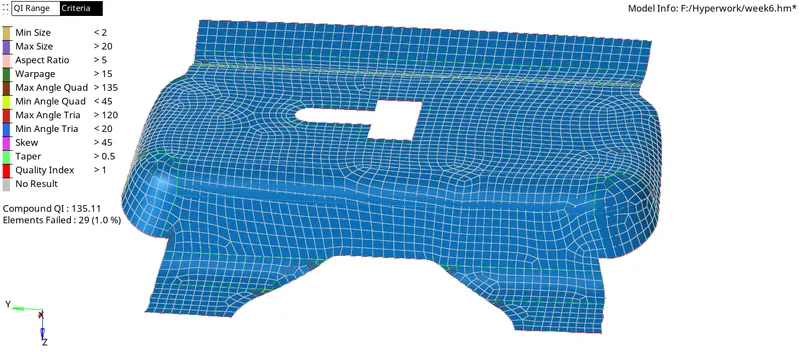
3) Perform Meshing on all Panel.
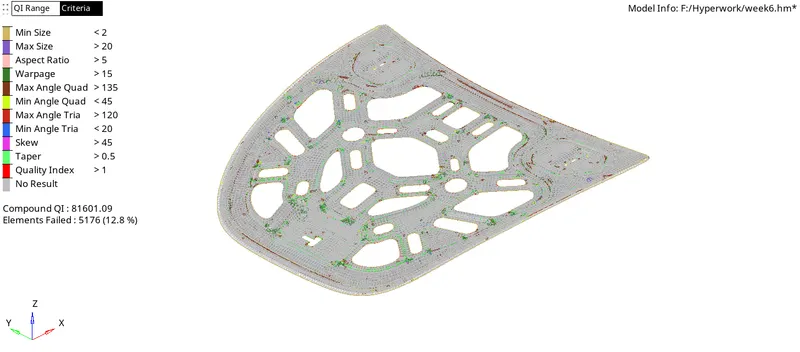
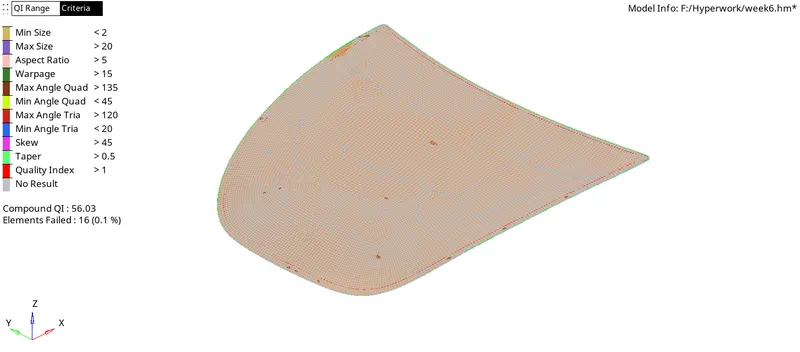
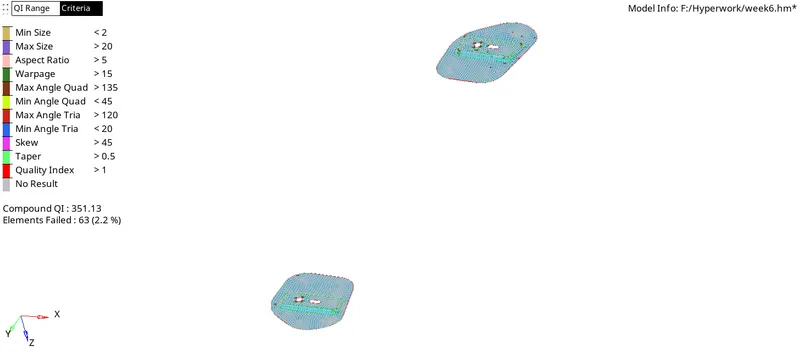
- Mesh all panel using autmesh command.
- Command : 2D + automesh + Size and bias + surf + Quad + mesh.
- Check panel after meshing.
A)
B)
C)
D)
Conclusion :
- From this challenge we understand the Meshing ,Geometry Cleanup
- Using all given quality criteria.