Week - 6 - Creating the GUI for final checks
AIM: Creating the GUI for final checks using tcl/tk script
OBJECTIVE: The objective of this challenge is:
1. To create buttons to delete displayed geometric entities
2. To create buttons to delete empty and unused entities
3. To create buttons to reorder and renumber entities by name
4. To create a master button in red that will execute all above scripts in proper order to keep only fea entities
PROCEDURE:
1. To perform the given task, open any code editor ( here we use Notepad++) and type a code as follows:
# Code to create a window of required dimensions
set a .window
catch {destroy $a}
toplevel $a -class TopLevel
wm title $a "FINAL CHECKS"
wm geometry $a 400x500+50+50; update
wm resizable $a 0 0
wm deiconify $a

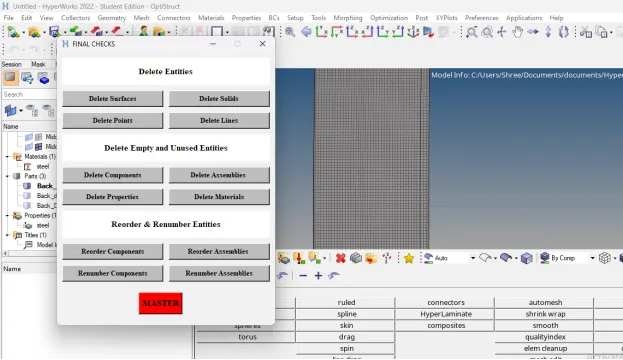
This code creates a new window in hypermesh having name as “FINAL CHECKS” and having geometry of 400X500.
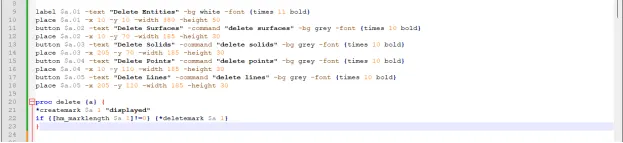
# Code to create buttons to delete displayed geometric entities
label $a.01 -text "Delete Entities" -bg white -font {times 11 bold}
place $a.01 -x 10 -y 10 -width 380 -height 50
button $a.02 -text "Delete Surfaces" -command "delete surfaces" -bg grey -font {times 10 bold}
place $a.02 -x 10 -y 70 -width 185 -height 30
button $a.03 -text "Delete Solids" -command "delete solids" -bg grey -font {times 10 bold}
place $a.03 -x 205 -y 70 -width 185 -height 30
button $a.04 -text "Delete Points" -command "delete points" -bg grey -font {times 10 bold}
place $a.04 -x 10 -y 110 -width 185 -height 30
button $a.05 -text "Delete Lines" -command "delete lines" -bg grey -font {times 10 bold}
place $a.05 -x 205 -y 110 -width 185 -height 30
proc delete {a} {
*createmark $a 1 "displayed"
if {[hm_marklength $a 1]!=0} {*deletemark $a 1}
}
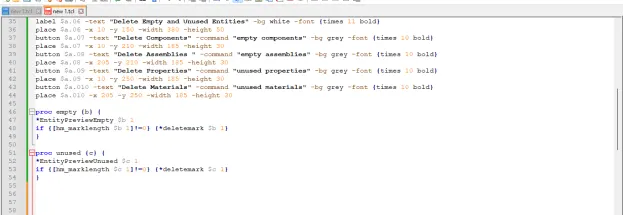
# Code to create buttons to delete empty and unused entities
label $a.06 -text "Delete Empty and Unused Entities" -bg white -font {times 11 bold}
place $a.06 -x 10 -y 150 -width 380 -height 50
button $a.07 -text "Delete Components" -command "empty components" -bg grey -font {times 10 bold}
place $a.07 -x 10 -y 210 -width 185 -height 30
button $a.08 -text "Delete Assemblies " -command "empty assemblies" -bg grey -font {times 10 bold}
place $a.08 -x 205 -y 210 -width 185 -height 30
button $a.09 -text "Delete Properties" -command "unused properties" -bg grey -font {times 10 bold}
place $a.09 -x 10 -y 250 -width 185 -height 30
button $a.010 -text "Delete Materials" -command "unused materials" -bg grey -font {times 10 bold}
place $a.010 -x 205 -y 250 -width 185 -height 30
proc empty {b} {
*EntityPreviewEmpty $b 1
if {[hm_marklength $b 1]!=0} {*deletemark $b 1}
}
proc unused {c} {
*EntityPreviewUnused $c 1
if {[hm_marklength $c 1]!=0} {*deletemark $c 1}
}
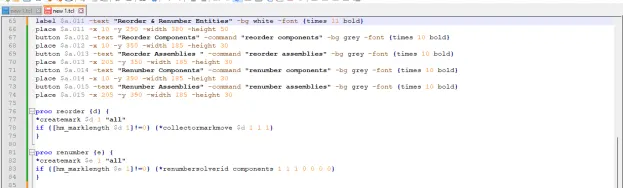
# Code to create buttons to reorder and renumber entities
label $a.011 -text "Reorder & Renumber Entities" -bg white -font {times 11 bold}
place $a.011 -x 10 -y 290 -width 380 -height 50
button $a.012 -text "Reorder Components" -command "reorder components" -bg grey -font {times 10 bold}
place $a.012 -x 10 -y 350 -width 185 -height 30
button $a.013 -text "Reorder Assemblies " -command "reorder assemblies" -bg grey -font {times 10 bold}
place $a.013 -x 205 -y 350 -width 185 -height 30
button $a.014 -text "Renumber Components" -command "renumber components" -bg grey -font {times 10 bold}
place $a.014 -x 10 -y 390 -width 185 -height 30
button $a.015 -text "Renumber Assemblies" -command "renumber assemblies" -bg grey -font {times 10 bold}
place $a.015 -x 205 -y 390 -width 185 -height 30
proc reorder {d} {
*createmark $d 1 "all"
if {[hm_marklength $d 1]!=0} {*collectormarkmove $d 1 1 1}
}
proc renumber {e} {
*createmark $e 1 "all"
if {[hm_marklength $e 1]!=0} {*renumbersolverid components 1 1 1 0 0 0 0}
}
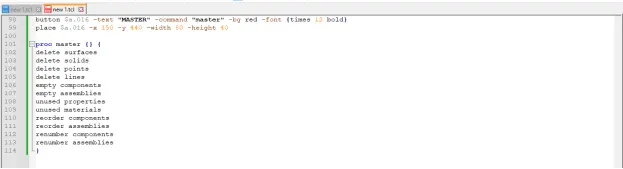
# Code to create a master button in red that will execute all above scripts in proper order to keep only fea entities
button $a.016 -text "MASTER" -command "master" -bg red -font {times 12 bold}
place $a.016 -x 150 -y 440 -width 80 -height 40
proc master {} {
delete surfaces
delete solids
delete points
delete lines
empty components
empty assemblies
unused properties
unused materials
reorder components
reorder assemblies
renumber components
renumber assemblies
}
2. After writing the code save the file.
3. Then open any model in hypermesh and run this file in hypermesh using shortcut key assign to it.
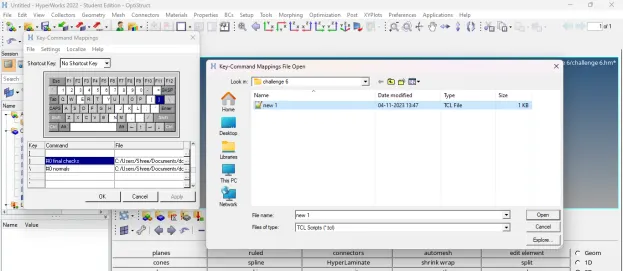
4. After running this code in hypermesh, following result will appear:
TCL COMMAND EXPLANATION:
1. *EntityPreviewEmpty: Searches the entities specified and stores any empty entities in the outputmark
2. *EntityPreviewUnused: Searches the specified entities for any unused entities, and stores them in the outputmark
3. *deletemark: Deletes entities from the database
4. *collectormarkmove: This command moves and/or sorts the entities on a mark. This affects their order within the browser and the advanced entity selection menus
5. *renumbersolverid: This command renumbers the solver IDs for entities of entity_type contained on mark_id. This command works in two ways depending on the entities selected. If the selected entities have solver IDs, the command will renumber the solver IDs and not the HyperMesh internal IDs. However, if the selected entities do not have solver IDs, the command will renumber the HyperMesh internal IDs
CONCLUSION: After executing proper tcl/tk code:
1. We are able to create buttons to delete displayed geometric entities
2. We are able to create buttons to delete empty and unused entities
3. We are able to buttons to reorder and renumber entities
4. We are able to create a master button in red that will execute all above scripts in proper order to keep only fea entities