Week 6 - Creating connection for Rear door
(A) Aim:
To create necessary connections on the FE model of the rear door using ANSA.
(B) Procedure:
1. The given FE model of the rear door was imported to ANSA is as shown in fig.1
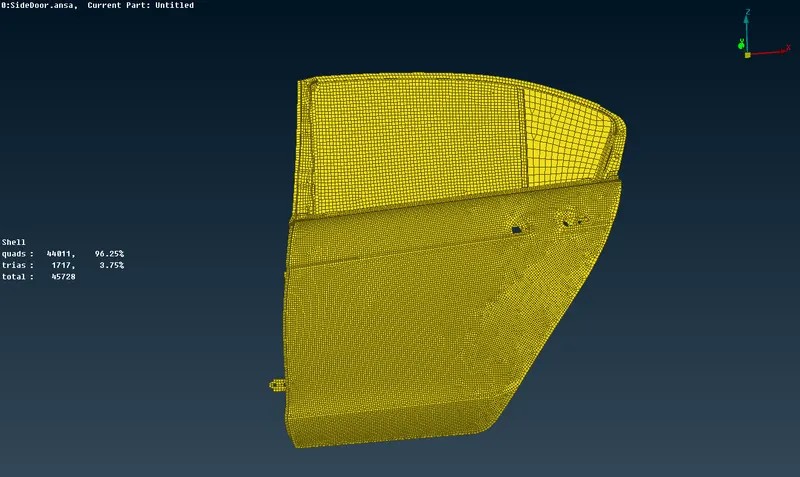
Fig.1. FE model of the rear door.
2. Set PID as per your convenience.
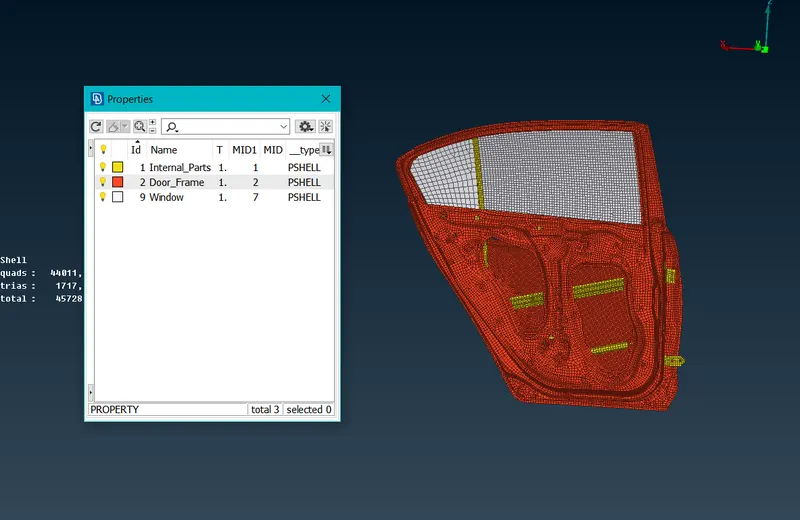
Fig. 2 Model Properties
3. The model was evaluated for necessary connections.
- To make rigid connections at the holes, RBE2 many node options was used under the Nastran deck
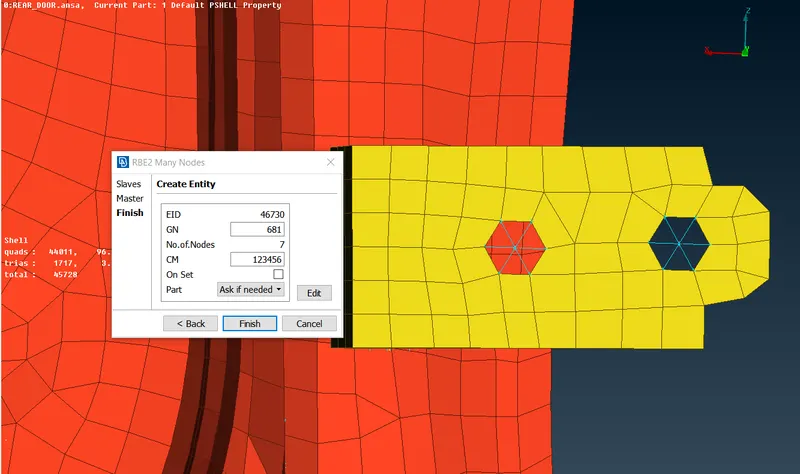
Fig.3. RBE2 many node cluster connections of holes.
4. To create connections at the hinges the rotational movement along the z-axis was not constrained is as shown in fig.4
- To create a hinge connection use Two Node RBE2 and select the master node of the upper and bottom hole.
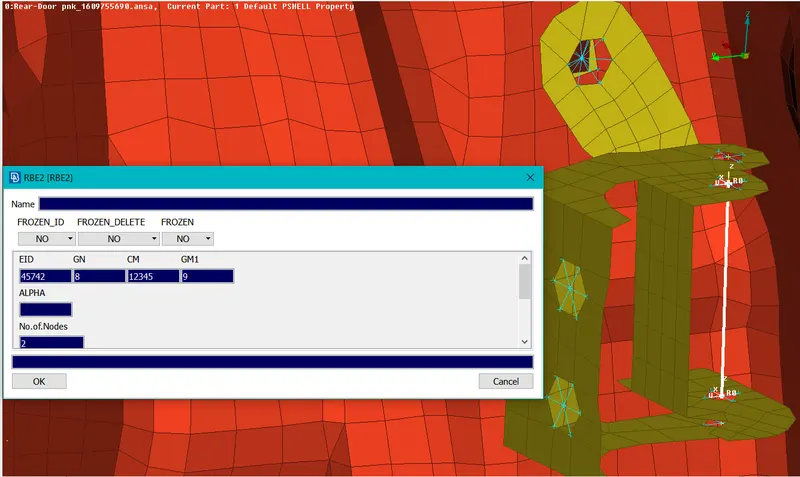
Fig.4. Connection at door hinge.
5. The door handle connection is created by using RBE2 many node options is as shown in fig.5
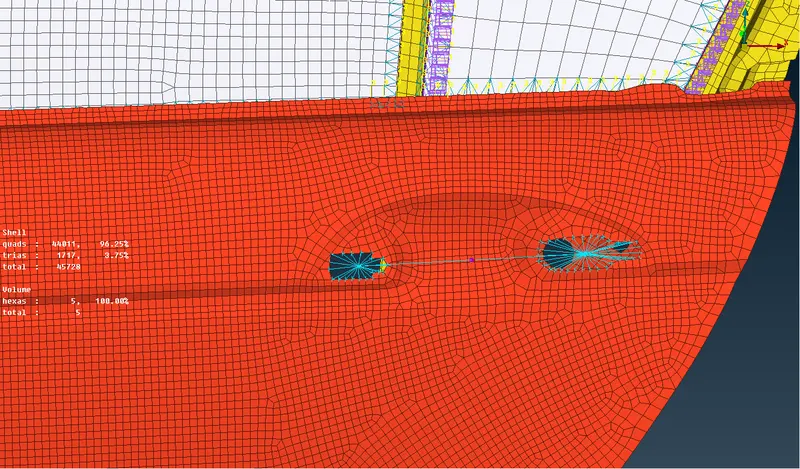
Fig.5. Connection at the door handle.
6. The weight of the handle is input in tonnes using option CONMi>>CONM2>>nodes are as shown in fig.6
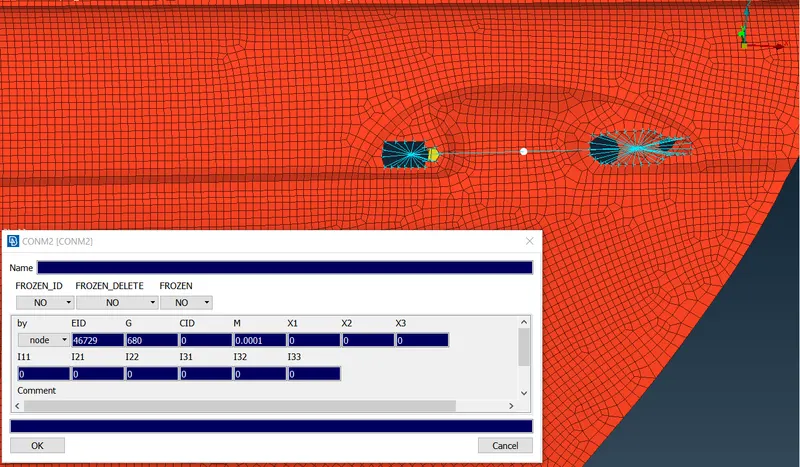
Fig.6. Input parameters of con mass connection
7. RBE3-cbush-RBE3 connection option is used to create the connections of weather strips between the glass and frame.
- To create RBE3-cbush-RBE3 the edge of the glass is selected and converted to a curve.
- The curve is converted into spot lines is as shown in fig.7
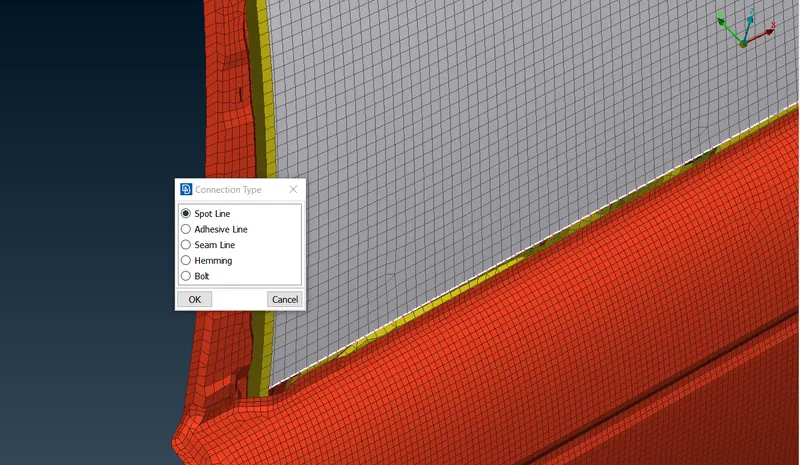
Fig.7. Spot line creation for generating cbush connection
8. The details of the connections are entered in the connections manager and the connection is realized as shown in fig.8.
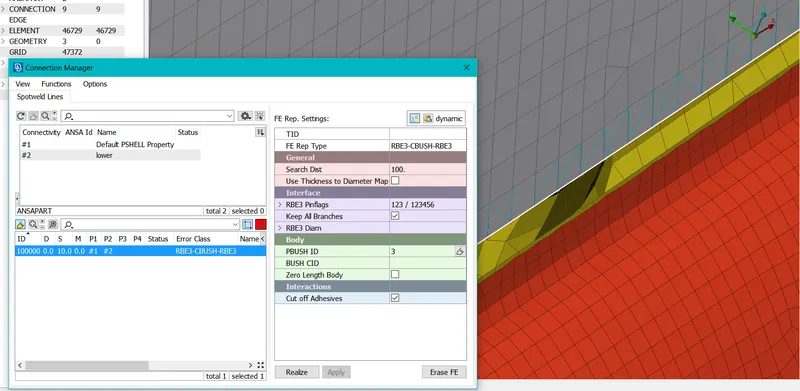
Fig.8. Input parameters for cbush connection.
9. The cbush generated is having local coordinates, in order to align it with global coordinate the CID value is changed to 0 in the property card of cbush is as shown in fig. 9.
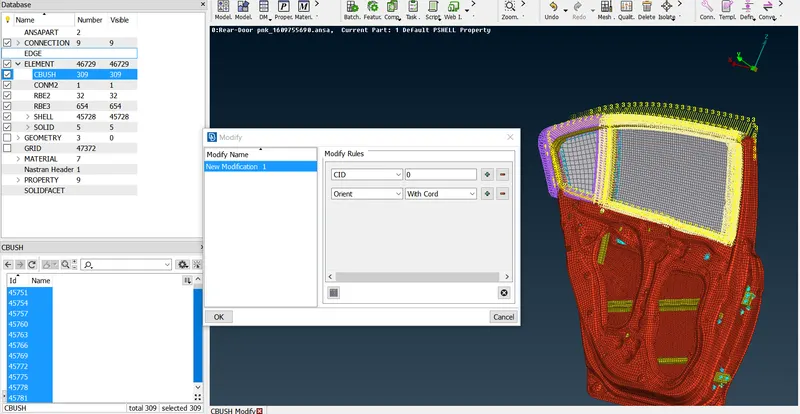
Fig.9. Input parameters for cbush alignment to global coordinates.
10. The given FE model with necessary connections is as shown in fig. 10.
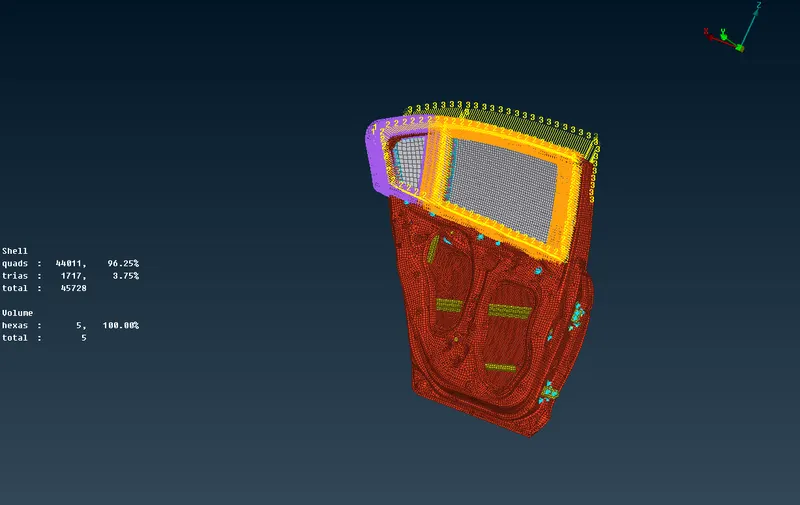
Fig.10. FE model with the necessary connection.
(C) Learning Outcomes:
- Learned to identify different types of connections and input appropriate values to create the connections.
- Learned to use different connection tools under Nastran deck.
(D) Conclusion:
- The given FE model was imported to ANSA.
- Zone cuts were created at the appropriate regions in the model.
- The given FE model was evaluated for necessary connections.
- Appropriate connections were created for the given model.