Week-6 Calculate the Stretch Ratio by comparing the ELFORM (-2,-1,1,2) with Ogden_Material Model.
Week 6 Challenge: Calculate the Stretch Ratio by comparing the ELFORM (-2, -1,1,2) with Ogden_Material Model Challenge
Course: LS-DYNA for Structural Mechanics/ FEA
Submitted by: Amanpreet Singh Whan
Supervisor: Tholkappiyan D
July 28, 2021
Table of Contents
1 Introduction
LS-DYNA is an advanced general-purpose multiphysics simulation software package developed by the former Livermore Software Technology Corporation (LSTC), which was acquired by Ansys in 2019. While the package continues to contain more and more possibilities for the calculation of many complex real-world problems, its origins and core competency lie in highly nonlinear transient dynamic finite element analysis (FEA) using explicit time integration. LS-DYNA is used by the automobile, aerospace, construction and civil engineering, military, manufacturing, and bioengineering industries.
The purpose of the Week 6 challenge is to create a cube of 10 mm * 10 mm * 10 mm dimension and using the most appropriate boundary conditions perform a uniaxial expansion test. Also, compare the uniaxial plot results for different element formulations such as 1, -1, 2, and -2 up to the stretch ratio of 5.
2 Aims
- Create a block of 10mmx10mmx10mmdimension with 10 elements for each direction and use the given material card to set up the simulation to perform the uniaxial expansion of the solid cube.
- Analyze and compare true stress/ strain and other results obtained from the simulations performed for the different element formulations.
- Calculate engineering stress/ strain values for different element formulations and plot results for the different element formulations.
3 Methodology
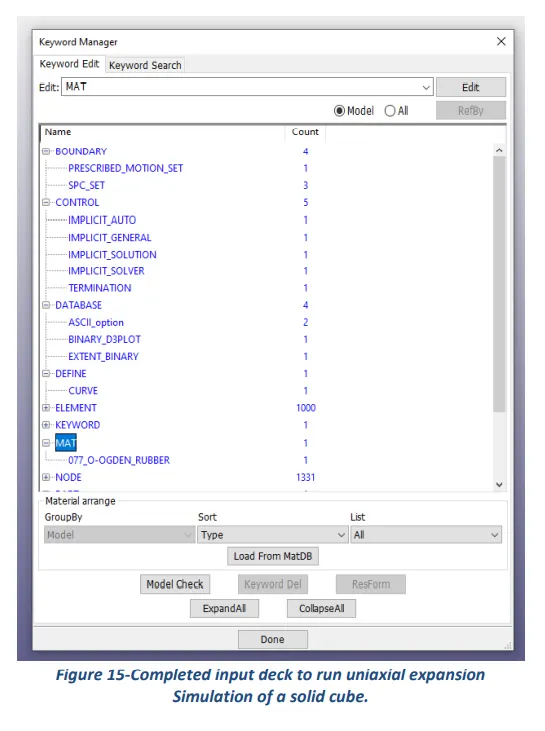
The section describes different stages that were performed to set up the simulation file using an engineering tool LS-DYNA for the completion of the Week 6 Challenge task. These stages can be broadly categorized into creating an input deck containing different cards such as contact, control, database, element, hourglass, initial (velocity), keyword, MAT, node, part, section, and title.
Since LS-DYNA does not have a default system of units, therefore, the user needs to input material properties and physical dimensions according to a consistent system of units as per their choice. Considering the challenge requirements of simulating a crash test of two rectangular surfaces (spot-welded) into the rigid wall, g mm ms were assumed to be the most appropriate units.
What follows hereafter is the set of images representing the process followed to create different cards and values assigned to their key parameters.
Boundary:
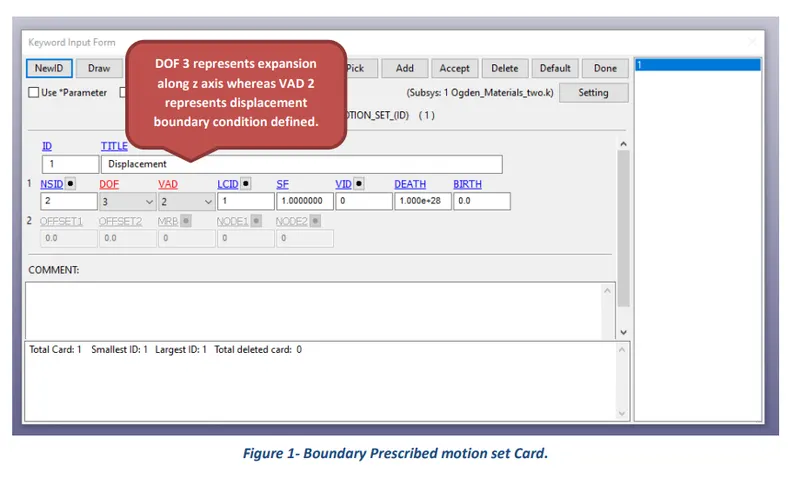
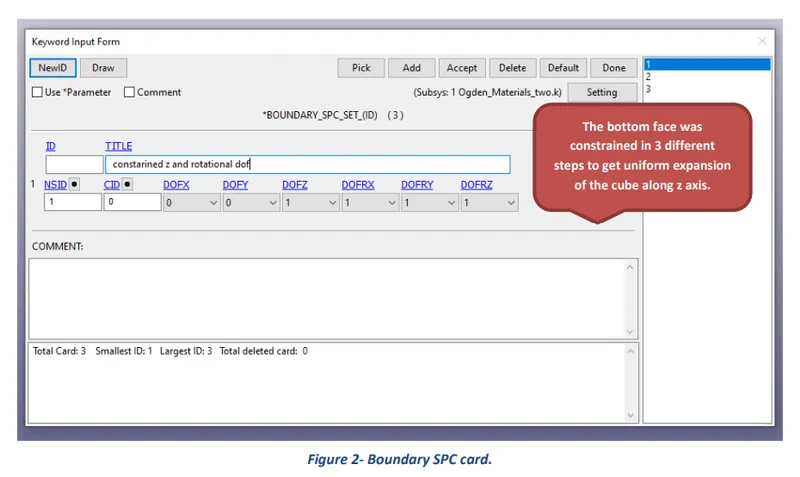
The keyword BOUNDARY provides a way of defining imposed motions on boundary nodes. The Prescribed Motion Set Displacement boundary condition was defined for the challenge purposes. Also, the SPC Set (single Point Constraint) boundary condition was used to restrict the motion of the nodes.
Control:
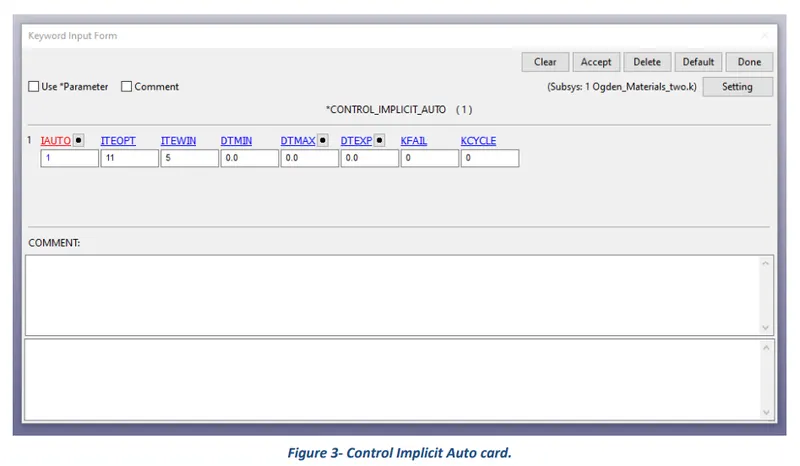
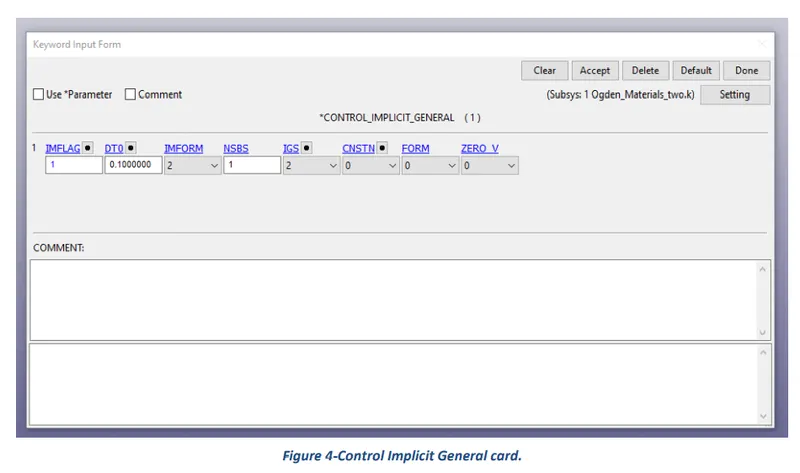
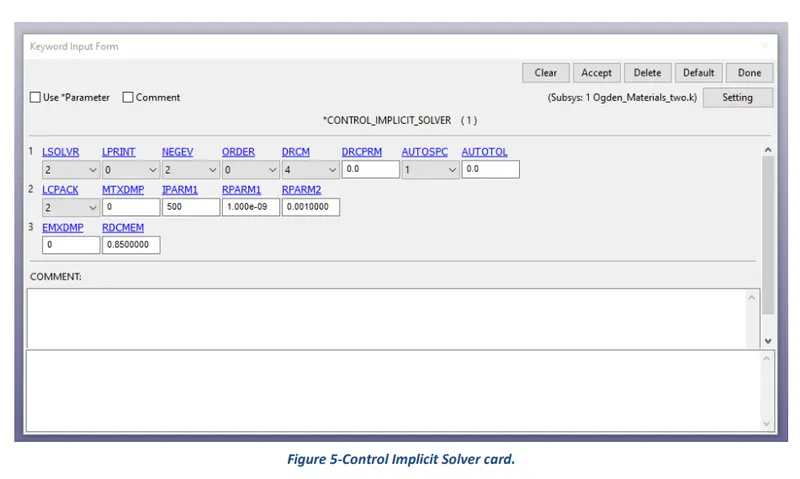
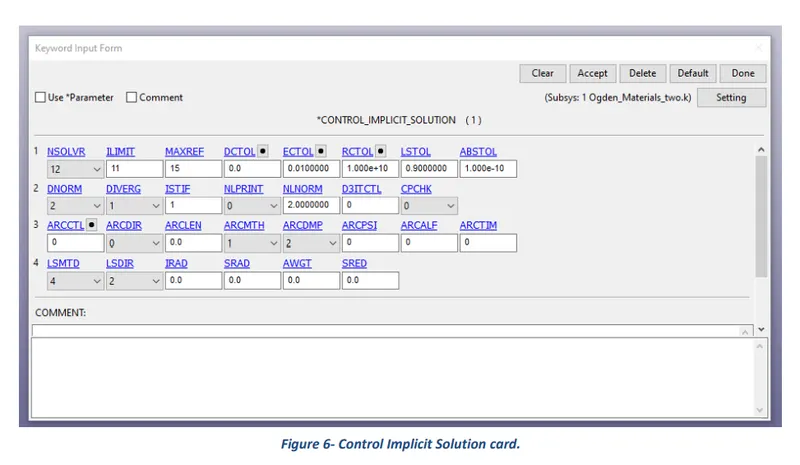
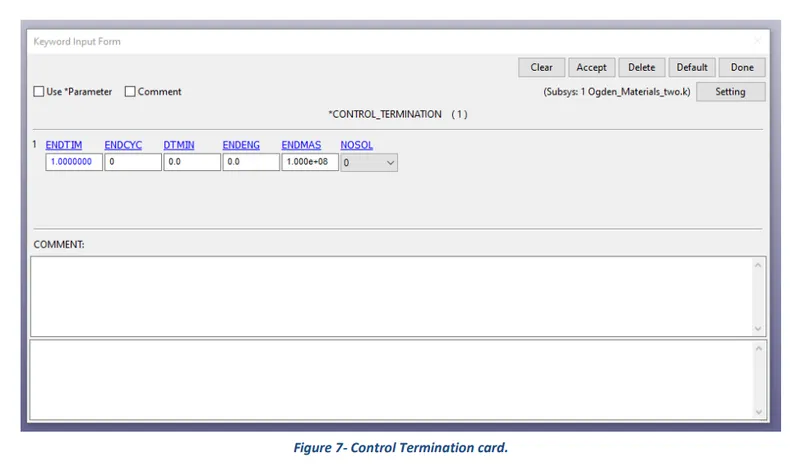
The keyword control cards can be used to change defaults. The control implicit auto, implicit general, implicit solution, implicit solver, and control termination cards were created for the challenge purposes.
Database:
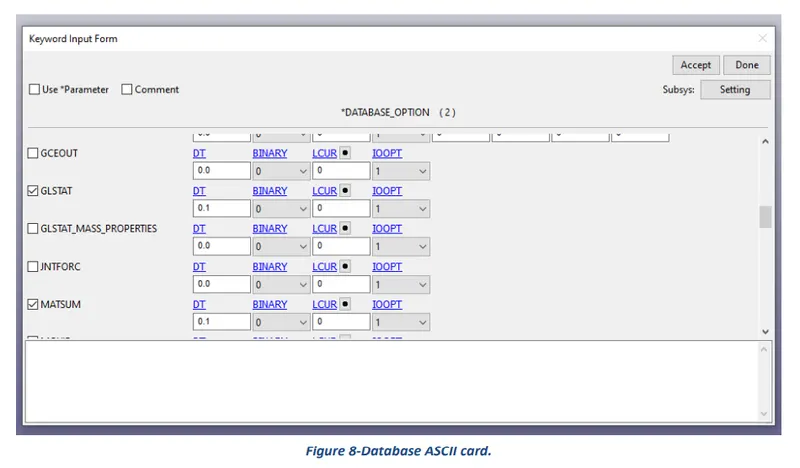
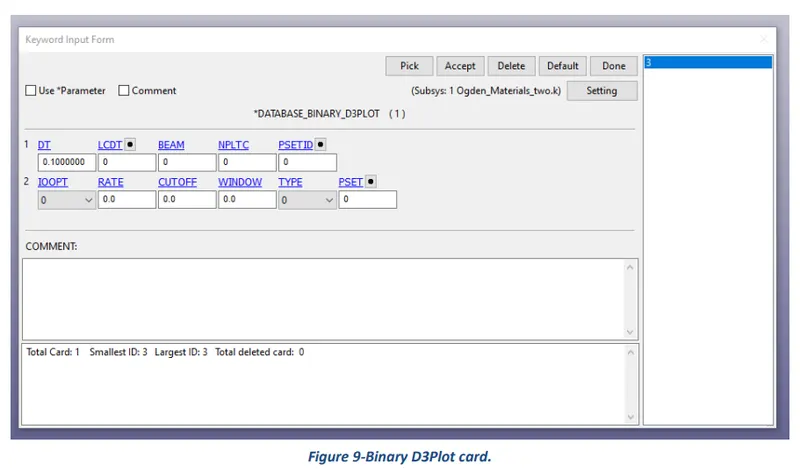
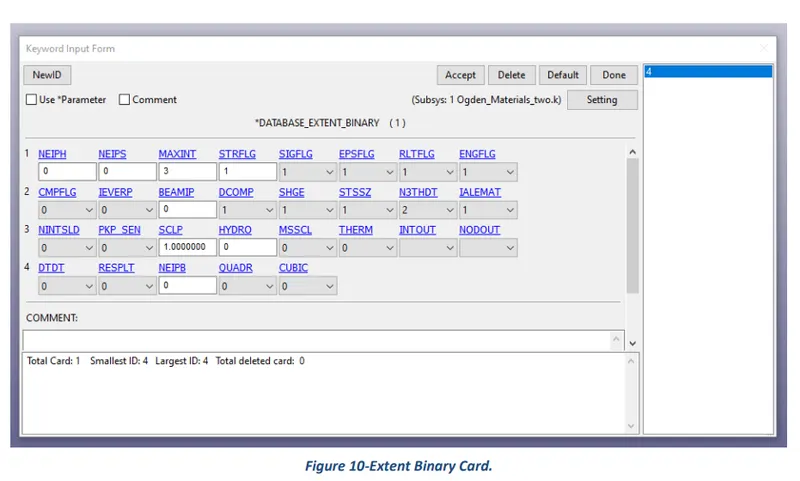
The database definitions are necessary to obtain output files containing results information. The binary D3Plot, Extent Binary, and ASCII options were selected for the challenge purposes.
Define:
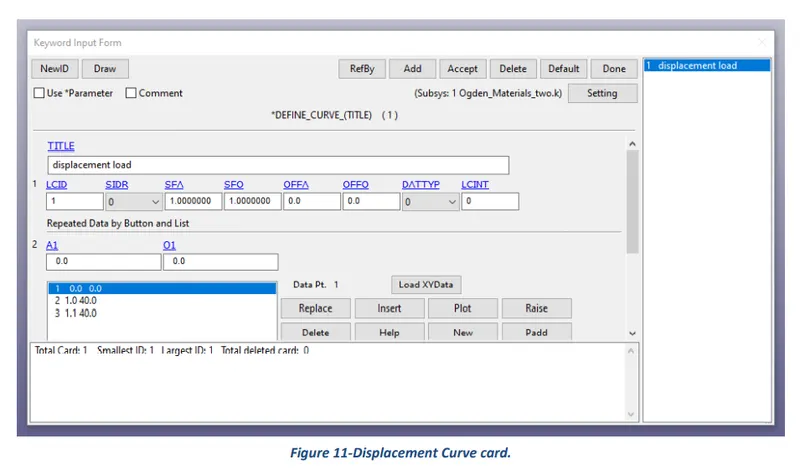
The keyword DEFINE provides a way of defining boxes, coordinate systems, load curves, functions, tables, transformations, and orientation vectors. The curve option was selected, and the assigned value of load-displacement is presented in the following card.
Mat:
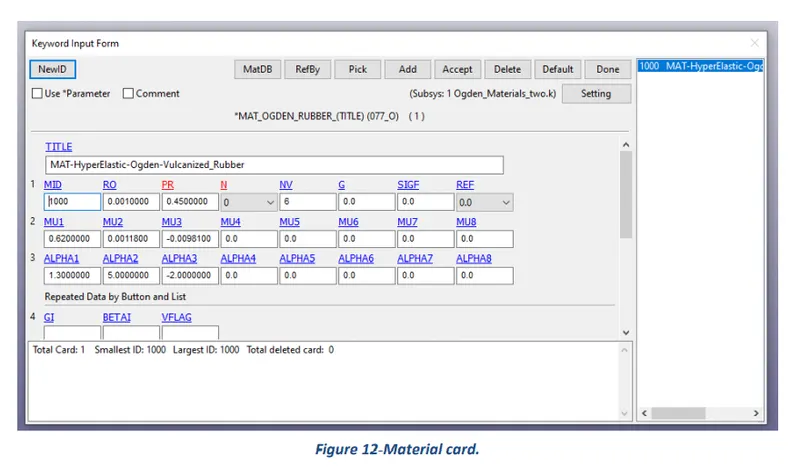
The keyword MAT helps in defining and assigning of different types of materials to a part as per requirements. For this challenge MAT 077 Hyper-Elastic Ogden Vulcanised rubber was selected for the created solid cube. The given values assigned to material card parameters are presented in the following card.
Section:
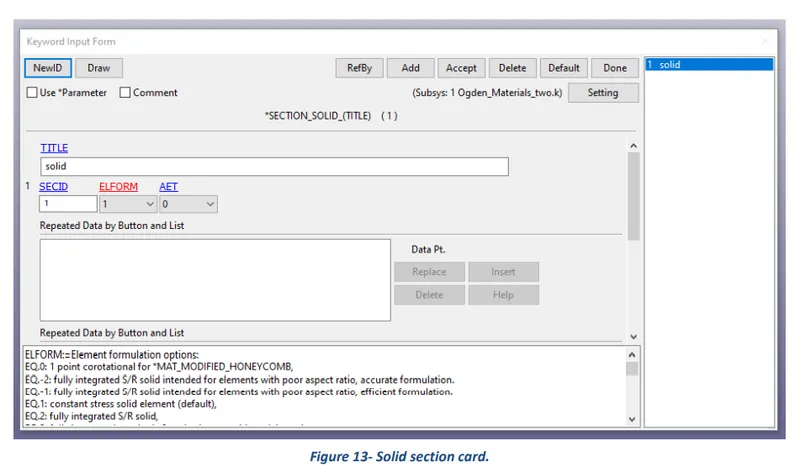
Under section the element formulation, integration rule, nodal thicknesses, and cross-sectional properties are defined. A solid section was created as per challenge requirements and assigned values for their parameters are presented in the following picture.
Part:
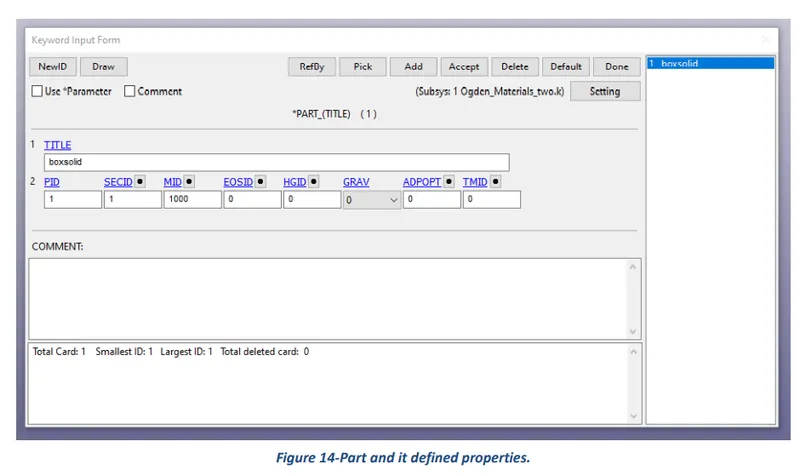
Here define combine material information, section properties, hourglass type, thermal properties, and a flag for part adaptivity.
4 Results
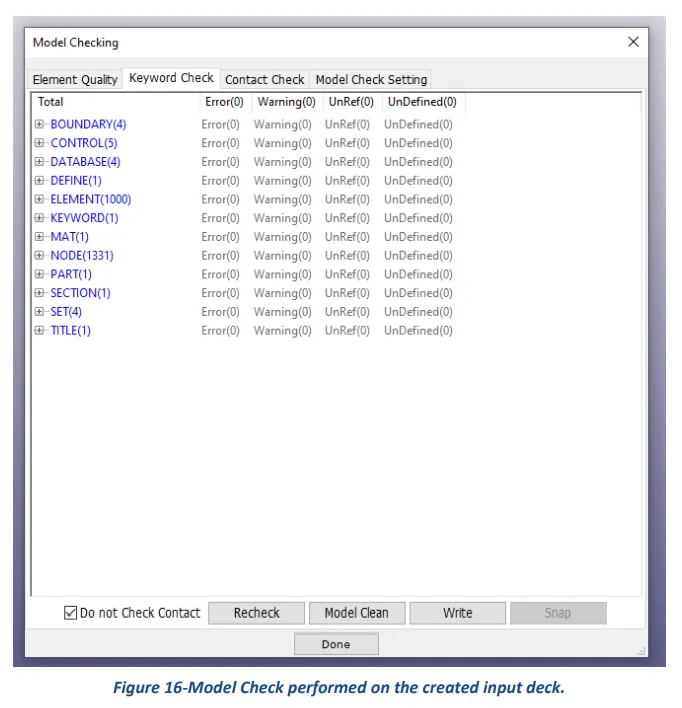
After setting up the input deck and saving the file. K format, the first and foremost step is to perform a model check and then run the simulation using LS-Run software. Once normal termination is achieved, the results can be viewed and analyzed using LS-PrePost software.
What follows hereafter is the pictures representing the process to be followed to create a solid cube of 10mm*10mm*10 mm dimension with 10 elements in each direction.
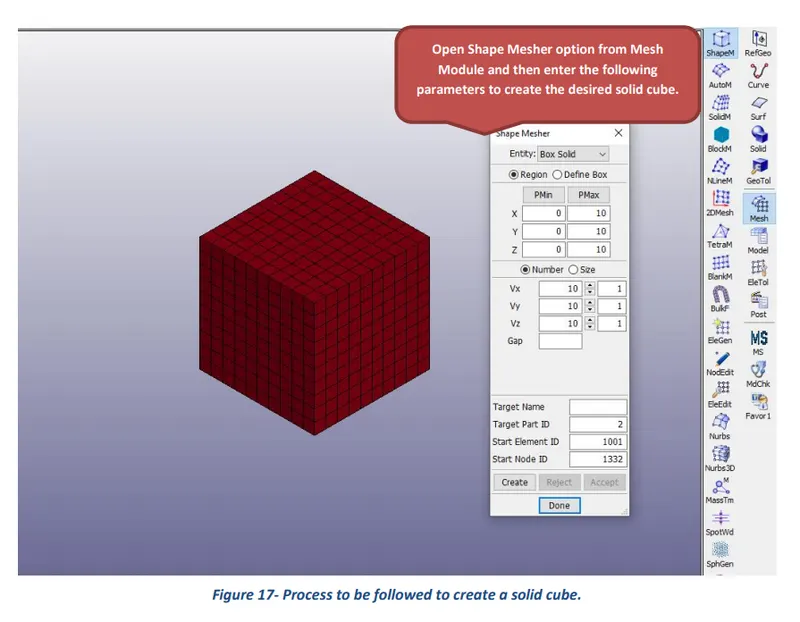
The following images represent the results of the expansion test of a solid cube for different element formulations.
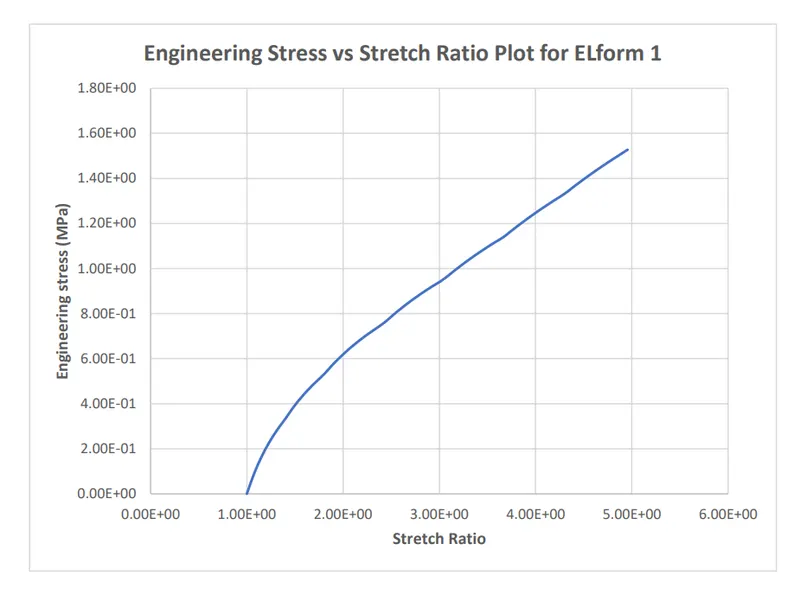
Results of uniaxial expansion of cube assigned Elform 1
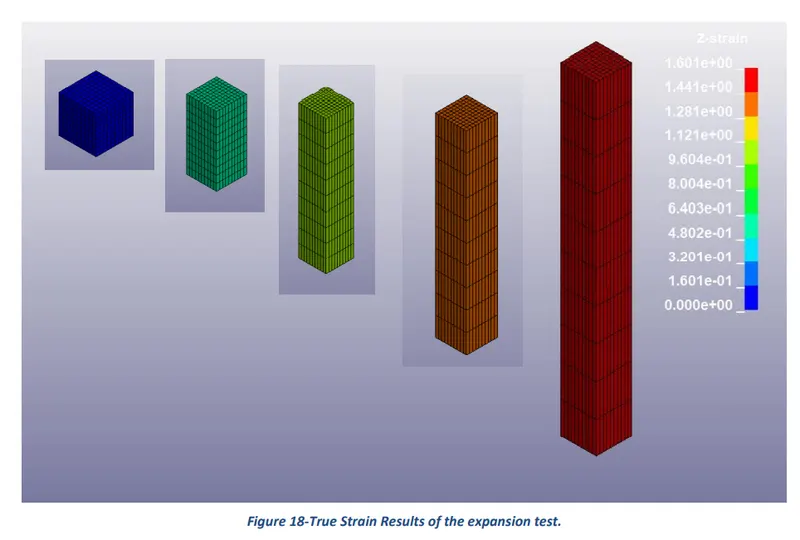
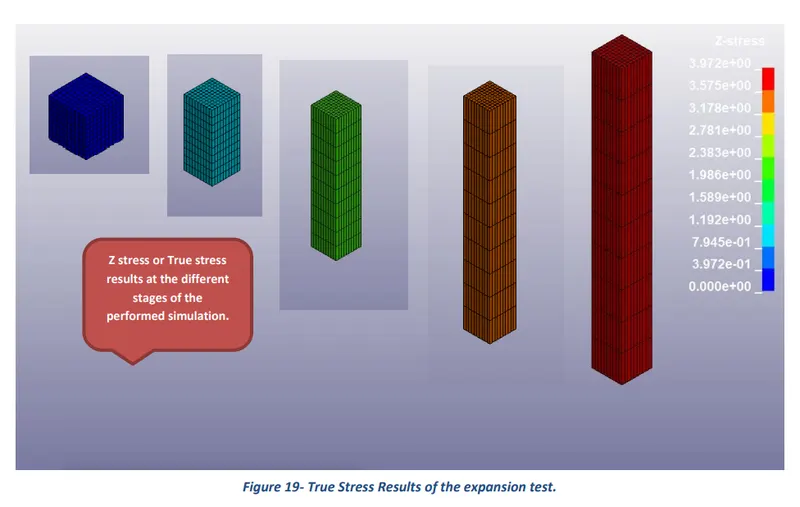
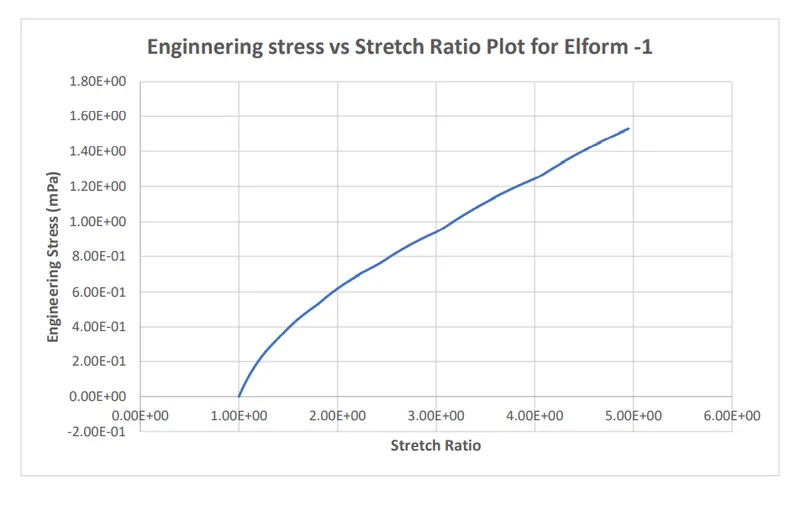
Results of uniaxial expansion of cube assigned Elform -1
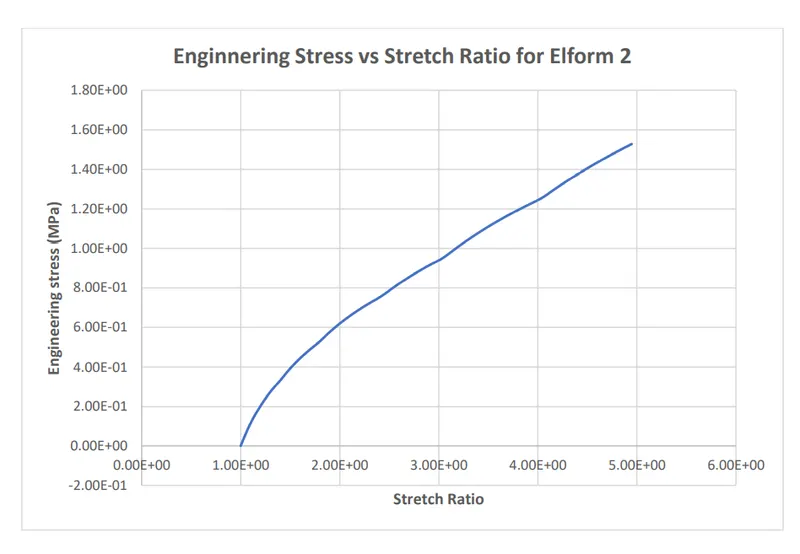
Results of uniaxial expansion of cube assigned Elform 2
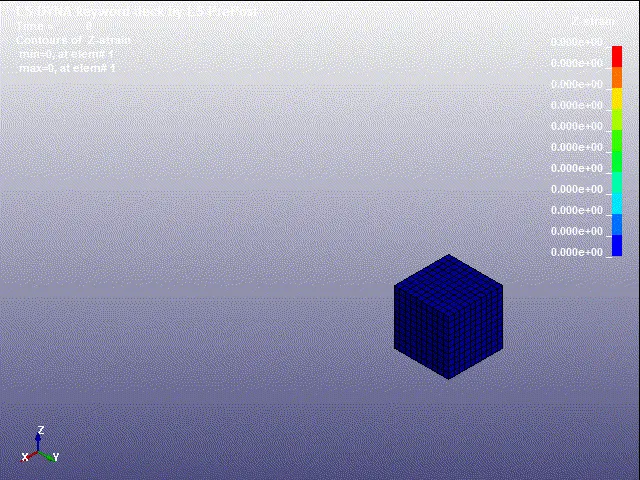
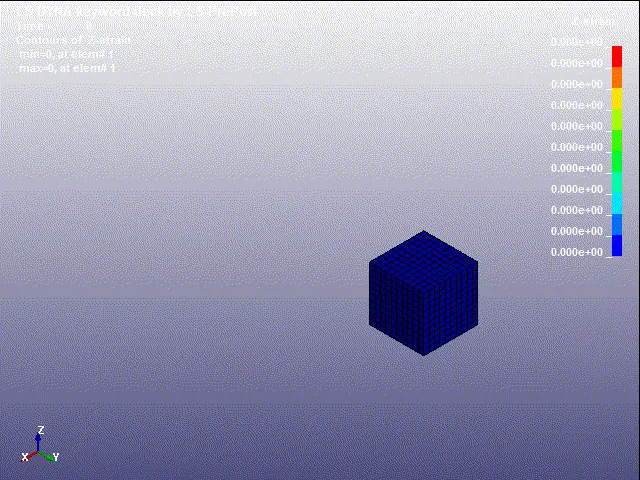
Results of uniaxial expansion of cube assigned Elform 2
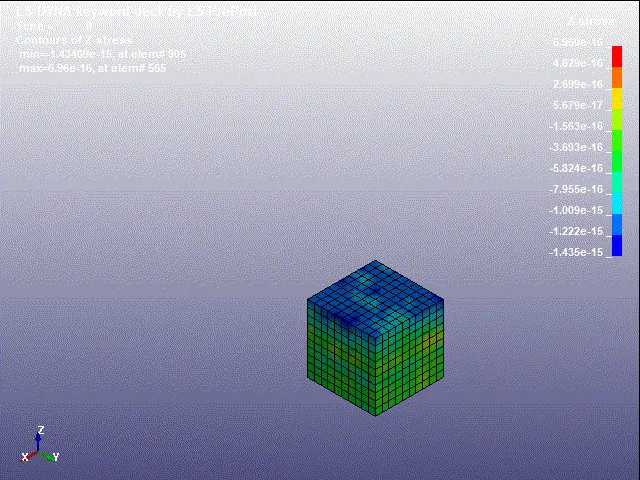
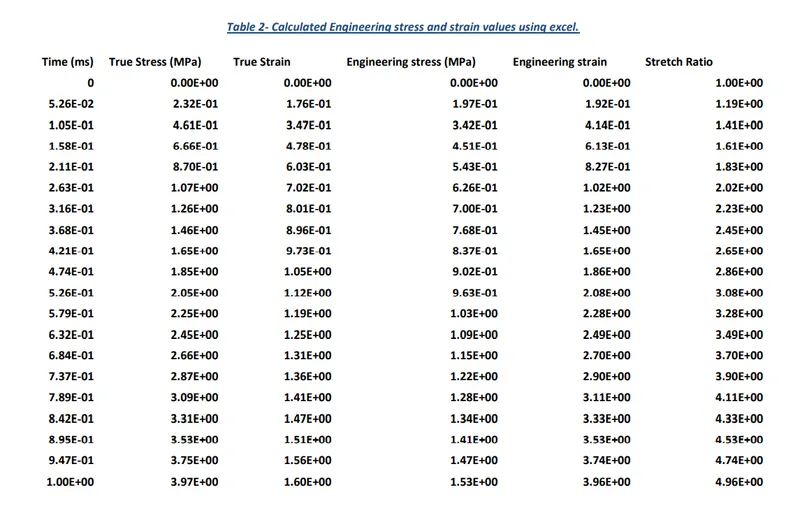
Calculation of Engineering Stress and Strain results.
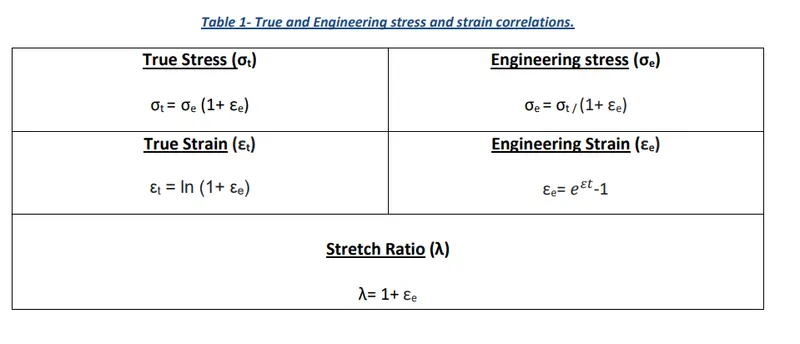
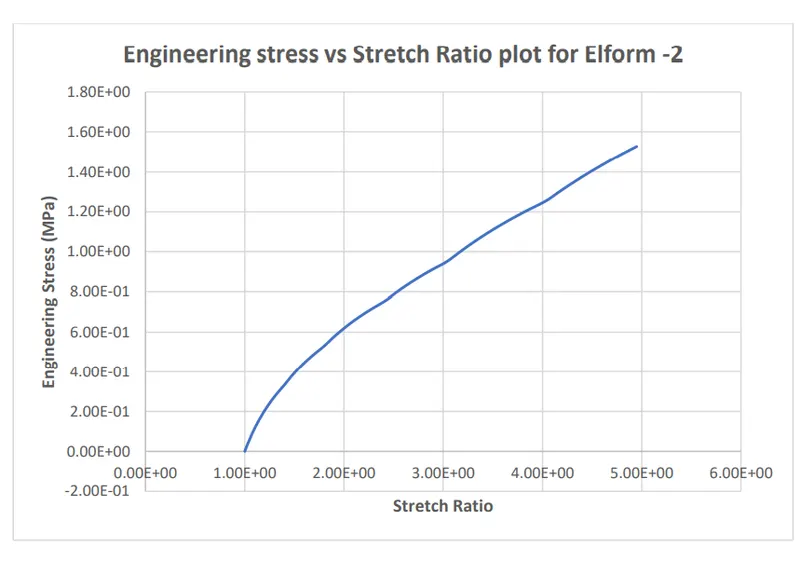
The following correlations were used to calculate engineering stress and engineering strain results. Then plots of engineering stress against stretch ratio were plotted using spreadsheets created in excel.
5 Conclusion
The main aim of the Week 6 challenge was to create an input deck or setup file to perform the uniaxial expansion test of a solid cube using LS-DYNA software and calculate engineering stress-strain results using excel up to stretch ratio of 5 for different solid element formulations. From the Engineering Stress versus Stretch Ratio plots, it was found that the uniaxial tension or engineering stress increases exponentially with the stretch ratio up to the value of 5. It was also noticed that computational simulation time for elform 1 is less than elform 2 and similarly elform -1 takes less computational time than elform -2 to reach normal termination.