Week-6 Calculate the Stretch Ratio by comparing the ELFORM (-2,-1,1,2) with Ogden_Material Model.
OBJECTIVE:-To compare the results for the simulation using element formulation ELFORM= 1,2,-1,-2. for a tensile test of a cube using an implicit solver.
METHODOLOGY:
To get the following simulation we need to follow certain steps:
- Open the Odgen material card (.k formate file) given in the question
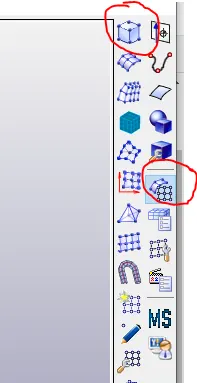
- Create a solid cube of 10x10x10 with 10 elements in each direction using the 'Shape Mesher' under the 'Element and Mesh' module.
- Define the section card and material same as Odgen then assign that to the part solid_cube.
- Give the boundary condition(SPC) for the cube representing the tensile test behavior.
- Set the prescribed motion as displacement in one of the direction
- Set the control card for the implicit solver and database cards for outputs
- save the .k file and run the simulation(LS-run)
- Run the binary file to observe the results.
- change the 'ELFORM' inside the 'Section card to see & compare the results.
PROCEDURE:
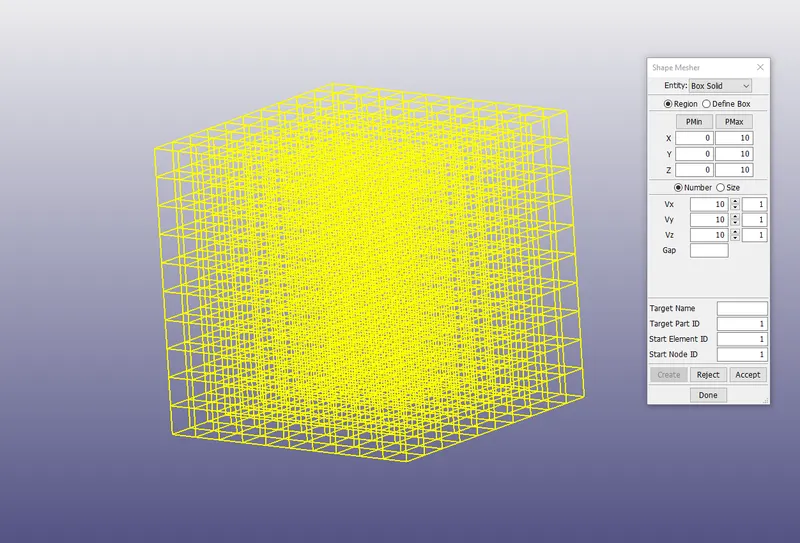
Create a solid cube of 10x10x10 with 10 elements in each direction using the 'Shape Mesher' under the 'Element and Mesh' module.
The cube created is consisting of 1000 solid hexa elements. keep the Pmax value as 10 10 10 for xyz to make 10 mm cube.
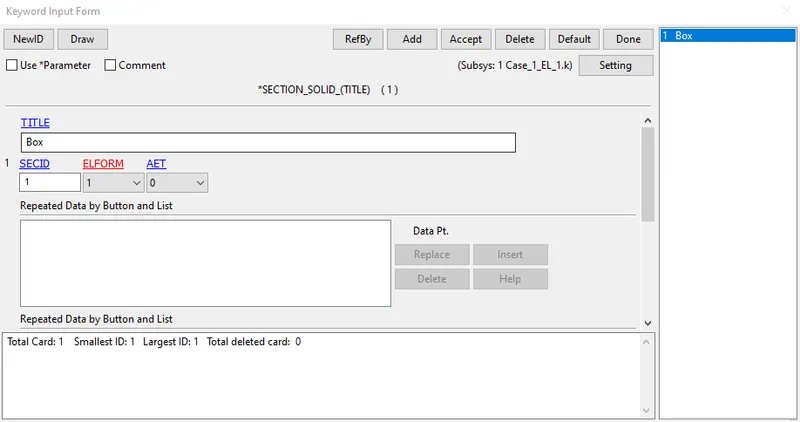
Create a Section for the cube
Define the solid section for the BOX and assign the ELFORM as 1 [Accept>Done].
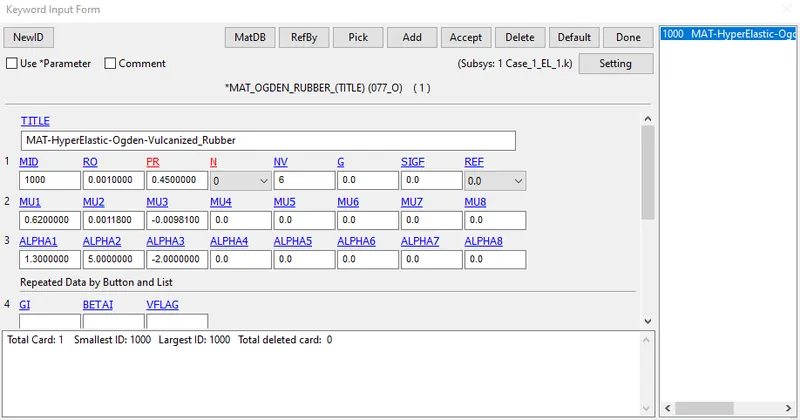
Keep the material card the same as the given in the question with MAT_077 and rho value as .001 and poison ratio as 0.45
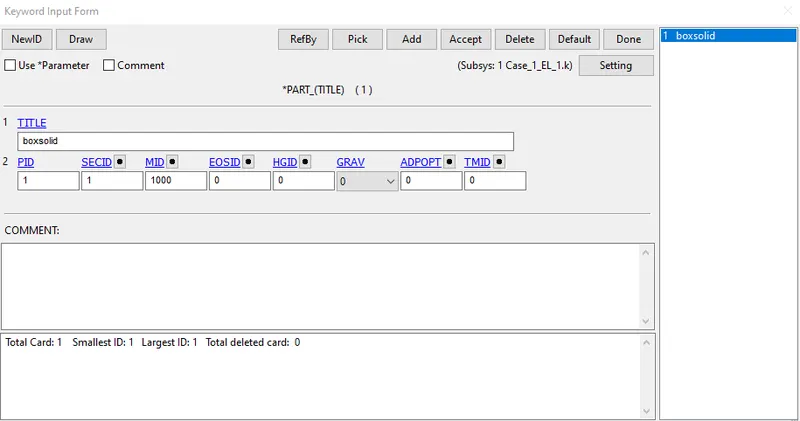
Define the part card
Assign the section_solid card ID:1 and Material_077_odgen: 1000 to define part.
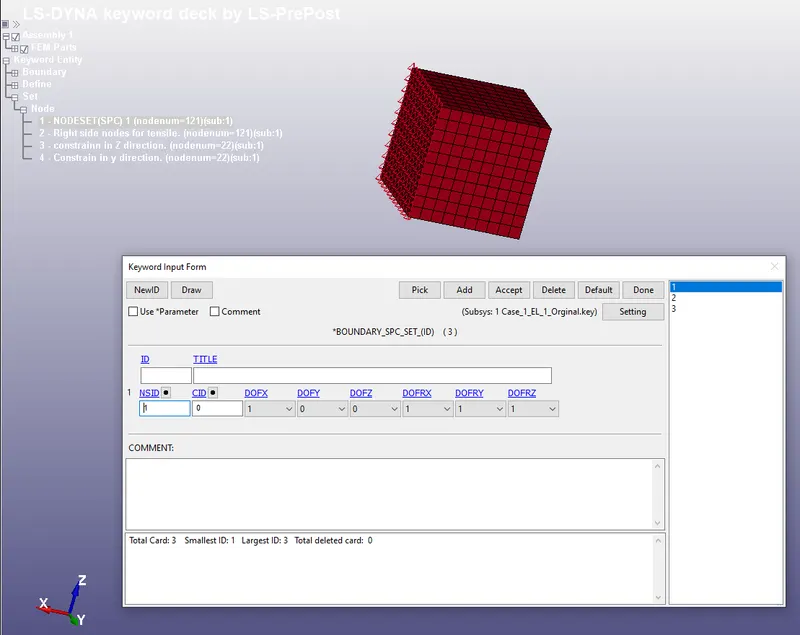
Boundary Conditions:-
Here we need to apply the boundary conditions to perform a tensile test.
1.Create a set that includes the nodes of one face of the cube.
Create a Boundary_SPC_SET for those nodes and constrain them in the x-axis.
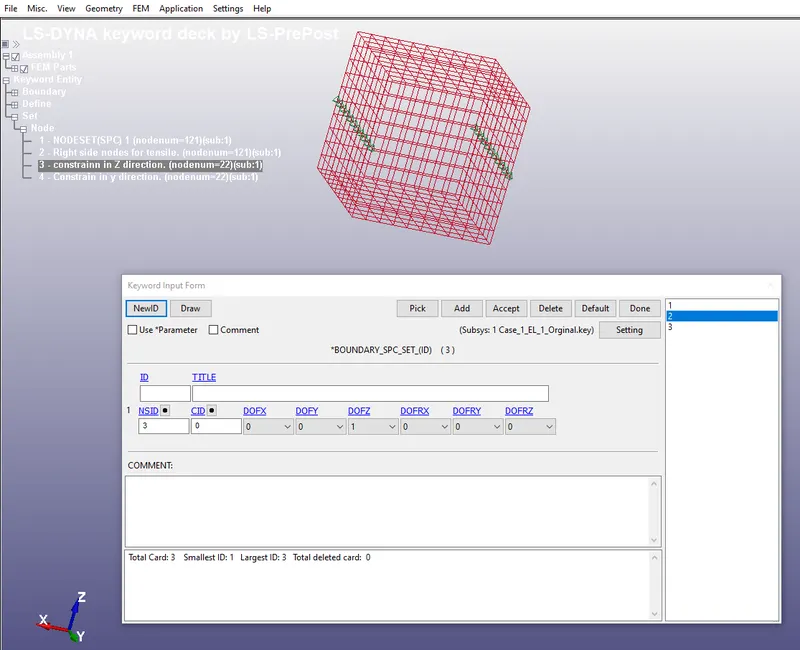
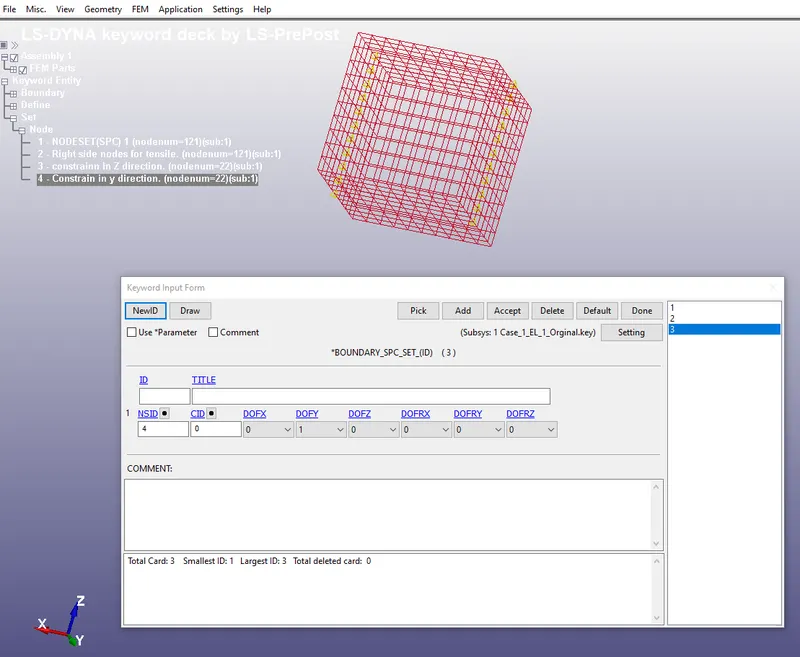
2.Create two sets of center nodes of the faces(that are perpendicular to the axis of the Y and Z).
Constrain the nodes in the respective axis as shown in the figure. (This will help the simulation to gain more stability in the boundary condition)
3. Create a Boundary_Prescribed_Motion for the nodes opposite to the fixed nodes.
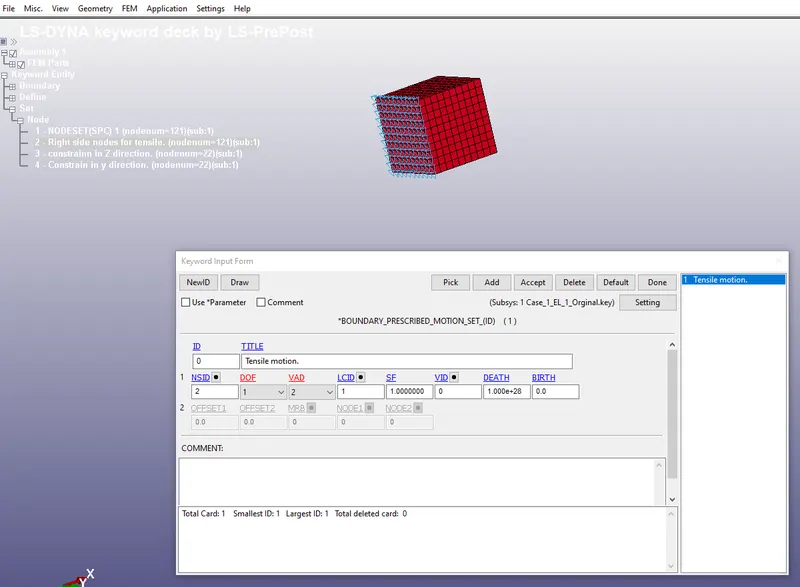
Change the VAD-> Displacement(2)
Add the Curve under LCID
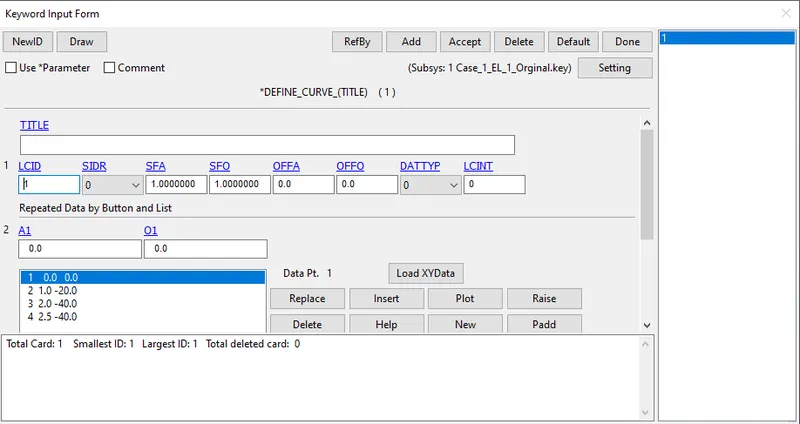
Set the control card for the implicit solver and database cards for outputs
control cards
1)CONTROL_IMPLICIT_AUTO
IAUTO=1:

ITEOPT= 50 ( ITERATION OPTION) AND ITEWIN= 5
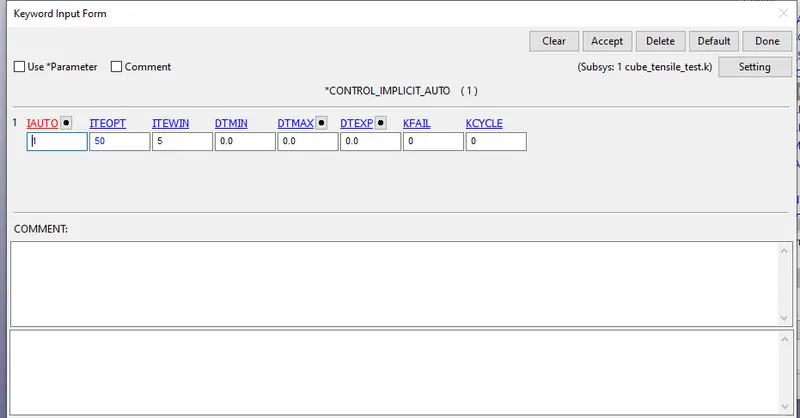
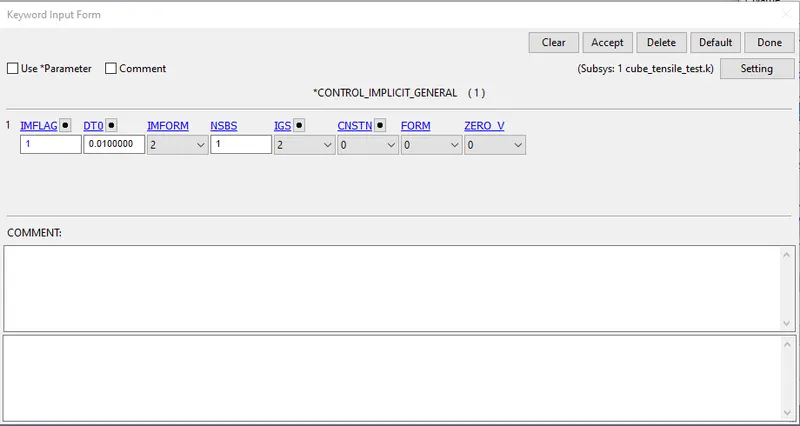
2)CONTROL_IMPLICIT_GENERAL
IMFLAG=1: TO ACTIVATE THE IMPLICIT SOLVER AND SET THE DT0 AS 0.01ms (INITIAL TIME INCREMENT)

3)CONTROL_TERMINATION
Set the ENDTIME=2ms as the displacement is given for the period of 0 to 2.5 ms
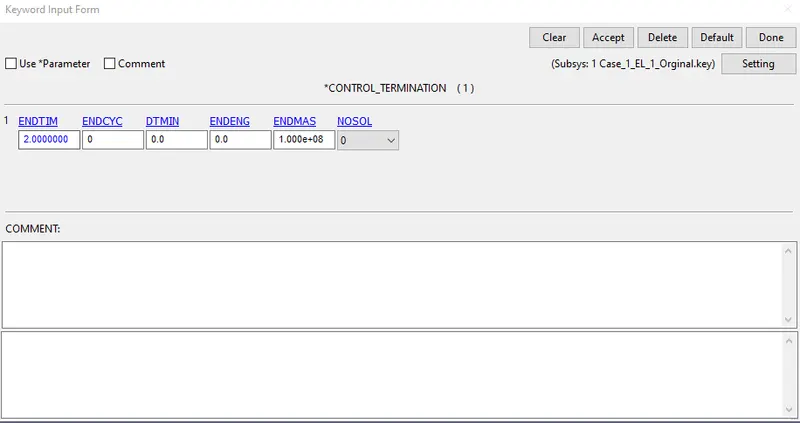
Database cards
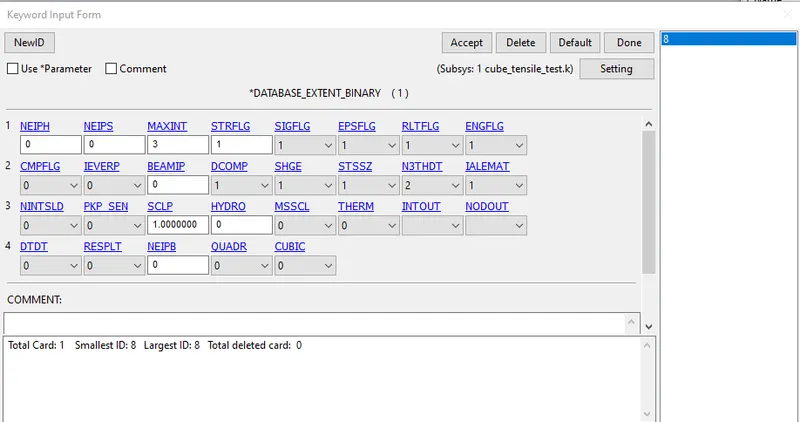
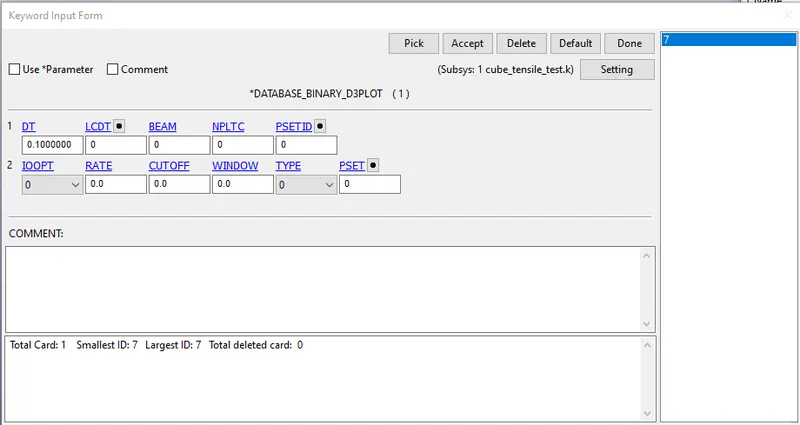
Now we need to define the database card required to do the post-processing of the simulation
1) DATABASE_EXTENT_BINARY: Set the STRFLG =1 (to wite the strain tensor data to d3plotand elout.

2)DATABASE_BINARY =_D3PLOT: Set the Dt = 0.1 ms [Accept> Done]
Save the keyword file with .k format run the solver and build the d3polt file.
Just change the Element formulation ELFORM in section card to 1,2,-1,-2
- Element formulation 1: Under integrated solid element. low computational time, low cost, need hourglass control.
- Element formulation 2: selective reduced integrated element(full integrated formulation). A bit high computational time than ELFORM 1 and costly.
- Element formulation -1,-2: similar to ELFORM 2 but prevent volumetric locking and handle poor aspect ratio.high computational time

CONCLUSION:
Stretch Ratio:
As we know that the `sigma_(true)=sigma_(engg)(1+epsi_(engg))`
also the `epsi_(true)=ln(1+epsi_(engg))`
and the stretch ratio `lamda= (1+epsi_(engg))`
Case1:- Element Formulation-(1)
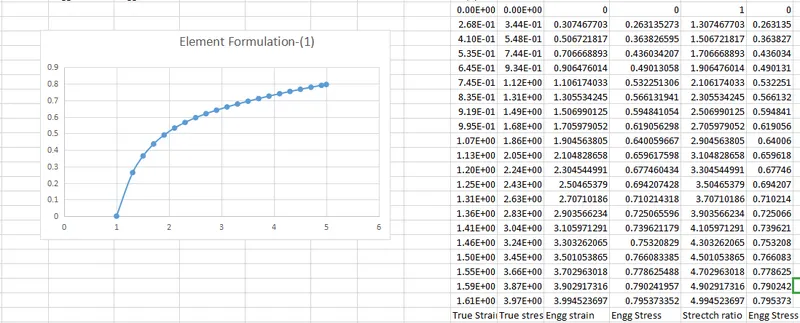
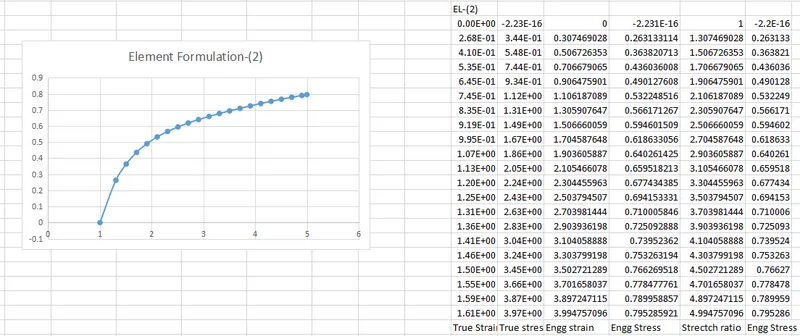
Case2:- Element Formulation-(2)
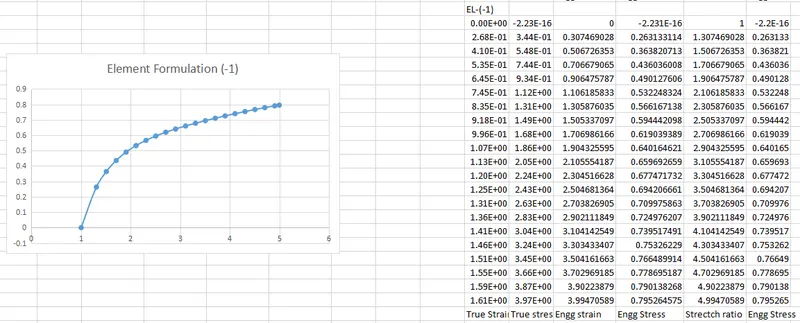
Case3:- Element Formulation-(-1)
Case4:- Element Formulation-(-2)
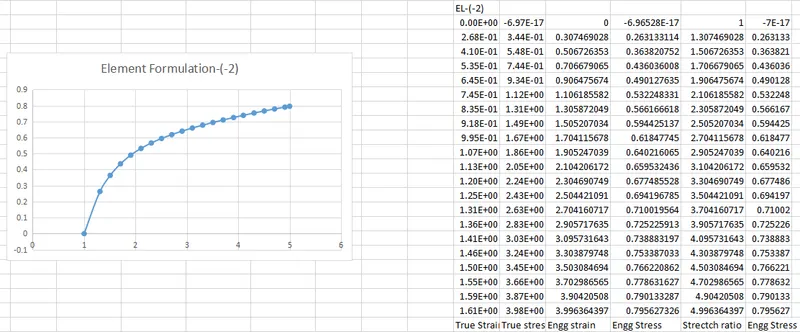
due to convergence issue the model has been stretched upto 5 only.
There is very little variation between the different element formulations.
the Highest stress value is for ELFORM-(-2) and least for ELFORM-(-1).