Week 5 Sphere pressing on a plate
OBJECTIVE:-
To perform the analysis to simulate a sphere pressing on a plate.
Use Structural steel for both sphere and plate but the material of the plate must be Non-Linear.
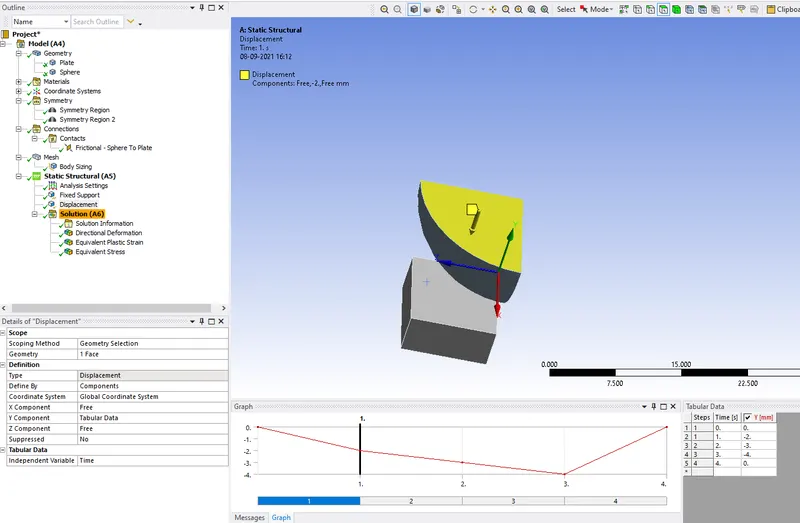
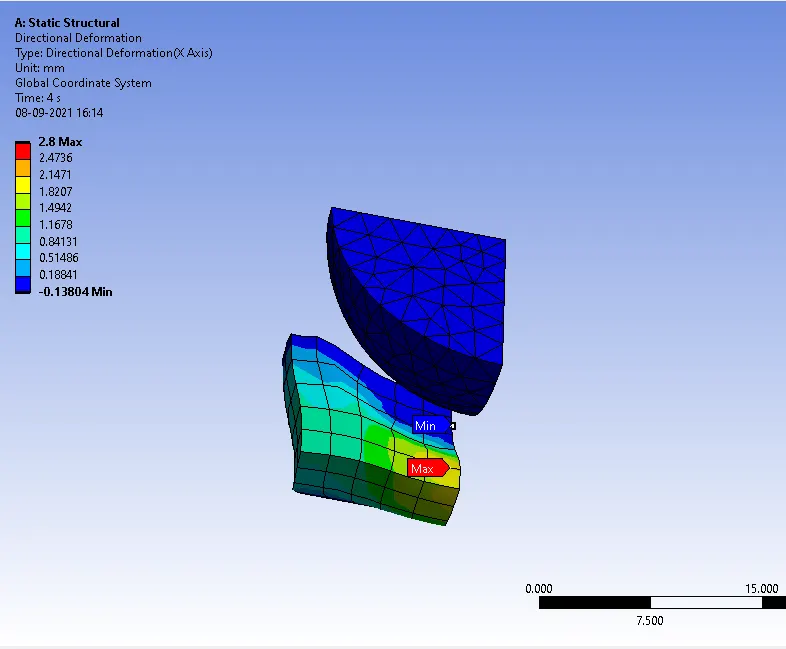
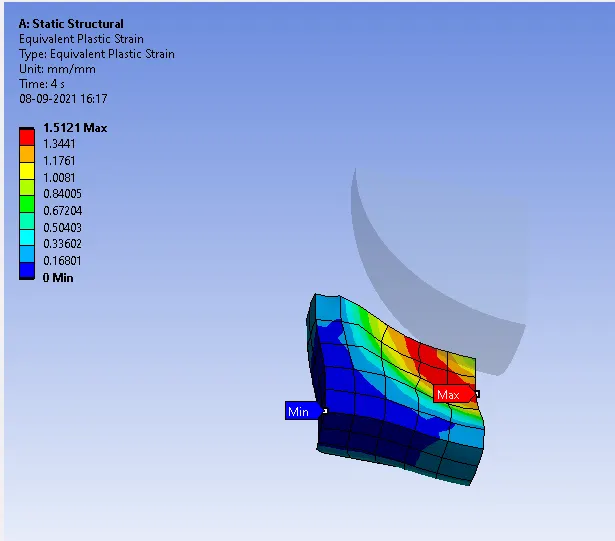
Press the sphere onto the plate 4mm downwards and retract it. The plastic deformation must be captured by you.
CASE SETUP ANS EXECUTION:-
1. First open the Ansys workbench.
2. Next go to the toolbox click on the analysis system double click on the static structural it opens the new tab on the graphical area.
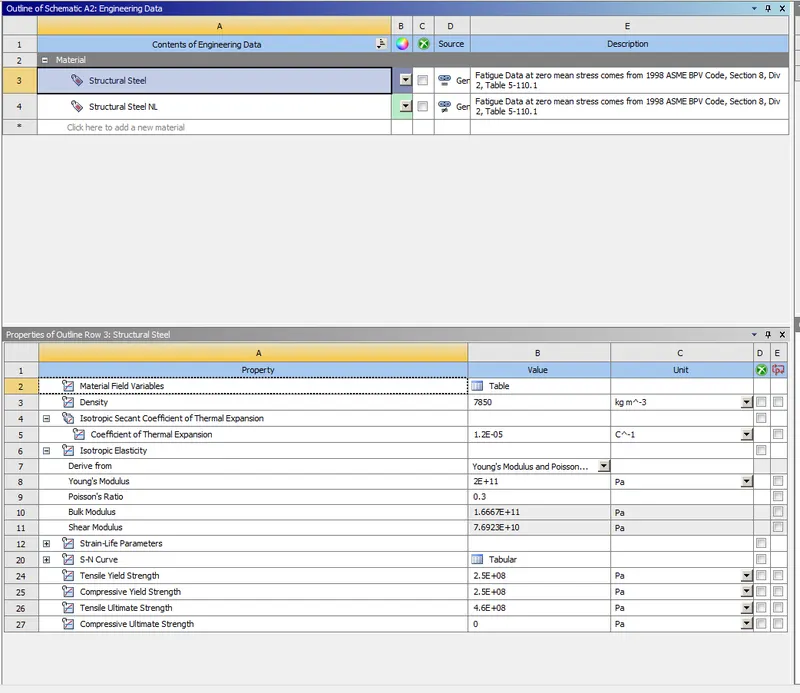
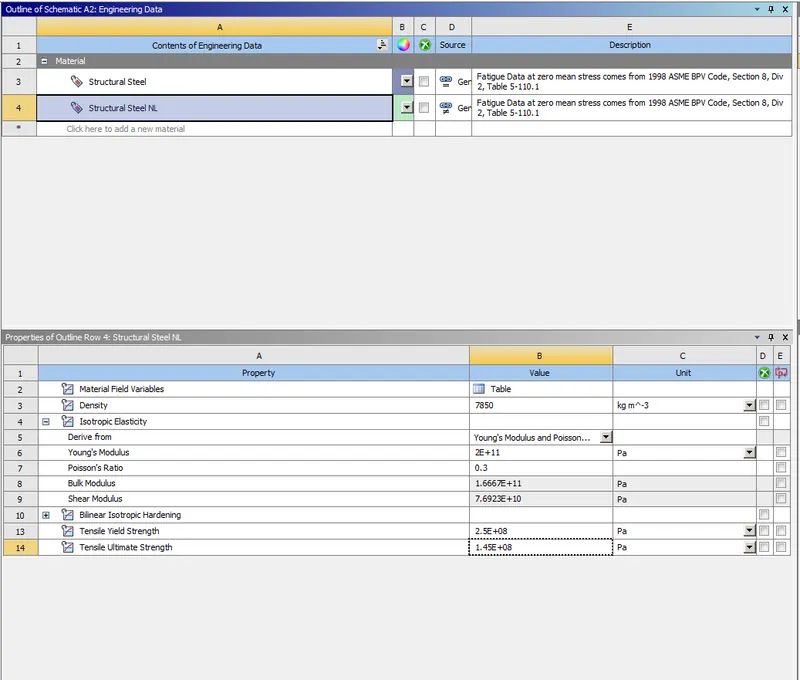
3. Next right click on the Engineering data select the edit to select the structural steel and structural steel non-linear as shown below.
STRUCTURAL STEEL
STRUCTURAL STEEL NL
4. Next right click on the geometry select the import geometry lets select the required file.
5. Next open the geometry in the space claim as shown below.
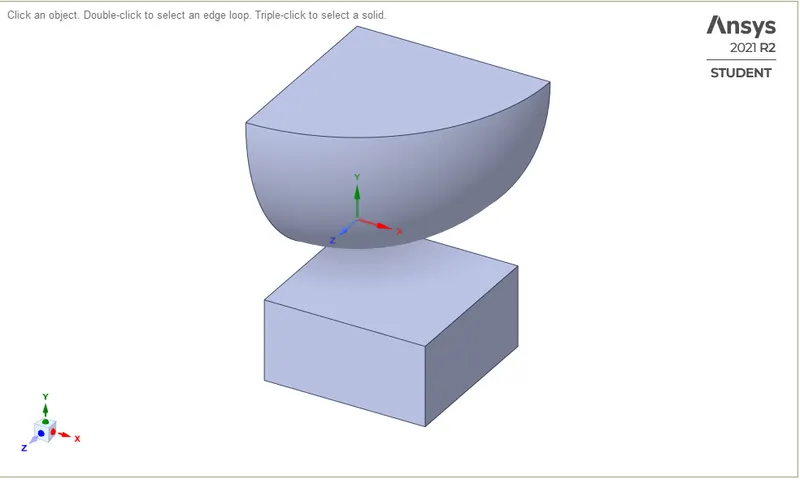
6. Next right click on the model select edit see the new tab is opened below.
7. Select the geometry to assign the materials for sphere and plate
GEOMETRY
Sphere material is structural steel
Plate material is structural steel NL
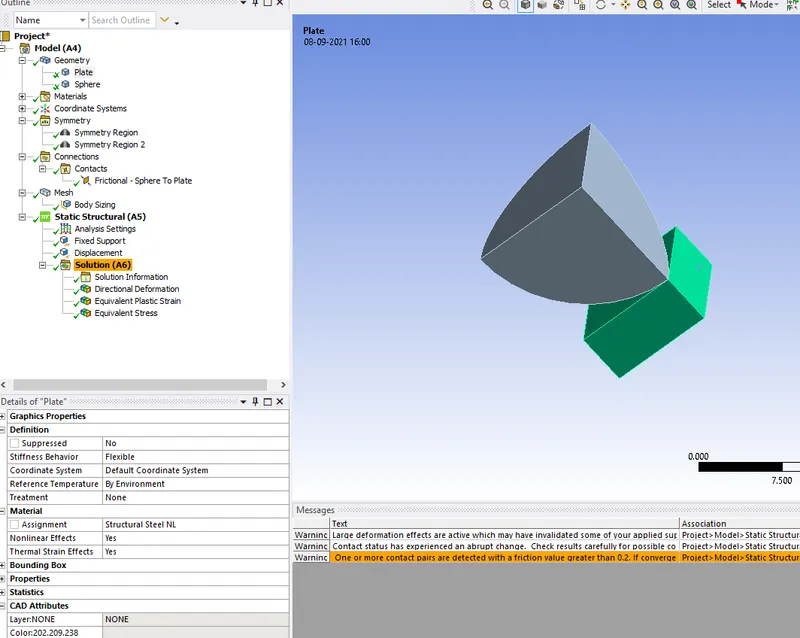
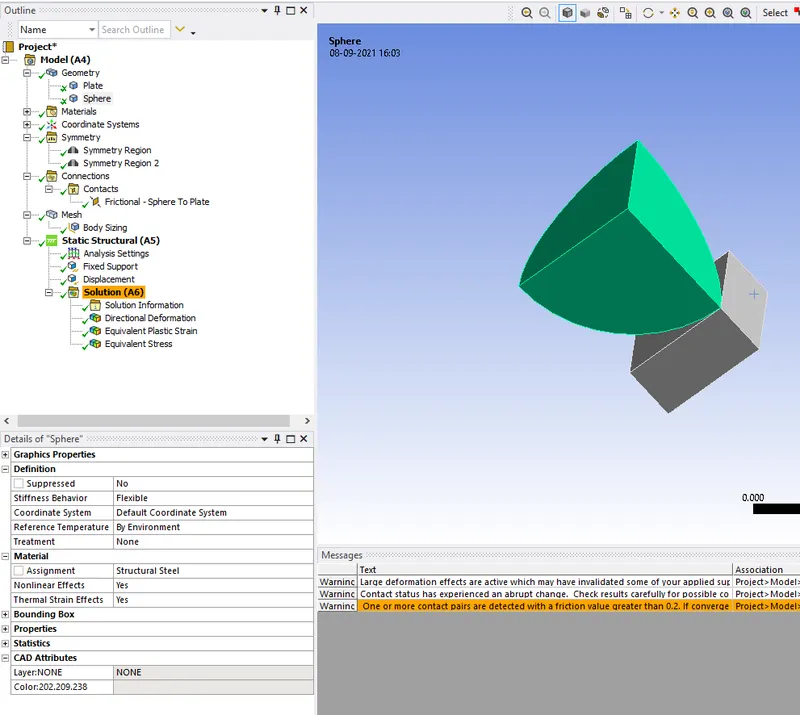
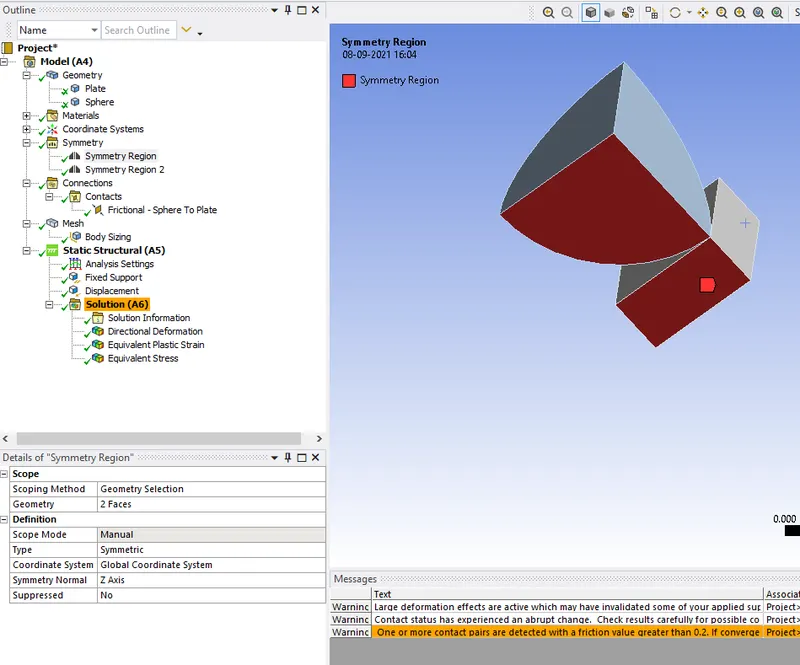
SYMMETRY
Symmetry region 1
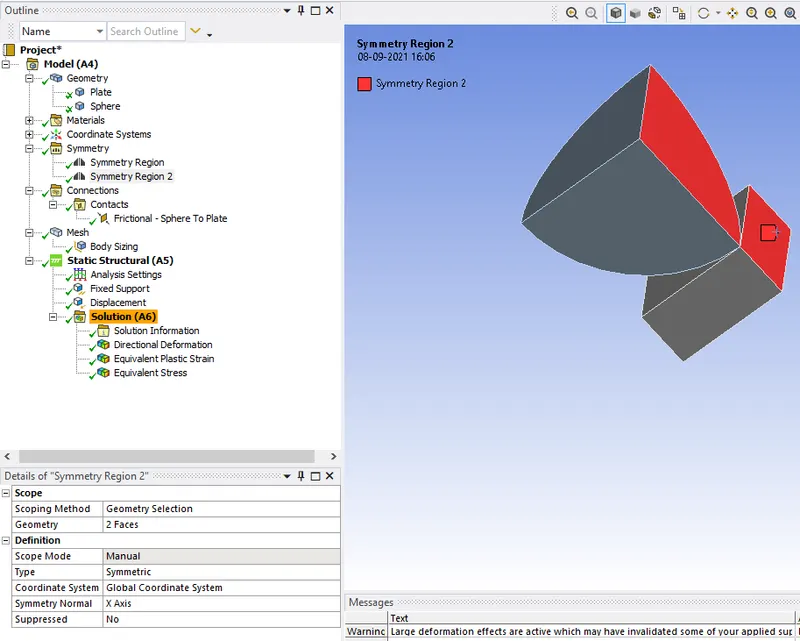
Symmetry region 2
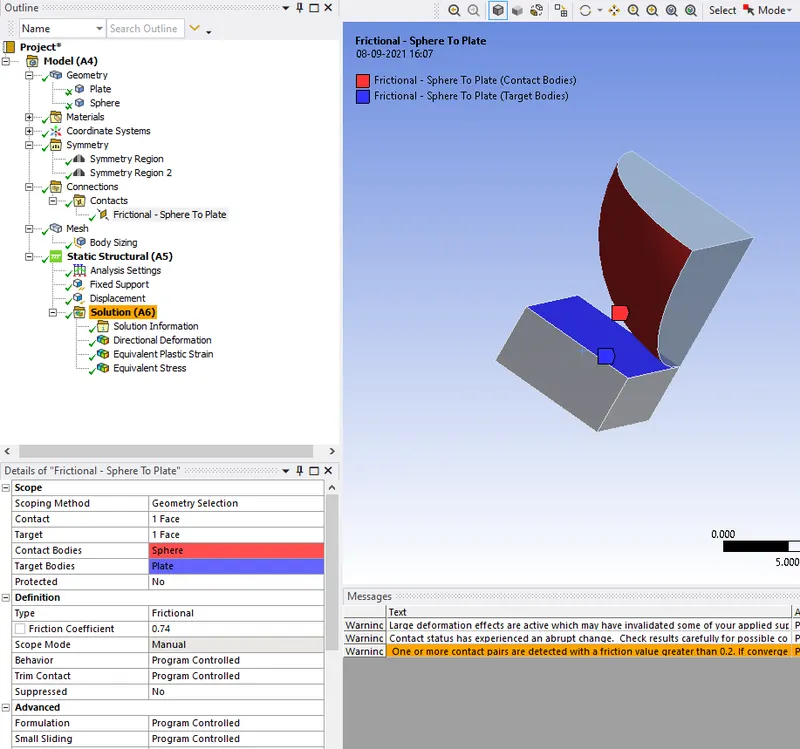
CONNECTIONS
Frictional contact
MESH
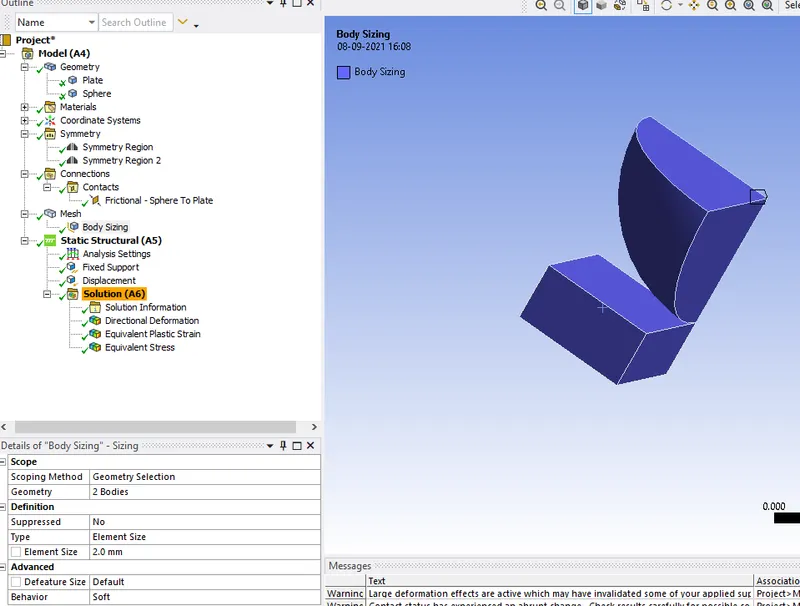
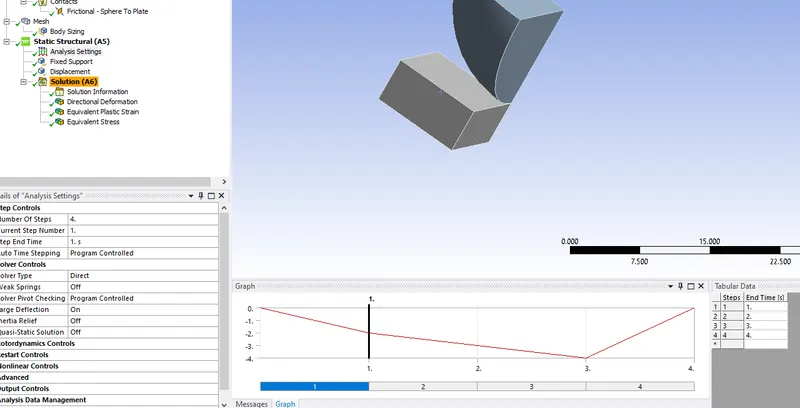
STATIC STRUCTURAL
Analysis settings
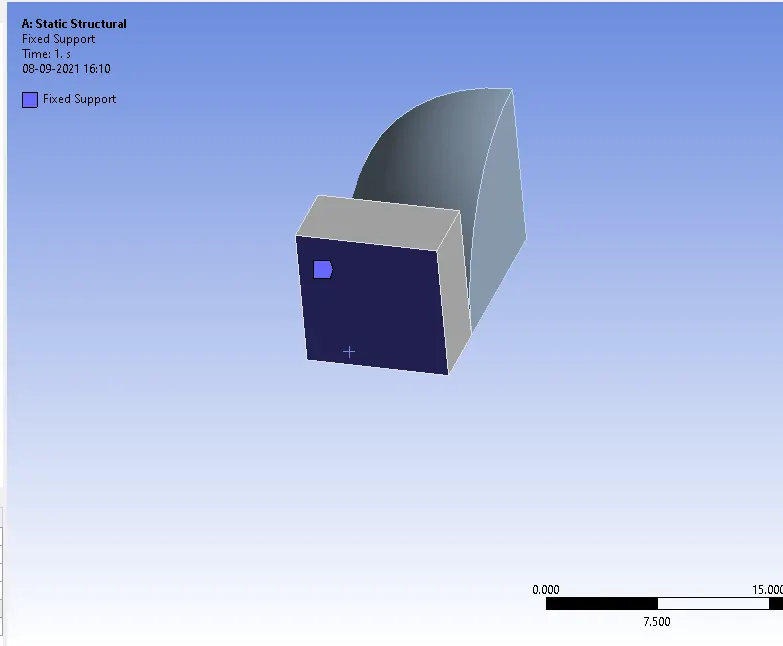
Fixed support
Displacement
8. Right-click on the solution click solve the analysis is started.
DIRECTIONAL DEFORMATION
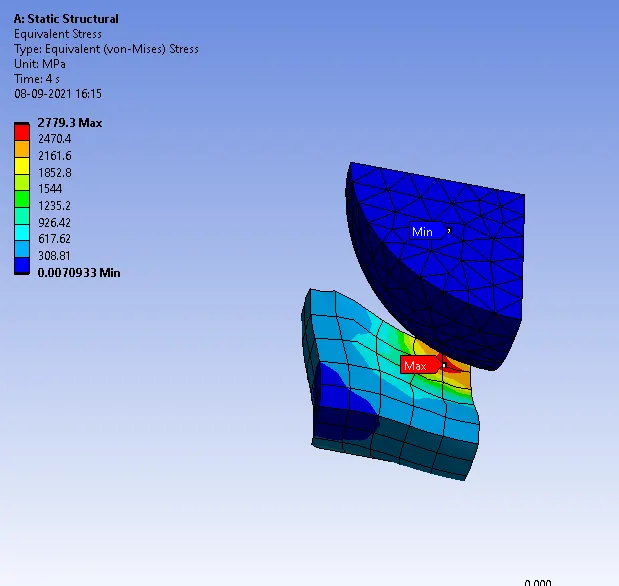
EQUIVALENT STRESS
PLASTIC DEFORMATION
CONCLUSION:-
successfully completed the analysis on the sphere pressing flat plate. By observing the results plastic deformation is 1.5121 max it gives fine value.