Week 5 Sphere pressing on a plate
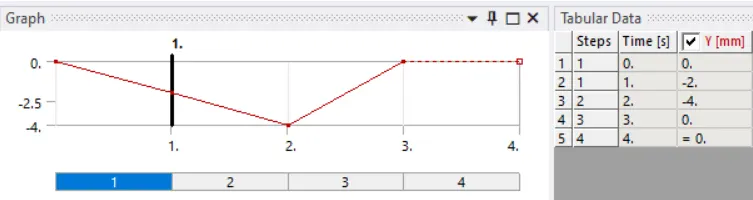
Objective: In this challenge, we have to perform the analysis to simulate a sphere pressing on a plate by using structural steel for both sphere and plate but the material of the plate must be Non-Linear. press the sphere onto plate 4mm downwards and retract it.
STEPS FOR PERFORMING ANALYSIS:
1. Open ANSYS workbench.
2. Select the static structural module.
3. Select the proper Engineering data card.
4. Import geometry.
5. Open Mechanical model.
6. Give proper connections (contacts and joints).
7. Generate mesh.
8. Set Analysis Setting as given.
9. Insert output request
10. Analyze Result.
ANALYSIS SETUP:
GEOMETRY
Import given model in ANSYS Workbench for static structural analysis.
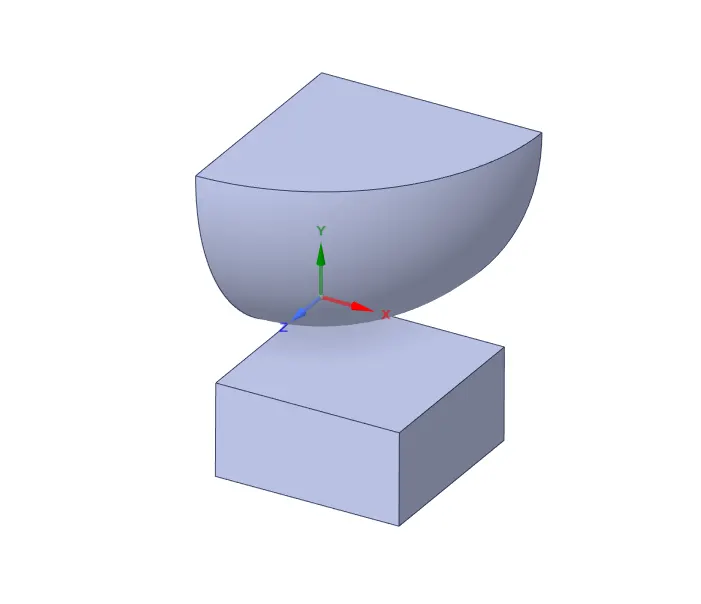
Fig. CAD Model
MESHED MODEL:
Details
Mesh Size = 0.5mm
No of nodes = 30066
No. of elements = 10538
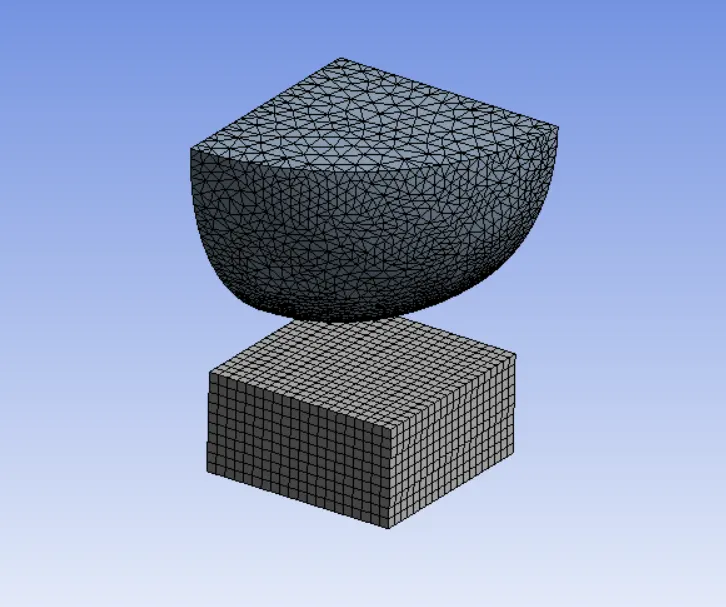
Fig. Meshed Model
MATERIAL:
For Sphere
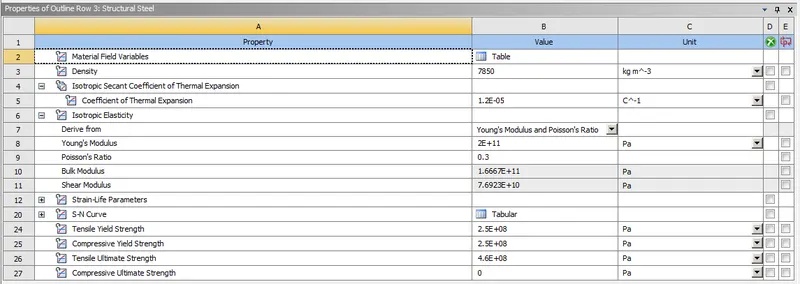
Structural Steel
For Plate
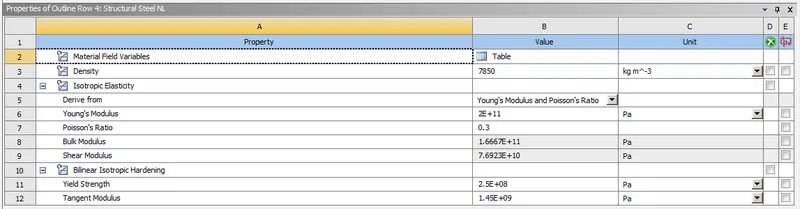
Structural Steel NL
PROCEDURE FOR ALL CASES:
1. Import model in ANSYS Workbench.
2. Assign material properties.
3. Open the mechanical module, where we going to perform analysis.
4. Meshed the model with desired element size.
5. Now after meshing, From Project Tree, select "Connections" and create "Contact".
- Contacts:
- Contact Between Sphere and plate. The sphere applies force on the sheet, So the sphere is the contact body and the sheet is the target body.
- Type = Frictional
- Frictional coeff. = 0.74
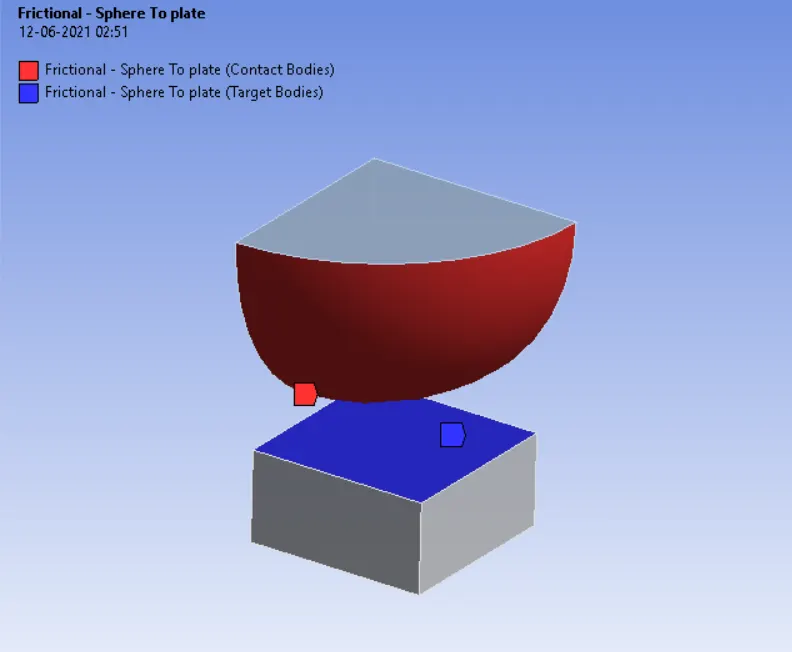
Fig. Contact between Sphere and Plate
6. Now create a symmetry region on both sides of the sphere to ensure the result for the complete sphere.
7. BOUNDARY CONDITIONS:
Now let's define the Boundary condition.
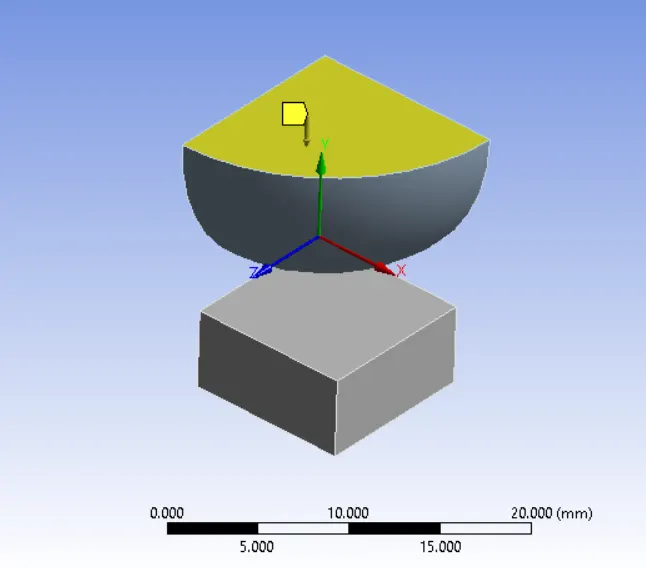
- Here we are going to look and stress developed in the component while the sphere moves in a downward direction.
- Now We look at the simulation in 4 Steps.
- Solver Type = Direct
- Turn ON the large deflection and leave all the setting as it is.
- Other boundary conditions are given below:
- Fixed Support: Select the lower face of the plate to restrict the movement.
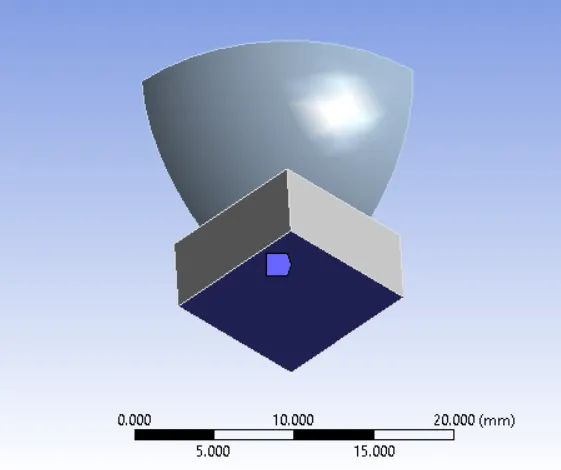
2. The sphere is to be press at a particular distance, so the displacement of 4mm is provided by selecting at the top face and the displacement at the opposite Y-axis.
7. SOLUTION:
- After giving proper Boundary conditions, create a solution for the output result.
1. Equivalent Stress (Von-misses), Equivalent Elastic Strain and Directional Deformation for the complete model.
RESULT:
1. Directional Deformation:
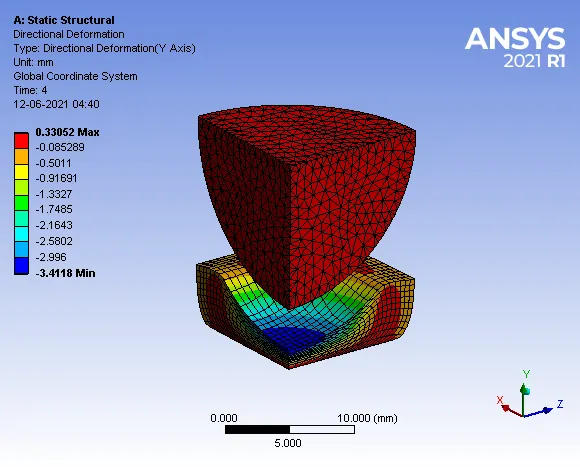
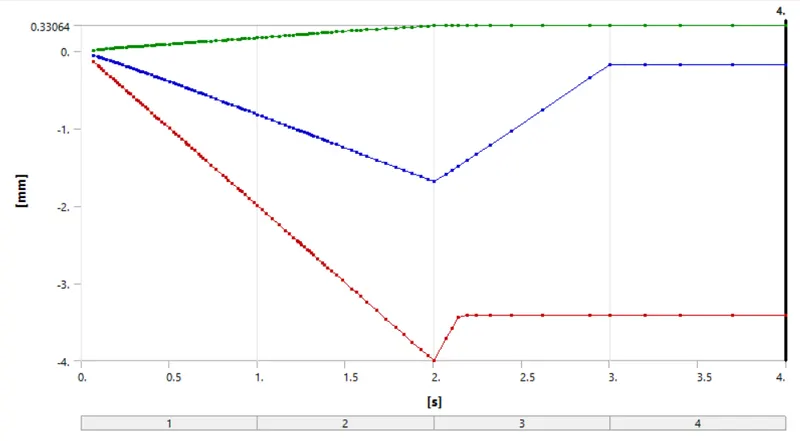
Maximum Deformation = 0.33052 mm
- Deformation Contours:
2. Equivalent Von-misses Stress:
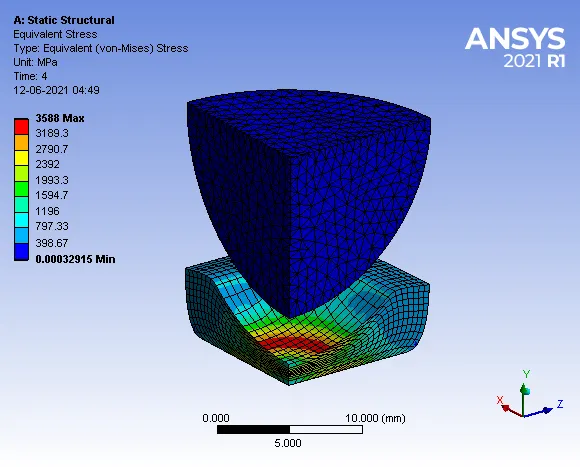
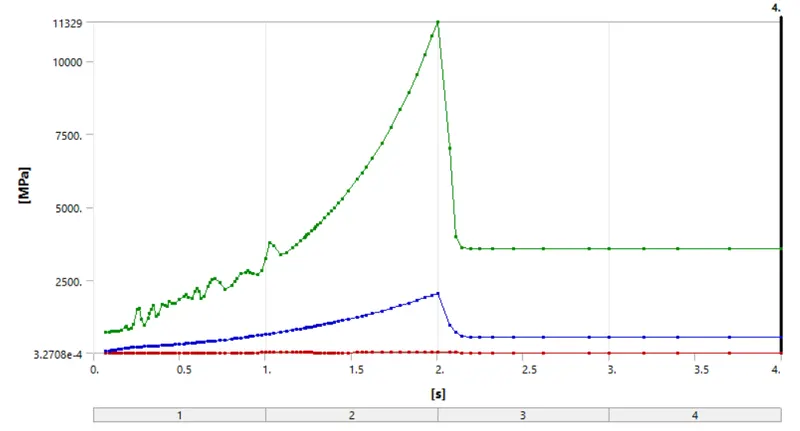
Maximum Stress = 3588 MPa
- Stress Contours:
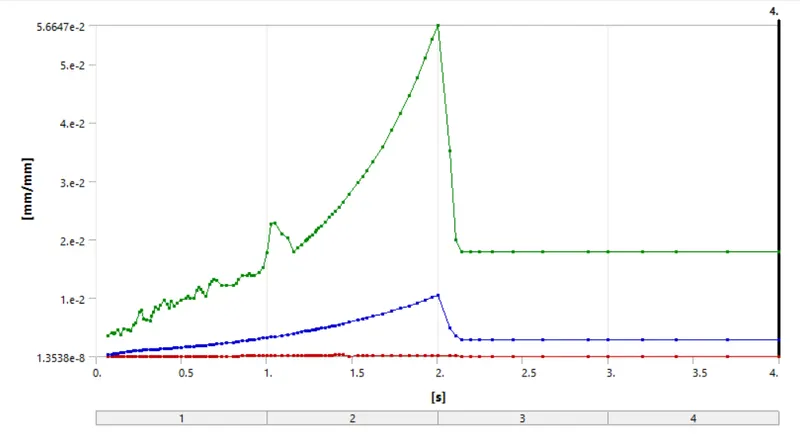
3. Equivalent Elastic Strain:
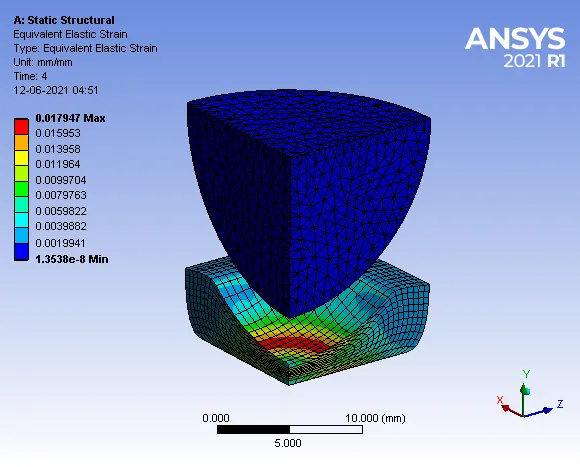
Maximum Strain = 0.017947 mm/mm
- Strain Contours:
4. Equivalent von-misses stress of plate:
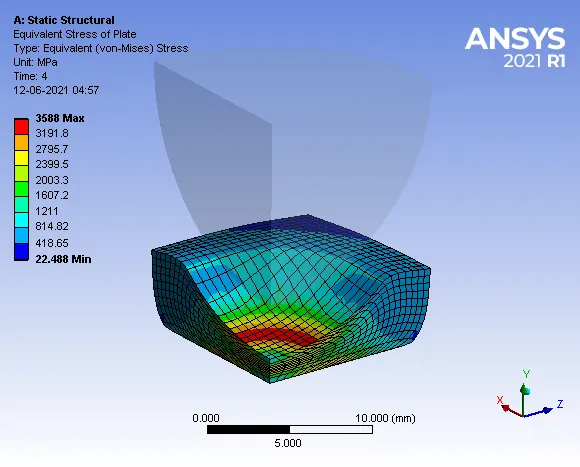
Maximum Stress = 3588 MPa
- Stress Contours
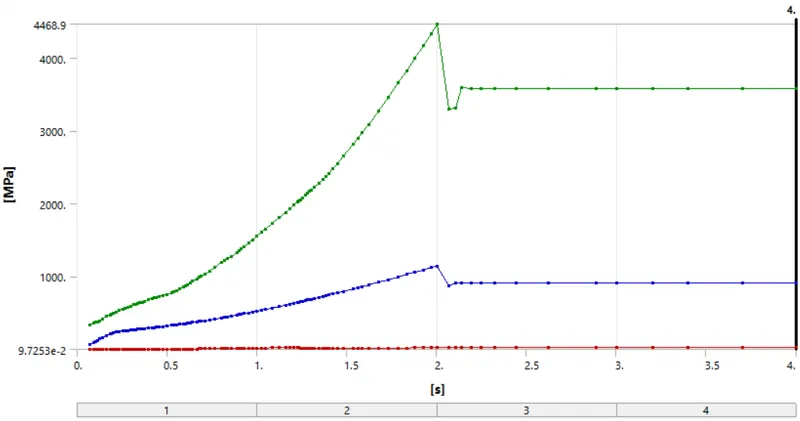
5. Equivalent Elastic Strain of Plate:
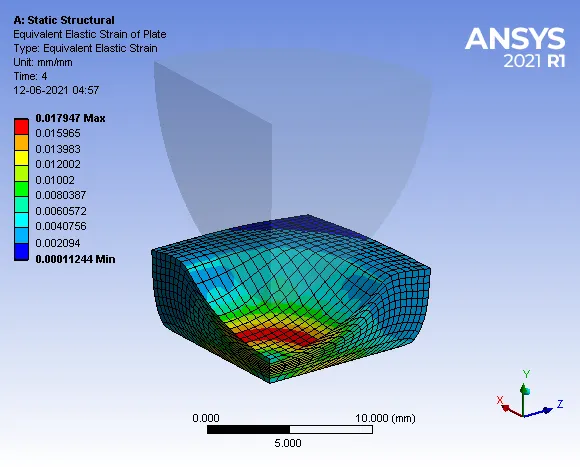
Maximum Strain = 0.017947 mm/mm
- Strain Contours:
Conclusion:
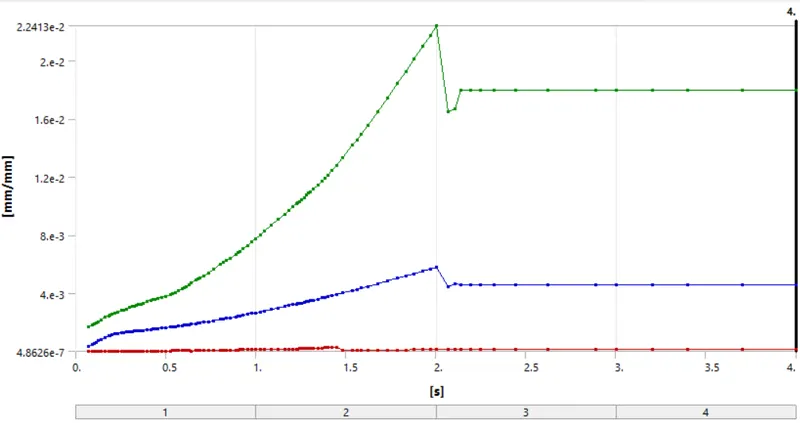
- After pressing the plate by 4mm distance by the sphere and preventing back to its portion it shows the plasticity of the structural Non-Linear material of the plate as is shown in the directional deformation at a max of 0.33052 mm and equivalent elastic strain is of 0.017947 mm/mm.
- Simulation of a sphere pressing flat plate process conducted with structural steel as sphere material and structural steel Non-Linear as plate material. From the analysis, it is found that beyond the elastic limit the material remains in the plastic state, even after removal of load